Blotato vs Buffer: An Honest 2026 Comparison
Blotato vs Buffer in 2026: flat-rate AI creation vs per-channel scheduling, and why the two tools' new MCP servers do very different jobs.
If you’re weighing Blotato vs Buffer, you’re probably trying to figure out which tool actually fits the way you create and post content. I’ve tested just about every social media tool that exists, and these two get compared a lot, so I wanted to lay out an honest side-by-side instead of the marketing version.
Here’s the short version: these tools aren’t really competing for the same job. Buffer is a clean, beloved scheduler that’s been around since 2010. Blotato is a creation engine that also schedules. If you mostly need to queue up posts and you’re managing a couple of accounts, Buffer is genuinely hard to beat. If you’re a creator running content across many platforms and you want AI to do the writing, designing, and video creation alongside the scheduling, that’s where I lean toward Blotato.
This post breaks down where each one wins, who they’re built for, and the real pricing math at different account counts. I’ll show you the actual product UIs along the way so you can decide for yourself.
Blotato vs Buffer: At a Glance
Buffer is the better pick if: you manage 1-3 social channels, want a polished scheduler with a usable free plan, and don’t need AI to generate images or videos for you.
Blotato is the better pick if: you manage 5+ accounts, you want AI writing, image generation, and faceless video built into the same tool, and you’d rather pay one flat monthly rate than per channel. You can put that to the test on the Blotato 7-day trial if you want to see the workflow before committing. If you would rather look before signing up for anything, my beginner walkthrough of the app shows the whole first-post loop with screenshots.
Scheduling Tool, Creation Tool: The Split That Shapes Everything
It’s worth saying this upfront because it shapes everything else: Buffer is primarily a scheduling and analytics tool. Blotato is a content creation tool that also schedules. They overlap in publishing, but the rest of the surface area is pretty different.
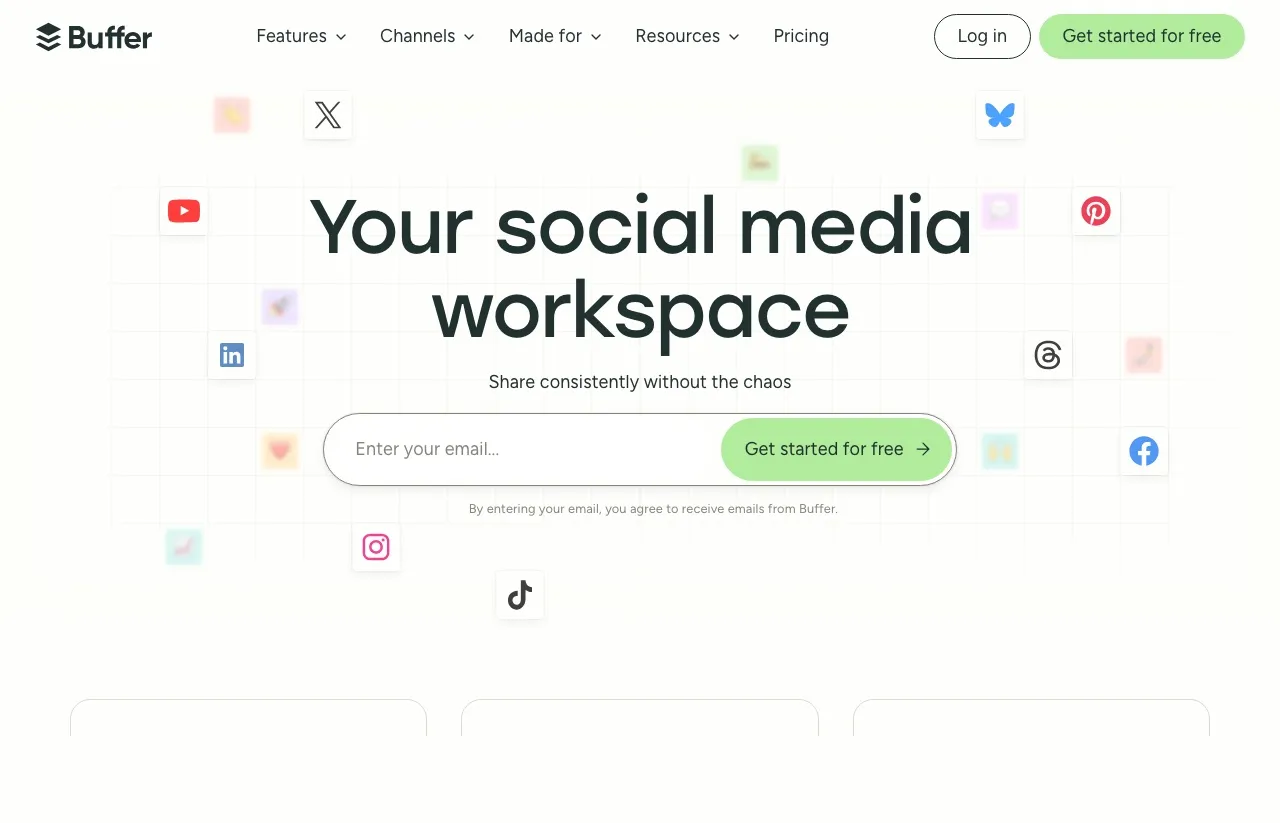
Buffer’s pitch is “your social media workspace, share consistently without the chaos.” It’s about taking content you’ve already made and getting it out the door cleanly.
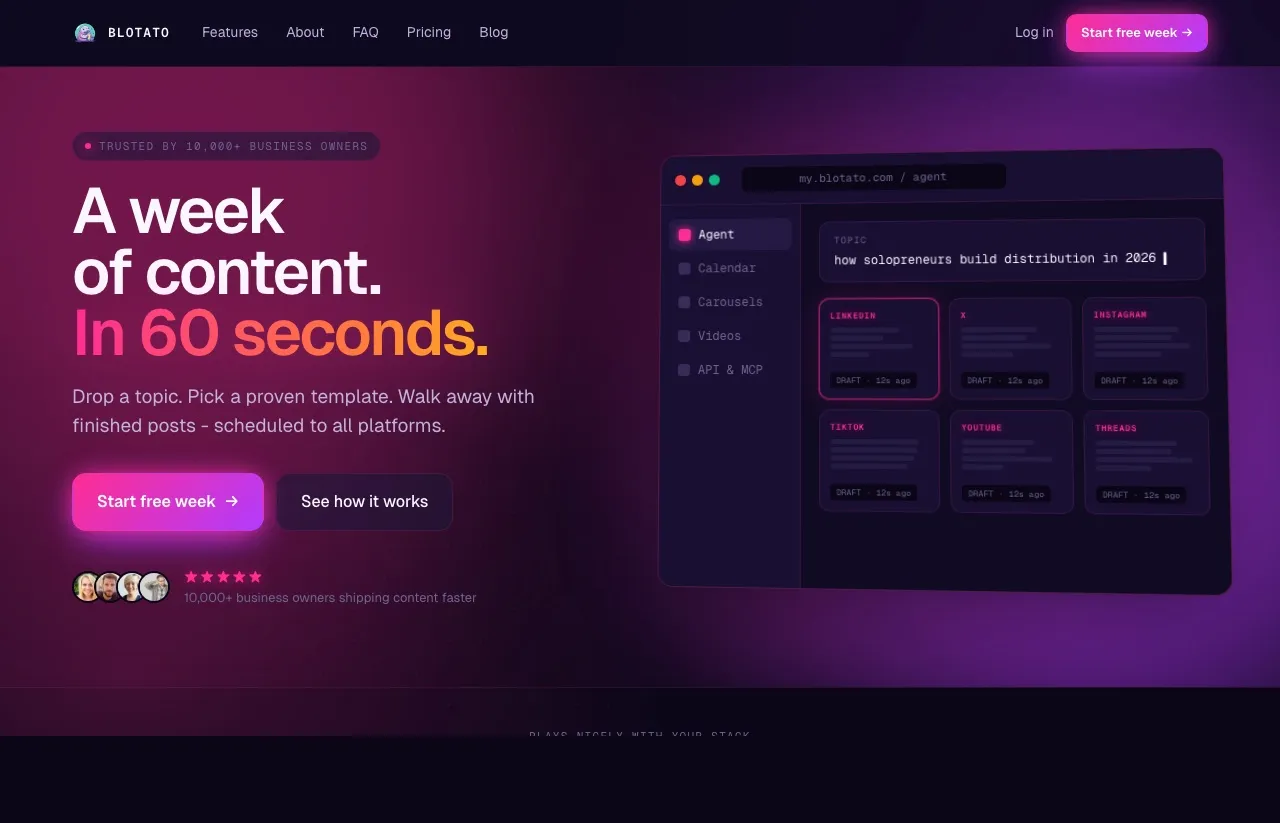
Blotato’s pitch is closer to “write, design, and post from one place, with AI doing most of the heavy lifting.” Different starting point, different workflow.
If you already have a content team or process that produces finished posts and you just need them queued up, Buffer is fast and friendly. If you’re a one-person operation trying to make and distribute content, the tools you compare Blotato against are usually a stack of three or four products bolted together.
Buffer’s Fifteen-Year Bet on a Simple Queue
Buffer has been refining the same core experience since 2010. The interface is clean, the scheduling queue is intuitive, and onboarding takes about five minutes. It currently holds a 4.3/5 rating on G2, which tracks with how I’ve felt using it: solid scheduler, predictable, no surprises.
Buffer covers 11 platforms today: Bluesky, Facebook, Google Business Profile, Instagram, LinkedIn, Mastodon, Pinterest, Threads, TikTok, X, and YouTube. It’s one of the few schedulers that includes Mastodon and Bluesky out of the box, which matters if those are part of your strategy.
The features that come with every Buffer plan, including the free one:
- Scheduling queue and content calendar
- AI Assistant for brainstorming, rewriting, and tone shifts
- Community inbox to respond to comments across channels
- Start Page (a link-in-bio tool)
- Basic analytics
Buffer is genuinely good at what it does, and I’d recommend it to a small business owner or creator who only needs scheduling and isn’t trying to use AI to write or design posts from scratch.
Who Needs More Than a Queue
I’m involved with Blotato as a creator and tester, so take this with whatever grain of salt feels right. But the reason I use it daily is that it collapses what used to be a stack of five tools into one workflow.
Blotato is built for solopreneurs, content creators, and small agencies who:
- Manage 5-20+ social accounts
- Want AI to generate the actual content (text, images, carousels, video) rather than just suggest ideas
- Run automation workflows in n8n, Make.com, or via API
- Are tired of paying for separate AI writing, AI video, scheduling, and repurposing tools
Blotato currently supports 9 platforms: X, Instagram, LinkedIn, TikTok, YouTube, Threads, Facebook, Pinterest, and Bluesky. Buffer has the slight edge on platform count.
Buffer vs Blotato: Side by Side
| Category | Buffer | Blotato |
|---|---|---|
| Pricing model | Per channel | Flat rate |
| Free plan | Yes (3 channels, 10 posts each) | No (7-day free trial) |
| Cheapest paid tier | $6/channel/mo (Essentials, $5 annual) | $29/mo flat (Starter, 20 accounts) |
| Platforms | 11 | 9 |
| AI text writing | Yes (assistant for ideas, rewrites, tone) | Yes (unlimited generation, trained on viral posts) |
| AI image generation | No (Canva + Unsplash integrations) | Yes (built in, uses AI credits) |
| AI video generation | No | Yes (faceless video + ElevenLabs voiceovers) |
| Public API | Yes (GraphQL, public beta, free on all plans) | Yes (REST publishing API, paid plans) |
| n8n / Make.com nodes | No native nodes (works via Zapier/API) | Native nodes for both |
| MCP / Claude integration | Yes (MCP drafts and schedules to your queue) | Yes (MCP publishes live across 9 platforms) |
| Engagement inbox | Yes (Community inbox, 10 networks) | Instagram and Facebook only |
| Link-in-bio | Yes (Start Page) | No |
| Trial on paid plans | 14 days | 7 days |
The biggest differences live in three columns: AI content creation (where Blotato has more surface area), engagement tools (where Buffer has Community inbox and Start Page that Blotato doesn’t replicate), and the API/MCP layer (where both now ship a Claude integration, but they do very different jobs, which I break down below).
The Free Plan and the Simplicity Argument
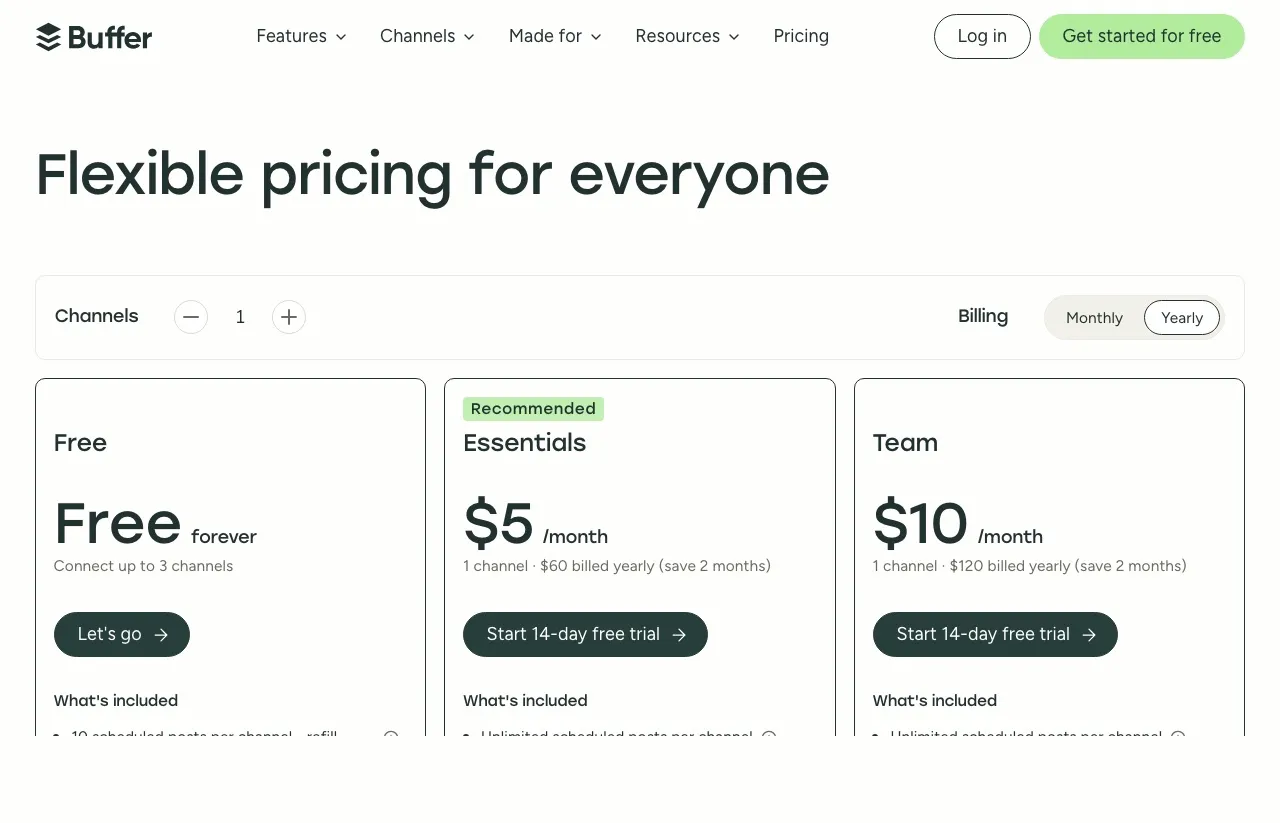
A genuinely useful free plan. Buffer’s free tier covers 3 channels and 10 scheduled posts per channel with no time limit. If you’re brand new and want to test the waters with no spending, this is rare in the category.
Onboarding and ease of use. Buffer is simpler to learn. If you’ve never used a scheduler, you’ll feel productive within ten minutes. Blotato has more to learn because it does more.
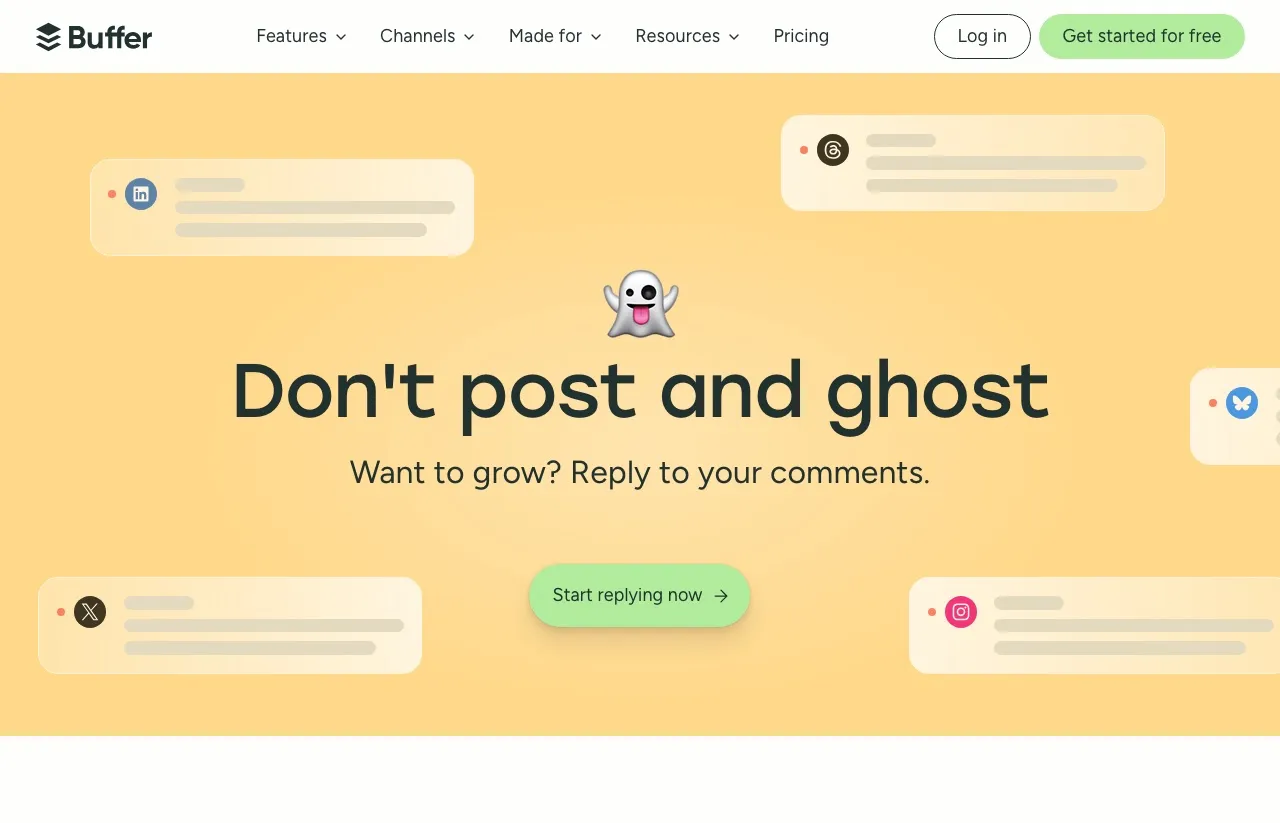
Built-in engagement inbox. Buffer’s Community inbox pulls comments from Instagram, Facebook, LinkedIn, X, Threads, Bluesky, TikTok, YouTube, Google Business Profile, and Mastodon into a single view. If responding to comments is a real chunk of your day, this is a meaningful workflow.
Start Page (link-in-bio). A free, hosted landing page tied to your account. Useful if you don’t already have one through Beacons, Linktree, or similar.
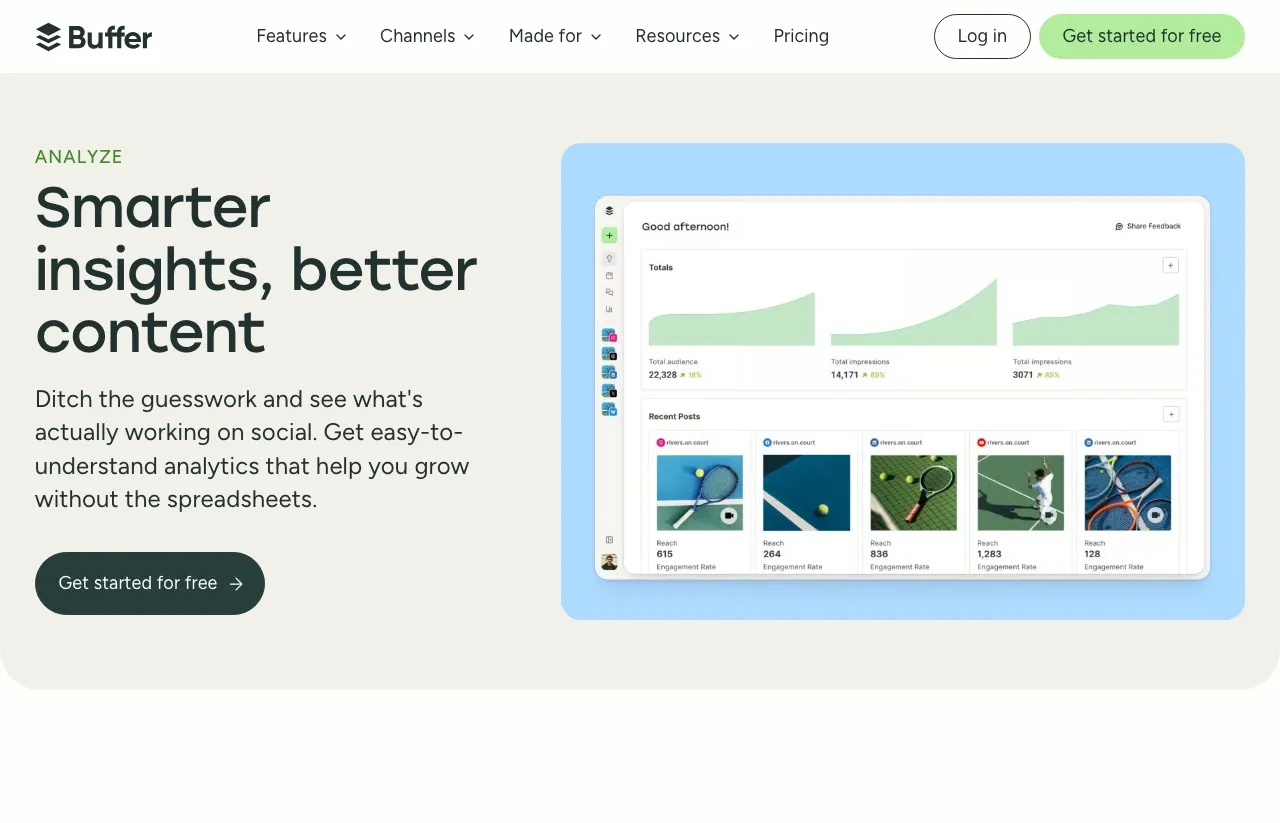
Reporting that’s actually readable. Buffer’s Analyze module gives clean cross-channel reports without spreadsheet wrangling. It’s not the deepest analytics product on the market, but it’s polished and good enough for most creators.
A long, transparent track record. Buffer has been around since 2010 and is one of the more openly-run companies in the space. That doesn’t make the product better than newer tools, but it does mean you’re unlikely to log in one day and find it shut down. For mixed real-world feedback alongside G2, the Buffer reviews on Trustpilot are worth a skim too.
Where Creation Beats Scheduling
Flat-rate pricing at scale. This is the clearest mathematical edge. Buffer’s per-channel model means cost climbs with every account. Blotato’s Starter plan covers 20 accounts for one flat $29/mo.
AI that creates the content, not just suggests it. Buffer’s AI Assistant helps with ideas, rewrites, and tone shifts (which is genuinely useful). Blotato’s AI generates full posts, images, carousels, and faceless videos with ElevenLabs voiceovers from a single prompt. Different ambitions for what AI is supposed to do.
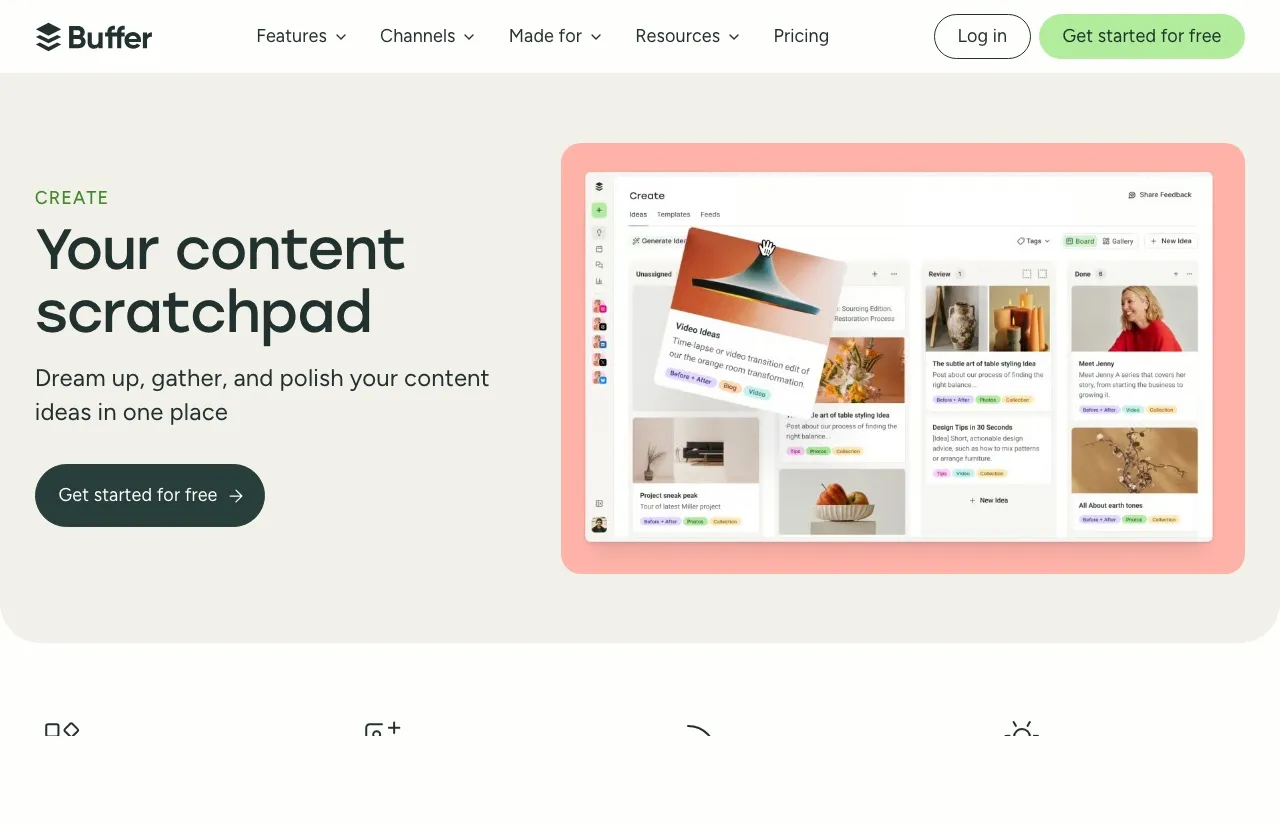
Content scratchpad workflow vs. creation engine. Buffer’s Create module is a board where you organize ideas you’ve already had.
Blotato’s equivalent flow is “type a topic, get finished posts for every platform.” Whether that’s better depends entirely on whether you’d rather brainstorm yourself or hand it off.
Native automation nodes. Blotato has native n8n and Make.com nodes, so a workflow selects your account from a dropdown instead of you managing API keys and IDs by hand. Buffer has no native nodes today, so you wire it in through Zapier or raw API calls. If you build automated content pipelines, that setup difference adds up.
Video. Faceless AI video creation is built into Blotato. Buffer doesn’t have a video creation product. If short-form video is part of your content mix and you don’t want to add CapCut or Opus into the workflow, this matters.
MCP and API: Where Blotato Pulls Ahead
This is the part that changed recently, so it’s worth slowing down on. For a while Buffer had no developer story to speak of. That’s no longer true: Buffer shipped a public GraphQL API and an MCP server, currently in public beta, with native support for Claude, ChatGPT, Cursor, Raycast, and Perplexity. So on paper, both tools now check the “MCP / Claude integration” box.
But the box hides the more important difference, which is what each integration actually does once an agent is holding the wheel.
Buffer’s MCP and API are a companion to the Buffer app. An agent can draft a post, drop it into your queue, browse channels, and capture ideas. That’s genuinely useful if Buffer is already your scheduling home. The catch is that the agent’s job ends at “queued.” It hands work back to the Buffer dashboard, which is where the post actually goes out. The API is GraphQL and reads cleanly, but its center of gravity is still the scheduler.
Fair question to ask here: can’t you just set the scheduled time to “now” and call it publishing? You can, and for a single post it feels the same. The difference shows up when an agent is running unattended across many accounts. Buffer’s model still routes everything through the queue and dashboard, so the agent is feeding a scheduler. Blotato’s model treats “put this live on these nine accounts” as the primary call, which is a different thing to build an autonomous pipeline on.
Blotato’s API and MCP are built as publishing infrastructure, not a companion layer. The hosted MCP server lives at mcp.blotato.com/mcp, and from inside Claude, Claude Code, or Claude Cowork a single prompt can list your connected accounts, generate or upload the media, and put the post live across all nine platforms with the right fields for each network. The agent doesn’t stop at a draft. It finishes the last mile and publishes. That difference, publish vs. queue, is the whole reason the MCP-native distinction between the two approaches matters for anyone building an AI content pipeline.
A few concrete points if you’re evaluating this seriously:
- Blotato is publish-first. The REST publishing API posts text, images, and video to nine platforms in one call, handles per-platform formatting, and auto-converts media to each network’s specs. Buffer’s API is scheduler-first: excellent for managing a queue, not designed to be standalone publishing infrastructure.
- Native nodes vs. glue code. Blotato ships official n8n and Make nodes. Buffer routes through Zapier or the raw API, so you own more of the plumbing.
- One flat cost for the developer surface. Blotato’s API and MCP are included on paid plans starting at the $29/mo Starter tier. Buffer’s API is free on every plan (a real perk if you’re already paying per channel), but you’re reaching a scheduler, not a posting engine.
If the reason you want an API is so a Claude agent can actually post for you, Blotato is one of the best social media MCP servers for exactly that job, because it closes the loop. If you just want an agent to fill your Buffer queue and you already live in Buffer, Buffer’s new MCP is a fine fit. For a fuller ranking of both against the field, the best social media APIs for developers and AI agents breakdown is the deeper read.
Per-Channel Multiplication vs One Flat Line
Here’s where the comparison gets concrete. Take the same number of channels and price them on both tools:
| Channels | Buffer Essentials | Buffer Team | Blotato Starter |
|---|---|---|---|
| 3 channels | $15/mo | $30/mo | $29/mo flat |
| 5 channels | $25/mo | $50/mo | $29/mo flat |
| 10 channels | $50/mo | $100/mo | $29/mo flat |
| 20 channels | $100/mo | $200/mo | $29/mo flat |
A creator running 10 channels saves around $252/year on Blotato Starter vs Buffer Essentials. At 20 channels, the gap widens to roughly $852/year.
That said, a few caveats:
- At 1-3 channels, Buffer’s free plan beats anything paid. If you can live inside Buffer’s free limits, it’s the cheapest option.
- You’re not paying for the same thing. Blotato’s $29 includes AI writing, image generation, and video credits. Buffer’s $6/channel doesn’t. Comparing pure dollars without features is the wrong frame.
- Buffer Team is per-user-friendly. If you need real team workflows with approval queues, Buffer’s Team plan is built for that. Blotato’s collaboration features are less mature today.
- Buffer discounts channels past 10. Buffer prices channels 1-10 at the standard rate and charges less per channel above 10, so at very high account counts the real Buffer bill is a bit lower than a flat multiply suggests. The flat-rate gap still favors Blotato at scale, just not by quite as much as a straight $5 x channels math implies.
For Buffer’s full plan details and trial info, Buffer’s pricing page is the source of truth.
Three Channels and a Weekly Cadence? Buffer.
- You manage 1-3 social channels and want a free plan with no time limit
- You mostly schedule text posts and don’t need AI image or video generation
- You want a polished community inbox to respond to comments in one place
- You need a built-in link-in-bio tool
- You value a 15+ year track record and don’t want to be on the bleeding edge
Nine Platforms a Day? Do the Channel Math First.
- You manage 5+ social accounts and prefer flat-rate pricing
- You want AI to actually create the content (writing, images, carousels, video)
- You build automations in n8n, Make.com, or via API
- You’re a solopreneur or small agency replacing a stack of 4-5 tools
- Faceless AI video is part of your content strategy
Two Good Tools Solving Different Problems
Both of these tools are good. They’re solving different problems for different people, and you’d be fine picking either one if it matches your actual workflow.
Buffer is what I’d recommend to a friend running a local business who needs to post three times a week and respond to DMs without learning a new product. Blotato is what I use because I’m running content across nine platforms a day and I want AI doing the heavy lifting on creation, not just the scheduling.
If you’re still unsure, my honest advice is to start with Buffer’s free plan if you have 1-3 channels, and try the Blotato 7-day trial if you’re past that and want AI to take more off your plate. If Buffer wasn’t a serious finalist for you anyway, the Blotato vs Hootsuite and Blotato vs Later breakdowns may be the more useful read, and the full list of Buffer alternatives ranks seven tools by the specific reason you’re switching.
FAQs
Is Blotato cheaper than Buffer?
It depends on the channel count. Buffer is cheaper (free, in fact) at 1-3 channels. Blotato is cheaper at 5+ channels because it’s flat-rate. At 10 channels, Blotato is roughly $21/mo less than Buffer Essentials. At 20 channels, the gap is around $71/mo.
Does Buffer have AI video generation?
No. Buffer’s AI Assistant works on text only (ideas, rewrites, tone shifts) and the platform integrates with Canva and Unsplash for visuals. There’s no native AI image generation or video creation in Buffer today.
Can I use Buffer with n8n or Make.com?
Buffer has a public GraphQL API (in beta) but no native n8n or Make.com nodes, so you’d wire it in through Zapier or your own HTTP requests. Blotato has native nodes for both. Both tools now offer an MCP server for Claude, but they behave differently: Buffer’s MCP drafts and schedules to your queue, while Blotato’s MCP publishes live across all nine platforms.
Does Blotato have a free plan?
No permanent free tier. Blotato offers a 7-day free trial, which gives you access to most features. Buffer is the better choice if a free plan is non-negotiable.
Which tool supports more social platforms?
Buffer covers 11 platforms and Blotato covers 9. Buffer’s extras are Google Business Profile and Mastodon, which Blotato doesn’t currently support. Both tools cover Pinterest. For the majors (Instagram, TikTok, X, LinkedIn, YouTube, Facebook, Threads, Bluesky, Pinterest), both work.
Is Buffer or Blotato better for agencies?
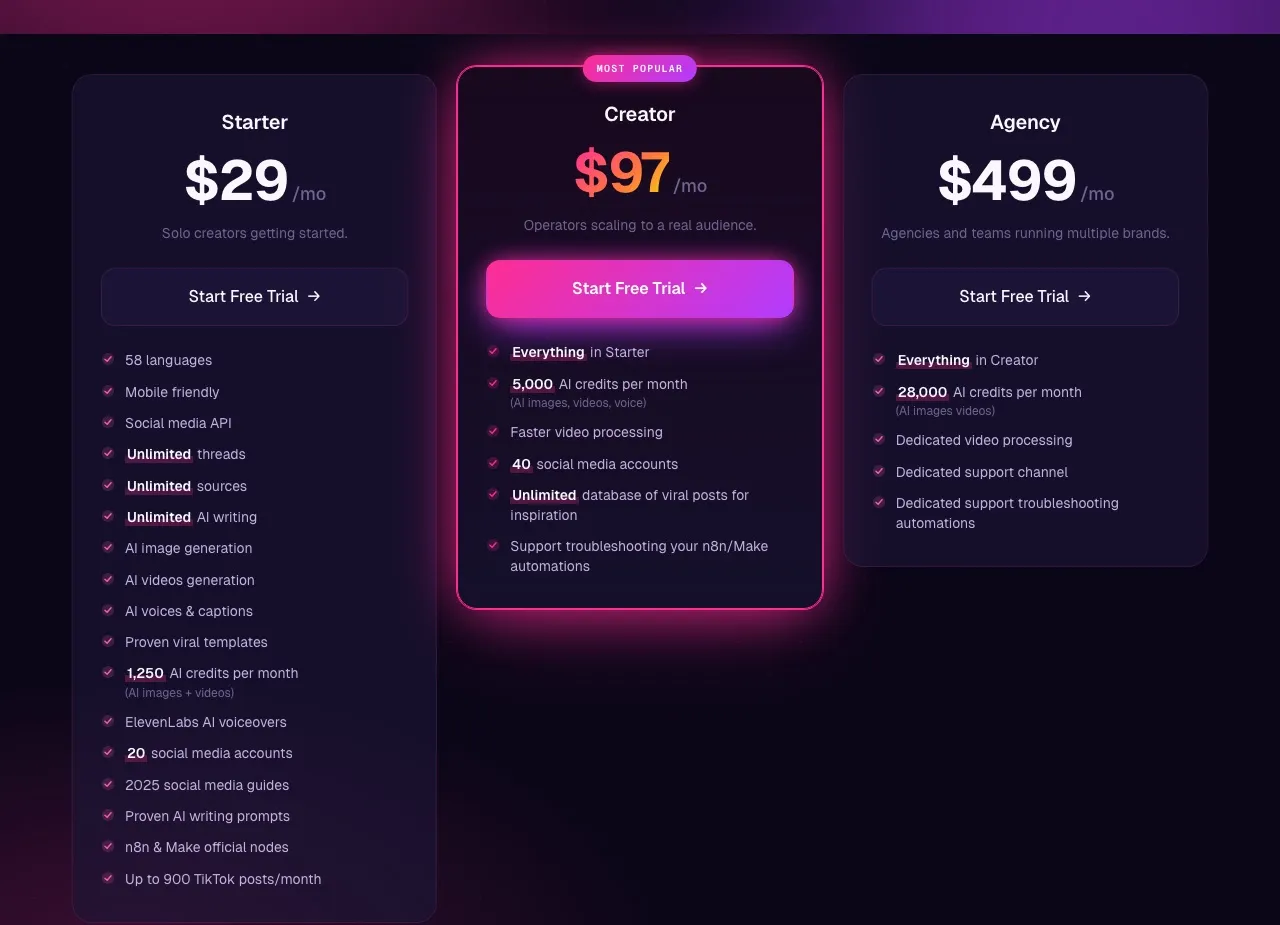
Buffer’s Team plan is more mature for agency workflows that need approval queues and per-client team seats. Blotato’s Agency plan ($499/mo) is geared toward heavy AI usage with 28,000 credits and dedicated support. The right answer depends on whether your bottleneck is collaboration or content production.