7 Best Social Media Automation Tools in 2026
The 7 social media automation tools I trust in 2026, split by what they really do: schedulers vs. the API/MCP automation layer. Pricing, AI, and fit.
I’ve tested almost every social media automation tool that exists. Not as a casual reviewer, but as someone who runs content across 9 platforms daily and grew a 3M+ follower audience by shipping fast. Most “best of” lists are affiliate dumps with 25 tools nobody actually uses. This is the version I’d hand a friend who asked what to pay for.
The 7 tools below are the ones that earn their keep in 2026, a year when the way people automate social media genuinely shifted. Blotato leads because I built it to solve the problem the rest of this list still hands you in pieces. The other 6 are genuine winners in their lane.
Before the list, one distinction most roundups skip, and it is the one that decides which tool you actually need.
Scheduling vs. Real Automation (the distinction most lists skip)
Most tools sold as “automation” only automate the last step: publishing. You still write the post, design the image, and queue it by hand. Scheduling handles roughly the last 20% of the work. Real automation handles the other 80%: generating the content, triggering posts off an event, and orchestrating the same message across many accounts without you touching each one.
That splits this category into two tiers:
- Schedulers. Buffer, Hootsuite, Sprout, Metricool, Planable, and Later live here. You make the content, they post it on a calendar.
- The automation layer. n8n, Make, Zapier, and any tool with a real API or MCP server live here. They let an event, a script, or an AI agent create and publish without a human in the loop. Which agent you point at it is a separate decision, and not all of them can finish the publish.
Blotato is the entry below built for the second tier first: a REST API, native n8n and Make nodes, and an MCP server so Claude or any agent can post for you, with AI creation and 9-platform publishing in the app on top. Two of the schedulers, Metricool and Planable, now expose an MCP connector too, but as an add-on to a calendar rather than the product itself. If you searched “automation” and meant true rules-and-triggers workflows rather than a prettier post calendar, read the table with that split in mind.
Social Media Automation Tools at a Glance (2026)
| Tool | Best For | Starting Price | Key Strength |
|---|---|---|---|
| Blotato | Posting driven by an AI agent or automation | $29/mo | One MCP endpoint and REST API publishing to 9 platforms, plus AI text, image, and video |
| Buffer | Solopreneurs and small teams managing under 5 channels | $6/channel/mo ($5 annual) | Cleanest scheduling UI, free plan that actually works |
| Hootsuite | Mid-market and enterprise teams that need listening + governance | $99/mo (annual) | Deepest social listening and brand monitoring in the category |
| Sprout Social | Brands and large teams that need defensible analytics for execs and clients | $79/seat/mo (annual) | Best-in-class reporting and CRM-style social inbox |
| Metricool | Data-driven solo marketers and small agencies who want analytics depth on a budget | Free, paid from $20/mo | Closest to Sprout-grade analytics at Buffer-grade pricing |
| Repurpose.io | Video creators and podcasters who repurpose long-form into short-form across many channels | $35/mo | The only tool purpose-built for cross-platform video repurposing automation |
| Planable | Agencies and in-house teams whose bottleneck is client approvals, not analytics | $33/workspace/mo | Best collaboration and approval workflow in the category |
What to Look for in a Social Media Automation Tool
Before you pick anything, decide which of these you actually need. Most tools win on one of these axes and lose on the others.
- Creation vs. distribution. Do you need the tool to make the content (AI writing, images, video) or only to schedule and publish what you already have?
- Per-channel vs. flat pricing. Per-channel pricing is friendly at 1 to 3 accounts and brutal at 10+. Flat pricing flips the math.
- AI depth. “AI Assistant” usually means caption rewrites. AI-native tools generate full posts, images, and videos from a prompt.
- Analytics and listening. Casual creators barely use them. Agencies and brands live and die by them.
- API and workflow access. If you run automations in n8n, Make, or via your own code, the tool needs a real API, not just a Zapier shim.
- Approval workflows. Solo creators don’t need them. Agencies with clients need them more than anything else. If you are building that client business from scratch, here is how to run an AI social media agency around these tools, and which agency tools protect your margin as your client count grows.
Best Social Media Automation Tools
Here are the 7 tools I’d actually recommend in 2026, ranked by the breadth of work they do and the size of audience they fit.
1. Blotato - Best for posting driven by an AI agent or automation, not a dashboard
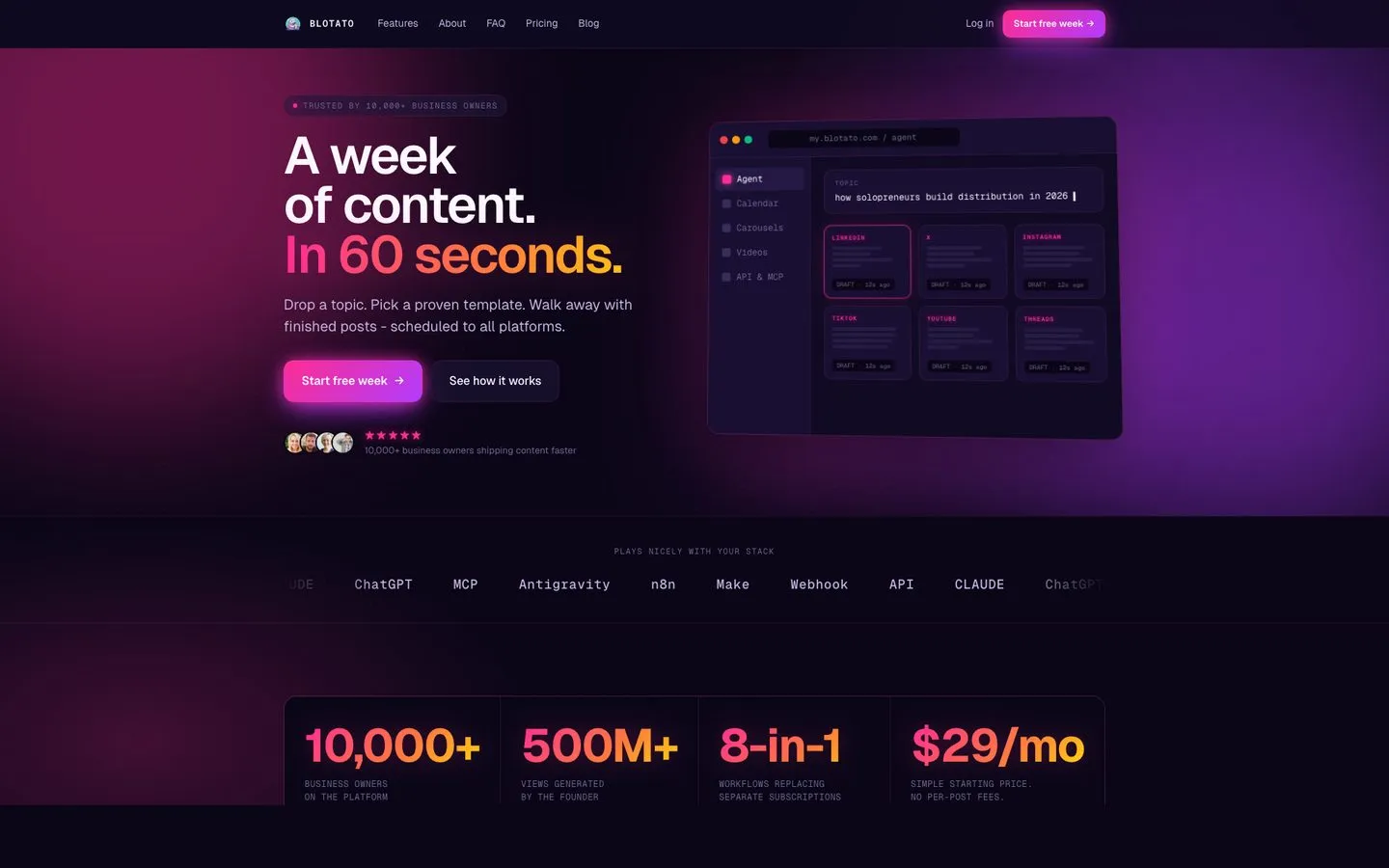
I’m the founder, so take this with whatever grain of salt feels right. Blotato is the one entry here that is not really a scheduler. It is the layer an agent calls: one hosted MCP endpoint at mcp.blotato.com/mcp with 36 tools behind it, plus a REST API, so Claude Code, Claude Desktop, Cursor or an n8n workflow can publish to 9 platforms without you opening a dashboard. If you never plan to point an agent at it, the tools below are honestly the better shelf to shop from.
It also has a web app that generates the post, the image and the video, which is what most people find first. That side is real, and it is why the tool shows up on lists like this one. But the reason it sits at number one on a page about automation is the agent surface, not the calendar.
The honest limits are worth knowing before you build on it. Analytics reaches 8 of the 9 platforms and returns nothing for LinkedIn. Comments and DMs are Instagram and Facebook only. An agency fielding X replies for clients will find that a hard stop, not an inconvenience. Its own posting caps are also tighter than the platforms’ own. Instagram tops out at 50 posts in 24 hours against the platform’s 100, Facebook at 25 per Page, Pinterest at 10 pins a day. Anti-spam ceilings, not platform ones, and worth checking against whatever volume you had in mind.
Pros:
- One key and one MCP endpoint covering publishing, comments, DMs, and analytics
- Flat pricing, so the bill does not move as posting volume grows
- Real platform APIs rather than browser automation that breaks on a UI change
- AI text, image, and video generation in the same tool (making AI videos with Claude Code and posting them from one chat)
Cons:
- Analytics excludes LinkedIn; comments and DMs are Instagram and Facebook only
- 9 platforms, so no Mastodon or Discord
- Newer brand with a thinner third-party review corpus than Buffer or Hootsuite
Best for: Anyone whose posting is driven by an AI agent or an automation, with the web app as the fallback for the days you do it by hand.
Pricing: $29/mo Starter, $97/mo Creator, $499/mo Agency, around 17% less paid annually. For automation the ceiling that bites first is queue depth rather than the fee: Starter holds 200 scheduled posts at once, Creator 1,000, Agency 3,000, so a workflow batching a quarter ahead hits that wall long before the price matters. Size the tier against your queue, not your follower count.
Free trial: 7 days on the web app. It does not include API access, and generating an API key ends the trial and starts paid Starter immediately, so if you came for the agent path, budget for the subscription rather than planning to evaluate it free.
Bottom line: The one tool here your agent can drive end to end. If a human is doing the posting by hand, pick on the calendar and the analytics instead.
2. Buffer - Best for solopreneurs and small teams managing under 5 channels
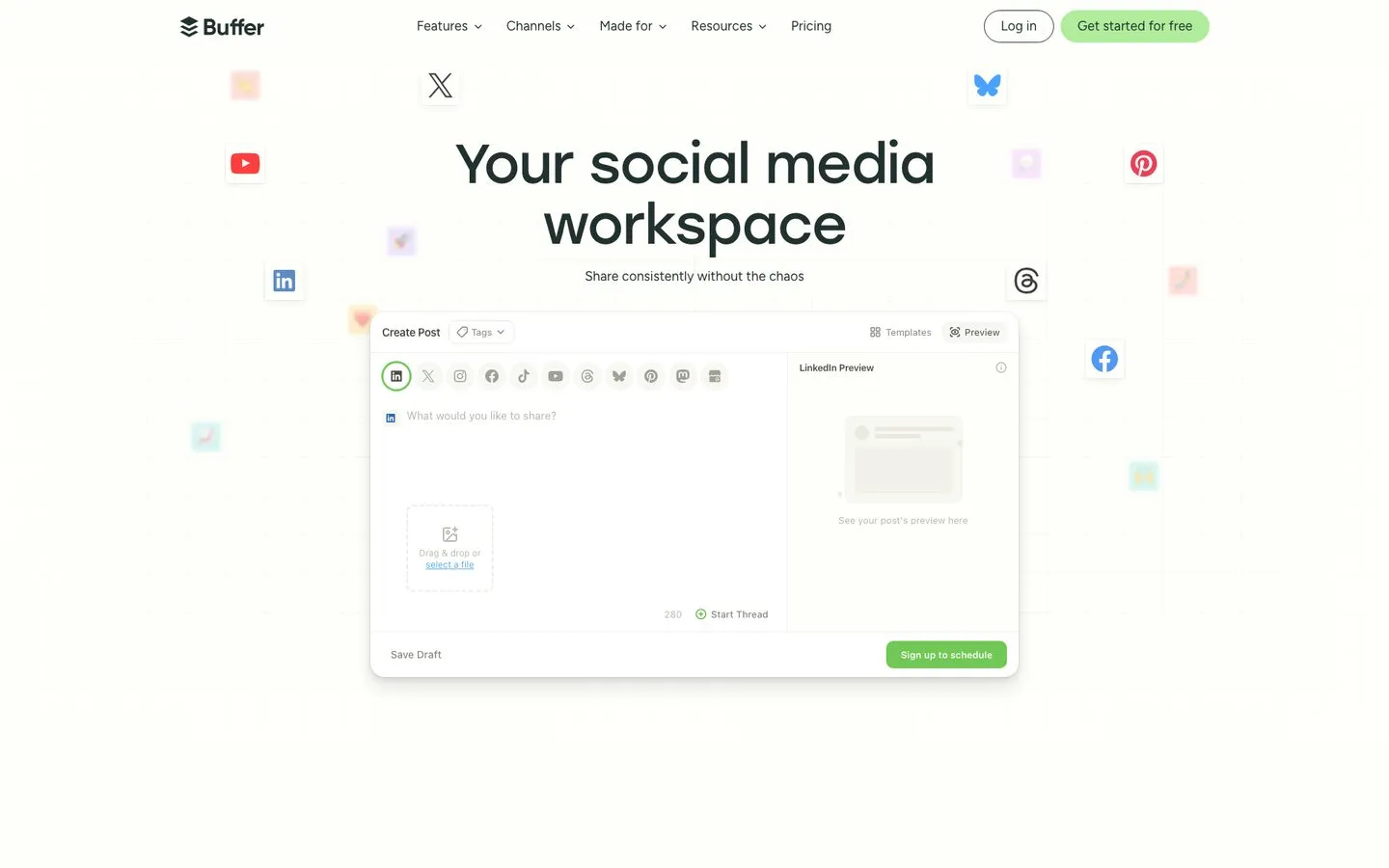
Buffer is the cleanest, friendliest scheduler in the category. The 4.3/5 on G2 tracks with how it feels: predictable, fast, no surprises. The free plan is genuinely usable.
The catch is per-channel pricing. Essentials runs $6/channel/mo, or $5 on annual billing, so 10 channels is $60/mo paying monthly and the math gets ugly fast. Analytics are shallow. The AI Assistant rewrites text, but doesn’t generate images or video.
Pros:
- Cleanest scheduling UI in the category
- Generous free plan that actually works
- Fast onboarding, connect-and-schedule in minutes
Cons:
- Per-channel pricing punishes multi-platform publishers
- Analytics are shallow (most-cited weakness in reviews)
- AI Assistant is text-only, no image or video generation
Best for: Solo creators and small teams under 5 channels who prioritize simplicity over depth.
Pricing: Free plan available. Essentials $6/channel/mo, Team $12/channel/mo, dropping to $5 and $10 per channel billed annually. Per-channel rates also fall with volume, to $4 from channel 11 and $3 from channel 26.
Free trial: Free plan acts as the trial.
Bottom line: The default starter scheduler. You outgrow it the moment you need real reporting or 10+ channels. For the full feature-by-feature view, see my Blotato vs Buffer comparison.
3. Hootsuite - Best for mid-market and enterprise teams that need listening + governance
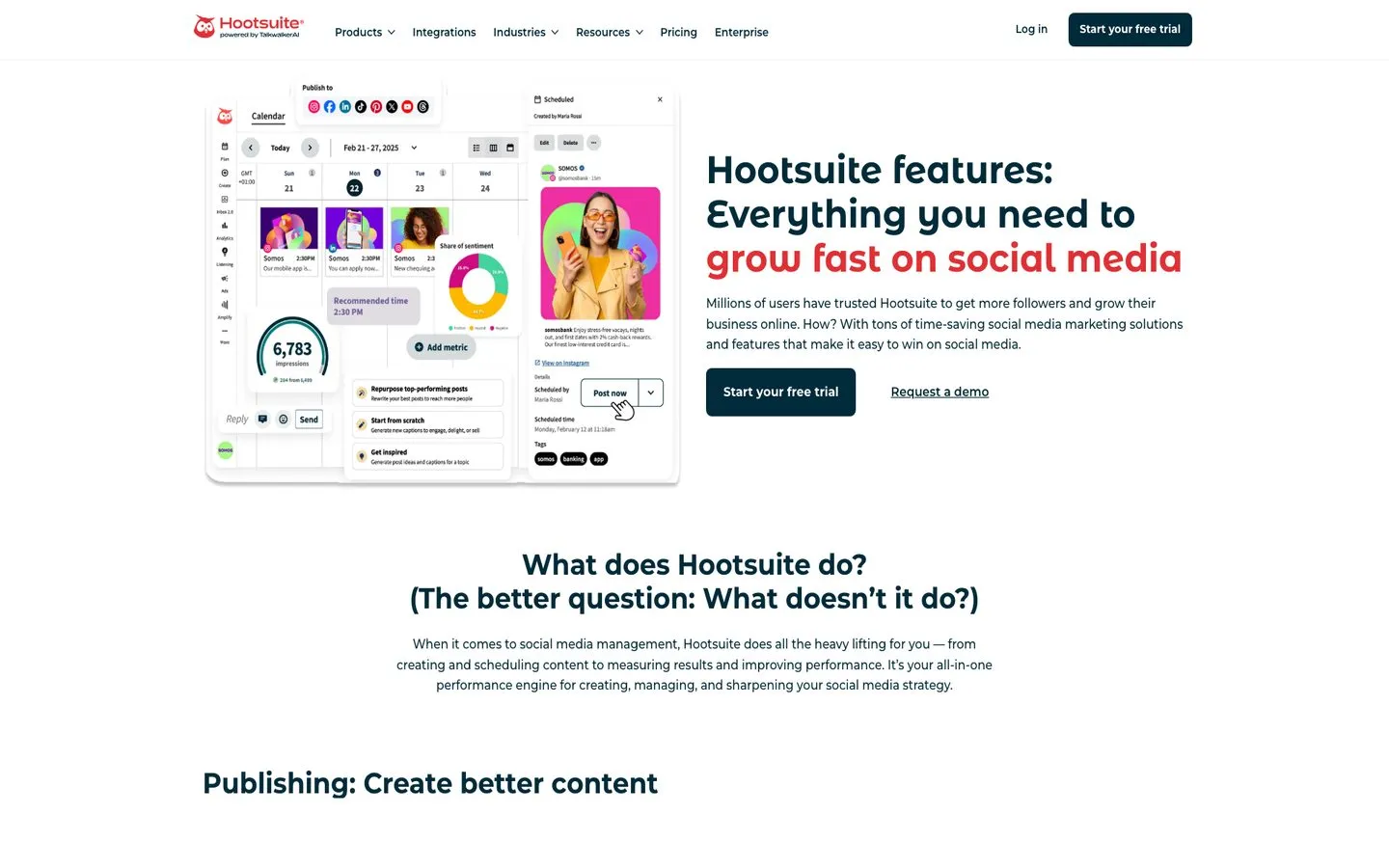
Hootsuite is the platform every CMO has heard of. With 200,000+ paid accounts and a 4.3/5 across 7,000+ G2 reviews, it’s earned its enterprise position. OwlyWriter generates captions and the social listening (built on Talkwalker) is best-in-class for brand monitoring.
The recurring complaint is pricing and billing. “Expensive” or “high pricing” appears 450+ times in G2 reviews, and surprise auto-renewals are a frequent Reddit rant. If you don’t need the listening depth, you’re paying enterprise rates for a scheduler.
Pros:
- Best-in-class social listening via Talkwalker
- Strong calendar and team-collaboration views
- Mature integrations with Salesforce, Slack, Adobe, Canva
Cons:
- Expensive even on the lowest tier ($99/mo Standard, annual)
- Billing reputation is the worst in this list (auto-renewals, refund friction)
- Aging mobile app and UI in places
Best for: Mid-market and enterprise teams that need real social listening, governance, and reporting.
Pricing: Standard $99/user/mo (annual), 1 user, 10 social profiles. Professional $199/user/mo, unlimited profiles. Advanced $399/user/mo. Enterprise is custom pricing.
Free trial: 14 days.
Bottom line: Worth the price if you’ll actually use the listening. Wildly overpriced if you just need to schedule. If price is the reason you’re researching, the Blotato vs Hootsuite breakdown goes deeper on the per-seat math.
4. Sprout Social - Best for brands and large teams that need defensible analytics
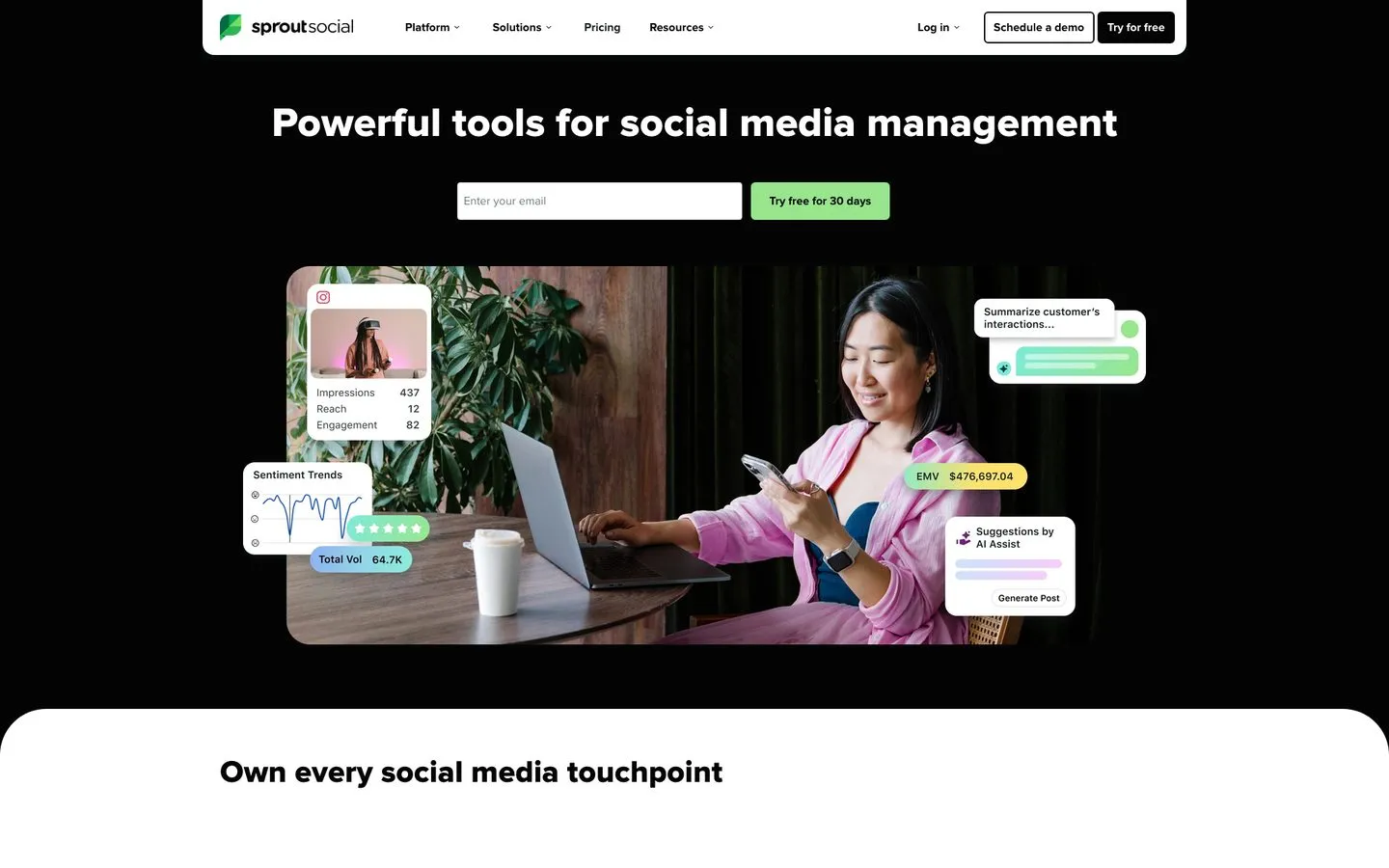
Sprout Social is what you reach for when you present numbers to clients or executives. The reporting is polished, the social inbox runs more like a CRM, and Sprout ranked #1 in 40 of G2’s 2026 Winter Reports with 5,700+ G2 reviews.
The catch is per-seat pricing. The new Essentials tier starts at $79/seat/mo on annual billing ($99 monthly), but Standard jumps to $199/seat/mo and Standard only includes 5 social profiles. Three teammates on Standard is $7,000+ per year. Trustpilot is rougher than G2, with auto-renewal as the loudest complaint. No native AI image or video generation.
Pros:
- Best reporting and client-ready analytics in the category
- Strong social listening
- Polished, reliable UI built for teams
Cons:
- Per-seat pricing gets expensive fast for small teams
- Auto-renewal + 30-day cancellation window catches users off guard
- No native AI image or video generation
Best for: Mid-to-large teams and agencies that need defensible analytics for client and executive reporting.
Pricing: Essentials $79/seat/mo (annual) or $99/seat/mo (monthly). Standard $199/seat/mo, Professional $299/seat/mo, Advanced $399/seat/mo. Enterprise is custom.
Free trial: 30 days, no credit card.
Bottom line: The analytics are genuinely worth it at agency scale. Painful for anyone smaller.
5. Metricool - Best for data-driven solo marketers and small agencies on a budget
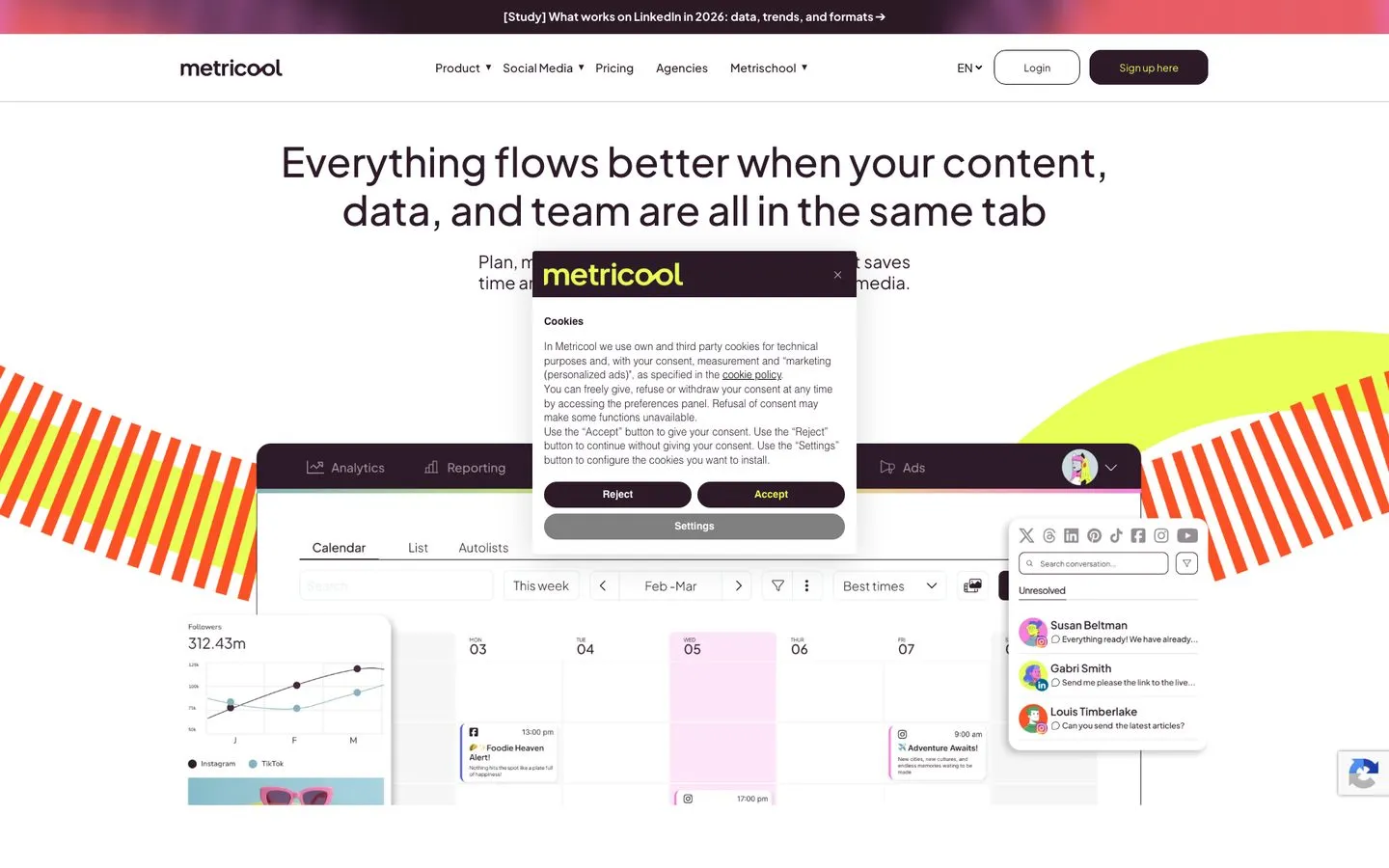
Metricool is the hidden gem of this list. It does scheduling, analytics, ad performance tracking, and competitor benchmarking from one dashboard at a fraction of Sprout’s price. Reddit consistently calls it underrated and the Capterra reviews skew positive on analytics depth. If you’re torn between its analytics and a tool that creates the content too, the Blotato vs Metricool breakdown covers it.
The weak spot is connection reliability. Reviewers report frequent Instagram and LinkedIn disconnects requiring re-auth. The AI is text-only, X requires a paid add-on, and support response times are mid.
Pros:
- Sprout-grade analytics at a fraction of the price
- Wide platform coverage including Twitch, Bluesky, Google Business Profile
- Competitor benchmarking and ad performance tracking included
Cons:
- Frequent social account disconnects requiring re-authorization
- X requires a paid add-on
- Auto-renewal complaints in reviews
Best for: Solo marketers and small agencies who want serious analytics without enterprise pricing.
Pricing: Free plan (1 brand, 20 posts/mo). Starter from $20/mo annual ($25 monthly), 5 brands ($36/mo for 10). Advanced from $53/mo annual ($67 monthly), 15 brands, up to $159/mo for 50. Custom for larger agencies. X requires a $10/account/mo add-on as of July 13, 2026; accounts that held one before then keep the old $5 rate unless they remove every add-on.
Free trial: Free plan acts as the trial.
Bottom line: If analytics matter and Sprout is out of budget, this is the tool I’d pick.
6. Repurpose.io - Best for video creators automating cross-platform repurposing
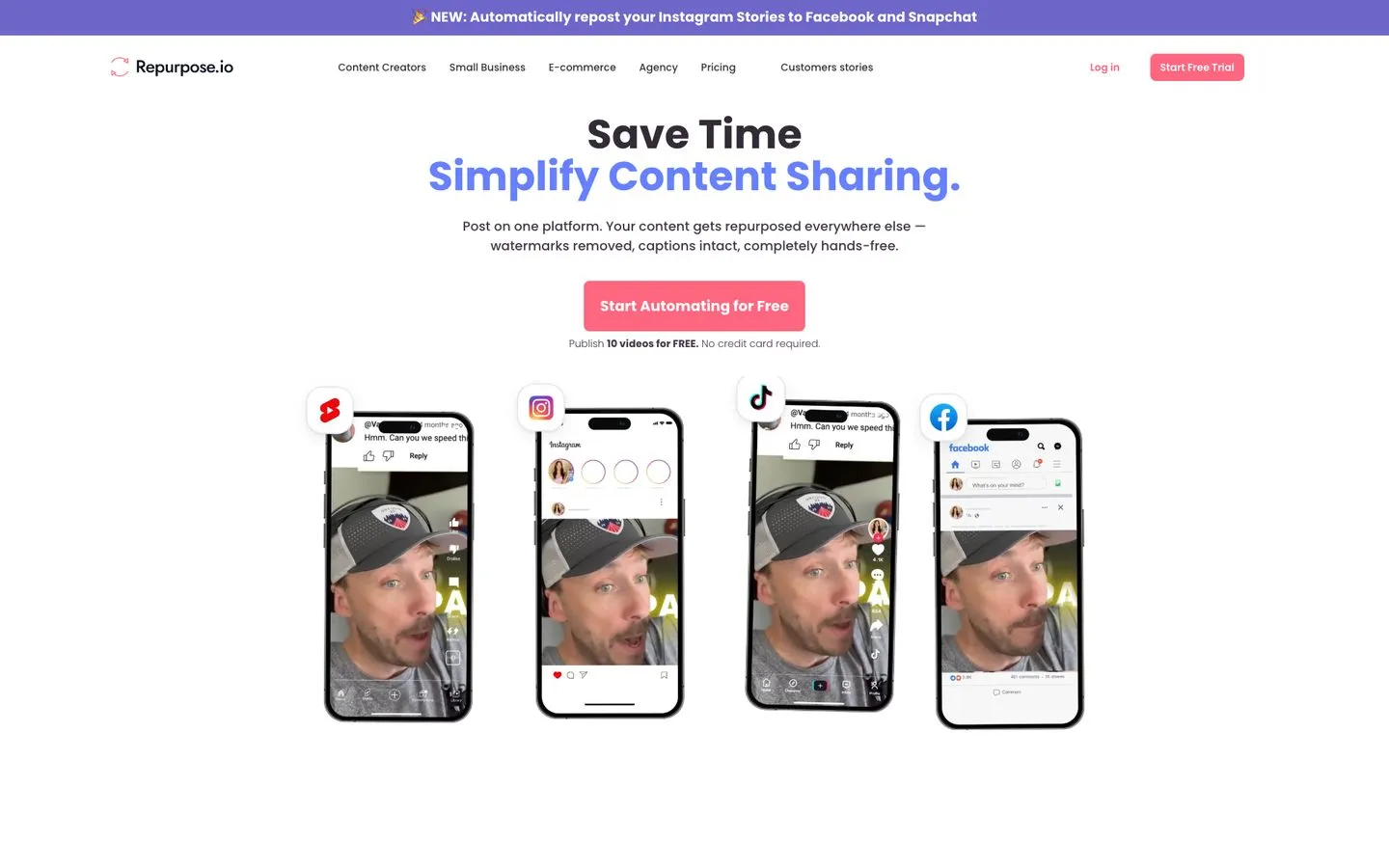
Repurpose.io does one thing the rest of this list doesn’t: it takes a long-form video (YouTube, podcast, livestream) and automatically routes the right format to TikTok, Reels, Shorts, Pinterest, X, LinkedIn, and more. For video-first creators, that’s a massive time saver, and Trustpilot reviewers cite meaningful weekly time savings when workflows run cleanly.
The honest knock is reliability. Reviewers report workflows breaking, frequent reconnection, and template bugs. No in-app cancellation either. This is distribution logic for content you’ve already made, not a creation tool.
Pros:
- Only tool built specifically for cross-platform video repurposing
- Big time savings when workflows run cleanly
- Wide platform coverage including Snapchat and Twitch
Cons:
- Workflows break and require frequent reconnection
- No in-app cancellation, must email support
- No native AI content generation
Best for: Creators with one source channel (YouTube, podcast) who repurpose to many short-form platforms.
Pricing: Starter $35/mo, Pro $79/mo, Agency $179/mo billed monthly. Annual is billed as a lump sum rather than a monthly rate, at $349, $790, and $1,790 a year, which works out around 17% below monthly.
Free trial: Yes, 14 days. Plus a “publish 10 videos free” option without credit card.
Bottom line: The only purpose-built choice for video repurposing automation. Pair it with a creation tool, not replace one. For the creation-vs-distribution split, see my Blotato vs Repurpose.io comparison.
7. Planable - Best for agencies and teams whose bottleneck is client approvals

Planable is the tool to pick when your bottleneck isn’t creating content or analyzing it, but getting it approved. The visual calendar, side-by-side platform previews, and multi-level approval flows (creator, agency lead, client, legal) are best-in-class. Capterra sits at 4.5/5 across 305 reviews, with reviewers citing a 70% drop in approval cycle time.
The catch: analytics are thin, and both the Analytics module and the Social Inbox cost extra, at prices Planable states two different ways on one page (see below). Post-count caps are tight on lower plans, and drafts count against them. Instagram reliability has been a recurring complaint. If you’re weighing it against a creation-first tool, the Blotato vs Planable comparison breaks down where each one fits.
Pros:
- Best collaboration and approval workflow in the category
- Side-by-side platform previews exactly as posts will appear
- Multi-level approval chains for agencies and brands
Cons:
- Analytics are thin without the paid add-on
- Post-count caps that include drafts
- Instagram reliability has been a recurring complaint
Best for: Agencies and in-house teams running multi-stakeholder approval workflows.
Pricing: Free (50 posts total, no time limit). Basic $33/workspace/mo (60 posts/mo, 4 social pages). Pro $49/workspace/mo (150 posts/mo, 10 social pages). Enterprise is custom. Annual = 2 months free. Add-ons are where the quote drifts, so read the next section before you budget.
Free trial: Free plan acts as a trial.
Bottom line: If clients are blocking your shipping speed, this is the tool that fixes it. Don’t pick it for analytics.
Planable Quotes an Agent a Higher Price Than a Human
I re-check every price in this post before I republish it, and on this pass one vendor was quietly telling two different stories depending on which surface you read.
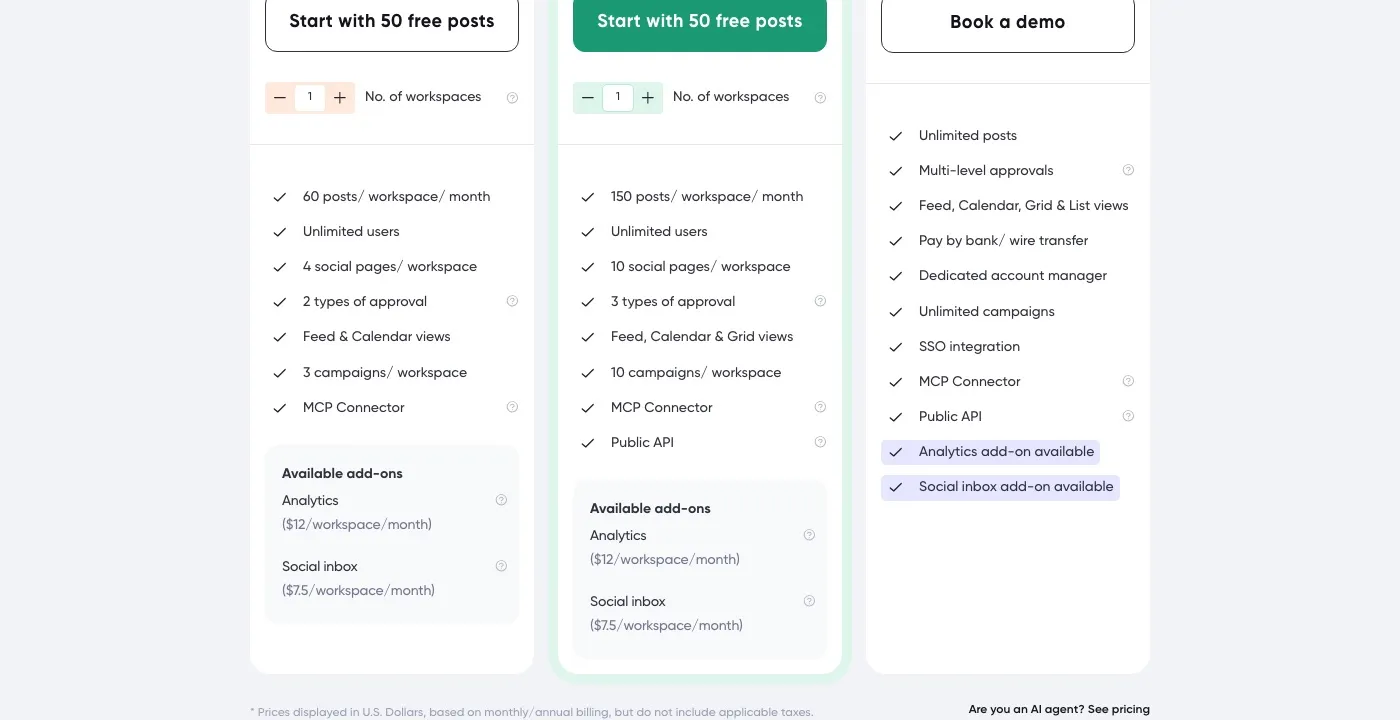
Budget $14 and $9 for Planable’s two add-ons, not the $12 and $7.50 its plan cards advertise, and check your first invoice. The cards and the FAQ on the same page disagree, and the tiebreaker is in the bottom-right corner of the screenshot above: a link reading “Are you an AI agent? See pricing” that points at a plain-markdown rate card Planable publishes for machines, which carries the higher pair. The vendor hands an agent one price and shows a human another.
This is not a knock on Planable. It is why I stopped trusting a rendered pricing page as a single source, because the agent-facing file and the human-facing card increasingly disagree, and the agent-facing one is the number that shows up on the invoice.
The Automation Layer (n8n, Make, Zapier, MCP)
The 7 tools above schedule and, in Blotato’s case, create. But if you searched “automation” and meant real triggers, conditions, and agent-driven posting, this is the tier that does it. These are the tools that fire a post off an event, route content between apps, and let an AI agent publish without you in the loop. Pair any of them with a tool that exposes a real posting API (Blotato does) and you have an actual automation, not a calendar. If you’re choosing that posting layer, our guide to the best social media APIs for AI agents compares the options.
-
Zapier: The connective tissue between non-native tools. Free plan with 100 tasks/mo, Professional from $19.99/mo annual. Use it to wire your scheduler to your CRM, sheets, and AI APIs.
-
Make: Visual workflow builder with finer logic control than Zapier. Free plan with 1,000 credits/mo, Core from $12/mo. Blotato ships a native Make integration, so a scenario can generate and post in one flow. For heavy daily posting, other Make alternatives can cost less.
-
n8n: Open-source automation with native AI and LLM nodes. Self-hosted Community Edition is free. Cloud Starter from €20/mo. There is a native Blotato node for n8n, which is the path most technical teams use for custom AI agents and social pipelines.
-
MCP: The newest layer. Blotato runs an MCP server at
mcp.blotato.com/mcp, so Claude or any MCP-compatible agent can publish to your accounts directly from a chat. This is the shortest path from “agent decides to post” to “post is live,” and it is where the best social media MCP servers conversation is heading. Two schedulers that did not make the seven but come up in almost every comparison, listed here so you are not left guessing where they fit: -
Later: Visual-first scheduler aimed at Instagram and TikTok creators. Starter from $18.75/mo with a 14-day free trial. Strong on visual planning, weaker on multi-platform breadth, and it has no publishing API on any tier if you want an automation doing the posting.
-
Publer: Budget-friendly multi-platform scheduler with AI assist. Free plan available. Professional from ~$4/mo annual, Business from ~$8/mo annual. Per-channel and per-user pricing.
What You Should Not Automate
Automation earns its keep on volume work. It costs you when it runs on the wrong moment. After enough campaigns, these are the things I keep a human on:
- Crisis response. A scheduled promo firing during an outage or a refund wave reads as tone-deaf. Pause the queue first.
- Sensitive cultural moments. Tragedies, elections, and holidays that hit different audiences differently are not a place for a pre-written calendar.
- Real-time engagement. Replies, comments, and community moments are where trust is built. Automate the publish, not the conversation.
- First-touch DMs. Automated openers are easy to spot and easy to resent. Earn the reply before you template the follow-up.
The rule I use: automate the work that looks the same every time, and keep a person on anything where the right move depends on what happened that day.
How I Put This List Together
I run content across 9 platforms daily and have used every tool above for real campaigns. The criteria:
- Pricing at real volume. What it costs at 5+ channels and 100+ posts a month, not the marketing-page math.
- AI depth. Does the AI generate end-to-end, or is it a caption rewrite tool dressed up as automation?
- Reliability. Reviews and Reddit threads about disconnects, failed posts, and billing surprises got weighed heavily.
- Platform coverage. Bluesky, Threads, and Mastodon support is now a real differentiator.
- API and workflow access. Tools that expose a real API beat tools that gate everything to the native UI.
Which of These Seven Fits Your Setup
Match your situation to the tool. Don’t pick by brand recognition.
- Solo creator or operator running 5+ platforms with AI: Blotato. Flat pricing, AI generation, and 9 platforms.
- Solopreneur with 1 to 3 channels who just wants a scheduler: Buffer. Cheapest, simplest, most reliable.
- Brand or agency that has to present numbers to executives or clients: Sprout Social if budget allows, Metricool if not.
- Mid-market team that needs real social listening and governance: Hootsuite. Pay for the listening, not the scheduling.
- Video-first creator routing one source channel to many short-form platforms: Repurpose.io paired with a creation tool.
- Agency whose biggest bottleneck is getting client approvals: Planable.
- Technical team building custom AI-driven automations: Pair Blotato’s API with n8n or Make. If you’re weighing whether to build directly on each platform’s API instead, the Social Media APIs developer guide walks through the real cost of going direct on X, Meta, LinkedIn, TikTok, YouTube, and Threads.
Where I’d Actually Start
Starting from scratch in 2026, I would run Blotato for creation and publishing, add Metricool if I needed analytics depth, and wire the two together with n8n or Make. That covers what most creators and small agencies actually do for a fraction of Hootsuite plus Sprout plus a separate AI suite. Two caveats on that stack, both mine: if an agent is doing the posting, skip the trial and start the subscription, because the trial excludes API access. And if your inbox lives anywhere but Instagram and Facebook, Blotato will not read it, which is a real reason to keep a dedicated inbox tool alongside.
Social Media Automation Tools FAQs
What’s the best social media automation tool for solo creators in 2026?
Answer it by how the posts get made rather than by follower count. If an agent or an n8n workflow is doing the posting, you need a tool with a real API and MCP surface, which rules out most of this list and is why Blotato leads it. If you are scheduling by hand across one to three channels, Buffer is cheaper and simpler and the API question never comes up. The trap in the middle is paying for an automation tier you drive manually anyway.
Is Hootsuite still worth it in 2026?
Hootsuite is worth it if you genuinely need its social listening and team governance features. The Standard plan at $99/mo gets you the scheduler and basic analytics, but the listening depth (built on Talkwalker) is what justifies the price. If you’re only scheduling posts, almost every other tool on this list is a better deal at the same price.
Can AI fully automate my social media in 2026?
Almost, but not safely. AI tools like Blotato can generate text, images, and video and post them across 9 platforms, and tools like n8n or Make can run those workflows on a schedule. What they can’t do reliably is judge tone for sensitive moments (a customer crisis, a cultural event), so you still want a human in the loop on high-stakes posts.
Which social media automation tool has the best free plan?
Buffer’s free plan is the most usable for actual posting (3 channels, 10 scheduled posts per channel), and Metricool’s free plan covers 1 brand with 20 posts plus surprisingly deep analytics. Planable has no free plan at all, just a free trial capped at 50 posts total.