Facebook API Pricing: Full Breakdown for 2026
Facebook API pricing in 2026: the Meta developer products, what WhatsApp charges per message, the Marketing API tier, and the real cost in time.
Facebook API pricing is one of those search queries where the answer depends entirely on which API you mean. Meta runs four developer products under the same graph.facebook.com umbrella, and only one of them has a literal price tag. The Graph API, Marketing API, and Pages API are free. WhatsApp Cloud API charges per template message delivered. Most production use cases on all four also run into App Review, business verification, or permission review, and that approval cycle is where the real cost lives for most developers.
Is the Facebook API free in 2026? Mostly yes. The Graph API, Marketing API, and Pages API carry no per-call fee; only the WhatsApp Cloud API charges, and it bills per template message delivered. The real cost across all four is non-monetary: App Review, business verification, and permission review, an approval cycle measured in calendar time rather than dollars. If you only need to publish and schedule to Facebook Pages, a unified layer like Blotato skips that review cycle, and its MCP server lets Claude Code and other AI agents post without touching Meta’s auth flow.
I run Blotato, which posts to Facebook Pages on behalf of thousands of businesses. So I’ve seen what the “free” stack actually charges teams in calendar time, what WhatsApp messaging adds up to on a real customer-service workload, and where the access tier quietly caps you. This guide walks through each product, with current numbers verified against Meta’s developer documentation in September 2026.
If you want Meta’s official reference, the Graph API documentation has it. If you want to know what to budget and how long things take in practice, read on.
Facebook API Pricing at a Glance (2026)
| Access tier | Cost | Best for | Key friction |
|---|---|---|---|
| Graph API (Meta) | Free | Reading Page data, posting to Pages you manage | App Review, business verification, BUC rate limits |
| Marketing API (Meta) | Free | Managing ads, pulling Ads Insights | Marketing API Access Tier upgrade, ad-account rate limits |
| Pages API (Meta) | Free | Publishing posts to Facebook Pages | pages_manage_posts permission, Advanced Access for non-owned Pages |
| WhatsApp Cloud API | Pay-per-message | Customer messaging at scale | Template-message charges, business verification, per-country rates |
| RapidAPI third-party wrappers | $0 to $199/mo | Prototyping, low-volume scraping | Unofficial, no SLA, can break overnight |
Three of the four Meta APIs cost zero dollars. The bill comes due in approval weeks, OAuth maintenance, and quota math. WhatsApp is the only one with a literal invoice, and its rules get more expensive on October 1, 2026, when Meta starts charging for service messages beyond a free monthly allowance and for in-window utility templates that have been free since July 2025.
Need to ship a Facebook posting integration today instead of in eight weeks? Start a free week of Blotato.
Free 7-day trial · Cancel anytime
Facebook’s 2026 Graph API Changes
Four things have shifted since the last time most teams costed this stack: WhatsApp billing changes again on October 1, 2026, Meta retired a batch of reach metrics across every API version, two versions sunset, and a set of request parameters stopped behaving.
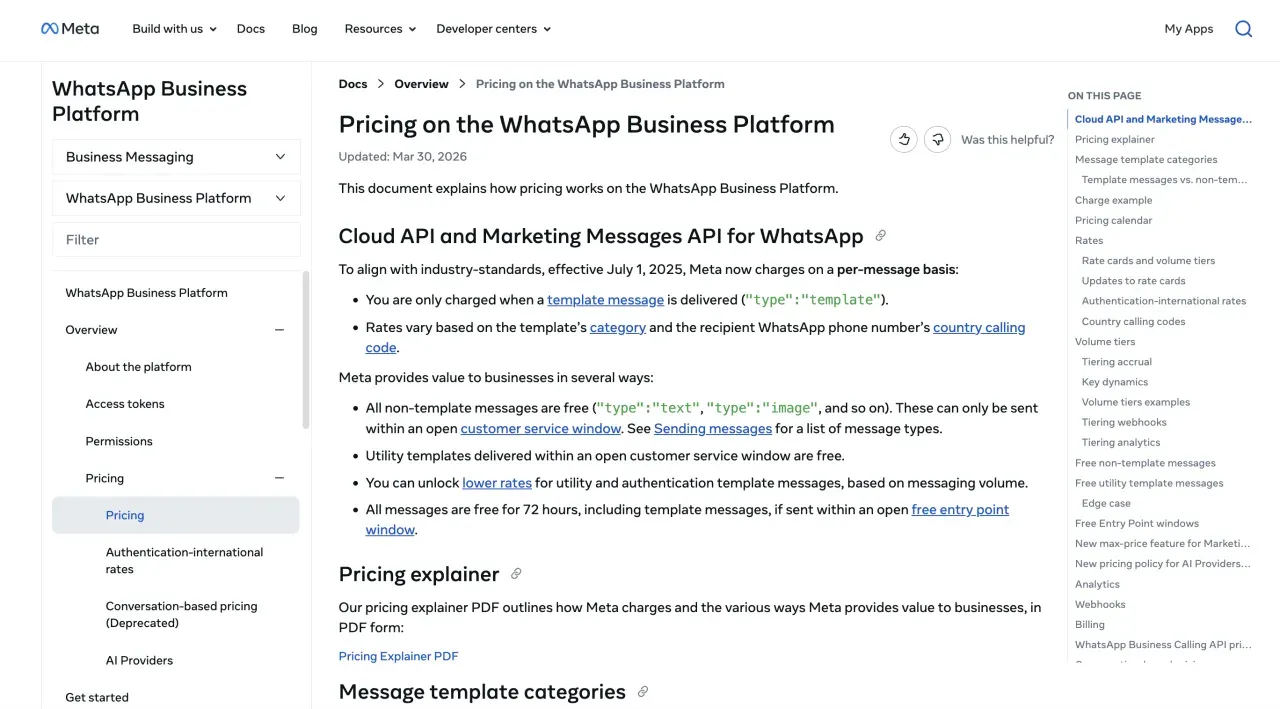
WhatsApp moved from per-conversation to per-message pricing on July 1, 2025, and it changes again on October 1, 2026. The old model billed per 24-hour conversation window. Since July 2025 only template messages are charged, and messages sent inside an open customer service window have been free.
That free window is narrowing. From October 1, 2026, Meta charges per message for service messages and for utility templates sent inside an open 24-hour customer service window, both of which have been free since July 2025. Service rates match utility and authentication rates in each market.
The part most write-ups are leaving out is the allowance. Meta is introducing a free monthly tier of 1,000 delivered service messages per business phone number, shared across 1:1 and group sends. A 1:1 delivery consumes one unit and a group send consumes one unit per delivered recipient, so a broadcast to 200 people spends 200 of the 1,000. The tier resets monthly and does not roll over. For a lot of small support workloads that allowance is the whole bill, so model your real monthly service volume against 1,000 before assuming this change costs you anything.
Two details around it are easy to miss. In-window utility templates get no allowance and are charged from the first message. And service messages do not earn volume-tier discounts the way marketing, utility, and authentication messages do, so the rate you pay on message 1,001 is the rate you keep paying.
One operational note that is not a billing detail: if there is no payment method on the WhatsApp Business account, Meta delivers service messages inside the free tier and then stops delivering them once it is used. That is an outage, not an overage.
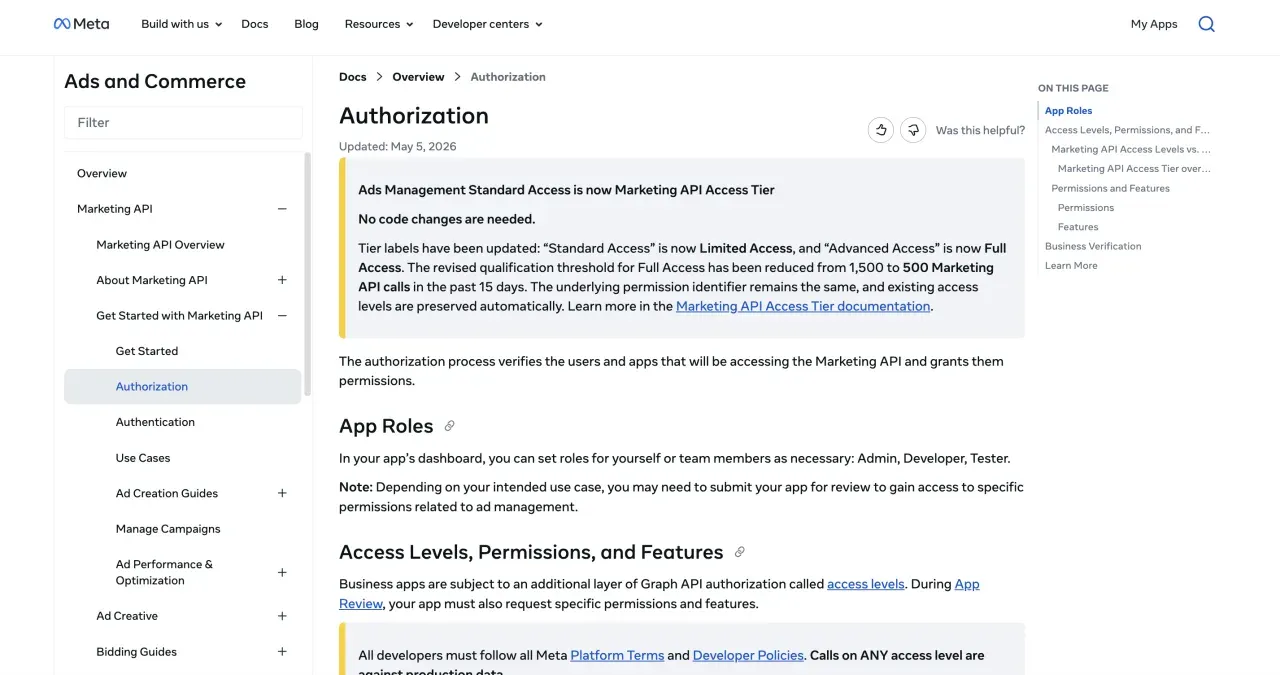
Meta renamed Ads Management Standard Access to Marketing API Access Tier on May 4, 2026. The two-tier structure (limited access by default, full access after App Review) is preserved. No code changes required. The rename came with cleaner documentation of what each tier actually allows, including the explicit maintenance requirements on Full Access (500+ successful Marketing API calls in the last 15 days, error rate below 15% over the last 500 calls).
Graph API v26.0 shipped on July 29, 2026, and it is the current version. v25.0 arrived on February 18, 2026 and runs until July 29, 2028. v19.0 already sunset on May 21, 2026, and v20.0 expires on September 24, 2026, which is the next date to check your pinned version against.
Meta retired a batch of unique-impression metrics on July 29, 2026, and it hit pinned versions too. The v25.0 changelog flagged each deprecation as “Will apply to all versions when v26.0 is released,” and v26.0 shipped on that date. The casualties are the impression-based unique metrics across Page, Post, and Video Insights, including page_impressions_unique, post_impressions_unique, and post_video_views_unique. Deduplicated reach is not gone entirely, because Meta added replacements such as page_total_media_view_unique and post_total_media_view_unique, but they count media views rather than impressions, so a dashboard that swaps one for the other is not comparing like with like. This is the removal class worth watching, because pinning an older version is normally what protects you and here it did not.
Two more v26.0 changes will bite a working integration. Root requests using GET /?ids=... now return an error, which catches batch-style lookups, and so does any request carrying date_format. The quieter pair is pretty and debug, which are now simply ignored rather than rejected, along with the If-None-Match header, so caching and debug tooling degrade without raising anything. Both sets reach all remaining supported versions on October 27, 2026, so a pinned version buys weeks here rather than a reprieve.
Facebook API Pricing, in Plain English
Saying “Facebook has an API” is like saying “Adobe has a product.” There are four developer products on this stack, and the pricing model differs for each.
The Graph API is the foundation. Reading and writing Page data, user profile data, post comments, and reactions all go through it. Free. The bill is rate-limit math and App Review.
The Marketing API sits on top of the Graph API for everything ads-related. Creating campaigns, editing ad sets, pulling Insights, managing custom audiences. Also free. The bill here is the access tier you qualify for and the ad-account quota that comes with it.
The Pages API is the subset of the Graph API that handles publishing to Facebook Pages. It uses Page Access Tokens, the BUC rate-limit formula, and the same App Review flow. Posting to a Page you own is pages_manage_posts. Posting to a Page owned by someone else is the same permission plus Advanced Access.
WhatsApp Cloud API is the outlier. Meta charges per template message delivered. The rules:
- Through September 30, 2026, only template messages are charged. Non-template messages (text, image, document, and similar) are free, but they can only be sent inside an open customer service window.
- A customer service window is a 24-hour window that opens when a WhatsApp user messages your business. Inside that window, non-template messages and Utility templates have been free. From October 1, 2026 service messages are charged beyond a free monthly tier of 1,000 per business phone number, and in-window utility templates are charged from the first message. Authentication and Marketing templates follow per-category pricing throughout, with the only override being a Free Entry Point window.
- Outside the customer service window, you can only send template messages, and they’re charged based on category and country.
- A Free Entry Point window opens for 72 hours when a user first messages you from a Click-to-WhatsApp ad or a Facebook Page call-to-action button. During that 72 hours, every message you send is free, including templates.
Template categories are Marketing, Utility, and Authentication, each priced separately. Volume tiers unlock lower rates for Utility and Authentication once monthly volume crosses certain thresholds, aggregated at the business portfolio level across all your WhatsApp Business Accounts.
Per-message rates vary by recipient country. To put rough numbers on the abstraction: in the United States, an Authentication template runs about $0.004 per delivered message and a Marketing template runs about $0.025. India sits at the low end at roughly a cent per Marketing message. Germany sits at the high end above ten cents. Utility rates land between Authentication and Marketing in every country. The current rate card lives on Meta’s WhatsApp pricing page, with downloadable CSVs for USD and other major currencies, and Meta only updates rates on the first day of each quarter with at least one month of advance notice. Always pull the live CSV before plugging numbers into a forecast.
For the Marketing API, there are no per-call costs but there is a rate-limit budget. Each call costs points, with reads at 1 point and writes at 3 points. Limited Access (the default tier) gets heavy rate limiting per ad account, which Meta itself documents as “only for development, not for production apps used by real advertisers.” Full Access gets light rate limiting. Both tiers can manage an unlimited number of ad accounts. To upgrade to Full Access, your app needs 500+ successful Marketing API calls in the trailing 15 days and an error rate below 15% over the last 500 calls.
The Marketing API itself is free, but the ad spend it controls is not. A team running $5,000/month in Meta Ads pays $5,000/month plus zero API fees. The Conversions API (CAPI) for server-side event tracking is also free at the API layer, though you’ll pay infrastructure costs for whatever hosts your event pipeline. Most teams running CAPI through Google Tag Manager Server-Side or a serverless function land between $20 and $200/month in compute, depending on event volume.
How the Facebook Graph API Is Actually Shaped
The Pages and Marketing APIs are both views onto the same graph, so the rate-limit math and the permission errors above only make sense once you can see its shape. WhatsApp is the exception, with its own billing and its own messaging model.
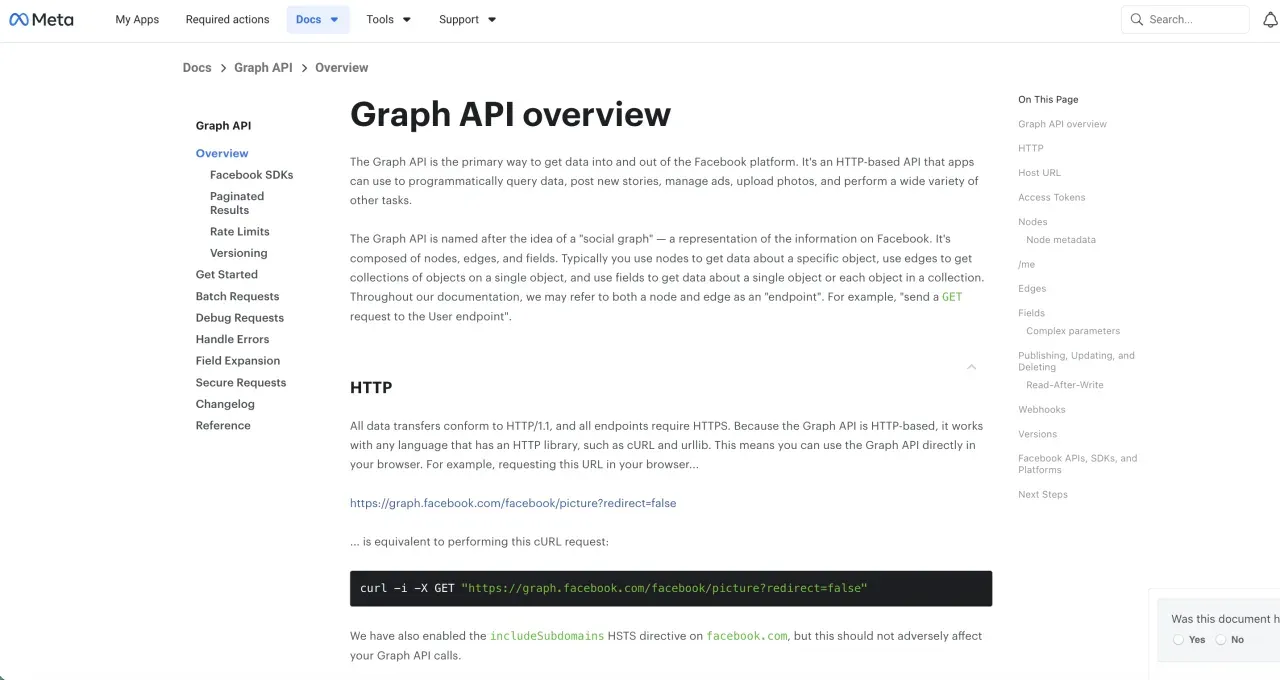
Three concepts carry the whole API. Nodes are the objects: a Page, a post, a photo, a comment, each with its own ID. Edges are the collections hanging off a node, so /{page-id}/feed is the Page’s posts and /{post-id}/comments is a post’s comments. Fields are the properties on a node, requested explicitly.
That last part is the one that bites. The Graph API returns a default field set, not everything, so a field you did not ask for is simply absent rather than null. Reads and writes go to https://graph.facebook.com/{version}/{node-id} with an access token, and you name the fields you want. Video uploads are the exception, routing through graph-video.facebook.com:
GET /v26.0/{page-id}/feed?fields=id,message,created_time,permalink_urlPublishing to a Page feed is a POST to /{page-id}/feed with a message, carrying a Page access token and the pages_manage_posts permission. Photos go to /{page-id}/photos. Video is the part people get wrong, so it is worth being precise: Meta still documents POST /{page-id}/videos for Page video, and Reels go to a separate /{page-id}/video_reels endpoint. Meta’s Video API guide opens by saying it “allows you to publish Videos and Reels on Facebook Pages,” and carries no deprecation notice on the feed-video path. The Pages API posts guide documents only /feed and /photos and routes you to the Video API for anything with a video in it, which is where the “feed video was removed” misreading usually starts. When a tool tells you Facebook feed video is gone, that is a statement about the tool, not about Meta.
What the Graph API Will Not Do
Three of these are structural rather than tiered, so no amount of App Review or budget moves them.
No posting to personal profiles. Publishing is a Pages capability. Meta does not expose an endpoint that posts to a personal timeline on a user’s behalf, so no tool can, whatever its marketing says.
No firehose. There is no stream of Page activity. Near-real-time means webhook subscriptions, and the per-Page subscription step is separate from the app-level one.
No single token that does everything. Access is granted by scopes, assets, and Page tasks rather than by product, so a token carrying ads permissions does not thereby carry pages_manage_posts. Plan for one consented permission set per job, not one master key.
The Real Cost: Meta App Review
The free APIs come with an audit you didn’t quote in the project plan.
A new Meta app starts in Development Mode. People with a developer, tester, or admin role on the app can call any permission you’ve added. Strangers cannot. To take a product to real users on Pages, Login, or Marketing, you need Advanced Access on each permission you use, and that’s an App Review submission. WhatsApp Cloud API is the partial exception: a Direct Developer using the API against their own WhatsApp Business Account stays on Standard Access and skips App Review entirely. Building a tool that connects other businesses to their own WhatsApp accounts puts you back in the App Review queue for whatsapp_business_messaging and whatsapp_business_management.
Meta wants to see:
- A screencast that walks through every permission your app uses, end to end
- A public privacy policy URL
- A public terms-of-service URL
- Business verification with a utility bill, tax document, or equivalent
- A test environment reviewers can log into to verify the screencast matches reality
- Data Use Checkup completion every 12 months after approval
A clean submission lands somewhere between five business days and three weeks. A submission with one ambiguous permission or a screencast that skips a step lands in rejection-and-resubmit, which adds another full review cycle. The Reddit thread at r/webdev is a December 2024 walkthrough of how rough the process feels in practice, and the same complaints still show up in newer support threads.
I’d be a bad founder if I didn’t say this part out loud: most small teams underestimate App Review by a factor of three. Two weeks of planned work turns into six weeks of calendar time because the screencast had a missing frame.
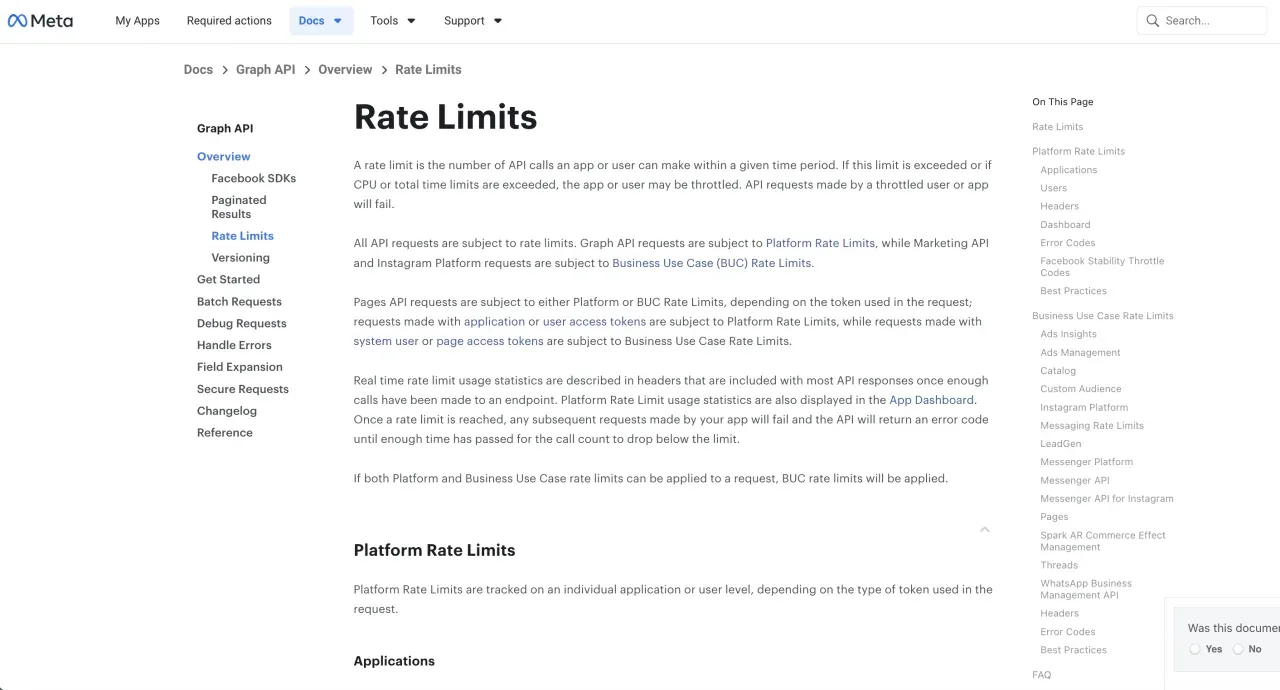
The Rate Limit That Surprises People
The Graph API and Pages API throttle by Business Use Case rather than flat per-second limits. For Pages, the formula on Meta’s rate-limiting docs is:
Calls within 24 hours = 4800 × Number of Engaged UsersEngaged Users are the people who clicked, reacted, commented, or shared content on the Page in the prior 24 hours. A Page with 1,000 engaged users yesterday gets a 4.8 million call budget today. A Page with five gets 24,000.
The implication for any product connecting multiple small-business Pages is real. Polling does not scale. Webhooks do. If your architecture assumes flat per-hour limits, the first dozen low-engagement Pages you onboard will hit error code 32 (user or app token) or 80001 (Page or System User token) before lunch.
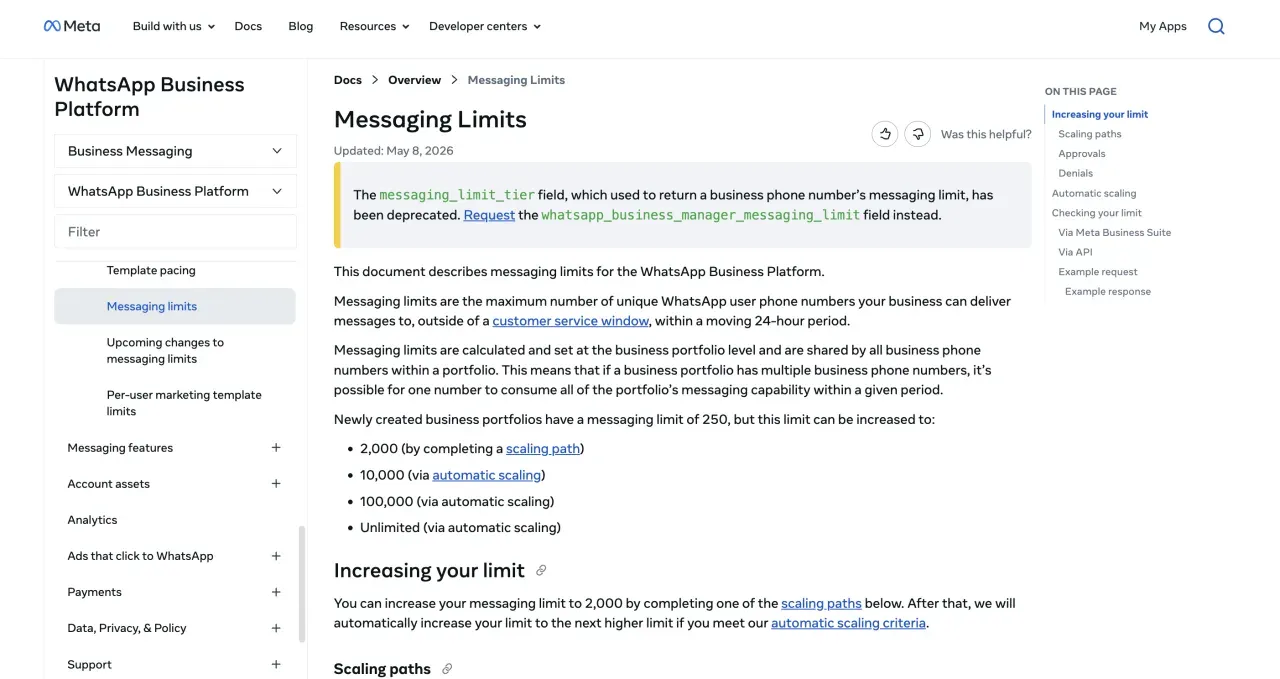
WhatsApp Cloud has a separate messaging-tier system tied to your business quality rating, applied at the business portfolio level rather than per phone number. New, unverified portfolios start at 250 unique customers per 24 hours. Completing business verification or solution-provider verification through a BSP unlocks the next tier. The ladder then climbs through 10,000, 100,000, and finally unlimited, with Meta evaluating upgrades roughly every 6 hours and bumping you a level if your last seven days hit at least half of your current limit each day while quality stays high.
Tokens Don’t Behave the Way You Expect
User and Page access tokens have a quirk worth knowing before you ship.
Default user access tokens are short-lived. Meta’s long-lived token docs say they expire “in hours.” A short-lived token isn’t useful for any backend product, so the standard pattern is exchanging it for a long-lived token, which lasts about 60 days. Meta only refreshes that long-lived token on days where the user actually makes a request to Facebook’s servers through your app. If your product is a pure backend service and the user never opens it, the token isn’t refreshed, hits 60 days, and the user has to log in again to issue a new one.
Here’s the part that catches people. A Page Access Token issued from a long-lived user access token does not expire. Meta’s docs on Pages access tokens describe this directly. If your app gets a long-lived user token, exchanges it for a Page token, and the user has a role on the Page, that Page token is permanent unless the user revokes app permissions, changes their password, or loses their role.
This is the design assumption for any backend that needs to keep posting to a Page indefinitely. The bug I see most often in support threads is a team handling the 60-day user token refresh correctly but forgetting that Page tokens issued from the original short-lived user token will also expire in hours.
Page Tokens and Permissions: Where Facebook Builds Break
A few things outside pricing burn real time on this stack.
Page tokens and user tokens are not the same thing. A user token can post to a Page only after you exchange it for a Page token. The exchange is one extra Graph call. Skipping it is the single most common bug in the support inbox.
Different Meta products live on the same domain with different rules. Graph API, Marketing API, and WhatsApp Cloud API all hit graph.facebook.com, but they account rate limits separately and authenticate with different tokens. Junior developers lose two days to this before realizing it.
Versions deprecate on a 2-year clock. Meta ships 3 to 4 major Graph API versions a year and keeps each alive about two years, so a pinned version is a dated decision rather than a permanent one. The current dates are above.
What Facebook Approval Looks Like at Three Scales
The Solo Founder Posting to Their Own Page
Building a side project that auto-publishes daily updates to your Facebook Page.
- Create a Meta app at developers.facebook.com: free
- Add Facebook Login and Pages products: free
- Request
pages_manage_postsandpages_read_engagementwith App Review for Advanced Access: 1 to 2 weeks for a solo dev - Exchange a short-lived user token for a long-lived user token, then for a Page Access Token: free
- Total cost: $0, ~2 weeks calendar time
Standard Access alone covers you if the Page is one you administer. Advanced Access only becomes mandatory when your app touches Pages owned by anyone else.
The Agency Running 30 Client Pages
Running a social agency that posts to 30 client Facebook Pages.
- App Review for Advanced Access on
pages_manage_posts: 2 to 6 weeks, expect at least one rejection - Business verification: 1 to 2 weeks running in parallel
- Screencast production, privacy policy, terms-of-service pages: 1 to 2 weeks of dev time
- Each client completes Facebook Login and grants your app a role on their Page
- Generate one long-lived Page Access Token per client (non-expiring if issued from a long-lived user token)
- Total cost: $0 in API fees, 4 to 8 weeks to launch, recurring engineering to keep 30 OAuth handshakes healthy and rate limits respected
The E-Commerce Store Running WhatsApp Support
Running a US-based store that handles customer support and order updates over WhatsApp.
- WhatsApp Cloud API setup plus business verification: 2 to 4 weeks
- Customer-initiated conversations open a 24-hour customer service window where text replies and image responses are free until October 1, 2026, then free up to 1,000 delivered service messages a month per phone number and charged after that
- Order confirmations sent as utility templates inside that window: free until October 1, 2026, then charged from the first message, since the 1,000-message allowance covers service messages and not utility templates
- Order updates sent as utility templates outside that window: charged at Meta’s per-message US utility rate
- Promotional broadcasts sent as marketing templates: charged on delivery, with the only exception being messages sent inside a 72-hour Free Entry Point window
- Total cost: zero on inbound replies and in-window utility messages through September 2026. From October, still zero on the first 1,000 service messages a month, plus the running per-message bill for in-window utility templates, marketing broadcasts, and out-of-window updates
Architecting your WhatsApp flow to start from a Click-to-WhatsApp ad gives you a 72-hour Free Entry Point window where every message is free. Most production customer-service flows on WhatsApp are designed around this rule for exactly that reason. For current per-message rates in your country, the official rate cards are at developers.facebook.com/docs/whatsapp/pricing.
Skipping Meta App Review Entirely
For anyone whose Facebook integration needs to publish posts and nothing more, the calendar cost of doing it yourself is the most expensive part of the project. Blotato handled the Meta App Review once, on our side. You connect your Page, pull an API key from settings, and post with a single HTTP call:
For the full Facebook request body, the pageId and mediaType rules, and the per-Page cap, see the Facebook posting API page.
curl -X POST https://backend.blotato.com/v2/posts \
  -H "blotato-api-key: YOUR_API_KEY" \
  -H "Content-Type: application/json" \
  -d '{
    "post": {
      "accountId": "YOUR_FACEBOOK_PAGE_ID",
      "target": { "targetType": "facebook" },
      "content": {
        "text": "Posted to Facebook via the Blotato API."
      }
    }
  }'
One API. Every social platform.
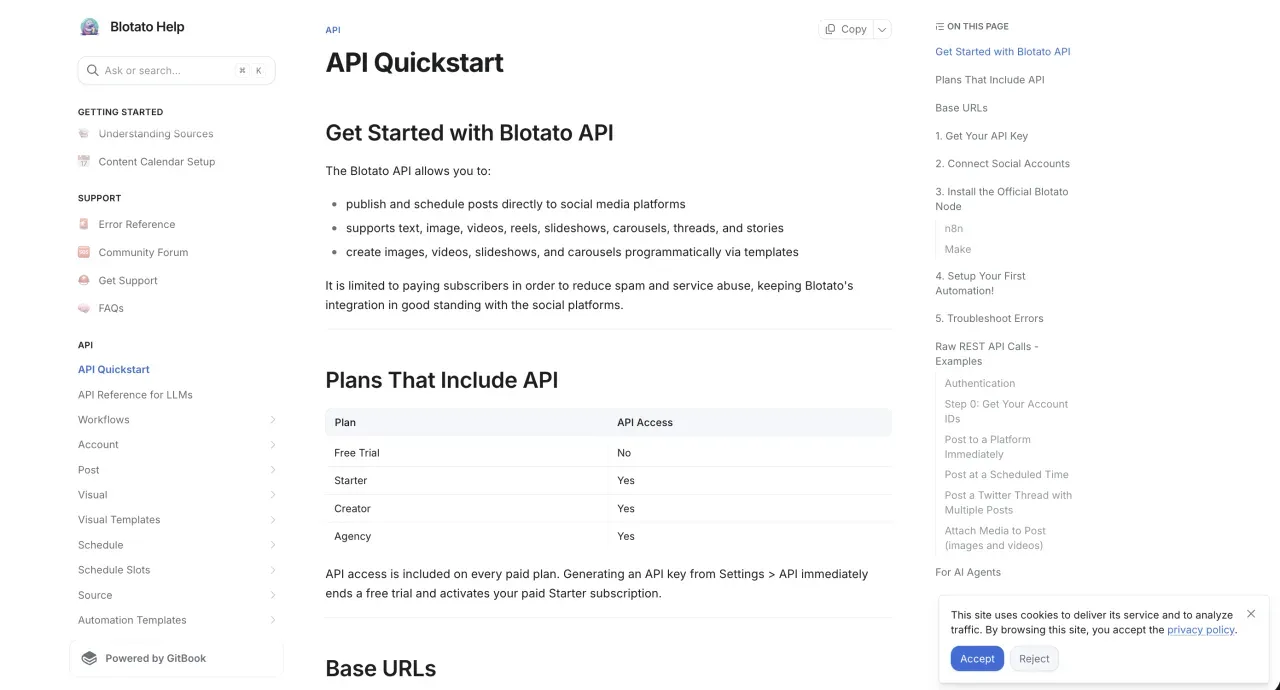
No screencast, no business verification, no Facebook Login OAuth wiring on your end. Swap facebook for instagram, linkedin, x, tiktok, or any of the nine supported targets and the request shape stays the same. The API is included on every paid Blotato plan starting at $29/month. The 7-day free trial covers all features except API access, so you’ll need to upgrade to a paid plan once you’re ready to wire it into your code. The docs live at help.blotato.com/api/start.
There is also an MCP path. Blotato runs an MCP server at https://mcp.blotato.com/mcp, which means Claude Code, Claude Desktop, or any MCP-compatible agent can publish to your Page through a tool call rather than a custom auth flow. If your AI agent decides what to post, the agent can ship it without you writing a single line of OAuth glue. The same logic carries over to Instagram, where I cover the trade-off in Instagram API Pricing.
Blotato is not the answer for every Facebook use case. If your product needs to manage paid campaigns, pull Ads Insights, or run WhatsApp customer support, you’ll go direct to Meta because that’s where those products live. For organic posting and cross-platform automation, the math almost always favors a wrapper.
Four of our own limits are worth knowing before you wire anything up, because they are ours and not Meta’s. We publish all Facebook video as Reels. Meta still documents the Page feed-video endpoint, as covered above, so that one is our product decision, and a feed-video post is a requirement we do not serve. We cap publishing at 25 posts per Page per 24 hours, with each connected Page carrying its own independent count. Facebook separately recommends staying under 5 posts a day per Page for organic reach, which is guidance rather than a limit, and worth respecting anyway. Our engagement surface is Instagram and Facebook only, so comments, DMs, and DM automation cover those two and nothing else on the list. Analytics runs across eight of the nine platforms, with LinkedIn the one that returns no metrics yet.
Each connected Page counts as one account against your plan limit, and the Facebook login itself does not count. One login with three Pages counts as three.
For how Facebook compares with the other major platforms (X, LinkedIn, TikTok, YouTube, Threads), see the full Social Media APIs developer guide for 2026. The closest sibling reads are LinkedIn API Pricing and Threads API Pricing, both of which share Meta-style App Review or partner-approval gates.
What I’d Do About Facebook Access
I’m biased, obviously. But I built Blotato because the cost of “free” APIs on Meta has always been measured in weeks, not dollars. A solo founder shipping to their own Page is fine on the official route. The moment you need to publish on behalf of customers, App Review becomes the gating constraint on every launch. We did that work once so our users don’t have to keep doing it.
FAQs
Is there a free Facebook API tier in 2026?
Three of Meta’s four developer products are free at the API level. Graph API, Marketing API, and Pages API charge zero dollars per call. WhatsApp Cloud API charges per template message delivered. Non-template messages inside an open customer service window have been free, and from October 1, 2026 Meta charges for service messages beyond a free monthly tier of 1,000 per business phone number, and for in-window utility templates from the first message. The non-monetary costs across all four are App Review or permission review for production apps that touch other people’s accounts, business verification, and the rate-limit budget tied to engaged users or ad-account quota. WhatsApp Cloud API is the partial exception: a Direct Developer using the API against their own WhatsApp Business Account skips App Review and stays on Standard Access.
How does WhatsApp Cloud API pricing work in 2026?
Meta moved WhatsApp Cloud API to per-message pricing on July 1, 2025, retiring conversation-based pricing at the same time. Rates vary by category and recipient country. Two changes land on October 1, 2026: service messages become chargeable beyond a free monthly tier of 1,000 per business phone number, and utility templates sent inside the customer service window are charged from the first message. The 72-hour Free Entry Point window remains the one state where every message is free, templates included. Current per-country rates live at developers.facebook.com/docs/whatsapp/pricing.
What is the Facebook Graph API?
The Graph API is Meta’s HTTP interface to the Facebook social graph, and it is what people usually mean by “the Facebook API.” The Marketing API and Pages API are products built on top of it rather than separate APIs, which is why they share a domain, a versioning clock, and an App Review process. The node, edge, and field model is covered in full above.
Is the Facebook Graph API free?
Yes, at the call level. Meta charges nothing per Graph API request, and the same is true of the Marketing API and Pages API. What you pay instead is App Review for production access to anyone else’s data, business verification, and a rate-limit budget that scales with engagement rather than with a plan you can buy. WhatsApp Cloud API is the one Meta developer product with a literal per-message invoice.
What is the latest Facebook Graph API version?
Graph API v26.0 shipped on July 29, 2026 and is the current version, with no expiration date published yet. v25.0 dates from February 18, 2026 and runs to July 29, 2028. Meta ships three to four major versions a year and each stays active about two years, so v20.0 expires on September 24, 2026. Note that version pinning does not protect you from everything: the July 2026 removal of deduplicated-reach metrics applied to all versions at once.
How do I get access to the Facebook API?
Register a Meta app at developers.facebook.com, add the products your project needs (Login, Pages, Marketing, WhatsApp), and request the specific permissions your code calls. Standard Access (Limited Access on the Marketing API) activates automatically for accounts with a role on the app. Advanced Access (Full Access on the Marketing API) requires App Review, business verification, and a screencast that demonstrates each permission in your live product.
Why does the Facebook API rate-limit small Pages harder?
The Pages API uses a Business Use Case formula of 4,800 calls per 24 hours multiplied by the engaged users on that Page in the same window. A Page with low engagement gets a small budget. The mitigations are spacing out calls, switching from polling to webhooks, and avoiding bulk operations against Pages with few engaged users.
How long do Facebook access tokens last?
Default user access tokens expire within hours. Long-lived user access tokens last about 60 days, and Meta only refreshes them on days the user actually makes a request through your app, so a server-only backend hits the 60-day wall and needs a fresh login. Page Access Tokens issued from a long-lived user token do not expire under normal conditions, which makes them the right choice for backend services that keep posting indefinitely.
Do Facebook Page Access Tokens really never expire?
Yes, with conditions. When a Page Access Token is generated from a long-lived user access token by a user who has a role on the Page, Meta returns a token with no expiration date. The Graph API Access Token Debugger displays “Expires: Never” for these tokens. They stop working only in specific cases: the user revokes your app’s permissions, the user changes their Facebook password, the user loses their role on the Page, or Meta retroactively invalidates the token for a policy reason. For most backend services posting to Pages, a single long-lived Page Access Token per Page connection is the correct architecture.