Instagram API Pricing: Complete Guide for 2026
Instagram API pricing in 2026: why the official API is free, the real cost of app review, third-party scraper rates, and when to skip the API.
If you searched for Instagram API pricing in 2026, you probably expected a tier table with monthly prices. There isn’t one.
Is the Instagram API free in 2026? Yes. Meta’s Instagram Graph API has no per-call charge. The real cost is the approval cycle (Meta App Review, business verification, a screencast), the Business or Creator account requirement, and the Business Use Case rate-limit formula that quietly caps small accounts. If you only need to publish posts, a unified layer like Blotato skips that entire review cycle, and its MCP server lets Claude Code and other AI agents post to Instagram without touching Meta’s auth flow at all.
I’ve been shipping on social media APIs for years, including Instagram’s. So I want to lay out exactly what “free” actually means in 2026, what the third-party scrapers charge when you need to read data Meta won’t give you, and when it makes sense to skip the whole approval process and use a wrapper like Blotato instead. This is especially relevant if you’re building an AI agent or a Claude Code workflow that posts to Instagram, because Meta’s API was not built for that pattern and the friction shows.
This is the honest version. If you want Meta’s policy doc, developers.facebook.com has one. If you want to know what you’ll actually spend and how long you’ll wait, keep reading.
Instagram API Pricing at a Glance (2026)
| Access tier | Cost | Best for | Key friction |
|---|---|---|---|
| Instagram Graph API (Meta) | Free | Posting to your own or your clients’ IG Business accounts | Meta App Review, Business/Creator account required, BUC rate limit |
| RapidAPI third-party wrappers | Free to ~$100+/mo | Prototyping, low-volume scraping | Unofficial, no SLA, can break overnight |
| EnsembleData (scraping) | $100 to $1,400/mo | High-volume public data extraction | Per-unit billing, no posting capability |
| Bird (DMs only) | ~$0.005 per message | Customer-service bots | DM-scope only, separate from Graph API |
The headline is simple. Meta charges you nothing to call its API, but it costs you time. Third-party providers charge money but skip the approval cycle. If you only need to publish posts to accounts you own or manage, the official route is free and works. If you need to read public Instagram data you don’t own, you’ll pay a scraper because Meta closed that door in 2020.
Want to skip the approval cycle entirely? Start a free week of Blotato.
Free 7-day trial · Cancel anytime
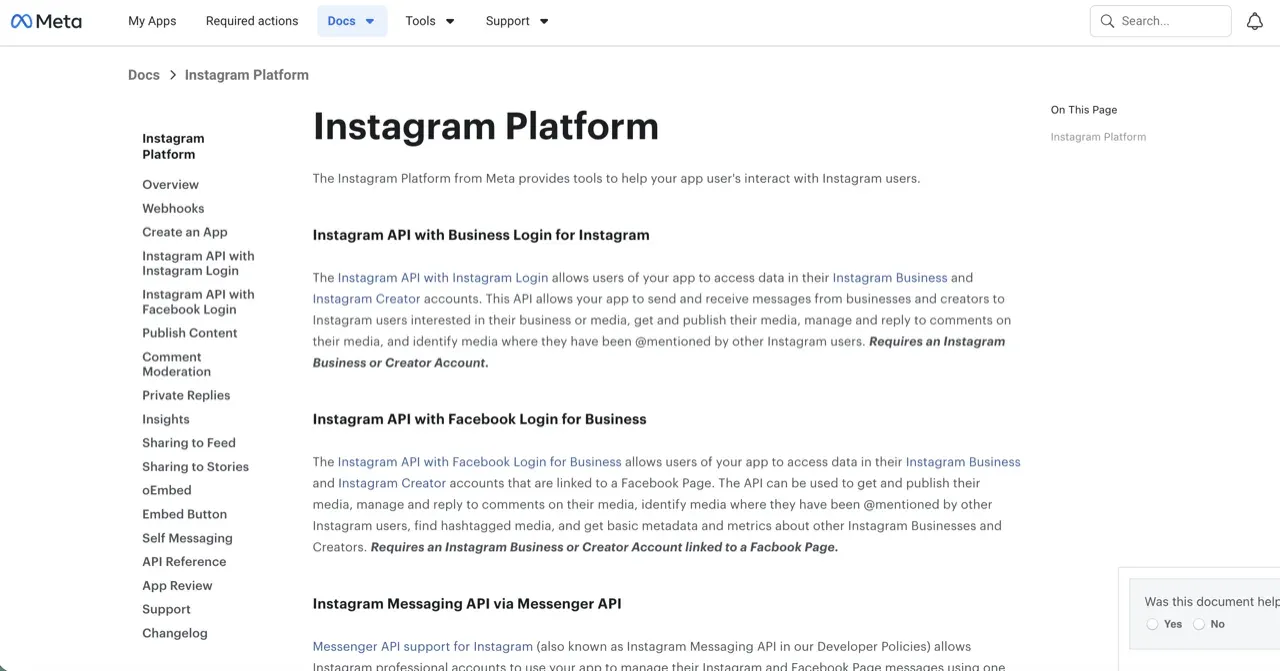
Two Login Paths, One Graph API
The first thing that breaks for most people is a scope error, and the cause is almost always that they followed a tutorial written for the other login path.
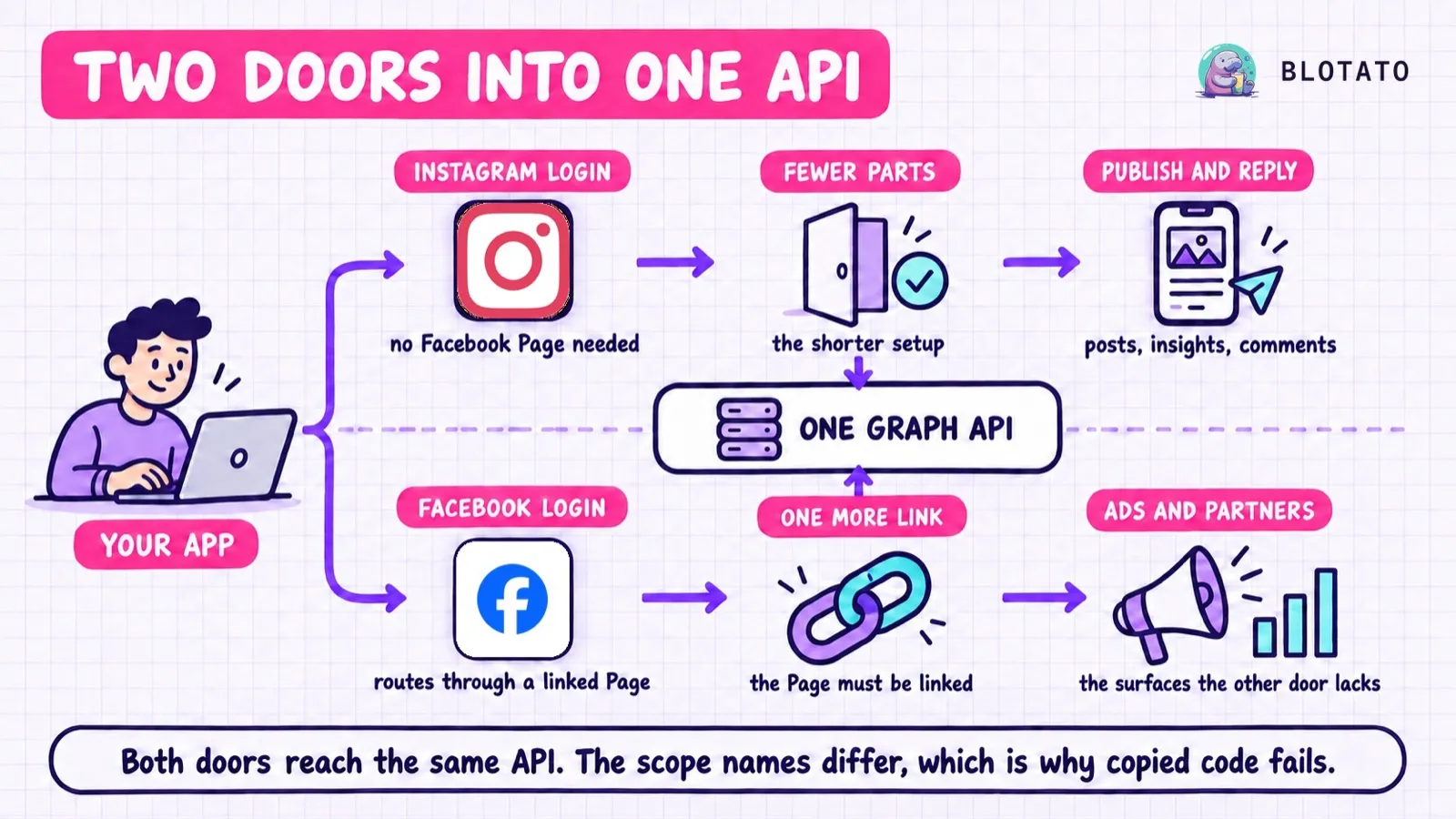
The scope names are where it bites. Instagram Login uses instagram_business_basic and instagram_business_content_publish; posts from 2023 still show the older instagram_basic names, which is why copied code fails on scopes that no longer apply to the path being used.
The second thing that breaks is a product assumption. You can publish photos, videos, reels and carousels to accounts you manage, read your own media and its insights, and manage comments. Stories publishing is narrower than the rest and is documented for Business accounts rather than every Professional account, so check that before promising it. What you cannot do is treat Instagram as an open corpus. Reading other accounts is possible only through named surfaces, chiefly Hashtag Search and Business Discovery, and Business Discovery reaches public professional accounts only. Personal accounts and open public-feed access are outside the API entirely.
Instagram’s 2026 Graph API Changes
Three things matter if you’ve shipped on this API before.
Instagram Login is now the path for apps not tied to a Facebook Page. Meta still supports Facebook Login for Business when your app connects to a Facebook Page, but the current docs split developers into two paths and Instagram Login is the standalone option for Business/Creator accounts. If you set up your app before 2024 using Facebook Login, your code still works, but the long-lived token refresh logic changed.
Advanced Access permissions got stricter. If your app serves Instagram Business accounts you don’t own, you need Meta App Review and the reviewer wants a screencast showing exactly how the data is used. Standard Access is still self-serve for accounts that have a developer or tester role on your Meta app.
The Business Use Case (BUC) rate-limit formula is unchanged but more important. As Meta enforces it more strictly, low-impression accounts hit the cap faster than the old “200 calls/hour/user” rule of thumb implied. I’ll break this down below.
Instagram API Pricing, in Plain English
There are two questions hiding inside “what does the Instagram API cost”:
- What do I pay Meta? Nothing. Zero dollars.
- What does it cost me to actually ship? Engineering hours, approval calendar time, and the operational tax of staying compliant with Meta’s rules.
The Graph API is free because Meta isn’t selling data access. They’re selling the platform, and the API exists so developers can build tools that pull more users and businesses onto Instagram. That’s also why it’s gated: Meta doesn’t want random scrapers, ad-fraud rings, or non-business apps using it at scale.
If you want public Instagram data, you pay a third party. Verified pricing pulled from each provider’s site:
| Provider | Plan | Cost | Volume |
|---|---|---|---|
| EnsembleData | Wood | $100/mo | 1,500 units/day |
| EnsembleData | Bronze | $200/mo | 5,000 units/day |
| EnsembleData | Silver | $400/mo | 11,000 units/day |
| EnsembleData | Gold | $800/mo | 25,000 units/day |
| EnsembleData | Platinum | $1,400/mo | 50,000 units/day |
| Bird (Instagram DMs) | Pay-per-message | ~$0.005/message | Volume-based |
| RapidAPI wrappers | Various | Free to ~$100+/mo | Per-provider |
RapidAPI hosts dozens of unofficial Instagram wrappers at a range of price points. They’re useful for prototyping, but they’re not endorsed by Meta and can break with any platform change. EnsembleData and Bird are the more mature paid options for scraping and DMs respectively.
The trade-off with third parties: there’s no SLA from Meta. The endpoint can break when Instagram changes its DOM, and you’re stuck waiting for the provider to patch it.
The Real Cost: Meta App Review
The hidden cost of the “free” Instagram API is app review. Here’s how it works.
You start with Standard Access, which is granted automatically when you create a Meta app. Standard Access only works for users who have a role on your Meta app, meaning developer, tester, or admin. You add each one manually in the App Dashboard. That’s enough to ship to yourself and a small team, not enough to serve real customers. I cover the development-mode publishing route step by step in the Instagram posting API guide.
To move to Advanced Access, you submit your app for review. Meta wants:
- A screencast walking through exactly how each permission is used in your product
- A privacy policy URL
- A terms-of-service URL
- A business verification (proof your business exists, usually via a utility bill or tax document)
- A live, accessible test environment where reviewers can log in
Approval timeline ranges from a few days to several weeks. Rejections are common on the first submission. I’ve seen agencies get bounced three times before a reviewer accepts the screencast.
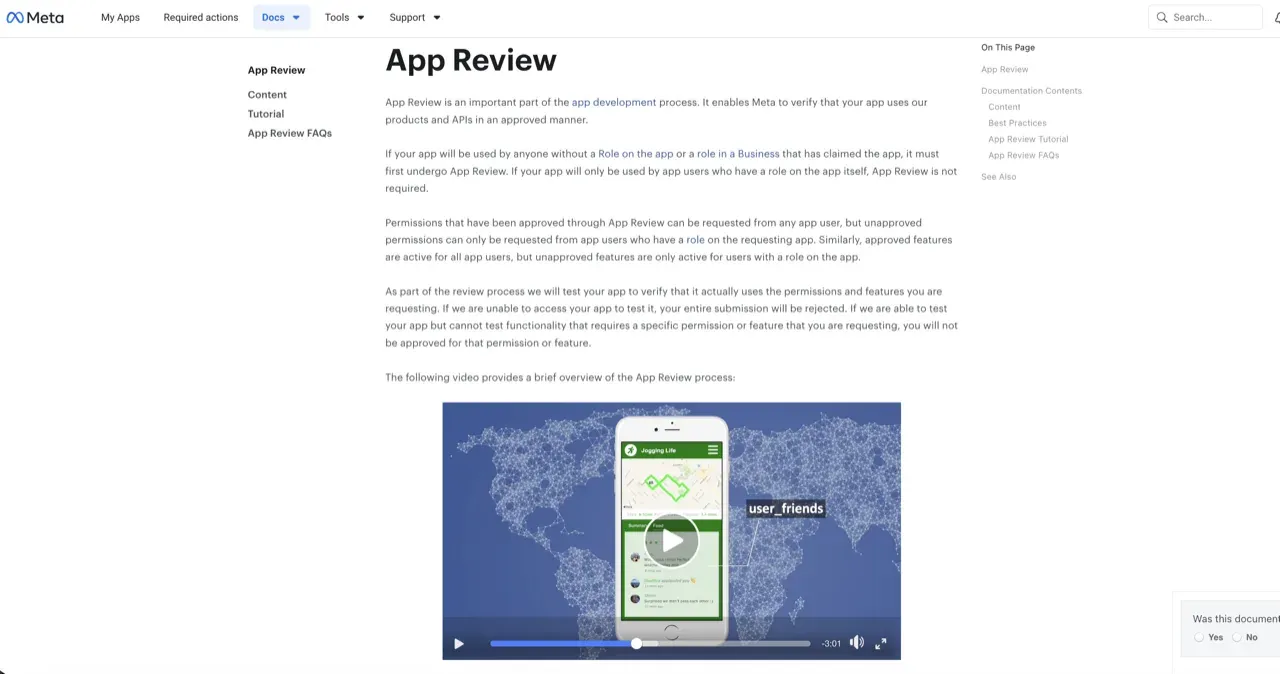
This is the cost. Not dollars. Calendar time, paperwork, and the risk that a single permission rejection blocks your launch.
The Rate Limit That Surprises People
Instagram’s Graph API uses a Business Use Case (BUC) formula instead of a flat calls-per-hour cap:
Calls within 24 hours = 4800 × Number of Impressions
That sounds generous until you do the math. “Impressions” means screen views of content from the connected Instagram professional account in the last 24 hours. If your client’s account got 1,000 impressions yesterday, you can make 4.8 million API calls in the next 24 hours. If they got 10 impressions, you get 48 calls.
The result: small accounts hit the rate limit fast. If you’re building a tool for new creators or small businesses, you’ll see rate-limit errors at exactly the worst moment, right when they’re trying to grow. If you only need to publish your own content rather than build on the API directly, a Google Drive to Instagram automation sidesteps those limits entirely.
Messaging endpoints have their own separate caps, set lower than the BUC formula. If you build a customer-service bot or a DM automation flow on top of the official Messenger Platform endpoints, the messaging caps will hit before the BUC formula does. Running the same thing through a hosted layer instead of the raw endpoints changes what you are metered on, which is the tradeoff keyword-triggered Instagram DM automation walks through. Check the current Messenger Platform docs for the exact numbers, since Meta has adjusted them more than once.
Already on the Old Instagram Basic Display API?
Meta shut down the Basic Display API on December 4, 2024. If your app was using it to pull public profile and media data on behalf of users, that code stopped working. The replacement is the Graph API with Instagram Login, which requires a Business or Creator account on the user side.
If you have legacy users on personal accounts, they need to convert to Professional accounts to keep your app working. That’s a real friction point if your audience is creators who don’t want a “Business” badge on their profile.
There is no migration credit, no extended access window, and no paid fallback. The endpoint is just gone.
Business Accounts, Containers, and Other Instagram Traps
A few constraints that aren’t pricing but cost you real time:
Token refresh is your job. Authorization codes expire fast, and long-lived tokens last about 60 days before they need a refresh call. If you don’t refresh within the window, the token dies and the connected account silently breaks. Build a refresh job before you launch, not after a customer files a support ticket.
Webhook payloads are the only way to “stream.” Meta does not offer a firehose. If you want near-real-time updates on comments or messages, you subscribe webhooks at the app level and re-subscribe per user. Polling will burn through your BUC budget fast.
Hashtag and Business Discovery endpoints are intentionally narrow. The Hashtag Search API and Business Discovery API exist, but they cap how much data you can pull per account per week. They are not a substitute for a real listening or competitive-intelligence tool.
Insights metrics changed twice in the last 18 months. If you’re pulling story or reel performance data, check the changelog before assuming a field still exists. Meta deprecates Insights metrics on short notice.
Three Instagram Builds and What Each Had to Clear
Three personas, three realistic outcomes.
The Indie Builder Shipping to Their Own Account
You’re building a side project that auto-posts a daily quote to your own Instagram account.
- Convert your IG account to a Professional (Business or Creator) account: free, 5 minutes
- Create a Meta app: free
- Add yourself as a test user: free
- Request
instagram_content_publish: requires app review, ~1 to 2 weeks for a solo dev - Total cost: $0, ~2 weeks calendar time
You don’t need Advanced Access because you’re posting to your own account. Standard Access is enough.
The Agency Posting on Behalf of 30 Clients
You run a social agency and want to post to 30 client Instagram Business accounts.
- Meta App Review for Advanced Access on
instagram_content_publish: 2 to 6 weeks, multiple submission rounds likely - Business verification: 1 to 2 weeks
- Screencast production and privacy policy/TOS pages: 1 to 2 weeks of dev time
- Each client must connect their IG Business account through your Facebook Login flow
- Rate-limit risk on smaller clients whose accounts have low impressions
- Total cost: $0 in API fees, 4 to 8 weeks to launch, ongoing engineering to handle re-auth and rate-limit edge cases
The dollar amount on Meta’s side is still zero. The real cost is the timeline and the engineering work to keep 30 OAuth flows healthy.
The Brand Monitor Pulling Public Data
You want to track hashtag mentions and competitor profiles you don’t own.
- Meta’s Hashtag Search API: capped per account per week, returns top media only
- Meta’s Business Discovery API: only returns data for accounts that have given you no permission, severely capped
- EnsembleData Bronze plan: $200/mo for 5,000 units/day, covers profile lookups, post lists, and hashtag scraping
- Total cost: $0 if you accept Meta’s limits, $200 to $1,400/mo if you need real volume
Most brand-monitoring tools end up at the higher tier because Meta’s official endpoints aren’t built for competitive analysis.
A Route Around Instagram’s Review Queue
One API. Every social platform.
Here’s the math.
If you only need to publish posts to Instagram (and other social platforms), going through Meta App Review takes weeks and gates you behind business verification, screencasts, and OAuth code you have to maintain forever. The API itself is free, but the integration tax is real.
Blotato wraps Instagram, Facebook, LinkedIn, X, TikTok, YouTube, Threads, Pinterest, and Bluesky behind a single endpoint. The Instagram approval has been done once, at the Blotato app level.
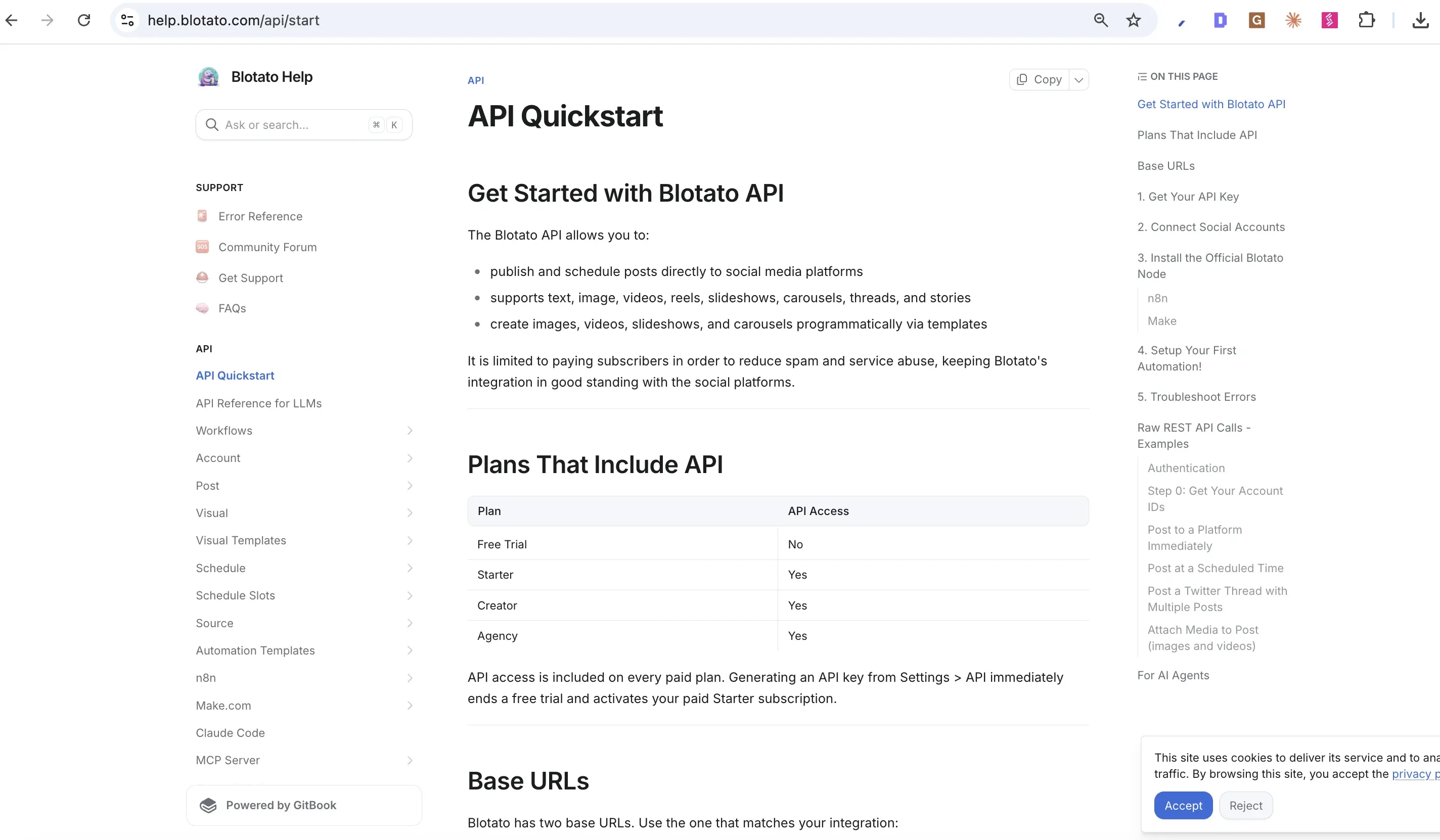
You connect your Instagram account inside Blotato, generate an API key from the settings page, and post with one HTTP request:
The complete Instagram request, with every optional target field and the 50-a-day cap Blotato applies, lives on the Instagram posting API page.
curl -X POST https://backend.blotato.com/v2/posts \
  -H "blotato-api-key: YOUR_API_KEY" \
  -H "Content-Type: application/json" \
  -d '{
    "post": {
      "accountId": "YOUR_INSTAGRAM_ACCOUNT_ID",
      "target": { "targetType": "instagram" },
      "content": {
        "text": "Posted to Instagram via the Blotato API."
      }
    }
  }'
That’s the entire posting flow. No Meta App Review on your side, no business verification screencast, no Facebook Login OAuth dance. Swap instagram for linkedin, x, tiktok, or any of the nine supported platforms and the request is identical. The Blotato API is included on all paid plans starting at $29/month, and the full docs are at help.blotato.com/api/start.
The MCP angle matters too. Blotato runs an MCP server at https://mcp.blotato.com/mcp, which means Claude Code, Claude Desktop, or any MCP-compatible agent can post to your Instagram account directly without touching Meta’s auth flow at all. If you’re building AI agents that publish content (a Claude Code workflow that drafts a post and ships it, an n8n flow with an LLM node, a custom agent that responds to events), this is the shortest path from “agent decides to post” to “post is live on Instagram.” That’s the use case Meta’s API was never designed for, and it’s where Blotato earns its keep.
I’d be a bad founder if I didn’t tell you the trade-off. If your product needs to read deep Instagram analytics or specific Insights metrics Meta only exposes through the Graph API, you’ll still need to go direct. But if you’re publishing posts, scheduling carousels, automating Instagram Stories, or automating Reels, Blotato saves you the 4 to 8 week approval cycle.
I’ve also written a full social media APIs developer guide that covers the same patterns across every platform, and a separate breakdown of X (Twitter) API pricing if that’s your next stop.
My Read on Instagram API Access
I’m biased, obviously. But I built Blotato because every founder I know spent weeks fighting Meta App Review for a feature that takes 30 lines of code on our side. The official Instagram API is fine when you’re posting to your own account. It gets painful the moment you scale to multiple clients or non-owned accounts. Free isn’t free when the price is your launch date.
FAQs
Is there a free Instagram API tier in 2026?
Yes. The official Instagram Graph API is free for any Business or Creator account. There are no per-call charges from Meta. The costs are app review time, business verification, and the rate-limit formula that scales with your account’s impressions.
How do I get access to the Instagram API?
Convert your Instagram account to Professional (Business or Creator), create a Meta app at developers.facebook.com, add the Instagram product, and request the permissions you need. Standard Access is automatic for users with a role on your app. Advanced Access requires Meta App Review, business verification, and a screencast.
Why does the Instagram API rate-limit small accounts harder?
Meta uses the Business Use Case formula: 4,800 calls per 24 hours, multiplied by the account’s impressions in that window. Small accounts with low impressions get a tiny allowance. The fix is to space out calls or rely on webhook updates instead of polling.
What happens if my Meta App Review gets rejected?
You can resubmit. Most apps get rejected on the first attempt, usually for a missing screencast frame or unclear permission justification. Read the rejection reason carefully, fix the specific issue, and resubmit. Repeated rejections without changes can flag your developer account.
Can I still use the Instagram Basic Display API?
No. Meta shut it down on December 4, 2024. The replacement is the Instagram Graph API with Instagram Login, which requires the connected user to have a Professional account. Personal accounts no longer have any API access.
Is there a public API available for Instagram?
Not in the sense most people mean. The Graph API is scoped to accounts that have authorized your app, with a few narrow discovery surfaces alongside it: Hashtag Search, Business Discovery for public professional accounts, and oEmbed for embedding public posts. Business Discovery is the one people miss, and it does return media and metrics for public Business and Creator accounts you do not manage. What has no endpoint is personal accounts and open public-feed access. If your product needs broad public Instagram data, the official API will not supply it, and the choice is between a third-party scraper and a different product idea.
Can I use the Instagram API to get posts?
Yes for accounts you manage, through GET /{ig-user-id}/media for the account’s own posts and GET /{ig-media-id} for a single item, with insights available on top for reach and engagement. Both need a token from a Professional account that authorized your app. Reading a stranger’s feed is the case that fails, and it fails at the permission model rather than at rate limits, so retrying or upgrading a tier does not change the outcome.