How to Create a Week of Content in One Day With AI (3 Steps)
The exact 3-step AI system I use to create a week of content in one morning: 5 ideas, 5 posts, 25 platform versions.
Most people work on their next post every single day. I do not.
I create a week of content in one day, usually one morning, and then I am done. Everyone asks how I hit 2.6 million followers, and they assume I have a team. I do not. It is one person and AI running the same three steps every week.
This guide is written for solo creators, small business owners, and one-person agencies. If that is you, most batching advice will let you down, because it still starts you from a blank page. This system does not. The trick is treating AI like a scout: you name the 10 creators your audience already follows, and AI hands you the ideas worth posting. From there it sharpens the writing and multiplies one post into five platforms, so 25 posts get done before lunch.
How to Create a Week of Content in One Day (Video Guide)
If you would rather watch the full walkthrough, this is the video version. The written guide below covers the same three steps with extra detail on the exact prompts, the pushback I use so the drafts are not slop, and the repurposing math that turns one post into five.
Why Making Content Every Day Is the Wrong Goal
The old way is exhausting. You wake up, open a blank calendar, and try to invent something new for Instagram, then TikTok, then LinkedIn, then X. Repeat that every day and you burn out fast.
Here is the trap most creators fall into. They think they have to post a brand new thing every single time, on every single platform. That is one of the most common reasons people quit.
The goal is not to make more content. The goal is more output from less work. Do the thinking once a week, then let AI and automation stretch that work across every platform. That single mental shift is what took me from zero to almost 900,000 on Instagram without ever downloading the app.
My AI Tool Stack for a Week of Content
This system is simple on purpose. You only need a few tools:
- Claude or ChatGPT for the ideation and drafting steps. This is where the scout prompt and the sparring happen.
- A visual tool for carousels or thumbnails when a post needs one. Canva works fine here.
- Blotato for the last step, publishing and repurposing one post into every platform at once. That last one is my own product, so judge it on whether the step it removes is a step you actually do.
That is the whole stack. The magic is not the tools, it is the order you run them in. The rest of this guide walks through all three steps.
The step that quietly kills most DIY setups is the last one: cross-posting the same idea to five platforms without doing five separate uploads. That is exactly the piece every workflow below hands to Blotato. If you want to test the full system on your own accounts, start a free 7-day Blotato trial, connect your platforms, and run one idea end to end from draft to five live posts. The trial covers the publishing and repurposing that make “one morning” actually possible.
Stop Hunting for Ideas: Let AI Scout Them
The old way of finding ideas is doom scrolling. You open Instagram, TikTok, YouTube, your email newsletters, LinkedIn, and your notes from meetings. Ten hours later you still have no idea what to post.
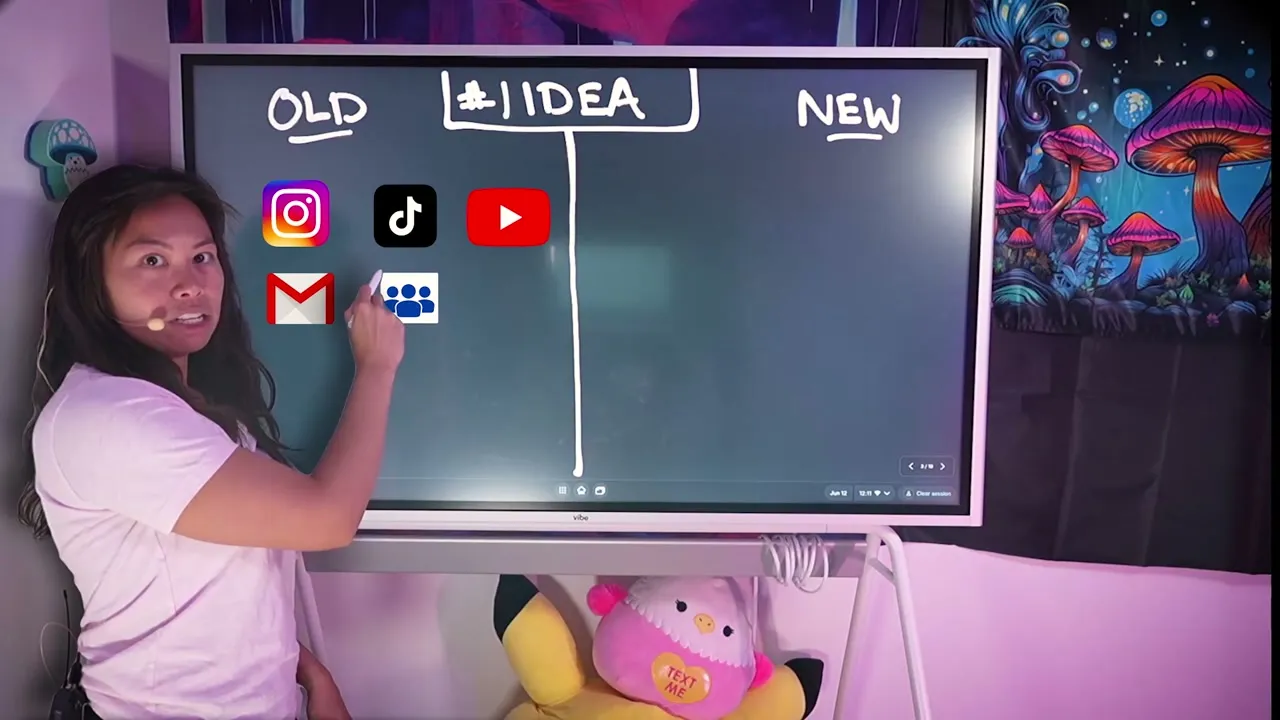
The new way is to stop hunting. AI listens to all of those sources for you and surfaces the best ideas for your specific audience. Think of it like a scout that watches every feed you care about while you sleep, so by the time you wake up it has picked the five ideas you should post about.
Step-by-Step: The 3-Step System
Here is the full system, one step at a time, with the exact prompts I use.
Step 1: Use AI as a Scout, Not a Search Engine
First, list the 10 creators your audience already follows. This is the part everyone skips, and it is the whole trick.
Then paste this prompt into Claude or ChatGPT: “Analyze these 10 creators and give me five post ideas that are a great fit for my audience.” The mistake most people make is asking AI for ideas cold. Generic input gives you generic output. Naming the 10 creators your audience already follows is what makes the ideas land.
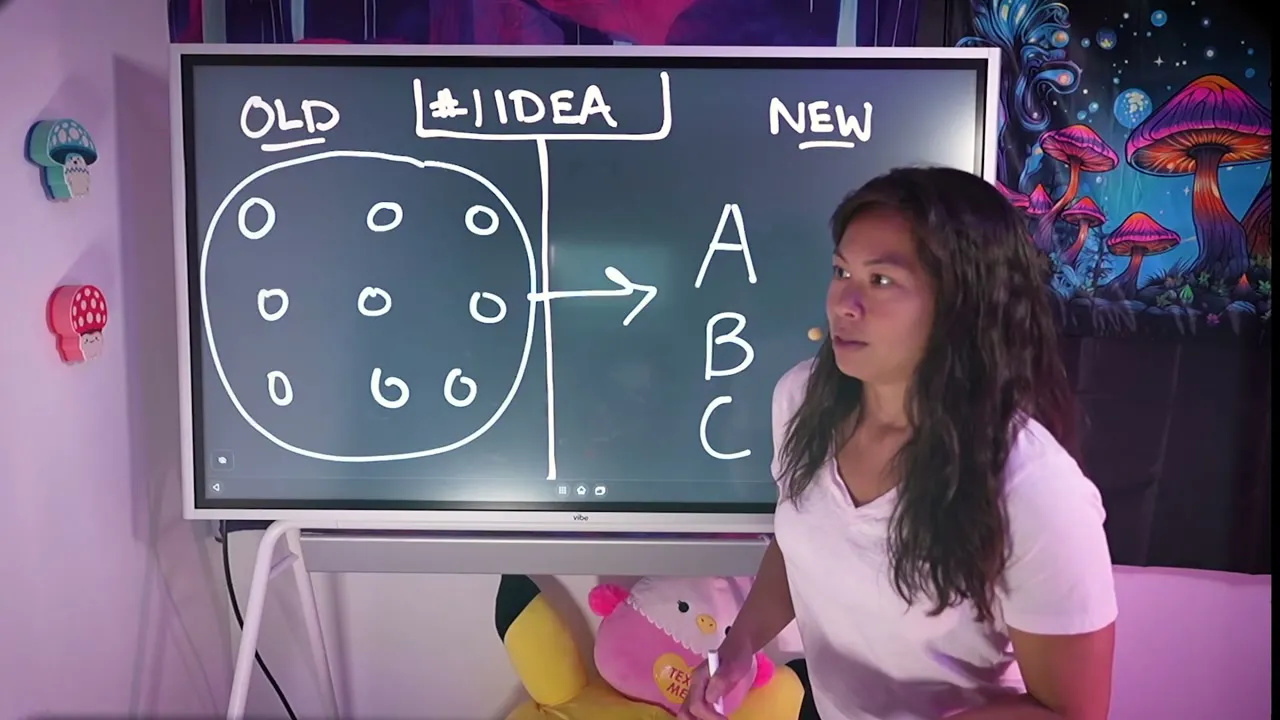
This compresses a process that used to take 10 hours down to about 10 minutes, and the ideas are more likely to perform because they are grounded in what already works for your audience.
Step 2: Turn One Idea Into a Post by Sparring With AI
An idea is worthless until it is a post. The old way here is staring at a blank page with writer’s block, then realizing you also need a visual, a carousel, or a video to go with it. That whole process eats hours per post.
The new way is to never start cold. Have AI draft three versions for you with this prompt: “Write three versions of this post idea with different hooks, same idea.” If you want ready-made prompts for each stage, I keep a full set in my post on Claude prompts to run your social media.
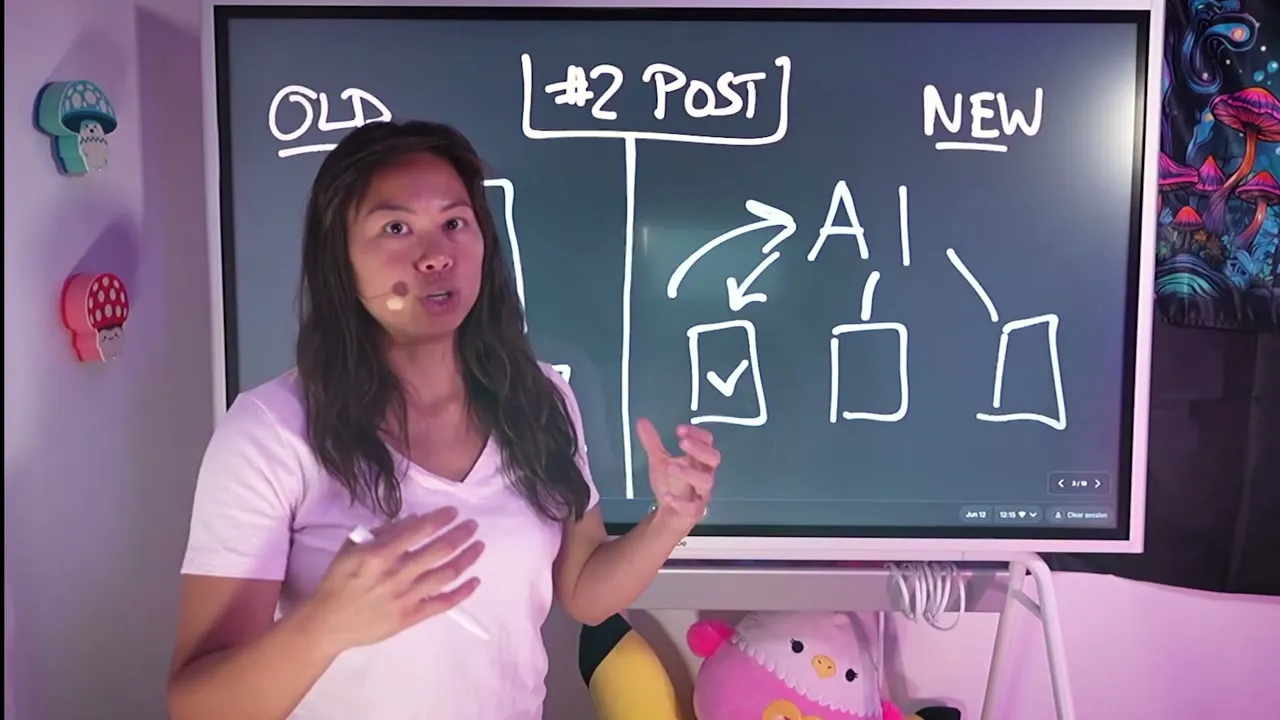
Do not accept the first draft. That is exactly how you get AI slop. Instead, push back. Say things like “this part is confusing,” “I want more numbers,” “cite more credible sources,” or “this hook is weak, brainstorm three different hooks that would resonate better with my audience.” Go back and forth a few times. Treat AI like a sparring partner: it proposes, you push back, and the finished post is higher quality than either of you would have written alone. This takes a couple of minutes, not three hours.
Step 3: Publish One Post So It Becomes Five
The old way of publishing is a content calendar where you upload and schedule each post on each platform, one by one. Slow and tedious.
The new way is to make it once and repurpose it for every platform. Make one TikTok video, then repurpose it into an Instagram carousel, an X thread, a LinkedIn post, and a Pinterest pin. Instead of one post, you now have five, and you never started from scratch.
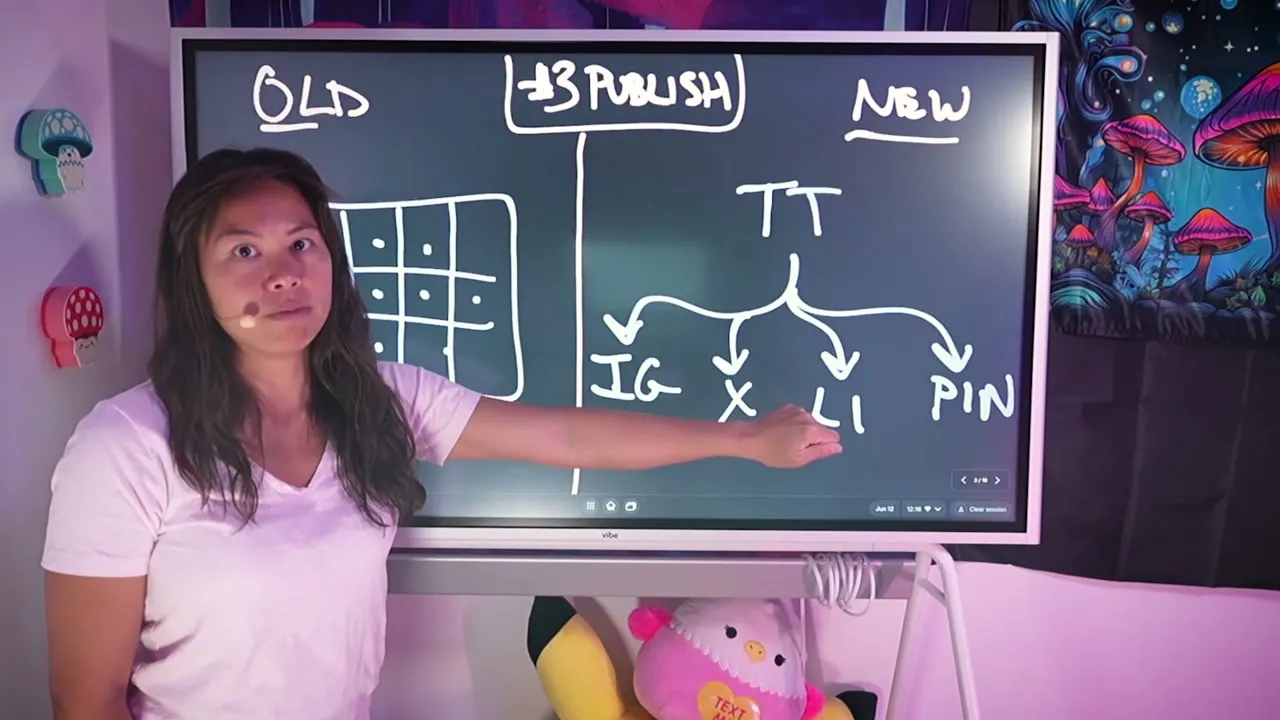
This is the same repurposing pattern I break down in my post on content repurposing mistakes that kill your reach, and it is the exact engine behind my full personal brand content system. One core post, five platform-native versions, no rewriting from zero.
The Content Math: How One Morning Becomes 25 Posts
Here is the math that makes the whole thing click.
You start with five ideas that AI helped you source. You write five high-quality posts by sparring with AI. Then you repurpose each one across five platforms.
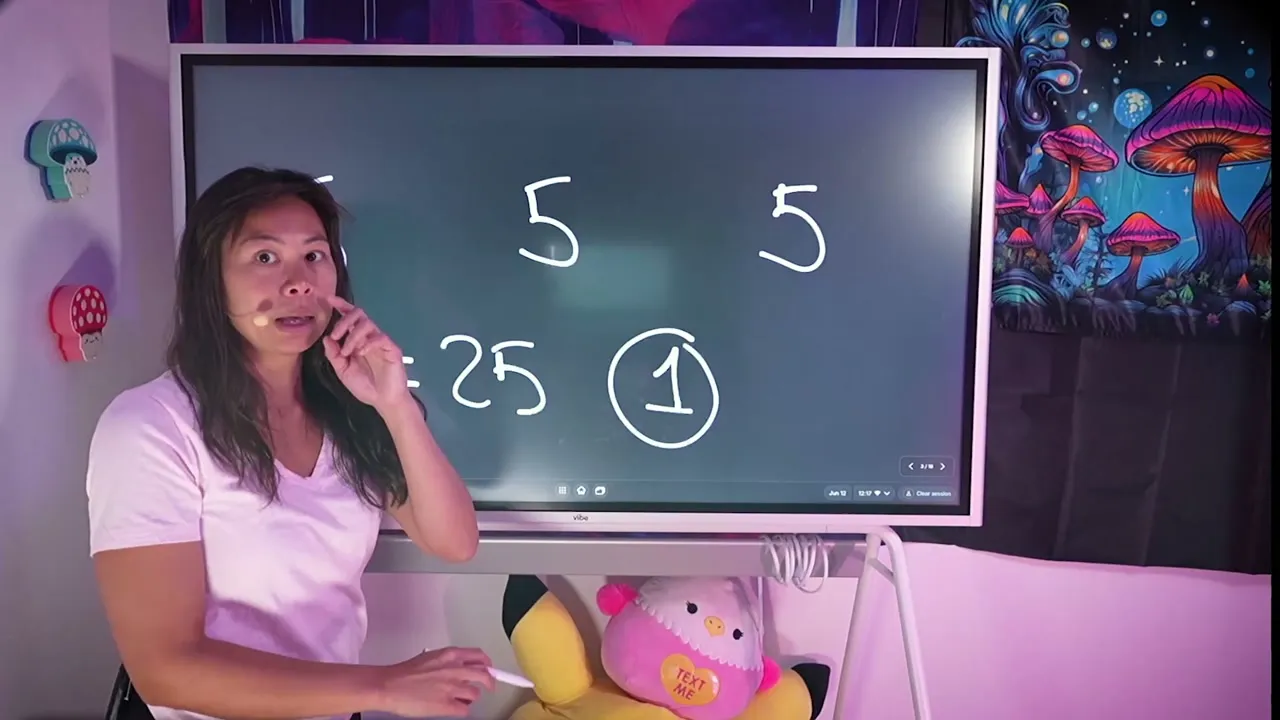
Five posts across five platforms is 25 posts, done in a single morning. That is your entire week of content, finished before lunch.
Pro Tips for Batching a Week of Content
Name the creators, not the topic. When you run the scout prompt, do not ask AI for “content ideas about marketing.” List 10 specific creators your audience follows. The specificity is what turns generic output into ideas worth posting.
Push back at least twice per post. One round of feedback is not enough to escape slop. Attack the hook first, then the proof, then the clarity. The second and third rounds are where the post actually gets good.
Batch by idea, not by platform. Take one finished post all the way through repurposing before starting the next idea. Jumping between platforms mid-post is what makes batching feel slow again.
Automate the publish step once it clicks. If you already run Claude or a tool like n8n, you can hand the whole repurpose-and-publish step to Blotato through its MCP connector, so the batch goes out hands-free. That is the power-user version of this system, and it is worth setting up once you are posting every week.
What This System Can’t Do (Yet)
AI will not know your audience for you on day one. The scout prompt is only as good as the 10 creators you feed it, so if you pick the wrong reference creators, the ideas drift.
It also will not replace your judgment on the hook. AI can draft three versions, but you still decide which one is true to your voice and worth publishing. The sparring only works if you actually push back with real opinions.
And repurposing is not blind copy-paste. A TikTok script and a LinkedIn post are not identical, so each platform version still needs a light native pass. The system saves you the blank page, not the final read-through.
Results You Can Expect
Run this once and the first thing you notice is time. Ten hours of doom scrolling collapses into about 10 minutes of ideation, and hours of writing collapse into a couple of minutes of sparring per post.
The compounding result is volume without burnout. Twenty-five posts a week, produced in one morning, is how I grew to almost 900,000 followers on Instagram without ever opening the app. The repurpose-and-publish step is what holds the “one morning” promise together as you scale to more platforms.
Sabrina’s Final Take
If you only change one thing about how you make content, make it this: stop working every day and start batching one morning a week. The three steps are simple, but the payoff compounds fast, especially once AI is doing the idea-hunting and the first drafts. Be honest with yourself about the pushback step, because that is the difference between a real week of content and a week of slop. Run the whole playbook tomorrow morning, and if you want the publishing side handled, that is the part Blotato plans are designed for.
Create a Week of Content FAQs
Can you really make a week of content in one day?
Yes, once AI handles the two slowest parts. Ideation drops from about 10 hours to 10 minutes, and drafting drops from hours to a couple of minutes per post. With five ideas repurposed across five platforms, 25 posts is realistic in a single morning.
What is the best AI tool for this system?
Claude or ChatGPT both work well for the scout prompt and the sparring drafts. The tool matters less than the prompts and the pushback. For the publishing and repurposing step, a dedicated platform saves the most time.
How many creators should I analyze for ideas?
Ten is the sweet spot. Fewer than that and the ideas skew narrow, more than that and the signal gets noisy. Pick 10 creators your audience already follows, not 10 creators you personally admire.
Why repurpose instead of posting native content everywhere?
Because starting from scratch on every platform is the main reason creators burn out. Repurposing gives you five times the mileage from one idea, and the native pass on each version takes minutes, not hours.
How often should I run this playbook?
Once a week. One focused morning produces a full week of posts, which means you spend the other days engaging, replying, and thinking about the next batch instead of scrambling for today’s post.