10 Claude Prompts to Run Your Social Media Content in 2026
10 copy-paste Claude prompts that turn one idea into a week of platform-native posts, captions, and hooks. No coding, no setup.

Most Claude prompts for social media I see online are generic filler. “Write a caption about X.” That is not a prompt. That is a wish. If you just want a quick caption draft without a prompt at all, that is a different job than what these do.
A real prompt gives Claude the structure, constraints, and context to produce something you would actually post. I have been building these prompts while running content across 9 platforms daily. These are the 10 I hand to beginners who want to go from one idea to a full week of native posts without learning Claude Code or setting up automation. For the full workflow these prompts plug into, see my 3-step system for batching a week of content in one morning.
Copy these. Paste them. Fill in the blanks. Post the results.
| Prompt | What It Does | Best For |
|---|---|---|
| Content Calendar Generator | Plans 30 days of posts from one topic | Monthly planning |
| Platform Transformer | Converts one post into 5 platform-native versions | Repurposing |
| Brand Voice Cloner | Teaches Claude your writing style | Consistency |
| Carousel Creator | Turns one idea into a 7-slide carousel | LinkedIn/Instagram |
| Caption A/B Generator | Creates 3 hook variations per post | Testing |
| Short-Form Script Extractor | Pulls 5 scripts from long-form content | Reels/TikTok |
| Engagement Reply Generator | Drafts thoughtful comment replies | Community |
| Hashtag Researcher | Finds relevant hashtags by niche | Discovery |
| Competitor Content Analyzer | Extracts tactics from top posts | Strategy |
| Weekly Content Batch | Generates 7 days of posts in one prompt | Efficiency |
If you are not working inside Claude, there is a standalone hashtag generator that does the same by-niche suggestion.
How to Use These Prompts
Before you copy and paste, a few things to know:
-
Fill in the brackets. Every prompt has
[BRACKETED SECTIONS]where you add your specifics. Do not leave them blank. -
Use Claude.ai or Claude Desktop. These prompts work in the free Claude chat. No Claude Code required. No API. No setup.
-
Review before posting. Claude drafts. You edit. This is not autopilot. It is a first draft that saves you hours.
-
Iterate. If the output is close but not right, tell Claude what to fix. “Make the hook more direct.” “Add a stat.” “Shorter sentences.”
For creators ready to move past copy-paste prompts into actual automation, I cover the Claude Code and MCP approach in my Claude Code social media workflow and Claude skills for social media posts. Those are the next level. These prompts are the foundation.
Once the drafts are written, I push them live across all 9 platforms with Blotato, so the prompts above feed straight into publishing instead of a copy-paste bottleneck.
10 Claude Prompts for Social Media
Here are the prompts I actually use. Each one is copy-paste ready.
1. The Content Calendar Generator
This prompt takes one broad topic and plans 30 days of content around it. It gives you post ideas, not finished posts. Use it at the start of each month.
The prompt:
I need a 30-day social media content calendar for [YOUR NICHE/TOPIC].

My audience is [DESCRIBE YOUR AUDIENCE - e.g., "solopreneurs learning to use AI for marketing"].

My main platforms are [LIST 2-3 PLATFORMS - e.g., "LinkedIn, X, Instagram"].

For each day, give me:
- Post topic (one sentence)
- Content type (carousel, single image, video, text-only, thread)
- Hook idea (the first line)
- Best platform for this post

Organize by week with themes:
- Week 1: Educational content
- Week 2: Behind-the-scenes and process
- Week 3: Results and case studies
- Week 4: Engagement and community

Format as a table with columns: Day | Topic | Type | Hook | Platform
Why it works: The weekly theme structure prevents random posting. The hook ideas give you starting points. The platform assignment matches content to where it performs best.
2. The Platform Transformer
This is my most-used prompt. You write one piece of content and Claude converts it into native versions for every platform. No more posting the same thing everywhere.
The prompt:
Transform this content into platform-native posts for LinkedIn, X, Instagram, TikTok, and Threads.

Original content:
[PASTE YOUR BLOG POST, NEWSLETTER, OR LONG-FORM CONTENT HERE]

For each platform, follow these rules:

LinkedIn:
- Open with a bold claim or counterintuitive take
- Use line breaks every 1-2 sentences
- Include a question at the end
- 150-300 words
- No hashtags in the main text

X (Twitter):
- Create a thread of 5-7 tweets
- First tweet must hook without context
- Each tweet stands alone but builds on the last
- End with a summary tweet
- Under 280 characters per tweet

Instagram:
- Write a caption that frontloads value
- First line is the hook (appears before "...more")
- Include a clear CTA
- Add 5 relevant hashtags at the end
- 100-200 words

TikTok:
- Write a 60-second script
- Open with a pattern interrupt or hot take
- Conversational tone, first person
- End with engagement hook ("comment if...")
- Include [PAUSE] markers for timing

Threads:
- Conversational and casual
- Can be longer form like LinkedIn
- Less professional, more personal
- No hashtags
Why it works: Each platform has different norms. This prompt encodes those norms so you do not have to remember them every time.
3. The Brand Voice Cloner
Generic AI content sounds like generic AI. This prompt trains Claude on your specific voice before it writes anything.
The prompt:
I'm going to teach you my brand voice. Study these 5 examples of my best-performing posts, then I'll ask you to write new content in the same style.

Example 1:
[PASTE YOUR FIRST POST]

Example 2:
[PASTE YOUR SECOND POST]

Example 3:
[PASTE YOUR THIRD POST]

Example 4:
[PASTE YOUR FOURTH POST]

Example 5:
[PASTE YOUR FIFTH POST]

Analyze these posts and identify:
1. Sentence length patterns (short, medium, long, mixed)
2. Vocabulary style (casual, professional, technical, playful)
3. How I open posts (hooks, questions, statements, stories)
4. How I close posts (CTAs, questions, cliffhangers)
5. Punctuation habits (ellipses, dashes, exclamation points)
6. Topics I emphasize
7. Topics I avoid
8. My unique phrases or verbal tics

Then confirm you understand my voice by writing a sample post about [TOPIC] in my exact style.
Why it works: Five examples give Claude enough signal. The analysis step forces it to articulate the patterns before applying them. Save Claude’s analysis and paste it into future prompts.
4. The Carousel Creator
Carousels consistently outperform single-image posts for engagement on LinkedIn and Instagram. This prompt structures your ideas into slides that flow.
The prompt:
Create a 7-slide carousel about [TOPIC].

My audience: [DESCRIBE AUDIENCE]

Slide structure:
- Slide 1: Hook that creates curiosity. Bold claim or question. No more than 8 words.
- Slides 2-6: One key point per slide. Each slide should be readable in under 5 seconds. Use short sentences or bullet points.
- Slide 7: Summary + CTA. What should they do next?

For each slide, provide:
- Headline (large text, 3-8 words)
- Supporting text (if needed, 1-2 short sentences)
- Visual suggestion (what image or graphic would pair with this)

Topic: [YOUR SPECIFIC TOPIC OR ANGLE]

Make it actionable. Every slide should teach something they can use immediately.
Why it works: The 5-second readability constraint forces clarity. One point per slide prevents cramming. The visual suggestions help even if you design it yourself.
5. The Caption A/B Generator
Different hooks attract different people. This prompt gives you three versions of the same post so you can test what resonates.
The prompt:
Write 3 different captions for this social media post. Same core message, different hooks.

The content/image I'm posting about:
[DESCRIBE WHAT YOU'RE POSTING]

My audience: [DESCRIBE AUDIENCE]

Platform: [LINKEDIN / INSTAGRAM / X / THREADS]

Version A - Curiosity Hook:
Open with a question or surprising statement that makes them need to read more.

Version B - Benefit Hook:
Open with the specific result or transformation they'll get.

Version C - Story Hook:
Open with a brief personal story or observation that leads to the point.

For each version:
- Write the full caption
- Keep the same CTA
- Match the platform's typical length and style
Why it works: Testing hooks is how you learn what your audience responds to. Three variations is enough to compare without overwhelming.
6. The Short-Form Script Extractor
You have a blog post, podcast episode, or YouTube video. This prompt pulls out 5 standalone scripts for Reels, TikTok, or YouTube Shorts.
The prompt:
Extract 5 short-form video scripts from this long-form content.

Source content:
[PASTE YOUR TRANSCRIPT, BLOG POST, OR NOTES]

Each script should:
- Be 45-60 seconds when spoken
- Work as standalone content (no context needed)
- Open with a hook in the first 3 seconds
- Have one clear takeaway
- End with engagement (question, CTA, or loop back to hook)

Format each script as:

SCRIPT [NUMBER]: [TITLE]
Hook (first 3 seconds): [THE OPENING LINE]
Body: [THE MAIN CONTENT WITH NATURAL PAUSES MARKED]
Close: [THE ENDING]
Estimated length: [XX seconds]

Pick the 5 most interesting, counterintuitive, or actionable points from the source material. Avoid generic advice that could apply to anyone.
Why it works: The standalone constraint is key. Each script must make sense to someone who never saw the original. The hook timing forces strong openings.
7. The Engagement Reply Generator
Replying to every comment takes hours. This prompt drafts thoughtful replies while keeping your voice.
The prompt:
Help me reply to these comments on my social media posts. Match my tone: [DESCRIBE YOUR TONE - e.g., "friendly but direct, uses humor, avoids corporate speak"].

For each comment, write a reply that:
- Acknowledges their specific point
- Adds value or continues the conversation
- Feels personal, not templated
- Is 1-3 sentences max

Comments to reply to:

1. [PASTE COMMENT 1]
2. [PASTE COMMENT 2]
3. [PASTE COMMENT 3]
4. [PASTE COMMENT 4]
5. [PASTE COMMENT 5]

If a comment is negative or critical, respond gracefully without being defensive. If a comment is spam, say "SKIP - spam."
Why it works: Batch processing is faster than one at a time. The value-add instruction prevents “thanks!” replies that kill conversations.
8. The Hashtag Researcher
Wrong hashtags bury your content. Right hashtags surface it. This prompt finds relevant ones for your niche.
The prompt:
Find hashtags for my social media posts in [YOUR NICHE].

My content focus: [DESCRIBE WHAT YOU POST ABOUT]

My audience: [DESCRIBE YOUR IDEAL FOLLOWER]

Platform: [INSTAGRAM / LINKEDIN / TIKTOK]

Give me:

1. 10 high-volume hashtags (500K+ posts) - for reach
2. 10 medium-volume hashtags (50K-500K posts) - for discovery
3. 10 low-volume hashtags (5K-50K posts) - for niche authority
4. 5 branded or unique hashtags I could own

For each hashtag, explain in one sentence why it fits my content.

Also tell me which hashtags to AVOID in my niche and why (overused, spammy, wrong audience, etc.).
Why it works: The volume tiers create a mix strategy. High-volume for reach, low-volume for relevance. The avoid list prevents rookie mistakes.
9. The Competitor Content Analyzer
Study what works for others without copying them. This prompt extracts the tactics you can apply to your own content.
The prompt:
Analyze these top-performing posts from accounts in my niche. Extract the patterns I can apply to my own content.

Post 1:
[PASTE THE FULL POST TEXT]
Engagement: [LIKES, COMMENTS, SHARES IF KNOWN]

Post 2:
[PASTE THE FULL POST TEXT]
Engagement: [LIKES, COMMENTS, SHARES IF KNOWN]

Post 3:
[PASTE THE FULL POST TEXT]
Engagement: [LIKES, COMMENTS, SHARES IF KNOWN]

For each post, analyze:
- Hook technique (what makes the opening work)
- Structure (how it flows from start to finish)
- Value delivery (what the reader gets)
- CTA approach (how it closes)
- Engagement triggers (what drives comments)

Then give me:
1. 3 patterns that appear across all posts
2. 3 specific tactics I could adapt for my content
3. 3 content ideas inspired by these (but not copying them)
Why it works: Analyzing competitors is not stealing. It is learning what the market responds to. The adaptation step keeps you applying, not copying.
10. The Weekly Content Batch
This is the all-in-one prompt. One input, seven days of posts. Use it when you want to batch your entire week in one sitting.
The prompt:
Create 7 days of social media content for me.

My niche: [YOUR NICHE]
My audience: [DESCRIBE AUDIENCE]
My main platform: [PLATFORM]
My content pillars: [LIST 3-4 TOPICS YOU ALWAYS COVER]

For each day, give me:

Day [NUMBER] - [CONTENT PILLAR]:
Post type: [single post, carousel, thread, video script]
Hook: [The opening line]
Body: [The full post content]
CTA: [What you want them to do]
Hashtags: [If applicable to the platform]

Use this weekly rhythm:
- Monday: Educational (teach something)
- Tuesday: Behind-the-scenes (show your process)
- Wednesday: Engagement (ask a question or start a discussion)
- Thursday: Value bomb (your best tactical advice)
- Friday: Personal story (connect on a human level)
- Saturday: Curated (share someone else's content with your take)
- Sunday: Reflection (lessons learned, week ahead)

Make each post feel distinct. Vary sentence length, structure, and tone across the week.
Why it works: The daily rhythm prevents repetition. Content pillars keep you on-topic. Seven posts is enough to batch without burning out.
What to Put in the Brackets If You Are Still Choosing
Every prompt on this page has a [YOUR NICHE] or [DESCRIBE YOUR AUDIENCE] slot, and the output is only as good as what goes in them. If those brackets are still guesses, that is a different problem than a prompting one. I made a video about the three prompts I use for it.
Two things from it are worth carrying back down here.
Ask the model to kill the idea, because it will not volunteer. Ask most models to evaluate a business idea and you get encouragement. The instruction that changes the output is asking for the assumptions most likely to be wrong, what the first 90 days actually look like day to day, and what kind of person quits this and why. That third question is the useful one, because the honest answer to the second is usually that the work is repetitive.
Four questions, each of which can disqualify. Can you get a paying customer in 30 days? Would you still want to do this work once it stopped being new? Does it build on something you already have, whether that is a skill, a credential, a relationship, or an audience? Is failure recoverable, or does it need money you cannot afford to lose? The third one matters most for the prompts on this page, because if the answer is an audience you have not built yet, the Hashtag Researcher and the Caption A/B Generator are not the constraint you are up against.
In the video I also talk about giving content five years before I would let myself reconsider it, which is the other half of the same point: pick one thing, then give it enough runway to compound.
Tips for Better Results
These prompts work. But they work better when you do a few things:
Start with your best content. The Brand Voice Cloner and Platform Transformer prompts need strong inputs. Feed Claude your top posts, not your average ones.
Be specific in the brackets. “My audience is entrepreneurs” is weak. “My audience is solo B2B consultants making $100-300K who want to use AI but feel behind” gives Claude something to work with.
Iterate out loud. When Claude misses the mark, tell it exactly what is wrong. “This sounds too corporate” or “The hook is weak” or “Add more specific numbers” will improve the next draft.
Save your best prompts. When a prompt produces great output, save the whole thing including your filled-in brackets. That becomes your template.
From Prompts to Publishing
These prompts get you to finished drafts. The next step is actually posting.
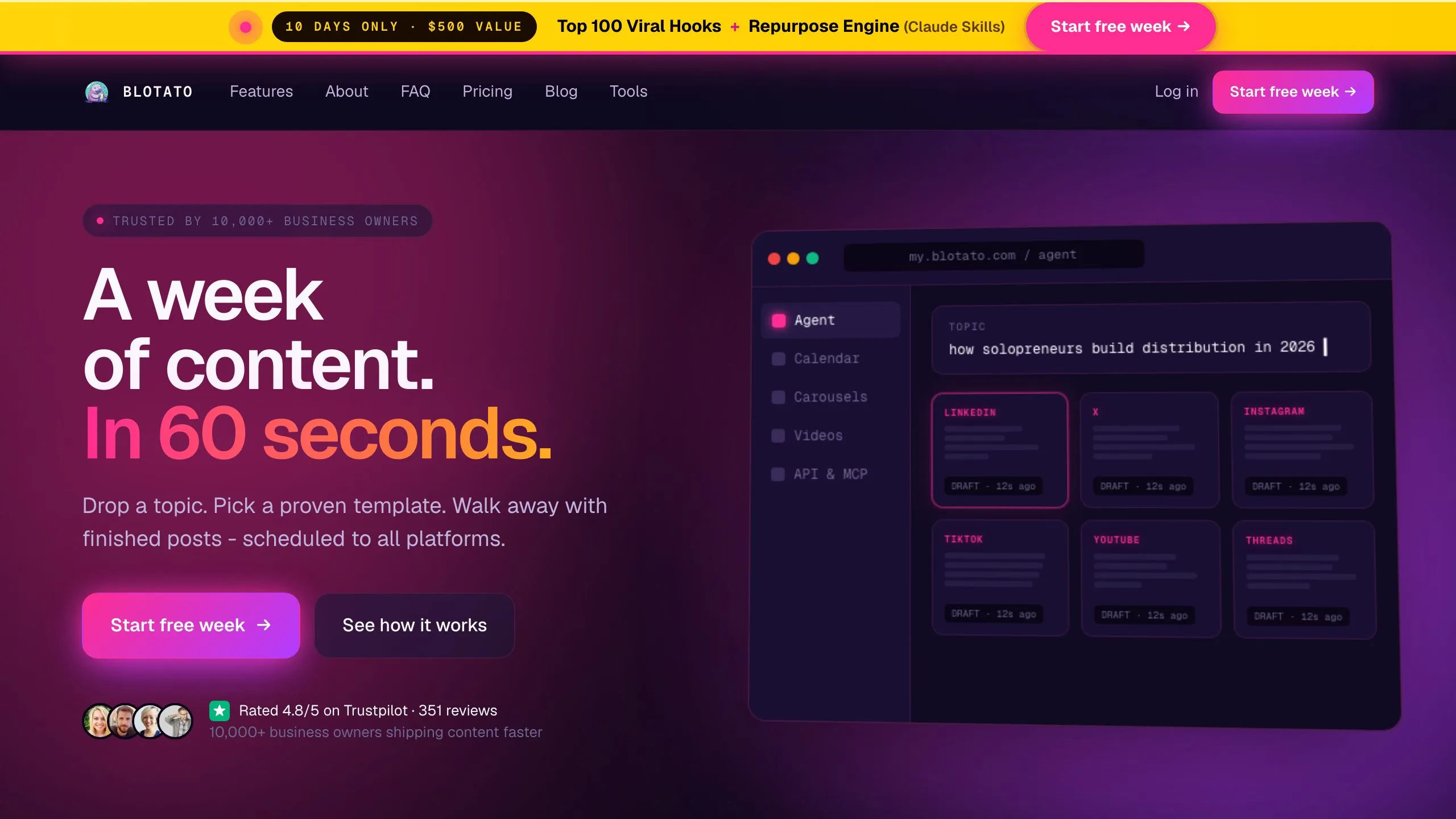
I use Blotato to publish across all 9 platforms from one place. No logging into each app. No reformatting. I draft in Claude, paste into Blotato, and schedule.
For creators who want Claude to post to each platform directly without the copy-paste step, I also cover the MCP integration approach and the full Claude Code workflow in separate posts. Those require more setup but remove the manual handoff entirely.
How to Choose the Right Prompt
Here is how I decide which prompt to use:
-
Starting from zero? Use the Content Calendar Generator to plan your month, then the Weekly Content Batch to produce the posts.
-
Have existing content? Use the Platform Transformer to repurpose it across channels, then the Short-Form Script Extractor to pull video content.
-
Content sounds generic? Use the Brand Voice Cloner first. Train Claude on your voice, then run other prompts.
-
Low engagement? Use the Caption A/B Generator to test hooks. Use the Hashtag Researcher to improve discovery.
-
Spending too much time on replies? Use the Engagement Reply Generator to batch your responses.
Start with one prompt. Master it. Then add more as you need them.