LinkedIn API Pricing: Complete Guide for 2026
LinkedIn API pricing in 2026: free tier, Marketing Partner approval, Sales Navigator pricing, and when to skip the API and use a wrapper instead.
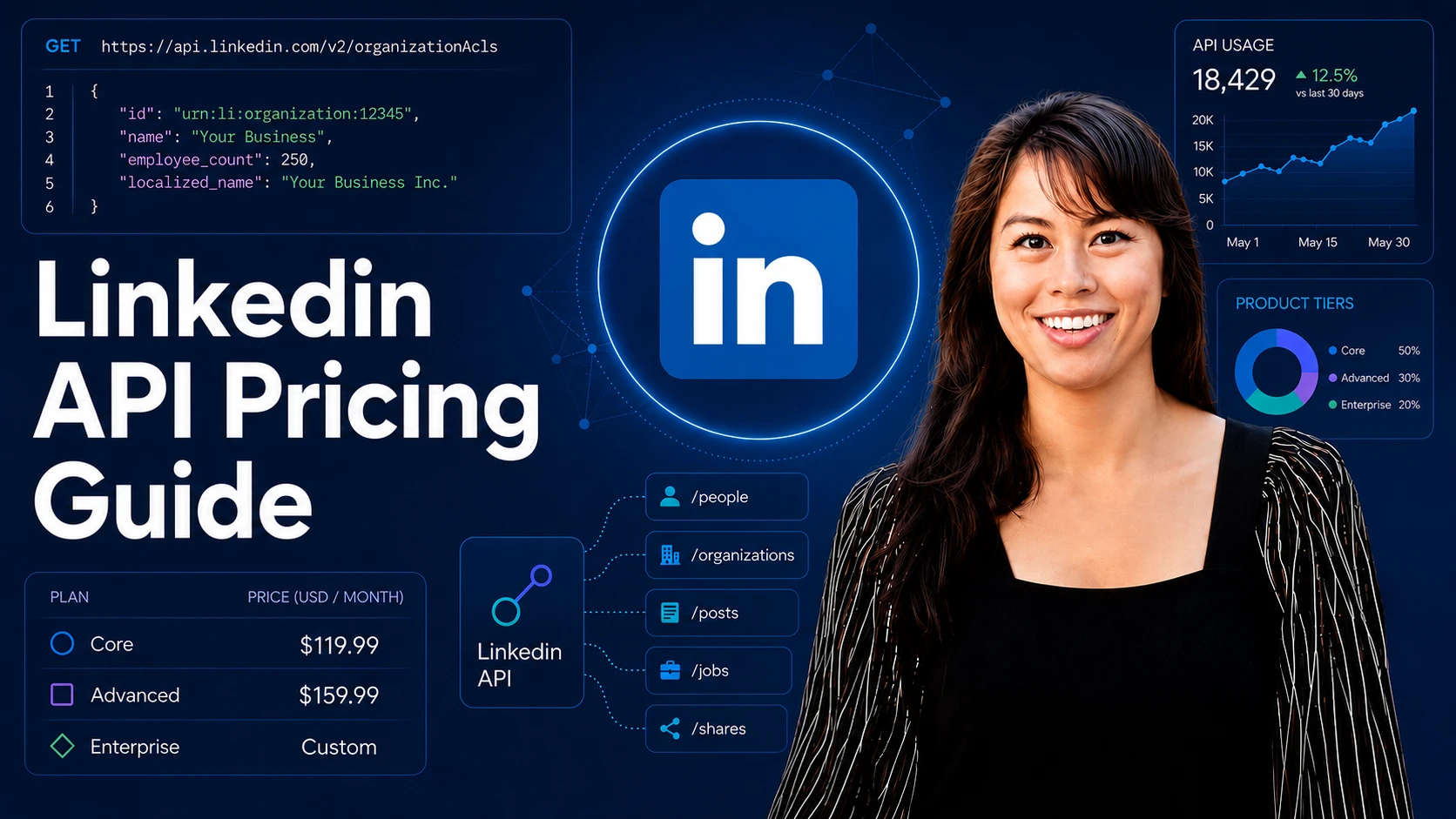
LinkedIn API pricing is the question every developer asks, and the question LinkedIn refuses to answer with a public price list. Instead, access is gated. You apply for a product, wait for approval, and find out what your real cost is on the other side.
How much does the LinkedIn API cost in 2026? The honest answer is that most of it has no public price at all. The free Consumer tier covers sign-in and posting to your own feed. Everything that matters for a product (company pages, ads, moderation via the Marketing Developer Platform) is partner-gated with no listed dollar amount, and the real cost is a 3-to-6-month approval cycle, not a monthly fee. If you only need to publish and schedule to LinkedIn, a unified layer like Blotato skips the partner queue outright, and its MCP server lets Claude Code and other AI agents post to LinkedIn on day one.
LinkedIn’s own API Terms of Use put it in one line: “The APIs are currently provided for free, but LinkedIn reserves the right to charge for the APIs in the future.” The $699/month figure you’ll see quoted around the web is a third-party estimate, not a LinkedIn price. The table below shows both: what LinkedIn publishes, and what the estimates say.
I’ve been shipping on social media APIs for years, and LinkedIn is the most opaque of all of them. Pricing varies by product, by use case, and by the partner contract you end up signing.
This guide cuts through that. Below is the honest 2026 breakdown: every official tier, what’s known and unknown about the cost of each (most are not publicly priced), the partner approval timeline that nobody puts in a table, the third-party alternatives, and when it makes more sense to skip the LinkedIn Developer Portal entirely.
LinkedIn API Pricing at a Glance (2026)
| Access tier | Official cost (LinkedIn) | Third-party estimate | Best for | Key friction |
|---|---|---|---|---|
| Consumer (Sign In with LinkedIn) | Free | $0 (no estimate needed) | Auth flows, basic profile, share to own feed | Tiny scopes, no analytics, no pages |
| Marketing Developer Platform | Not publicly priced. Partner-gated. | $699+/month, per Phyllo. Labeled an estimate by Phyllo itself, with no methodology published. | Pages, ads, scheduling on behalf of clients | Partner approval required, no published timeline (builders report weeks to months) |
| Community Management API | Not publicly priced. Partner-gated. | No separate estimate. Same Developer Portal vetting flow as the other Marketing APIs, with its own access form and screencast review. | Posting, commenting, moderation on company pages | Must be an approved Marketing Partner |
| Sales Navigator API | SNAP partner program is closed to new applicants per LinkedIn’s official Sales API docs. Customer-side Sales Nav seats start at $119.99/mo Core or $159.99/mo Advanced. | No credible API estimate. The seat prices are the only real numbers. | Sales tools, lead intelligence, account data | LinkedIn is not currently accepting new SNAP partners. |
| Talent Solutions / Recruiter API | Not publicly priced. Partner-gated, custom contract terms. Job Posting API is closed to new partners. LinkedIn routes new requests to Apply Connect. | Recruiter Corporate seats run $750 to $900/month (roughly $9,000 to $10,800/year) based on buyer-reported pricing. That is the seat, not the API. API terms are negotiated on top. | ATS, sourcing, job board integrations | Partner-gated, contract terms negotiated with LinkedIn |
| Learning API | Partner Program membership or purchased LinkedIn Learning site license | None published | LMS integrations, course delivery, Reporting API | Two paths: Learning Partner Program or LinkedIn Learning site license |
| Verified on LinkedIn API | Development: Free, 5,000 calls/day. Lite: Free, 5,000 calls/day. Plus: Contact for custom pricing. | None published for Plus | Trust signals for marketplaces, freelance, communities | Access flow differs per tier (self-serve, app review, BD approval) |
One thing about that estimate column. I traced the $699/month Marketing figure back to a 2024 Proxycurl post. It attached the number to a “Company Profile API” and cited no source. Phyllo later relabeled it as the Marketing Developer Platform and called it an estimate, and most 2026 guides copy Phyllo.
The $900/month Recruiter number is on firmer ground. It is the top of the $750 to $900 Corporate seat range that buyers report, and recruiting-tool comparison sites agree on it. Some guides stack it as an API fee on top of a $10,800/year subscription. That is one price quoted two ways, not two charges, so treat it as a starting point for a sales conversation, not a rate card.
Outside the Sales Navigator seat tiers and the Verified on LinkedIn Development/Lite tiers (both free), LinkedIn doesn’t publish a flat price list. Marketing Developer Platform, Community Management, Recruiter, and the Verified Plus tier are partner-gated and priced inside a custom contract or paid program. The Learning API has two distinct access paths: the Learning Partner Program (for LMS integrations) and LinkedIn Learning site-license admin access (for organizations using LinkedIn Learning internally and configuring the Reporting API). Sales Navigator API itself is in a separate bucket in 2026 because LinkedIn isn’t onboarding new SNAP partners at all right now (the official Sales API landing page says so directly), so even the “apply and wait” option is off the table until that page updates. The real cost of LinkedIn API access for most developers is not the dollar amount. It is the partner-review timeline, when the queue is even open.
If you only need to post and schedule content across LinkedIn (personal profiles plus company pages) and eight other platforms, Blotato wraps it for you and skips the approval cycle entirely. The Blotato dashboard has a 7-day free trial. The Blotato API runs on paid plans starting at $29/month, and generating your first API key activates the paid Starter plan.
Dashboard trial: 7 days · API access: paid plans only
Self-Serve Consumer vs Partner-Gated: The Seam That Confuses Everyone
Whose feed are you posting to, and whose data are you reading? Those two questions decide whether LinkedIn is a self-serve afternoon or a partner application, and nearly every “the LinkedIn API won’t let me” complaint is really an answer to one of them landing on the wrong side of the seam.
Posting to the authenticated member’s own feed is self-serve. Add Share on LinkedIn in the Developer Portal, get w_member_social, and that member can post, comment and like as themselves with no review. Reactions beyond likes and the richer social-action surfaces sit under the vetted Community Management program, so do not assume the full engagement surface comes with the self-serve grant. Posting to a Company Page is partner-gated outright: w_organization_social requires approval, as do Page analytics, comment moderation, ads, and anything else acting for an organization.
Reading is gated harder than writing on both sides of that line. r_member_social is documented as restricted and available to approved users only, so retrieving a member’s own posts is not the freebie that posting them is, and organization reads need r_organization_social.
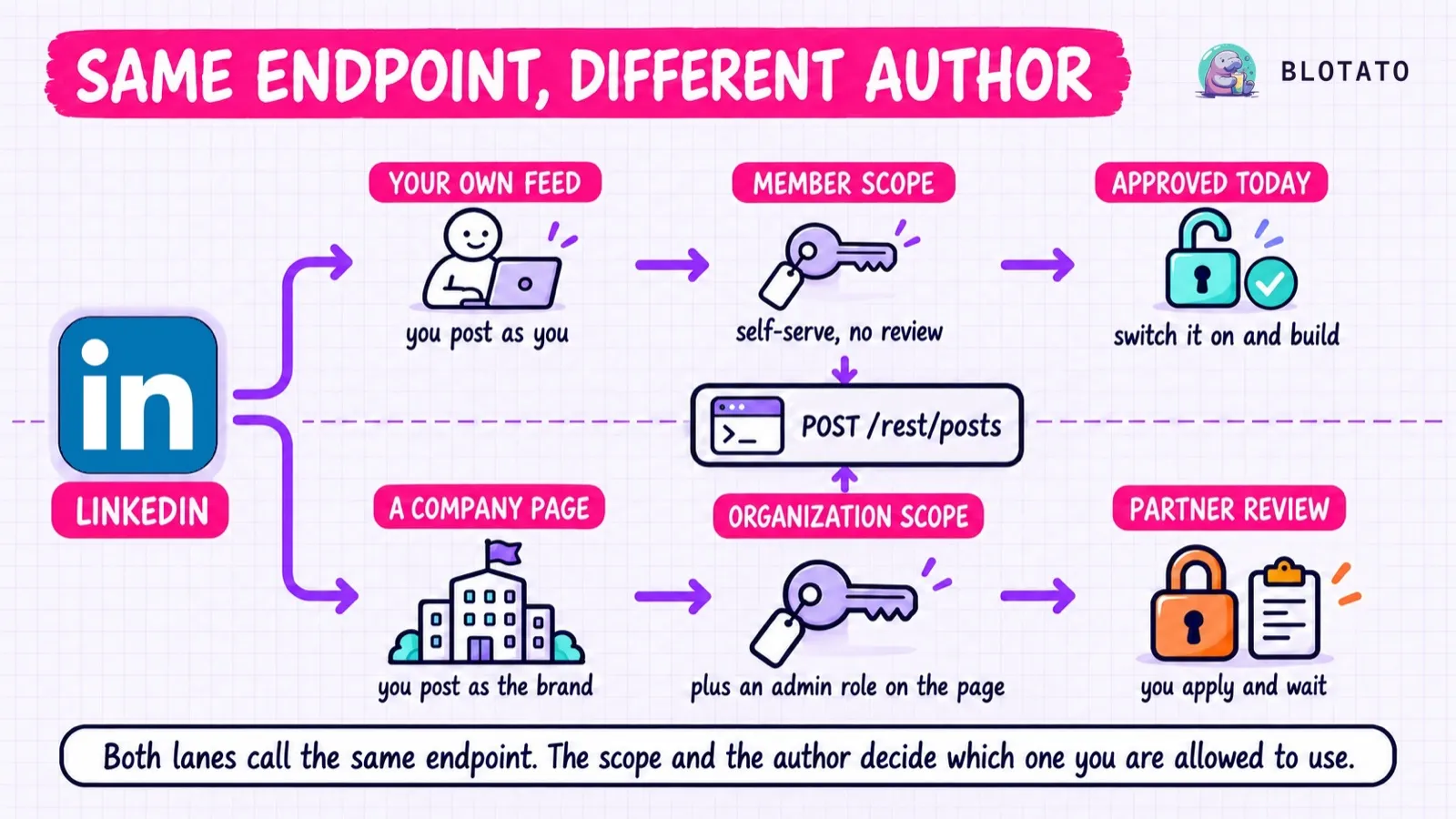
Both lanes carry Linkedin-Version: YYYYMM and X-Restli-Protocol-Version: 2.0.0, and the author field takes a Person URN in one case and an Organization URN in the other. Sign In with LinkedIn is the exception that stays on /v2/ without a version header, and its payload is deliberately thin: GET /v2/userinfo returns sub, name, given_name, family_name, picture, locale and optionally email and email_verified. If your design assumes sign-in hands you a headline, employer or connections, it does not.
One line worth knowing before planning around any of it. LinkedIn’s API Terms of Use state in section 8.2 that “The APIs are currently provided for free, but LinkedIn reserves the right to charge for the APIs in the future.”
What Changed in 2026
Two updates matter if you’ve shipped on this stack before.
Sales Navigator API is closed to new partners. LinkedIn’s official Sales API landing page now states directly: “We are not currently accepting new partners for access to the LinkedIn Sales Navigator API. We periodically review our onboarding capacity and will update this page if availability changes.” If you weren’t already in SNAP, there is no application form to fill out and no queue to join. Existing partners keep what they have. Everyone else is locked out until LinkedIn changes that page.
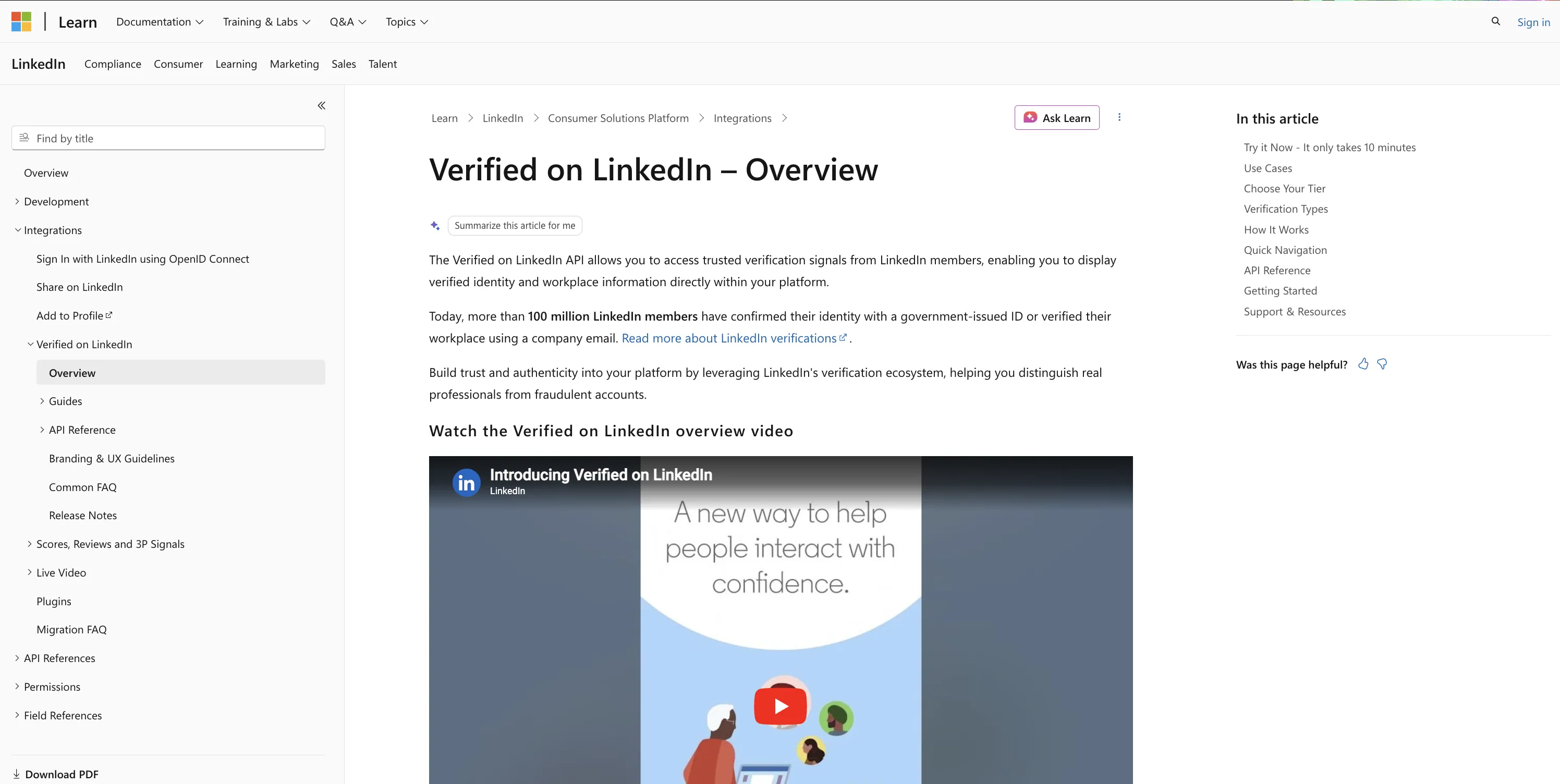
Verified on LinkedIn API is the most relevant recent addition to the developer surface. It isn’t a 2026 launch, the docs have been live for a while, but it’s the surface area most worth knowing about if you missed it on the way out of 2025. Third-party platforms (marketplaces, freelance sites, identity-sensitive products) can query a user’s LinkedIn verification status to reduce fraud. The official tiers are Development (Free, 5,000 calls/day, self-serve for app admins), Lite (Free, 5,000 calls/day, application review), and Plus (contact LinkedIn Business Development for custom pricing).
Outside those two changes, the rest of LinkedIn’s API surface is roughly where it was at the end of 2025. The Community Management API remains the canonical surface for posting and moderation on organization pages, and Marketing Developer Platform partner reviews continue to gate access for anyone serving accounts they don’t own.
If your integration was built years ago, audit the auth flow and the API host you’re pointing at (Marketing endpoints moved to https://api.linkedin.com/rest/ with the LinkedIn-Version: YYYYMM header, covered later in this post).
LinkedIn API Pricing, in Plain English
Here is what each tier actually gets you, with no marketing language.
Consumer (Free)
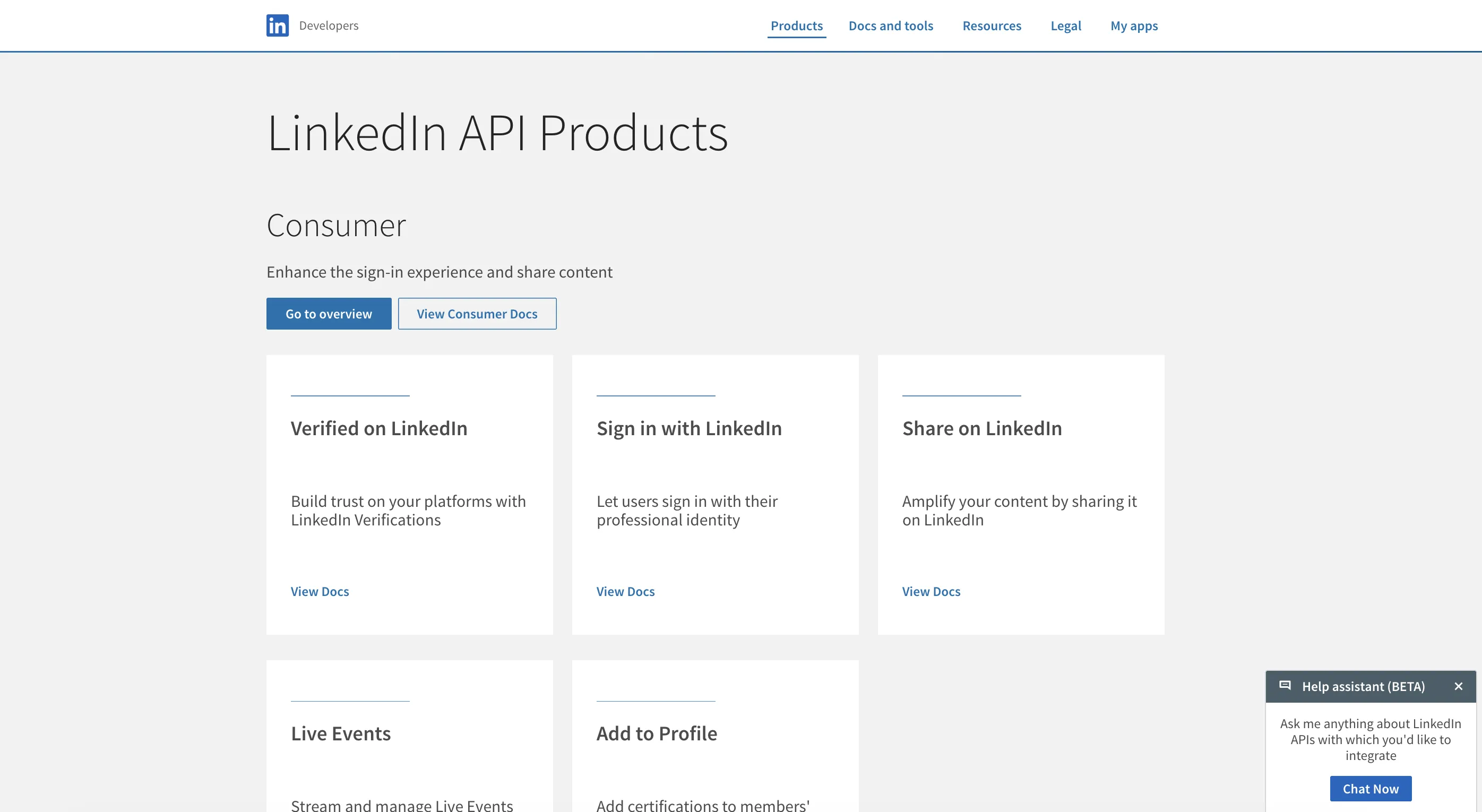
The free tier covers auth and basic posting to a user’s own feed.
You get Sign In with LinkedIn (OpenID Connect), Share on LinkedIn (post to the authenticated user’s feed via w_member_social, which also covers commenting and liking on behalf of the authenticated member), and basic profile data (name, headline, photo, email).
You do not get company pages, page analytics, organization-page comments or moderation, messages, connections, or anything Sales Navigator. Scopes here are openid, profile, email, and w_member_social. That is the whole menu.
Great for auth flows. Useless for a content-management product.
Marketing Developer Platform (MDP)
The big one. This is what you need for company page management, ads, page analytics, posting on behalf of clients, comment moderation, and scheduled content.
There is no public price tag. LinkedIn’s official getting-access docs describe MDP as application-gated without listing a dollar amount, and the increasing-access section of those docs walks through the partner-program request flow. Third parties circulate dollar estimates, but none of those are LinkedIn-issued. The cost you can actually plan around is the partner approval cycle (covered in the next section) plus the engineering hours to maintain the integration.
To apply: build a developer app, then go through the increasing-access flow in the same docs to request the products you need. Expect LinkedIn to ask for documentation about your product, use case, and privacy posture during review. The exact submission requirements aren’t published as a fixed checklist, so respond to what reviewers actually ask for.
Community Management API
Sits inside MDP. Per the Community Management overview, this is the endpoint family for creating and reading posts, comments, reactions, and analytics on organization pages.
Important nuance: there is no LinkedIn-native “schedule this post for 3pm tomorrow” primitive. The Posts API takes a post and publishes it. If your product schedules content, the scheduling logic lives in your app (cron, queue, or calendar) and your app calls the Posts API at the scheduled time. Builders coming from Buffer or Hootsuite often expect a LinkedIn-side scheduling endpoint. There isn’t one.
Community Management has Development and Standard tiers, and you apply for the product through the same increasing-access flow. Start in Development to build against test pages, then request Standard for production usage on real organization pages.
Sales Navigator API
There are two distinct pieces here that confuse most devs on first read.
The API unlock is SNAP (Sales Navigator Application Platform) approval. Here is the 2026 reality: LinkedIn’s official Sales API landing page says verbatim, “We are not currently accepting new partners for access to the LinkedIn Sales Navigator API. We periodically review our onboarding capacity and will update this page if availability changes.” If you weren’t already a SNAP partner when that page went up, you can’t apply, you can’t queue, and the partner contract conversation isn’t on the table. Existing partners stay in. Everyone else waits for LinkedIn to reopen the door.
The customer-side license is the Sales Navigator seat, which is separate and is still being sold. Per the Sales Navigator compare-plans page, pricing starts at $119.99/month/license for Core and $159.99/month/license for Advanced (USD, monthly billing).
Annual billing changes the math more than most people expect, and unevenly. Core runs $1,079.88/year/license, which LinkedIn markets as roughly 25% off monthly. Advanced runs $1,799.88/year/license, which works out to only about 6% off. If you are seat-planning, the annual discount is worth taking on Core and close to a rounding error on Advanced. Pricing also varies by currency and region, and LinkedIn publishes separate AUD, CAD, EUR, and GBP rate cards on that same page.
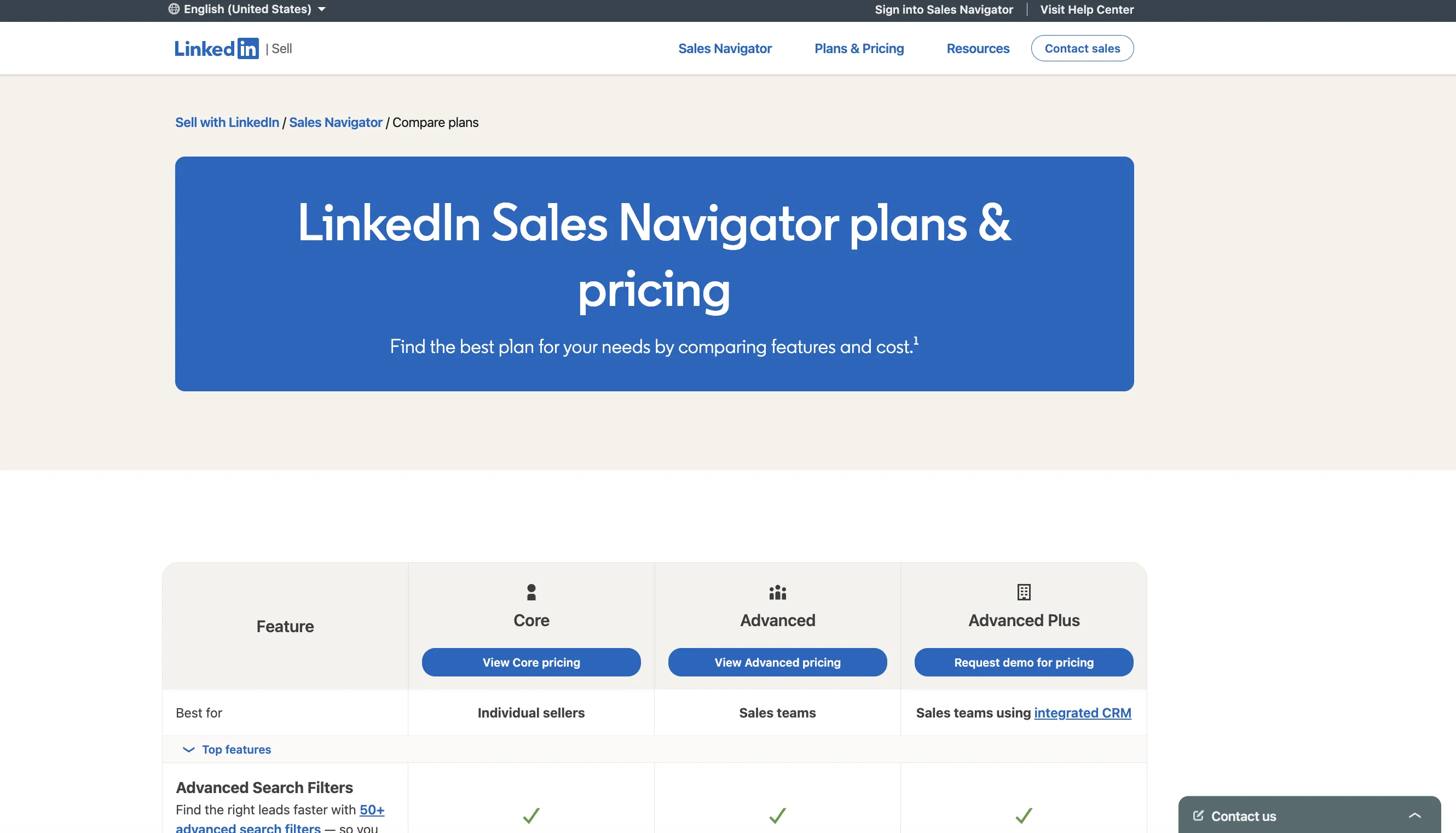
The two are separate. A Sales Nav seat by itself does not grant API access. It gives the seat-holder the Sales Nav product. Your app calling the API needs SNAP approval regardless of how many seats your customers have, and SNAP is not accepting new partners in 2026. Lots of devs assume “if I have a Sales Nav subscription, I can call the API,” and that’s never been how it works, and right now the API door is also locked even if you wanted to try.
What existing partners get depends on the specific SNAP permissions granted to their app. The general shape is Sales-Navigator-specific data exposed via the Sales API, scoped to what the connected user is allowed to see. If you’re already in SNAP, check the partner docs you received for the exact endpoint and permission set. If you’re not, this section is informational until LinkedIn updates the landing page.
Talent Solutions / Recruiter API
If you’re building an ATS, a sourcing tool, or a job board, this is the lane. Talent API access requires partner approval (same getting-access doc linked earlier), and LinkedIn doesn’t publish a price. Recruiter-specific integrations may also require Recruiter commercial access on the customer side. The exact mix of seat licensing and API contract varies by integration type, so talk to your LinkedIn partner manager early. ATS integration is the most common use case (Greenhouse, Lever, and Workday all hold Recruiter API integrations).
Learning, Verified, and the long tail
The Learning API has two access paths. Build an LMS integration or developer integration through the Learning Partner Program. Or, if your organization holds a LinkedIn Learning site license, your admin can configure Reporting API access through LinkedIn Learning’s admin settings. Pick the path that matches your scenario. Partner integration and internal reporting are different doors into the same API surface.
The Verified on LinkedIn API has three official tiers: Development (Free, 5,000 calls/day, self-serve for app admins), Lite (Free, 5,000 calls/day, application review), and Plus (contact for custom pricing, Business Development approval). If your product runs trust or identity checks, start in Development while you build, apply for Lite for production reads, and talk to LinkedIn about Plus for higher-volume verification flows. This is a recent surface area on LinkedIn’s developer stack, not a brand-new one.
The Real Cost: LinkedIn Partner Approval
The expensive part of the LinkedIn API is not the monthly fee. It is the time.
Typical Marketing Developer Platform approval timelines I’ve seen across builders and clients:
- Fast path: 4 to 8 weeks. You have an existing product, a clear use case, a polished privacy policy, and a demo video that shows real value.
- Average: 3 to 4 months. Multiple back-and-forths, additional security questions, a second demo round.
- Slow or rejected: 6+ months. Common causes: use case too close to scraping, product looks like a LinkedIn replica, privacy policy too thin, demo unclear.
Recruiter partner contracts run on the slower end, plan for 4 to 6 months minimum and often longer. Sales Navigator API is a different case in 2026: LinkedIn isn’t accepting new SNAP partners at all, so there’s no timeline to plan around until that page reopens.
What this means in practice: if your launch date depends on official LinkedIn API access, you are not launching this quarter. Maybe not even this half. And if your launch depends on Sales Navigator data specifically, it’s not launching until LinkedIn changes the door policy. Free is not free when the price is your roadmap.
The Rate Limit Question
Here is where most pricing guides invent numbers. LinkedIn’s general rule, per the official rate-limits page, is that standard rate limits are not published in documentation. App-specific limits live in the Developer Portal under the Analytics tab on a per-app, per-endpoint basis. Numbers floating around blog posts and Stack Overflow answers are not authoritative. LinkedIn is the only major platform that withholds its limits this way, which is its own planning problem. I set it against the caps the other eight platforms do publish and what the silence means for an agent you cannot supervise.
There are two carve-outs worth knowing. The consumer Share on LinkedIn product publishes its own daily ceilings (150 requests per member, 100,000 per application), which only cover posting to your own feed. And the Community Management API overview now publishes Development Tier defaults explicitly. Per app: 500 requests. Per member: 100 requests. Production tier is still negotiated with your partner manager. Beyond those published Development-tier numbers, LinkedIn does not document exact reset windows or alert thresholds, so watch your own Developer Portal Analytics tab rather than assuming a fixed daily cutoff.
What this means in practice:
- Your app’s actual limits outside the Community Management Dev Tier defaults are visible only to you, inside your LinkedIn Developer Portal Analytics tab. Check there before you launch and watch the dashboard during ramp-up.
- Per-member and per-application limits are tracked separately. You can exhaust either one independently.
- 429 responses are the documented signal that you’ve been rate-limited. LinkedIn’s rate-limits doc doesn’t promise a specific response payload (like a
Retry-Afterheader), so build exponential backoff into your client and assume you’ll need to inspect the response yourself. - Partner-tier limits are part of your specific partner contract, not the public docs. Talk to your partner manager for the exact ceilings on your app.
Anecdotal but worth knowing (not in LinkedIn’s docs): platforms like LinkedIn enforce per-page abuse controls separate from per-app rate limits. Apps that post unusually frequently for one company page can get suspended even when individual API calls were within the documented limits. Don’t stress-test on a real customer’s page.
Already on a Legacy LinkedIn Integration?
If you’re running an older LinkedIn API integration, here is the lay of the land in 2026.
v1 endpoints have been gone for years. LinkedIn required migration to v2 back in 2019, and the old v1 REST surface was retired that year. Anything still referencing /v1/people/~ style URLs has been broken since. If your code has these, it is failing silently or noisily.
Marketing endpoints use the Versioned REST API. Marketing API requests go to https://api.linkedin.com/rest/ and require a LinkedIn-Version: YYYYMM header on every call. LinkedIn versions monthly and supports each version for roughly 12 months before deprecation. This applies to Marketing endpoints specifically. Consumer endpoints (Sign In with LinkedIn, basic profile, Share on LinkedIn) still sit on the /v2/ host without the versioning header.
Tokens. Modern flow is OAuth 2.0. Access tokens default to 60 days and refresh tokens to 1 year, but the programmatic refresh flow is scoped to approved Marketing Developer Platform partners. If you’re outside MDP, the refresh story looks different and you should re-read the LinkedIn auth docs for your specific product.
Audit any integration that hasn’t been touched in 18+ months. Most need a host swap, a version header, and an auth-flow review.
Patterns That Trip Up Most Developers
A few non-obvious things that burn smart people:
Mixing Consumer scopes with Marketing scopes on one app. Sign In with LinkedIn uses OpenID Connect scopes (openid, profile, email), and w_member_social covers posting to the user’s own feed. Organization-page scopes (r_organization_social, rw_organization_admin, r_ads, r_ads_reporting) belong to MDP. You cannot mix them on a Consumer-tier app, and the older r_liteprofile scope is legacy at this point. Use the OpenID Connect set for new apps.
Building against your own admin account and shipping. Your dev account has more permissions than a fresh customer’s account, especially for organization pages. Test on a clean account before promising features.
Misunderstanding how organization-page OAuth works. Per the Organization Access Control by Role doc, organization endpoints are scoped to pages where the authenticated member holds a role (ADMINISTRATOR, DIRECT_SPONSORED_CONTENT_POSTER, or CONTENT_ADMINISTRATOR). One admin’s OAuth token covers every page that admin holds a role on. Use the organizationAcls endpoint with q=roleAssignee to enumerate which pages a given token can act on.
Assuming webhooks cover everything. Anecdotal (not in LinkedIn’s public docs): webhook coverage on LinkedIn is partial compared to other platforms, and most teams build polling fallbacks. Confirm what’s available for your specific partner tier with your partner manager.
Ignoring token revocation. Users can revoke your app’s access at any time from their LinkedIn settings. There is no notification. You find out when the next API call fails. Build for it.
Many of these patterns repeat across Meta’s developer stack. I cover the parallel story in Instagram API Pricing and Facebook API Pricing. X (Twitter) runs the opposite model, pay-per-use instead of partner gating, but the OAuth quirks and rate caps still bite. The cost math is in X (Twitter) API Pricing, and the contrast is worth reading side by side: LinkedIn charges you in months of waiting, X charges you per call on day one. Neither is free, they just bill in different currencies.
If you are still choosing which layer to build on at all, the best social media API tools roundup compares the managed options against each other, and social media API vs MCP covers whether an agent-facing MCP layer is the better fit than a REST integration.
Real-World Access Examples
Three patterns I see most often, with the timelines and costs each path involves. The approval-timeline ranges below reflect what I’ve seen across builders and clients, not figures LinkedIn publishes. For third-party vendors, check the linked pricing pages directly, rates shift too often to quote reliably.
The Indie Builder
You’re shipping a content tool, a personal CRM, or a niche analytics dashboard. Solo or small team. You need LinkedIn access but cannot wait 6 months.
- Apply for Marketing Developer Platform: 0 dollars up front, 3 to 6 months wait (probably rejected on first pass)
- Ship now with Blotato for posting and scheduling: $29/month, day-one access
- Add a third-party read API like Phyllo, Coresignal, or People Data Labs for profile data if needed: pricing varies by vendor and volume, check the current pricing page for each before you budget (Proxycurl, the old default here, shut down in July 2025 after a LinkedIn lawsuit, so any older guide quoting Proxycurl rates is stale)
- Total day-one shippable cost: $29 plus whatever the read layer adds, no approval queue
From what I’ve seen, indie builders rarely make it through MDP approval on the first try, and many never resubmit. LinkedIn doesn’t publish approval rates, so treat this as anecdotal, not a statistic. The alternatives are usually the more honest path.
The Agency Running Client Accounts
You’re managing 30 client LinkedIn accounts. You need scheduling, reporting, and moderation at scale.
- Buy into an existing agency-grade tool with built-in MDP access: $200 to $800/month per seat
- Use Blotato per workspace + your own reporting layer: $29/month per workspace + dev time
- Apply for MDP yourself: 4-month wait + custom partner contract + engineer time
- Total day-one shippable cost via Blotato: $29 × 30 workspaces = $870/month, no approval queue
Most agencies I’ve talked to pick the tool or the wrapper. Option three really only makes sense for larger agencies that have dedicated engineers and a 12-month runway to spend.
The Brand Monitor
You’re building a tool that tracks brand mentions, competitor activity, or sentiment across LinkedIn.
- Apply for MDP with a monitoring use case: 3 to 6 months, and rejections are common in my experience (LinkedIn is allergic to anything that smells like scraping)
- Stack one or two third-party read APIs (Coresignal, Bright Data, LinkdAPI, Phyllo, People Data Labs) for profile and company reads: pricing varies by vendor and volume, check each vendor’s current pricing page. Proxycurl used to be the default here, but Nubela shut it down in July 2025 after LinkedIn sued in January 2025 and the case settled, so anything referencing Proxycurl rates is no longer accurate.
This is the part of the LinkedIn read market worth watching closely. Proxycurl did not raise its rates or narrow its plans. It went away mid-contract because LinkedIn litigated it out of existence, and its customers had their data slated for deletion. If your product depends on unofficial LinkedIn profile data, price vendor risk as a real line item alongside the per-call cost.
- Pair with manual CSV exports from your own brand’s LinkedIn Analytics: $0
- Total day-one shippable cost: whatever the read layer ends up at, mostly unofficial sources
If you only monitor your own brand, use LinkedIn Analytics directly. Do not build an API integration for one account.
The Honest Pitch: Skip the LinkedIn API and Use Blotato
Here is the trade-off up front. I’d be a bad founder if I didn’t tell you exactly where Blotato fits and where it doesn’t.
For the publishing use case (posting and scheduling to LinkedIn personal profiles and company pages, plus eight other platforms), Blotato gives you a unified social media API on paid plans starting at $29/month. No partner application. No 6-month approval cycle. One auth flow. One endpoint shape. One bill. (Note: the API is not in the dashboard’s 7-day free trial. Generating your first API key activates the paid Starter plan immediately.)
One API. Every social platform.
Here is what posting to LinkedIn looks like end-to-end:
The request shape for profiles, company Pages, and document carousels is documented on the LinkedIn API product page.
curl -X POST https://backend.blotato.com/v2/posts \
  -H "blotato-api-key: YOUR_API_KEY" \
  -H "Content-Type: application/json" \
  -d '{
    "post": {
      "accountId": "YOUR_LINKEDIN_ACCOUNT_ID",
      "target": { "targetType": "linkedin" },
      "content": {
        "text": "Posted via the Blotato API.",
        "mediaUrls": [],
        "platform": "linkedin"
      }
    }
  }'
That’s the whole integration for a text-only post. For images, video, or carousels, pass any publicly accessible URL directly in mediaUrls. If you only have a local file (no public URL), upload it through Blotato’s Presigned Upload endpoint first and use the returned URL. LinkedIn document carousels (the PDF-style format viewers swipe through) take 2 to 10 image URLs in mediaUrls. Full reference, including the OpenAPI schema, is at help.blotato.com/api/start.
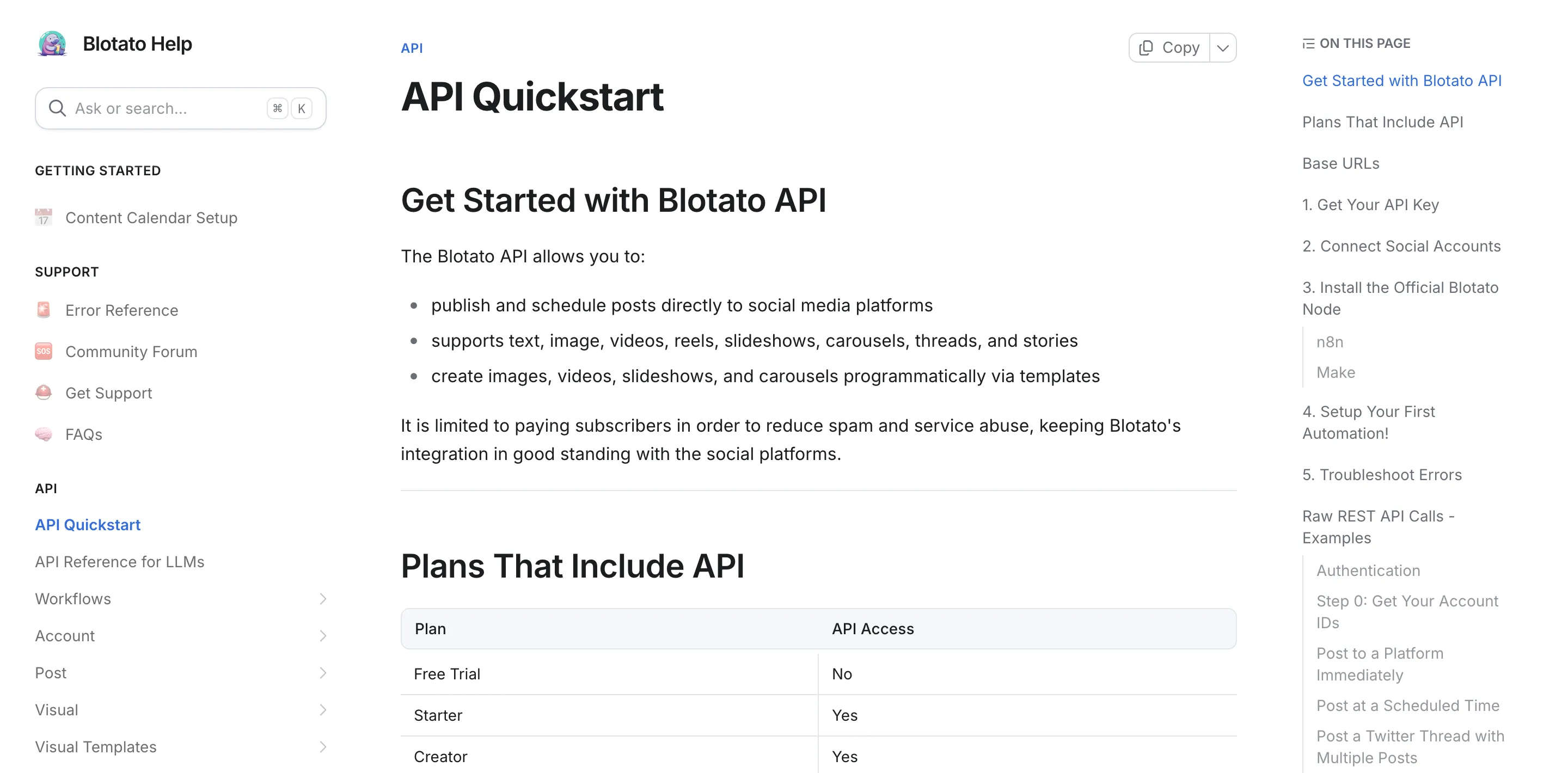
Blotato also ships an MCP server so AI agents (Claude, Cursor, custom stacks) can post directly through the same unified endpoint. If you’re building AI-native workflows, that part is fast to wire up.
The honest trade-off: Blotato covers publishing and scheduling. It does not pull ads data, recruiter data, or Sales Navigator data. If your product depends on those, you still need MDP, Sales Navigator API, or Recruiter API. Use the right tool for the job.
Sabrina’s Take
I’m biased, obviously. I built Blotato because stitching nine social APIs together is the wrong layer to build on for most teams.
If you NEED MDP because you’re building an ads tool or a deep analytics product, apply, be patient, build something else in the meantime. If you just want to post on LinkedIn at scale, use an aggregator that already did the approval work. That is the whole point.
The math gets ugly fast when you go direct: 6 months of partner review, a custom contract you cannot price before the sales call, then per-page rate limits on top. The Blotato path is $29/month and a single cURL call.
LinkedIn API Pricing FAQs
Is there a free LinkedIn API tier in 2026?
Yes, but it is narrow. The Consumer tier covers Sign In with LinkedIn and Share on LinkedIn for free, and w_member_social lets the authenticated member post, comment, and like on their own behalf. It does not include company pages, page analytics, organization-page comments or moderation, or messaging. Useful for auth flows, not for a content-management product.
How much does the LinkedIn Marketing API really cost?
LinkedIn does not publish a price for the Marketing Developer Platform. The official getting-access doc describes MDP as partner-application-gated without listing a dollar amount, and third-party estimates vary widely. The cost you can actually plan around is the 3 to 6 month partner approval cycle and the engineering time to maintain the integration after that.
How long does LinkedIn partner approval take?
LinkedIn does not publish target timelines. From what I’ve seen across builders and clients: fast path is 4 to 8 weeks, average is 3 to 4 months. Recruiter contracts often take 4 to 6 months or longer. Sales Navigator API is the outlier in 2026: LinkedIn’s official Sales API docs say new SNAP partners are not currently being accepted, so the timeline question is moot until that page changes. Plan for the slower end if your product feels close to scraping or competing with LinkedIn directly.
What is the difference between Sales Navigator API and the standard LinkedIn API?
Sales Navigator API exposes Sales-Navigator-specific data on the customer side and requires SNAP (Sales Navigator Application Platform) approval. As of 2026, LinkedIn is not accepting new SNAP partners, so the API itself is closed to anyone who wasn’t already onboarded. Customers using Sales Navigator on the seat side aren’t affected and can still buy seats (starting at $119.99/license/mo for Core or $159.99/license/mo for Advanced, per the compare-plans page linked above). The standard LinkedIn API has nothing equivalent.
Is there an API for LinkedIn posts?
Yes, and which one you get depends on whose feed you are posting to. Posting to the authenticated member’s own feed uses w_member_social and is available self-serve today with no review. Posting to a Company Page requires the Community Management API and partner approval. Both write through the same versioned POST /rest/posts endpoint, differing by token scope and by whether author carries a Person or Organization URN, with /ugcPosts as the legacy surface the Posts API replaced. Reading is the harder half: r_member_social is documented as restricted and available to approved users only, organization posts need r_organization_social, and reading arbitrary members’ posts is not offered at all.
Is there an API for LinkedIn jobs?
Not on a self-serve basis. Job posting runs through Talent Solutions, and access starts with the Talent Solutions Partner Request Form rather than a product you can switch on in the Developer Portal. Apply Connect, LinkedIn’s hosted application flow, is itself a partner integration built on that same Job Posting API rather than a self-serve alternative to it. What has no official product at all is job search and scraping-style access, which is the gap the third-party LinkedIn data vendors fill, most of them outside LinkedIn’s terms.
My legacy LinkedIn integration broke. What do I do?
If you’re calling Marketing endpoints, point them at https://api.linkedin.com/rest/ and pass a LinkedIn-Version: YYYYMM header on every request. Consumer endpoints stay on /v2/. Move auth to OAuth 2.0 (access tokens default to 60 days, refresh tokens to 1 year for approved MDP partners). If your code still references /v1/people/~ style endpoints, rewrite from scratch (LinkedIn retired the v1 REST surface back in 2019).