Blotato vs Opus Clip: Which AI Repurposing Tool Wins?
Blotato vs Opus Clip: one clips your video, one posts it everywhere. See which AI repurposing tool actually finishes the job in 2026.
Blotato vs Opus Clip comes down to one question: what happens after the clip is made? Opus Clip is very good at finding shareable moments in a long video and turning them into short clips. It does that one job well.
Then it hands you a folder of MP4 files. Getting those clips onto TikTok, Instagram, YouTube Shorts, LinkedIn, and X with the right captions and timing is a separate job, and it is the job that eats most people’s week. That is the part Blotato is built around.
Let me break down where each tool earns its price and who should pick which.
Blotato vs Opus Clip: At a Glance
Opus Clip is the better pick if: Your bottleneck is finding clip-worthy moments inside long videos. You produce podcasts, interviews, or talking-head content, and you already have a way to publish the clips once they exist.
Blotato is the better pick if: Your bottleneck is creating and publishing content across platforms. You want AI to write posts, generate images and video, and publish everything from one dashboard at a flat monthly rate.
Clipping and Publishing Sit at Different Steps
Not really, and saying so up front is the honest place to start.
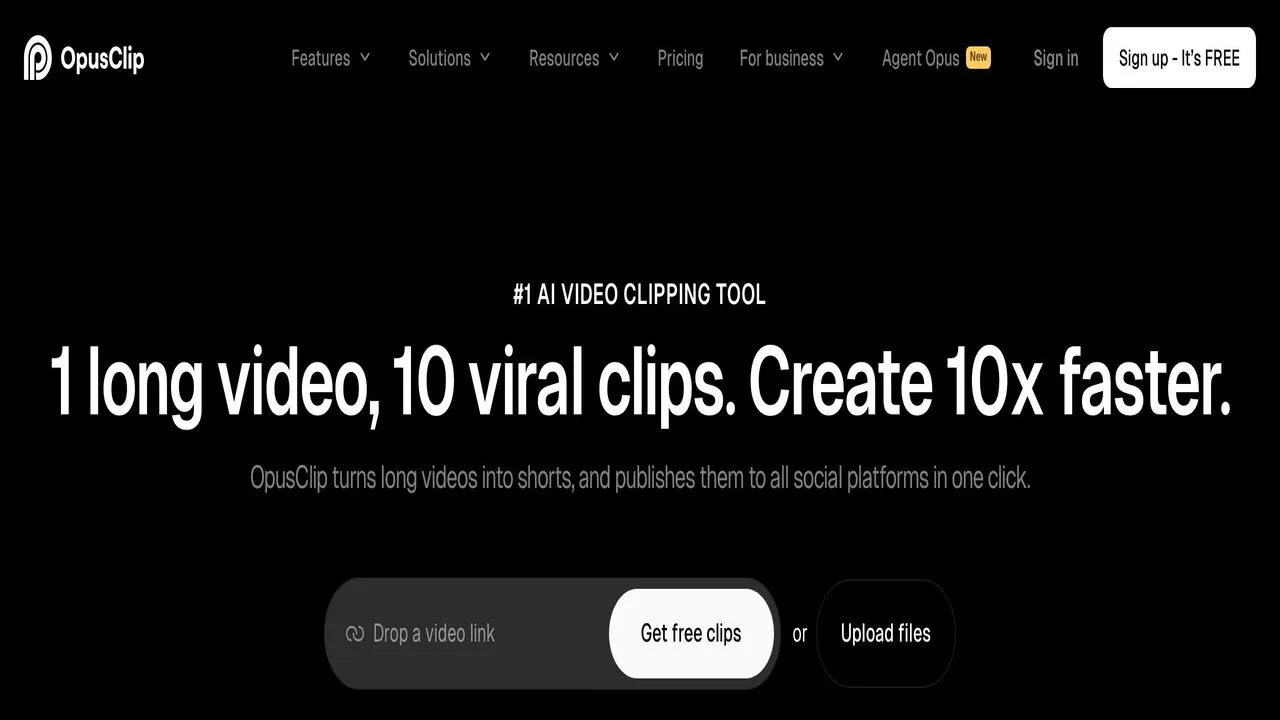
Opus Clip is an AI video clipping tool. You feed it a long video, and it finds the moments most likely to work as short clips. It adds captions, resizes for vertical platforms, assigns a virality score, and exports ready-to-post files. Clipping, captioning, and exporting is the core of the product.
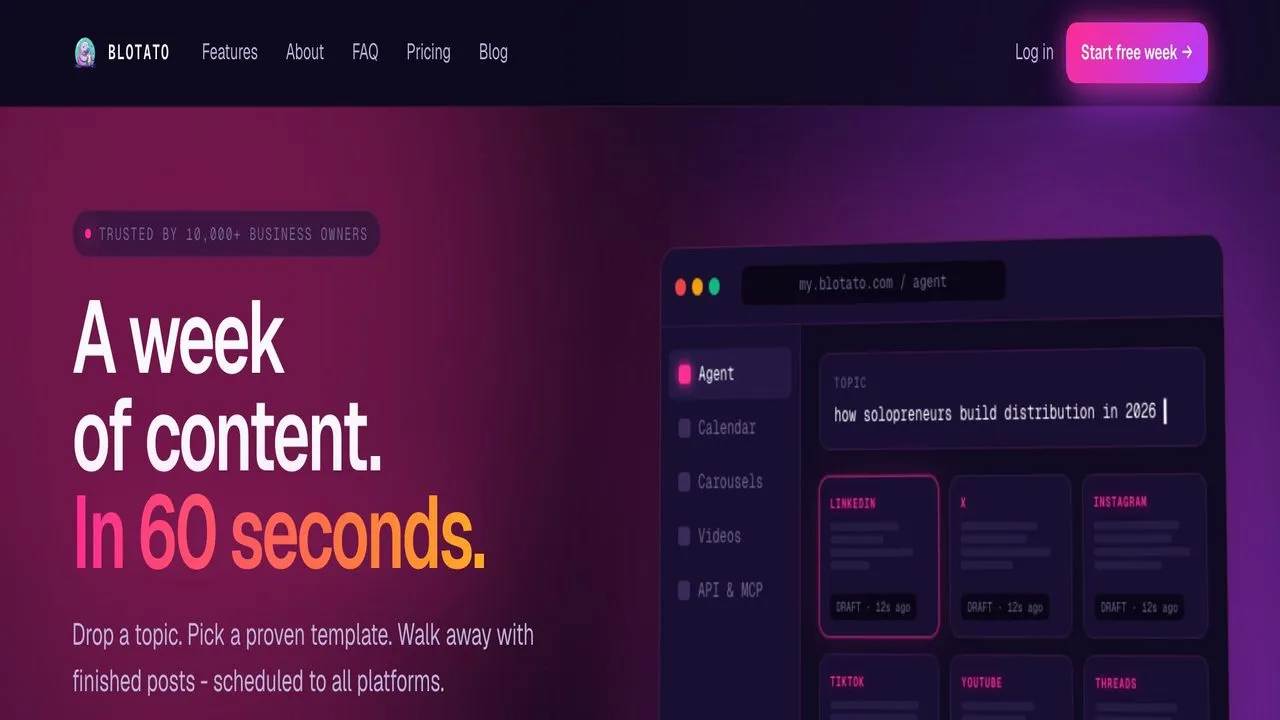
Blotato is an AI content creation and publishing platform. It writes posts trained on viral examples, generates images and carousels, produces faceless video with AI voiceover, and publishes natively across nine platforms. The center of gravity is the publishing layer that ties those features together.
So one tool turns long video into clips. The other turns ideas into finished, published posts. They can work together, but they are not substitutes.
Podcasters and Long-Form Creators Hunting Clips
Opus Clip is built for people who already have long-form video and need help cutting it down. Podcasters, interviewers, streamers, and YouTubers who publish hour-long content are the sweet spot. You can read more on the Opus Clip homepage, but the short version is that it finds the clips so you do not have to scrub the timeline yourself.
The clip detection is genuinely strong. Reviews back that up: Opus Clip holds a solid rating on G2 and a 4.0 on Trustpilot across hundreds of reviews, with creators consistently praising the clip quality and caption accuracy.
Every paid plan removes the watermark, gives you faster processing, and unlocks more monthly minutes. If your job is mostly “I have great footage and no time to find the clips,” Opus Clip earns its place.
Creators Who Need More Than Clips to Post
I am involved with Blotato as a creator and tester, so take this with whatever grain of salt feels right.
Blotato is built for creators, solopreneurs, and small agencies who need to create and publish content consistently and do not want to run a stack of five tools to do it. I use it because it collapses writing, image generation, video, and publishing into one place.
It publishes natively to nine platforms: X, Instagram, LinkedIn, TikTok, YouTube, Threads, Facebook, Pinterest, and Bluesky. The AI writing is unlimited, the image and video generation are built in, and the whole thing runs at a flat monthly rate. If your bottleneck is staying consistent across platforms rather than clipping long video, this is the side of the workflow Blotato solves.
Opus Clip vs Blotato: Side by Side
| Category | Opus Clip | Blotato |
|---|---|---|
| Core function | AI video clipping | AI content creation + publishing |
| Pricing model | Processing minutes | Flat rate with AI credits |
| Free plan | 60 min/mo, watermarked | No (7-day trial) |
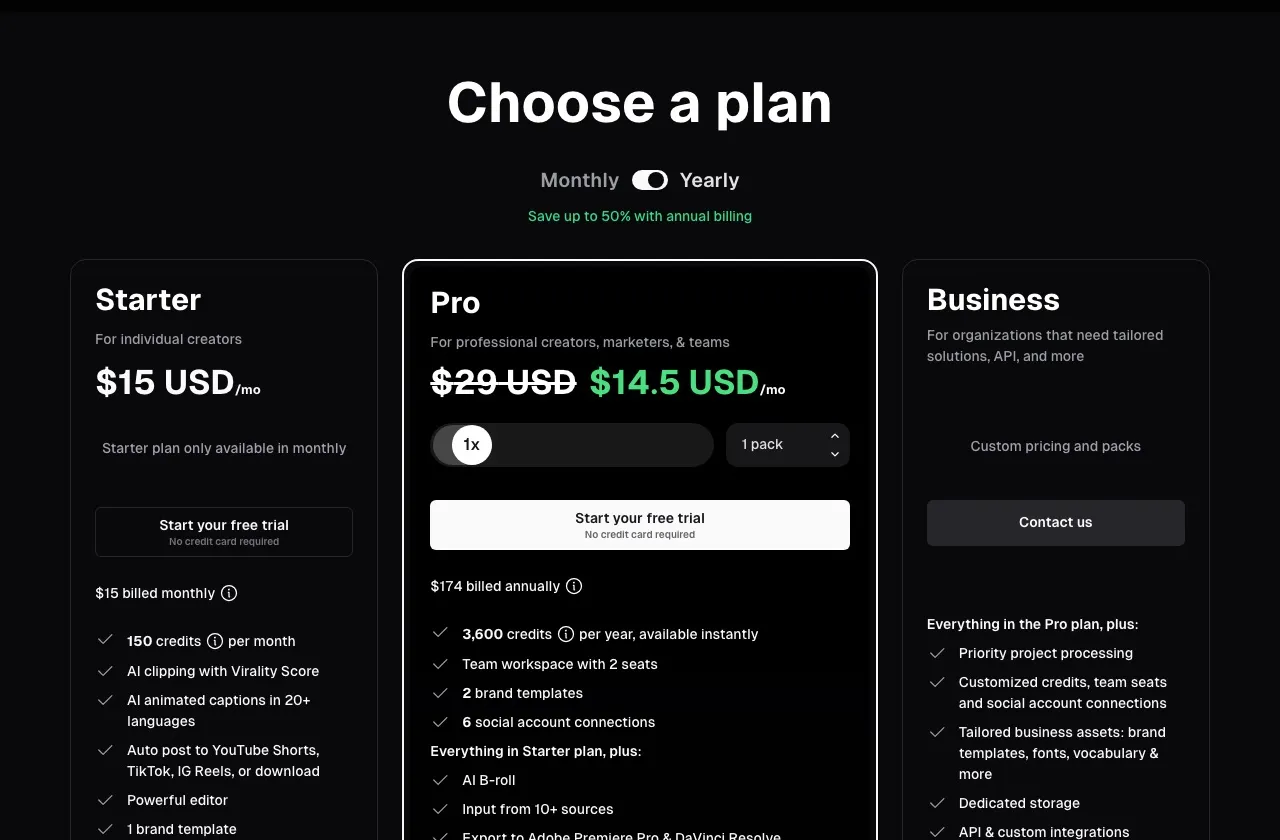
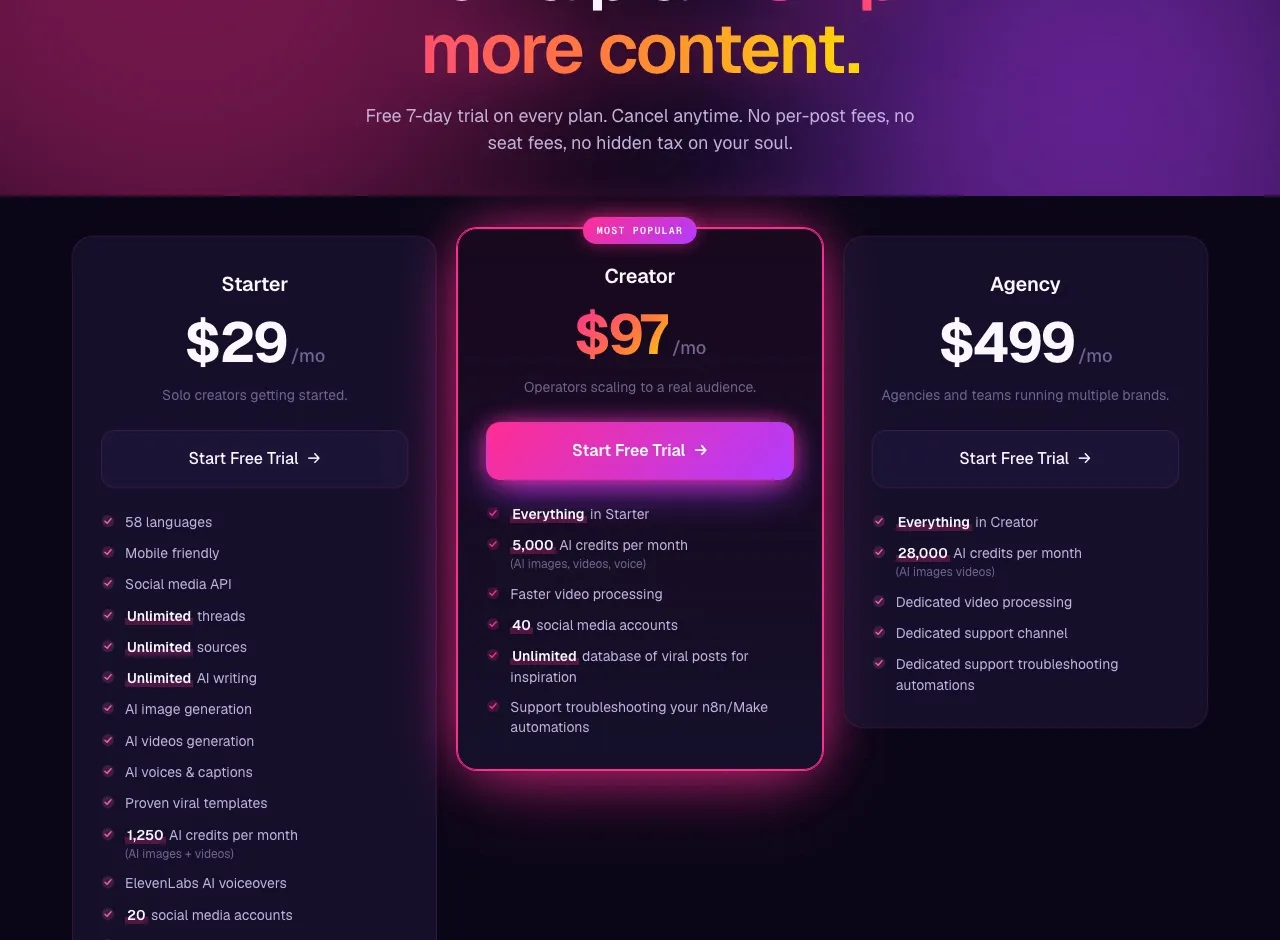
| Cheapest paid tier | $15/mo (150 min) | $29/mo (20 accounts, 1,250 credits) |
| AI writing | No | Yes, unlimited |
| AI image generation | No | Yes |
| AI video generation | B-roll only | Full faceless video + voiceover |
| Clip detection | Yes, core feature | No |
| Auto-captioning | Yes, 97% accuracy claimed | Yes |
| Native publishing | Secondary feature | 9 platforms, core feature |
| REST API | Limited on Pro, full on Business | Full on all paid plans |
| n8n / Make / MCP | No | Yes |
The biggest line in that table is the top one. These tools start from different problems, so the rest of the rows follow from that.
AI Clip Detection From Long-Form Video
Opus Clip is a focused tool, and it earns its edge on that focus.
1. AI clip detection from long-form video. This is the headline feature. Feed Opus Clip an hour-long podcast, and its multimodal clipping reads speech, visuals, and sentiment to find the segments most likely to stand alone as shorts. You can even prompt it in plain language to pull a specific scene or moment. For talking-head content, it works well.
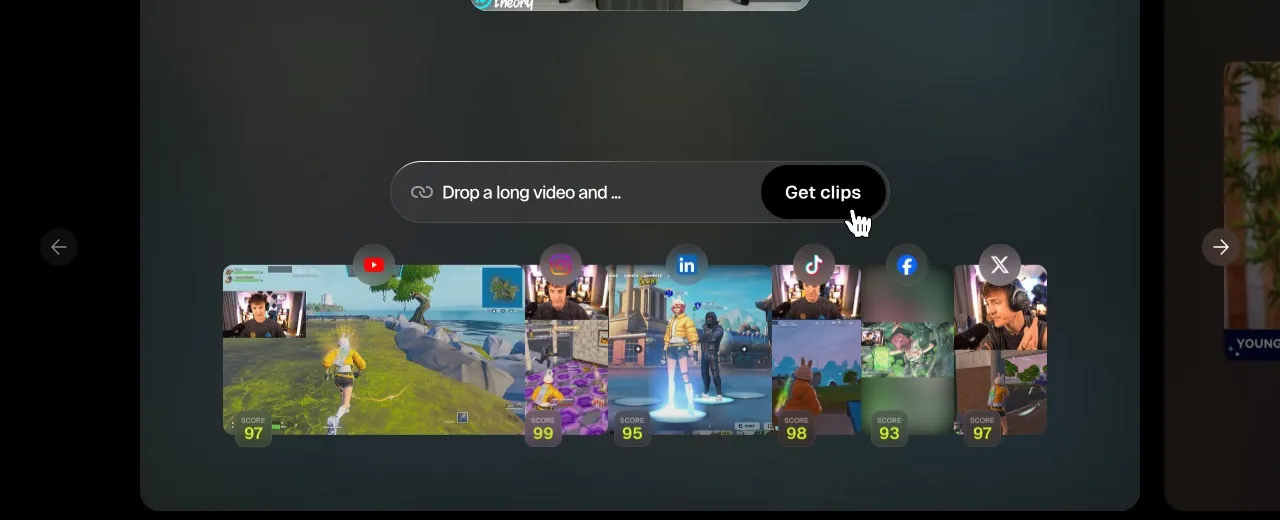
2. Virality scoring. Each generated clip gets a predicted virality score. The scores are not magic, but they help you decide which clips to post first. When you are producing dozens of clips a week, any filter helps.
3. Caption accuracy. Opus Clip claims 97% caption accuracy, and reviews back that up. The captions sync well, the word-by-word highlighting works, and the styling options are solid. You spend less time fixing transcription errors than with most clip tools.
4. Multi-format input sources. You can feed it YouTube links, Zoom recordings, Vimeo, Twitch, Google Drive files, and more. That flexibility matters for teams pulling content from different places.
5. B-roll generation. The Pro plan includes AI-generated B-roll to fill gaps in talking-head footage. It is a nice touch that saves hunting for stock clips.
Native Publishing as the Core, Not an Add-On
Blotato earns its edge on the creation and publishing side.
1. Native publishing as the core feature. Blotato publishes natively to X, Instagram, LinkedIn, TikTok, YouTube, Threads, Facebook, Pinterest, and Bluesky through official APIs. Posting is the product, not a bolt-on, so it gets the attention reliable publishing needs. For how this fits a broader setup, see our guide to social media automation tools.
2. Full AI content creation. Blotato writes posts trained on a library of viral content, generates images and carousels, and produces faceless video with AI voiceover. One person can build a week of content in an hour, starting from ideas rather than from existing footage.
3. Flat pricing that includes everything. The $29 Starter plan includes 20 social accounts across all nine platforms, unlimited AI writing, and 1,250 AI credits for image and video generation. No per-platform fees, no per-seat charges.
4. API and automation on every paid plan. Blotato ships a full REST API, native n8n and Make nodes, and MCP integration for Claude on every paid tier. Opus Clip reserves its full API and MCP connector for the custom-priced Business plan. If you want to wire publishing into a custom workflow, Blotato puts the hooks in reach at the entry price.
Processing Minutes Against Accounts and Credits
Opus Clip prices by processing minutes. Blotato prices by accounts and AI credits at a flat rate.
| Tier | Opus Clip | Blotato |
|---|---|---|
| Free | 60 min/mo, watermarked | 7-day trial |
| Entry paid | Starter $15/mo (150 min) | Starter $29/mo (20 accounts) |
| Mid paid | Pro $29/mo (300 min) | Creator $97/mo (40 accounts) |
| Top paid | Business (custom) | Agency $499/mo |
At first glance Opus Clip looks cheaper, but the two tools do different jobs, so the entry-tier comparison is really about what you get for the money.
| Capability at the entry tier | Opus Clip Starter ($15/mo) | Blotato Starter ($29/mo) |
|---|---|---|
| AI clip detection | Yes (core feature) | No |
| AI text writing | No | Unlimited |
| AI image generation | No | Included (uses credits) |
| AI faceless video | No (B-roll only) | Included (uses credits) |
| Native multi-platform publishing | Secondary feature | 9 platforms |
| Full REST API + n8n / Make / MCP | No (Business only) | Included |
| Social accounts | Not the model | 20 |
Blotato’s Starter costs $14/mo more and includes writing, image, video, and full API access that Opus Clip does not sell at any tier. That is the price-to-value argument in one table.
A few honest caveats, because this genuinely depends on your situation:
- If you only need clipping and you already have a publishing workflow, Opus Clip at $15-29/mo is the cheaper, more focused buy.
- If clip detection is your whole bottleneck, you do not need Blotato’s writing and video surface area, and paying for it would be paying for tools you would not touch.
- Opus Clip’s free plan gives you 60 real minutes per month to test it. Blotato has no permanent free tier, only a 7-day trial.
You can check the full Blotato breakdown on the Blotato pricing page.
Opus Clip Earns Its Price on Podcast Footage
- You produce long-form video and need help finding clips
- Your content is talking-head, podcast, or interview format
- You already have a distribution workflow or scheduling tool
- Clip detection is your bottleneck, not publishing
- You want virality scoring to prioritize which clips to post
Clipping Is One Step. Choose Blotato for the Rest.
- Your bottleneck is creating and publishing content, not clipping
- You want AI to write posts, generate images, and produce video
- You want native publishing across nine platforms as a core feature
- You want one flat price with no per-minute or per-platform fees
- You want full API, n8n, Make, or MCP access on the entry plan
If you want to see how Blotato fits a broader repurposing workflow, read our roundup of the best AI content repurposing tools. For a similar head-to-head, see Blotato vs Repurpose.io.
Not Really a Versus, and That Matters
Honestly, Blotato vs Opus Clip is not really a versus. These tools sit at different points in the content workflow. Opus Clip is very good at finding clips, and if that is your bottleneck, it earns its price.
But clipping is only the start. The part that eats your time is getting those clips onto every platform with the right copy and timing, and that is where Blotato is built to do the heavy lifting. If you are still unsure, my honest advice is to try Opus Clip’s free plan if your only problem is finding clips, and try the Blotato 7-day trial if you want AI to handle creation and publishing across the board.
FAQs
Is Blotato cheaper than Opus Clip?
At the headline number, no: Opus Clip Starter is $15/mo versus Blotato Starter at $29/mo. But they price for different jobs. Opus Clip charges for processing minutes, while Blotato’s flat rate includes unlimited AI writing, image and video generation, full API access, and 20 social accounts. If you would otherwise pay for a clipping tool plus a scheduler plus an AI writer, Blotato is the cheaper bundle.
Does Opus Clip have AI video generation?
Not full video generation. Opus Clip creates clips from video you already have and can add AI B-roll to fill gaps in talking-head footage. It does not generate original faceless videos from a script. Blotato does, including AI voiceover and dynamic visuals, so you can produce short video without any source footage.
Can I use Opus Clip with n8n or Make.com?
Only at the top of the lineup. Opus Clip’s Pro plan includes limited API access, and the full editing and scheduler APIs plus the MCP connector are reserved for the custom-priced Business plan. Blotato ships a full REST API, native n8n and Make nodes, and MCP for Claude on every paid plan.
Does Blotato have a free plan?
No permanent free tier. Blotato offers a 7-day free trial on every plan, so you can test the full workflow before paying. Opus Clip does have a permanent free plan: 60 processing minutes per month with watermarked clips that expire after three days.
Which tool supports more social platforms?
Blotato publishes natively to nine: X, Instagram, LinkedIn, TikTok, YouTube, Threads, Facebook, Pinterest, and Bluesky. Opus Clip can post clips to the major vertical-video platforms, but publishing is a secondary feature there, not the core product. For reliable multi-platform distribution, Blotato covers more ground.
Is Opus Clip or Blotato better for agencies?
It depends on the work. An agency that lives off long-form video, repurposing podcasts and interviews into clips at volume, will get real value from Opus Clip’s detection. An agency managing many accounts and producing original posts across platforms will get more from Blotato’s flat-rate Agency plan, which includes 28,000 AI credits and dedicated support. Many teams run both.