Higgsfield MCP: Setup, Credits and Posting to Social Media
Higgsfield MCP setup for Claude, Claude Code and ChatGPT: how credits work, its track record and fine print, and how to automate posting to social media.
Higgsfield MCP connects Higgsfield’s image, video and audio models to Claude, ChatGPT, Cursor and other agents, so you can generate a clip without leaving the chat. Your plan’s Unlimited models do not carry over: every generation through the connector spends plan credits. From inside the chat, TikTok is the one network it posts to. Instagram Reels, YouTube, Facebook and the other feeds need a second connector.
This guide covers both halves. First the Higgsfield side: every way to connect it, what the agent can run, where the credits go, and the track record and fine print to know first. Then the publishing side, which decides whether the clip ever leaves the conversation it was made in. Automate with Marc already runs this chain end to end, from a Higgsfield clip in Claude to a live Instagram Reel through Blotato.
Higgsfield MCP at a Glance (2026)
Higgsfield documents five ways to connect an agent, and all five spend credits from the same Higgsfield plan.
| Path | Clients | Setup | Where it stops |
|---|---|---|---|
| Custom connector | claude.ai and Claude Desktop | Paste https://mcp.higgsfield.ai/mcp, then sign in to Higgsfield | Chat attachments do not reach Higgsfield. Files go through its upload window |
| Higgsfield plugin | ChatGPT | Add Higgsfield from the Plugins Directory | No audio generation and no Website Building skill |
| Marketplace | Cursor | Customize, then Marketplace, then Add | Same credit rules as every other path |
| CLI plus skills | Claude Code, OpenClaw, Hermes | The agent installs @higgsfield/cli and Higgsfield’s skills | Runs on your machine, so it needs Node and a browser sign-in |
| Server URL | Any other MCP client | Paste the same URL into the client’s settings | Works only if the client can finish an OAuth sign-in |
Higgsfield’s guide says you need an active paid subscription and no API key. On Higgsfield’s current card, the Plus plan converts to about 80 Seedance 2.5 videos a month. Every Higgsfield detail in this guide was checked against its help center and blog on October 30, 2026.
The publishing connector is the part I built, so here is its cost up front. Blotato’s MCP server is not part of the 7-day trial. It starts on the $29 Starter plan, covers 9 platforms, and the monthly price does not change with how much your agent posts, within the daily caps further down. Compare the Blotato plans before you wire it in.
MCP and API access start on paid Starter · Cancel anytime
What the Higgsfield Connector Can Run From a Chat
Higgsfield’s help center lists nine operations an agent can run through the connector, and two it cannot.
| Operation | Through MCP |
|---|---|
| Image and video generation, all models | Yes |
| Image and video upscaling | Yes |
| Background removal, image and video | Yes |
| Expand an image (outpaint) or reframe a video | Yes |
| Kling 3.0 Motion Control | Yes |
| Soul characters and reference Elements | Yes |
| Audio: voiceover, voice cloning, voice change, dubbing | Yes |
| Personal Clipper, YouTube video into short clips | Yes |
| Credit balance, past generations and uploads | Yes |
| Unlimited model access | No |
| Free generations | No |
The agent selects a model when you do not name one, and Higgsfield’s examples show you naming Seedance for video or a trained Soul character for a recurring face. Every finished generation lands in your Higgsfield Assets, tagged with the MCP source, usually within 60 seconds of the job completing.
Two details change how you prompt it. The agent cannot read an image you attach to the chat, so for a reference photo you ask it to open Higgsfield’s upload window and choose the file there. For a web image you paste the direct URL, and the agent imports it into your uploads.
Connecting Higgsfield in Claude, ChatGPT and Claude Code
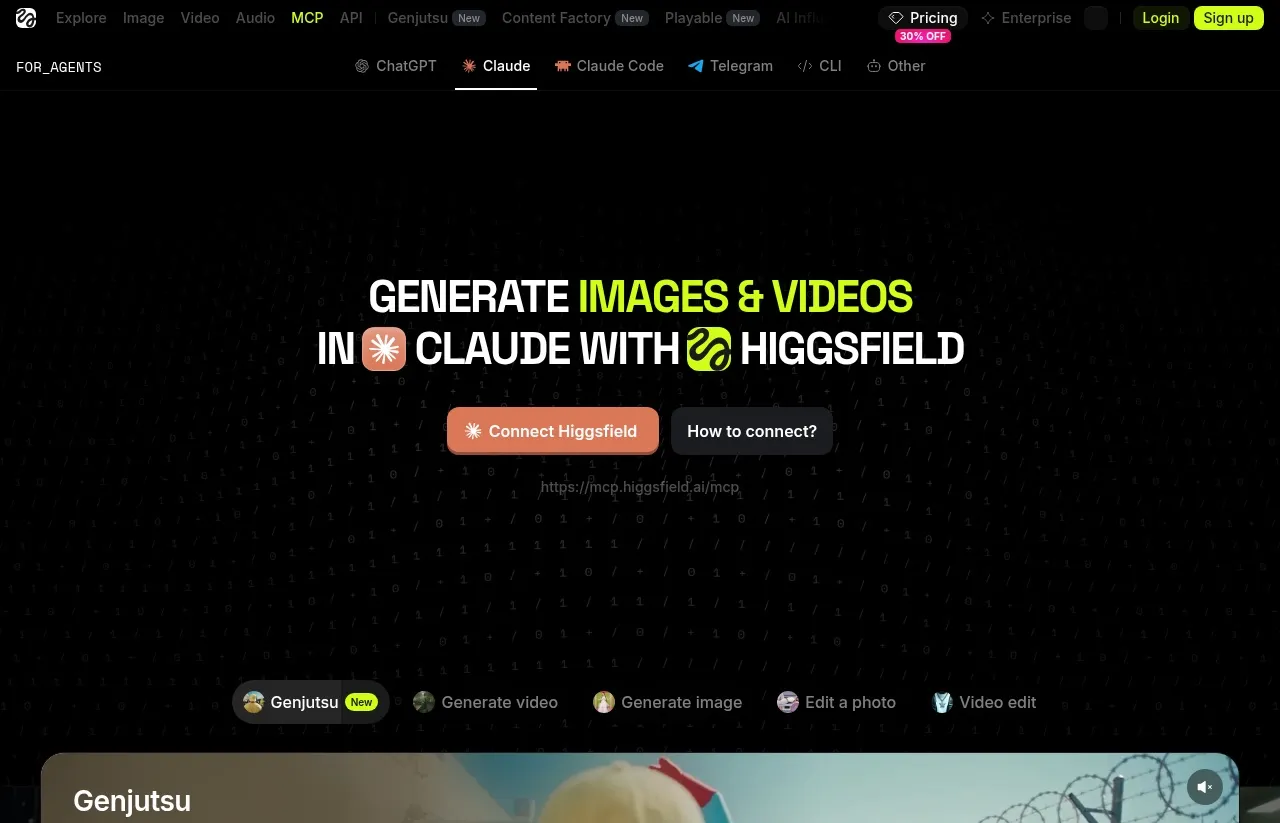
The Higgsfield MCP page has tabs for ChatGPT, Claude, Claude Code, Telegram, the CLI and other clients. The steps below follow Higgsfield’s connection guide.
claude.ai and Claude Desktop
- Open Settings, then Connectors, and click Add custom connector.
- Name it Higgsfield and paste
https://mcp.higgsfield.ai/mcp. - Click Connect. Higgsfield’s sign-in window opens, and if you are already logged in on higgsfield.ai the step finishes on its own.
- Back in Claude, check that Higgsfield shows in your active connectors and is switched on in the conversation you are using.
ChatGPT
Higgsfield’s documented ChatGPT path is its official plugin rather than the URL. Open the Plugins Directory, add Higgsfield, and sign in. Audio generation and the Website Building skill are not available there, so a voiceover workflow belongs in Claude.
Claude Code, OpenClaw and Hermes
For these agents, Higgsfield’s documented setup is its CLI, which the agent installs itself. Paste this message from Higgsfield’s guide:
Set up Higgsfield for me so I can generate images and videos from here.
1. Install the CLI: run `npm i -g @higgsfield/cli`.
2. Authenticate: run `higgsfield auth login` and complete the sign-in in the browser it opens.
3. Install the companion skills: run `npx skills add higgsfield-ai/skills`.
Once that's done, let me know when it's ready.
Higgsfield’s skills repo on GitHub ships nine preset workflows, including higgsfield-generate for images, video and audio, higgsfield-soul-id for training a face, and higgsfield-faceless-video for narrated explainers.
Checking that it works
Start a new conversation and ask “What is my Higgsfield credit balance?” The agent should call a Higgsfield tool and return your account data. If it answers without calling one, check your connectors list and reconnect. “Authorization with the MCP server failed” means the token expired, and the fix is to disconnect Higgsfield in Settings and connect it again.
Credits, and the Unlimited Trap
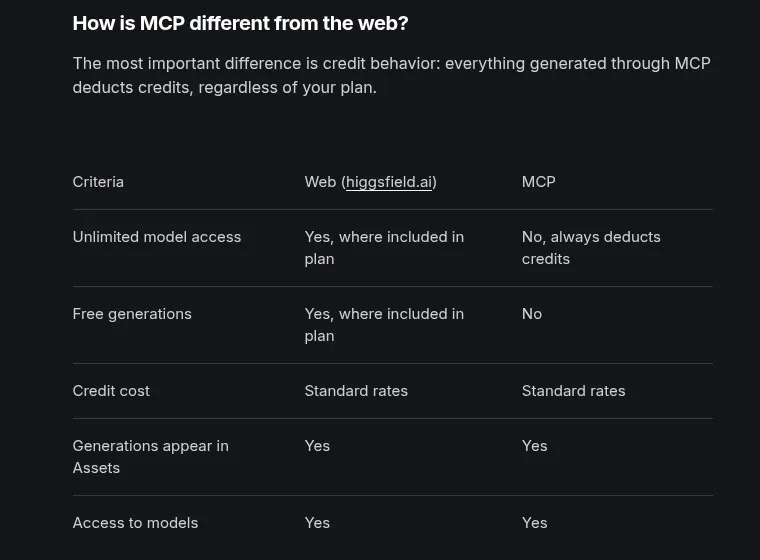
Higgsfield’s MCP explainer is plain about it: “everything generated through MCP deducts credits, regardless of your plan.” The Unlimited models in your plan work on higgsfield.ai only. The same request that costs nothing on the website costs credits from an agent.
You may still find Higgsfield’s July 2026 post announcing Unlimited MCP, with a 24-hour trial new users could claim until July 31. Whatever that launch covered, the help center’s current answer to “Do Unlimited models and free generations work through MCP?” is no.
Higgsfield’s own ad-production guide also says there is no built-in spend cap, and suggests asking the agent for the cost before it generates. A prompt is a request, not an enforced limit, but it is the control you have:
Before generating anything, tell me the credit cost and wait for my confirmation.Higgsfield’s Track Record and Fine Print
This part decides whether Higgsfield belongs at the center of your stack. It is a venture-backed company growing fast: Reuters reported a $400 million Series B at a $5.4 billion valuation in August 2026, along with the company’s statement that its annualized revenue had reached $700 million. Its marketing has also drawn serious reporting.
- The creator campaigns. In February 2026, Forbes reported that some clips in a media kit shared with creators “weren’t generated with AI at all” (the company said the kit went out by mistake). It also reported that Higgsfield offered to pay creators to share “offensive and unsavory” clips, and that several creators in its Earn program had trouble getting paid. Cofounder Mahi de Silva told Forbes, “We fully admit that we push the envelope,” and CEO Alex Mashrabov wrote, “we have made mistakes.” Forbes also reported that X suspended Higgsfield’s account, which de Silva said X attributed to “inauthentic behavior.”
- Trials that roll into a plan. The July Unlimited MCP trial asked for a card and, unless you cancelled within 24 hours, “converts into a Plus monthly plan automatically.”
- Narrow refunds. Higgsfield’s refund policy covers an initial purchase within 7 days, or as permitted by the law where you live, and only with zero credits used. Renewals are not refundable, and a service fee of up to 6% applies.
- Its terms permit training on your clips. Under its general terms of use, updated October 23, 2026, Higgsfield may use your inputs and outputs to train its AI models. Customers on an Enterprise Agreement are excluded, and the terms say you can stop it going forward by deleting your content or your account.
My recommendation: do not make Higgsfield the default video tool in your stack. If you already pay for it, follow the setup above, stay month to month, put the cost check in every prompt, and keep the generation layer swappable. If you are choosing fresh, my Higgsfield alternatives compare Runway, Kling and the pay-per-generation options on how they bill. Whichever generator you pick, the publishing step stays the same as long as it hands you a video file.
Where Higgsfield’s Own Publishing Ends
Higgsfield already handles part of the posting job. Its own end-to-end ad workflow splits publishing three ways:
- Inside the chat: “TikTok is the one network the connector publishes to,” as a direct post or a draft.
- On higgsfield.ai: Supercomputer’s Scheduled Tasks publish to TikTok, LinkedIn, X and Threads, with Instagram in select regions, on eligible plans.
- Paid Meta ads: a separate Meta connector builds paused campaigns, and the video goes into Ads Manager by hand.
Instagram Reels, YouTube, Facebook, Pinterest, Bluesky and the rest cannot be reached from the chat with Higgsfield alone. That gap is what a publishing connector fills. In this pipeline Blotato does not make the video. It takes the finished file and posts it.
Adding Blotato as the Publishing Connector
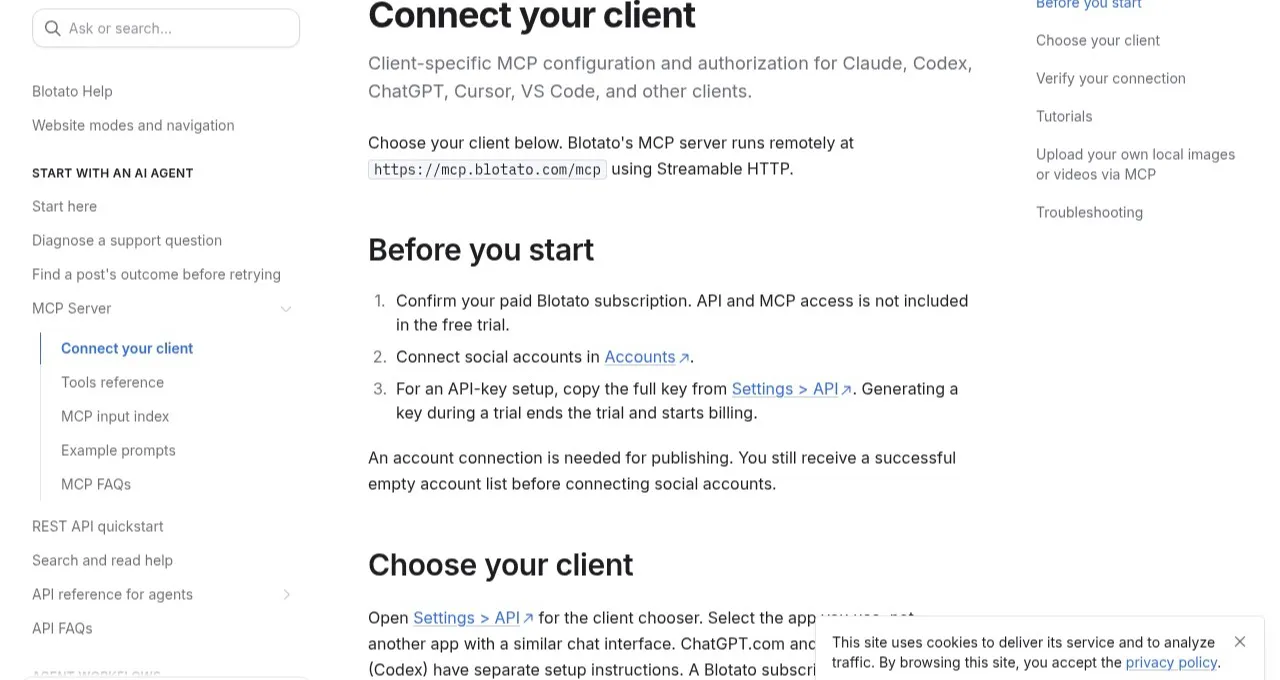
Connect your social accounts in Blotato first. An agent with no connected accounts gets a successful but empty account list, which looks like a broken connector and is not one. Then add the server, following Blotato’s setup guide:
- claude.ai, Desktop or Cowork: add a second custom connector with
https://mcp.blotato.com/mcpand approve the OAuth prompt while you are logged in to Blotato. - ChatGPT.com: open ChatGPT Plugins, choose Add, then Add custom MCP server, enter
https://mcp.blotato.com/mcpwith OAuth, create it as a plugin, then connect Blotato and approve access. - Claude Code: run the command below, open Claude Code, run
/mcp, select Blotato and authenticate in the browser.
claude mcp add --transport http blotato https://mcp.blotato.com/mcpConfirm it by asking the agent to list your connected Blotato accounts.
Handing the clip from one connector to the other
The connector exposes 35 tools, and four of them carry this workflow:
blotato_list_accountsreturns theaccountIdfor each connected account.blotato_create_postpublishes or schedules, with the clip inmediaUrls.blotato_create_presigned_upload_urlreturns an upload URL plus the public URL to post.blotato_get_post_statusreportsin-progress, thenpublished,scheduledorfailed.
The handoff depends on the link Higgsfield gives back. If it opens without a login, the agent passes it straight into mediaUrls. If it does not, the agent asks for a presigned upload with a filename like clip.mp4, uploads the file to the returned upload URL, and posts with the public URL the tool returned. When the agent cannot fetch the file at all, download it from your Higgsfield Assets and hand it the local copy.
Cowork and Claude Desktop block that upload by default. In Settings, then Capabilities, set network egress to “Package managers only”, add database.blotato.io as an allowed domain, and fully restart the app.
Publishing is asynchronous. The create call returns a postSubmissionId, not proof the post is live, and the agent polls status until it reads published, scheduled for a queued post, or failed with an error message.
Will a Higgsfield Clip Pass Each Platform?
Higgsfield’s agent page lists videos up to 15 seconds, and a clip of 4 to 15 seconds clears every video length limit Blotato lists for the nine platforms it publishes to.
| Platform | Video length Blotato lists | Watch for | Blotato’s cap per 24 hours |
|---|---|---|---|
| 3 sec to 15 min (Reel) | 4K clips of 120 sec or less are downscaled automatically | 50 per account | |
| TikTok | Up to 10 min | isAiGenerated is a required field. New accounts need 4 weeks of warm-up | 25 per account, 3 destinations on Starter |
| YouTube | Up to 12 hours (YouTube’s own limit, verified accounts) | No automatic conversion | 10 per channel on Starter, 25 on Creator and Agency |
| 3 sec to 4 hours (Reel) | Videos publish as Reels or Stories, minimum 540x960 | 25 per Page | |
| 3 sec to 30 min | MP4. Blotato converts other containers at 120 sec or less | 50 per profile or company Page | |
| X | 0.5 sec to 140 sec | No automatic conversion, 512 MB maximum | None listed |
| Threads | Up to 60 sec | Audio bitrate of 128 kbps or less | None listed |
| 4 sec to 5 min | A 3-second clip fails the minimum | 10, 20 or 50 by monthly views, older connections may differ | |
| Bluesky | No length listed | One video per post. The media URL must end in .mp4, .webm or .mov | None listed |
Three rules catch agent workflows most often: TikTok’s AI flag, Pinterest’s 4-second minimum, and Bluesky’s URL ending. Blotato’s TikTok guide lists isAiGenerated as a required boolean, and a Higgsfield clip is AI-generated by definition, so tell the agent to set it to true and check it in the TikTok call before you approve. For Bluesky, check that the public URL you post ends in a video extension.
Check the exported file against two limits: your plan’s upload limit, 400 MB on Starter and 1 GB on Creator and Agency, and the platform’s own, such as Instagram’s 300 MB. Lengths come from Blotato’s media requirements and caps from its social accounts settings page, both checked October 30, 2026.
The Honest Pitch: Higgsfield Makes It, Blotato Ships It
With both connectors on, one conversation can generate a vertical clip, wait for your yes, post it as an Instagram Reel, and queue the same file for LinkedIn later in the week. Building that publishing step yourself means a separate developer app for each platform, and in most cases an approval review.
One API. Nine social platforms.
If you run the pipeline from your own code instead of a chat, the publish step is a single request to Blotato’s REST API. The accountId comes from GET /v2/users/me/accounts, and the media URL is the Higgsfield link or a presigned upload.
curl -X POST https://backend.blotato.com/v2/posts \
  -H "blotato-api-key: YOUR_API_KEY" \
  -H "Content-Type: application/json" \
  -d '{
    "post": {
      "accountId": "YOUR_INSTAGRAM_ACCOUNT_ID",
      "content": {
        "text": "Made in Claude with Higgsfield. Posted with Blotato.",
        "mediaUrls": ["https://example.com/higgsfield-clip.mp4"],
        "platform": "instagram"
      },
      "target": { "targetType": "instagram", "mediaType": "reel" }
    }
  }'
In a chat you never write that request. Claude Code, Claude Desktop or Cowork call https://mcp.blotato.com/mcp and reuse the accounts you already connected. A Claude Code session can render five Higgsfield variants and drop them into your existing schedule slots with useNextFreeSlot. A Cowork project can check each clip with you and publish only the ones you approve.
The limits are mine to own. Blotato posts organic content, not paid ads, and comments and DMs on what you publish are Instagram and Facebook only. Start on a Blotato plan if you want your videos to go out from the chat that made them.
Sabrina’s Take
I’m biased, obviously, since I built the publishing half of this. My advice is to put two lines in every prompt before you connect anything: one that asks for the credit cost, and one that holds every post for your approval. With those in place, the conversation that makes the video can also ship it, and the agent is told to ask before anything goes live. If you want a hard stop rather than an instruction, keep the publish call as a step you trigger yourself.
Higgsfield MCP FAQs
Is Higgsfield MCP free?
No. Higgsfield requires an active paid subscription to connect an agent, and every generation through the connector deducts credits at standard rates. What each plan buys per video is in my Higgsfield pricing breakdown.
Does Higgsfield Unlimited work through MCP?
No. Unlimited models and free generations apply only on higgsfield.ai, and the help center says MCP always deducts credits. A 24-hour Unlimited MCP trial for new users could be claimed until July 31, 2026, which is why some posts still announce it.
How do I connect Higgsfield MCP to Claude Code?
Higgsfield’s documented path for Claude Code is its CLI. Ask the agent to run npm i -g @higgsfield/cli, then higgsfield auth login, and finish the sign-in in the browser window it opens. Then have it run npx skills add higgsfield-ai/skills.
Can Higgsfield MCP post to Instagram?
Not from the chat. Higgsfield says TikTok is the one network its connector publishes to, and its Supercomputer workspace on higgsfield.ai lists Instagram only in select regions. To post Reels from the same conversation, add a publishing connector such as Blotato’s and pass it the clip’s link.
Where do Higgsfield MCP generations get saved?
In your Assets on higgsfield.ai, tagged with the MCP source so you can filter them. Results usually appear within 60 seconds of the job finishing, and you can download them from there.
Does Higgsfield MCP work with ChatGPT?
Yes, through the official Higgsfield plugin in the Plugins Directory rather than a pasted URL. Image and video generation, Soul characters and Assets all work there, but audio generation and the Website Building skill do not.