Instagram MCP server for social media publishing
Claude cannot reach Instagram by itself. Connect Blotato's MCP server once and it can publish feed posts, carousels, Reels, Stories to Instagram from a plain prompt. One hosted endpoint, no developer app, no copy-paste.
This one publishes. Search "Instagram MCP server" and you get two different kinds of tool: scrapers that read public Instagram data, and publishers that put a post live on your own account. Blotato is the second kind, on Instagram's official API, not browser automation.
https://mcp.blotato.com/mcp Updated August 2026
How do I post to Instagram with an AI agent?
- Connect your Instagram account. Sign in to Blotato and connect Instagram through the normal login flow. Blotato holds the tokens and refreshes them, so this is the last time you think about auth.
- Add the MCP server to Claude. In Claude, open Customize, then Connectors, then add a
custom connector pointing at
https://mcp.blotato.com/mcp. Claude Code and Cowork take the same URL. - Ask Claude to post. Write it the way you would say it out loud: "Post this image to Instagram with a caption about our launch, and schedule a Reel from the same clip for Thursday at 9am." Claude calls the publish tool and Blotato puts the post live.
What can your agent do on Instagram through Blotato?
Publish to Instagram
Post feed posts, carousels, Reels, Stories directly, with the fields each format requires.
Schedule for later
Queue a Instagram post for a future time and let Blotato publish it on the clock.
Upload or generate media
Hand Claude a local file or a URL, or have it generate the image or video first.
List connected accounts
See which Instagram accounts are connected and pick the right one to post from.
Check post status
Confirm a post actually went live, and read back the error if a platform rejected it.
Read post analytics
Pull performance metrics back off your Instagram posts so an agent can learn from what worked.
Read and post comments
List comments on your Instagram posts and reply to them.
Read and send DMs
List Instagram conversations and send replies.
On Instagram, Blotato covers publishing and scheduling, analytics, comments and messaging.
For a per-task answer across all nine platforms, use the agent capability explorer.
Tools your agent can call on Instagram
These are the exact MCP tool names exposed on this platform, so you can reference them directly in a prompt or check them against your client's tool list.
blotato_get_userblotato_list_accountsblotato_create_postblotato_get_post_statusblotato_list_postsblotato_create_presigned_upload_urlblotato_get_scheduleblotato_list_schedulesblotato_update_scheduleblotato_delete_scheduleblotato_list_visual_templatesblotato_create_visualblotato_get_visual_statusblotato_create_sourceblotato_get_source_statusblotato_get_creditsblotato_get_post_analyticsblotato_list_top_postsblotato_list_commentsblotato_get_commentblotato_post_commentblotato_list_conversationsblotato_get_conversationblotato_list_messagesblotato_get_messageblotato_send_messageblotato_list_automationsblotato_create_automationblotato_update_automationblotato_update_automation_triggerblotato_delete_automationblotato_list_automation_runsblotato_list_automation_logsblotato_get_automation_analytics
Which AI agents can post to Instagram?
Eight, and they all reach Instagram through the same endpoint. Claude authenticates over OAuth. The rest
take your API key as a blotato-api-key header. Nothing here runs a local server.
| Agent | Connects with |
|---|---|
| Claude Code | OAuth |
| Claude Desktop and Cowork | OAuth |
| Claude.ai on the web | OAuth |
| Cursor | API key header |
| OpenAI Codex | API key header |
| Antigravity and Replit Agent | API key header |
The full setup for each client, including the copy-pasteable config, is on the social media MCP server page. ChatGPT connects as well, as a custom MCP plugin over OAuth.
What does it look like in practice?
Screenshots from the full Instagram walkthrough, showing the connection and a real published post.
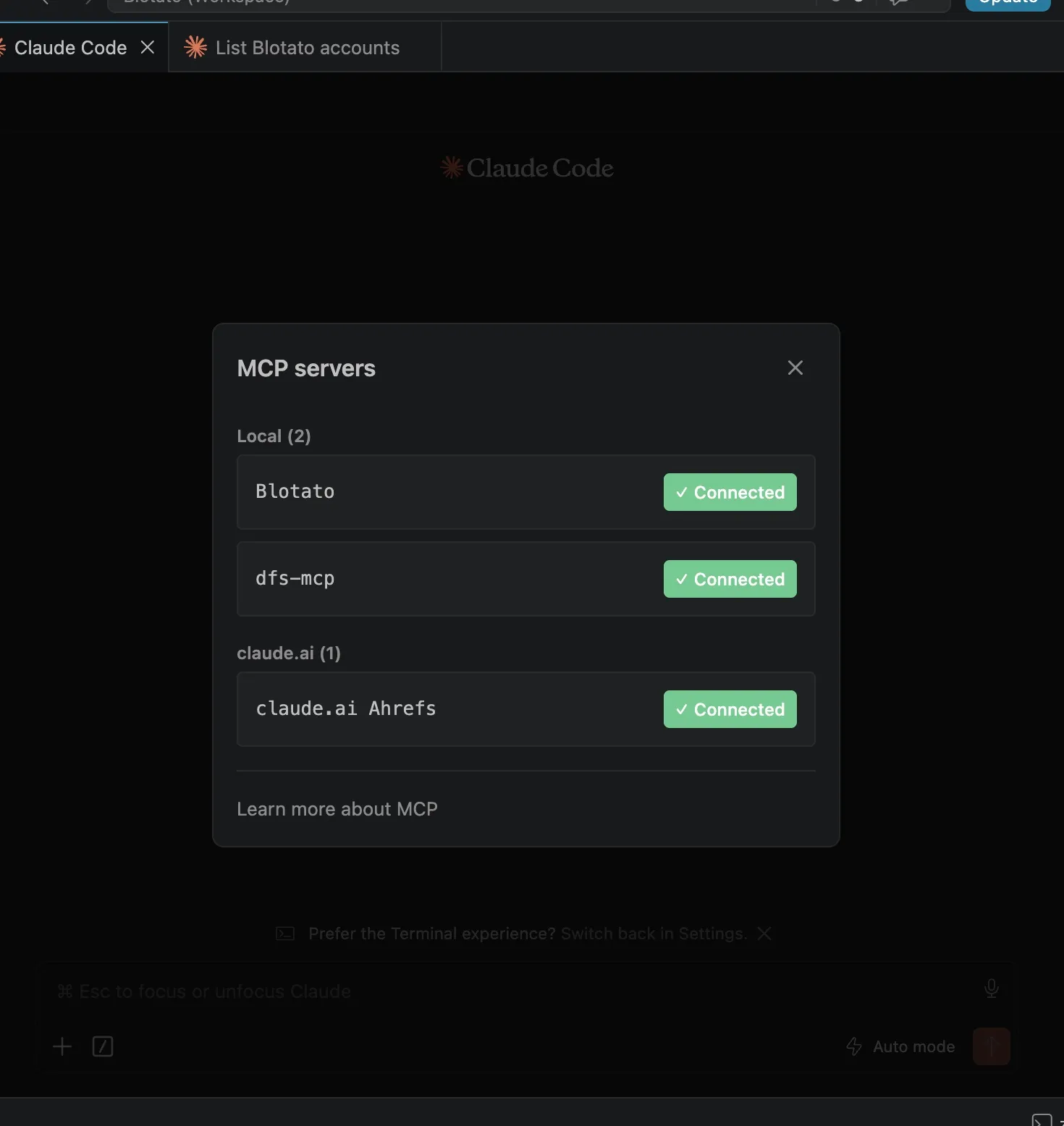
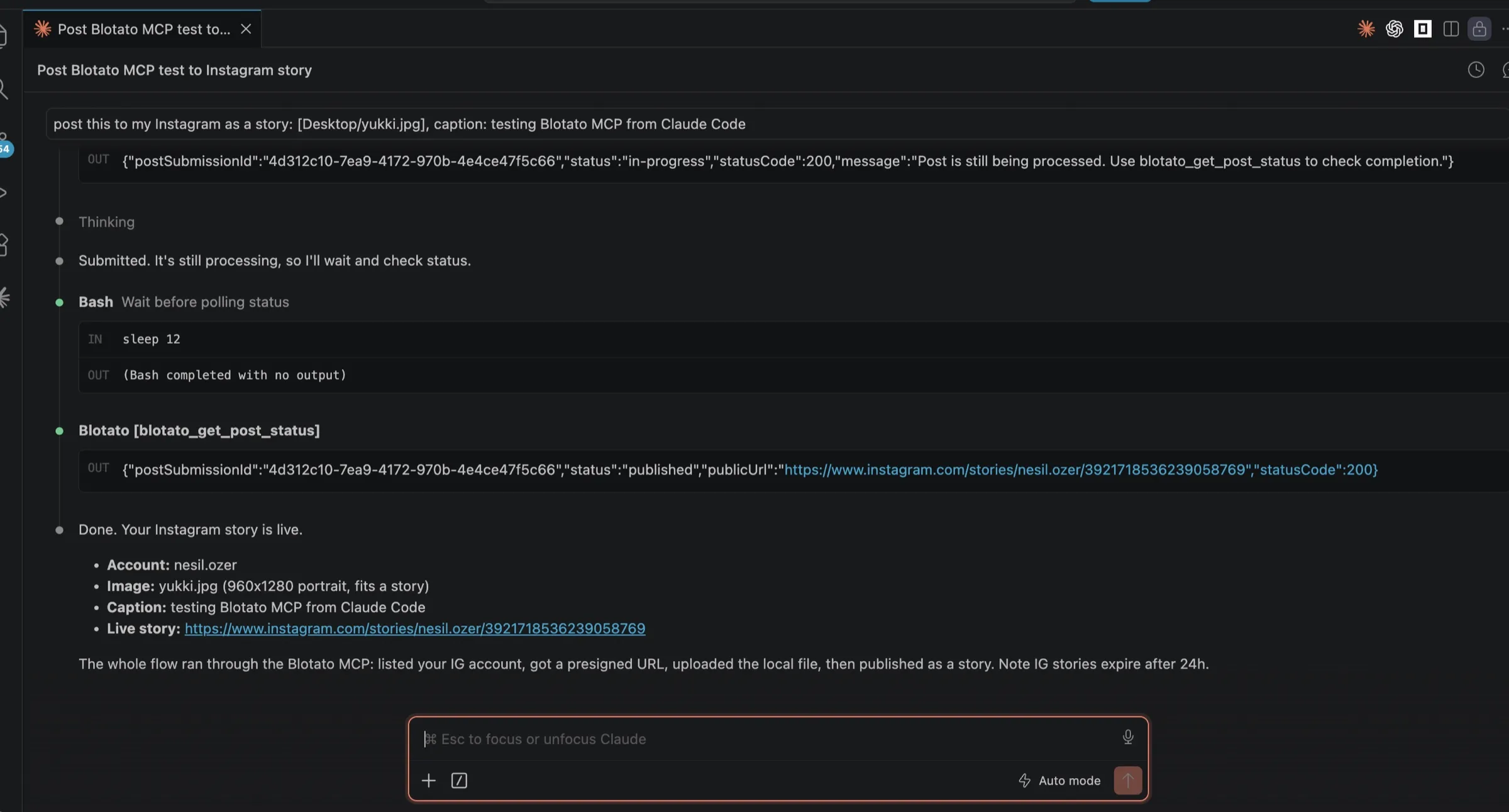
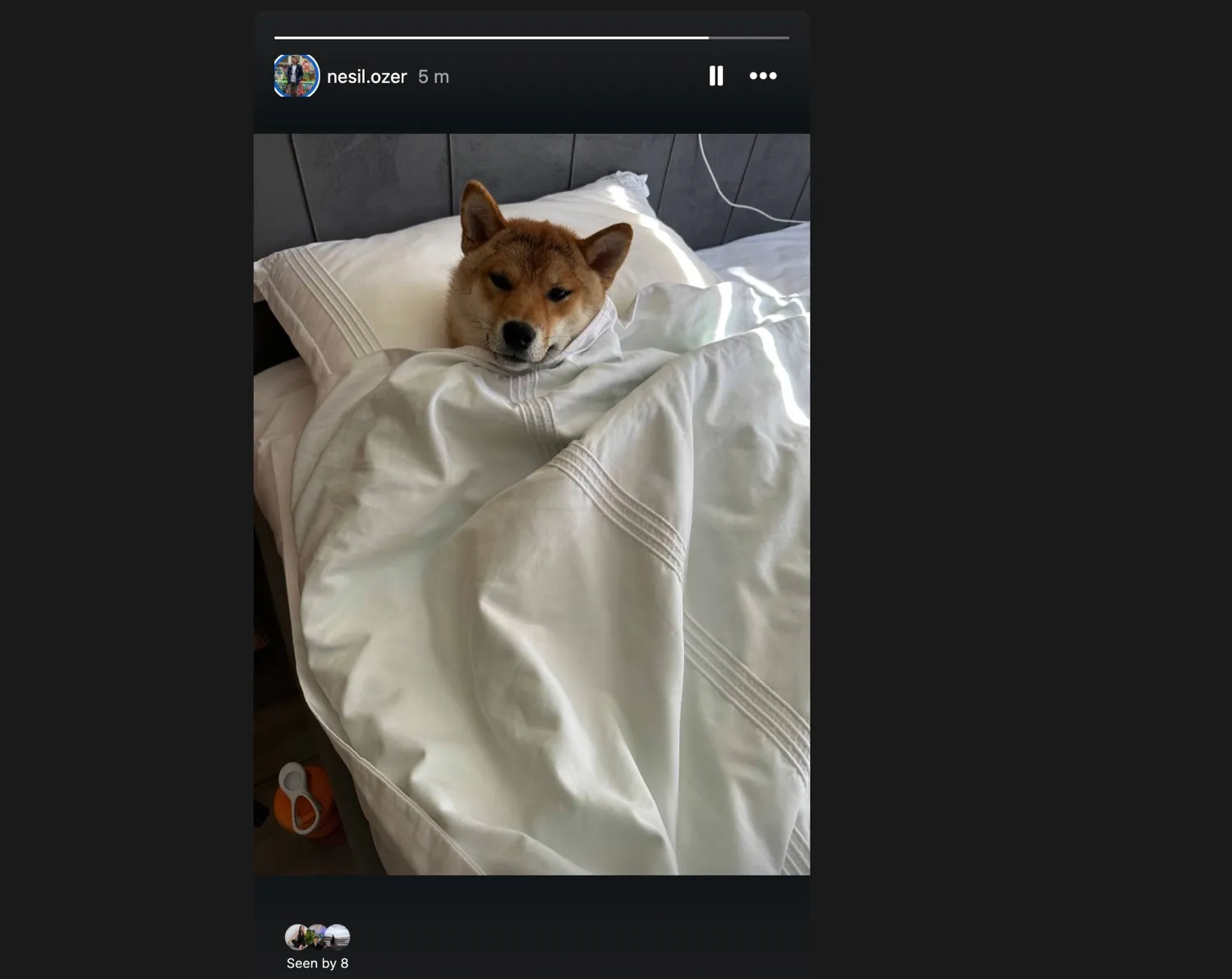
What does the full workflow look like?
Sabrina Ramonov runs her own posting through this server. In this walkthrough she drives the whole thing from Claude Code: cross-posting, carousels and slideshows, and the content calendar.
Why not just build it against the Instagram API?
Publishing to Instagram by hand means registering a Meta app, getting it reviewed, linking a Facebook Page, and handling a container-then-publish flow that rejects media for reasons the error message rarely explains.
You can absolutely build it yourself, and if Instagram is the only network you will ever post to, that is a reasonable call. The trade shows up at the second platform: every network has its own auth model, its own upload flow, and its own review process, and they change on their own schedules. Blotato is one endpoint across nine of them, at a flat price that does not move when you post more.
If you would rather own that layer yourself, we wrote up the honest tradeoff between open-source and managed posting APIs, and our roundup of social media MCP servers covers the alternatives, including the ones that only draft rather than publish.
Calling REST from your own code instead of MCP? The Instagram posting API page has the request body, Instagram's target fields, and the daily cap.
Who is already publishing to Instagram this way?
These are Blotato customers describing their own agent and API setups, in their own words.
Until recently, my mornings started with a browser full of tabs: three separate n8n workflows, each one painstakingly copying the same post into X, Facebook, Instagram and LinkedIn for each of my three personal brands. By the time I'd finished, I'd lost half my day and still worried I'd missed a channel. Then I tried Blotato. The magic moment was how it handles account connections: you just log in, pick the account ID, upload it in n8n/Make/Etc. and you're done. No hunting for tokens, no manual setups, Blotato remembers it all.
 Remy
RemyContent Creator Community, Amsterdam
When I started using Blotato, everything changed. It didn't just help me post but it actually helped me think. The built in prompt library gave me direction, and the remix tools let me turn one good idea into multiple pieces of content without starting from scratch every time. What surprised me most was how much mental energy it saved. I no longer dread planning posts for the week. Instead, I sit down, open Blotato, and it just flows.
 Samantha Blake
Content Creator, California
Instagram MCP server FAQs
01 Can Claude post to Instagram?
02 What is an Instagram MCP server?
03 Do I need Instagram API access or a developer app?
04 What kind of Instagram account do I need?
05 Can Claude schedule Instagram posts for later?
06 What else can Blotato's MCP server do on Instagram?
07 Does this Instagram MCP server publish, or only read Instagram data?
08 Which AI agents can post to Instagram?
09 Which Instagram MCP server should I use?
10 How much does it cost?
Does the same connection cover other platforms?
Instagram is one target on the same endpoint. Once Claude is connected, it can publish to the rest without any further setup.
 Blotato
 Your AI Agent still can't post to social media.
Point Claude, ChatGPT, n8n, or your own agent at Blotato's MCP and that's fixed: 9 platforms behind one key, flat $29/mo.
Connect your agentFlat pricing. Cancel anytime.