How Julian Goldie's Agent OS Feeds Social Media Stats to Claude
Julian Goldie's Claude setup writes, edits and posts his short videos, then pulls the social media analytics back so he can pick the next topic.
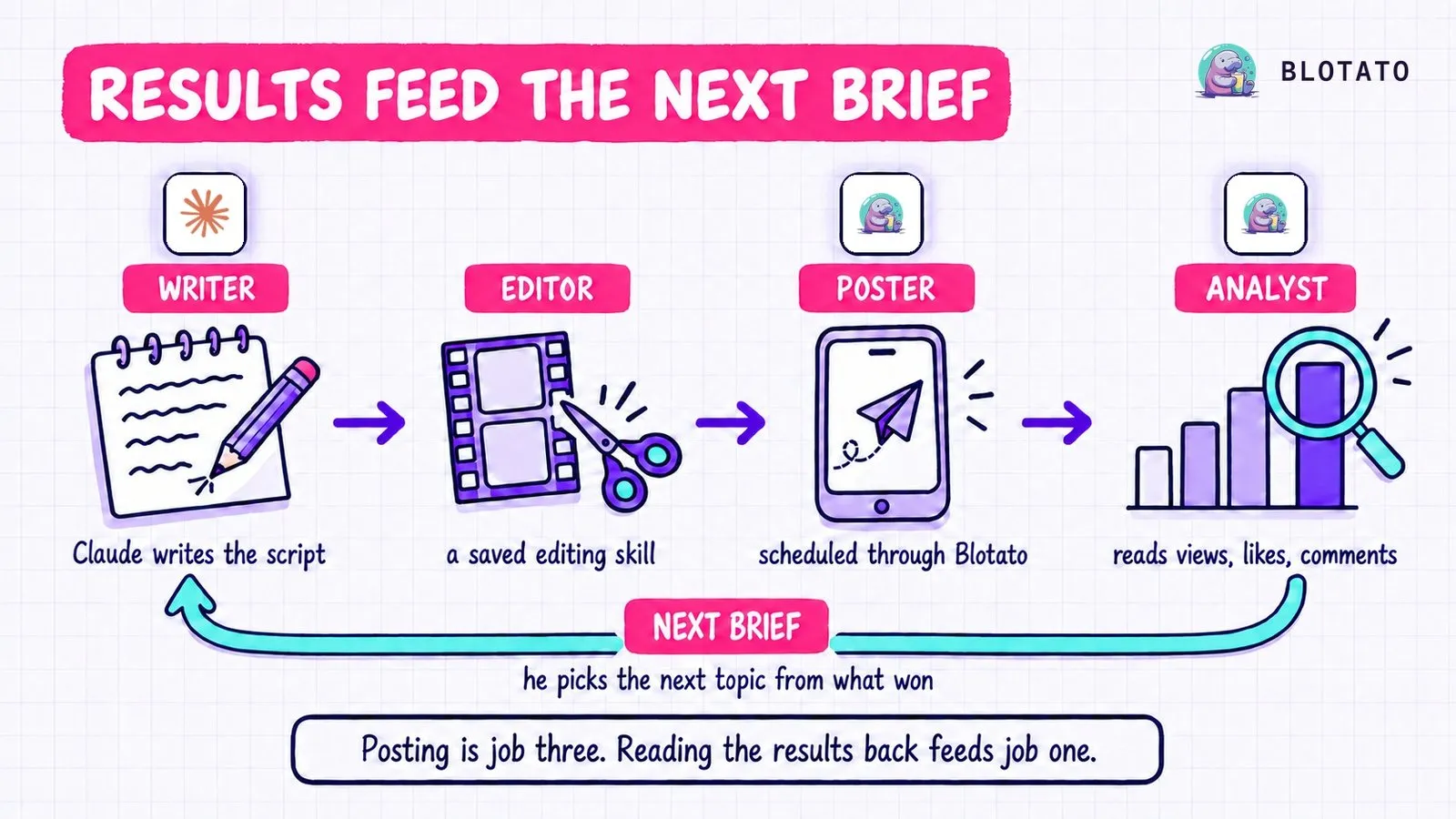
Julian Goldie’s Agent OS splits short-form video into four jobs: a writer, an editor, a poster and an analyst. Claude writes and edits, Blotato posts, and then Blotato brings each post’s numbers back into the same dashboard. In an X article on October 15 he calls the analytics “the real unlock” and sums up what it buys him: “you stop guessing about what to create next.”
It is a setup for builders who run social media from Claude Code or Claude Desktop. Blotato, the tool in jobs three and four, is the company I founded. Julian promotes it with his own affiliate link on his Goldie SEO channel.
Inside Julian Goldie’s Agent OS
The video above is Julian’s own tour of the video studio. The written version adds Blotato’s side of the analytics step and the limits worth planning around.
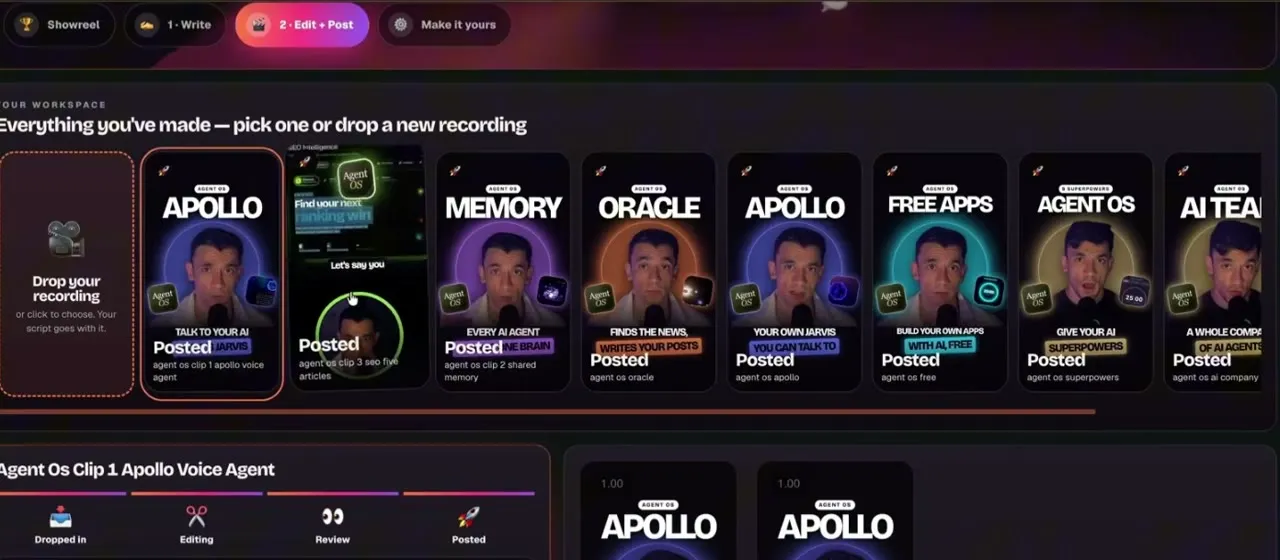
Agent OS is the dashboard Julian runs his AI agents from. Claude, Hermes and OpenClaw sit side by side as tabs and share one memory, an Obsidian vault, and a video studio inside it handles his short-form content.
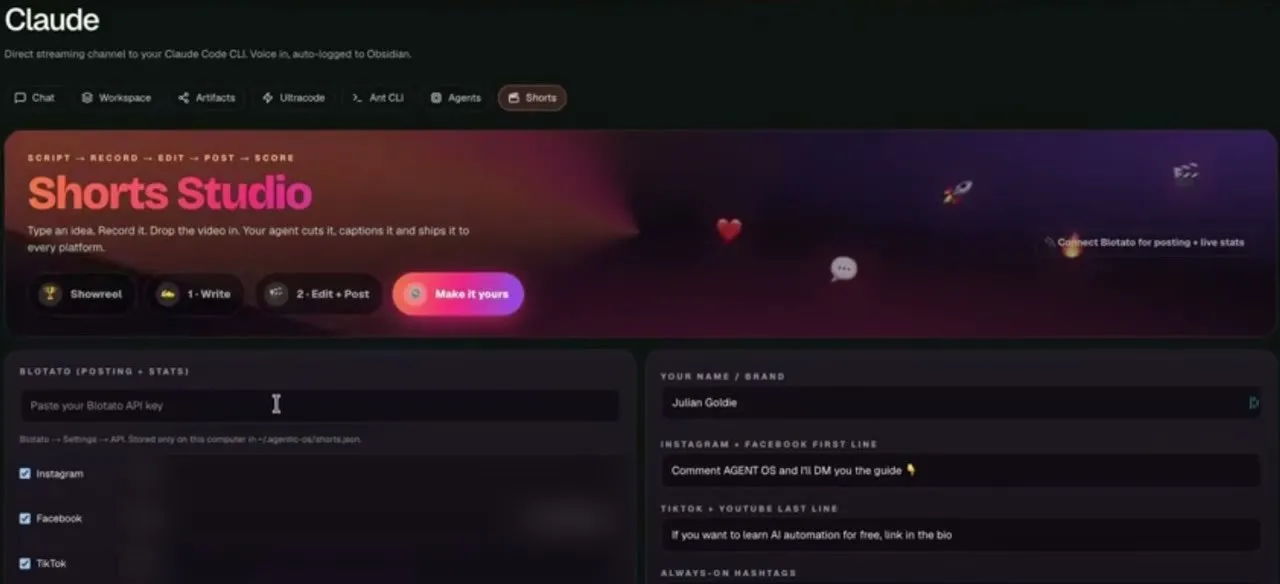
Three labels on that screen tie Blotato to the scoring step. The Blotato box is headed “posting + stats,” the button at the right of the banner reads “Connect Blotato for posting + live stats,” and the pipeline across the top ends at “score.”
Analytics come with every paid Blotato plan, but the API and MCP sit outside the free trial, so if you want to wire them into Claude, plan on starting with the Starter plan.
Who Is Julian Goldie
Julian runs Goldie Agency, an SEO agency, and publishes AI tool tutorials. His main channel, Julian Goldie SEO on YouTube, had 432,000 subscribers on October 20, 2026. He also posts on X, shares the business side on LinkedIn, and writes at juliangoldie.com.
Most of his recent Agent OS videos on his main channel, including the one above, are narrated by his AI avatar, while his October 4 video, quoted below, is Julian on camera.
The Workflow: Writer, Editor, Poster, Analyst
One of his avatar-narrated walkthroughs lays the system out as “four jobs, one place.” The October 4 video shows the same jobs from a different angle: the Agent OS video tools for the first two, and a saved Claude conversation for posting.
Step 1: The writer starts from one line
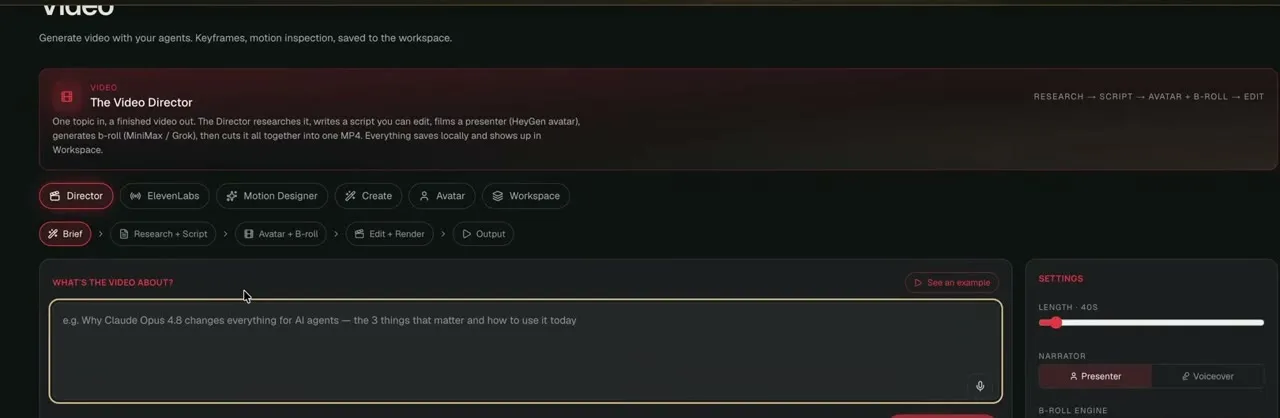
Scripts start in the Video Director, from a single topic. For the instructions behind them, Julian says that most of the time you are steering Claude away from things: “You’re telling it what not to do, what to avoid.”
The footage can be his own recording, a HeyGen avatar, or UGC-style clips from Higgsfield. In each case he swaps in a different video and the posting side does not change.
Step 2: The editor keeps his corrections
Editing runs through a saved skill. Julian’s advice for editing inside Claude is to save what you want as a skill, then whenever you have feedback, tell it, “Hey, update your skill based on what I’ve just told you.”
Step 3: The poster runs through MCP
For posting, Julian goes back to a saved Claude conversation. His instruction in the October 4 video is short: “okay, the next one’s ready. They’re in the same folder that you’re working from. Just get them edited and scheduled.” Claude does the rest, using the Blotato MCP, in his words, “to actually get these posted to our channels.”
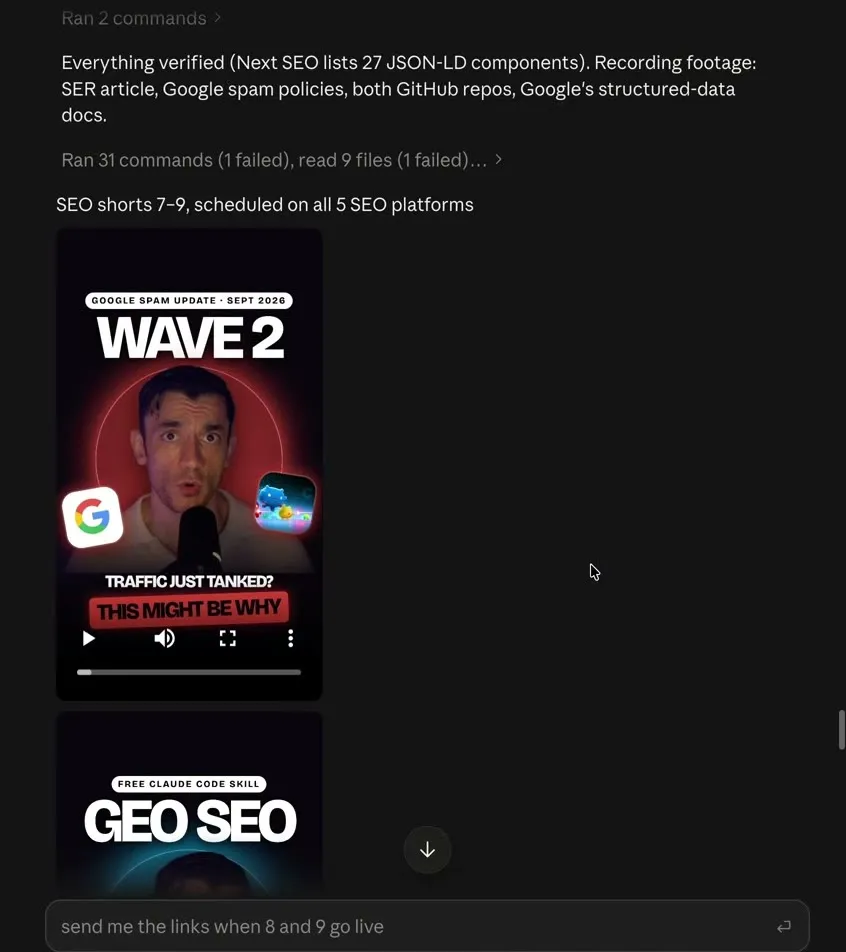
That typed follow-up fits how Blotato publishing works. A scheduled post reports as scheduled until its time comes, and the live link is what confirms it went out.
Step 4: The analyst reads the numbers back
Julian’s own description of this job, from his X article: “With the Blotato MCP, Blotato doesn’t just post for you, it also analyses how your content performs.” His dashboard shows the numbers per post and per platform, and in the same X article he writes that “Claude built that entire analytics section for us automatically.” The decision stays with him: “You look at what worked, you make more of it, and the system posts it for you.”
You can run this job without building a dashboard. Two Blotato MCP tools cover it. blotato_list_top_posts ranks your published posts by views, likes, comments or reach over a window that defaults to 30 days. blotato_get_post_analytics returns one post’s latest metrics plus its snapshot history. A prompt like this one, run once a week with the Blotato MCP connected, gives you the raw material for the next brief:
Use Blotato to list my top 5 posts from the last 30 days by views,
then my top 5 by comments. For each one, note the topic, the first
line, and the platform. Tell me what the winners have in common and
which recent posts fell flat, then suggest 3 topics for next week.
Do not post or schedule anything.
The last line matters, because the same connection can also publish.
What This Setup Makes Possible, and Its Limits
The payoff is speed between batches. On October 4, one message in a saved Claude chat edited and scheduled a set of finished shorts, and Julian’s summary was “I can do all of that from one single prompt.” The numbers then come back to the screen where the next script starts. How fast they arrive depends on what Blotato has collected, so three limits on our side set the pace.
- Snapshots follow your plan. Blotato collects each post’s metrics at set checkpoints. On Starter that is day 1, then days 7, 14 and 30. Creator starts at 2 hours and checks daily through day 8. A post you published yesterday has at most its day-one snapshot on Starter.
- LinkedIn returns no analytics yet. Analytics cover 8 of the 9 publishing platforms.
- The MCP’s platform filter is narrower than the data. Through MCP,
blotato_list_top_postsfilters to X, Instagram, Facebook, Threads or Bluesky. Leave the filter off to include every platform, or use the REST endpoint, which also filters TikTok, YouTube and Pinterest.
On Starter, a brief built on last week’s winners rests on more snapshots than one built on yesterday’s.
Why This Works for Builders Running Social From Claude
Julian builds all of this without n8n. Asked by a community member whether he needs n8n for this, he wrote, “My honest answer is that I don’t really use n8n at all.” The content side runs on Claude conversations plus a dashboard Claude built, so for anyone already in Claude Code or Claude Desktop, the read-back is one prompt rather than another workflow to maintain.
The reading side arrived when analytics landed in Blotato’s API and MCP, so the agent that schedules a video can also answer which videos did best. If the avatar step is the part you want in detail, Marc’s build chains HeyGen to Blotato in one Claude conversation and covers the approval prompt. For more setups like these, here are eleven creators building social media agents on camera.
Sabrina’s Final Take
Julian’s numbers land on the same screen where his next script starts, and that short distance is what I would recreate first. You do not need his dashboard for it. Run the weekly prompt above against the analytics included in each paid Blotato plan, keep the topic call for yourself as he does, and see whether next month’s briefs look different.