How Automate with Marc Posts Faceless AI Videos to Social Media
Marc generates faceless anime and AI avatar reels in Claude, then publishes them to social media without leaving the conversation. His full stack.
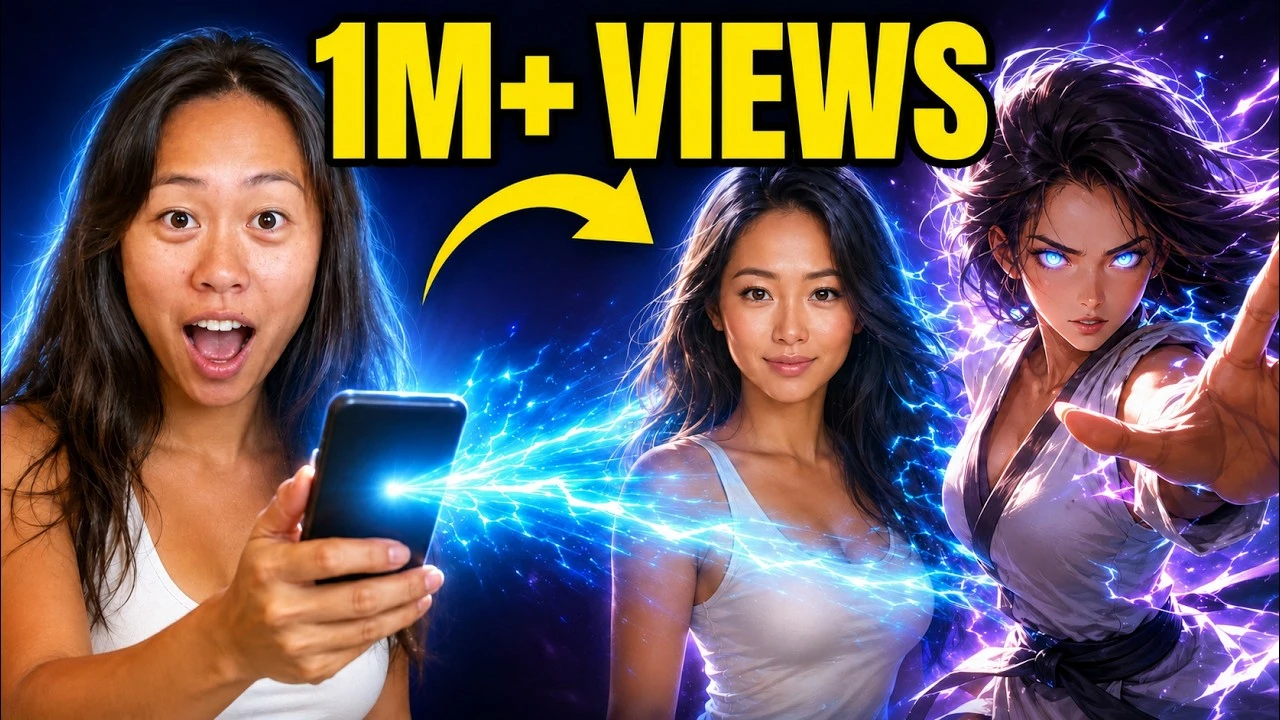
Most guides on faceless AI videos stop at generating the file, and leave you to post it yourself. Marc, who runs Automate with Marc, wired the whole thing into one Claude conversation. He chains three MCP connectors, generates a finished vertical video, and then makes the agent stop dead and ask for approval before it is allowed to touch a publishing tool.
His channel is build-along automation tutorials, and he came on my channel to walk through the whole thing on camera. He has been a Blotato customer for about a year. Blotato is an app I built and I founded the company, so take my read on it with whatever grain of salt feels right.
How to Post Faceless AI Videos to Social Media From Claude (Video Guide)
Marc builds two different faceless AI videos in the video, an anime-style reel in Claude Cowork and an AI avatar reel in Claude Code, so you can see the same social media publishing pattern run in both. If you are still deciding which surface to run your own content engine on, we compared Claude, Claude Code and Cowork for social media separately. The written version below adds the exact staging language he uses to hold the agent back, plus the two places the workflow still needs a human.
Who Is Automate with Marc
Automate with Marc is the channel and site run by Marc (Marconi Darmawan), an automation instructor based in Singapore. On automatewithmarc.com he publishes free n8n workflow templates and a Claude prompt library, and he teaches the n8n Zero to Hero course at KodeKloud. As of August 2026 his channel has about 8,600 subscribers across 192 videos. You can find him on LinkedIn and Instagram, and his n8n templates are published on his n8n creator page.
What makes him worth listening to on this particular topic is where his own work has moved. His site is still built around n8n templates. His recent videos are almost entirely Claude Code, Cowork, and agent tooling. He made that shift in public, on camera, while teaching it, which is the same migration a lot of Blotato’s n8n users are partway through right now.
The Chain: Three MCP Connectors, One Conversation
The build is not one tool with an AI feature bolted on. It is Claude holding three separate MCP connectors at once and passing work between them, from a faceless AI video to a live post.
- Higgsfield at
mcp.higgsfield.ai/mcpgenerates the anime clips, base images, and audio. - HeyGen at
mcp.heygen.com/mcp/v1/generates the realistic avatar video. - Blotato publishes the finished file to the connected social accounts.
Claude Cowork or Claude Code is the client holding all three, and it is where the approval gate lives.
Marc adds each one the same way, through the custom connector screen, pasting the remote MCP URL and approving the OAuth prompt. The Blotato side of that setup is the same one in our Claude Cowork walkthrough. One setup note from his own troubleshooting: he keeps the email on his Claude account and the email on each tool the same, and says mismatched addresses are where he has seen the connection go wrong.
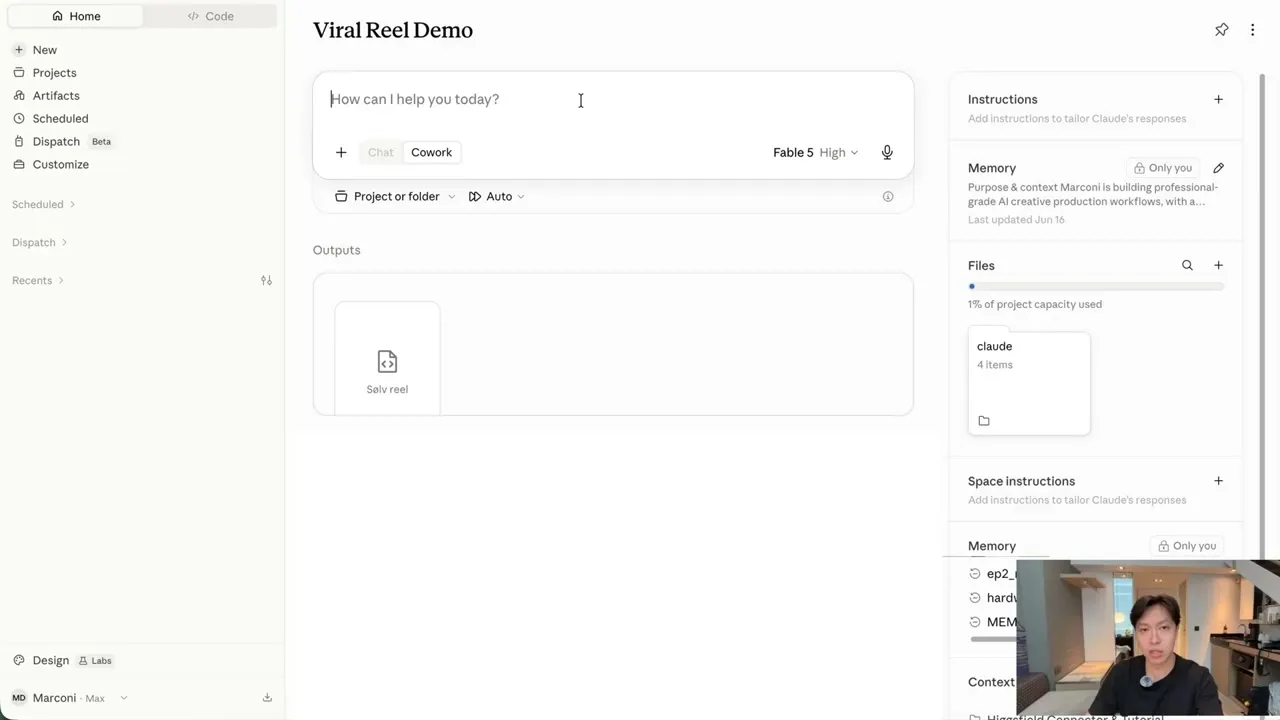
That is the piece worth stealing. Publishing is not a separate app he switches to, it is one more tool the same agent can call in the same conversation that made the video. If you want to run the identical chain, the connector and API access sit on the paid plans rather than the trial, so start on a Blotato plan rather than planning to test this on the free week. Marc says he subscribed to the $29 tier.
Where Marc Keeps a Human in the Loop
Marc stops the agent at two different points, once in each of the two builds, for two different reasons.
The first stop is on the base images. Before Higgsfield animates anything, it generates a character sheet, and Marc reviews it frame by frame. His reasoning is mechanical rather than precious: the video is generated from those base images, so a character that is wrong in the still is wrong in every frame of the motion. In the video the base image for Joel Embiid comes back as a different person, and LeBron renders out of scale, and Marc sends both back before any clip is generated.
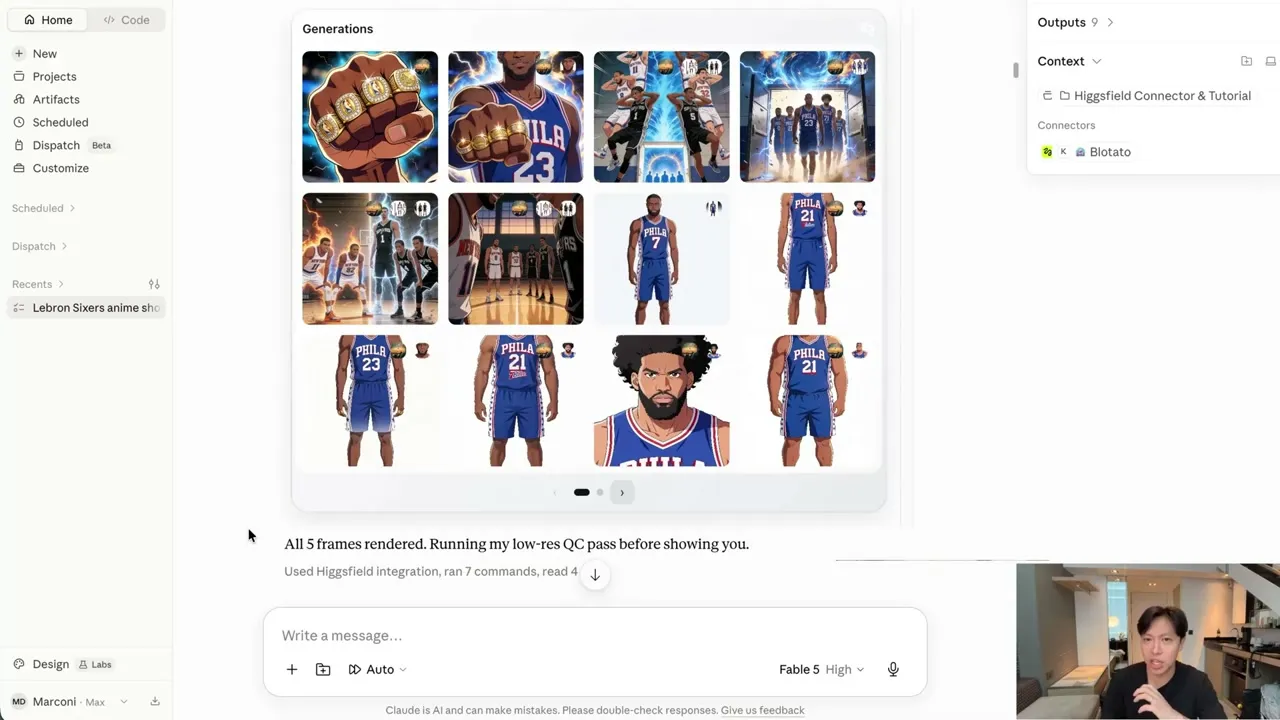
His reason is that the model is not yet good at judging whether a character resembles the real person or whether the body shape is right. It is also the cheap stage to catch it: by his accounting the images run about one credit each while the video generation is where the credits actually go.
The second stop is the publish itself, and it is written into the prompt.
The Prompt That Makes Claude Ask First
Marc’s Claude Code prompt splits the job into three numbered stages and puts an explicit hold between stage two and stage three.
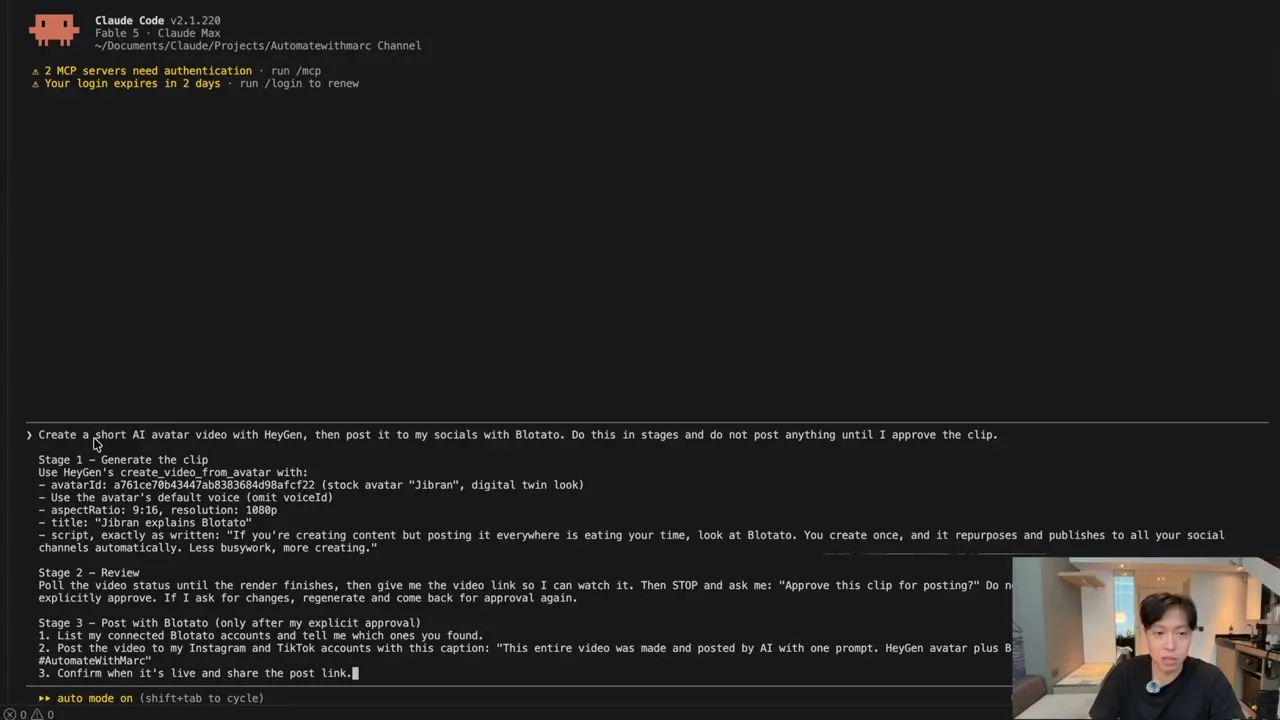
Stage one generates the HeyGen clip against a named avatar ID, aspect ratio, and script. Stage two polls the render, hands back the video link, and then stops with a literal instruction: ask “Approve this clip for posting?” and do not call any Blotato tool before explicit approval. Stage three is the publish, and it is labelled as only running after that approval.
Claude honors it, and says so in its own words: it will not touch any Blotato tool until you say yes, and it offers to regenerate and come back for approval again if you want changes instead.
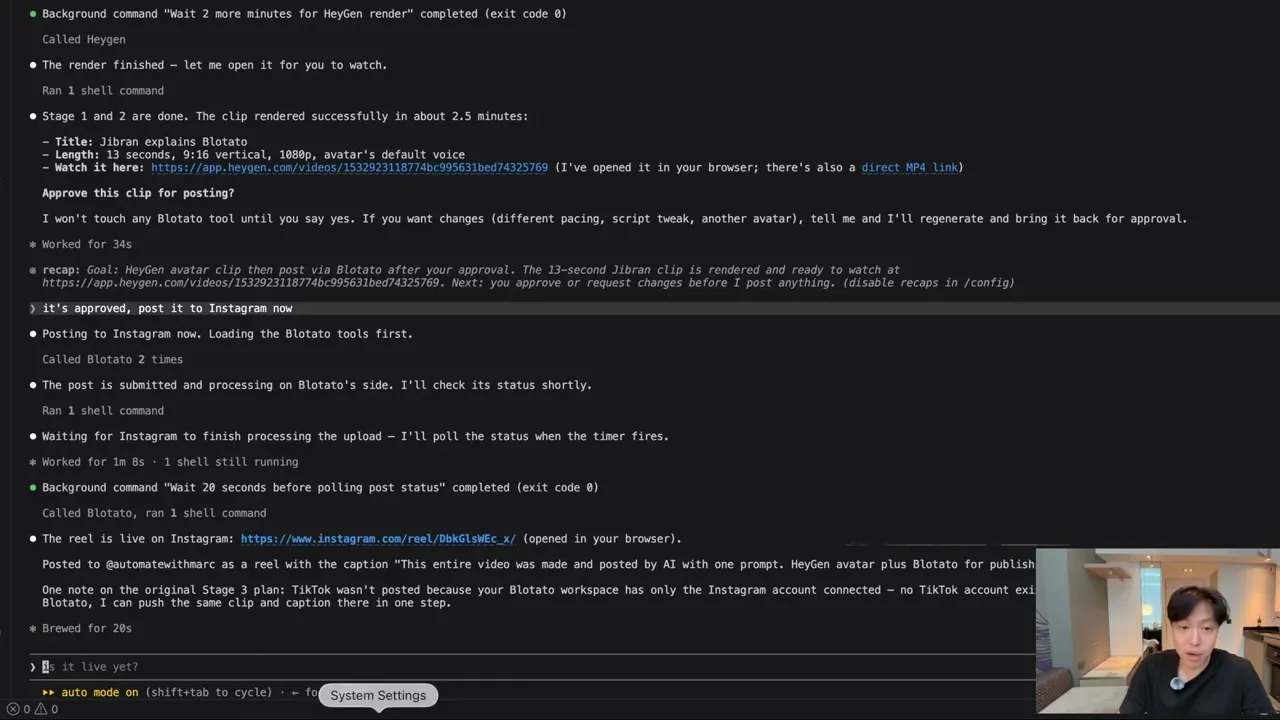
Once approved, it loads the Blotato tools, submits the post, polls until Instagram finishes processing, and returns the live reel link. The gate belongs on publishing specifically because a post is not reversible the way a draft is. A bad file in a folder is a cleanup job. A bad reel is one your audience already saw. Marc’s gate is the human version of this, and the same problem has a programmatic answer worth knowing if you ever take yourself out of the loop: the guardrails for unattended posting that catch a call which returns success and publishes nothing.
Connecting Blotato and Shipping the Reel
Marc sets the publishing side up once, before either build runs. He logs into Blotato, connects the Instagram account, and approves the permission screen.
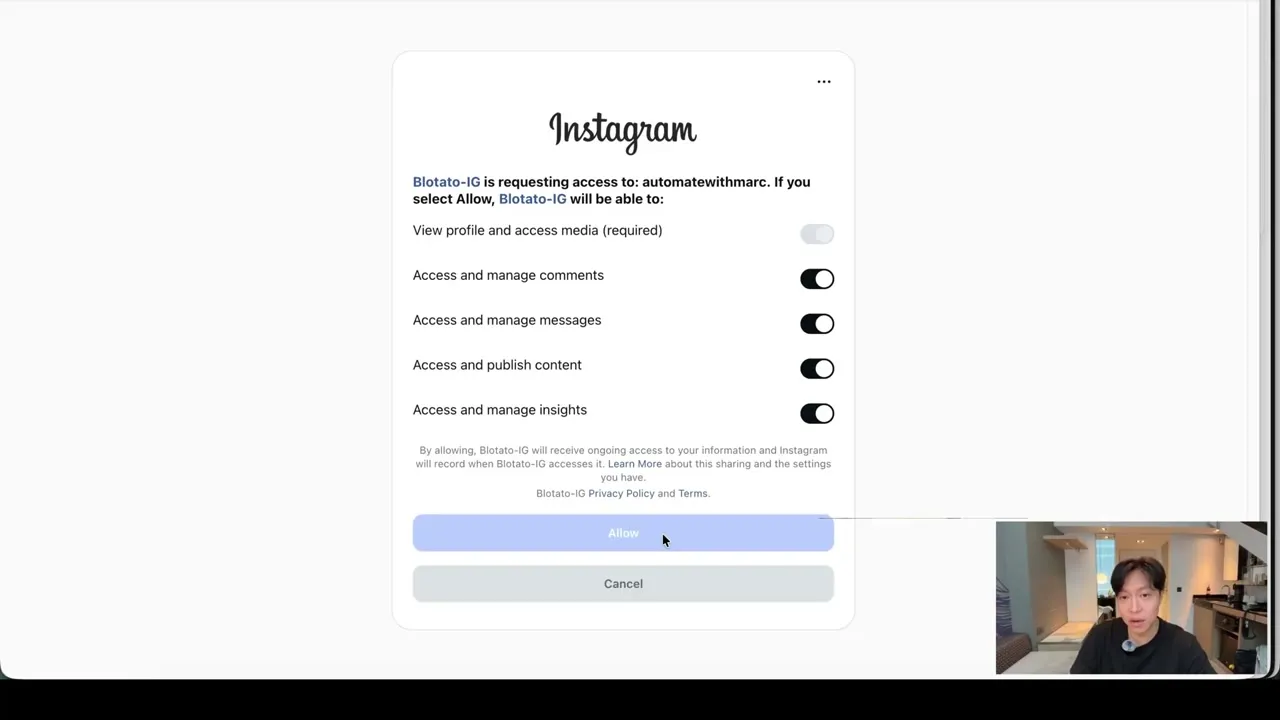
From there he goes back to Claude and asks it, in plain language, to use the Blotato connector to post the final clip to his Instagram channel. Claude asks which caption to use, writes one, posts it, and hands back the link.
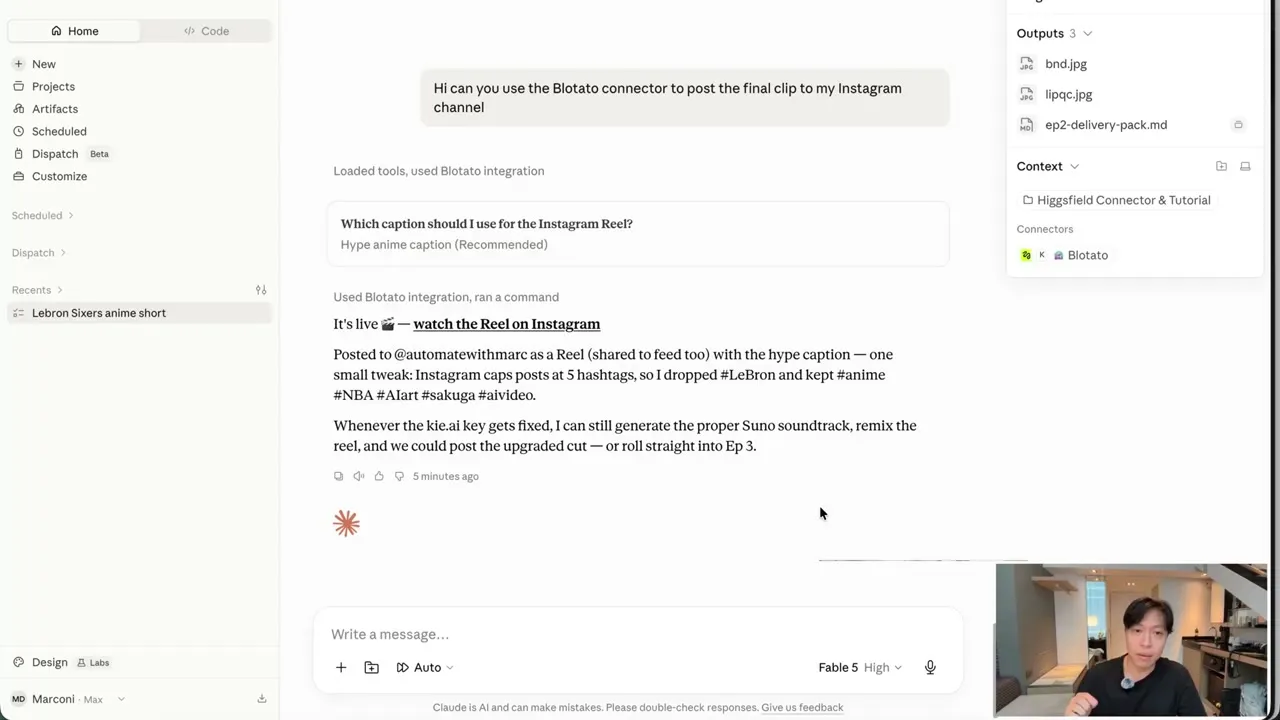
One small detail in that response is a good illustration of why the agent is doing the publishing rather than a form: it noticed Instagram caps captions at five hashtags, dropped two of them, and told him which ones it cut.
He also asks Claude to schedule the task weekly, on Wednesdays at 9am Eastern, so the same chain reruns on a cadence.
What Marc Says This Costs, and Where It Still Breaks
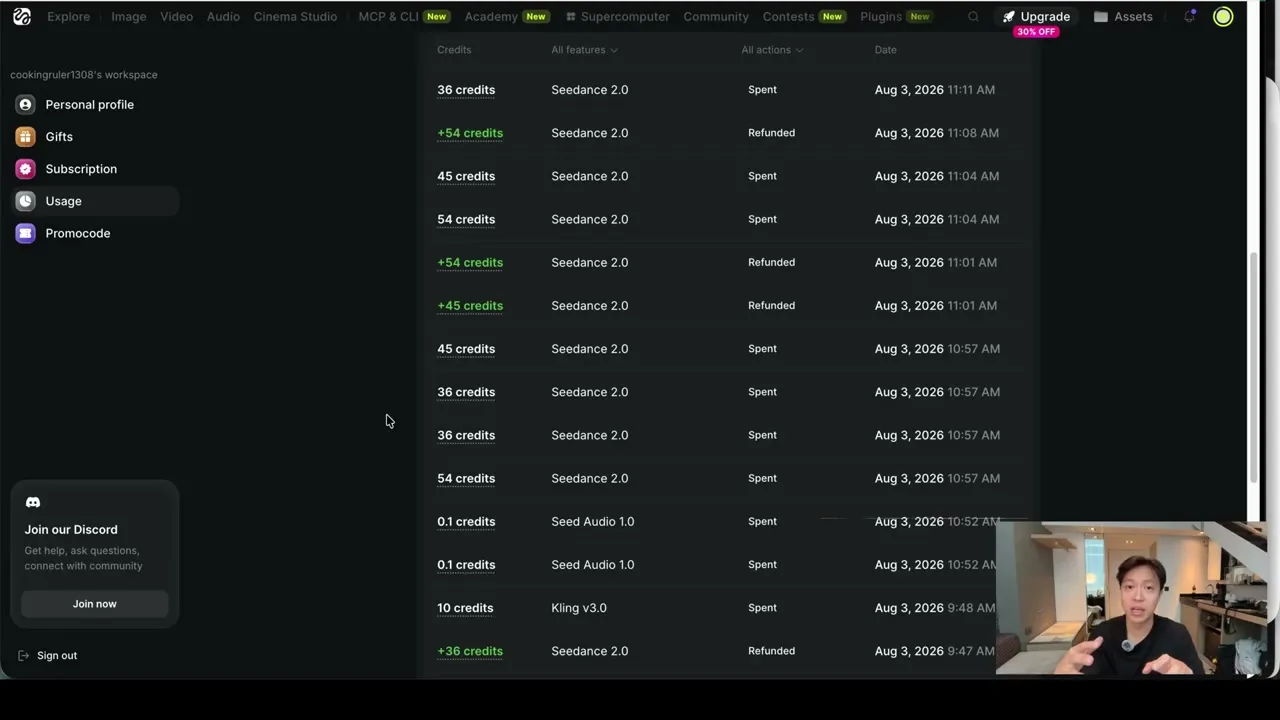
Marc puts real numbers on screen rather than describing this as free. He estimates the main anime reel ran about 250 to 300 Higgsfield credits, which he puts at roughly $7 to $10, and says that should come down toward $5 as he refines the prompts and skills behind the build. Higgsfield and HeyGen are separate paid subscriptions on top of that.
Three honest limits, all of them visible in the video:
The captions are not good enough on a one-shot prompt. Marc says so twice about his own posts. Without context about the brand, product, or tone, you get a generic caption that roughly gets the point. He recommends feeding that context in rather than accepting the first draft.
Blotato can only publish to the accounts you have actually connected. In the Claude Code run the prompt asked for Instagram and TikTok, and Claude reported back that TikTok was skipped because only the Instagram account existed in his workspace. That is a real constraint worth knowing before you write a multi-platform prompt. Blotato also applies its own posting caps on some platforms, Instagram at 50 posts per 24 hours for example, so a platform’s own published ceiling is not what passes through.
Creative direction is still a human job. Marc bounces the concept off Claude before he ever hits record, and he is explicit that the idea, the humor, and the storytelling still need to come from a person. He also flags that the avatar script sounded AI generated, because it was.
Why This Setup Fits an Agent Builder
If you are already running Claude Code or Cowork, Marc’s faceless video setup is mostly a question of what your agent is allowed to reach. The generation tools are swappable. What carries over is the shape: one agent, several MCP connectors, and a written rule about which tool it may not call without you.
The reason publishing is the connector that needs the gate is that it is the only one in the chain with an outside audience. Higgsfield rendering a bad clip costs credits. Blotato posting a bad clip costs you a post on your account. Marc’s prompt treats those two failures differently, and that is the whole design.
Sabrina’s Final Take
What I like about Marc’s system is that the safeguard is written in plain language in the prompt rather than built in code, so you can copy it without building anything. I would steal the staged prompt first and worry about which video tool you prefer second, because the staging is what makes an agent safe to point at a real audience. He has been running this on the $29 Starter Blotato plan for about a year and his read is that it pays for itself in under a month, which is his claim rather than mine, with the honest caveat that Higgsfield and HeyGen are their own bills on top. If you started in n8n and are drifting toward Claude, his channel is a good place to watch someone make that move in public.