6 Best PostNitro Alternatives That Publish Carousels (2026)
The best PostNitro alternatives in 2026, compared on export caps and which tier actually connects a social account. Tested by Sabrina Ramonov.
Most lists of PostNitro alternatives compare the wrong category. PostNitro is a carousel generator that added scheduling, not a publishing tool that draws carousels, and its own pricing table proves it: the Free plan and the $15 Starter plan connect zero social accounts. Publishing only unlocks on the $25 Creator tier. So the real question is not which tool has better templates. It is whether you need a design tool, a publishing tool, or the seam between them, and this list is split exactly that way. My top pick is Blotato, which sits on the publishing side of that seam. I’m the founder, so take this with whatever grain of salt feels right.
Quick Comparison: 6 Best PostNitro Alternatives
| Tool | Best For | Starting Price | Key Strength |
|---|---|---|---|
| Blotato | Creators who want carousels created and published in one place | $29/mo | Pass 2 to 10 image URLs and it auto-builds a LinkedIn Document carousel, across 20 accounts on 9 platforms |
| Contentdrips | Solo carousel designers who mainly post to LinkedIn | $15/mo billed annually | Full carousel editor plus Instagram, LinkedIn, and TikTok publishing on the entry plan |
| aiCarousels | Anyone who wants a free carousel and will post it by hand | Free | Fastest no-signup-friction way to generate a clean carousel PDF |
| Canva | Designers who want full creative control over every slide | Free ($15/mo Pro) | The deepest design editor on this list, with templates for every format |
| Predis.ai | Brands that want AI to generate the whole post, not just slides | $24/mo billed annually | Generates carousels, single posts, and videos from one prompt |
| Taplio | LinkedIn-only creators who live on one platform | $39/mo | Carousels, scheduling, analytics, and engagement in one LinkedIn suite |
The order is deliberate. Tools that close the gap between making a carousel and getting it published rank first. Pure design tools rank on how much design you get for the money. Nothing here is ranked by template count, because templates are the one thing every tool on this list already has.
Why People Are Looking for PostNitro Alternatives
PostNitro meters creation, and that billing model is the first thing people run into. The Free plan allows 5 watermarked downloads a month. The $15 Starter plan lifts the watermark and allows 30 downloads a month with 5 AI images. Downloads and AI images are the units you pay for, which is a creation-tool model, and it behaves nothing like per-account social media publishing pricing once you post daily.
The second wall is the one this post is built around. On PostNitro’s own plans page, the social accounts row reads 0, 0, 10, 30 across its four tiers. Until you pay $25 a month for Creator, PostNitro cannot schedule or publish anything. You are exporting files and uploading them by hand, which is the same workflow the free tools below give you. At $15, PostNitro competes with Canva on design. Only at $25 does it become a scheduler, and a carousel-only one at that.
PostNitro is not a bad product for what it is. Its export quality and brand kits get real praise, and its Product Hunt reviews are strongly positive. But if you searched for alternatives, you have probably hit the download cap, the watermark, or the account wall, and the right replacement depends on which one.
Best PostNitro Alternatives for 2026
I sorted these by the question that actually splits the category: does the tool publish what it makes? Two do, two design better than PostNitro without publishing at all, and two sit in between.
1. Blotato: Best for creators who want carousels published, not exported

Blotato’s dashboard, where AI-generated images become published posts across 9 platforms.
I built Blotato to own the publishing half of this seam. You generate images with AI inside Blotato, or bring your own slides from any design tool on this list, and publish them as carousels without touching a download button. Pass 2 to 10 image URLs and Blotato auto-builds a LinkedIn Document carousel. The same post goes out as an Instagram carousel, a TikTok image post, or a 4-photo X post. Starter is $29 a month for 20 connected accounts across 9 platforms, with AI image generation, a REST API, and a hosted MCP server included flat, so an agent or an n8n workflow can run the whole pipeline. On Trustpilot, more than 370 reviewers currently average it at 4.8 out of 5.
The honest limitation: Blotato is not a slide designer. There is no drag-and-drop carousel editor with 100 templates, and Threads carousels are off the table because the Threads API does not support them. If your bottleneck is designing prettier slides, pick a design tool below and let Blotato do the posting.
Pros:
- Auto-builds LinkedIn Document carousels from plain image URLs
- 20 accounts on 9 platforms for one flat $29, nothing metered per download
- API and MCP server included on the entry plan, so agents can post carousels for you
Cons:
- No slide-design editor or template library
- No Threads carousels (a Threads API limit, with a one-image workaround)
Pricing: Starter is $29/mo with 20 accounts and 1,250 AI credits. Creator is $97/mo with 40 accounts, and Agency is $499/mo. 7-day free trial, though the trial excludes the API, so API-first users should start on paid Starter.
Ideal for: Creators and builders who already have slides, or want AI to make them, and need the posting step automated across platforms.
Bottom line: If the reason you are leaving PostNitro is the account wall, this is the tool that removes it. Start the free trial and connect your accounts in an afternoon.
2. Contentdrips: Best for solo designers who post carousels mainly to LinkedIn

Contentdrips pairs a full carousel editor with publishing on its $15 entry plan.
Contentdrips is the closest true rival, because it covers both sides of the seam at a lower entry price. The Starter plan, $15 a month billed annually ($19 monthly), includes the carousel editor, 1,500 monthly AI credits, and direct publishing to Instagram, LinkedIn, and TikTok, which is exactly the combination PostNitro holds back until $25. It also removes the watermark question entirely and turns blogs, YouTube videos, and CSV files into carousels in bulk.
The trade-off is the credit meter. Every AI action costs credits, 10 per carousel and 25 per AI image, so heavy AI use still runs into a cap the way PostNitro downloads do. Publishing also stops at three platforms, so X, Threads, Pinterest, and YouTube stay manual.
Pros:
- Editor plus Instagram, LinkedIn, and TikTok publishing at $15
- Repurposes blogs, videos, and CSV files into carousels in bulk
- No watermark tier games
Cons:
- AI credits meter every generation
- Publishing covers three platforms only
Pricing: Free plan with 50 one-time credits and no scheduling. Starter $15/mo billed annually ($19 monthly). Teams $29/mo with 5,000 credits and unlimited brands.
Ideal for: Solo creators who design their own carousels and post them to LinkedIn first, everything else second.
Bottom line: The most direct PostNitro replacement here, with the design-plus-publishing combo arriving one tier earlier.
3. aiCarousels: Best for making a free carousel you will post by hand
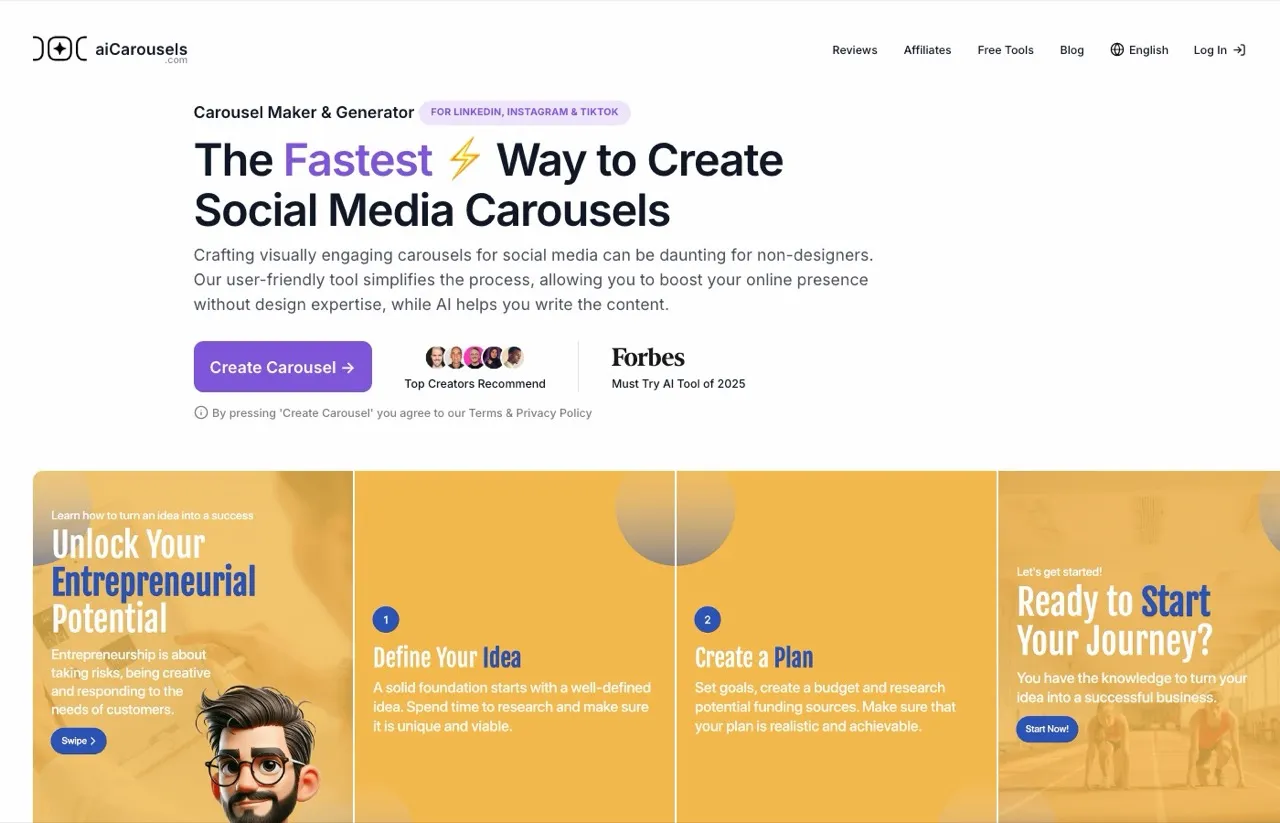
aiCarousels generates a finished carousel from a text prompt, free.
Most people searching this keyword also search for free options, so here is the honest one. aiCarousels generates clean carousels for LinkedIn, Instagram, and TikTok from a text prompt, and the free tier is genuinely usable rather than a teaser. It is the tool I would hand someone who posts one carousel a week and refuses to pay for it.
Know what it is, though: an export tool. Its own help content walks you through downloading the PDF and uploading it to LinkedIn manually, because there is no native publishing at any price. Pro pricing is not published on the site, so verify the current rate in the app before upgrading. If PostNitro’s $15 plan annoyed you because it still could not post, aiCarousels does not fix that. It just stops charging you for the privilege.
Pros:
- Genuinely free carousel generation with a fast, simple editor
- Bonus tools bundled into the Pro plan at no extra cost
- No account connection needed, nothing to configure
Cons:
- Export-only, every post is a manual upload
- Pro pricing only visible inside the app
Pricing: Free plan. Pro pricing is shown in-app, with third-party roundups citing about $15 a month, so confirm before paying.
Ideal for: Occasional posters who want a good-looking carousel without a subscription.
Bottom line: The best free answer in this category, as long as you accept that publishing stays your job.
4. Canva: Best for designers who want full control of every slide
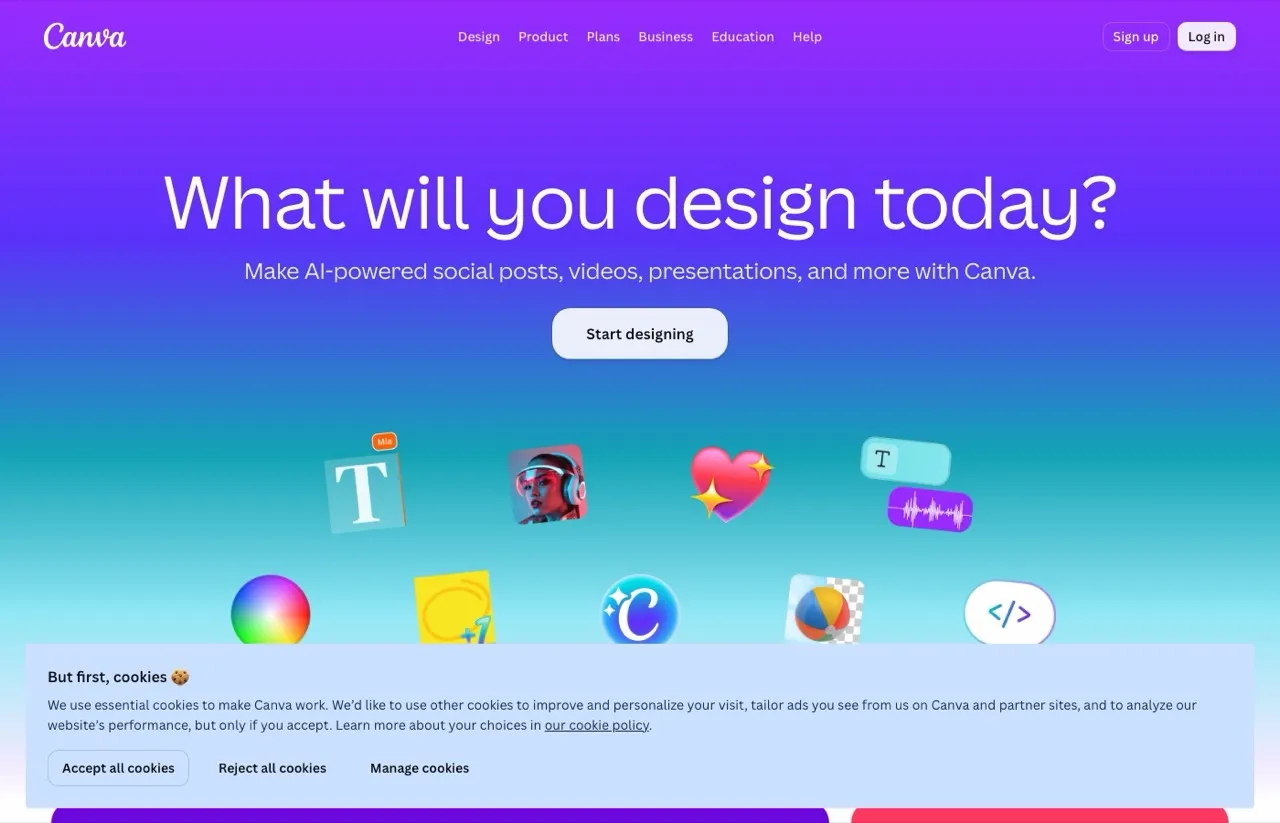
Canva’s editor gives carousel slides the full design treatment.
PostNitro’s pricing invites an uncomfortable comparison: at $15 a month, PostNitro is a design tool with zero connected accounts, and Canva Pro costs the same $15 a month ($120 billed annually) for a vastly deeper editor. Canva is not carousel-specific, but a carousel is just a multi-page design, and Canva handles that with more templates, more assets, and more control than any dedicated carousel app. Canva’s Content Planner covers light scheduling on Pro, though design, not publishing, is the reason anyone picks Canva.
The gap is workflow. Canva will not turn a blog post into a 10-slide carousel in one click the way PostNitro or Contentdrips will, and its publishing side is a convenience feature rather than a multi-account system. Plenty of people run Canva for slides and a publishing tool for distribution, which is the pairing I would actually recommend. You can also hand both halves to an agent instead of clicking through them, which is what this Claude and Canva tutorial sets up.
Pros:
- Deepest design editor and template library on this list
- Free plan is strong enough for regular carousel work
- Slides export cleanly to any publishing tool
Cons:
- No dedicated blog-to-carousel or thread-to-carousel automation
- Scheduling is a side feature, not a multi-account publishing system
Pricing: Free plan. Pro $15/mo or $120/yr. Business $250/yr per person.
Ideal for: Anyone whose real complaint about PostNitro is the template lock-in, not the posting.
Bottom line: If design is the job, Canva wins it at PostNitro’s own price point.
5. Predis.ai: Best for brands that want AI to generate the entire post

Predis.ai generates carousels, captions, and videos from a single prompt.
Predis.ai goes further up the automation curve than PostNitro: one prompt produces the slides, the caption, and the hashtags, and it also generates single-image posts and videos, so you are not locked into the carousel format. Core starts at $24 a month billed annually with publishing to 10 channels, and competitor analysis is included on every tier, which is genuinely rare at that price. I compared it against my own tool head-to-head in Blotato vs Predis AI if you want the full breakdown.
The catch mirrors PostNitro’s: everything is metered by credits, a multi-slide carousel costs credits per slide, and AI autopilot posting, where Predis generates posts for you every day, is reserved for the $55 Rise tier (billed annually), though Core still publishes to 10 channels. It replaces PostNitro’s download meter with a credit meter rather than removing the meter.
Pros:
- Generates carousels, single posts, and video from one prompt
- Competitor analysis included on every tier
- Publishing built in, 10 channels on Core
Cons:
- Credits meter every generation, per slide on carousels
- AI autopilot posting starts on the $55 Rise tier (billed annually)
Pricing: Core $24/mo, Rise $55/mo and Enterprise+ $212/mo, all billed annually ($32, $79 and $249 month to month).
Ideal for: Small brands that want volume content generated end to end and will live with a credit budget.
Bottom line: The most automated creator on the list, if the credit math works for your volume.
6. Taplio: Best for creators who only care about LinkedIn

Taplio bundles carousels into a full LinkedIn growth suite.
If every carousel you have ever made was for LinkedIn, Taplio replaces the whole stack rather than one piece of it. Carousel creation, scheduling, analytics, engagement tools, and an MCP server for running it from Claude or ChatGPT, all pointed at a single platform. At $39 a month it is the most expensive tool here, and its 4.6 out of 5 across more than 1,400 reviews suggests people who live on LinkedIn find that worth it.
The limitation is the premise. Taplio does nothing for Instagram, TikTok, or anywhere else, so the moment you repurpose content across platforms you are back to shopping this list. It is the right pick for exactly one reader, and the wrong pick for everyone else.
Pros:
- Carousels, scheduling, analytics, and engagement in one LinkedIn suite
- MCP server, so you can run it from an AI assistant
- 7-day free trial with full access
Cons:
- LinkedIn only, no other platform at any price
- Highest entry price on this list
Pricing: From $39/mo. 7-day free trial.
Ideal for: LinkedIn-first creators and ghostwriters who do not post anywhere else.
Bottom line: The best single-platform answer, priced like the suite it is.
How I Chose These PostNitro Alternatives
- Every tool had to pass the seam test: it is either a genuinely better designer than PostNitro, a genuinely better publisher, or covers both sides at a lower tier.
- I checked which tier actually connects a social account, not just whether “scheduling” appears on the feature grid.
- I compared billing units, because a download meter, a credit meter, and a flat per-account price behave very differently at 20 posts a month.
- Free demand is real for this keyword, so the list includes an honest free option instead of pretending one does not exist.
Every price here comes from the vendor’s own live plans page as of publication, and the praise and complaints come from Product Hunt, Trustpilot, and review roundups on top of my own testing.
How to Choose the Right PostNitro Alternative
Start from the wall you hit, not from the template gallery.
- If you hit the account wall, meaning your carousels are done but posting them is the chore, go to Blotato. That is the publishing side of the seam.
- If you want design and posting in one tool and LinkedIn is your main platform, Contentdrips gets you both at $15.
- If you post occasionally and refuse to pay, aiCarousels makes the carousel free and you upload it yourself.
- If the templates are what you are escaping, Canva gives you the full editor at the same $15 PostNitro charges for zero connected accounts.
- If you want AI to do everything including the caption, Predis.ai automates the furthest, on a credit budget.
- If LinkedIn is your entire strategy, Taplio replaces the whole stack for that one platform.
Sabrina’s Final Thoughts
Most people leaving PostNitro are not leaving over templates. They are leaving because they paid for a design tool and expected a posting tool, and the two jobs price differently. My advice is to stop looking for one app that draws and publishes equally well, because that app does not really exist yet. Pick the best designer for your taste, even a free one, and pair it with a publisher that treats accounts, not downloads, as the unit. That second half is what I built Blotato to be, and the 7-day trial is enough time to run a full week of carousels through it.
PostNitro Alternatives FAQs
Which PostNitro plan lets you schedule and publish posts?
Only the $25 Creator plan and above. PostNitro’s own plans page lists 0 social accounts on both the Free and the $15 Starter tiers, so scheduling and publishing start at Creator with 10 accounts, and the $50 Team plan raises that to 30 accounts. If publishing is the feature you need, tools like Blotato include it from the first tier instead of the third.
What is the best free PostNitro alternative?
aiCarousels is the strongest free option if you accept manual posting, since it generates finished carousels without a watermarked-download meter. Canva’s free plan is the better pick if you want deeper design control. Neither publishes for you, so a free tool covers the design half of the job only.
Can AI carousel tools publish directly to LinkedIn?
Some can, at specific tiers. Contentdrips publishes to LinkedIn on its $15 Starter plan, Predis.ai publishes on Core, and PostNitro publishes from its $25 Creator tier. Blotato approaches it from the other side: it takes 2 to 10 image URLs from any design tool and auto-builds the LinkedIn Document carousel, then handles Instagram, TikTok, and X versions of the same post.
How much does a carousel maker cost?
Free to about $25 a month for individual use in 2026. Free tiers (aiCarousels, Canva, PostNitro’s 5 watermarked downloads) cover design only. The $15 to $25 range buys either more design (Canva Pro at $15) or design plus publishing (Contentdrips at $15, PostNitro Creator at $25). Publishing-first tools like Blotato run $29 a month, priced per connected account rather than per export.
Is PostNitro worth it compared to these alternatives?
PostNitro is worth it if you want template-driven carousel design with strong export quality and you either post by hand or pay for the $25 Creator tier. It is the wrong buy at $15 if you expected publishing, since that plan connects zero accounts. Match the tier to the job before comparing it to anything on this list.