ChatGPT Social Media Connector Setup
ChatGPT reaches social media through a custom MCP server added from ChatGPT Plugins, authenticated over OAuth. Blotato serves a complete OAuth 2.1 stack, including protected-resource metadata, dynamic client registration, and PKCE. The real constraint is on the ChatGPT side: custom MCP servers are added on the web, not in the mobile app, and OpenAI's help center lists the write actions that publishing needs on Business, Enterprise, and Edu, leaving Pro with read and fetch. GPT-6 Astra connects the same way, through the same plugin in a regular chat.
https://mcp.blotato.com/mcp OAuth only Updated August 2026
How to connect ChatGPT to social media
- Connect your social accounts in Blotato.
- Open ChatGPT on the web, since a custom MCP server cannot be added from the mobile app. On a Business workspace, only an admin or owner can add it.
- Go to ChatGPT Plugins, select the plus button, then Add custom MCP server. Name it Blotato, enter https://mcp.blotato.com/mcp, choose OAuth, check I understand and want to continue on the risk warning, and select Create as a plugin.
- Complete the OAuth approval while logged into Blotato in the same browser.
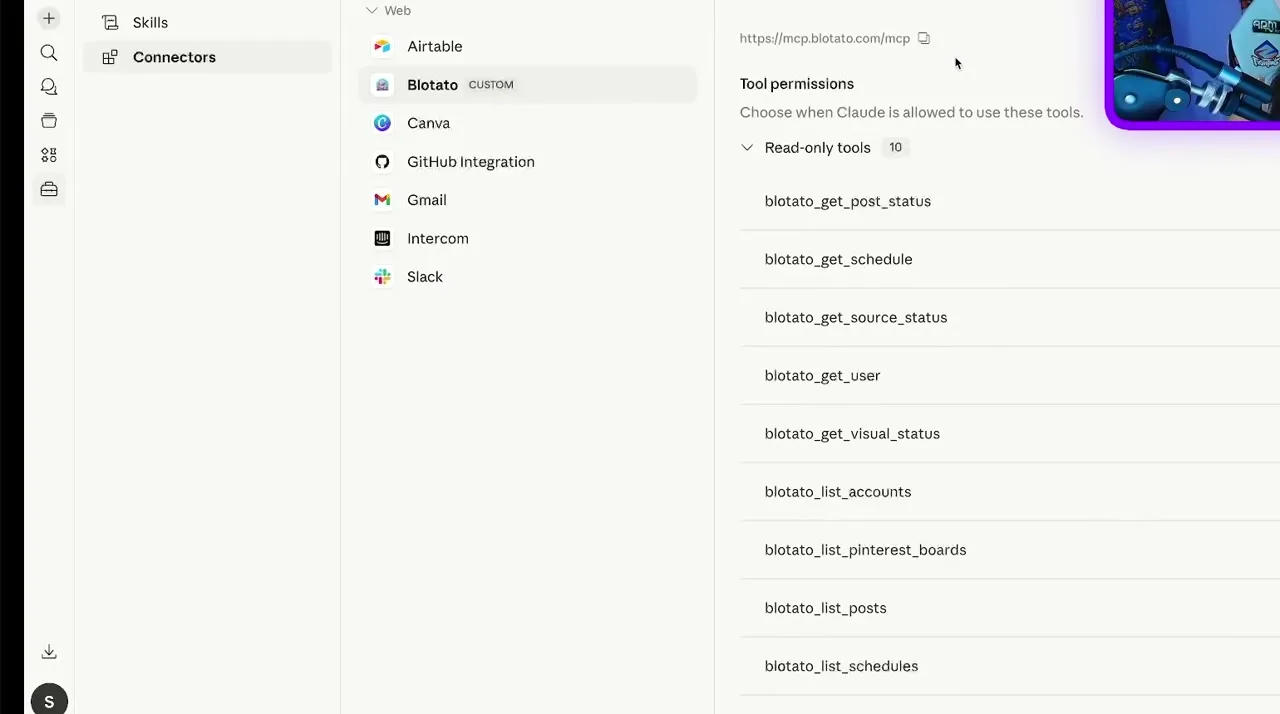
https://mcp.blotato.com/mcpCustom MCP servers in ChatGPT are added from Plugins on the web, with no Developer mode step. OpenAI’s help center lists write actions, which publishing needs, on Business, Enterprise, and Edu, and gives Pro read and fetch actions. It connects over OAuth rather than an API-key header, which is how Blotato authenticates Claude too.
How do I know it worked?
Ask ChatGPT to list your connected accounts. It calls
blotato_list_accounts and returns your platforms, which confirms both the connection and
the authentication in one step. If you see your accounts, setup is done.
What social media accounts do I have connected?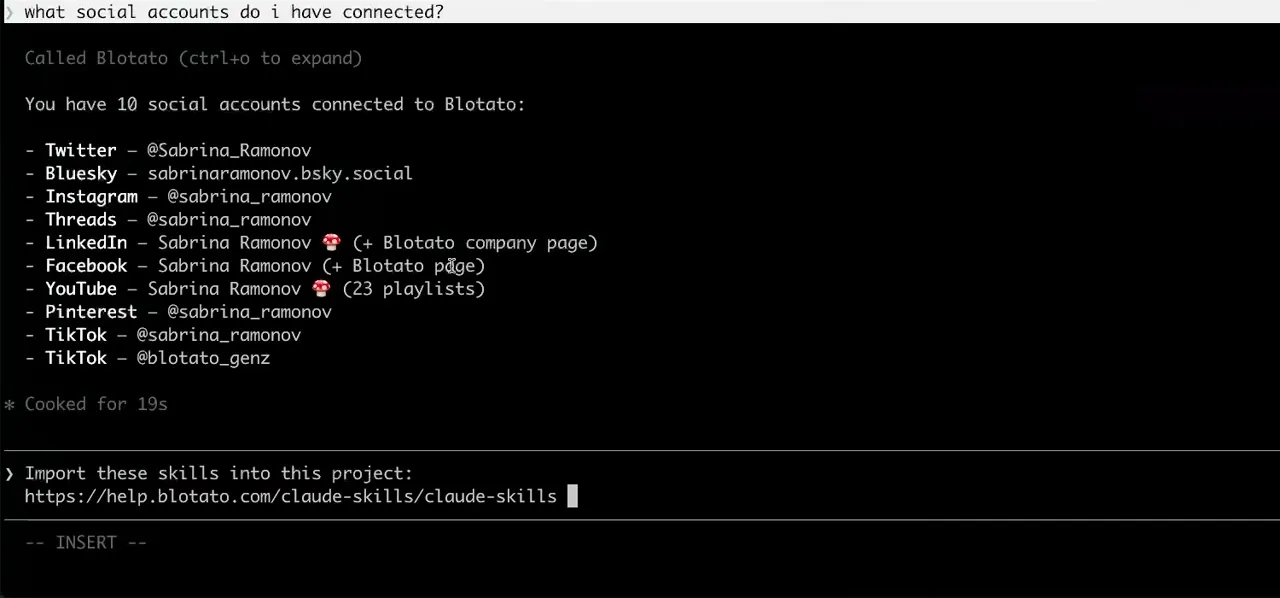
Worth knowing before you rely on it: when an agent ranks your best posts through MCP, metrics cover X, Instagram, Facebook, Threads, and Bluesky. TikTok, YouTube, and Pinterest analytics are available in the Blotato web app and REST API, and LinkedIn publishes normally but reports no metrics yet.
What to ask ChatGPT once it is connected
- Post this to Instagram.
- ChatGPT calls blotato_list_accounts, then blotato_create_post with the image and caption from the chat. The draft and the publish happen in the same window, which is the entire reason to connect it here rather than copying into another tab.
- Make this into a Reel instead.
- The same call with mediaType set to reel. Facebook video has to be a reel too, since regular feed video is no longer supported there.
- Reply to the comments on my last Instagram post.
- blotato_list_comments reads them and blotato_post_comment replies. Instagram and Facebook are the only platforms with comment access, so the same request against a LinkedIn post has nothing to read.
- When someone comments 'price' on my Instagram post, DM them the link.
- blotato_create_automation builds it: a comment-received trigger, the keyword price, and the message to send. Instagram and Facebook Pages only, and it is reply-only, so it answers people who comment or message you first and never opens a conversation on its own.
What breaks, and how to fix it
The usual dead end is an older walkthrough that starts by turning on Developer mode or sends you to a Connectors menu. OpenAI's help center now says you do not need Developer mode first, so go straight to Plugins. If the plus button there offers no Add custom MCP server option, your plan or workspace permissions are the likely limit. The second is looking for the option in the ChatGPT mobile app, since custom MCP servers are added on the web. The third is pasting an API key header config copied from a Cursor or Codex guide. Use OAuth here, the path this page documents for ChatGPT.
What is different about ChatGPT
ChatGPT is the one agent on this list where the limiting factor is the ChatGPT plan and workspace permissions rather than the connection. If you are in the OpenAI ecosystem and your plan cannot add a custom MCP server, OpenAI Codex is a different OpenAI product that takes the same endpoint with a plain API key header and no tier requirement. On the model side, GPT-6 Astra is built for computer use and multi-step work, which changes how much it can prepare before the publish call rather than how that call happens. Note that agent mode does not use custom MCP plugins, so this runs from a regular chat. ChatGPT Dots, OpenAI's always-on agent, draws on the same Plugins menu, so if a custom plugin reaches a dot, the same plan rules apply to it.
Vendor documentation: ChatGPT MCP setup. The handshake it uses is the MCP authorization spec, which Blotato implements in full, including dynamic client registration and PKCE.
ChatGPT social media FAQs
01 Can ChatGPT post to social media?
02 How do I connect ChatGPT to social media?
03 How do I set up ChatGPT for social media?
04 What is the best way to manage social media with ChatGPT?
05 What goes wrong when connecting ChatGPT?
06 Does ChatGPT need to be running for a scheduled post to go out?
07 What can I ask ChatGPT to do once it is connected?
08 How much does it cost to connect ChatGPT?
Connecting a different agent?
Same endpoint, same accounts, one setup per client. The AI agents for social media hub covers what all of them share, including every tool your agent can call.








 Blotato
 Your AI Agent still can't post to social media.
Point Claude, ChatGPT, n8n, or your own agent at Blotato's MCP and that's fixed: 9 platforms behind one key, flat $29/mo.
Connect your agentFlat pricing. Cancel anytime.