6 Best Tweet Hunter Alternatives for Social Media Beyond X
Tweet Hunter alternatives compared on platform reach, agent access, and what each charges once X is only part of your social media plan.

Most people hunting for Tweet Hunter alternatives are not unhappy with Tweet Hunter. It still works, it still ships, and it is still on X. The question that actually sends people looking is quieter: what happens to a content operation when every asset in it lives on one platform that ended its free API tier, moved everything to pay-per-use, and deleted both of its flat-rate plans inside twelve months. Blotato is my top pick here, and I am the founder, so weigh that and judge the entries on their specifics.
Quick Comparison: 6 Tweet Hunter Alternatives
| Tool | Best For | Starting Price | Key Strength |
|---|---|---|---|
| Blotato | X-first creators whose next platform is video, run by an agent | $29/mo | Nine platforms and a 35-tool MCP server behind one key, on a flat bill |
| Typefully | Writers who want the thread composer and nothing heavier | $0 (Free plan) | The closest editor to Tweet Hunter's, if your platforms stop at text feeds |
| OpenTweet | Developers who want X automated properly and only X | $11.99/mo | A 36-tool MCP server for X, on X alone and nowhere else |
| Circleboom | Operators who want X alongside a multi-network dashboard | $29.99/mo | Deep X account tooling in a browser, with no API or MCP to drive it |
| SocialBee | Anyone rebuilding Tweet Hunter's evergreen recycling queue | $29/mo | Category-based recycling that keeps a back catalogue live, without an MCP server |
| Buffer | Creators adding a second and third channel at the lowest possible cost | $0 (Free plan) | Per-channel pricing that is cheapest at a handful of channels and climbs after |
Why People Are Looking for Tweet Hunter Alternatives
Tweet Hunter is an X tool, and it is unusually clear about that. The homepage promises to build and monetize your X audience. Tweet Hunter’s pricing page sells X accounts as the unit: Discover is $29 a month for one X account, Grow is $49 for five, and Enterprise is $200 for unlimited. Nothing on the site offers to publish anywhere else, and I checked the rendered homepage for every other major network before writing that sentence.
That focus is a real feature for a real reader. It is also the entire risk. In February X ended its free tier and moved everything to pay-per-use, in April it raised the per-post rate, and by August both legacy flat-rate plans were gone. A plain post now bills $0.015 through X’s published rate card, and a post carrying a link bills $0.200, more than thirteen times as much for the kind of post most marketers actually publish. I wrote up the full rate card in the X (Twitter) API pricing breakdown if you want the line items.
None of that is Tweet Hunter’s fault, and none of it means Tweet Hunter is going anywhere. But it is worth noticing what happened next door.
The Same Company Built an Agent Surface, Just Not for X
Tweet Hunter and the LinkedIn tool Taplio are both operated by lempire, which Tweet Hunter’s own terms of use state directly. Taplio publishes an llms.txt, advertises a LinkedIn MCP server at mcp.taplio.com, and ships seventeen free Claude skills. I probed that endpoint: it answers with HTTP 401, and a nonsense subdomain on the same domain resolves to nothing, so the endpoint is real and auth-gated rather than a wildcard artifact. Tweet Hunter publishes no llms.txt, documents no public API, and mcp.tweethunter.io has no DNS record at all against a clean control.
One company, two products, and only the LinkedIn one got an agent surface. If your workflow is heading toward an assistant that writes and schedules for you, that asymmetry is the thing to plan around.
Best Tweet Hunter Alternatives for 2026
I ranked these by what an X-first creator needs next, not by how close they sit to Tweet Hunter’s feature list.
1. Blotato: Best for X-first creators whose next platform is video

Blotato’s homepage: one API and MCP surface for publishing across nine platforms.
I built Blotato, so read this entry with that in mind. It publishes to nine platforms including X, and X threads are native: you pass the first post as text and the rest in additionalPosts, and reply chaining is handled for you, so an agent never has to capture post IDs. The bill is flat at $29 a month for twenty connected accounts, and it does not move per post, per channel, or when X changes its rate card. That last part is the whole reason this entry sits at number one for this particular reader.
For the agent side there is a hosted MCP server with 35 tools and a REST API, both on every paid plan, which is what lets a Claude or ChatGPT workflow write, schedule and publish without you touching a dashboard. I compared it against every other server in this category separately, because MCP on its own is table stakes now. If flat pricing across nine platforms is what you are after, start on the Starter plan.
Pros:
- Nine platforms behind one key, so adding YouTube or TikTok is a config change rather than a second vendor
- Native X thread chaining, with no post-ID juggling in your own code
- Flat pricing that does not track X’s per-post rates
Cons:
- Starter returns a limited set of analytics metrics where Creator and Agency return every platform-specific metric, so deep reporting means a higher tier
- Starter snapshots each post four times over 30 days, starting at day 1, where Creator takes 18 snapshots starting at 2 hours, so post-performance curves are coarse at the entry price
- The 7-day trial excludes the API, and generating a key ends the trial and starts paid Starter, so an API reader should plan on subscribing rather than trialing
Pricing: Starter $29/mo (20 accounts), Creator $97/mo (40), Agency $499/mo (100). 7-day free trial, card required, cancel anytime.
Ideal for: Creators leaving a single-platform tool who want X plus video platforms behind one flat bill and one agent key.
Bottom line: Worth it when the platform you add next is video rather than another text feed, and worth skipping while Starter’s four analytics snapshots per post are too coarse for how closely you track performance.
2. Typefully: Best for writers who want the composer and nothing heavier
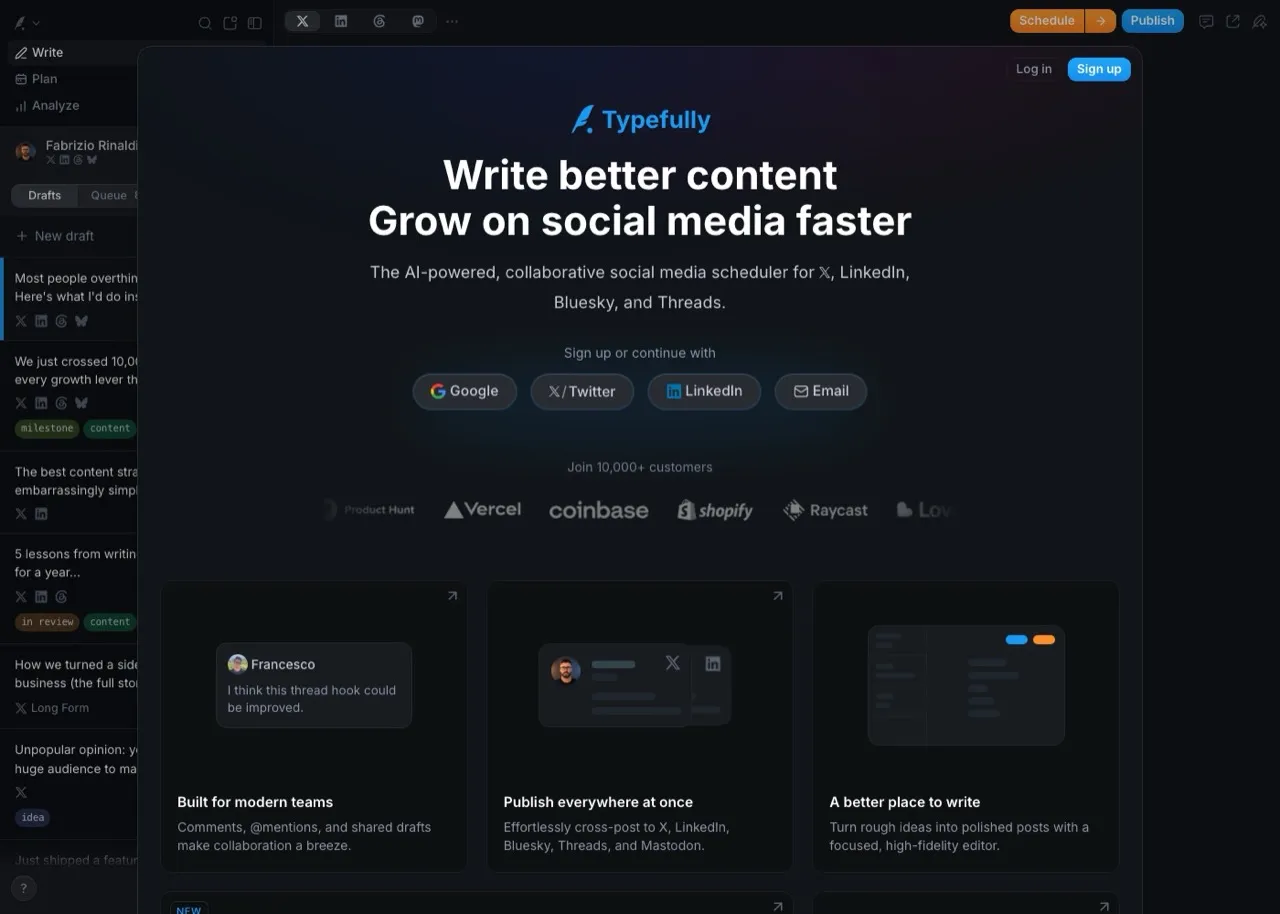
Typefully’s writing view, the closest thing on this list to Tweet Hunter’s composer.
Typefully is the honest like-for-like swap for the writing part of Tweet Hunter. The editor is genuinely good, threads are its native unit, and the free tier lets you keep working before you decide anything. It also carries a real agent surface: an OAuth-gated MCP server at mcp.typefully.com, a v2 REST API, and a public agent-skills repo, with “Agents, API, MCP” printed on the free plan card, though writing through that API needs a paid plan.
The catch is reach rather than access. Its own AI agents page scopes what an agent can drive to X, LinkedIn, Threads, Bluesky and Mastodon, and its surfaces disagree with each other about Instagram, so I am not asserting it either way. There is no TikTok or YouTube path anywhere, and I compared the tools that do cover video separately.
Pros:
- The best pure thread-writing experience among these six, if your platforms are text feeds
- A genuine MCP server and REST API you can connect from the free tier, with writes gated to paid plans
- A usable free plan, so trying it costs nothing
Cons:
- No TikTok or YouTube publishing, so a video pipeline needs a second tool
- Writing through the API returns a 402 until you are on a paid plan, so free access is read and connect only
- Creator is billed annually only, which removes the month-to-month option
Pricing: Free $0 (1 social set, 10 posts/mo). Creator $99/year, annual billing only. Business $18/mo per social set, billed yearly.
Ideal for: Writers whose output is text threads across X and LinkedIn and who do not need video.
Bottom line: Take Typefully if your content is text and your platforms stop at the five its agent page names, because past that line the editor quality stops being the deciding factor.
3. OpenTweet: Best for developers who want X automated and only X
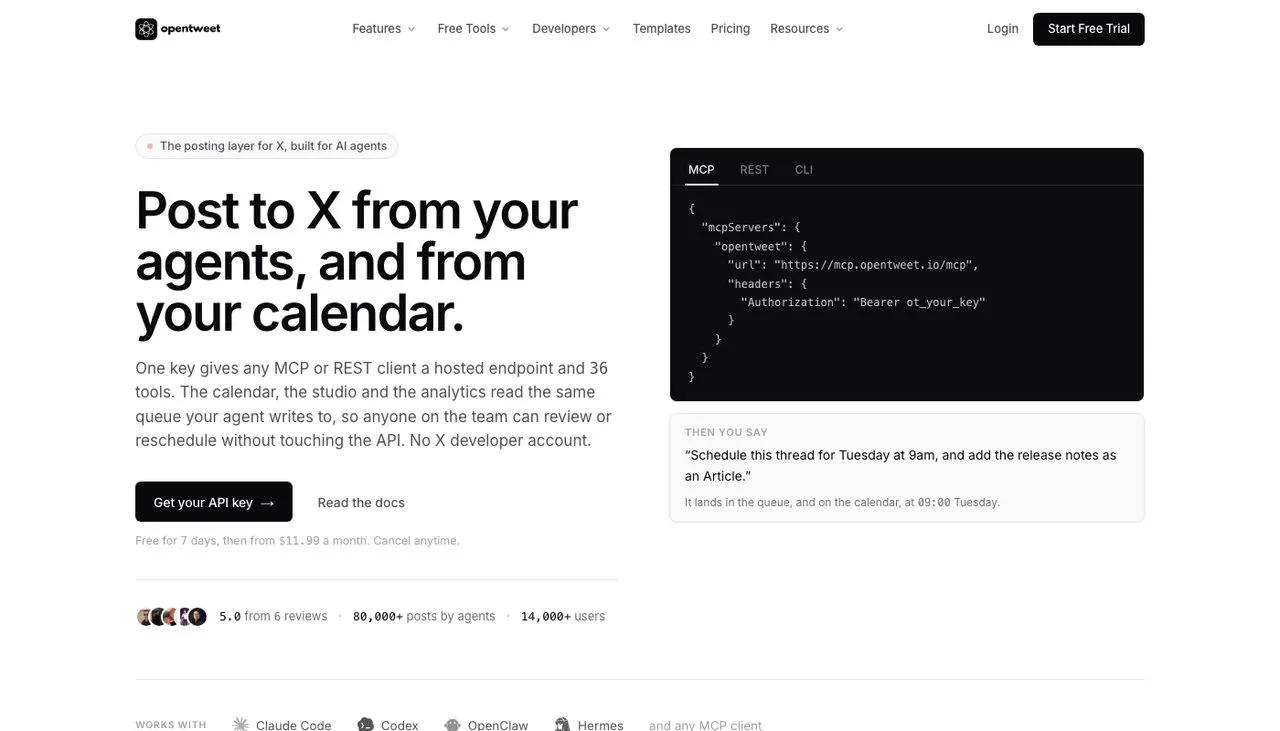
OpenTweet leads with the MCP config block, which tells you exactly who it is for.
If you read this far and concluded that you actually do want to stay on X, OpenTweet is the sharpest version of that decision, and it is the wrong tool the moment a second platform matters. It is X-only by design, ships a 36-tool MCP server at mcp.opentweet.io/mcp (I probed it: HTTP 401, with a nonsense-subdomain control returning nothing), and a REST API, starting at $11.99 a month. It removes the piece that makes X automation painful, because you connect your own X account over OAuth rather than standing up your own X developer app and paying the meter.
It is also the clearest confirmation of the cost argument in this post. OpenTweet’s own documentation states that the official X MCP server bills pay-per-use at roughly $0.015 a post and $0.200 when the post carries a link, and it names that link rate as the reason a flat fee wins at any real volume.
Pros:
- A 36-tool MCP server and REST API at the lowest entry price on this list
- No X developer account or API billing to manage
- Built-in X analytics on every plan, plus an evergreen recycling queue
Cons:
- X only, which means it solves Tweet Hunter’s tooling gap without touching the concentration problem
- Pro covers a single X account, so multiple handles need the $29 Advanced tier
- A much smaller company than the rest of this list, worth weighing if you are building something durable on it
Pricing: Pro $11.99/mo (1 X account), Advanced $29/mo (3), Agency $49/mo (10). Annual billing saves about 17%. 7-day free trial.
Ideal for: Developers and heavy X users who want programmatic X posting and have deliberately decided one platform is enough.
Bottom line: The best X-only tool here by a distance, and the right answer only if you have honestly concluded that a single-platform bet is one you want to keep making, because it does nothing about concentration risk.
4. Circleboom: Best for X depth inside a multi-network dashboard

Circleboom Publish, which pairs multi-network scheduling with dedicated X account tooling.
Circleboom is the closest thing on this list to Tweet Hunter’s DNA, because it grew up as an X tool and kept that depth while adding networks. Its Publish product names Instagram, X, Facebook, LinkedIn, Pinterest, Google Business Profile, TikTok and Bluesky as its destinations, while its own footer navigation also markets Threads and YouTube scheduling, so confirm the exact network you need before you buy. It also runs a separate Twitter Management product for follower cleanup and account analysis that no other tool here matches.
Two things to know before you price it. The plans page loads pre-set to Annually, so the number you see first is the annual rate. And the Twitter Management product is a separate purchase from Publish, not a bundled feature.
Pros:
- Covers Google Business Profile alongside X, which almost nobody else on this list does
- The deepest X-specific account tooling here, closest in spirit to Tweet Hunter, as long as you never need to drive it from an agent
- Five social accounts included on the entry plan
Cons:
- No publicly documented MCP server or public API, so agent-driven workflows have no path in
- Twitter Management is billed separately from Publish, so the full stack costs more than the headline
- The “Official X Enterprise Developer” badge is Circleboom’s own claim, worded two different ways across its own pages
Pricing: Publish Pro $29.99/mo billed monthly, $24.99/mo billed annually, 5 accounts. Premium $44.99 monthly and Business $89.99 monthly, both dropping to $34.99 and $79.99 on annual billing.
Ideal for: Operators who want X depth and a multi-network dashboard, and who work in a browser rather than through an agent.
Bottom line: Pick Circleboom if X account management matters as much as publishing and you have no agent in your workflow, because that missing API is the one thing it cannot be talked into.
5. SocialBee: Best for rebuilding Tweet Hunter’s evergreen queue
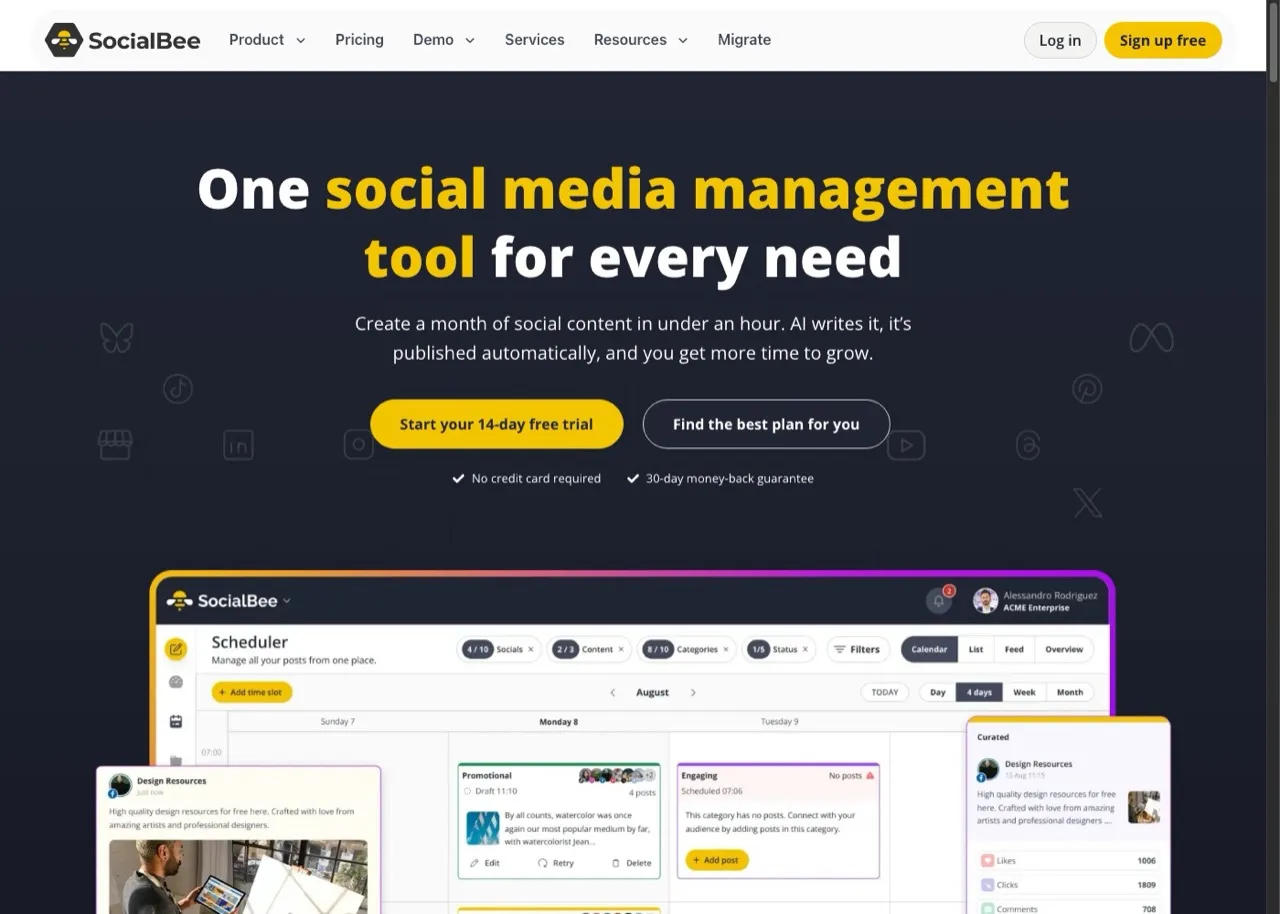
SocialBee organizes posts into categories that recycle on their own schedule.
Evergreen recycling is the Tweet Hunter feature people miss most, and SocialBee is the tool built around it. You file posts into SocialBee’s categories, give each category a posting cadence, and the queue keeps working through the back catalogue without you refilling it. X is supported on every plan with no add-on and no gating, which is worth stating because several tools in this category quietly restrict it.
Pros:
- Category-based recycling that maps directly onto how a Tweet Hunter queue worked
- X included on all plans with no surcharge or tier gate
- A 14-day trial with no credit card required
Cons:
- No publicly documented MCP server, so an agent workflow has to go through automation middleware instead
- Bootstrap covers 5 social profiles, and more sell in blocks of 5 at $15/mo
- Analytics on Bootstrap reaches back only 3 months
Pricing: Bootstrap $29/mo billed monthly, 5 profiles. The page defaults to yearly billing, where Bootstrap is $24.20/mo, Accelerate $40.80/mo and Pro $82.50/mo.
Ideal for: Creators whose Tweet Hunter value was the recycling engine rather than the writing assistant.
Bottom line: The strongest evergreen queue on this list, and a fair trade only if you would rather have that engine than an agent surface, because it ships no MCP server.
6. Buffer: Best for adding a second channel at the lowest cost
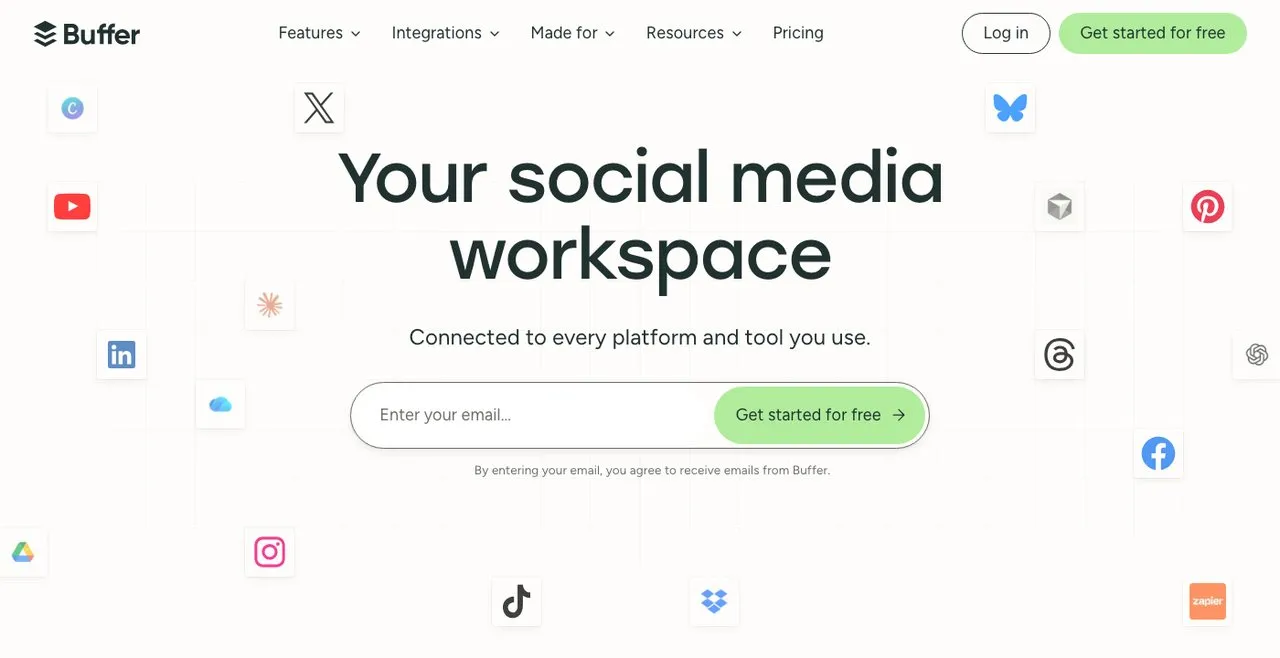
Buffer prices per connected channel, with the rate falling as you add more.
Buffer is the cheapest paid way to stop being a one-platform operation, provided your channel count stays low. The free plan schedules to X and holds 10 posts per channel, and paid Essentials runs $6 per channel per month billed monthly, $5 billed annually. The rate is tiered rather than flat: channels 1 to 10 cost $6, 11 to 25 cost $4, and 26 to 50 cost $3, so eleven channels is $64 rather than $44. Buffer also ships a hosted MCP server at mcp.buffer.com, which I confirmed answers 401.
Pros:
- A free plan that schedules to X without expiring
- At two or three channels it is the cheapest paid multi-platform option here, though Typefully’s free tier is cheaper still if one social set is enough
- A hosted MCP server, which is unusual at this price
Cons:
- Per-channel pricing means the bill grows with every account you add
- Publishing is the product, so there is no evergreen recycling engine of the kind SocialBee runs
- Free-plan analytics reach back 30 days
Pricing: Free $0. Essentials from $6/mo per channel monthly, $5 annually. Team from $12/mo per channel billed monthly, $10 billed annually.
Ideal for: Creators going from one platform to three who want the smallest possible monthly commitment.
Bottom line: Best value if your channel count stays under about five, because the tiered rate is a bargain at the bottom and stops being one once you are managing twenty accounts.
How I Chose These Tweet Hunter Alternatives
- X support verified today, not assumed. A pricing page cannot tell you whether a tool dropped a network or never had it, so anything ambiguous went to the vendor’s help center.
- Roster built for the leaver, not for the list. Every tool answers a specific reason someone outgrows Tweet Hunter: the composer, the evergreen queue, the X depth, the agent surface, or the price floor.
- Agent surfaces probed, not read off marketing pages. Every MCP claim here was tested with a JSON-RPC request and a nonsense-subdomain control, so a resolving
mcp.prefix could not pass as proof on its own. - Monthly and annual rates kept separate. Several of these pages default to the annual toggle and print the annual figure with a “/month” suffix, which is where most published comparisons go wrong.
Pricing was read from each vendor’s own pricing page or agent-readable rate card on the day this went live, platform support from their help documentation, and the MCP results are from endpoint probes I ran myself.
How to Choose the Right Tweet Hunter Alternative
- You want the writing experience and your content is text. Typefully, whose composer is the nearest replacement, though it stops at text platforms.
- You want the evergreen queue back. SocialBee, if you would trade an agent surface for the best recycling engine here.
- You have decided X is genuinely enough. OpenTweet, which is the strongest X-only tool on this list and does not pretend to be anything else.
- You want X depth plus more networks, in a browser. Circleboom, as long as you never need to drive it from an agent.
- You are adding a channel or two on the smallest budget. Buffer, while your channel count stays low.
- Your next platform is video and an agent is doing the posting. Blotato, if nine platforms cover your stack and coarse entry-tier analytics are an acceptable trade.
Sabrina’s Read on Leaving Tweet Hunter
Most people who search this term are not running from a bad product. They are noticing that everything they have built sits on one platform, and that the platform has spent a year changing what it charges. Tweet Hunter is a good tool for the bet it makes. The question is whether you still want to be making that bet in a year, and if the honest answer is no, the move is to a tool where X is one destination among several rather than the whole product. If that is the direction you are heading, Blotato’s Starter plan is where I would start, and the full support status for every major X scheduler is worth reading first either way.
Tweet Hunter Alternatives FAQs
Does Tweet Hunter post to any platform besides X?
No. Tweet Hunter publishes to X only. Its homepage, pricing tiers and product navigation are all scoped to X, and its plans are sold by the number of connected X accounts rather than by network. If you want the same kind of tool with more destinations, Circleboom publishes to X alongside Instagram, Facebook, LinkedIn, Pinterest, Google Business Profile, TikTok and Bluesky, and Blotato covers nine platforms.
How much does Tweet Hunter cost in 2026?
Tweet Hunter has three tiers. At monthly billing they are Discover at $29 a month for one X account, Grow at $49 for five, and Enterprise at $200 for unlimited accounts, and a yearly option is offered at a discount the page does not state as a flat figure. Its own page title still advertises “Plans from $49/mo” even though the $29 tier is live on the same page. The trial is 7 days and requires a card, so cancel before it ends if you do not want to be charged.
Does Tweet Hunter have an API or an MCP server?
Not publicly. There is no llms.txt, no published API documentation, and mcp.tweethunter.io returns no DNS record, which is meaningful here because a nonsense subdomain on the same domain also returns nothing, ruling out a wildcard. Its sister product Taplio, run by the same company, does publish a LinkedIn MCP server. If an agent needs to drive your X posting today, OpenTweet and Blotato both expose MCP servers that answer.
Why does a page for a tool that dropped X still rank for this search?
Because search results lag product changes. Hypefury’s TweetHunter comparison page still sits in the top five for this query while Hypefury’s own pricing FAQ says it no longer supports X at all. Two AI assistants still describe Hypefury as a multi-platform X tool, and its own orphaned users needed a list of tools that still publish to X. Check a tool’s current help center before trusting any comparison page, including this one, on whether a network is still supported.
Which Tweet Hunter alternative is cheapest?
Typefully and Buffer both have free plans that publish to X, so the floor is zero if your volume is small. Among paid entry tiers, OpenTweet is lowest at $11.99 a month, though it is X-only, so it is the cheapest option only if a single platform is what you actually want.