Claude vs Claude Code vs Cowork: Best for Social Media?
Claude for social media: Desktop, Claude Code, or Cowork? Which Claude surface actually runs your content engine via the Blotato MCP server.

Using Claude for social media sounds simple until you realize there are three different Claudes you could use, and they are not the same tool. There is Claude Desktop, the chat app most people already have open. There is Claude Code, the terminal agent developers live in. And there is Cowork, the newer hands-off agent that runs tasks for you inside the desktop app.
All three can write a post. The harder question is which one actually runs your whole content engine, drafting in your voice AND publishing everywhere, without you babysitting it.
I run my social content through Claude every day, and the surface you pick changes how much of the work you still have to do by hand. Here is how the three compare, and which one fits where you are right now.
Claude vs Claude Code vs Cowork: At a Glance
Pick Claude Desktop if: you want the lowest-friction start. You already chat with Claude, you want it to draft posts in your voice, and you are fine kicking off each publish yourself from the conversation. If this is you, start with a few ready-made prompts for social media content before you touch any setup.
Pick Claude Code if: you want a repeatable engine. You will set up a reusable skill once, wire in Blotato’s MCP server, and have it draft and publish on command the same way every time.
Pick Cowork if: you want hands-off. You hand it a goal and a folder, walk away, and come back to finished posts scheduled across platforms, all inside one desktop session.
The thread tying all three together is the same: a way for Claude to actually publish. That is the part people miss. Claude writes a great post and then stops, because it has no connection to your social accounts. The fix for every surface below is the same MCP server, so I will cover that once and then compare the three.
The Missing Piece: How Claude Actually Publishes
By default, none of these three Claudes can post anything. They draft, you copy, you paste into each platform. That is most of the work, and it is the work AI was supposed to remove.
Blotato closes that loop. It is an AI content tool with a hosted MCP server at mcp.blotato.com/mcp, and MCP is the open standard that lets a Claude surface call an outside tool. Once Blotato is connected, Claude can publish a finished post to 9 platforms (X, LinkedIn, Facebook, Instagram, Pinterest, TikTok, Threads, Bluesky, and YouTube) without you touching a single one.
I founded Blotato, so the publishing half of this is my own work and you should discount it as such. I also post a lot, so the difference between “Claude wrote a draft” and “the post is live” is the entire job to me.
The important part for this comparison: the same Blotato MCP server works across all three surfaces. So your choice is not about which one can publish. They all can. It is about how the work feels day to day. If you already know you want Claude doing the posting, start on Starter and connect it to whichever surface you land on below. One $29/mo plan covers all three, so you are not paying again if you switch surfaces later.

Claude Desktop, Claude Code, and Cowork: Side by Side
| Claude Desktop | Claude Code | Cowork | |
|---|---|---|---|
| What it is | The chat app | Terminal/IDE agent | Hands-off agent in the desktop app |
| Built for | Everyone | Developers | Non-developers who want tasks done |
| Setup effort | Lowest | Highest | Low |
| MCP support | Yes (connectors) | Yes | Yes |
| Reusable skills | Yes | Yes (the strongest fit) | Yes |
| Runs unattended | No, you drive each step | On command, scripted | Within a desktop session |
| Local file access | Yes (built-in) | Yes (native) | Yes (folder you grant) |
| Best for content | Drafting plus one-tap publish | A repeatable draft-and-publish pipeline | Set-and-forget batches |
Notice there is no single winner in that table. The right surface depends on how technical you are and how much you want to do by hand versus hand off. Below is what each one is genuinely good at.
Claude Desktop: The Easiest Place to Start
Claude Desktop is the app most people mean when they say “Claude.” It is conversational, it is already open, and as of 2026 it supports both connectors and reusable skills, so it is far more than a chat box.
For social media, this is the gentlest on-ramp. You add Blotato as a connector once, then you can say “write three LinkedIn posts from these notes and publish the best one,” and it will draft in the conversation and post through Blotato when you approve it.
Where Desktop wins is approachability. There is no terminal, no config files, no code. If you have never set up a developer tool in your life, you can still get Claude drafting and publishing your posts here.
Where it falls short is repeatability. Every run is a fresh conversation you steer by hand. Desktop shines at “help me write this.” It does not run the same job the same way every morning while you do something else. For that, you want one of the next two.
Claude Code: The Workhorse for a Real Content Engine
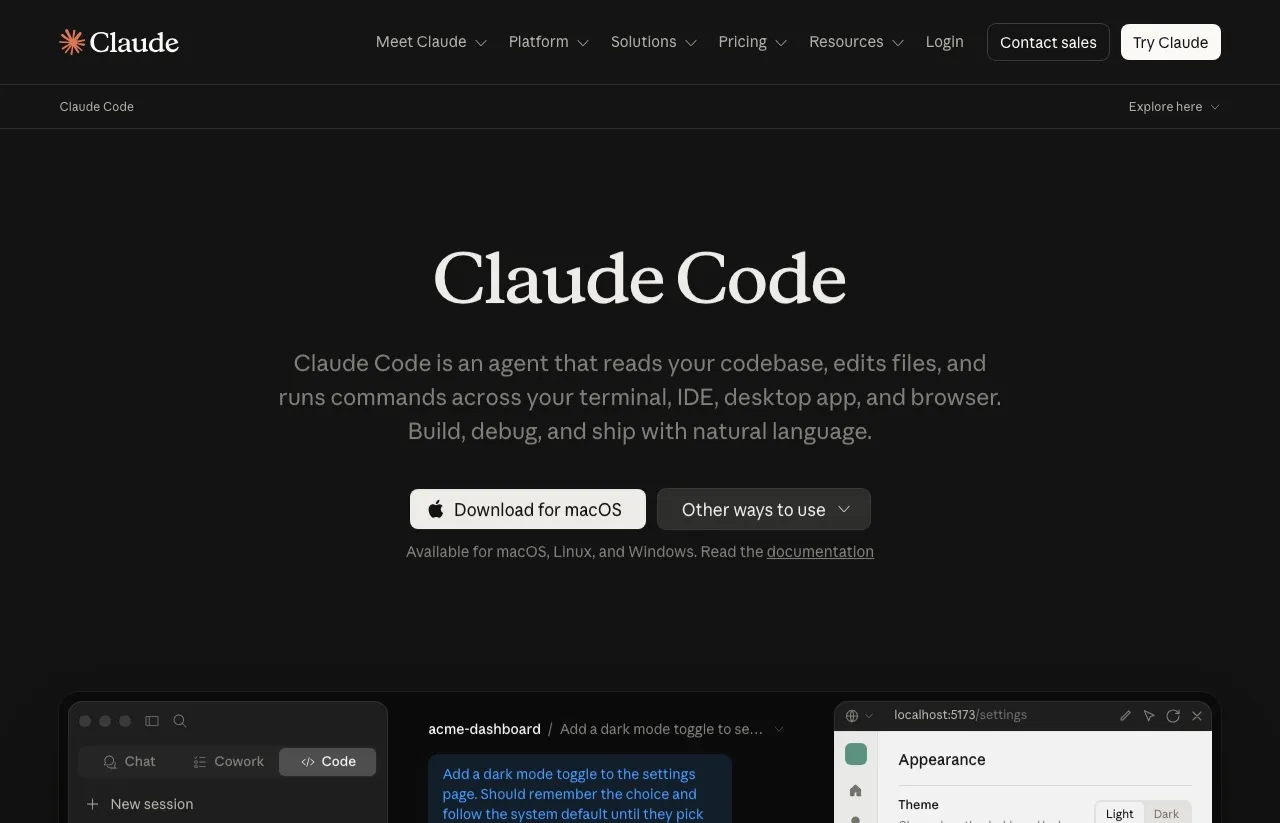
Claude Code is the terminal and IDE agent. It is built for developers, and yes, that means more setup. It is also the surface I lean on most, because it is the one that turns a content workflow into a repeatable system instead of a daily improvisation.
The reason is skills. In Claude Code you can write a skill once that captures exactly how you want posts written, your voice, your hooks, your structure, and store it in your project. From then on, every run pulls that skill automatically. Pair it with the Blotato MCP server and you have a fixed pipeline: draft in your voice, grade the draft, publish everywhere, identical every time.
That repeatability is why Blotato’s most engaged customers tend to live on the API and MCP side, mostly on Claude. When your engine is a saved skill plus one connection, you stop reinventing the workflow and start just running it.
The tradeoff is the on-ramp. Claude Code expects you to be comfortable in a terminal, and the first setup takes real time. If that is not you yet, it is a learnable skill, but it is a wall. Cowork exists for people who want the hands-off result without that wall.
Cowork: Hands-Off, Inside the Desktop App
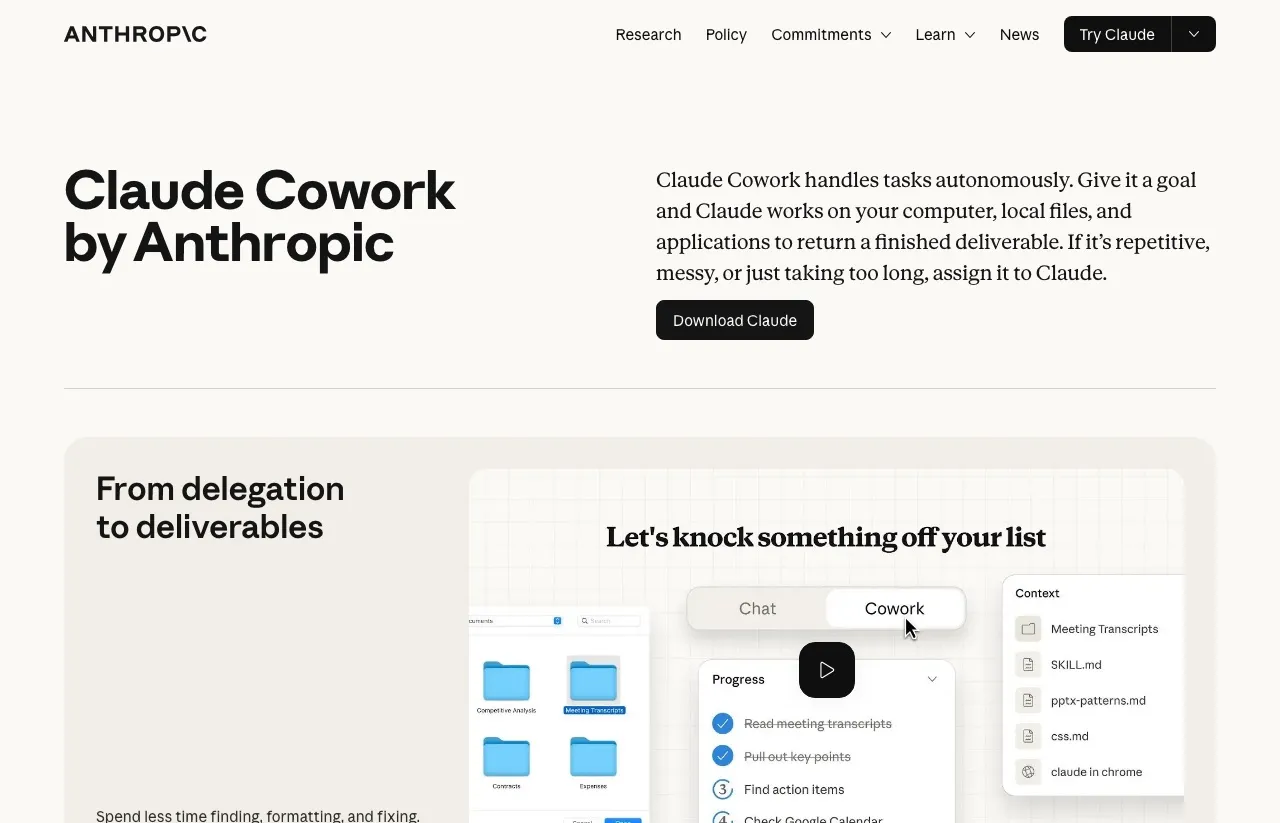
Cowork is Anthropic’s autonomous agent, and it became generally available in April 2026 for paid subscribers on Mac and Windows. It runs inside Claude Desktop, but it works differently from a chat. You give it a goal and access to a specific folder, and it goes off and completes the task on its own, running steps in an isolated environment on your computer.
Anthropic built Cowork specifically for non-developers, which makes it the natural middle ground. You get a lot of Claude Code’s “do the whole job” power without needing a terminal. Connect Blotato, point Cowork at a folder of raw material, and it can draft, generate visuals, and publish a batch across platforms while you step away.
One limit to understand: Cowork is hands-off within a desktop session, not a scheduled server. It is an agent you turn loose on a task, not a cron job that fires every morning on its own. If your dream is “posts go out at 9 a.m. daily with my laptop closed,” that is a scripted Claude Code setup, not Cowork. For “do this batch for me right now while I do other work,” Cowork is the most comfortable option of the three.
If you want the full step-by-step, I wrote a complete walkthrough of how to automate social media with Claude Cowork and Blotato.
What It Costs to Run Any of These
Two costs stack here, and it is worth separating them so the math is clear.
First, Claude itself. Claude Desktop and Cowork run on a paid Claude subscription, and Claude Code runs on the same plans developers already use. That is your access to the surface.
Second, the publishing layer. To let any Claude surface actually post, you need Blotato. It starts at $29 a month for the Starter plan, which covers 20 social accounts and 1,250 AI credits. Creator is $97 a month with 5,000 credits and 40 accounts, and Agency is $499 a month with 28,000 credits for teams running many brands.
There is a free 7-day trial on every plan, though API and MCP access sit outside it. Generating a key ends the trial immediately and starts your paid plan. A card is required either way, so treat it as cancel anytime rather than no-commitment.

The takeaway: the surface you pick does not change the publishing cost. Blotato is the same price whether you drive it from Desktop, Claude Code, or Cowork. So choose the surface on comfort and workflow, not on a pricing difference that is not there.
Use Claude Desktop If
- You are brand new to using AI for content and want the simplest start.
- You like drafting in a back-and-forth conversation.
- You are happy approving each publish yourself.
- You do not want to touch a terminal or any config.
Use Claude Code If
- You want a repeatable engine, not a fresh chat every time.
- You will invest one setup session to save hours later.
- You are comfortable in a terminal, or willing to learn.
- You want the same skill to draft in your voice on every run.
Use Cowork If
- You want hands-off results without writing code.
- You like handing off a goal and walking away.
- You are running batches, not single posts.
- You accept that it runs in a desktop session, not on a server schedule.
Sabrina’s Final Take
There is no universal best Claude for social media, only the best one for where you are. If you are just starting, open Claude Desktop, connect Blotato, and get a feel for drafting and publishing in chat. If you want a real engine that runs the same way every time, Claude Code is where I spend my days, and it is worth the setup. If you want most of that power without the terminal, Cowork is the comfortable middle, and the official plugins extend it further without any setup skills.
My honest advice: pick the surface that matches your comfort level today, not the one that sounds most impressive. You can always graduate from Desktop to Cowork to Claude Code as your volume grows. Whichever you choose, the piece that makes it real is the publishing connection, so connect Blotato to the surface once you know which Claude you want driving it.