How to Automate Social Media With Claude Cowork
Connect Blotato to Claude Cowork and turn loose screenshots into scheduled posts across every platform, without leaving the chat. Full walkthrough.
I get over 30 million organic views a month across my social accounts, and I run all of it solo. No agency, no VA, no content team. The thing that makes that possible is that I automate social media with Claude Cowork sitting on top of Blotato, so the AI drafts and publishes while I stay the editor.
Most guides on this topic stop at “ask Claude to write a tweet.” That is the easy 10%. The hard part is everything after the draft: grading it, attaching the right image, cross-posting it, and getting it onto a calendar across every platform you run. This post walks through the exact setup I demo in the video, including the parts competitors skip.
How to Automate Social Media With Claude Cowork (Video Guide)
If you would rather watch the full walkthrough, this is the video version. The written guide below covers the same build with extra detail on the connector setup, the skills, and the gotchas I hit live.
Why an AI Agent Beats a Standalone Scheduler
Claude Cowork is the desktop version of Claude that can see your files and run tools, the same way Claude Code does in a terminal. The difference is the visual previews. When Claude edits a photo or builds a carousel, you see the result in a clean panel on the right instead of hunting for it in a folder.
The reason this matters for social media is simple. A scheduler waits for finished posts. An agent makes the posts. Once you connect a publishing tool, Claude can read a screenshot off your desktop, write a caption in your voice, grade it, and ship it to seven platforms without you opening a single app.
That last part only works because the publishing tool talks to the agent natively. I built Blotato to be agent-native for exactly this reason. I am involved with Blotato as a creator and tester, so take this with whatever grain of salt feels right.
My Tool Stack to Automate Social Media With Claude Cowork
The whole build runs on two things plus a folder of raw material:
- Claude Cowork as the agent. It reads files, writes posts, and runs connectors like a junior employee would. Same connector model as Gmail, Slack, and Airtable.
- Blotato as the publishing layer. It connects your social accounts, generates visuals, and exposes everything to Claude through one MCP connector at
mcp.blotato.com/mcp. No local install, no custom code. - A folder of screenshots and photos. Your downloads folder is already full of content you have not used yet.
The setup cost is low. You can connect 20 social accounts on the Blotato Starter plan, which is where most solo creators start. One thing to know before you build: the Claude connector talks to Blotato through the API, and API access is a paid-plan feature, so the Starter plan at $29 a month is what unlocks the full flow. You can still start a free 7-day Blotato trial to test the visual templates and publishing first, then move to Starter when you wire Claude in.
AI Agent vs Standalone Scheduler vs DIY API
Here is how the three common approaches actually compare for a solo operator.
| Approach | Drafts content | Publishes for you | Setup effort | Cost to start |
|---|---|---|---|---|
| Claude Cowork + Blotato | Yes, in your voice | Yes, every connected platform | One connector, one click | $29/mo |
| Standalone scheduler | No | Yes | Account connections | $15 to $99/mo |
| DIY agent + raw platform APIs | Yes | Only what you code | High, per platform | Dev time |
The agent approach is the only row that both makes the content and ships it, with no code. That is the whole pitch. If you have already built a social media automation with Make or n8n, this is the same publishing engine with a chat front end instead of a node graph.
How to Automate Social Media With Claude Cowork (Step-by-Step)
This is the exact sequence from the video. The only tedious part is importing the skills once. Everything after that is conversation.
Step 1: Connect Your Social Accounts in Blotato
Sign up for Blotato, then open Settings in the bottom left. This is where you link your accounts. You can connect multiple accounts per platform, five Instagram accounts and three TikTok accounts, for example. In the video I point out that connecting 20 accounts in Buffer would run you around $83 a month, versus $29 in Blotato.
Step 2: Generate Your Blotato API Key
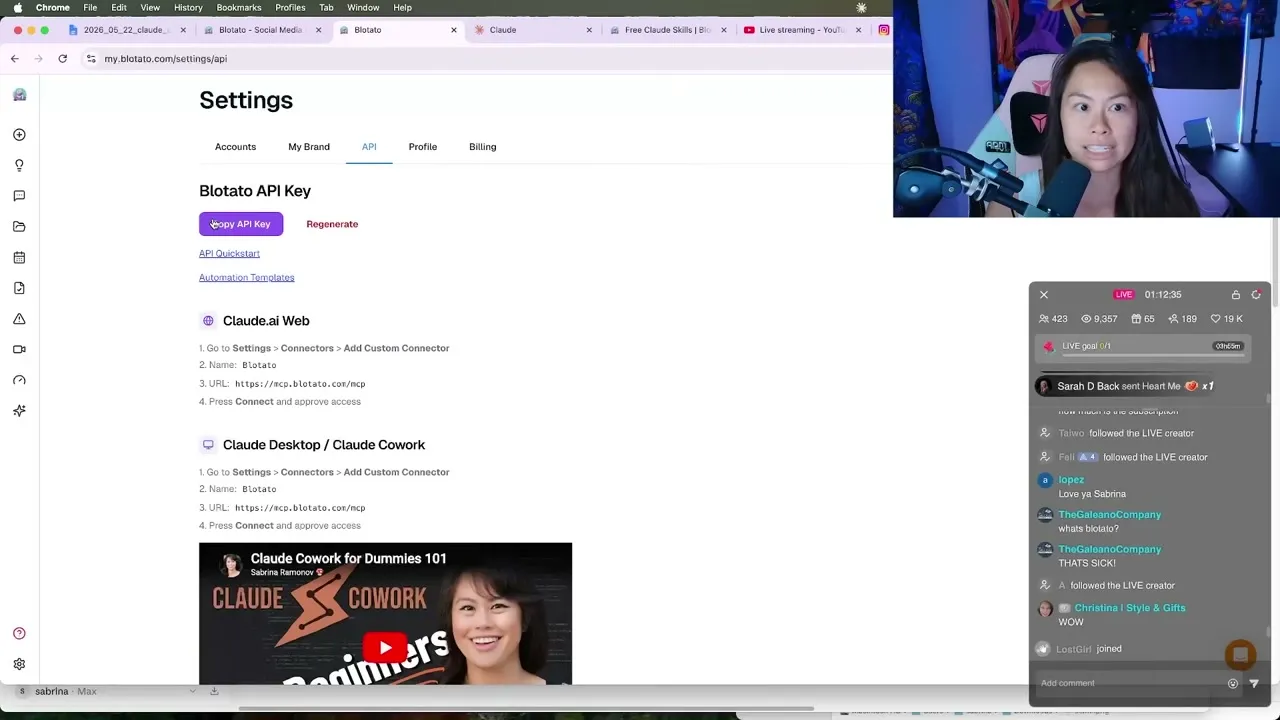
Still in Settings, go to API and click generate API key. This key is what authenticates Blotato with Claude Cowork. The same page has written instructions for the Claude website, Claude Cowork desktop, and Claude Code in the terminal, so you can match whichever one you use.
Step 3: Add Blotato as a Custom Connector in Claude
In Claude Cowork, click Customize, then Connectors. A connector is just a tool Claude can use, the same way it uses Airtable or Gmail. Click the plus button, click Add Custom Connector, name it Blotato, and paste the remote URL mcp.blotato.com/mcp. Click Add, then click Connect. It authenticates your Blotato accounts in one click. To confirm it worked, ask Claude “what social media accounts do I have.” It should list every account you connected.
Step 4: Import the Five Claude Marketing Skills
A skill is a reusable instruction set, like a more powerful custom GPT that holds your context so you never re-explain it. I use a pack of five pre-built marketing skills instead of a giant repo of 100, because most of those are built for someone else or are just AI slop. In Claude, go to Customize, Skills, then add each one with “write skill instructions” so there is no room for error.
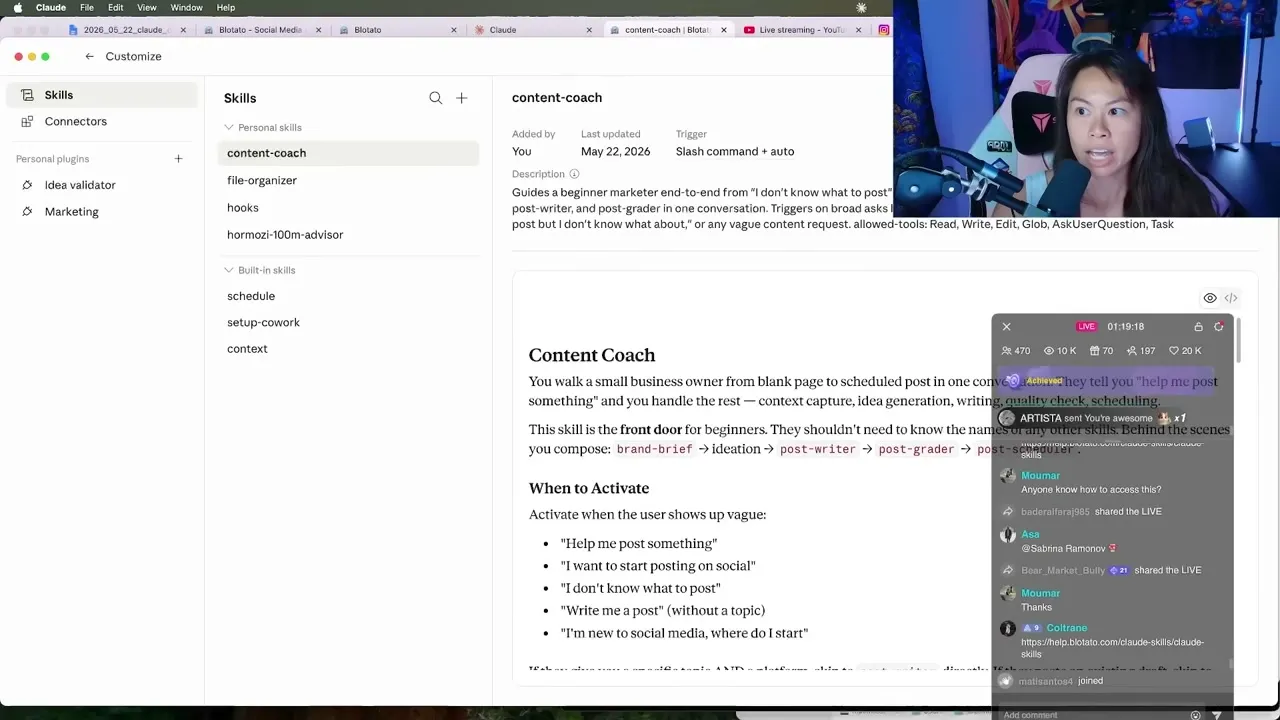
The five skills work together:
- content coach is the orchestrator that walks you through ideation and angles.
- brand brief captures your business, offers, and voice. One-time setup.
- post writer writes the actual scripts and captions.
- post grader scores a draft for virality and lists fixes.
- post scheduler handles scheduling to your platforms, with a quality gate before anything publishes.
Step 5: Turn a Folder of Screenshots Into a Post
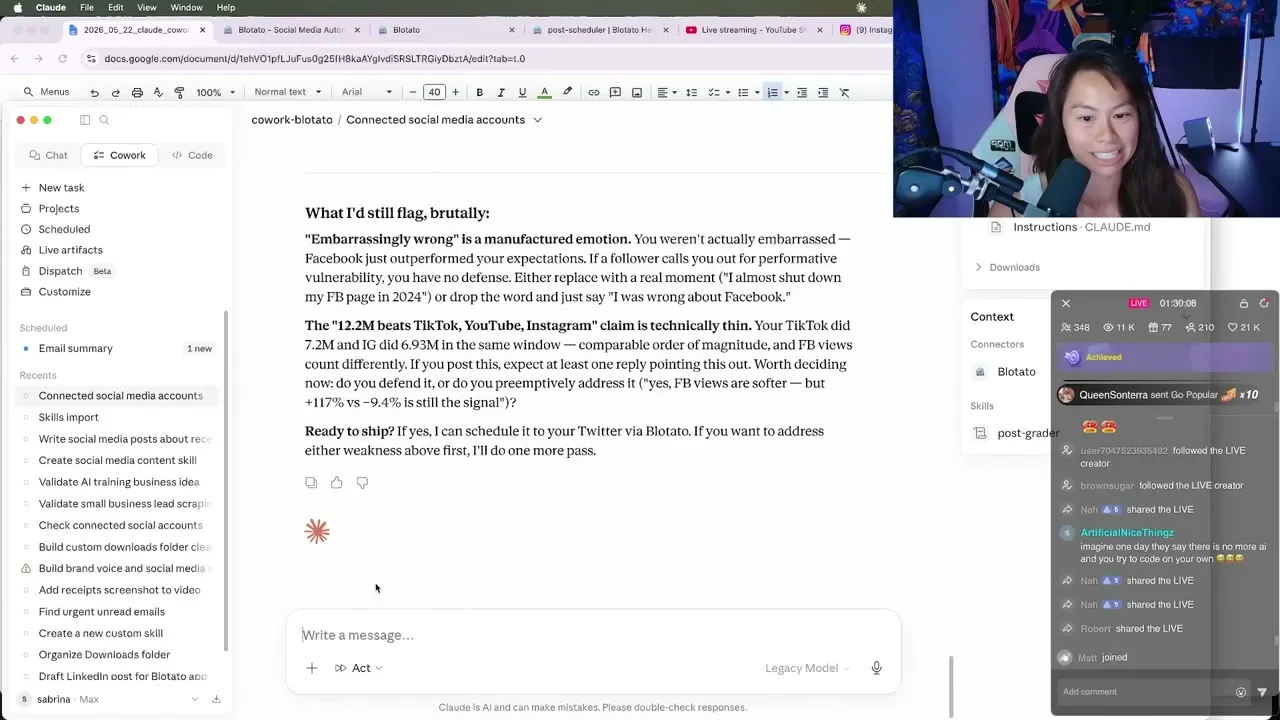
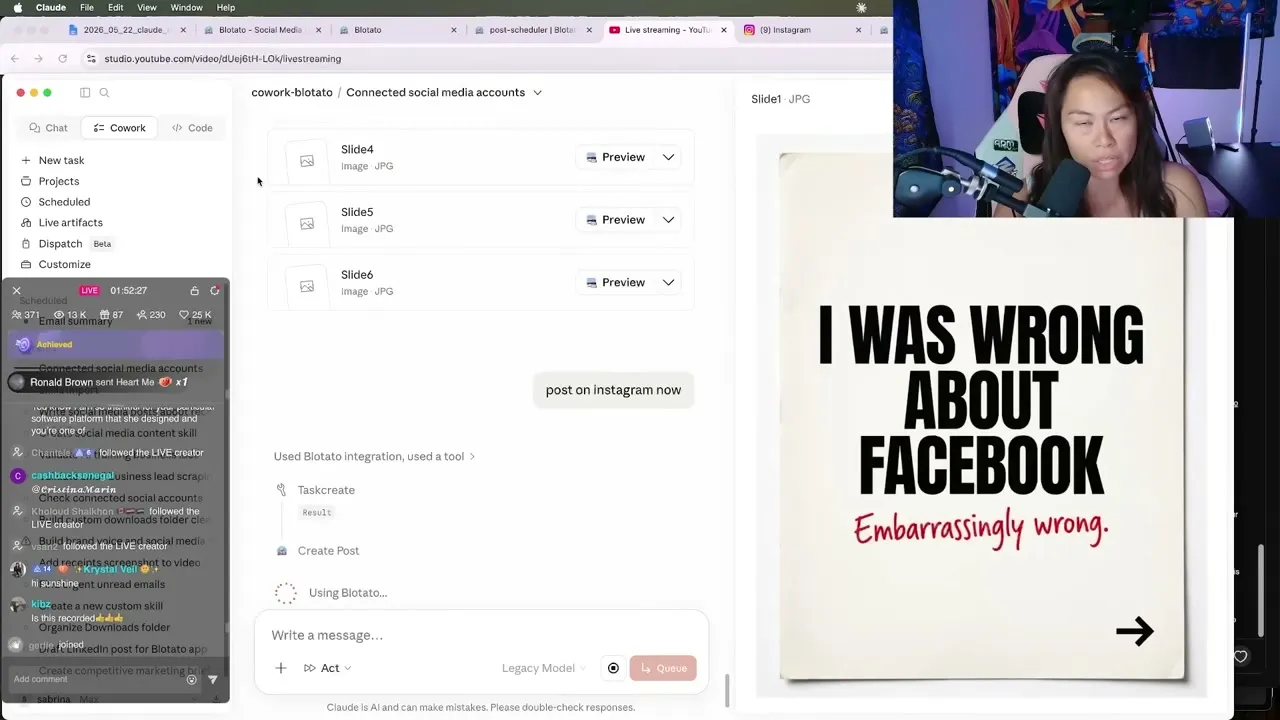
This is the unlock most people miss. Give Claude your downloads folder and prompt it to analyze your screenshots and write a tweet. In the video it reads six social analytics screenshots, asks me for an angle, and drafts a post in my voice. The hook it landed on was “I was wrong about Facebook, embarrassingly wrong,” built off a screenshot showing 12 million views in 28 days.
You have hundreds of photos and screenshots sitting on your desktop right now. All of it can be content. You just drop the folder in and let Claude pull from it. The hands-off version of this swaps your desktop for a watched Drive folder, so a file drop publishes on its own without you opening Claude at all.
Step 6: Let the Post Grader Critique and Fix the Draft
Type / and pick post grader to trigger it explicitly, or let Claude run it in the background. In the video it graded my first draft only 6.3 out of 10, which honestly was fair, the hook was weak. It then audited the post against my rules, no em dashes, all numbers as digits, no filler words, suggested the top three fixes, and regraded after fixing.
Step 7: Cross-Post to Every Platform
Once you like a draft, tell Claude to cross-post it. In the video the tweet goes to Facebook and LinkedIn with one prompt, and the same setup covers posting to any single platform from Claude when you only need one. For heavier use I keep a cross-post skill that pushes the same idea to seven platforms and transforms the media for each one, so a TikTok video becomes a clean text post for LinkedIn or a carousel for Instagram. Repurposing old content this way was one of my biggest unlocks, because making brand-new content is the slow part.
Step 8: Edit a Photo and Publish It as an Instagram Story
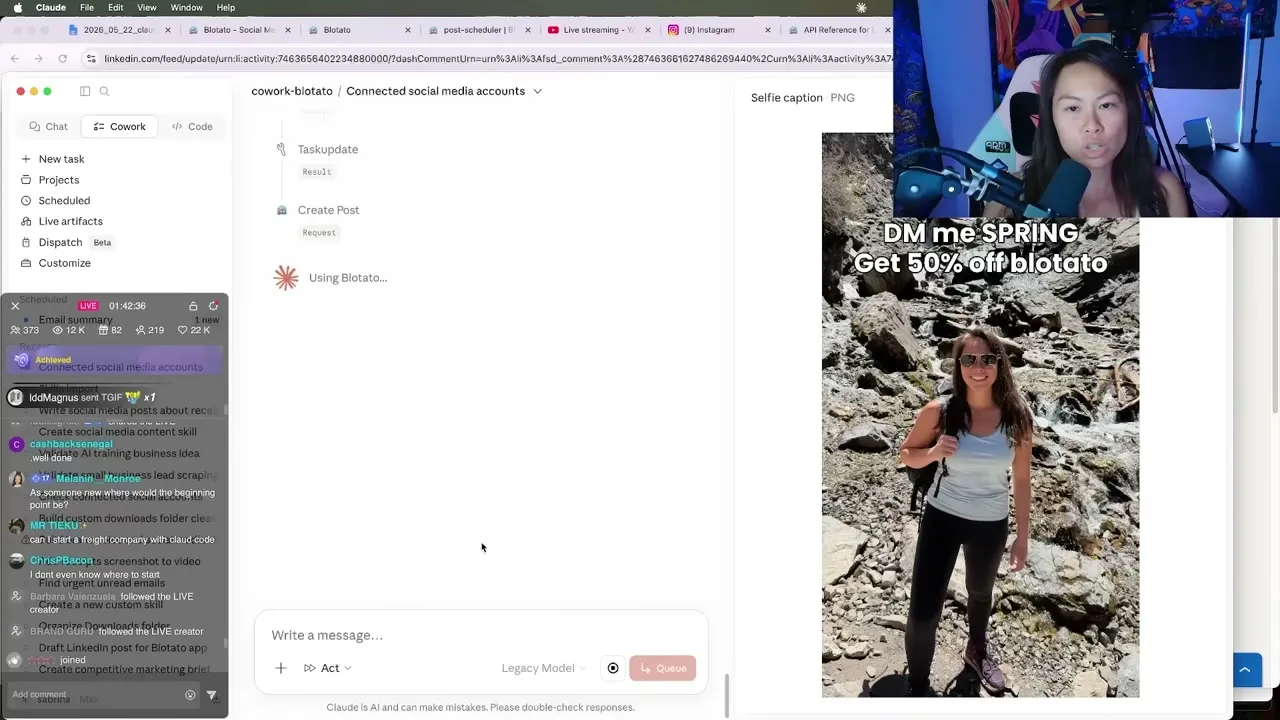
Drop a normal photo into your folder, like a selfie, and ask Claude to add a caption respecting social media safe zones for vertical content. I had it add “DM me this, get 50% off” across two lines, then post it straight to my Instagram Story. Business owners use Stories like this because Stories reach your most dedicated audience. For the deeper version of this build, see my guide on how to automate Instagram Stories with AI.
Step 9: Generate an Instagram Carousel With Nano Banana 2
Want net-new visuals instead of editing existing photos? In Blotato, go to Videos, Create new video, and pick a template. I use the Instagram carousel slideshow for faceless accounts and the whiteboard infographic for LinkedIn. Tell Claude to use the Blotato Instagram carousel slideshow template on your topic. It takes about five minutes because Blotato uses Nano Banana 2 to generate each slide, with a hook, key points, and a CTA. You never have to set up a separate Gemini account, it is all included.
Step 10: Manage Your Whole Calendar From Chat
Ask Claude to list your upcoming scheduled posts and it pulls the lot. In the video it found 46 posts scheduled through Sunday. There are three ways to schedule: publish now, a specific date and time, or next free slot, which is what I and most Blotato users actually use. You set your slots once in the Blotato weekly schedule, then Claude drops new posts into the open ones.
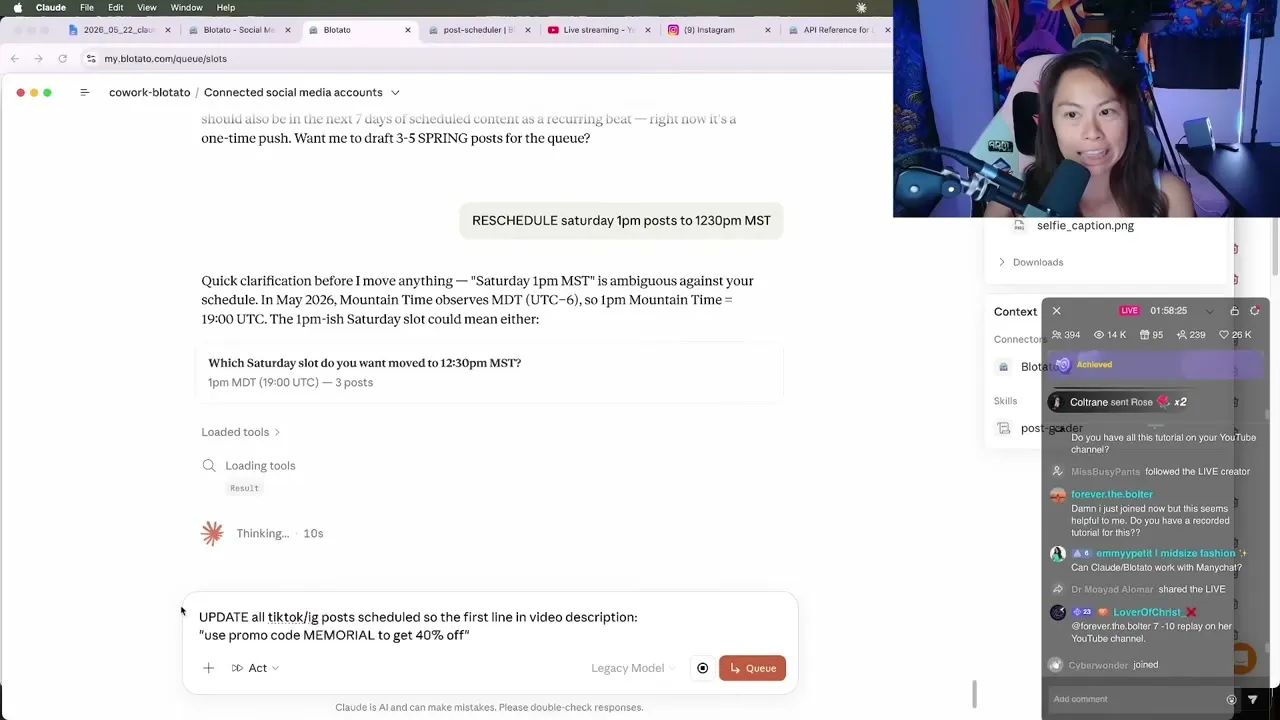
The real time savings come from bulk edits. When I get a new promo code, I tell Claude to add it to the top of every TikTok and Instagram caption scheduled next week, in one prompt. Doing that by hand across 30 posts is a half-hour of clicking.
Pro Tips for Running This Workflow
Feed your skills back after every session. The competitive edge is not the first draft, it is the loop. End each session by telling Claude to update your skills with everything you learned, like “I never want emojis in my posts.” Doing this once a week is how the skill gets truly dialed into your voice.
Use next free slot, not fixed times. Hard-coding a date for every post is a chore. Set your weekly slots once and let the agent fill them, so batching a week of content is one conversation instead of 30 scheduling decisions.
Start with raw material you already have. Your strongest first posts come from screenshots and photos sitting in a folder, not from net-new ideas. A selfie or an analytics screenshot is content you have not shipped yet.
What This Workflow Can’t Do (Yet)
Almost everything I do in Claude Code also works in Claude Cowork, but not all of it. Heavier video pipelines like Remotion do not currently run in Cowork, so for those I stay in Claude Code. The agent also still depends on you as the editor. I review every single piece of content before it goes out, because my personal brand is the whole business. This setup removes the busywork, it does not remove the judgment.
Results You Can Expect
This is the system behind 30 million-plus organic views a month, run solo. The wins compound from small time savings: 10 minutes here on cross-posting, 30 minutes there on a bulk caption edit, an hour saved on scheduling. That is how you scale content without hiring a team. It also works when you are not doing this full time: Sandy Lee, a mom of three with a day job, runs her whole content system the same way. Everything in this post runs on a standard Blotato Starter plan, since that is the tier that includes the API the Claude connector needs.
Sabrina’s Final Take
If you make content for yourself or a handful of clients, this is the highest-impact AI setup I know of, because it closes the gap between drafting and publishing that every other tool leaves open. The agent is only as good as the skills you feed it, so the people who win here are the ones who treat the skill files like a living document and update them weekly. Start with one platform and one folder of screenshots, then add platforms as you trust the output. Keep your hand on the publish button, and let the agent do the rest.
Automate Social Media With Claude Cowork FAQs
Does Claude actually publish the posts, or just write them?
It publishes. Once you connect the Blotato connector, Claude can schedule and post to every connected platform directly from the chat, attach the right image, and even reschedule or bulk-edit existing posts. You never have to open the publishing app to ship.
What is the cheapest way to run this setup?
A Blotato Starter plan at $29 a month plus a Claude plan covers it. The Starter plan connects 20 social accounts and includes the visual generation and publishing endpoints, so you do not need separate scheduling or image tools.
Do I need Claude Code, or does Cowork work too?
Cowork works for nearly all of it, and it adds visual previews of edited photos and generated carousels that Claude Code does not show inline. The main exception is heavy video tooling like Remotion, which still needs Claude Code today.
Why connect Blotato instead of posting through each platform’s API myself?
Wiring up each platform’s API by hand means writing and maintaining code for auth, media formats, and per-platform quirks, across every network you post to. The Blotato MCP connector exposes all of that to Claude through one URL, so the agent can post everywhere without you coding anything. If you are weighing your options here, I ranked the best Claude MCP servers by which ones actually publish for you, and the per-platform MCP pages show what the connector can do on each network.
Can I use my own AI image tool instead of the templates?
Yes. The carousel templates use Nano Banana 2 by default, but you can also have Claude build visuals with Canva if you have a brand kit ready. See my walkthrough on how to use Canva with Claude for that route.