Blotato vs Loomly: Who Approves Your Agent's Social Media Posts?
Blotato vs Loomly for social media: how an AI agent reaches each one, where Loomly's approval queue fits, and the review step Blotato leaves to you.
When an AI agent drafts your social posts, Blotato vs Loomly is really a question of where a person checks them. Through Loomly’s documented Zapier actions, an agent can create placeholders and post ideas, but it cannot schedule or publish posts there. A person finishes each post inside Loomly, where the calendar’s workflow controls approval and scheduling.
Blotato works the other way around. As agent infrastructure for social media marketing, it hands the agent a key, and the agent’s API call is the publish button. I’m not neutral on that half, since Blotato is an app I built.
Blotato vs Loomly: Which Setup Is Yours?
If you post to a single platform by hand, you need neither tool yet. Get consistent first. For everyone else:
| Your setup | Better fit |
|---|---|
| A client or second teammate approves posts inside the scheduling tool | Loomly, on the Original or Lite workflow |
| You publish to Google Business Profile or Snapchat | Loomly, since neither is among Blotato’s 9 platforms |
| Your agent drafts, and a teammate finishes and approves in a shared calendar | Loomly, through its Zapier actions Create Quick Post and Create Custom Post Idea |
| Your agent publishes or schedules, and you review in the chat first | Blotato, if one login is enough for you |
| An agent that publishes also answers Instagram and Facebook comments and DMs | Blotato, with publishing and that inbox behind one key |
| You want agent publishing for up to 20 social accounts | Blotato Starter at $29 a month |
How a Post Earns Approval in Loomly
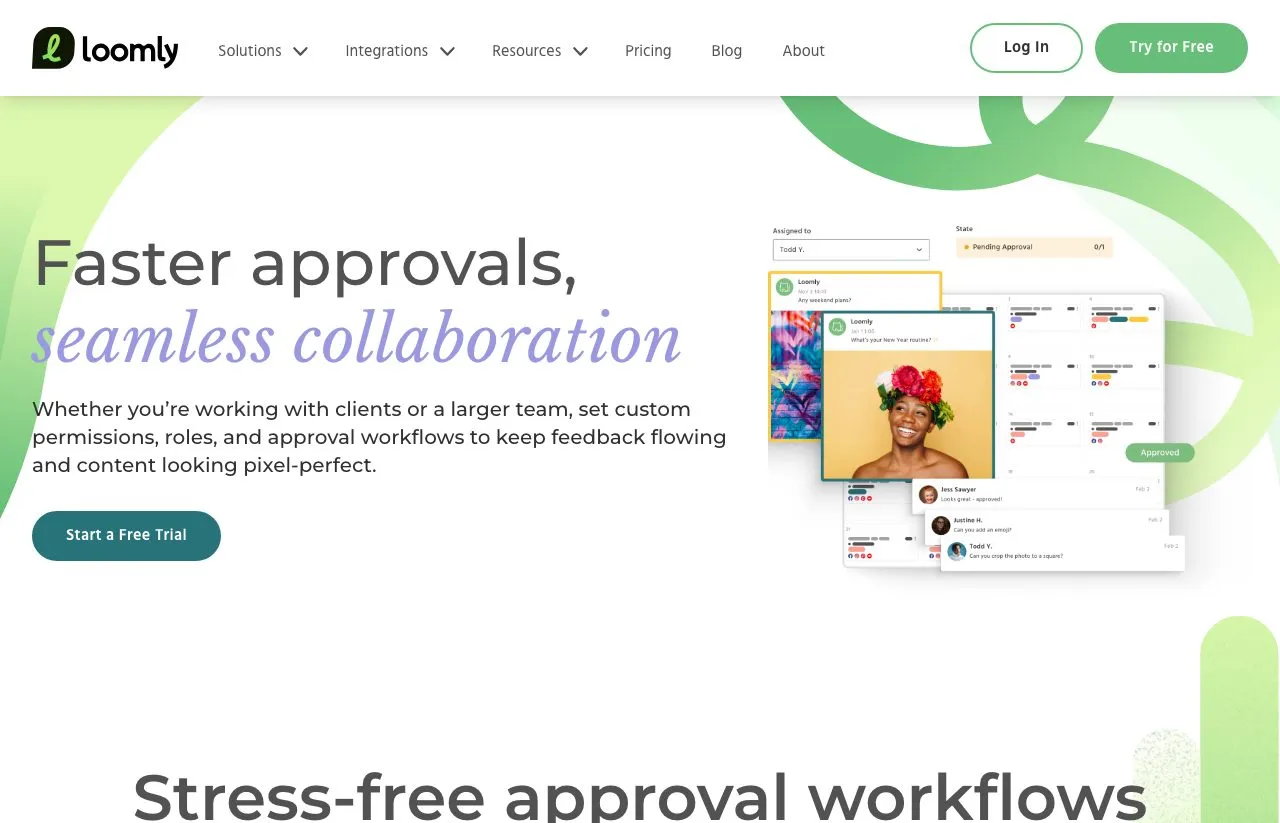
Loomly assigns each calendar one of three collaboration workflows. Original is built for multiple approvers. Its seven statuses are Draft, Requires Edits, Pending Approval, Approved, Scheduled, Published and Canceled.
Lite is for one approver and schedules a post once it is approved. Zero skips approval and keeps four statuses. In every workflow, whoever owns the next step has to be assigned when a post changes status, so that person gets notified.
Custom Workflows add two controls. Assignment Triggers add named people to a post when it enters a status. State Guards hold a post back from a status until specific users act. A guard only stops people from skipping ahead when it is set to Block, and named users can override it.
Which plan includes Custom Workflows depends on which Loomly page you read. The pricing cards list “Custom roles & workflows” under Beyond. The comparison table on the same page marks it Included on Starter. The help article says “Advanced Plan and up,” a plan name the pricing page no longer shows, so ask Loomly before buying Starter for it.
Every participant uses a seat. Loomly’s users definition reads: “Each person that would be participating in a calendar (including clients who simply need to approve posts) is considered a user.” Starter includes 3 users in total, so a fourth participant means Beyond.
Loomly and Blotato on the Approval Question
| Loomly | Blotato | |
|---|---|---|
| What it is | Team content calendar with approval workflows | An API key and hosted MCP server an agent uses to publish on 9 platforms, answer Instagram and Facebook comments and DMs, and read analytics |
| Who authorizes a post | Approvers set by the calendar’s workflow (Zero has none) | You, or the agent you give the key |
| Post approval workflow | Original, Lite or Zero, plus Custom Workflows | Not available |
| Users | Starter 3, Beyond unlimited | 1 per account |
| Public API | Not offered, per its help center | REST API on paid plans |
| MCP server | None in its help center, and mcp.loomly.com does not resolve. Zapier hosts one with 2 Loomly actions | Hosted, on paid plans |
| What an agent can create | Quick Post placeholders and post ideas, through Zapier | Published or scheduled posts, one account per call |
| Comments | Facebook, Instagram, LinkedIn, TikTok and Bluesky | Instagram and Facebook |
| DMs | Facebook Messenger and Instagram | Instagram and Facebook |
| Automated replies | Automated DMs page describes instant Instagram and Facebook replies. Help center documents a Reply with AI button | Keyword-triggered DM automation on Instagram and Facebook, reply-only |
| Analytics | 6 networks named on its AI analytics page | 8 of 9 platforms (LinkedIn not yet) |
| Publishing networks | 9 on its integrations page, 10 in its help center | 9 |
| Trial | 7 days on its homepage, 15 days on four feature pages | 7 days, web app only, no API or MCP |
| AI writing | AI Assistant on both plans, with monthly usage caps | Included, with images and video on credits |
What Zapier Lets an Agent Do in Loomly
Loomly’s help center is plain about it: “While Loomly does not currently offer a public API for direct integration, Zapier lets you connect Loomly to thousands of other web services.” Its help center has no article on MCP, and mcp.loomly.com does not resolve.
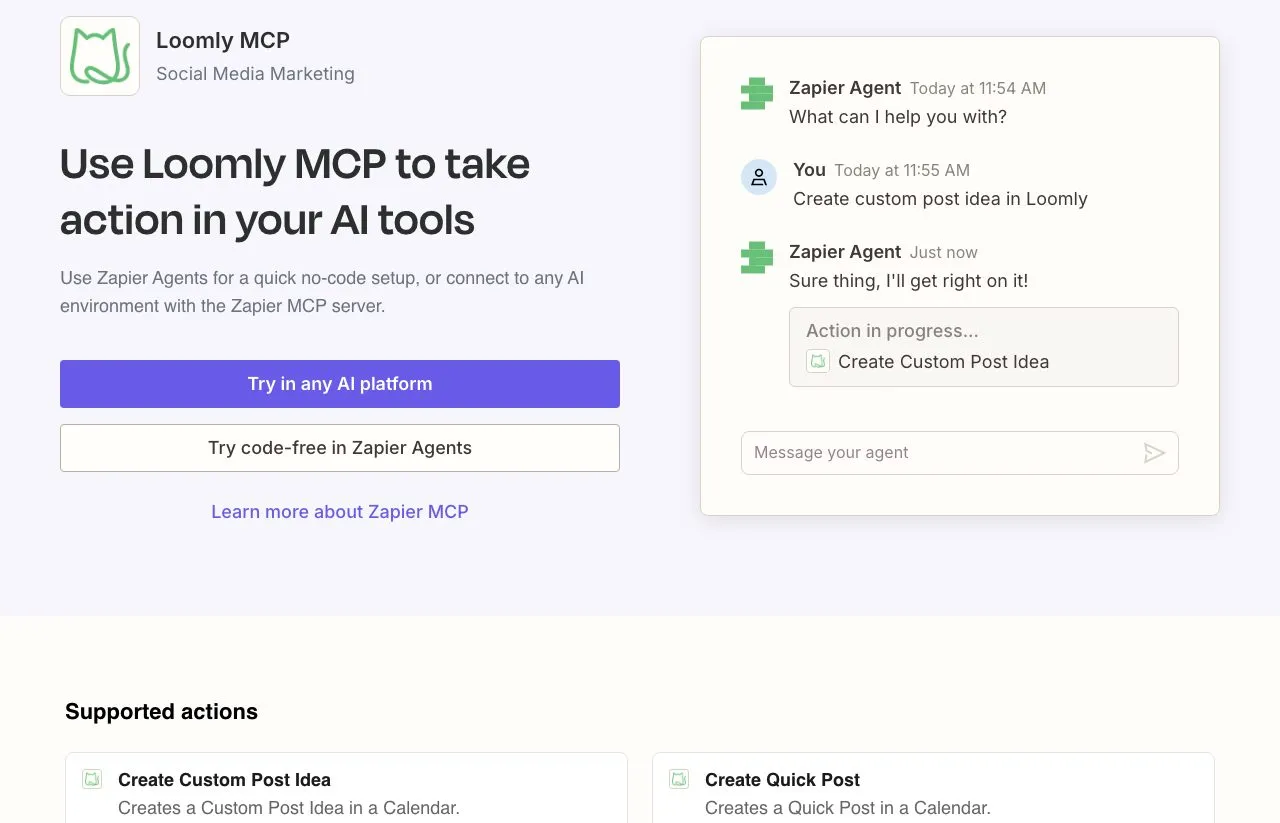
Loomly’s Zapier guide lists 12 triggers and 2 actions. The actions are Create Quick Post and Create Custom Post Idea. Zapier’s Loomly MCP page offers the same two as tools for any MCP client, and “One MCP tool call uses 2 tasks from your plan’s quota.”
Setup happens in your Zapier account. You generate a personal MCP URL there and choose which Loomly actions the agent may use. Then you paste that URL into Claude or another MCP client. Every agent call spends Zapier tasks, and Loomly’s help center covers the Zapier connection but has no MCP setup guide.
Loomly treats a Quick Post as a placeholder. Its post creation guide says Quick Posts “save dates without creating a full post.” Its reminder article adds that “adding a Quick Post would not schedule the post.”
Here is everything the agent can fill in on that call:
| Quick Post field | What the agent sends |
|---|---|
| Calendar | The Loomly calendar that gets the placeholder |
| Date | The date and time the post is meant for |
| Subject | A short label your team sees on the calendar |
| Copy | The caption draft |
| Photo URL | One image link, if there is one |
| Network toggles | True or false for Facebook, Instagram, LinkedIn, Pinterest, Google Business Profile, YouTube, TikTok, a custom channel and Twitter. There are no Threads, Snapchat or Bluesky toggles |
There is no field for a status. The final edit, the rest of the media, approval and the schedule all happen in Loomly, by a person.
The triggers point the other way, and they are the richer half. Zapier can fire when a post changes state, publishes, fails, or “is due to be published and requires manual publishing.” So an agent can hear that a teammate approved something. Neither documented action can move that post to Scheduled or publish it, though.
Where Review Lives When Your Agent Holds the Key
One call to blotato_create_post publishes or schedules a post for one account. Our publishing reference spells out the default: “If NEITHER scheduledTime NOR useNextFreeSlot is provided, the post PUBLISHES IMMEDIATELY.” The call does not pass through an approval queue.
So the review step moves into the conversation. Our MCP prompt examples tell the agent that draft requests “do not authorize publishing or sending messages.” Tell the agent to draft without publishing and read what it writes. Then name the posts you want out. Claude can also be set to ask before each publishing call, as the connector permissions rundown shows.
A typical loop starts with a draft request and ends with your instruction to post. You ask for three LinkedIn drafts and say not to publish, so the agent writes them and stops. You pick one and a time, and the agent calls blotato_list_accounts for the account, then blotato_create_post with scheduledTime.
A calendar reviewer would catch a post aimed at the wrong brand, and in a chat that check is yours. Our publishing reference tells the agent to “Resolve the requested account and destination before writing,” which matters more once one key reaches 20 or 40 accounts. Name the account in every instruction.
Scheduling gives you a second window. Until a post goes out, the agent can rewrite its content or time with blotato_update_schedule, or cancel it with blotato_delete_schedule. Polling blotato_get_post_status settles on scheduled for a post that is waiting. Our unattended posting guardrails cover what to check once it runs.
What One Key Covers That Zapier Does Not
The agent finishes the job. Through Zapier, an agent gets a placeholder into Loomly. Through Blotato, the same agent publishes or schedules on X, LinkedIn, Facebook, Instagram, Pinterest, TikTok, Threads, Bluesky and YouTube, one account per call.
The key keeps working after the post lands. On Instagram and Facebook, your agent reads and replies to comments, answers DMs and runs reply-only DM automations. Analytics for 8 platforms come back through the same key.
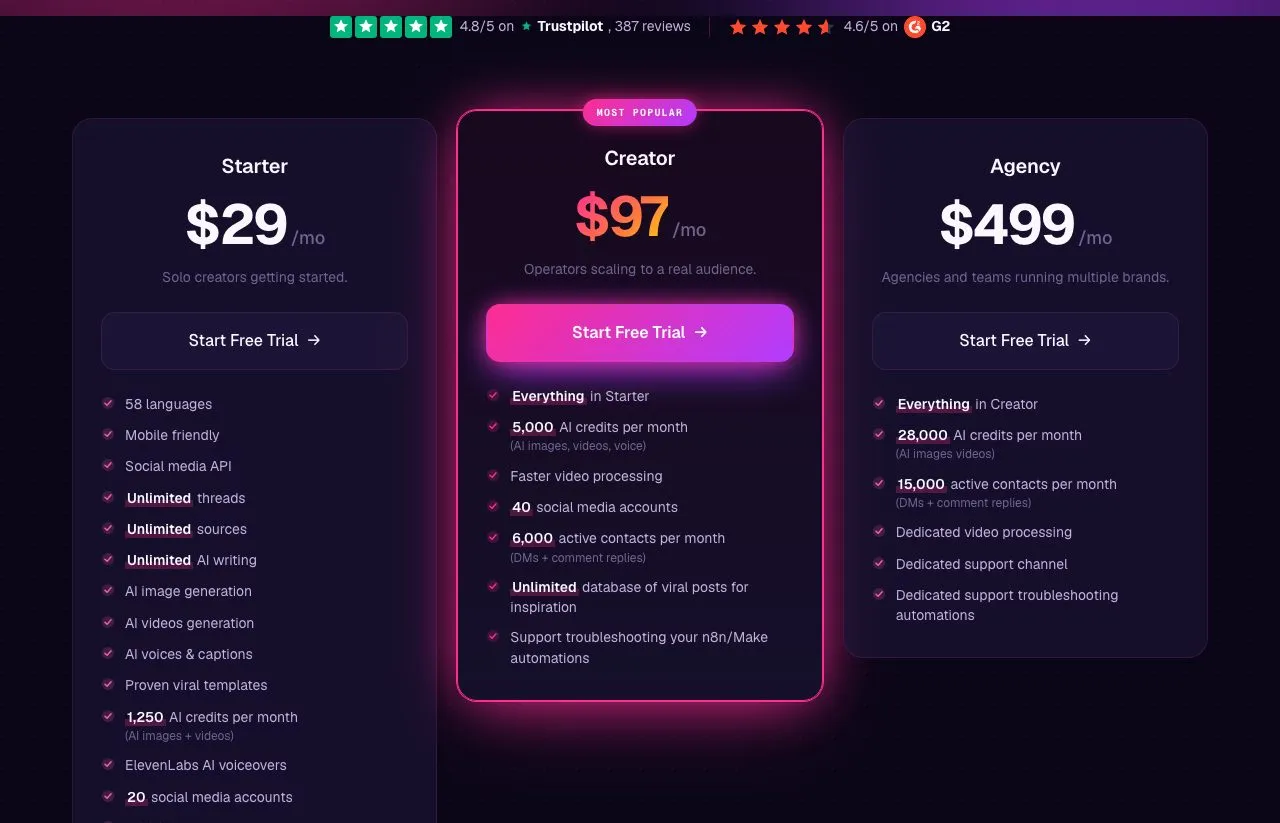
Flat price by account count. Starter covers 20 social accounts, Creator 40 and Agency 100. Blotato does not charge per collaborator, and it does not give collaborators separate logins either.
Automation tools connect directly. Blotato has native nodes in n8n and Make. For automation, Loomly points to Zapier, and each MCP call there spends Zapier tasks.
What Blotato Will Not Do for a Team
Web-app drafts stay on one browser. Drafts you write in the app “stay in the browser session where you created them, not across devices,” so a reviewer on another laptop cannot open them.
The inbox starts on the day you connect. Our inbox does not import older Instagram posts, comments or messages. It keeps new ones for up to 45 days. Loomly says it retains “up to 6 months worth of data.”
Shared access means a shared identity. Our team access doc says a teammate signs in with your email and its emailed code, “so there are no separate teammate logins, roles, or audit trail.”
The Same Social Accounts at Two Prices
Loomly prices by accounts and users together. Blotato charges no seat fees, and its tiers step up by accounts, AI credits and DM automation contacts. These are month-to-month rates from Loomly’s pricing page and our current plans.
| Plan | Price per month | Social accounts | Users |
|---|---|---|---|
| Loomly Starter | $65 | 12 | 3 |
| Loomly Beyond | $332 | 60 | Unlimited |
| Loomly Enterprise | Custom | 61+ | Unlimited |
| Blotato Starter | $29 | 20 | 1 |
| Blotato Creator | $97 | 40 | 1 |
| Blotato Agency | $499 | 100 | 1 |
The Agency account limit comes from our billing docs, since the pricing card does not show it.
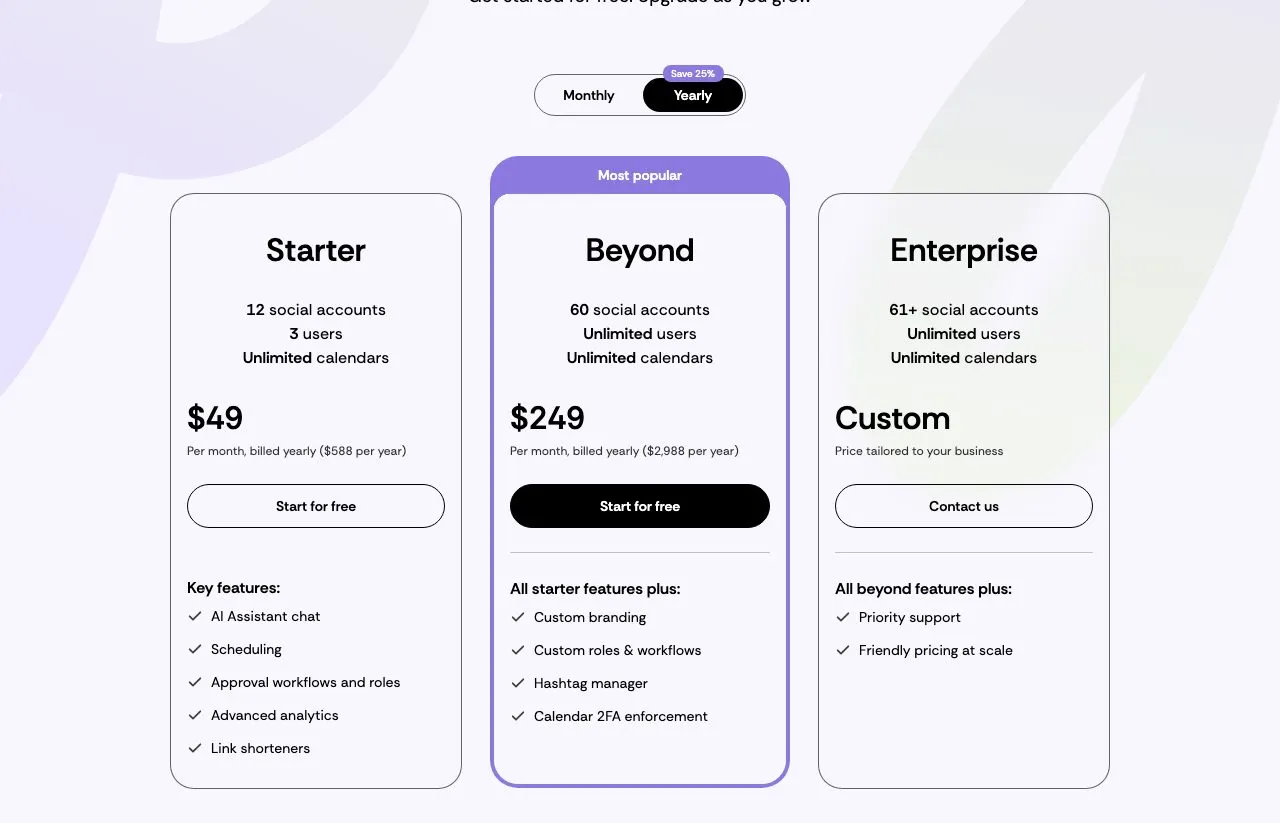
Loomly’s page opens on yearly billing, at $49 and $249 a month charged upfront. Its FAQ says “you will not be able to terminate early with our yearly plans.” Past 60 accounts, the pricing page points to custom Enterprise. The help center describes self-serve account add-ons on Beyond instead. What happens past 12 accounts is covered in our Loomly alternatives breakdown.
| At the entry tier | Loomly Starter ($65/mo) | Blotato Starter ($29/mo) |
|---|---|---|
| Social accounts | 12 | 20 |
| Separate logins | 3 users | 1 user |
| Post approval workflow | Included | Not available |
| What an agent can do | Create placeholders and post ideas through Zapier | Publish and schedule on 9 platforms, and handle Instagram and Facebook comments, DMs and reply-only DM automation (paid plan, not the trial) |
| Analytics | 6 networks named on its AI analytics page | 8 platforms |
Loomly’s $65 buys three logins and an approval workflow, and no Blotato plan sells either. Blotato’s $29 buys 8 more accounts and an agent that can publish, with one login.
Where this table misleads you:
Split three ways on monthly billing, Loomly Starter costs about $21.67 a person, less than one $29 Blotato login, if all three really need a seat.
If your community talks to you on LinkedIn or TikTok, Loomly’s Interactions inbox reaches those comments and ours does not. Our comments and DMs stop at Instagram and Facebook. Loomly’s inbox has ceilings too. It tracks up to 5,000 comments and 2,500 messages per rolling two weeks. Instagram DMs work only for Business accounts and Creator accounts under 500k followers.
If your agent only drafts, Loomly’s Zapier path may be all your team needs. A Quick Post plus a human approver is a full workflow for a team that never wanted the agent publishing.
Loomly’s Edge for Teams
Sign-off sits inside the calendar. Loomly’s workflows decide who moves a post and when. Its approvals page also promises to “Track post history and asset versions.”
Two destinations we don’t cover. Loomly’s integrations page lists Google Business Profile and Snapchat, which are not among Blotato’s 9 platforms. Its help center list adds Bluesky, which we also publish to. Neither list includes X, even though Zapier’s Quick Post action still shows a Twitter toggle.
A seat for every client on Beyond. Beyond includes unlimited users, so clients and freelancers each get their own login.
Internal notes stay internal. Loomly lets a team keep comments private for its own discussion, then share with clients “for final approval by toggling to public.” Blotato has no equivalent for that client-service step.
Team tools around the calendar. Slack and Microsoft Teams integrations come on both plans. So do an ideas board and social listening, capped at 2 per month on Starter and 5 on Beyond.
Run One Week Through Each Before You Commit
A Blotato vs Loomly decision gets easier with real posts. Pick three and send them down both paths, and note who touched each post along the way.
In Loomly, connect Zapier’s MCP to Claude and have it create three Quick Posts. Then time how long your team takes to finish and approve them. In Blotato, have your agent schedule the same three, then rewrite one and cancel another before they go out.
For the Blotato half, plan on a paid Starter plan, because generating an API key ends the trial and starts the paid subscription. Then compare the time each path took with the review your team actually requires. If a client has to sign off, I would keep that sign-off in Loomly rather than bolt it onto a chat. If the approver is you, I would let the agent publish.
Blotato vs Loomly FAQs
Does Loomly answer DMs and comments automatically?
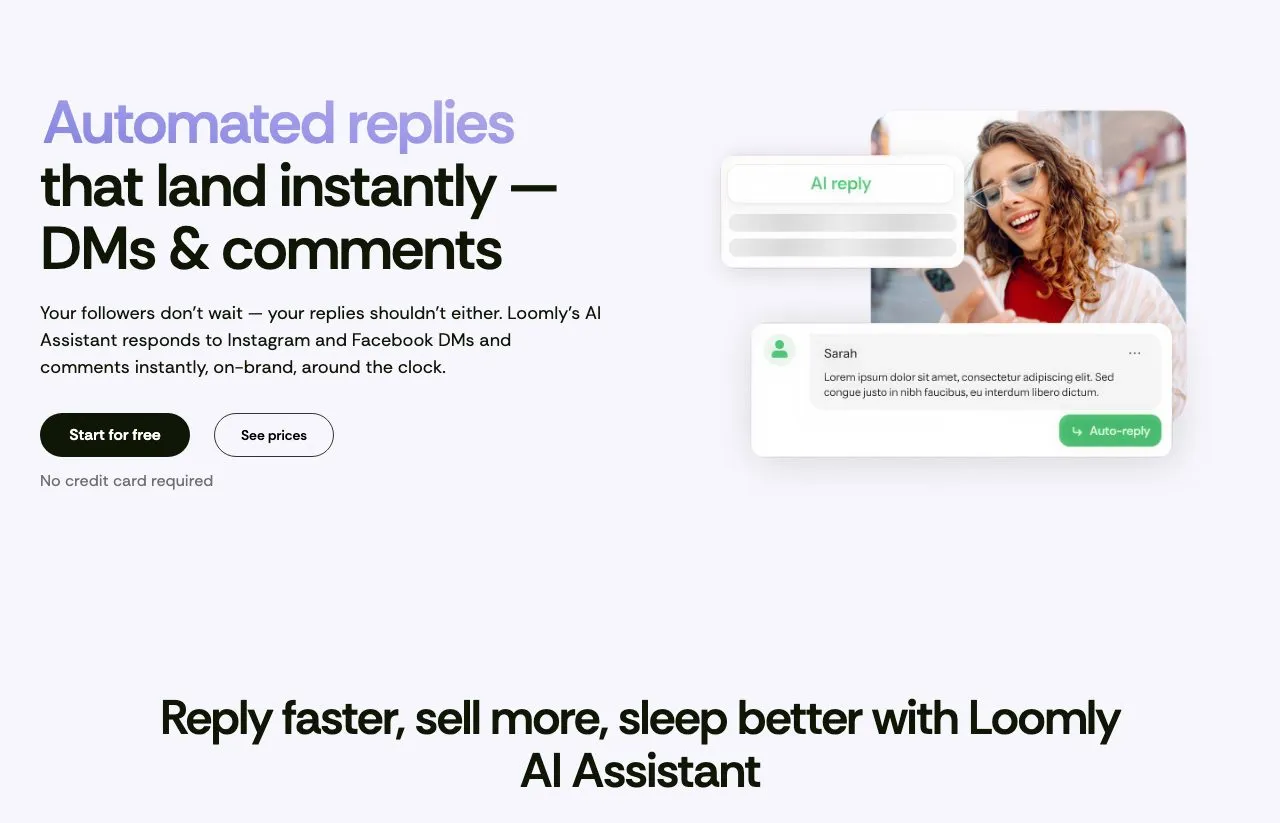
Loomly’s automated DMs page says yes for Instagram and Facebook, with its AI Assistant replying “instantly, on-brand, around the clock.” Its help center, though, documents a Reply with AI button you click under each message. Check how replies send in your account before relying on them. Our DM automation answers people who comment or message first on Instagram and Facebook, up to 1,000 active contacts a month on Starter, 6,000 on Creator and 15,000 on Agency.
How do I review posts before Blotato publishes them?
Give your agent a standing rule, such as “draft only, never publish without my go-ahead,” and keep the publishing tool on ask-first in Claude. For anything scheduled, a quick look at the schedule list before the post time is your last checkpoint.
What does each tool cost for 12 social accounts?
On monthly billing, Loomly Starter is $65 for 12 accounts and 3 users. Blotato Starter is $29 for up to 20 accounts and 1 user. Billed yearly, Loomly Starter comes to $588 for the year, paid upfront. Our annual plans save about 17%, per our pricing FAQ.
Can either tool publish to Google Business Profile or X?
Loomly lists Google Business Profile. X is missing from its integrations page and help center list, though Zapier’s Quick Post action still shows a Twitter toggle, so confirm X with Loomly before counting on it. Blotato publishes to X but not to Google Business Profile.
Does Loomly have a free plan?
Not on its pricing page, which shows only Starter, Beyond and Enterprise. A help center article does describe a free plan with “1 user and 3 social media accounts” and 5 posts a month, adding that it “might not be available for all users.” Blotato has no free plan. Our 7-day trial covers the web app but not the API or the MCP server.