Claude Code Subagents: Let an Agent Post Without You Watching
Claude Code subagents let a scheduled routine publish without you. The five things the reviewing agent must verify before a post goes live.
Claude Code subagents are what let you stop approving every post, and the pattern is simpler than it sounds: one agent does the work, a second independent agent checks it. Every guide I have written about automating content, including my own AI content pipeline post, tells you to keep the approval gate on instead. That is still the right starting point, but it leaves the real question unanswered.
At some point you want the thing to run while you sleep, and nobody tells you what has to be true first. I run this pattern on my own support queue today: one routine cleans up tickets every morning, and a separate routine goes back later and re-opens the ones that should not have been closed. Below is how it works, and what changes when the thing being checked is a post going to your audience.
How to Use Claude Code Subagents (Video Guide)
In the video I build this against my Intercom support queue, because that is where I actually run it. The written guide goes further than the video does on one point: what the checker has to verify before a social post ships, which is a harder problem than checking a ticket.
Why the Approval Gate Is the Wrong Thing to Remove First
Most people try to go hands-off by deleting the approval step. That is backwards. The approval step is not the safety mechanism, it is a human standing in for one, and removing it leaves nothing behind.
Normally you prompt AI, read the answer, and prompt again. You are part of the loop. Taking yourself out means building something that does the prompting for you: it checks the AI’s work, and it decides what the next step should be. When I say it, I mean another AI agent.
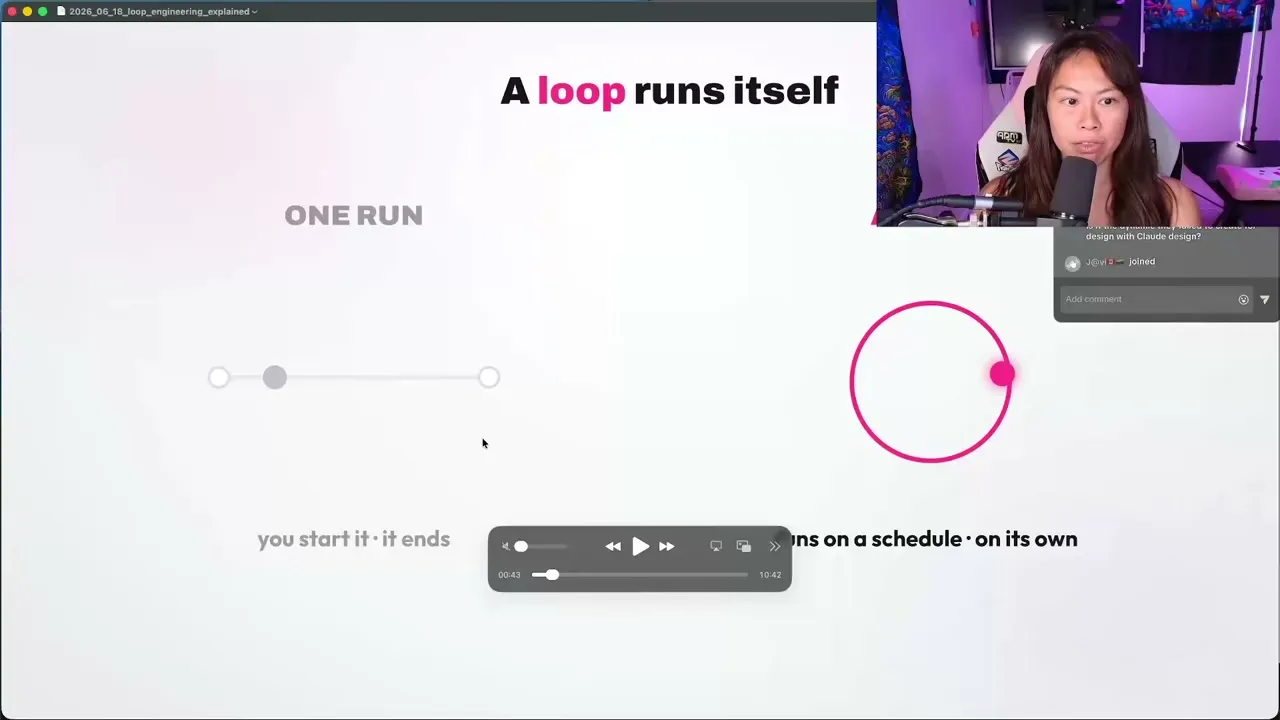
So the order matters. You build the replacement first, confirm it catches things, and only then step back. It sounds simple, but the hardest part is defining the checker. Take a social media post. How do you define what a good post is? Defining what good and done looks like is the hardest part of building the loop.
My Stack for Running Claude Code Subagents
Four pieces make Claude Code subagents work, and you do not need to know how to code to use any of them. The only prerequisite is having Claude Code set up.
- The
/goalcommand. Sets a completion condition and keeps Claude working across turns until the condition is met. It requires Claude Code v2.1.139 or later. - Routines. Saved configurations (a prompt, repositories, connectors) that run on Anthropic’s cloud infrastructure, so they keep working when your laptop is closed. They are in research preview and available on Pro, Max, Team, and Enterprise plans.
- Skills. A playbook in a markdown file. How you want things named, the conventions to follow, the mistakes it should never make, any constraints or guardrails. You teach it once and it follows that playbook every time.
- Connectors. These let your agent use the tools you already use, like Gmail, Slack, or Intercom.
Blotato is an app I built, so weigh my read on it accordingly. It matters here for one narrow, checkable reason. A routine’s default environment blocks arbitrary hosts, so a raw call to a publishing API fails with a 403 on run one until you widen the allowlist. Connector traffic routes through Anthropic’s servers instead, so a hosted MCP connector works inside the default policy with nothing to allowlist and nothing to self-host. That is why our server at mcp.blotato.com/mcp is one connection covering 9 platforms rather than nine API integrations you maintain. If you want the publish step handled, start a Blotato subscription and connect your accounts before you build the checker. The 7-day trial covers everything except the API, and this build needs the API, so plan on starting the subscription rather than trialing it.
What a Checker Agent Actually Is
Claude Code subagents are agents with their own context window and their own tools. The useful arrangement is two of them: the one actually doing the work, the maker, and a second agent, the checker.
The reason you want two separate agents is that one does all of the work and the second one independently reviews it. If the checker says this is not good enough or this is not ready yet, it tells the maker why, and what it thinks should happen next.
The thing people miss is that this only works if the checker is genuinely separate. An agent grading its own output inside the same session has already convinced itself. It read its own reasoning and agreed with it.
| Grader inside one session | Separate checker agent | |
|---|---|---|
| Context | Sees the maker’s reasoning | Sees only the result |
| Runs when | Same session, same run | Its own scheduled run |
| Authority | Advises, you decide | Acts on its own verdict |
| Fails how | Agrees with itself | Catches what the maker rationalized |
| Human needed | Yes, to act on the score | No |
That third row is the difference. What “acts” means depends on whether the work can be taken back: on my support queue the checker re-opens tickets after the fact, because a closed ticket can be re-opened. Publishing has no equivalent, so there the checker has to act as a gate before the post fires.
Two of my posts land on the opposite conclusion for good reasons: my OpenClaw social media build covers what breaks when an agent posts unattended, and the Hermes agent guide covers staging an agent so it cannot publish yet. This post is the layer that comes after both.
How to Use Claude Code Subagents (Step-by-Step)
I will build this in the order I actually built it: the in-session loop first, then the scheduled version, then the checker.
Step 1: Write a Goal With an End State You Can Count
Type /goal followed by the condition you want satisfied. The simplest version I demo in the video sorts a messy Downloads folder.
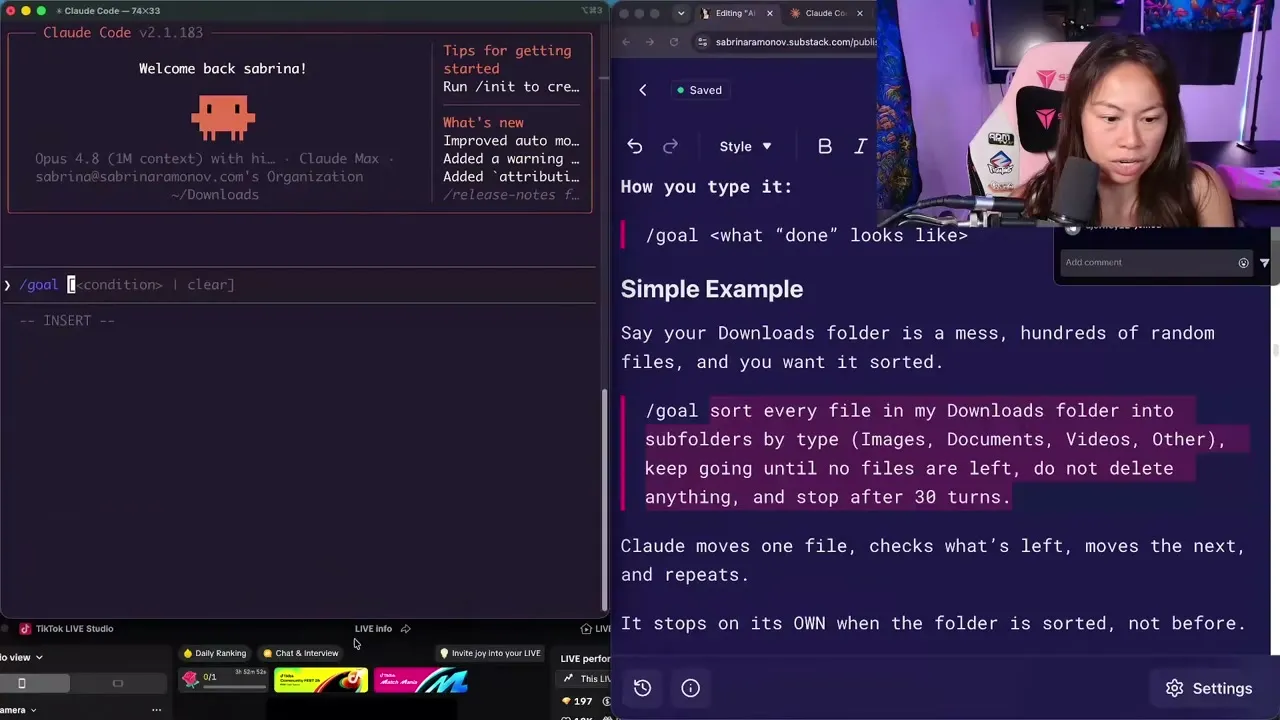
Three things made that a good goal prompt: a clear end state (keep going until no files are left), a check it can run (count the loose files still in the folder), and a guardrail (do not delete anything and stop after 30 turns).
Step 2: Write the Check So the Agent Can Prove It
This is the part that trips people up, and it is a real technical constraint rather than a style preference. The evaluator that decides whether your goal is met does not call tools. Per Anthropic’s documentation, it “can only judge what Claude has already surfaced in the conversation.”
So the check has to be something Claude’s own output can demonstrate. “All tests pass” works because Claude runs the tests and the result lands in the transcript. “The post is on brand” does not, because nothing in the transcript proves it. For content work that means forcing the maker to surface the evidence: character counts, the rendered caption, the target account, the response from a dry run. If it is not in the transcript, your checker is judging thin air.
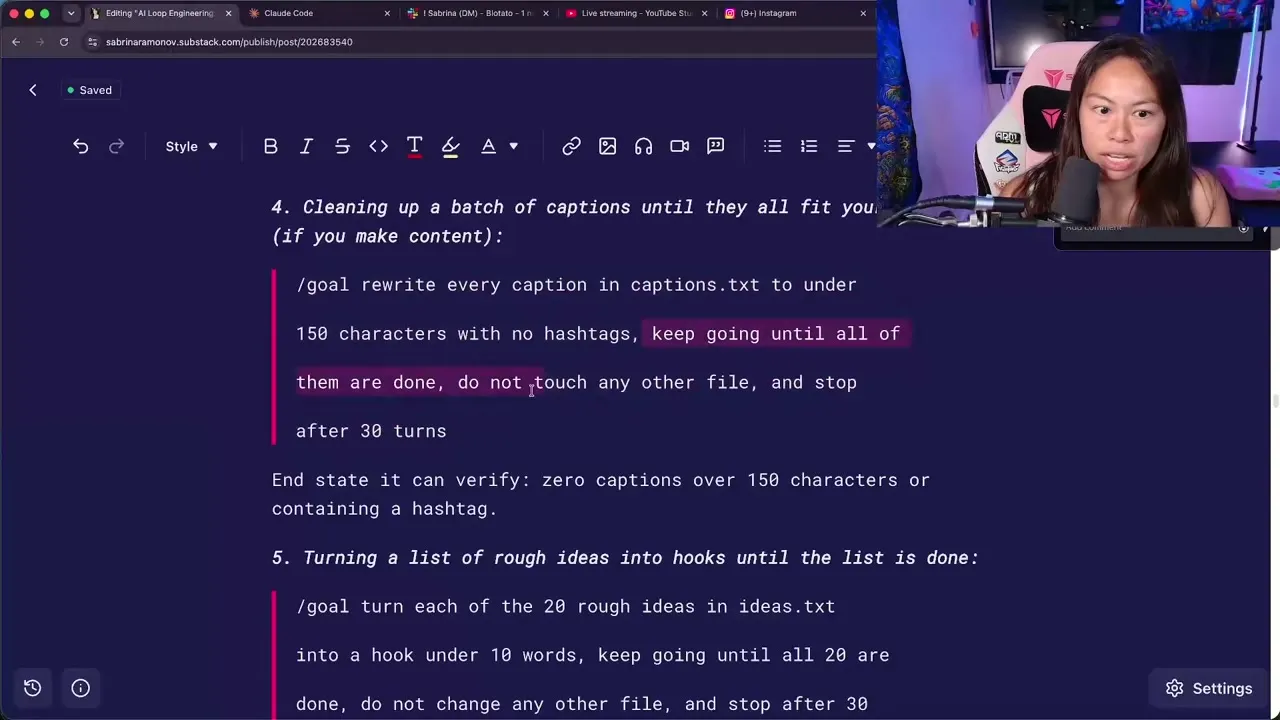
Notice what makes that caption example work. Zero captions over 150 characters is a count. A human opinion about quality is not.
Step 3: Move It to a Routine So It Runs Without You
A goal runs inside a session you have open. A routine runs on Anthropic’s infrastructure on a schedule. In the creation form you write the instructions, pick the repositories, choose the model, set the trigger, and add connectors.
One thing to know before you trust it: routines run autonomously as full cloud sessions, with no permission-mode picker and no approval prompts during a run. Claude can use every tool from an included connector, including writes, without asking. That is the point, and it is also the risk, so remove any connector the routine does not need. The presets are hourly, daily, weekdays, and weekly, and if you set a custom cron expression the minimum interval is one hour.
Step 4: Write the Maker
Here is my real maker routine. It runs the cleanup-tickets skill on all open customer support tickets using the Intercom API, posts a summary to the Slack support channel, and always includes the full conversation link.
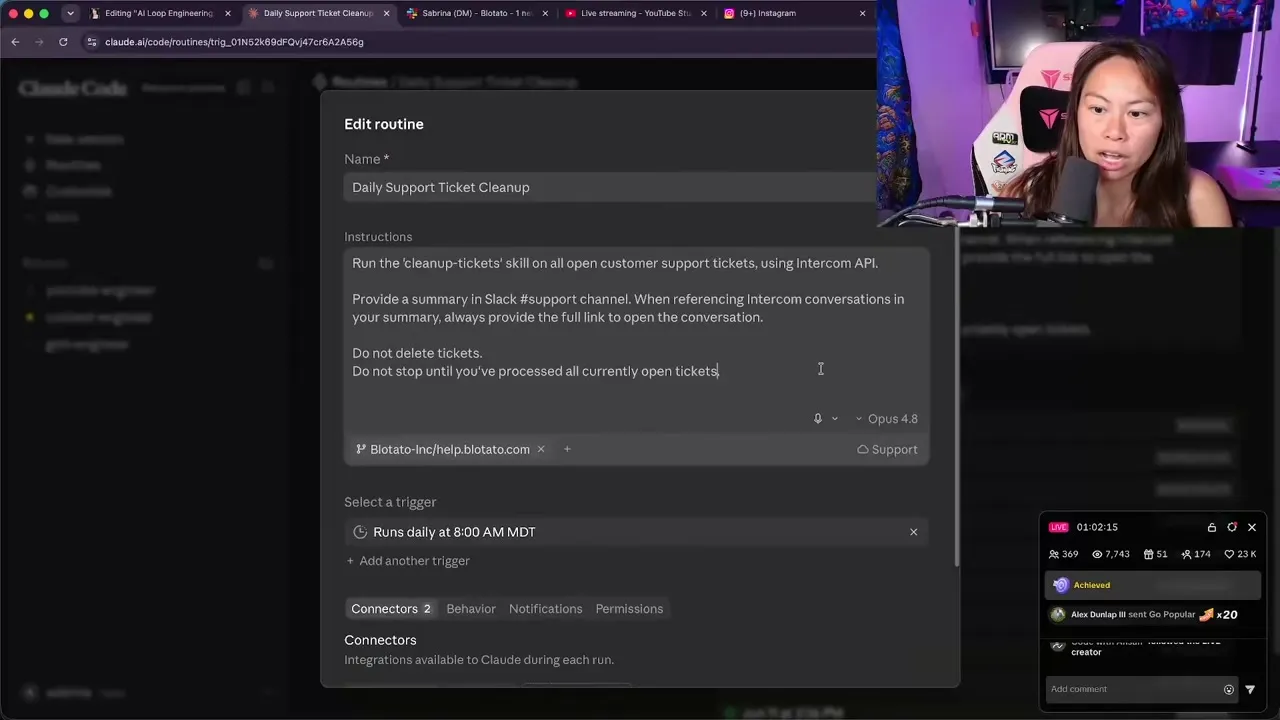
The two constraints at the bottom are doing real work. “Do not delete tickets” is the guardrail. “Do not stop until you’ve processed all currently open tickets” is the end state.
I use the Intercom API here rather than the Intercom connector for a specific reason: the connector does not let me close open tickets, and the API does. If a connector limits you, you can create a separate environment holding that API key as an environment variable.
Step 5: Write the Checker as Its Own Routine
The checker is a second routine, scheduled to run after the first one has finished. Mine reviews all support tickets that were automatically closed today and confirms that each ticket should remain closed. If the support responses received by a customer do not clearly solve their problem, it re-opens the ticket.
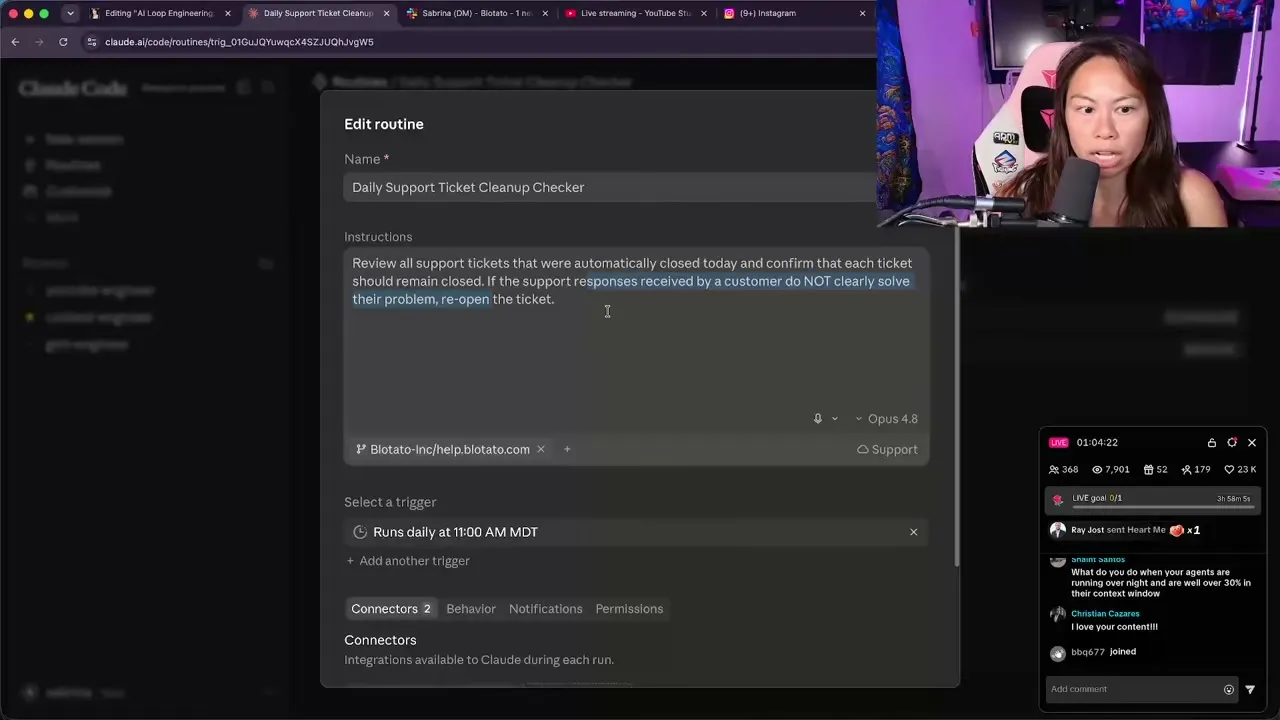
Read that instruction again, because the verb at the end is the entire point. It does not flag. It does not warn me. It re-opens the ticket. The checker has the authority to undo the maker’s work without me in the room.
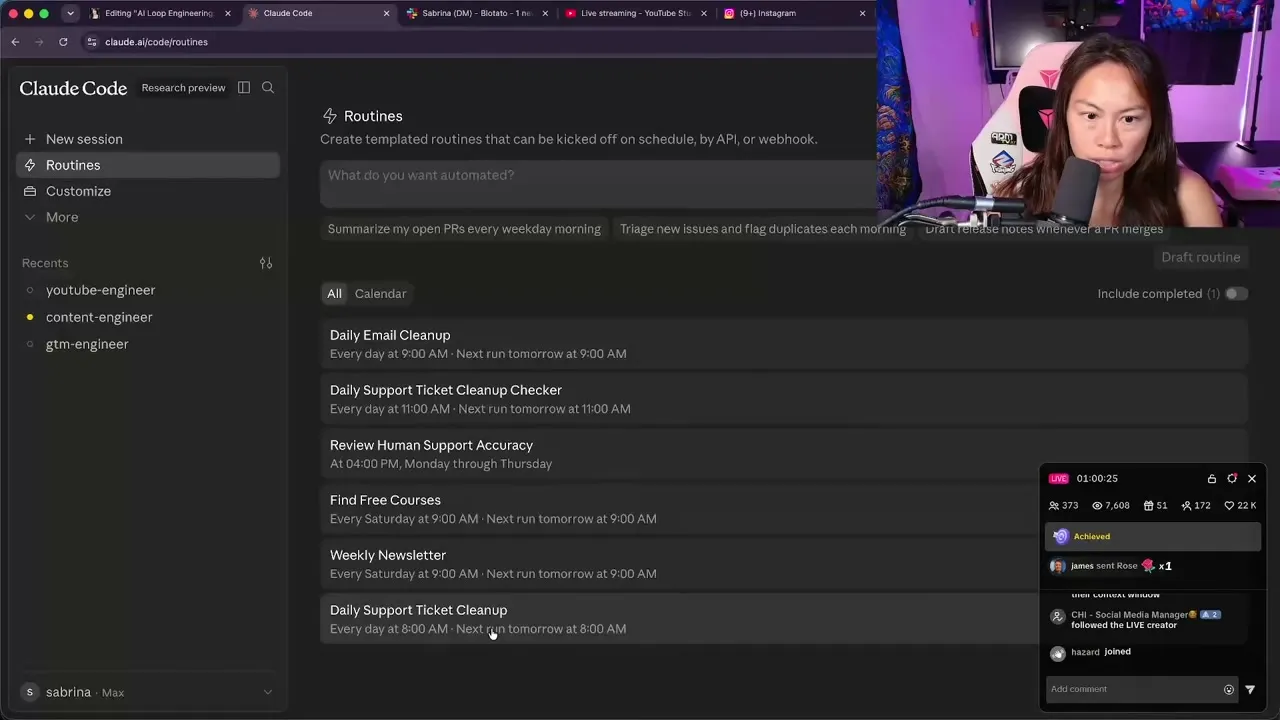
In my routines list the two sit side by side, the cleanup running daily at 8:00 AM and the checker about two hours after it. It needs the gap because the first one takes a while to actually process all those tickets.
What the Checker Must Verify Before a Post Ships
Everything above is a support queue. A ticket that gets wrongly closed can be re-opened, and the cost is one customer waiting longer than they should have. A published post has no equivalent: there is no re-open, and the audience already saw it. So verification has to happen in the gap between “content exists” and “content is live.”
The way I keep that gap open is by splitting the tools rather than trusting the prompt. The maker routine gets the drafting tools and writes each finished post to a file in the repository, along with the target account and the exact text. I do not attach the publishing connector to it. The checker routine runs after it, reads those staged files, and is the only one holding that connector.
Scoping Connectors Raises the Wall, It Does Not Remove the Door
Be honest about how strong that boundary is. A routine can only use the connector tools you attach to it, but it can still run shell commands and read the environment variables you gave it. If your maker’s environment holds a publishing API key, it reaches the API without the connector, which is the same trick I use to get past the Intercom MCP’s limits above. So keep publishing credentials out of the maker’s environment entirely: separate environments are the real boundary, and connectors are the convenience layer on top.
What the Checker Confirms Before It Fires
The checker needs to confirm:
- The text fits the destination. X caps a standard post at 280 characters and Threads at 500, so the same caption that clears one silently truncates on the other. Have the maker print the character count per target, not just the caption.
- Every factual claim traces to a source in the transcript. A fabricated statistic is the failure that costs you the most, and it is the one a fluent draft hides best.
- The target account is the intended one. Print the account ID, not the handle. Handles are easy to confuse across a client roster, IDs are not.
- Media resolves. Have the maker fetch the media URL and print the status code. A dead link publishes as a broken post, and a 404 in the transcript is something the checker can actually judge.
- It is not a duplicate. Retries are the most common cause of double posts, so the checker needs the log of what already went out.
That last one is why memory matters. Without a shared notebook across your agents, every run starts from zero and would not know what the previous agent already accomplished. A log file of what has been posted is what makes duplicate detection possible at all.
If your checker cannot answer all five from what the maker surfaced, keep the gate on. That is not a failure, it is the check working.
How the Publishing Step Actually Fires
There is a practical wall here that the docs mention and most tutorials skip. A routine’s default environment uses trusted network access. It reaches package registries and common development domains, and blocks everything else. Outbound requests to other hosts fail with a 403 and x-deny-reason: host_not_allowed.
So a routine that calls some arbitrary publishing API fails on run one until you widen the allowlist. But connector traffic is routed through Anthropic’s servers, which means connectors you add to the routine work without adding their hosts to allowed domains.
Several tools ship MCP servers now, so the differentiator is not having one, it is being hosted and flat-priced: a scheduled agent can hit it unattended, and the bill does not move with how often the routine fires.
This is also where a Claude routine diverges from the n8n or Make version of the same idea. In a visual builder the schedule, the branching, and the publish step live inside one scenario you maintain by hand. Here the schedule is the routine, the checker is a second routine, and the review logic is a prompt you can change in a sentence.
There is one more trap. Connectors are the integrations on your claude.ai account. MCP servers you added locally with claude mcp add live on your machine, not your account, so they do not appear in a routine’s connector list. Add the server at claude.ai as a connector, or commit it to a .mcp.json in the repository the routine clones.
Pro Tips for Running a Maker and Checker
Give the checker enough of a gap. Mine runs about two hours after the cleanup, because the first one takes a while to actually process all those tickets. A checker that fires while the maker is still working will judge half-finished work and re-open things that were about to be handled.
When the MCP limits you, reach for the API instead. The Intercom MCP does not let me close open tickets, but the Intercom API does. Rather than abandoning the build, create a separate environment holding that API key as an environment variable and call the API directly. The same trick covers any tool with no connector at all.
“Do not stop until…” is the cheap version of a goal. Before formal goal conditions existed I appended that to the end of complex prompts, and it still works inside a routine’s instructions. My maker prompt ends with “do not stop until you’ve processed all currently open tickets,” which is an end state written in plain language.
What This Setup Can’t Do
Routines are in research preview, so behavior, limits, and the API surface may change.
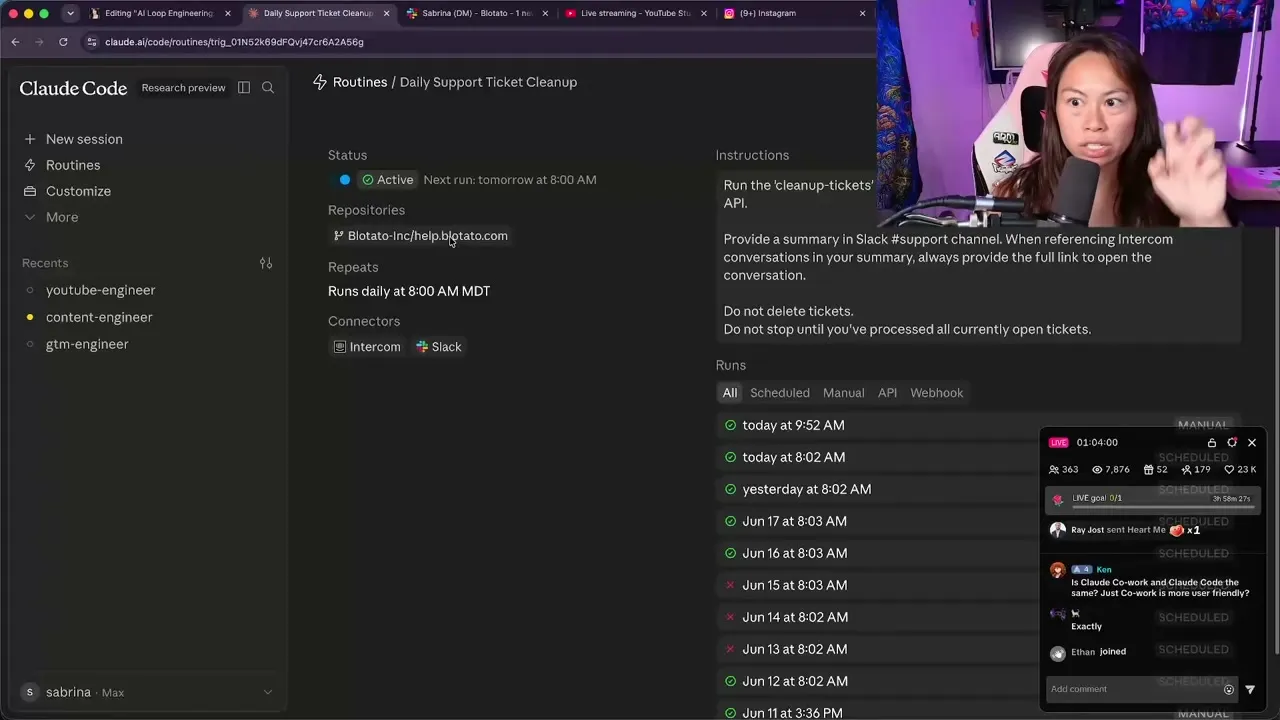
A green run status is not proof of success. Anthropic’s documentation is blunt about it: a green status means the session started and exited without an infrastructure error, and “it does not mean the task in your prompt succeeded.” Blocked network requests, missing connector tools, and task-level failures all surface inside the run transcript rather than in the status indicator. My own run history has red failures sitting in it alongside the green ones.
The checker also cannot invent taste. It verifies things that are checkable: counts, sources, accounts, links, duplicates. Whether a post is any good is still yours. And a checker that runs after publish can only tell you what went wrong, which is why the publishing version has to gate before the post fires, not after.
Results You Can Expect
My support cleanup runs every morning and the checker follows it. The realistic version of this is not that it becomes perfect, it is that the failure mode changes from “nobody noticed for a week” to “the checker caught it the same morning.”
Start smaller than you think you should. My rule is to start read-only, and let it summarize for a few days before you let it edit anything.
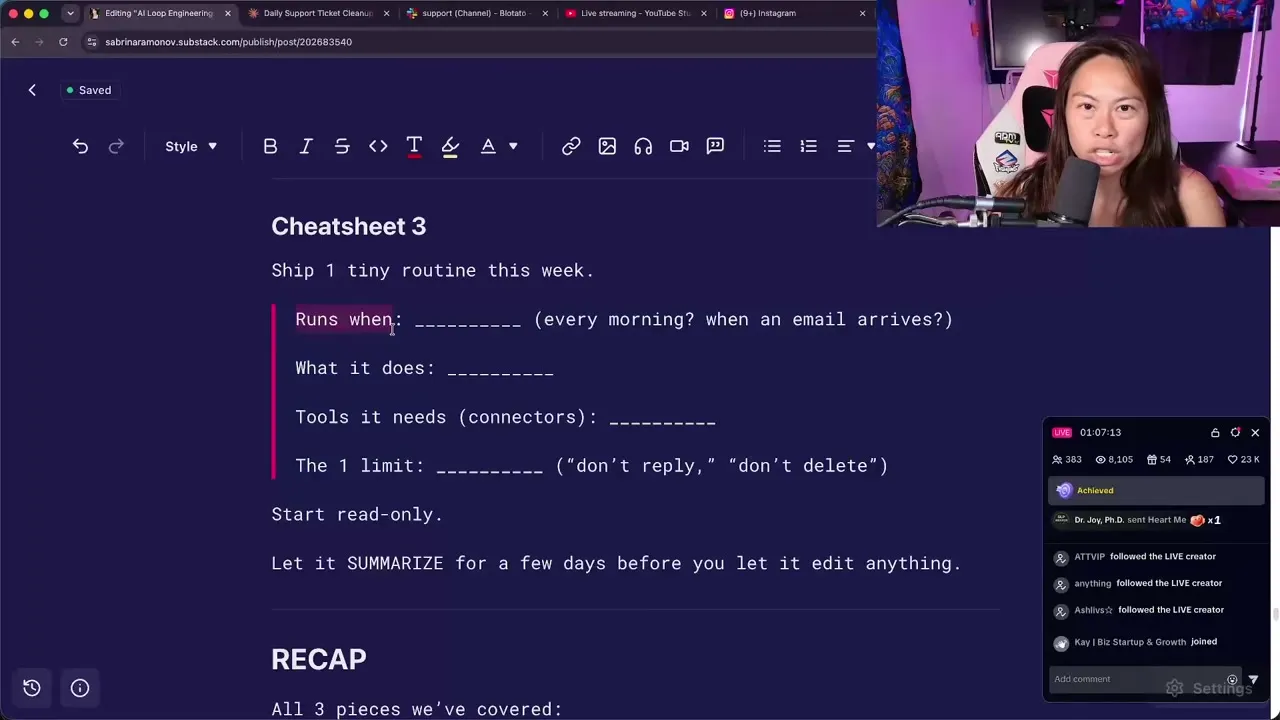
For publishing that means a week where the maker drafts and the checker reviews and nothing goes live. Read the checker’s verdicts. When it stops surprising you, let it publish to the accounts you connected on your Blotato plan.
Sabrina’s Final Take
I would not hand an agent my accounts on day one, and the advice to keep the approval gate on is still right for anyone who has not built a checker yet. What changed my mind is that the checker is not a weaker version of me reviewing posts, it is a different mechanism: it runs on a schedule I do not have to keep, and it applies whatever checks you wrote just as carefully at 3am as at noon, which is more than I can say for myself at 3am. Build it, run it for a week with publishing switched off, and take the gate off only when it has caught something you would have missed.
Claude Code Subagents FAQs
What is the difference between /goal and a routine?
A goal keeps the session you have open working until a condition is met. A routine runs on Anthropic’s cloud infrastructure whether or not you have anything open, triggered by a schedule, an API call, or a GitHub event. Goals are for finishing a task now, routines are for work that repeats without you.
Can the checker agent run in the same session as the maker?
It can, but it defeats the purpose. A checker in the same session has already read the maker’s reasoning and tends to agree with it. Running the checker as its own scheduled routine gives it a separate context window, so it evaluates the result rather than the argument for the result.
What does a routine cost to run?
Routines draw down your normal subscription usage, and there is also a daily cap on how many runs can start per account. A one-off run is exempt from that daily cap. In practice a daily maker and a daily checker is cheap, and an hourly publishing loop is the version worth watching.
Do I need to know how to code for this?
No. The only prerequisite is having Claude Code set up. Goals, routines, and connectors are all configured through a prompt or a form, and the hard part is writing a clear end state rather than writing code.