How to Build an AI Social Media Manager with OpenClaw
Turn an OpenClaw agent into a social media manager that posts to your real accounts. Skill file vs CLI vs MCP server, and where each one breaks.
Search OpenClaw social media and you get two completely different topics wearing the same words.
One is Moltbook, the Reddit-style network where tens of thousands of OpenClaw agents post to each other about their humans. Fun story. Not what you came for.
The other is the one you actually want: getting your own OpenClaw agent to write and publish to your real accounts. X, LinkedIn, Instagram, TikTok. This post is about that second thing, and about the setup choice nobody in the search results explains properly.
Here is the part that gets skipped. OpenClaw supports remote MCP servers natively, and its own docs spell out the exact command. Several tools in this space do ship MCP servers. What almost none of the OpenClaw guides do is tell you that OpenClaw can connect to one directly, so they walk you through a skill file or a command-line tool instead.
OpenClaw Social Media Setup at a Glance (2026)
There are three ways to give an OpenClaw agent posting rights. They are not equivalent, and the one you pick shapes what you deal with later.
| Method | Setup | What it costs you | Where it breaks |
|---|---|---|---|
| ClawHub skill file | Install a markdown skill, drop an API key in a dotfile | Free, plus whatever the API behind it charges | The skill is prompt text. Wording drifts, the model improvises, nothing validates the call |
| CLI tool | Agent shells out to a command | Free, plus the API behind it | Your agent needs shell access. Errors come back as raw text the model has to interpret |
| Hosted MCP server | Point OpenClaw at a URL, approve once | Whatever the provider charges | Nothing to self-host, so you inherit the provider’s uptime and pricing model |
MCP is the one I would pick, and I will show you why in a moment. But I want to be straight about the tradeoff first: with a hosted MCP server you are trusting somebody else’s infrastructure. If that bothers you, the skill-file route keeps everything on your machine.
You have real options at every one of those three rows, and it is worth knowing the field before you commit. Zernio and Postiz both ship the skill-and-CLI route, Ayrshare is the long-standing API-first choice, and Blotato is where I land because I built it.
If you want the shortest path from here to a working setup, start a Blotato subscription and connect it as an MCP server. One approval, nine platforms.
Worth knowing before you click: generating an API key ends a free trial and starts the paid plan immediately. The API is not part of the trial. If you are here for agent posting, plan on subscribing rather than trialing.
What Changed in 2026
OpenClaw has been renamed more times than most projects ship releases. It started as Warelay in November 2025, became CLAWDIS that December, then Clawdbot in January 2026, then Moltbot on January 27, 2026 after Anthropic raised a trademark concern about the closeness to Claude. Three days later Peter Steinberger settled on OpenClaw. If you are reading old tutorials, that naming chain explains why half the commands do not match.
The more useful change is what the agent can reach. OpenClaw ships integrations for messaging: WhatsApp, Telegram, Slack, Discord, iMessage. Publishing to social platforms is not among them. Same story for Hermes Agent, whose gateway covers Telegram, Discord, Slack, WhatsApp, Signal, email, and a long tail of others.
Neither ships social posting out of the box. That is not a knock on either project. They are chat-native tools, and posting to nine platforms means nine OAuth flows, nine token refresh cycles, and nine sets of platform rules. It is a whole product, not a feature.
So your agent can post. The open question is which layer you bolt on to let it.
Skill File vs CLI vs MCP
The short version: a skill file is prose the model can misread, a CLI needs shell access, and an MCP server gives the model typed tools it cannot call wrong. Here is what that means in practice.
A ClawHub skill is a markdown file. It tells the model, in prose, how to call something. That works until the model paraphrases, or a platform adds a required field, or the instructions and the actual API drift apart. There is no schema. Nothing catches a malformed call before it goes out. Skills are still the right tool for teaching an agent your brand voice, which is how I use Claude skills for social media. They are the wrong tool for the mechanics of publishing.
A CLI tool is a real program, so the call is at least well formed. The cost is that your agent needs shell access, which means command execution and credential exposure on the machine running it. And when the command fails, your agent gets a string and has to guess what went wrong. Postiz’s agent tool takes this route, though it also ships a separate MCP server if you would rather skip the shell.
An MCP server exposes typed tools with schemas. The model sees what arguments exist and what each one accepts. It cannot invent a parameter that is not there, and a bad call gets rejected with a structured error instead of failing silently at 3am. If you want the longer version of that argument, I compared the API and MCP layers directly in a separate post, and I ranked the social media MCP servers worth connecting by whether they actually publish.
That last part matters more than it sounds, and here is the concrete reason. Every platform wants different things at post time. Blotato’s account endpoint returns the required fields per platform, and they are wildly uneven:
| Platform | Required at post time |
|---|---|
| X | nothing beyond the text |
| Threads | nothing beyond the text |
mediaType (story or reel) | |
pageId for the destination Page | |
pageId, but only for company pages | |
| YouTube | title, privacyStatus, shouldNotifySubscribers |
| TikTok | seven fields, including privacyLevel, comment and duet and stitch toggles, and isAiGenerated |
A skill file that says “post to TikTok” in prose has seven chances to omit something. A typed tool hands the model the list. This is the whole argument for MCP in one table.
This is also why the first prompt in the next section is “tell me what each platform requires” rather than “post this.” An agent that has read that list builds a correct call. An agent working from prose guesses, and the guess fails at the platform, after your scheduled time has already passed.
How to Connect OpenClaw to Your Social Accounts
Can OpenClaw connect to a remote MCP server directly? Yes. It supports stdio, SSE, and streamable HTTP transports, with OAuth, mTLS, and per-server timeouts, and you add one with a single openclaw mcp add command. You do not need a ClawHub skill file or a CLI wrapper to give it posting tools. Most guides on this topic still tell you otherwise, because they were written before that support matured.
Step 1: What you need first
Three things, in this order. Skip one and the connection step fails with an error that will not tell you why.
1. OpenClaw, installed and onboarded. From the project’s own quick start:
npm i -g openclaw
openclaw onboard
openclaw onboard is the guided setup, and you should finish it before touching MCP. OpenClaw is model-agnostic, taking hosted, subscription-backed, gateway, or local models, so Claude, GPT, Gemini and a local model are all fair game. Pick whichever you already pay for. MCP is configured client-side, so the steps below do not change based on that choice.
2. A Blotato plan with API access. The API is not part of the free trial. Generating a key from Settings > API > Generate API Key ends the trial and starts the paid subscription immediately. If you are here to wire up an agent, plan on subscribing rather than trialing, because the trial cannot do the thing you came for.
3. Your social accounts connected inside Blotato. Go to Settings > Social Accounts and connect each platform you want the agent to post to. This is where the per-platform OAuth actually happens, once, in a browser. The agent never sees those credentials and never touches a platform’s auth flow. Connect at least one low-stakes account before testing.
That third step is the one people skip. An agent connected to an empty Blotato workspace will happily report that it has no accounts to post to, which reads like a broken connection but is not.
Step 2: Adding the server
From OpenClaw’s own CLI reference, remote servers use the streamable-http transport:
openclaw mcp add blotato \
  --url https://mcp.blotato.com/mcp \
  --transport streamable-http \
  --auth oauth
openclaw mcp doctor blotato --probe
Run the doctor --probe line. It opens a live connection and lists what the server exposes, so a broken setup surfaces now instead of during a scheduled post. A healthy probe lists the tools the agent can now call: reading your connected accounts, creating a post, scheduling one, listing what is already queued, and pulling post analytics. If the probe returns nothing or times out, the server is not reachable and no amount of prompting will fix it.
Two failures are worth naming because they look identical from the prompt side. If the probe succeeds but the agent says it has no accounts, you skipped step 3 above and your Blotato workspace is empty. If the probe itself fails with an auth error, the OAuth approval did not complete, and openclaw mcp login blotato will re-run it.
If you would rather edit config directly, saved servers live in ~/.openclaw/openclaw.json under mcp.servers:
{
  "mcp": {
    "servers": {
      "blotato": {
        "url": "https://mcp.blotato.com/mcp",
        "transport": "streamable-http",
        "connectionTimeoutMs": 10000,
        "requestTimeoutMs": 30000,
        "auth": "oauth"
      }
    }
  }
}
Two notes from the OpenClaw MCP docs. transport is the canonical spelling, though a CLI-native type: "http" gets normalized to the same shape. And when a server supports OAuth, prefer it over a static header. OpenClaw’s own guidance is to avoid committing literal bearer tokens, and its doctor command warns you when it spots one in config.
With Blotato specifically, --auth oauth opens a browser to approve access, the same flow you would use adding it as a custom connector in Claude. Approve it once and the connection persists.
Step 3: Your first post, safely
Do not start by asking for a post. Start by asking the agent what it can see:
List my connected social accounts and tell me what each platform requires at post time.
If that comes back with your accounts and their required fields, the connection works and the agent understands the surface. Now write one post to a single low-stakes platform, scheduled a few hours out rather than published immediately:
Draft a short post about what I shipped today and schedule it to my X account for 6pm.
Then go look at it in the queue before 6pm arrives. That is the whole test. You have confirmed the agent can read your accounts, compose something, and place it on a schedule you control, without giving it the ability to surprise you.
Connecting Hermes Agent Instead
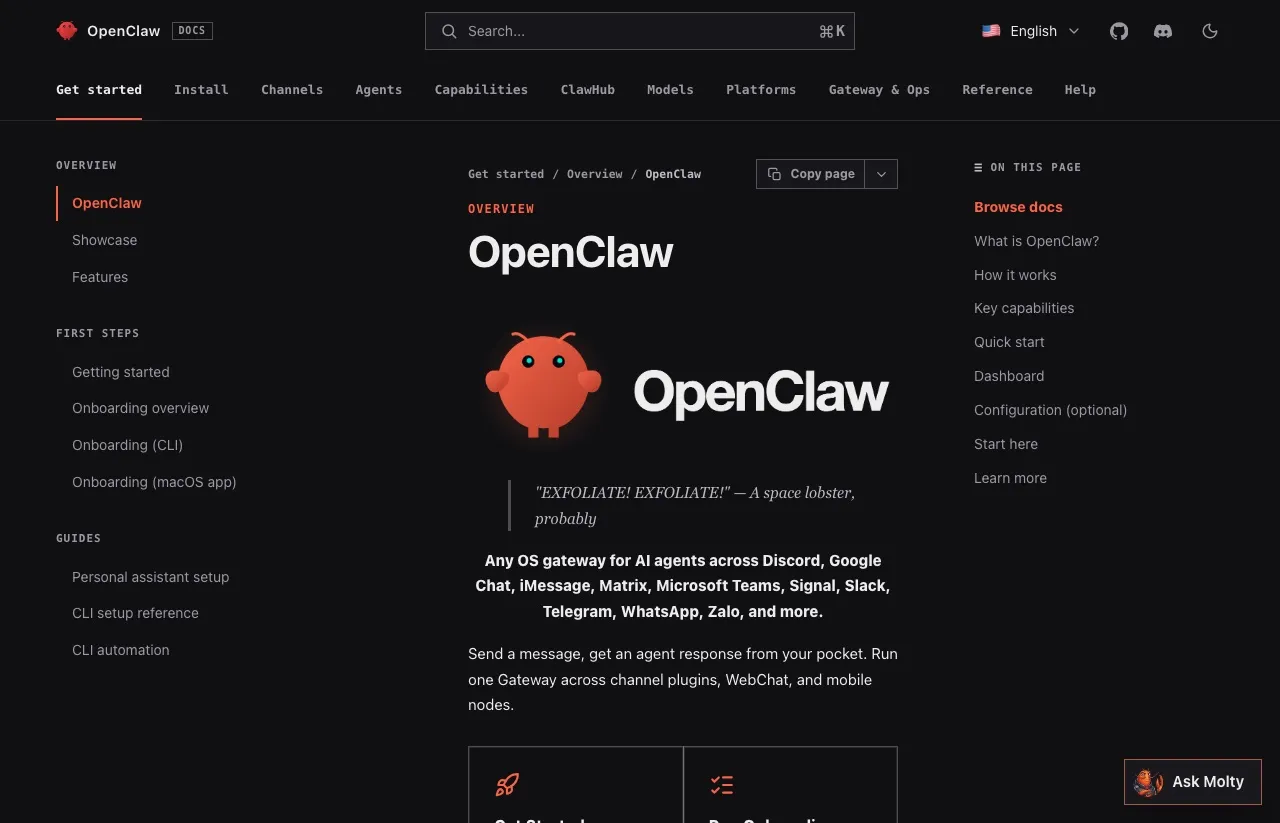
Hermes Agent, from Nous Research, is the other agent worth covering here. It describes itself as self-improving, with a learning loop that writes and refines its own skills as it works, and the repo has passed 223,000 stars as of August 2026. If Hermes is your main agent rather than a side experiment, the full Hermes social media setup covers its native X skill and where it stops.
Its MCP config is YAML, at ~/.hermes/config.yaml:
mcp_servers:
  blotato:
    url: "https://mcp.blotato.com/mcp"
    auth: oauth
On first connect Hermes prints an authorize URL, opens your browser, and caches the token under ~/.hermes/mcp-tokens/. Static headers work too if you would rather pass a key directly.
The feature worth knowing about is per-server trust. Mark a server untrusted and Hermes asks before it runs any tool that can write:
mcp_servers:
  blotato:
    url: "https://mcp.blotato.com/mcp"
    auth: oauth
    trust: untrusted
That is a real safety margin, enforced in config rather than in a prompt. Blotato’s read tools are marked read-only, so the agent lists accounts and checks post status freely, but every publish or schedule call waits for your approval unless YOLO mode or approvals.mode: off is switched on. Excluding blotato_create_post is not the same thing, because that one tool both publishes and schedules, so the agent would lose scheduling too. Blotato’s Hermes setup page can write this entry and run the sign-in for you from one prompt.
One connection, every client you already use
One Blotato connection serves every MCP client you run. That is the reason I would wire this up through MCP even if you only ever use one agent.
The endpoint is the same everywhere. The same https://mcp.blotato.com/mcp you just added to OpenClaw is what you paste into Claude Desktop, Claude Cowork, or Claude.ai on the web: in the left sidebar click Customize > Connectors, then the + button, then Add custom connector, and approve access. In Claude Code it is one command:
claude mcp add \
  --transport http \
  Blotato https://mcp.blotato.com/mcp
Then run /mcp in the session, pick Blotato > Authenticate, approve, and restart. Be logged into Blotato in your default browser first, or the OAuth handoff has nothing to approve against. Cursor and other API-key clients take the same URL with your key instead of OAuth. Full per-client steps are in the Blotato MCP setup docs.
Your social accounts are connected once, in Blotato, and every client reaches the same set of tools.
That matters because most people running OpenClaw are not running only OpenClaw. If you already draft in Claude Code and want your agent to publish what you wrote, you are not building a second integration, you are pointing a second client at a connection you already have. I walked through that side of it in posting to social media from Claude, and the same endpoint underpins both posts.
If you are coming from a no-code background instead, the same account also drives the n8n Blotato node and the Make integration, so a migration from a scheduled n8n workflow to an agent-driven one does not mean reconnecting nine platforms.
What Breaks When an Agent Posts Unattended
Four things break an unattended posting agent: duplicate posts from naive retries, expiring browser sessions, volume-based pricing, and an unreviewed post reaching your audience. The ranking guides skip all four.
Retries can double-post. An agent that gets a timeout does not know whether the post went through. The naive retry publishes twice. Before you let anything run on a schedule, decide what happens on an ambiguous failure, and prefer scheduling a post to a specific time over firing it immediately, so a retry lands in the same slot instead of creating a second one.
Browser sessions and official APIs age differently. Some tools drive a logged-in browser profile rather than calling official APIs, which is genuinely faster to set up and works well when someone is around to re-authenticate. The tradeoff shows up unattended: sessions expire, and most platforms treat browser automation as unsupported rather than sanctioned. Official APIs cost you an OAuth flow up front and hold up better on a schedule. For anything running overnight, I would rather do the OAuth once.
Volume pricing punishes agents specifically. An unconstrained agent on a heartbeat is bursty. Some weeks it posts twice, some weeks forty times, and per-post or per-account pricing turns that variance directly into a bill you cannot forecast. This is the honest case for flat pricing with an autonomous agent: not that it is cheaper on average, but that a busy week does not spike the bill.
A public microphone is a real risk. Giving an agent posting rights means it can say something to your audience that you never reviewed. Which brings me to the part I would not skip.
Start in Draft Mode
The single best habit here is to withhold publishing rights until you trust the loop.
Have the agent create scheduled posts rather than immediate ones, put them far enough out that you see them first, and review the queue before anything goes live. Once you have watched it behave for a week or two, move the schedule closer and loosen up. If you are on Hermes, the trust: untrusted setting shown above adds an approval step in config rather than relying on the prompt.
The extra week of review costs you very little. The unreviewed post your agent wrote at 3am can cost a lot more. The one way to keep that review without staying in the loop yourself is to put a separate reviewing agent between the draft and the publish call, so something still checks the 3am post before it goes out.
The Honest Pitch: One Connection, Every Platform
I built Blotato, so treat this section accordingly. Here is the tradeoff it exists to solve.
Going direct means an OAuth app per platform, a token refresh cycle per platform, and a review process for the ones that gate posting access behind approval. TikTok’s audit is the sharpest example: until you pass it, every post your agent publishes is forced to private visibility. That is weeks of work before your agent publishes anything. Blotato is one endpoint covering X, Instagram, LinkedIn, TikTok, YouTube, Threads, Facebook, Pinterest, and Bluesky, on a flat plan that does not move with volume.
One API. Every social platform.
curl -X POST https://backend.blotato.com/v2/posts \
  -H "blotato-api-key: YOUR_API_KEY" \
  -H "Content-Type: application/json" \
  -d '{
    "post": {
      "accountId": "YOUR_ACCOUNT_ID",
      "target": { "targetType": "twitter" },
      "content": { "text": "Posted from my agent." }
    }
  }'
For the agent path you do not write that request at all. Blotato runs a hosted MCP server at https://mcp.blotato.com/mcp, so OpenClaw, Hermes, Claude Code, Claude Desktop, and Cursor can all reach the same tools (and how each of those handles the handoff differs more than you would expect): list your connected accounts, check what each platform requires, create a post, schedule it, read back analytics. Setup details are in the Blotato API docs.
Blotato is hosted, so if you want everything running on your own hardware, a self-hosted option like Mixpost is a more honest fit than anything I sell you. And if you only ever post to X, a single-platform tool will be cheaper than a nine-platform plan.
Start with Blotato if the nine-platform math works for you.
Sabrina’s Take
I am biased, obviously. But the thing I would tell you even if you never touch Blotato is this: pick MCP over a skill file, whatever server you point it at. The typed-tool layer is what stops an agent from confidently posting a malformed call to TikTok and never telling you.
Most skill-file guides ranking for this query were written before OpenClaw’s remote MCP support matured, and nobody went back to update them. That gap is the entire reason this post exists.
And run the two-prompt test above before you hand anything publishing rights.
OpenClaw Social Media FAQs
Is OpenClaw social media the same thing as Moltbook?
No, and the naming collision confuses nearly everyone. Moltbook is the social network where OpenClaw agents post to each other. Connecting OpenClaw to your own X or LinkedIn account is a separate thing entirely, and it requires an integration layer because OpenClaw ships no native social posting.
Can OpenClaw post to social media without a third-party tool?
Not out of the box. OpenClaw’s built-in integrations are messaging channels like WhatsApp, Telegram, Slack, and Discord. To reach a social platform, you either write against each platform’s API yourself or connect a server that already has. The same is true of Hermes Agent.
Does OpenClaw support remote MCP servers?
Yes. OpenClaw supports stdio, SSE, and streamable HTTP transports, and its CLI reference documents openclaw mcp add with a --url and --transport streamable-http. It also supports OAuth, mTLS, and per-server timeouts. This is the part most guides on this topic leave out.
Is a ClawHub skill or an MCP server better for posting?
MCP, in most cases. A skill file is prompt text, so nothing validates the call before it goes out. An MCP server exposes typed tools with schemas, which matters when platforms like TikTok require seven separate fields at post time. Skills are the better fit when you want everything local and are willing to maintain the drift.
Do I need to install a ClawHub skill to post from OpenClaw?
No. A ClawHub skill is one of three routes, and it is the one most guides default to. If your posting tool ships an MCP server, openclaw mcp add connects it directly and gives the model typed tools instead of prose instructions. Install a skill when you want to teach the agent your brand voice, not to handle the mechanics of publishing.
Is it safe to give OpenClaw access to my social accounts?
It is as safe as the boundary you set, and the boundary matters more than the tool. Route publishing through a service that holds the platform credentials so the agent never sees them, then have the agent schedule posts rather than publish immediately, so you review the queue before anything goes out. Giving an autonomous agent unreviewed publishing rights to your audience is the actual risk, not the connection itself.
How do I stop my agent from posting something I have not reviewed?
Have it schedule posts rather than publish immediately, and keep the schedule far enough out that you review the queue first. On Hermes you can add an enforced checkpoint with trust: untrusted: the agent then asks before every publish or schedule call. Loosen it only once the output has been reliable for a couple of weeks.