How to Make Hermes Agent Post to Social Media (All Platforms)
Hermes Agent posts to X natively and nowhere else. Set up social media automation for Instagram, LinkedIn, TikTok and 6 more, with a video demo.
Hermes Agent social media support is real, shipping, and narrower than almost everyone realizes. Your agent can post to X right now using a skill that comes with the install. It cannot post to LinkedIn, Instagram, TikTok, YouTube, Facebook, Threads, Bluesky, or Pinterest. Not with a setting, not with a flag.
That is not a criticism of Hermes. It is just where the edge sits, and once you can see it the rest of the setup gets easy.
The confusion is understandable, because Hermes talks to almost everything else. It reaches you on Telegram, Discord, Slack, WhatsApp, Signal, iMessage, SMS, and more than a dozen other channels. Messaging is a solved problem here. Publishing is a separate system that people reasonably assume is the same one.
Watch Hermes Agent Post to Social Media (Video Guide)
My friend Zach Babiarz recorded the whole run in Hermes Desktop: one YouTube link in, an Instagram post and an X post out. His agent used Blotato’s REST API. The written guide adds what the video skips: the MCP route, and the approval setting that comes with it.
Hermes Agent Social Media Support at a Glance (2026)
Here is every path from a Hermes agent to a social platform, and what each one actually costs you.
| Path | Platforms | Setup | Where it breaks |
|---|---|---|---|
Native xurl skill | X only | Install the xurl binary, register your own X app, authenticate outside the agent | One platform. You own the X app, the credentials, and the API bill |
| Write your own skill | Whatever you build | A skill file plus an OAuth app per platform | Eight platforms means eight OAuth apps, eight token refreshes, eight sets of posting rules |
| Give Hermes a REST API key | Whatever the API covers | One key in ~/.hermes/.env, and the agent writes its own HTTP calls | No tool schema shapes the request, so the agent has to get every field right and poll to learn whether a post went live |
| Point Hermes at an MCP server | Whatever the server covers | Add a block to one config file, approve once | You inherit the provider’s uptime and pricing |
Hermes solved X and left the other eight to you. If you want the same agent posting to LinkedIn and Instagram too, you are choosing between writing and maintaining eight integrations or pointing at one service that already did.
Hosted multi-platform posting does not have to cost much. It starts at $29 a month on Blotato and $29 on Postiz, and both Postiz and Mixpost can be self-hosted for free if you are willing to run the server yourself. What matters more than the entry price is whether the bill moves when volume does. An always-on agent posts more than a human, and Blotato’s price is flat regardless.
I founded Blotato and build one of those servers, so treat my framing accordingly. If you already know you want that path, the guided Hermes setup does it from one prompt: it handles sign-in and checks your accounts. API and MCP access need a paid Blotato plan.
What the Native X Skill Actually Does
The xurl skill wraps X’s official developer CLI, and it is more capable than most people expect. It posts, replies, quotes, and deletes. It searches posts, reads timelines and mentions, likes, reposts, bookmarks, follows, sends direct messages, uploads images and video, and passes raw calls to any X API v2 endpoint.
That is a genuinely complete X integration.
The skill’s own documentation is strict about this. You register the X developer app yourself. You run xurl auth oauth2 yourself, outside the agent session. The skill explicitly forbids the agent from touching seven credential flags, bans --verbose in agent sessions because it can leak auth headers, and instructs the agent never to read or summarize the ~/.xurl credential file.
So even on the one platform Hermes supports natively, the agent cannot set itself up. You do the X developer app dance first, and then the agent can post.
The skill’s metadata explains why the ceiling sits where it does. Its upstream_skill field points at OpenClaw’s repository, and authorship is credited to the X developer platform, OpenClaw, and Hermes Agent together. Hermes inherited its only bundled social skill rather than writing one. Nous Research has not built a publishing layer of its own, so the surface stops exactly where the borrowed skill stopped.
You can check this yourself. The entire bundled social surface is four paths:
skills/social-media/
├── DESCRIPTION.md
└── xurl/
    └── SKILL.md
No LinkedIn directory, no Instagram directory, nothing staged for the platforms people assume are coming.
It is worth searching wider than that folder, because Hermes also ships an optional-skills tree with twenty-two categories covering everything from blockchain to devops to email. Two skills in it now touch social media, and neither adds a platform. reddit-reading reads Reddit. social-media-content-calendar plans multi-platform campaigns and publishes only through skills that already exist, which means xurl for X. For everything else, its own instructions say “the verified handoff ends at approved drafts for the user’s scheduler.” The closest thing to a video skill is skills/media/youtube-content, and that one only pulls transcripts and reformats them. It reads YouTube. It cannot publish to it.
Paying Nous does not close the gap
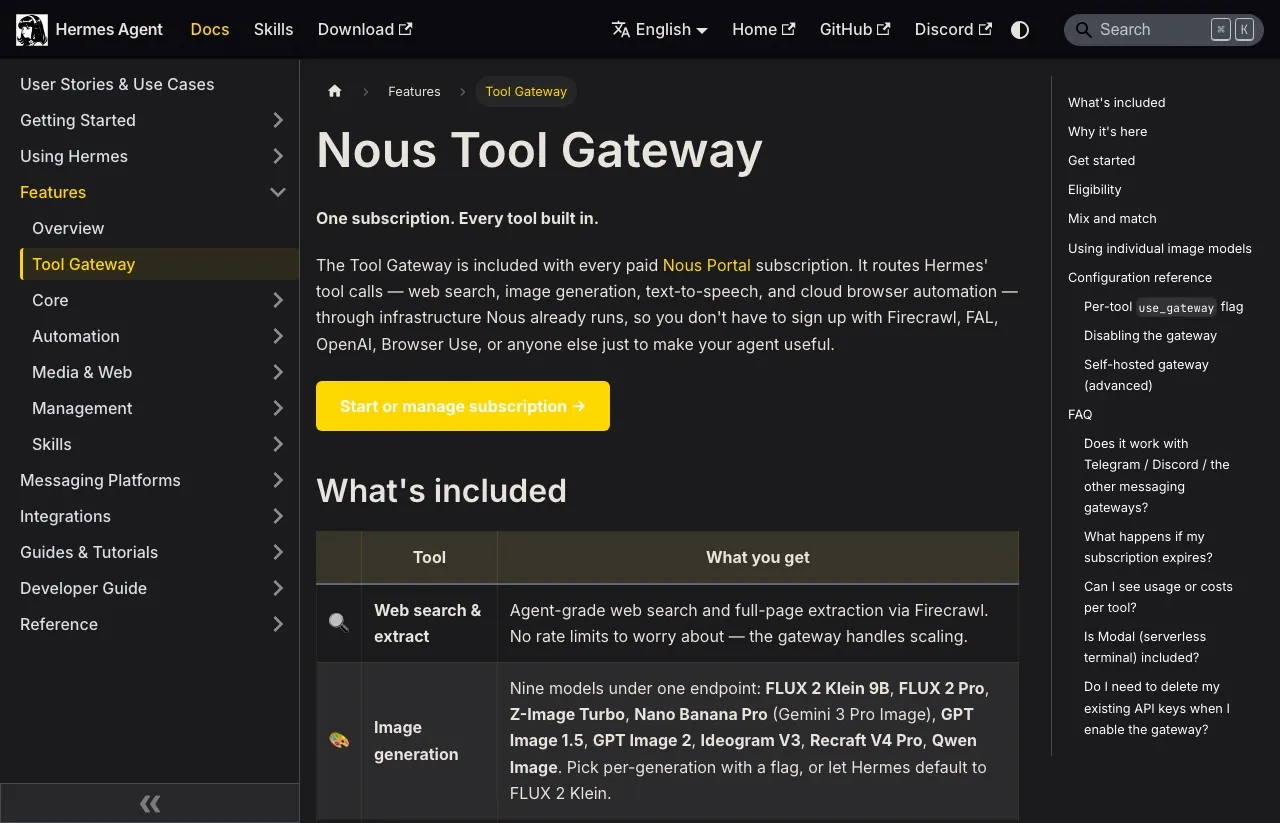
The obvious next thought is that this is a free-tier limitation and money solves it. It does not. The Nous Tool Gateway that comes with a paid Nous Portal subscription bundles web search, image and video generation, text to speech, and cloud browser automation into a single endpoint. It is a genuinely good deal for the things it covers.
Social publishing is not one of them. You can pay Nous every month and your agent still cannot post to LinkedIn.
This can change. Hermes ships fast, and a LinkedIn skill could land next month. Check the directory yourself before you assume either way, because a post last checked in October is a poor substitute for a one-line look at the repository.
Why the Other Eight Platforms Are Harder Than X
X is one of the simplest social APIs to automate against, which is likely why it is the one that got built.
Most other platforms add something X does not. Instagram will not take a caption on its own at all. Facebook needs a page ID, and a media type on top of that for video. Pinterest needs a board to post to. YouTube wants a title, a privacy status, and an explicit decision about whether to notify subscribers. TikTok is the heaviest, with seven required fields including a privacy level and a declaration of whether the content is AI generated.
| Platform | Beyond the text, a Blotato publish request needs |
|---|---|
| X | Nothing |
| Threads | Nothing |
| Bluesky | Nothing |
| An image or video, from a Business or Creator account. Reels and stories take extra fields | |
| Nothing for a personal profile, a page ID for company pages | |
| Page ID, plus a media type for video | |
| Board ID | |
| YouTube | Title, privacy status, subscriber notification |
| TikTok | Media, plus seven fields including privacy level and AI-generated flag |
A Hermes skill can shell out to real commands, so this is not a toy, but the contract between the model and the platform is still described in prose rather than enforced by a schema. When TikTok rejects a post because isAiGenerated was missing, your agent gets a raw error string back and decides for itself what to do next. That is the failure mode you least want from something holding publishing rights.
The bigger cost is not the writing. It is that each platform you add is an OAuth app you own, a token refresh you monitor, and a set of required fields that changes without telling you. That work does not finish.
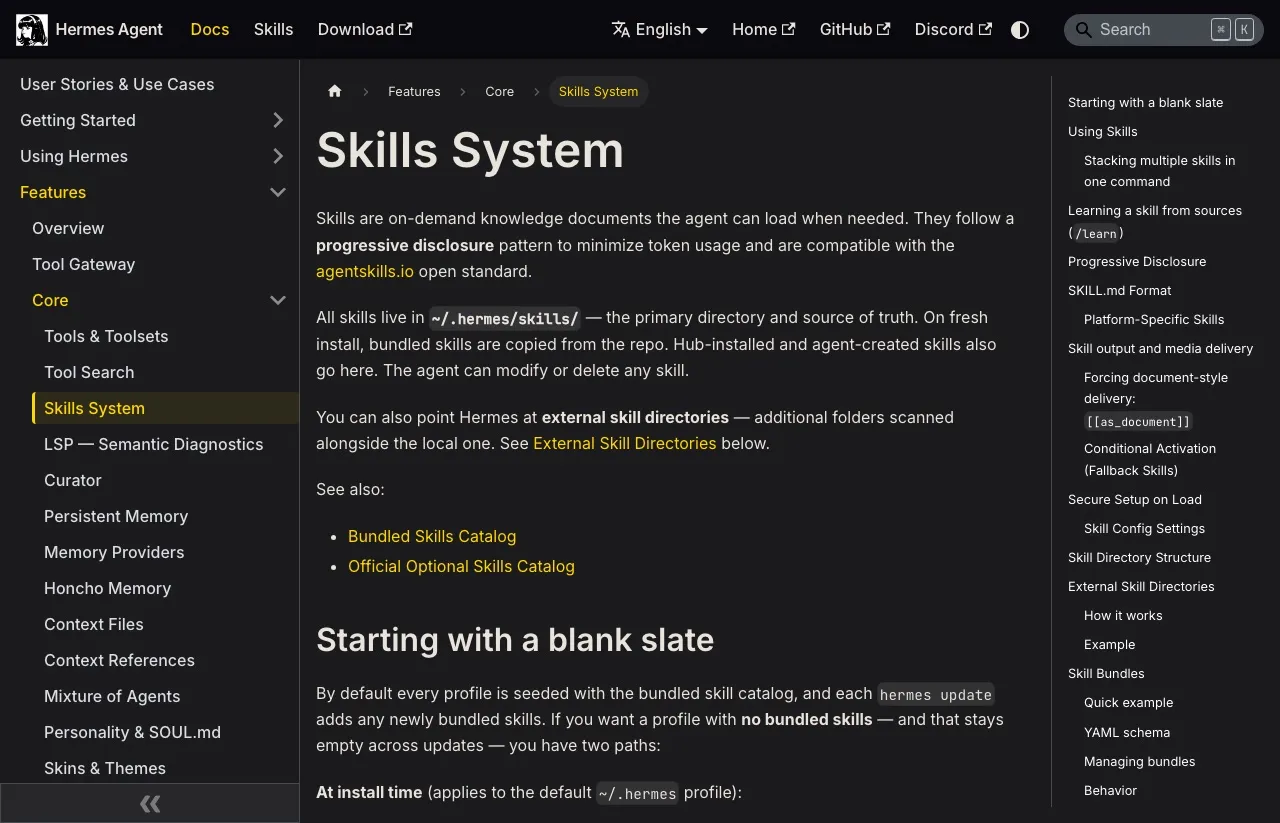
If you do want to go that route, skills live in ~/.hermes/skills/ and follow the open agentskills.io standard, so anything you write is portable to other agents that support it.
Connecting Hermes to an MCP Server
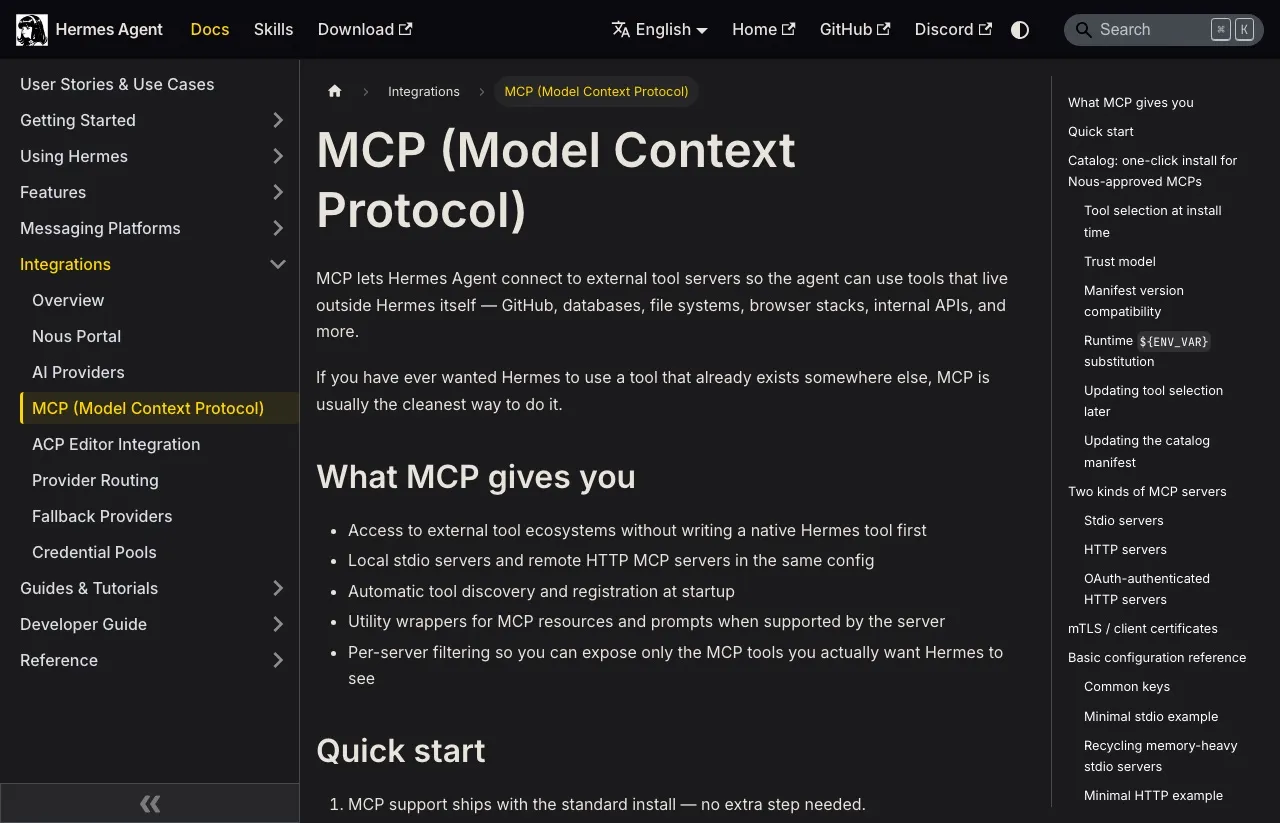
MCP is the alternative, and Hermes supports it natively. The agent connects to external tool servers and gets typed tools with defined parameters instead of prompt text describing an API.
Hermes ships a curated catalog of MCP servers that Nous staff have reviewed, disabled by default, with a trust model and manifest versioning behind it. No social publishing server is in it, and third-party servers like mine are not either, so you add them by hand. That is one block of YAML.
What you need first
Three things, and the third is the one people skip.
Install Hermes and complete onboarding. Have a paid plan with whichever provider you use, because API access is generally not part of a trial. On Blotato specifically, generating an API key from Settings and then API immediately ends a free trial and starts the paid subscription, so plan on subscribing rather than trialing if the API is what you came for.
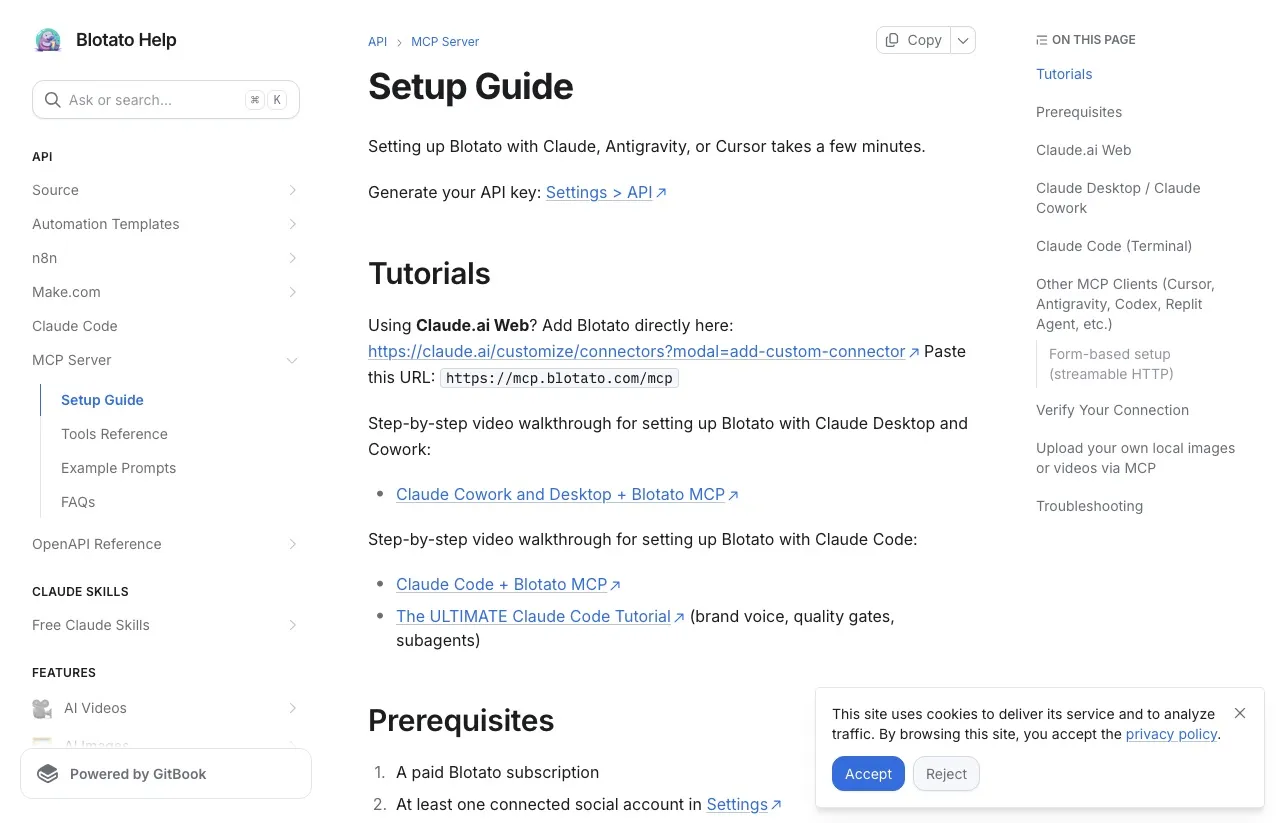
Then connect your social accounts in the provider’s dashboard before you touch the Hermes config. This is the step that wastes people’s afternoons. The connection itself succeeds and the tools show up, but there are no account IDs for the agent to target, so posting has nowhere to go. If your agent reports that it cannot find an account, check the dashboard before you start rewriting config.
Adding the server
The fastest route is the guided one. Paste Setup Blotato from blotato.com/hermes into Hermes and it adds the server, runs the browser sign-in, and checks your connected accounts. To do it by hand, open ~/.hermes/config.yaml (hermes config edit opens it) and add the server under mcp_servers:
mcp_servers:
  blotato:
    url: "https://mcp.blotato.com/mcp"
    auth: oauth
    trust: untrusted
The auth: oauth line triggers a browser flow using OAuth 2.1 with PKCE, and hermes mcp login blotato --flow browser starts a fresh one if a link expires. Hermes prints an authorization URL, opens your browser, and waits on a loopback port. Tokens cache at ~/.hermes/mcp-tokens/<server>.json with 0600 permissions, so they are readable only by you.
If your setup needs a key instead, Blotato’s setup guide documents a header. Replace the auth line with it and keep the key out of the file:
    headers:
      blotato-api-key: "${BLOTATO_API_KEY}"
Put the key in ~/.hermes/.env as BLOTATO_API_KEY, and Hermes resolves ${VAR} from there when it connects. One trap either way: if mcp_servers already exists in your file, add only the blotato entry under it. A second mcp_servers key makes the file invalid, and Hermes keeps loading the previous configuration without Blotato.
The trust: untrusted line matters most, and the draft-mode section below explains it. To hide tools entirely, the tools key nests include and exclude underneath it, and if a tool appears in both lists, include wins.
Confirming it worked
Restart Hermes and ask it to list your connected Blotato accounts. That calls blotato_list_accounts, which is read-only, so it should run without an approval prompt even on an untrusted server. If Hermes asks anyway, choose Allow Once. If the tools appear but the list comes back empty, the problem is the connected-accounts step above rather than the config.
How to Repurpose a YouTube Video With Hermes Agent (Step by Step)
This is the run from the video, in order. Zach’s agent took a different route from the config above: he gave Hermes his API key and it wrote its own calls to Blotato’s REST API instead of using MCP tools. Both reach the same connected accounts, so the steps hold either way.
Step 1: Connect your accounts in Blotato
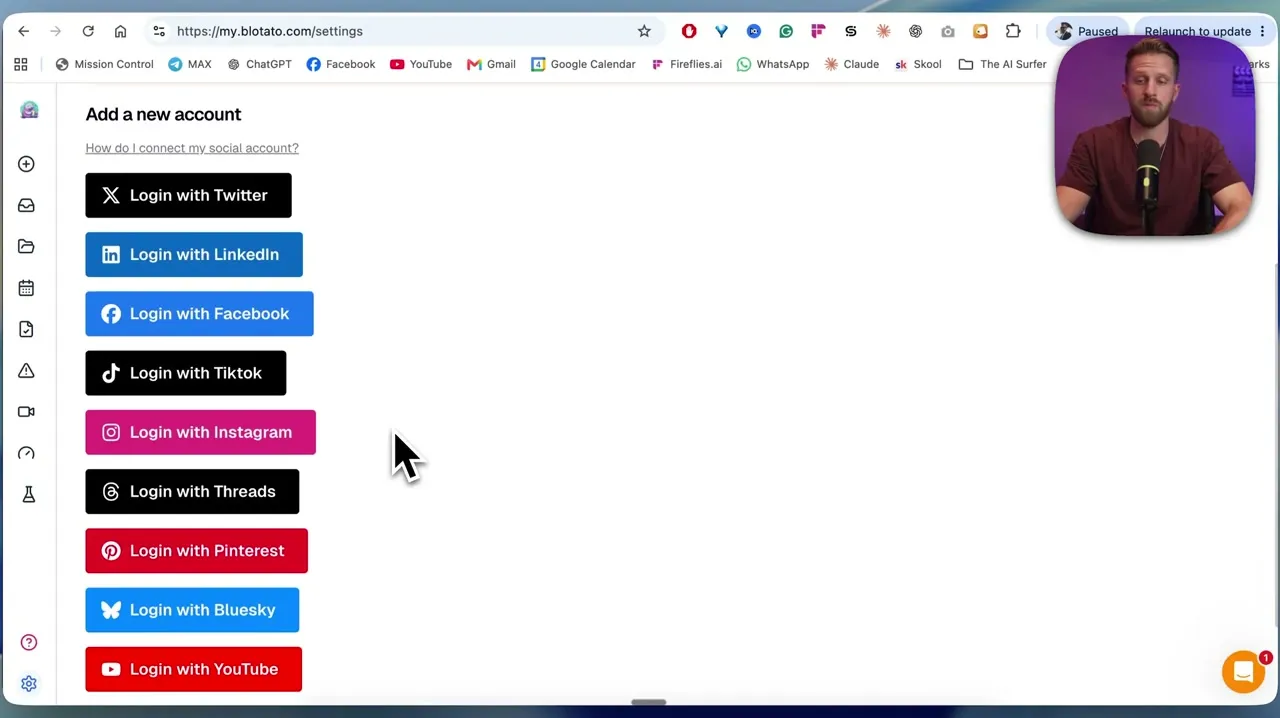
Open Settings in Blotato and log in to each platform you want the agent to reach. It is one click per platform, and Zach’s Instagram and X accounts went in this way. For Instagram, use a Business or Creator account and sign in with its Instagram credentials, not a Facebook login.
Step 2: Give Hermes the key
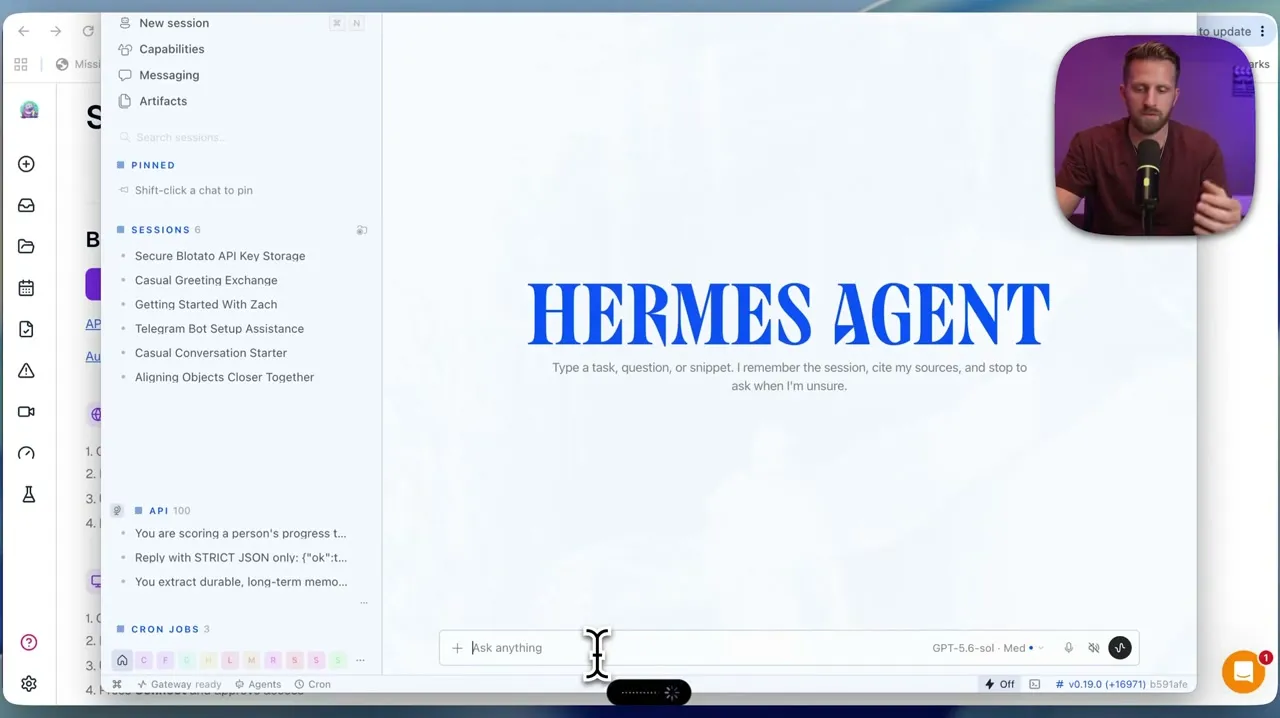
Zach ran this in Hermes Desktop, the official app for macOS, Windows, and Linux, which shares its config, keys, and skills with the command-line install. He pasted his Blotato API key into the chat and asked Hermes to save it securely. I would put it in ~/.hermes/.env instead, where Hermes’ security guide says API keys belong, and keep it out of chat history.
Step 3: Make Hermes prove the connection
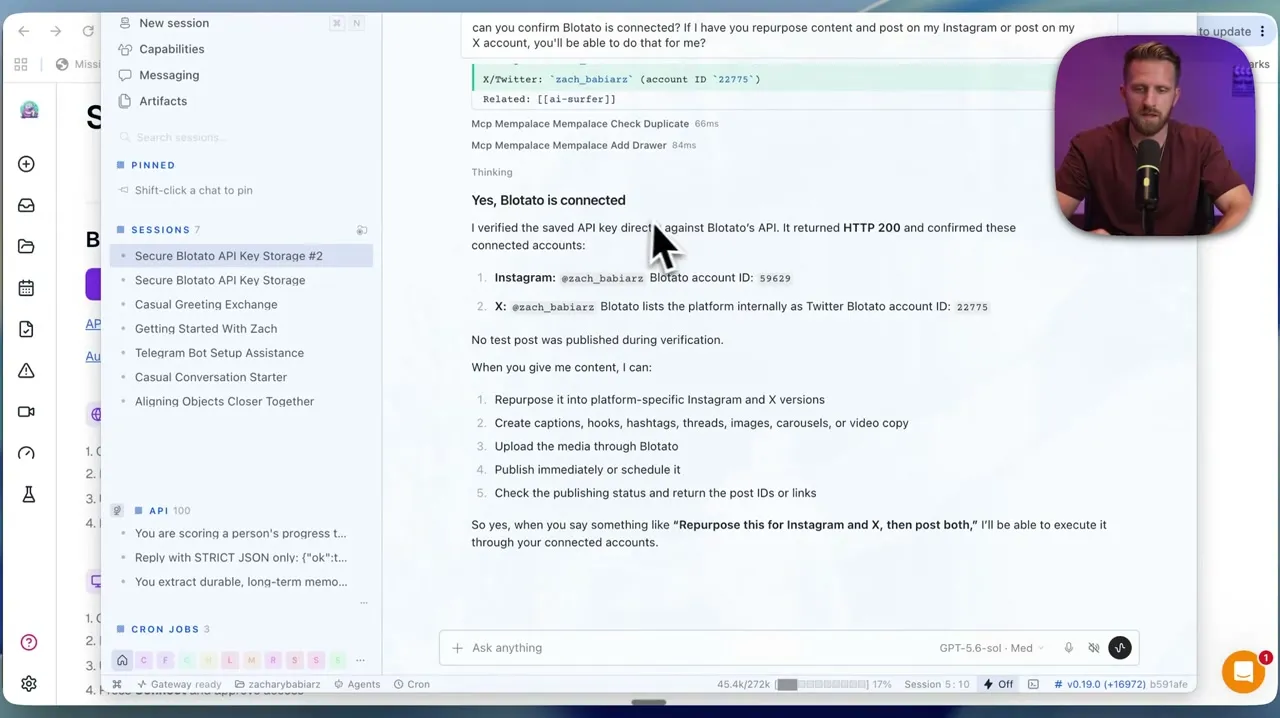
Zach asked, “Can you confirm Blotato is connected?” Hermes checked the saved key against Blotato’s API, got an HTTP 200, listed his Instagram and X accounts with their Blotato account IDs, and noted that no test post was published during the check. Ask for exactly that, and if the answer does not name accounts and IDs, ask again until it does.
Step 4: Paste a YouTube link and ask for drafts per platform
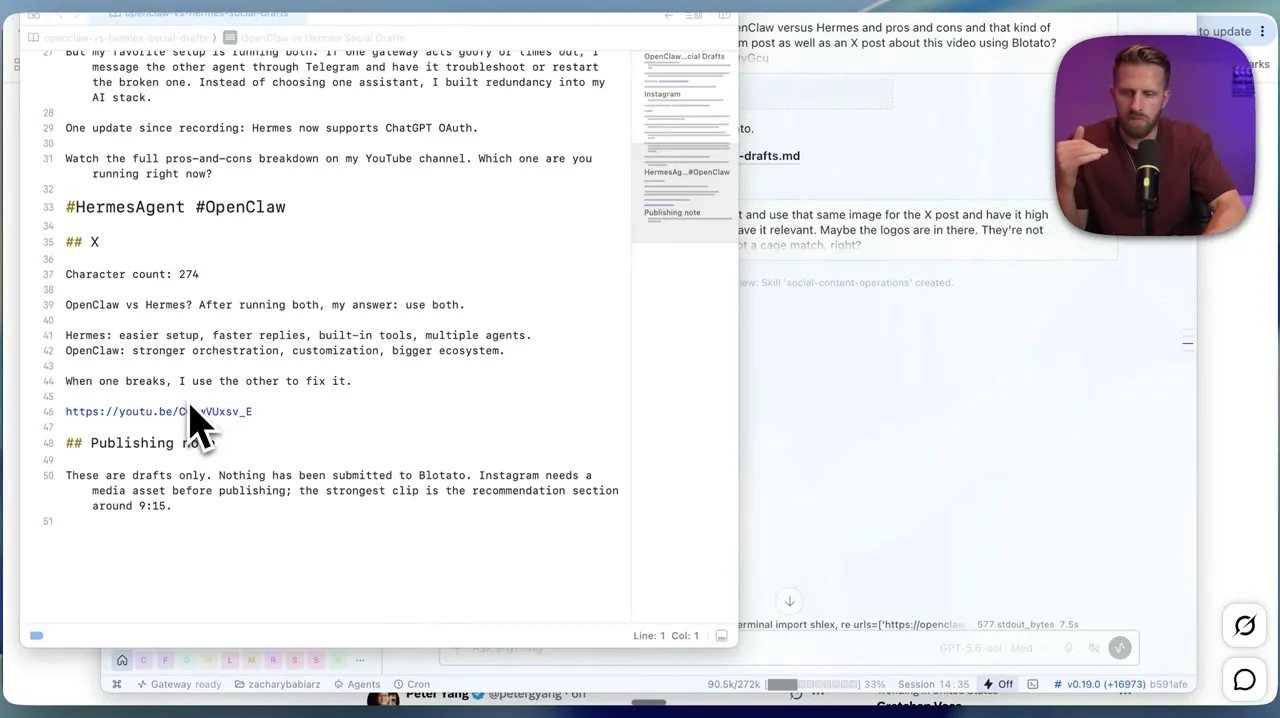
He copied the link to his own OpenClaw-versus-Hermes video and asked for an Instagram post and an X post about it, using Blotato. Hermes pulled the transcript and wrote two different drafts into a file: an Instagram caption with a suggested Reel from the section around 9:15, and a 274-character X post that promotes the video. He also asked for a visual, and Hermes made one with ChatGPT’s image model. That image is what went out with both posts.
The publishing note at the bottom of the file is the part worth copying: “These are drafts only. Nothing has been submitted to Blotato.” It also flags that Instagram needs a media asset before publishing.
Step 5: Approve in plain language, then verify it went live
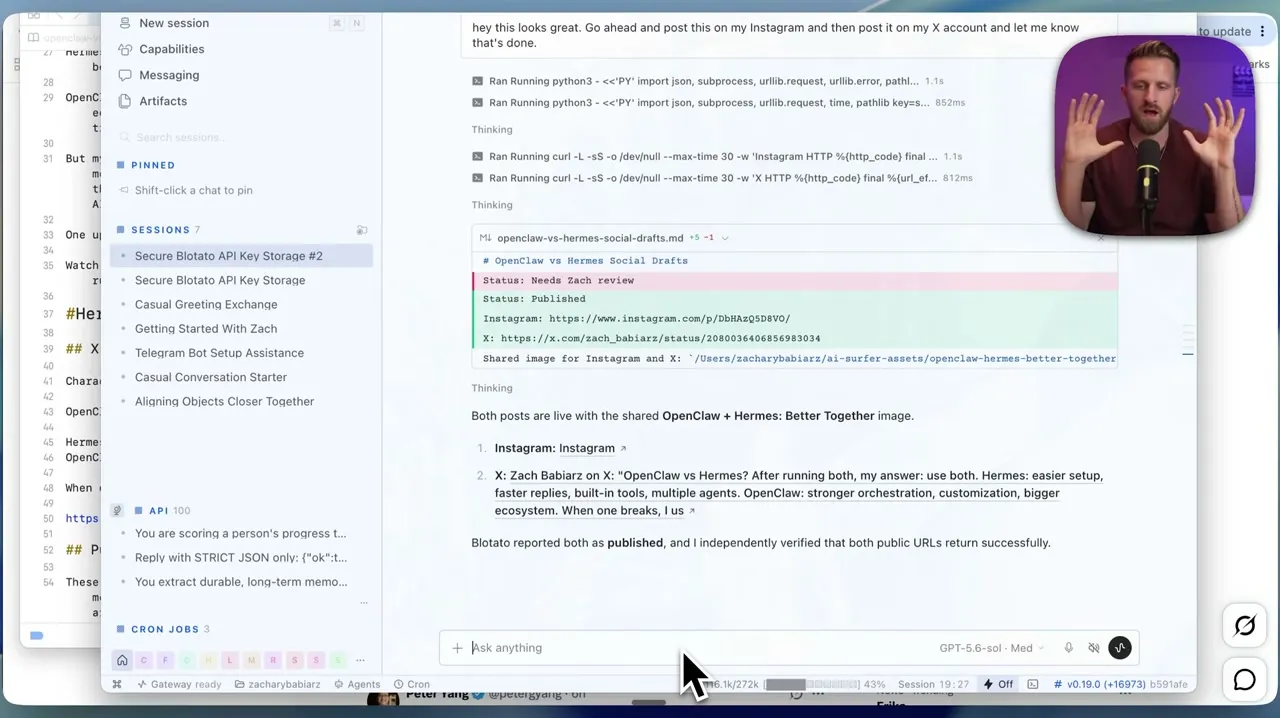
His approval was one sentence: “Go ahead and post this on my Instagram and then post it on my X account and let me know that’s done.” Hermes ran its publishing calls, then checked both public URLs. Its report: “Blotato reported both as published, and I independently verified that both public URLs return successfully.”
That second check is the habit to keep. Blotato publishing is asynchronous, so the create call returns a postSubmissionId, not proof. Poll the status until it reads published, failed (with an errorMessage), or scheduled, and only then tell anyone it is live.
Step 6: Schedule the next batch (Zach’s next move)
Zach’s next move, in his words, is to hand Hermes two or three more videos and say “create me content for the next couple weeks,” posting every other day. If your agent writes its own API calls, this is the field most likely to go wrong. scheduledTime or useNextFreeSlot has to sit at the top level of the request, beside post. Nest it inside post and Blotato ignores it and publishes immediately. Over MCP, scheduledTime is a plain tool argument, so the schema puts it in the right place, and the post goes out from Blotato’s queue whether or not Hermes is running when it comes due.
Start in Draft Mode
Do not give an agent publishing rights on day one. Give it drafting rights and watch what it produces for a week.
The trust: untrusted line in the config above is how you enforce that on Hermes. It makes every write wait for your approval, and an approved call can still publish immediately, so read before you click. Every read tool on Blotato’s server carries a readOnlyHint: true annotation, so listing accounts, checking post status, or reading comments should run freely. Every write, blotato_create_post included, stops and asks first, with Allow Once, Session, or Always. Answer Allow Once for a week. You will learn more from reading seven days of drafts than from any amount of prompt tuning, because you will find out fast whether your agent understands the difference between your LinkedIn voice and your X voice.
Do not try to get the same effect by excluding blotato_create_post. That one tool both publishes and schedules, so excluding it takes scheduling away too. And know what turns the prompt off: YOLO mode and approvals.mode: off both skip it.
The trust setting only covers MCP. If your agent posts through the REST API from the terminal, as Zach’s did, the safeguard is the habit you saw in the video: drafts in a file marked “Status: Needs Zach review,” and nothing posted until he said so. The agent follows that convention, and nothing in Hermes enforces it.
Once you trust it, switch the publishing tool to Always. The cost of running this way for a week is a week. The cost of skipping it is whatever your agent posts before you notice. A middle option is to leave the server untrusted permanently and give the publishing tool to a second agent whose only job is to check the first one’s work.
There is a second reason this matters on Hermes specifically. Hermes runs persistently and reaches you through messaging platforms, which means it can act while you are asleep. A coding assistant only does something when you invoke it. An always-on agent with publishing rights can post at 3am because a scheduled task fired, and you find out in the morning. The same risk would apply to ChatGPT Dots, OpenAI’s hosted always-on agent, if it could reach Blotato’s publishing tools and had permission to post without review.
One Hermes-specific trap. When a server expires an idle session mid-call, Hermes will replay a read-only call but not a write. The first blotato_create_post after an idle stretch can come back as outcome_uncertain. Check your recent posts before letting the agent try again, or you can end up publishing the same post twice.
Connecting Hermes Alongside Everything Else
One connection covers more than Hermes. The same MCP server works with any MCP-compatible client, so the agent you use in the terminal and the assistant you use in a browser can share a publishing layer.
For Claude Code, it is one command:
claude mcp add --transport http blotato https://mcp.blotato.com/mcpClaude Desktop, Cowork, Cursor, Codex, and the other clients each have their own short setup in the same guide linked above.
If you are automating with n8n or Make, those ship their own integrations and skip the MCP path entirely.
I wrote a companion piece on connecting OpenClaw agents to social accounts that covers the same decision from the other side.
The Honest Pitch: One Connection, Every Platform
The argument is not that Blotato is the only way to do this. Ayrshare, Postiz, and Mixpost all solve versions of the same problem, and which one fits depends on whether you want to self-host and which platforms you need. The argument is that a hosted, typed tool layer is the right shape for this job, and that the one I built covers nine platforms behind a flat price that does not move when your agent gets busy.
Some people would rather not add an MCP server at all, and a Hermes skill can call an HTTP endpoint directly. If that is you, the whole integration is one request:
curl -X POST https://backend.blotato.com/v2/posts \
  -H "blotato-api-key: YOUR_API_KEY" \
  -H "Content-Type: application/json" \
  -d '{
    "post": {
      "accountId": "YOUR_LINKEDIN_ACCOUNT_ID",
      "content": {
        "text": "Posted from a Hermes agent.",
        "mediaUrls": [],
        "platform": "linkedin"
      },
      "target": { "targetType": "linkedin" }
    }
  }'
Three things trip people up here. The header is blotato-api-key, not an Authorization: Bearer token. content.platform has to match target.targetType, and mediaUrls is required even when it is an empty list. And that accountId is not something you invent: fetch it from GET /users/me/accounts, which lists every social account you have connected and its ID. If you are posting to a Facebook or LinkedIn company page you need a pageId as well, from GET /users/me/accounts/:accountId/subaccounts, and Pinterest boards come from GET /social/pinterest/boards.
Through MCP you never touch any of this. The agent calls a tool that lists your accounts and passes the right ID itself, which is the practical difference between typed tools and a skill file full of instructions. The publishing reference and the MCP tool list cover the rest.
The MCP server lives at https://mcp.blotato.com/mcp. Point Hermes at it, or Claude Code, or Claude Desktop, or any MCP-compatible agent, and the publishing layer stays the same across all of them. If you are still deciding which one to run, I put twelve of them through the same posting test.
Publishing is not the whole job, either. The same key reads and replies to Instagram and Facebook comments and DMs, runs DM automations on those two, and pulls analytics on eight of the nine platforms, with LinkedIn the one that returns no metrics yet. If your audience talks back on TikTok or X, Hermes will not see those replies through Blotato.
Connect your accounts and start posting
Sabrina’s Take
I am biased, obviously. But the thing I would tell you even if you never touch Blotato is that the maintenance cost of hand-written skills is invisible when you start and unavoidable six months later.
Use the native xurl skill if X is your whole publishing surface. It is well built and it is free. The moment you need a second platform, stop writing skills and point at a typed tool layer instead, whoever provides it.
Hermes Agent Social Media FAQs
Can Hermes Agent post to social media?
Yes, but only to X out of the box. The xurl skill ships with Hermes and covers posting, replying, searching, direct messages, and media uploads on X. LinkedIn, Instagram, TikTok, YouTube, Facebook, Threads, Bluesky, and Pinterest have no native skill, so each one needs either a skill you write yourself or an MCP server or API that provides those tools.
Can Hermes Agent post to Instagram?
Not natively. Hermes has no Instagram skill, so it posts through a publishing layer such as an MCP server or a REST API. Instagram adds two rules of its own: the account must be a Business or Creator account, and every post needs an image or video, because Instagram does not accept a caption alone. Reels and Stories are chosen with a media type field.
How do I automate social media posting with Hermes Agent without paying per platform?
Connect one MCP server that covers multiple platforms rather than building per-platform integrations. Add a mcp_servers block to ~/.hermes/config.yaml pointing at the server URL, authenticate once through OAuth or an API key header, and the agent gains typed posting tools for every platform that server supports.
Is Hermes Agent free to use?
Hermes Agent itself is open source under the MIT license and free to run. Costs come from the model provider you point it at and any paid services you connect, including social publishing APIs. The native X skill is free but requires your own X developer app, which has its own pricing.
Do I need the xurl binary if I use an MCP server?
No. The xurl skill and an MCP server are independent paths. If you post to X through a hosted MCP server that holds the X connection, you do not need the xurl binary or an X developer app. Servers that call the X API with your own credentials, X’s own xmcp among them, still need one. You would only install xurl if you specifically want the native skill’s deeper X features, such as raw v2 endpoint access.
What messaging platforms does Hermes Agent work with?
Hermes connects to more than 20 messaging platforms, including Telegram, Discord, Slack, WhatsApp, Signal, iMessage, SMS, email, Microsoft Teams, and Matrix, plus a browser interface. WhatsApp can run through a bridge that emulates WhatsApp Web, which needs no Meta developer account, and an official WhatsApp Business Cloud API option exists too. Messaging and social publishing are separate systems in Hermes.
How do I stop my Hermes agent from posting without my approval?
Set trust: untrusted on the server in ~/.hermes/config.yaml. Hermes then asks before every write-capable tool call, including blotato_create_post, while read-only tools such as listing accounts should run without a prompt. Choose Allow Once until you trust the output. Excluding the publish tool is not a substitute, because the same tool also schedules posts.