How Calvin Hia Got 3,000 Leads From Instagram DMs in 30 Days
Calvin Hia runs 46 comment-to-DM automations he never built by hand. His agent creates each one from a template folder. 3,000 leads in 30 days.

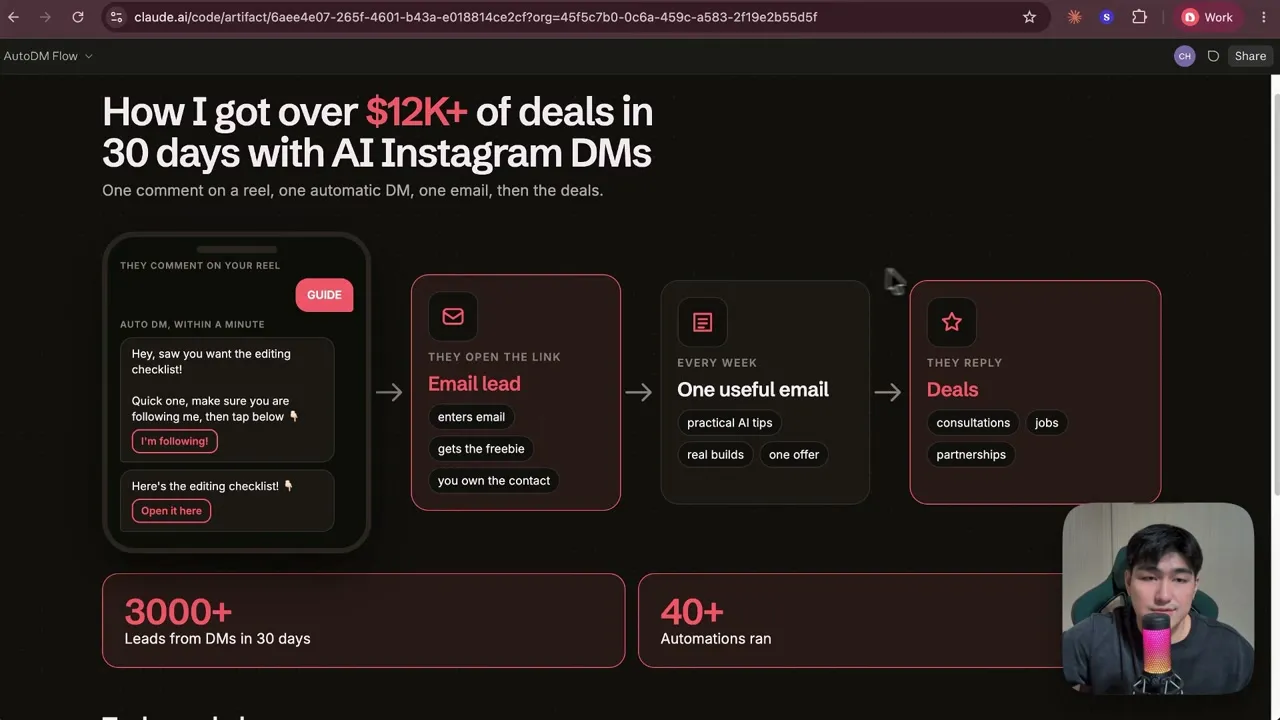
Calvin Hia got over 3,000 leads from Instagram DMs in 30 days by running 46 keyword-triggered comment-to-DM automations in Blotato, none of which he built by hand. His AI agent, Codex or Claude, creates each one from a one-line prompt and a folder holding a DM template, a tracking table, and a skill. A viewer comments a keyword on a Reel, the automation sends a DM with a link to a free guide, and the guide collects an email. He says the same 30 days produced over $12,000 in deals.
The part worth copying is the folder. It keeps every DM in his wording, saves each new flow as a draft until he approves it, and logs it so any agent he opens next knows what is live. This one is for people who already have Claude Code or Codex open and want the DM side of their account to run itself.
Calvin published this walkthrough on his own channel, and I want to be upfront about my angle before you read on: Blotato is an app I built. I founded the company, so take my read on it with whatever grain of salt feels right. The Blotato link under his video carries his referral code, so he may be paid when a viewer becomes a paying customer through it.
How Calvin Hia Built a Comment-to-DM System His Agent Runs
The full video is above. The written version pulls out the parts you can reuse: the funnel itself, the way he connects his agent to Blotato, the prompt that creates a flow, and the folder of templates that turns a generic DM into one that sounds like him.
Who Is Calvin Hia
Calvin is the founder of dainami ai, where he builds AI systems for agencies and operators and runs hands-on AI training. He is based in Singapore. He publishes build-along videos on YouTube, where his channel had 12.7K subscribers when this video went up, posts the short versions to Instagram and TikTok, and shares his work on LinkedIn. He also maintains Nami, a free Mac workbench for running Claude Code, Codex, and other agents in one place, which is the window you see his agents working in throughout the video.
Everything he gives away sits behind the same door: comment a keyword on a Reel, get the guide by DM, leave an email for it.
If you already run your accounts through an agent, this is the part to try first. Paste a link, ask for the flow, and let Blotato carry the rest. You can start a free week of Blotato and have your agent build a DM automation the same afternoon, though the API and MCP come with a paid plan rather than the trial.
The Workflow: One Prompt Per Automation
Calvin creates a new DM automation by asking his agent for it, not by opening the builder. The agent is connected to Blotato over MCP, so a prompt with a link is enough to produce a finished flow on Instagram and Facebook. Three steps get you there.
Step 1: Connect the agent to Blotato
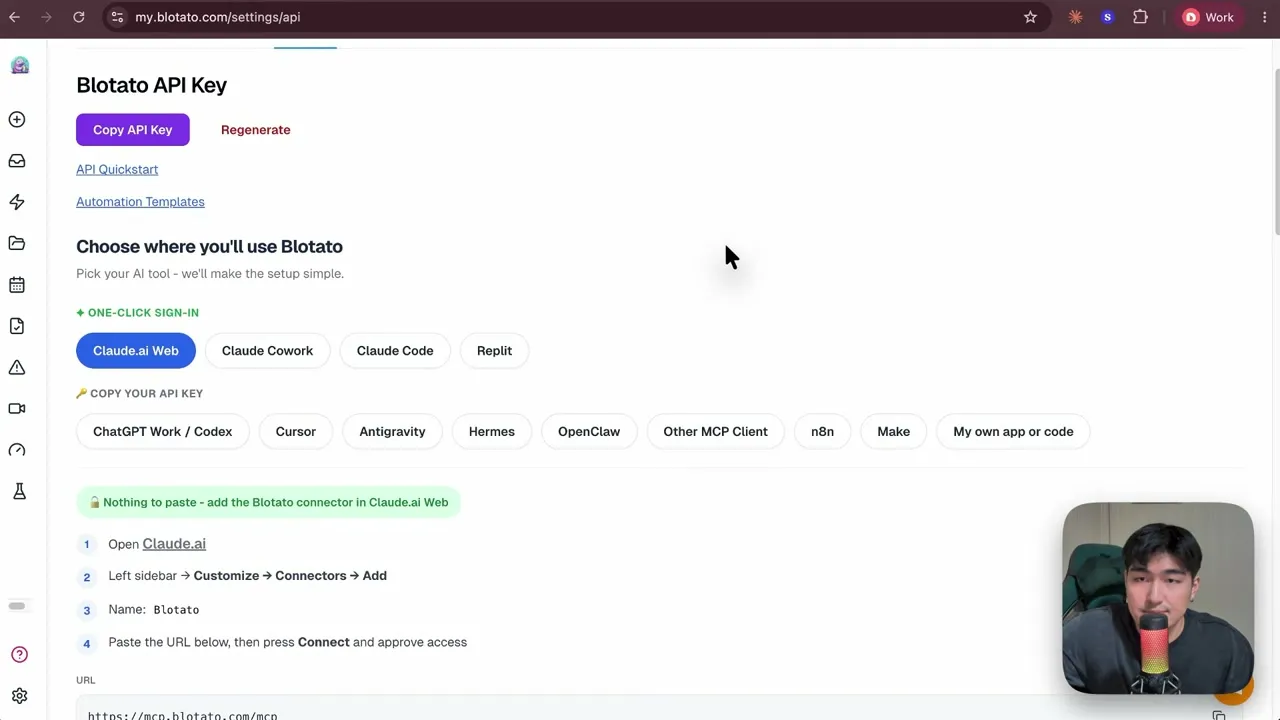
Every one of his accounts, Instagram, Facebook, YouTube, and LinkedIn among them, is connected in Blotato settings. On the API page he picks the tool he is using, and Blotato shows the exact steps for it. Claude on the web, Cowork, and Claude Code get a one-click sign-in. Codex, Cursor, and the rest get the MCP URL and an API key to paste. His shortcut for the setup itself: copy the MCP link, hand it to the agent, and say “set this MCP up for me.”
Step 2: Ask for the automation
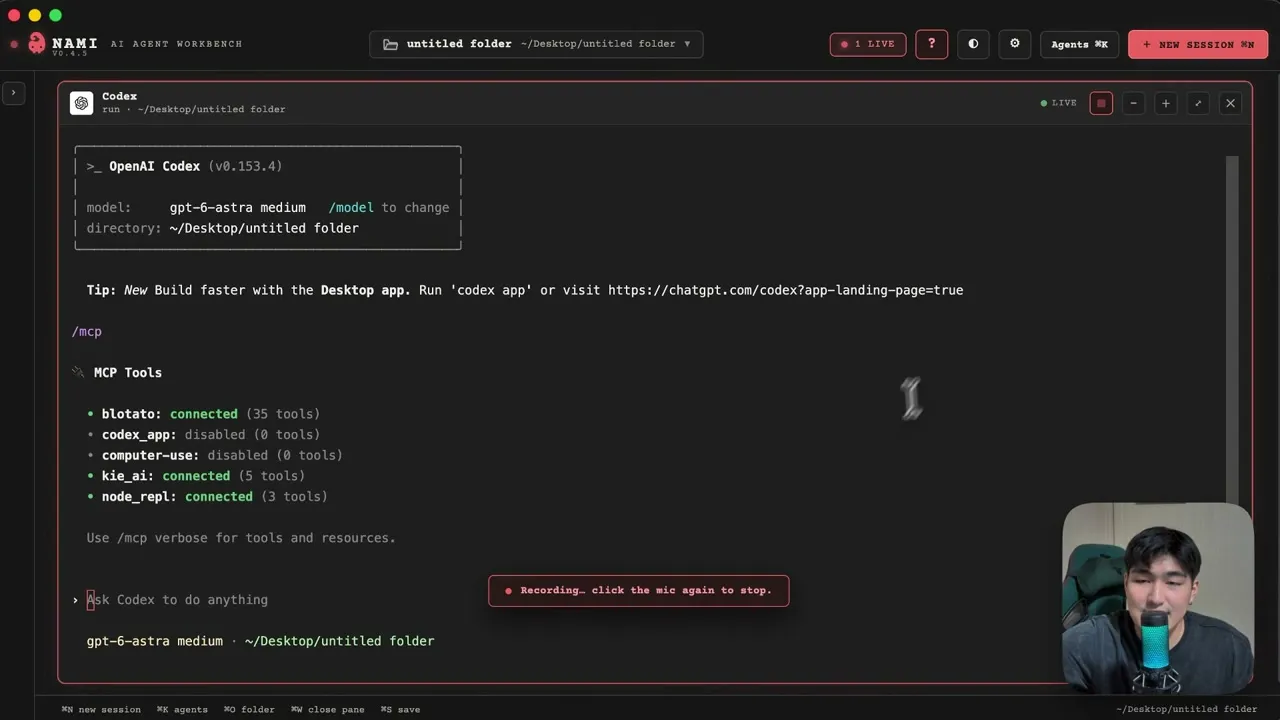
He types /mcp in Codex to confirm Blotato is connected, then copies the link he wants to give away and writes: “Can you set up a DM automation for me for this specific link?” He never names Blotato in the prompt. The agent sees the connected tool, reads his existing automations for reference, and creates two new ones, one for Facebook and one for Instagram, with the keyword, the follow ask, the message, and the link button already filled in.
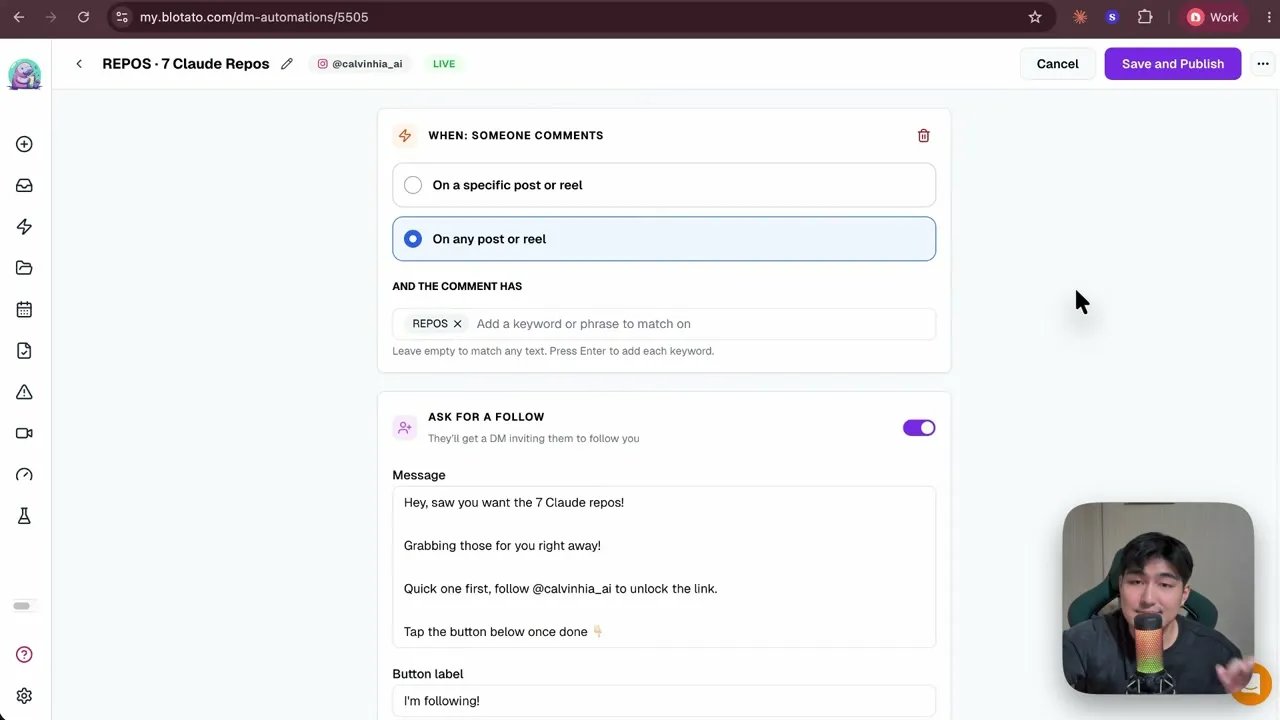
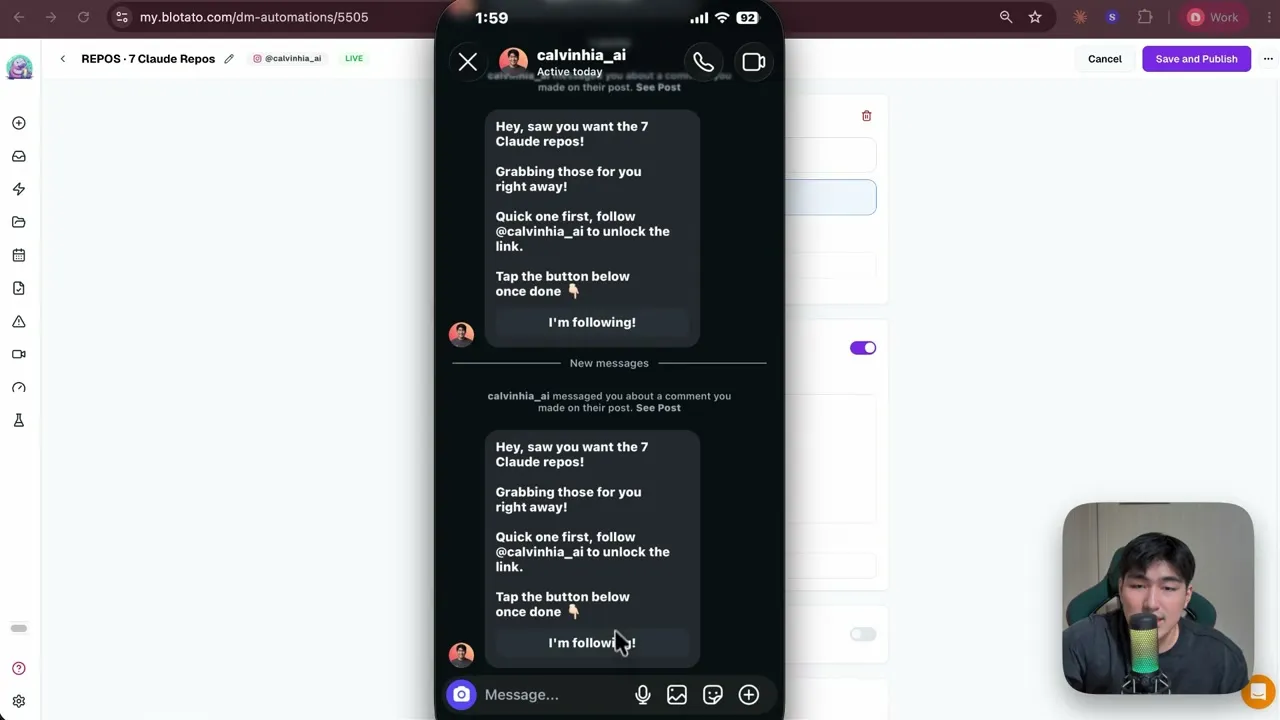
The automation it built for his “7 Claude repos” guide watches any post or Reel for the keyword REPOS, asks the commenter to follow first, then sends the link. He tested it live on camera: comment the keyword, and the DM lands.
Step 3: Point the agent at a folder
The plain prompt works, but Calvin went one step further, and this is the part I would steal. He keeps a small folder the agent runs inside. Three files do the work:
- A DM template. A markdown file with the exact structure he wants every flow to follow: the opening line, the follow request written the way he says it, the tap-the-button line, then the link in the second step.
- An automations table. One row per automation, with the keyword, the link, and the status. Every agent he runs can read what is live without opening Blotato.
- A skill. Instructions that tell the agent to build any new automation from the template, keep the keywords from repeating, save every flow as a draft until he approves it, and update the table.
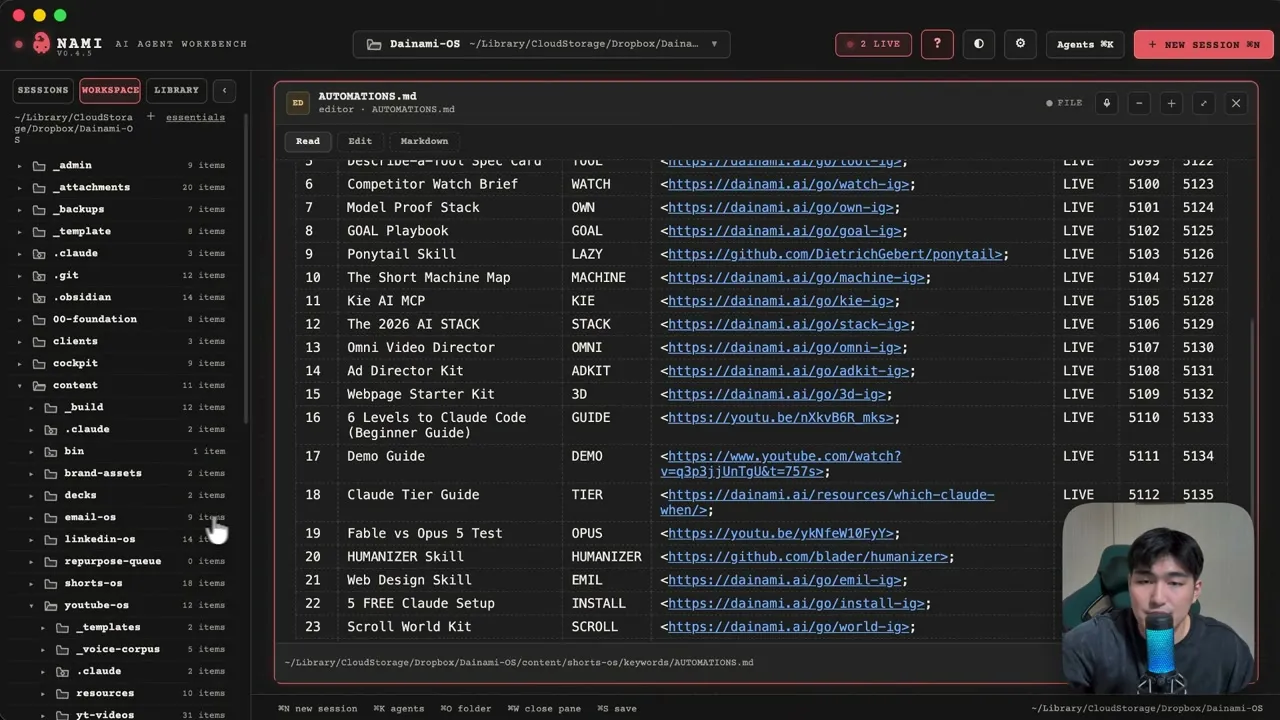
With the folder open, the same prompt produces a different result. The agent asks him which keyword to use, writes the DM in his template’s wording, creates both flows as drafts, and logs them. When he replies “turn it live,” it publishes both and marks the table LIVE.
The reason he bothers is that nothing about the setup lives inside one model. He closed Codex, opened Claude Code in the same folder, asked what automations exist, and got the right answer. Switching models costs him nothing because the template, the table, and the skill are files, not chat history.
The Results
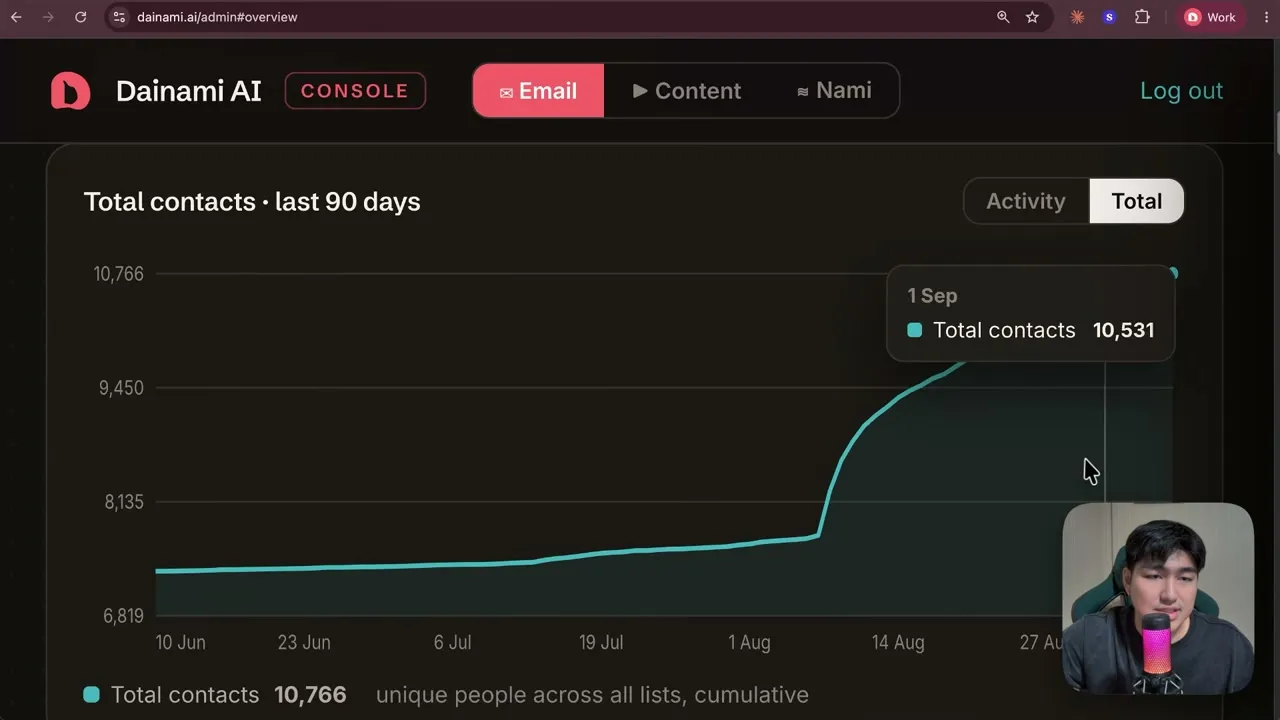
The system brought over 3,000 new leads in 30 days and over $12,000 in deals in the same window, by Calvin’s own account on camera. I am keeping the numbers to what he stated and showed on screen. The contacts dashboard he opens at the start of the video shows 10,766 total contacts across his lists, with the curve bending sharply upward through August.
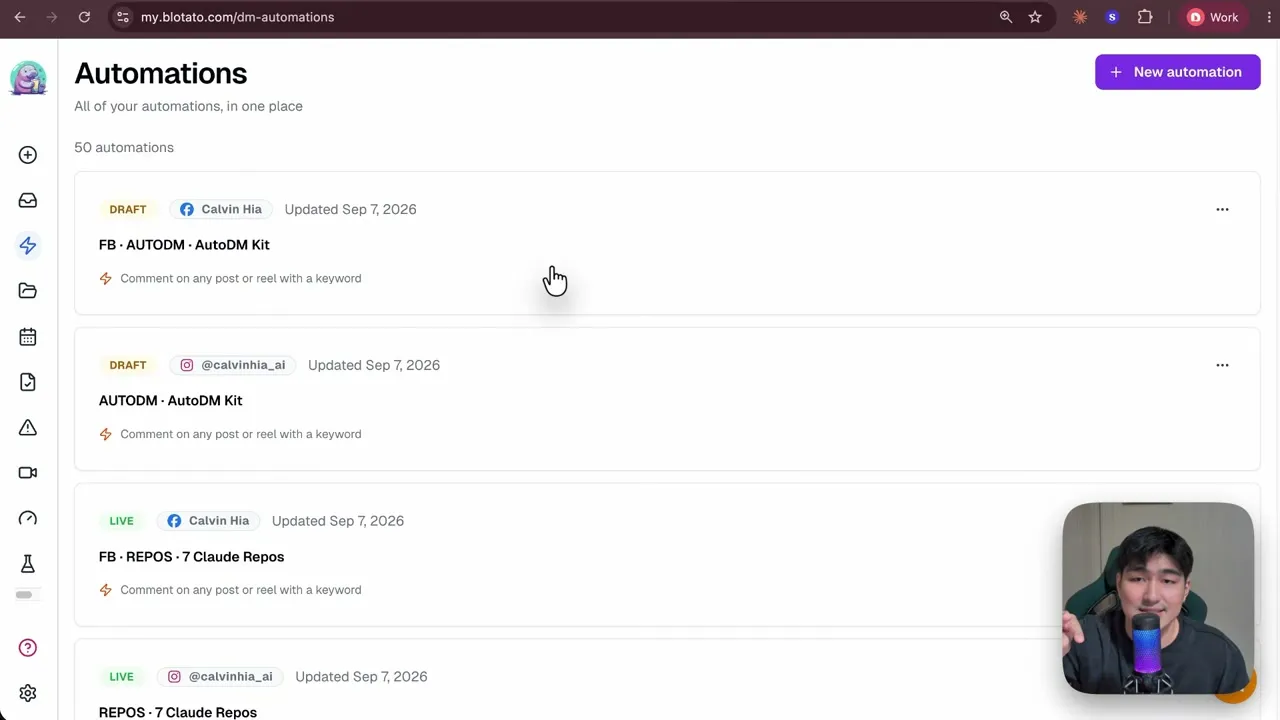
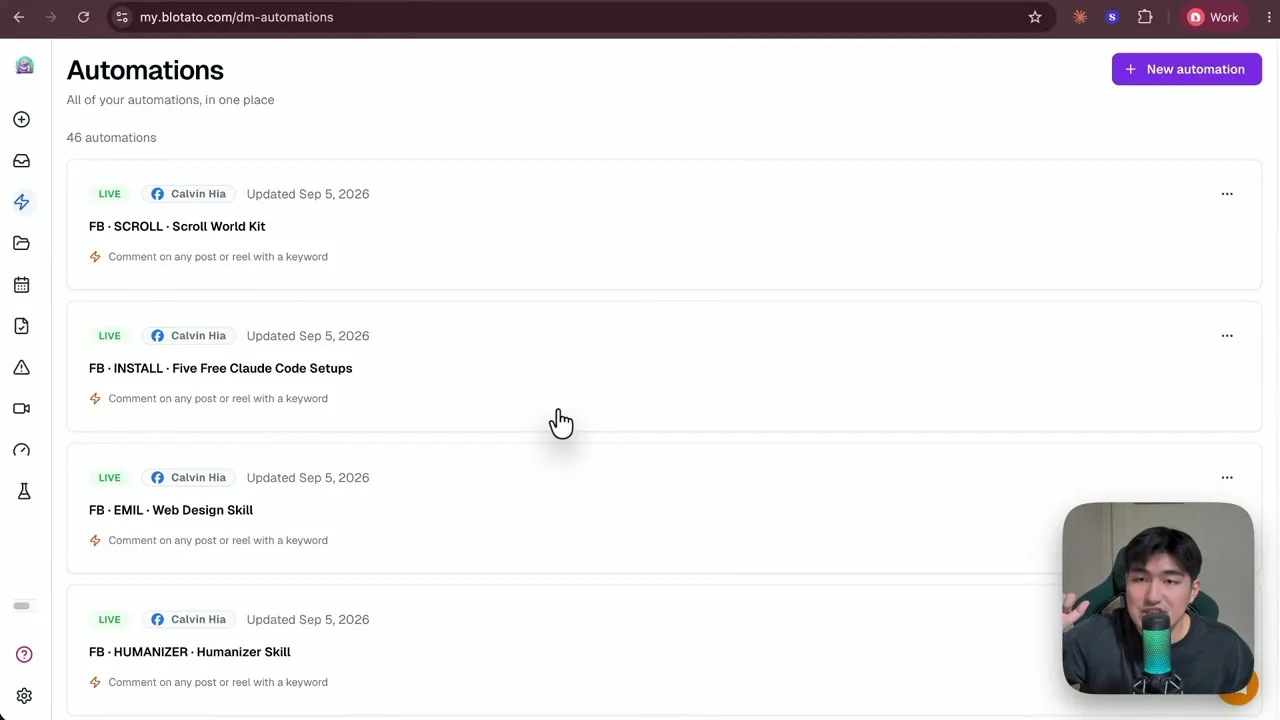
He also says all 46 automations were set up by his agents rather than by hand, and the Blotato automations list on screen agrees. By the end of the video the count is 50, because he added four more while recording.
Why This Works for Builders Running Blotato Through an Agent
If your agent already publishes for you, the DM side is the natural next thing to hand it. The DM automations in Blotato run on the same key you post with, so there is no second tool to connect and no second bill. That is the gap Calvin’s setup closes, and it is the reason he can run one flow per lead magnet instead of a few generic ones.
The folder is what makes it repeatable rather than just fast. A template keeps every DM in your voice, a draft-first rule keeps you in the loop, and a table means the next agent session starts with full context. Once you are past a handful of flows, the same connection handles building six automations at once from a spreadsheet. And if you are still weighing a dedicated funnel tool, here is where Blotato and ManyChat actually overlap.
Sabrina’s Final Take
What I like about Calvin’s system is that the agent is doing the boring part and he kept the judgment. He decides which guide to give away and reads the draft before it goes live. Everything between those two moments, the wording, the keyword, the two platform versions, the tracking, runs on its own. The folder trick is the piece I would copy first, because it means your setup outlives whichever model you happen to be using this month. If you want your agent building these, every paid Blotato plan includes DM automations on Instagram and Facebook along with the publishing your agent already does.