Blotato Launches DM Automations for Instagram and Facebook
Keyword-triggered DM automation for Instagram and Facebook, built by your AI agent through the same social media API key you already publish with.
The comment says “BLITZ” and the link is already in their inbox.
Blotato now has DM automations for Instagram and Facebook. Someone comments on your post or sends your account a message, and Blotato replies with a direct message you wrote once, plus up to three link buttons. Set it up in the web app, or tell Claude or ChatGPT to build it for you.
Keyword-to-DM flows are not new. ManyChat has sold them for years. Building one from your agent, on the same key that published the post, is. If you are weighing the two, here is where Blotato and ManyChat actually overlap, and where they do not. ManyChat bills by active contact rather than a flat plan, so what its tiers actually cost as your audience grows is the number to run before you pick, and the wider field of ManyChat alternatives covers the tools that changed the meter instead of the price.
I built Blotato and I use it every day, so weigh that however you like. If you want to run this, paid plans start at $29 a month, and API access begins with a paid plan rather than the trial.
What a DM Automation Does
Three parts, and that is the whole model.
- A trigger. Either a comment on your post or reel, or a direct message someone sends your account. Comment triggers can watch one specific post or every post on the account.
- Keywords. Optional. Matching ignores case, finds the keyword anywhere in the text (so “price” also catches “pricey”), and tolerates a line break inside a multi-word phrase. Any one keyword firing is enough. Leave it empty and every comment matches.
- A message. Up to 640 characters, plus up to three link buttons at 20 characters per label.
A comment trigger answers with a private reply to the comment. A message trigger answers with a standard DM.
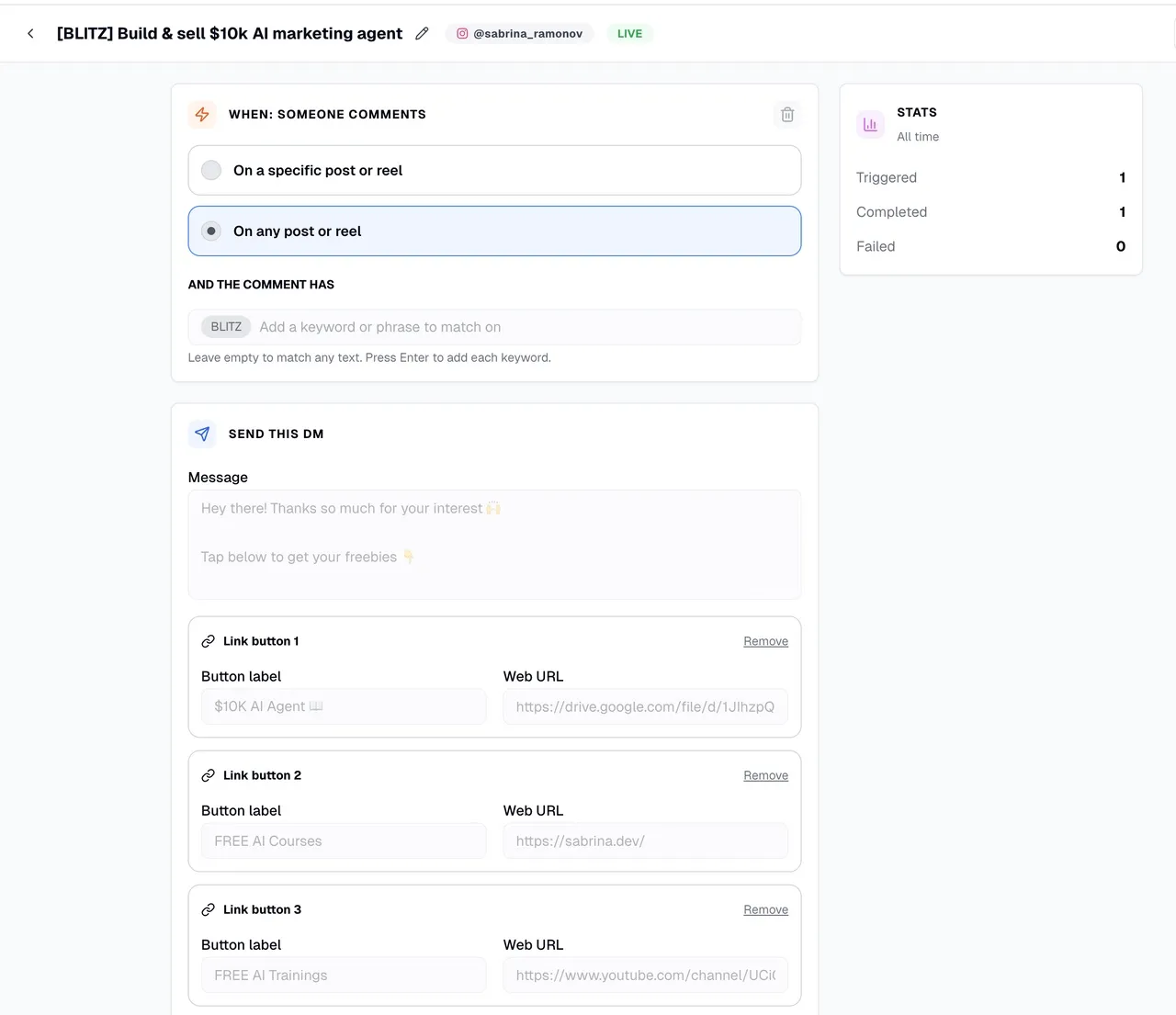
Automations start as drafts and go live when you publish them. Edits to a live automation publish the moment you save.
Your Agent Can Build the Whole Flow
Nine endpoints cover it: list, get, create, update, update a single trigger, delete, plus runs, logs, and analytics. All nine are in the DM automations API reference, and eight are exposed on the MCP server at mcp.blotato.com/mcp as blotato_create_automation, blotato_list_automations, blotato_update_automation, blotato_update_automation_trigger, blotato_delete_automation, blotato_list_automation_runs, blotato_list_automation_logs, and blotato_get_automation_analytics. The single-get is API-only, because the list tool already returns the full object.
So you never have to open the builder. Paste this into your agent:
walk me through how to setup blotato DM automations
Or skip the walkthrough and describe the flow you want. Name the page, name the trigger keyword, paste the links, and the agent creates it and takes it live. That is how Calvin Hia built 46 automations without touching the form. Once you are running more than a couple, the same connection handles building six of them at once from a spreadsheet. A Facebook Page needs a few things Instagram does not, which the Facebook comment-to-DM setup walks through.
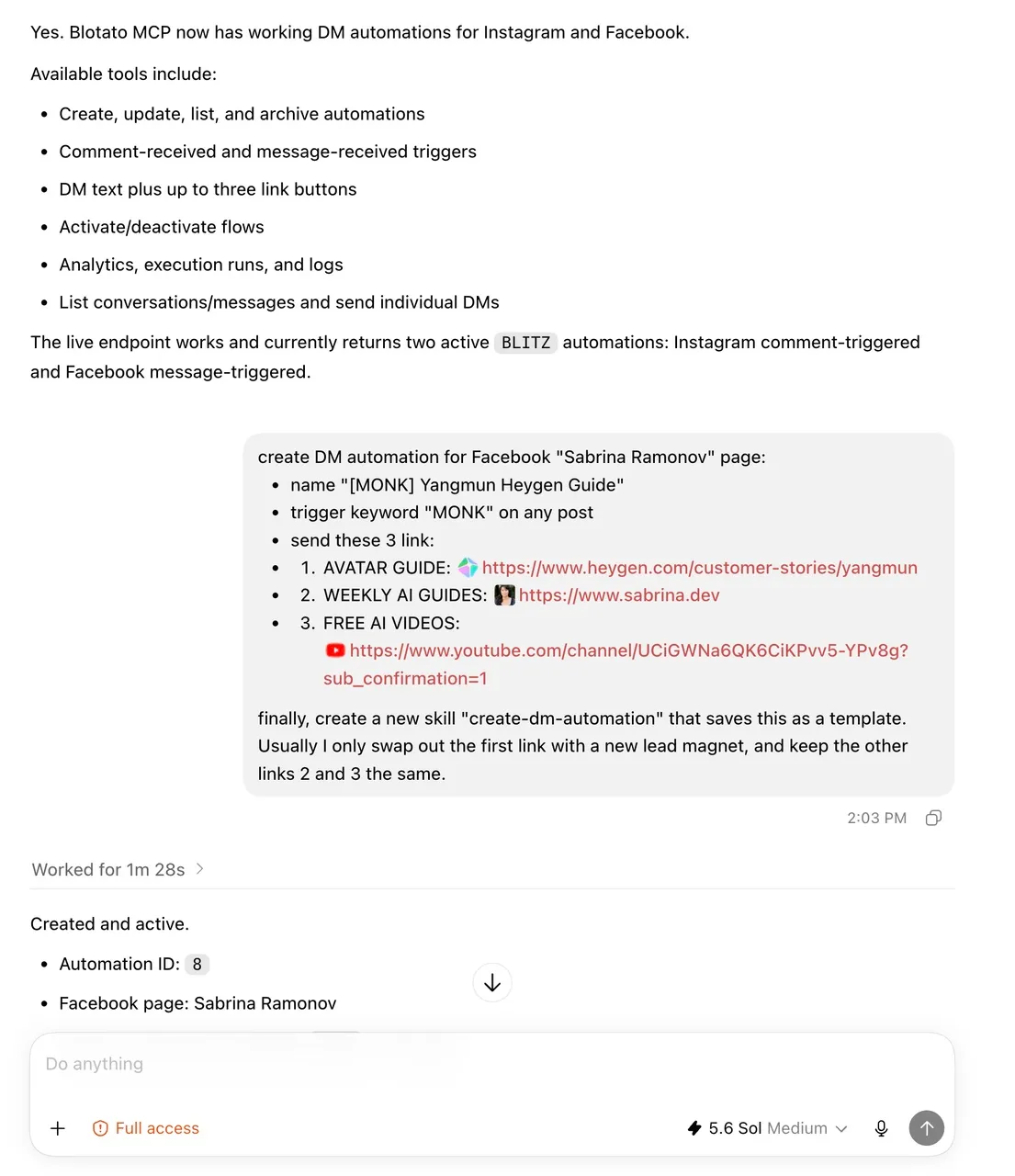
The largest share of new Blotato API signups now arrives through MCP, which is why the tool surface shipped alongside the builder rather than months behind it.
Reading the Results
Every automation carries all-time totals: triggered, completed, failed. Runs and logs sit behind their own endpoints, so an agent can pull the failure reason on a specific run instead of guessing.
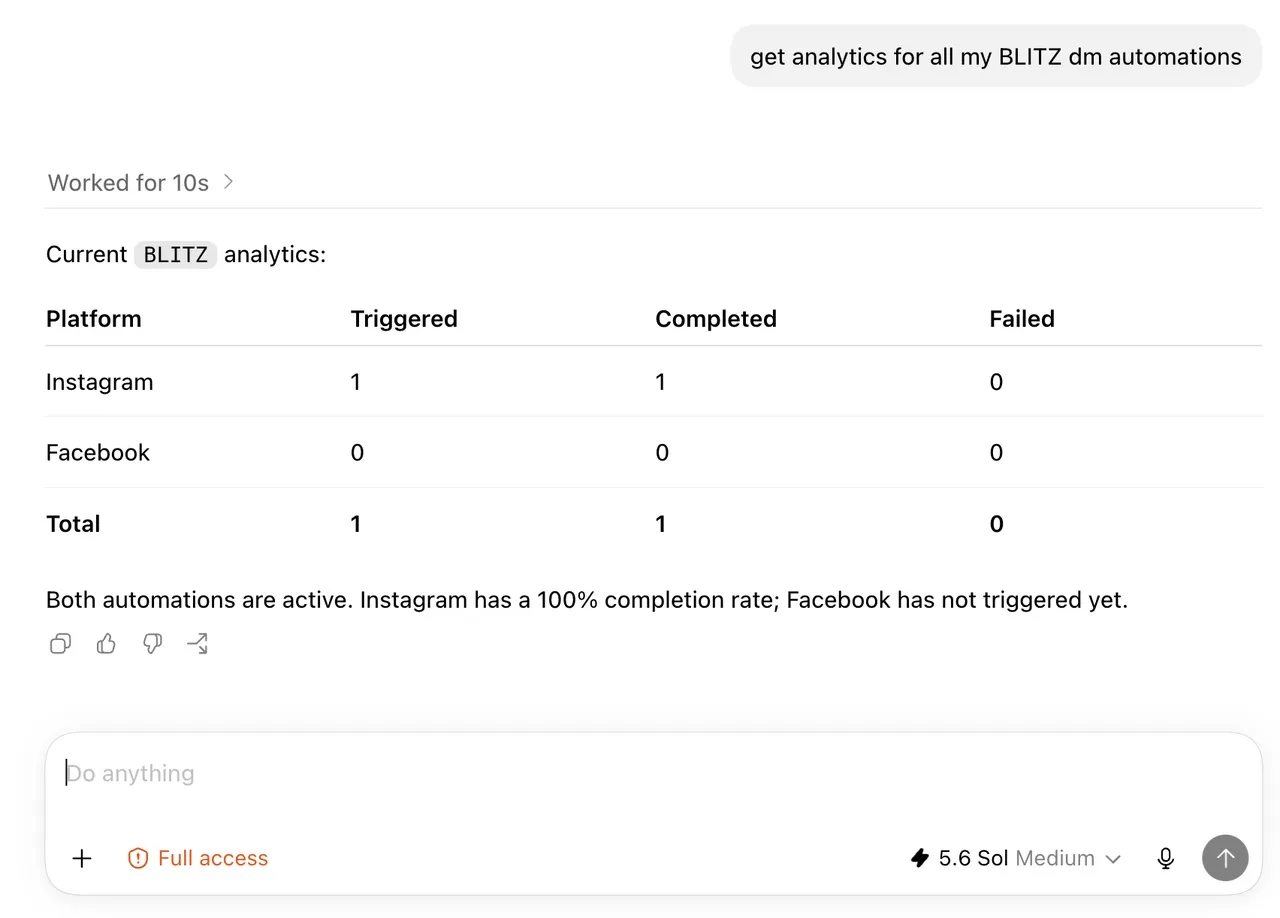
One quirk. A run stays open until its message settles, so completed plus failed is sometimes lower than triggered. That is timing, not lost messages.
Limits Worth Knowing Before You Build
Instagram and Facebook only. Twitter/X, TikTok, LinkedIn, Pinterest, Threads, Bluesky, and YouTube are not supported.
Two clocks govern every send, and both belong to Meta rather than to us. Comments buy you seven days and exactly one private reply each. Messages are tighter: your answer has to go out inside 24 hours of whatever they last sent you. Run past either deadline and the send simply fails. Those clocks, and the platform-by-platform rules a DM automation API inherits, come from Meta rather than from any vendor.
The single-reply ceiling counts per comment across every tool touching that account, so a flow you left running elsewhere can consume the one reply before yours fires. That bites hardest mid-migration, when both platforms are briefly live at once. The same two clocks apply to anything built straight against the Instagram messaging API, including whether your build needs App Review at all.
No cold outreach. An automation only answers people who contacted you first, which is what separates it from Instagram comment bots that comment on other people’s posts. Your own comments and the messages your account sends never start a run, so you cannot trip your own flow while replying to people manually.
Every DM an automation sends counts toward your plan’s monthly active-contacts limit:
- Starter. 1,000 contacts a month.
- Creator. 6,000 contacts a month.
- Agency. 15,000 contacts a month.
A contact counts once per month no matter how many times you reach them, and the count resets at the start of each month.
The behavior at the cap is worth knowing. Once you hit the number, an automation’s send to someone new fails with error code 20101 and the run ends as failed, until the monthly reset or an upgrade.
If you connected your Instagram or Facebook account before comments and messaging launched in July, reconnect it. The automation needs those permissions and an older connection does not carry them.
Your stats build as your posts collect comments, and I would rather improve this in the open with you using it.
“What nobody had was one key that publishes across nine platforms, installs the flow that answers the comments, and reports back on both, with an agent driving all three. That used to be three vendors, three approvals, and three bills.” - Sabrina Ramonov, founder of Blotato
Where to Find It
Open Automations in the web app and click New automation (the web-app tour shows the builder and triggers). Or point your agent at the MCP server and ask it to create one. Claude Code, Claude Desktop, Cowork, Cursor, and Codex all connect over the documented setup, and ChatGPT connects as a custom MCP plugin on the web. There is a setup page per client.
Available on all paid plans, alongside the comments and messaging endpoints and analytics behind the same key.
More coming.