How to Automate Social Media with Claude Routines
Claude routines run prompts on a schedule from Anthropic's cloud. Here's how I use them with Blotato to publish social posts, laptop closed.

Claude routines let you save a prompt once and have Claude run it on a schedule from Anthropic’s cloud, with your laptop closed. Every guide out there uses them for developer chores like PR reviews and backlog triage, so this one covers the other job they’re quietly great at: running your social media. By the end you’ll have a routine that drafts and publishes posts through Blotato on a schedule you set once.
I’m the founder, so take this with whatever grain of salt feels right. I run my own accounts through this exact stack, 3M+ followers and 500M+ views across platforms, publishing 250+ pieces of content a week across 9 platforms as a solo operator. When I pointed Claude Code at a folder of screenshots and let it write, grade, and schedule posts through Blotato, that workflow pulled 30M+ views in 30 days. Routines are how that kind of loop keeps running without me.
What are Claude routines?
A Claude routine is a saved Claude Code configuration: a prompt, a repository, and a set of connectors, packaged once and run automatically on Anthropic’s cloud infrastructure. Your machine doesn’t need to be on. Routines are still in research preview, which means Anthropic can reshape the limits and behavior at any point, and the full reference lives in the official routines documentation.
Three things can start a routine run:
- A schedule. Hourly, nightly, weekly, or once at a specific future time.
- An API call. Each routine gets its own endpoint secured with a bearer token, so any tool that can send an HTTP POST can fire it.
- A GitHub event. A pull request or release in a connected repo kicks off the run.
The detail that matters for social media is buried in the setup form: every MCP connector on your Claude account is included in a routine by default. Connect a publishing tool like Blotato once, and every routine you create can post to your social accounts. That single fact turns routines from a coding feature into a content engine.
My own routines clean up support tickets and post a summary to Slack every day, analyze my product data, and plan my weekly newsletter. I call this pattern loop engineering: a prompt, a repo for memory, and a trigger, looping without you. I wrote up the email and support-ticket versions in my loop engineering guide, and I walked through the basics in my routines tutorial. This guide is the same setup pointed at the loop nobody else seems to write about: social publishing.
What You Need Before You Start
- A Claude subscription on Pro, Max, Team, or Enterprise, with Claude Code on the web enabled. Routines run on that infrastructure, and a Console API key login won’t work.
- A paid Blotato plan. The MCP server runs on Blotato’s API, which ships with every paid plan (Starter $29/mo, Creator $97/mo, Agency $499/mo) and sits outside the 7-day trial.
- At least one social account connected in Blotato Settings.
- A GitHub repository for the routine to work in. Any repo works, I use one that holds my brand notes and content prompts.
How to Set Up Claude Routines for Social Media Posting
Here’s the exact path from nothing to a routine that publishes for you. Six steps, about fifteen minutes.
Step 1: Connect Blotato’s MCP to your Claude account
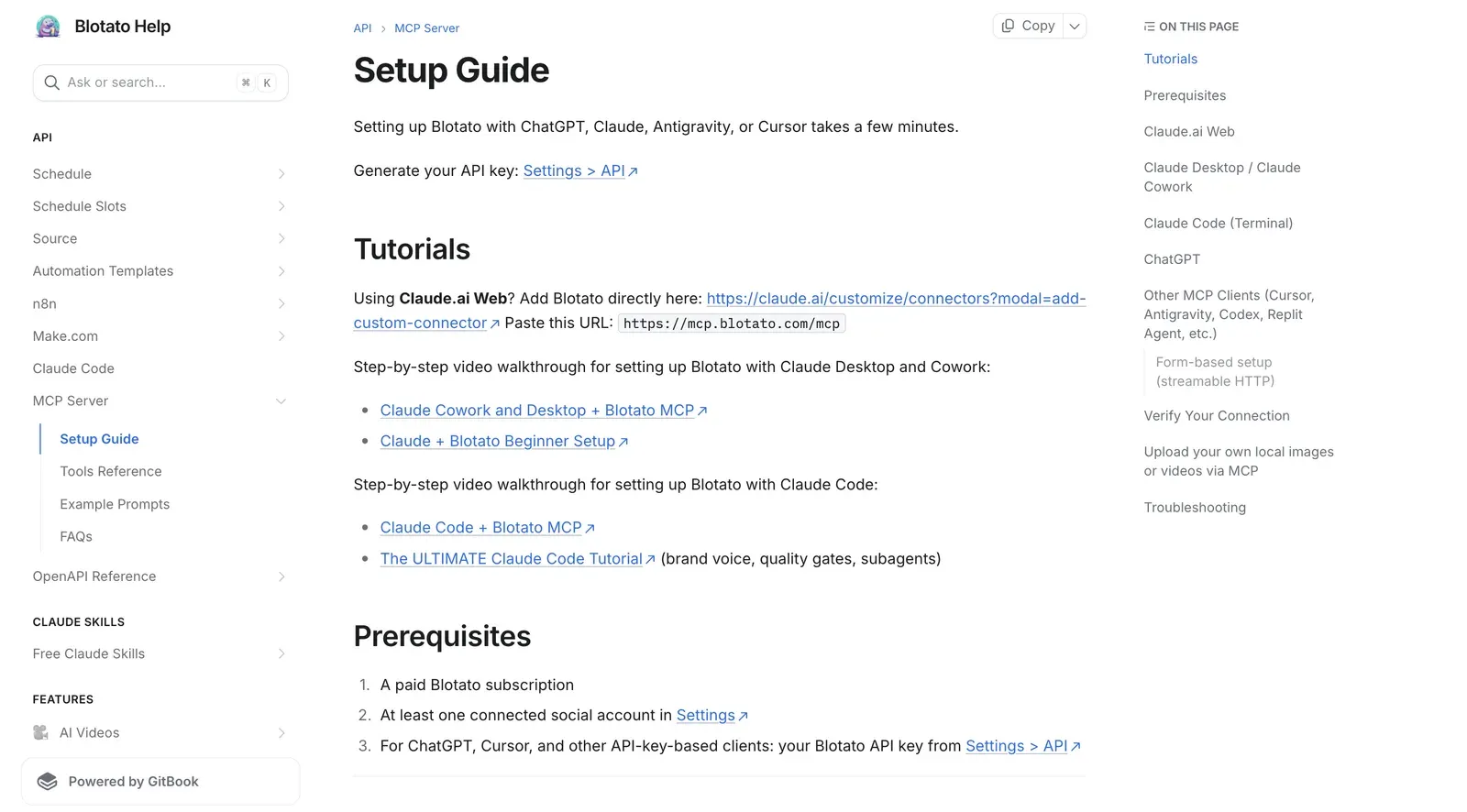
On claude.ai, click Customize in the left sidebar, then Connectors, then the + button and “Add custom connector.” Paste https://mcp.blotato.com/mcp, press Connect, and approve access while logged into your Blotato account in the same browser. The full walkthrough with screenshots is in Blotato’s MCP setup guide. Because routines pull from your account’s connectors, this one connection is what lets every future routine publish.
Step 2: Open the routines page
Go to claude.ai, open Code, and click Routines, or jump straight to claude.ai/code/routines. If you live in the terminal instead, type /schedule inside a Claude Code session and describe the routine in plain language. Both paths create the same thing. The /schedule command needs a claude.ai subscription login, so if it returns “Unknown command,” you’re probably authenticated with an API key.
Step 3: Write a self-contained prompt
The prompt is the whole routine, because nobody is there to answer questions mid-run. Spell out the task, the source material, and what success looks like. Here’s a shape that works:
Read the content ideas in ideas.md. Pick the strongest one, write one post for X under 280 characters and one for LinkedIn under 150 words in my brand voice from brand.md. Publish both through Blotato to my connected accounts. Success: two posts published, and a line appended to log.md with the date and post links.
Vague prompts produce vague runs. “Post something engaging” is how you end up with generic content shipped to real followers.
Step 4: Pick the repository and the trigger
Select the GitHub repo the routine works in. Each run clones it fresh, and Claude writes any changes to its own claude/ branch. Then pick the schedule: a preset frequency like daily or weekly, a custom cron interval, or a one-off run at a specific time. For social posting, daily at a fixed morning hour is the pattern I’d start with.
Step 5: Review the connectors
Scroll to Connectors at the bottom of the form. This is the step people skip, and it’s the one that decides how safe the routine is: the form starts with every MCP connector on your account switched on, and once a run begins there’s nobody there to approve or block a tool call. Strip the list down to Blotato alone. A posting routine has no business holding your Gmail or calendar, and the fewer tools it carries, the less an off-script run can do, the same logic I use for AI agent guardrails.
Step 6: Create it, run it once, and read the transcript
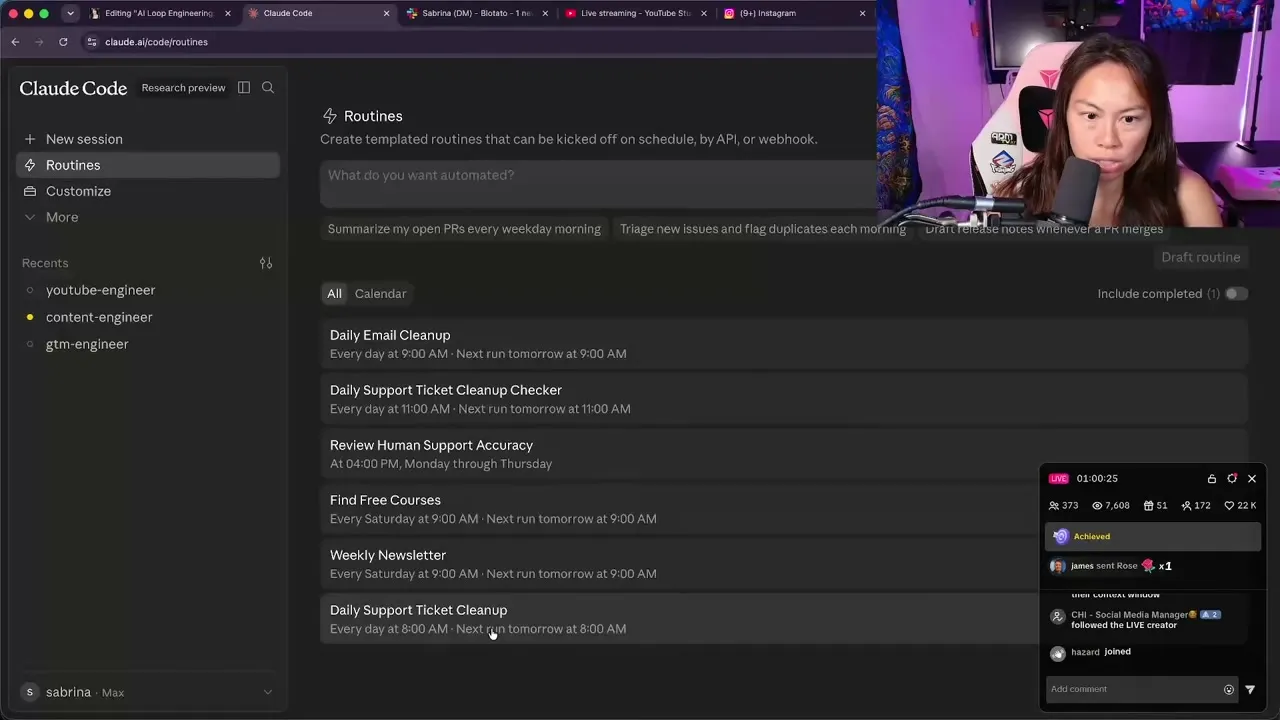
Click Create, then hit Run now on the routine’s detail page instead of waiting for the schedule. Each run creates a session you can open like any other. Read the transcript of that first run before you trust the routine, because a green status only means the session finished without an infrastructure error, not that your posts actually published. Confirm the Blotato tool calls fired and the post links are real.
Want the publishing side ready before you build your first routine? Start with Blotato and the MCP connection takes about two minutes.
What’s the difference between Claude routines and scheduled tasks?
Claude has more than one scheduler now, and the names are close enough to confuse. Routines run in the cloud with your laptop closed. Claude Code scheduled tasks on desktop run locally, so they can touch local files but need your machine awake. The /loop command repeats a task inside an open session and stops when you close it.
| Routines | Desktop scheduled tasks | /loop | |
|---|---|---|---|
| Runs where | Anthropic's cloud | Your machine | Your open session |
| Laptop closed | Yes | No | No |
| Local file access | No, repo only | Yes | Yes |
| Triggers | Schedule, API, GitHub | Schedule | Interval in session |
| Best for | Unattended publishing | Local file workflows | Polling while you work |
For social media the answer is almost always routines, because posting schedules don’t care whether your laptop is open. I covered /loop and /schedule alongside the other terminal commands in Claude Code commands if you want the local options.
What do Claude routines cost?
Routines are available on Pro, Max, Team, and Enterprise plans at no separate charge. Runs draw down your subscription usage the same way interactive sessions do, and on top of that Anthropic caps daily runs per account: Pro gets up to 5 routine runs per day, Max gets 15, and Team and Enterprise get 25, per Anthropic’s launch announcement. Extra usage lets you run past the cap on metered billing. The numbers can shift while the feature is in research preview, so check the routines UI for what your account currently allows.
The daily cap shapes the design. Don’t build five small routines that each post once. Build one routine that handles the whole daily content job in a single run and leave the rest of your cap for experiments.
Tips to Get Better Results
- Keep source material in the repo. A brand voice file, a running ideas list, and a log the routine appends to. The routine reads them fresh every run, so updating the repo updates the behavior without touching the routine.
- Make the routine log its own work. A line per run with date and post links gives you an audit trail you can skim in ten seconds.
- Draft first, publish later. Run the routine in “save as draft” mode for the first week by telling it to schedule posts instead of publishing instantly, then read what it queued in Blotato before flipping to full autopilot. My full maker-checker setup covers the checks worth keeping even after you trust it.
- Batch the whole job into one run. Draft, grade, publish, and log in a single routine rather than one routine per step, so the daily cap stays out of your way.
Common Mistakes to Avoid
- Leaving every connector switched on. A routine with your Gmail, Drive, and calendar connectors attached can write to all of them without asking. Strip it to the publishing connector it needs.
- Trusting the green status. A completed run means the session exited cleanly, not that the post went out. Open the transcript and check the tool calls until the routine has earned trust.
- Writing the prompt like a chat message. Mid-run, Claude can’t ask you what “our usual style” means. Everything the run needs must be in the prompt or the repo.
- Building it on the Blotato trial. MCP access needs a paid Blotato plan, and generating an API key ends the trial early. Plan on subscribing before you wire up the routine.
Conclusion
Claude routines turn a saved prompt into a content operation that runs whether or not you’re at your desk. Connect Blotato’s MCP once, write one self-contained prompt, set the schedule, and check the first few transcripts. If you want the bigger picture of what to automate beyond the daily post, my Claude workflows guide maps out seven of them. Try Blotato and give your routines somewhere to publish.
Claude Routines FAQs
Can Claude routines post to social media?
Yes, through an MCP connector. Routines include every MCP connector on your Claude account by default, so once Blotato is connected, a routine’s prompt can tell Claude to publish to any of the 9 platforms Blotato supports. Claude calls Blotato’s publishing tools during the run, and the posts go out with nobody watching.
Are Claude routines free?
No. Routines require a paid Claude plan (Pro, Max, Team, or Enterprise) with Claude Code on the web enabled. There’s no separate routine fee, but runs consume your normal subscription usage and each plan has a daily run cap: 5 on Pro, 15 on Max, 25 on Team and Enterprise.
How many times per day can a routine run?
Pro accounts can start up to 5 routine runs per day, Max accounts 15, and Team and Enterprise accounts 25. Runs beyond the cap need extra usage on metered billing. Routines are in research preview, so Anthropic can change these numbers, and the routines UI shows your account’s current allowance.
Do Claude routines work while my computer is off?
Yes. Routines run on Anthropic’s cloud infrastructure through Claude Code on the web, so scheduled runs fire whether your laptop is open, closed, or in a bag. That’s the main difference from desktop scheduled tasks, which run on your machine and need it awake.
What’s the difference between a Claude routine and a Claude skill?
A skill is a reusable instruction set Claude loads when a task calls for it. A routine is a trigger that starts a run on its own. They stack: a routine’s run can use your skills, so a scheduled routine can invoke your post-writing skill every morning. Skills define how, routines define when.