7 Claude Workflows That Run My Social Media (2026)
The 7 Claude workflows I use to run social media solo: photo-to-post, cross-posting, carousels, calendar control, Routines, and dynamic workflows.

Most guides to Claude workflows are written for developers running codebase audits, so marketers land on orchestration docs and leave with nothing to publish. A Claude workflow is just a repeatable job you hand to Claude: some run one prompt at a time, some fan out dozens of parallel agents, and some run on a schedule while you sleep. I run my entire social media operation on these workflows, 30 million views in a single month, publishing through Blotato, which I built. Here are the seven I would set up first, in the order I would set them up.
Video Guide
Workflows 1 through 5 below are the ones I demo live in this video, from a folder of screenshots to published posts across my platforms.
What Is a Claude Workflow?
A Claude workflow is a repeatable sequence Claude executes for you: read an input, apply your rules, produce an output, hand it somewhere. These are not the hard-coded Zapier-style workflows I have warned people about, the brittle kind you rebuild every time a step changes. Claude plans each run itself, so the sequence adapts while the job stays repeatable. Anthropic’s tooling now covers three distinct types, and knowing which is which saves you from reading the wrong tutorial. Sequential workflows run step by step inside one chat, and every workflow in this post starts there. Dynamic workflows let Claude Code write an orchestration script that runs dozens of subagents in parallel, built for big batch jobs. Routines run a saved prompt on a schedule from Anthropic’s cloud, no laptop open.
Can Claude Publish to Social Media on Its Own?
Claude on its own drafts but cannot publish: developers built these workflow tools for code, and no Claude surface ships with a native way to post to a social platform. Blotato’s MCP connector closes that gap, and my guide to posting to social media with Claude covers that one-time connection for every platform. Every workflow below ends at a real, published post instead of a draft in a chat window.
7 Claude Workflows I Use to Run My Social Media
Each workflow below shows how it runs, which Claude surface it needs, and what it hands off to the next one.
| Workflow | Type | Best For |
|---|---|---|
| 1. Photo-to-post | Sequential | Turning your camera roll into posts |
| 2. Five-skill drafting relay | Sequential | Consistent voice and quality at volume |
| 3. Cross-posting | Sequential | One post, nine platforms |
| 4. Visual content | Sequential | Carousels, Stories, captioned images |
| 5. Content calendar | Sequential | Scheduling without a spreadsheet |
| 6. Routines | Scheduled | Recurring jobs that run unattended |
| 7. Dynamic workflows | Parallel | Batch jobs across many subagents |
1. The Photo-to-Post Workflow
My favorite starting workflow, because the input already exists on your phone. I point Claude at screenshots, tell it to analyze them and write a tweet, and my post grader scores the draft until it passes. In one run the tweet scored nine out of ten and went straight to X. Claude then re-posted it with the screenshot attached, all through the Blotato connection.
The Blotato feature: MCP publishing to X and 8 more platforms
Time saved: Batching one folder into 20 posts saves around 10 hours a week
Bottom line: Raw camera roll in, scored and published post out.
2. The Five-Skill Drafting Relay
Skills are saved instructions Claude follows, and mine run as a relay: a content coach routes the request, a brand brief holds my voice, a post writer drafts, a post grader keeps iterating on the draft until it clears my viral rubric’s score bar, and a post scheduler runs a final pre-publish check. Each skill hands its output to the next, which is what turns five documents into one workflow. I walk through them in my post on the Claude skills that run my social media, so I will not repeat the setup here, and you can download the whole pack free if you want the files rather than the explanation.
The Blotato feature: The scheduler skill publishes through the Blotato MCP connector
Time saved: The grading loop replaces my old manual rewrite rounds
Bottom line: Five skills chained into one command is the workhorse of my whole system.
3. The Cross-Posting Workflow
One finished post becomes nine. After the tweet in workflow #1 published, I told Claude to cross-post the same content to LinkedIn and Facebook, and both went live seconds later. The same photo went straight to TikTok, no edits, no re-upload. If you earn creator payouts on X, read X’s rule on content posted using automated means before you automate this.
The Blotato feature: Cross-posting across all 9 supported platforms, from X and LinkedIn to Bluesky and Pinterest
Time saved: Eight manual re-posts collapse into one sentence
Bottom line: Write once, publish everywhere, without leaving the chat.
4. The Visual Content Workflow
Claude handles my images, not just my words. In one demonstrated run, I had it add a TikTok-style caption to a selfie, respecting social media safe zones, and publish it as my Instagram Story. In another, it built an Instagram carousel from Blotato’s carousel template, removed a slide I did not like on request, and posted it. By the time I opened Instagram to check, the carousel had already been live for 53 seconds. I like the whiteboard infographic template for LinkedIn posts and the manga panel template for live stream announcements.
The Blotato feature: AI visual templates for carousels and infographics
Time saved: No designer round-trips for everyday visuals
Bottom line: Stories, carousels, and captioned images from one prompt each.
Want to run these workflows yourself? Every one of them publishes through Blotato. I’m the founder, so take this with whatever grain of salt feels right. The 7-day free trial gets your accounts connected today, and MCP access itself needs a paid plan, so the trial covers the web app side.
5. The Content Calendar Workflow
Scheduling is a conversation, not a spreadsheet. I use “next free slot” all the time: Claude asks Blotato for the next opening on my calendar and books the post there. Listing upcoming scheduled posts, or moving Friday’s noon Bluesky post to 1:00 p.m., is one sentence each. All of my posts go scheduled through Blotato, so the calendar Claude reads is the calendar that actually publishes.
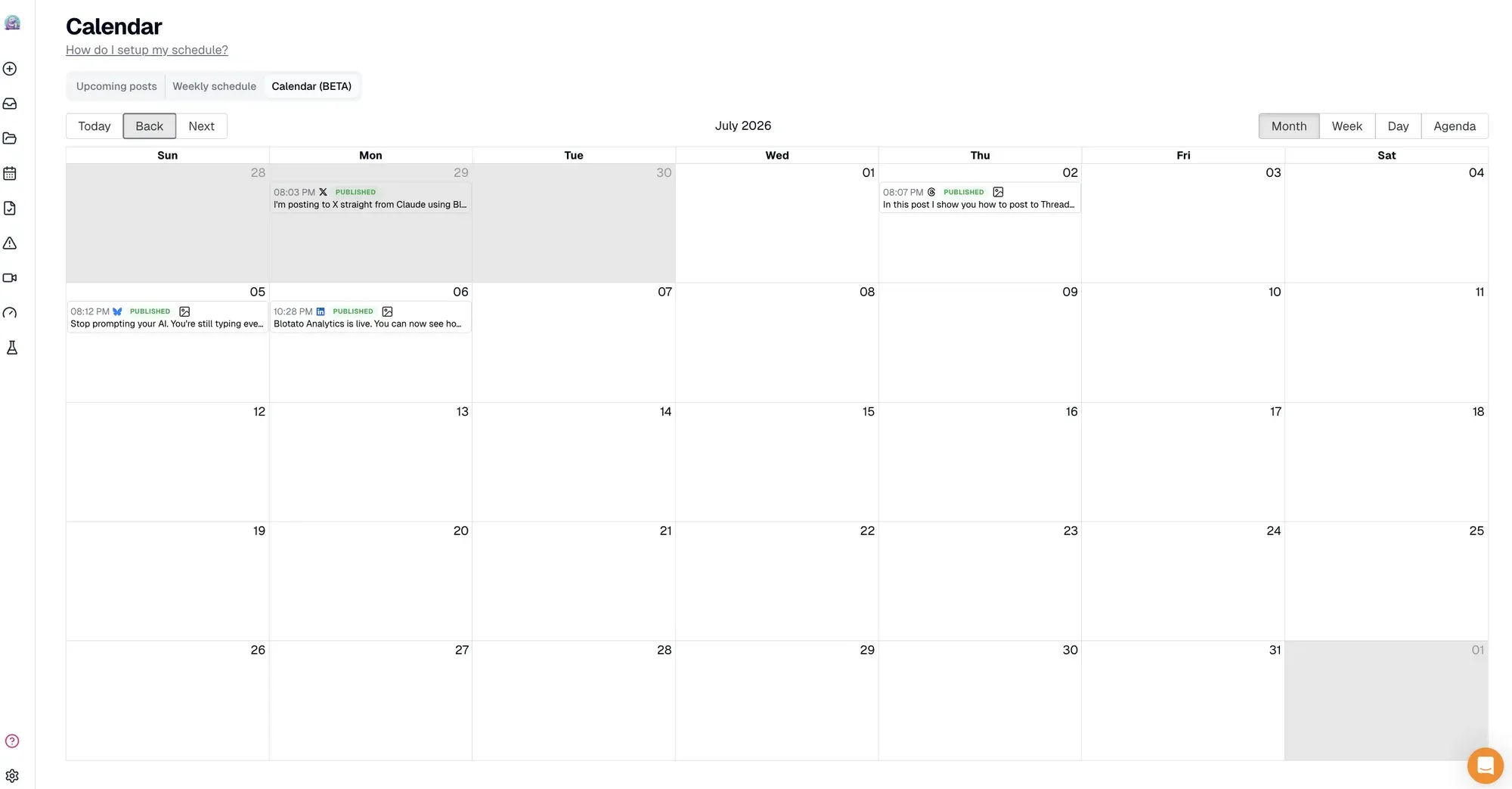
The Blotato feature: Content calendar with next-free-slot scheduling
Time saved: Calendar admin becomes a few sentences a week
Bottom line: The calendar stays full without me ever opening it.
6. The Routine: Workflows That Run on a Schedule
Routines take a workflow you already trust and run it without you. A Routine is a saved prompt that fires on a schedule from Anthropic’s cloud, running the task with the model and connectors you picked when you created it, currently in research preview. I run a maker-and-checker pair in my own business: one Routine does the work each morning at 8:00 a.m., and a second runs about two hours later to independently verify the first one’s output and reverse anything it got wrong. Defining what done looks like for the checker is the hardest part of the loop. If you can’t say what done looks like, you don’t have a loop, you have a wish. The full setup, from the first connector to the daily run caps, is in my guide to automating social media with Claude Routines.
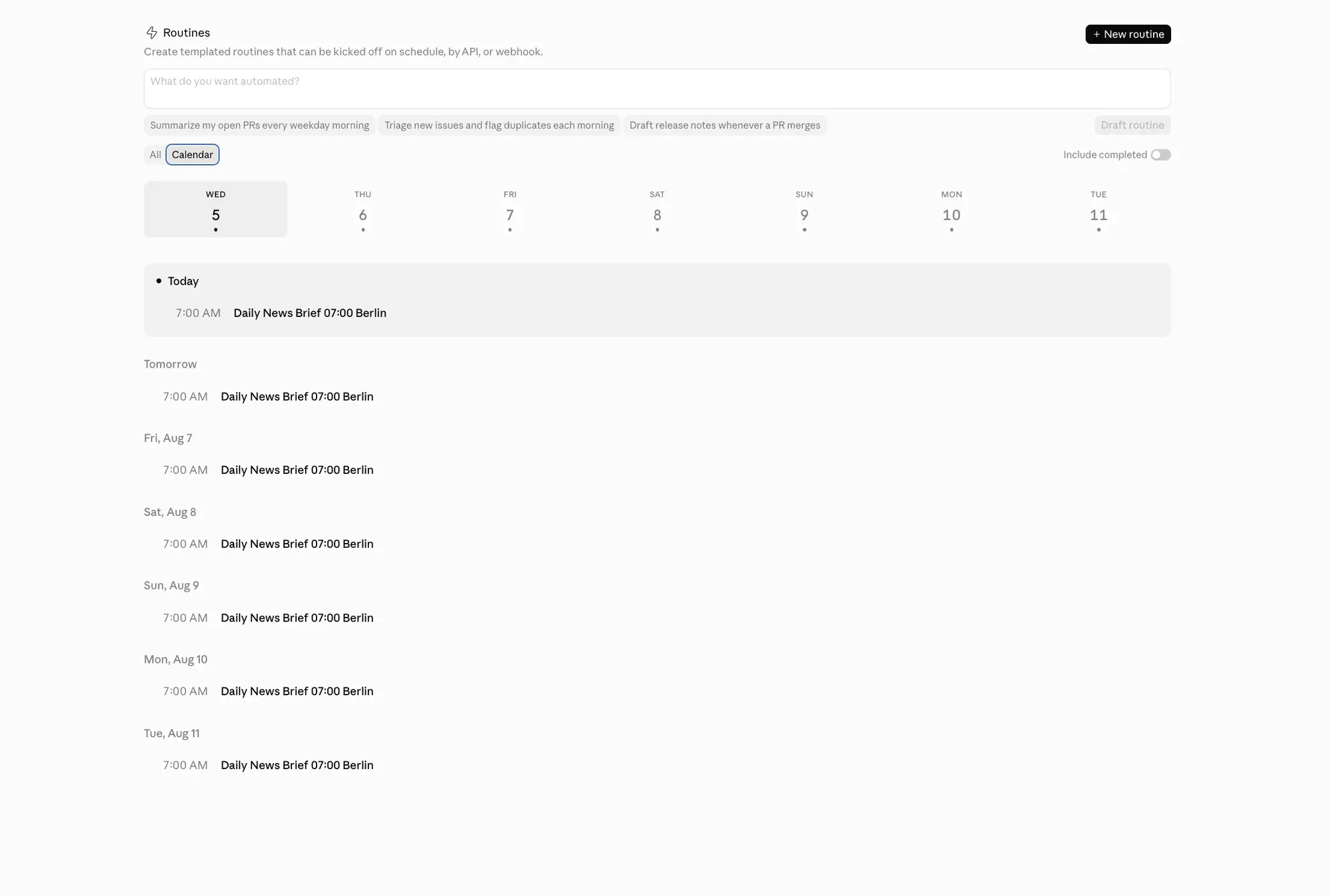
The Blotato feature: Scheduled posts queue in Blotato, so a Routine can fill your calendar overnight
Time saved: The workflow runs whether or not you show up
Bottom line: Trusted workflow plus a schedule plus a checker equals real automation.
7. The Dynamic Workflow: Batch Jobs at Scale
Dynamic workflows are the newest type, shipped by Anthropic in late May 2026, and the feature most Claude workflows coverage is about right now. Claude Code writes a JavaScript orchestration script that fans a job out across parallel subagents, up to 16 running at once, and you can save the script to .claude/workflows/ and rerun it. Each subagent works with its own fresh context window, so a 40-post batch never degrades the way one endless chat does. Anthropic built this for codebase audits and migrations, but the shape fits content batch jobs: one agent per platform rewriting a source post, or one agent per draft running your quality rubric, with a verify stage checking the results. Dynamic workflows need Claude Code v2.1.154 or later on a paid plan, and this is terminal territory, so start with workflows 1 through 6 if you have never opened Claude Code. My Claude Code social media system is the gentler on-ramp.
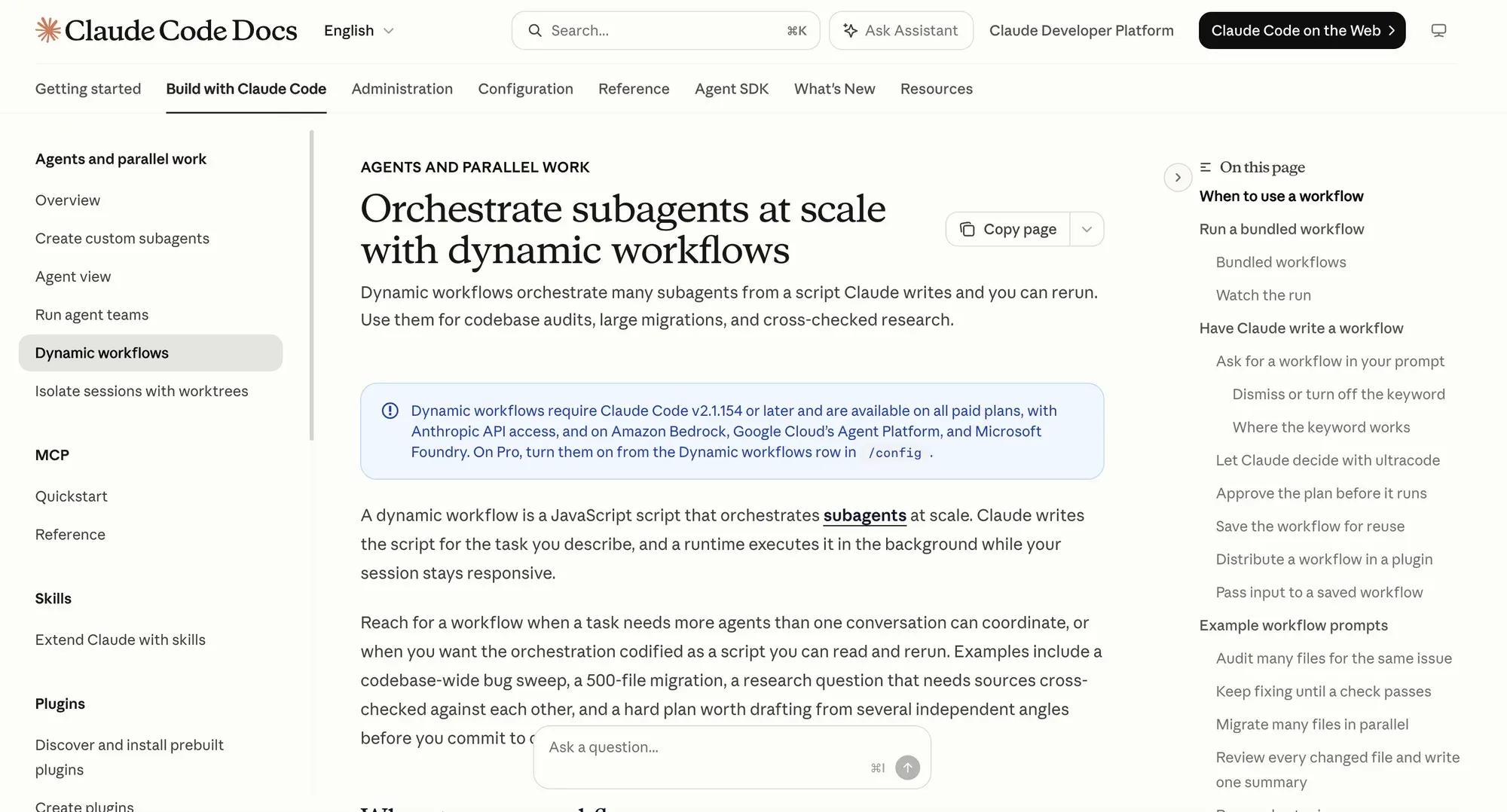
The Blotato feature: Each subagent’s finished post can queue through the same MCP connection
Time saved: Batch jobs that took an afternoon run in one pass
Bottom line: The heaviest Claude workflow type, worth learning after the basics pay off.
How Do You Get Started With Claude Workflows?
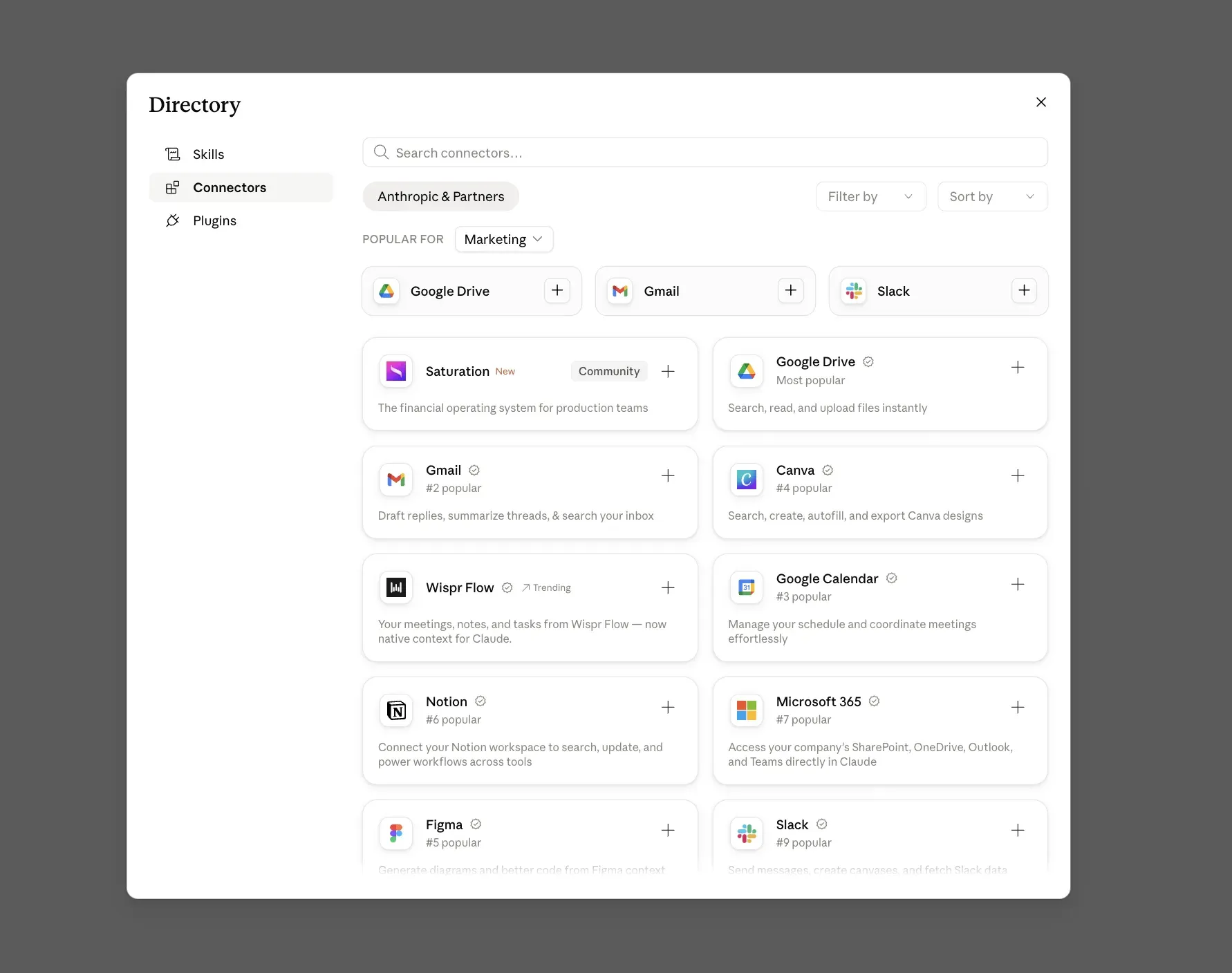
Day one looks like this: connect one social account in Blotato, add the MCP connector to Claude with the URL https://mcp.blotato.com/mcp, and ask Claude what social media accounts you have connected. When it lists your accounts, the pipe works. Then run workflow #1 with any screenshot on your desktop. For a moderate content creator, this stack easily saves at least 15 hours per week, and the first five workflows are enough to get there. The setup guide covers Claude.ai, Desktop, Cowork, and Claude Code, and takes a few minutes.
Key Takeaways
- Start with sequential workflows in one chat. Routines and dynamic workflows only pay off after you trust the underlying workflow.
- The publish step is the filter. A workflow that ends in a draft still leaves you the manual work, so wire publishing in from day one.
- Skills turn good prompts into repeatable workflows. The grading loop, not the drafting, is where quality comes from.
- A checker agent is what makes scheduled automation safe. Define what done looks like before you hand a workflow a schedule.
- Match the workflow type to the job: one-off posts stay sequential, recurring jobs become Routines, batch jobs go dynamic.
Conclusion
Claude workflows took my social media from a daily grind to a system I supervise, at a scale that would otherwise take a team. Start with the photo-to-post workflow today, add the relay and the calendar this week, and graduate to Routines when a workflow has earned your trust. Connect your accounts at Blotato and the first workflow is a single prompt away.
Claude Workflows FAQs
What is the difference between a Claude workflow and a Claude skill?
A skill is a saved instruction file Claude follows, one component. A workflow is the repeatable sequence those components run in: my drafting relay chains five skills into one workflow. Skills define how a step behaves, workflows define which steps run and in what order. You build skills once, then reuse them across many workflows.
Do Claude workflows work in Claude Desktop and Cowork, or only Claude Code?
Sequential workflows run in every Claude surface: Claude.ai, Desktop, Cowork, and Claude Code. Dynamic workflows are Claude Code only, since they need the terminal runtime that executes orchestration scripts. Routines are managed from Claude’s web interface and run in Anthropic’s cloud, so your machine can be off. The Blotato connector publishes from all of these surfaces.
Can Claude workflows post to social media automatically?
Yes, with a connector that can publish. Claude alone drafts but cannot post. Connected to Blotato’s MCP, Claude publishes and schedules to 9 platforms directly from a workflow, and a Routine can do it on a schedule. Nothing of mine publishes without my own eyes on it first, so keep a review step or a checker agent in the loop before you let anything post unsupervised.
Do Claude workflows cost extra?
Dynamic workflows and Routines are included with paid Claude plans, with Routines currently in research preview. On the publishing side, Blotato’s MCP access is part of every paid plan, starting with Starter at $29/mo. Multi-agent dynamic workflow runs use more of your Claude plan’s usage than a normal chat, so start small.