ChatGPT Dots vs Grok Bot vs Meta Muse: Which Runs Social Media?
ChatGPT Dots vs Grok Bot vs Meta Muse for social media automation: how each agent reaches a publishing tool, what it costs, and when it asks first.
In ChatGPT Dots vs Grok Bot vs Meta Muse, posting to LinkedIn, TikTok, or YouTube comes down to what you connect the agent to. OpenAI’s dots, SpaceXAI’s Grok Bot, and Meta’s Muse are always-on agents with a cloud computer and browser of their own, all launched between August and September 2026. SpaceXAI’s docs call a connector “often more reliable than clicking through a website,” and OpenAI notes that some websites block a dot’s cloud browser.
Muse links Facebook, Instagram, and Threads through Meta’s Accounts Center, Grok Bot’s X connector reads your timeline and lists no way to post, and OpenAI’s own content-creator example has a dot draft social posts for your approval.
So they split on three things: how they add a publishing tool, what it costs to get there, and when they stop to ask you.
ChatGPT Dots vs Grok Bot vs Meta Muse, Answered Up Front
Pick Grok Bot if:
- You want the best-documented route to publishing, since custom MCP servers are a listed plugin type
- You already pay for Cursor or a SuperGrok plan
- You want several Bots with separate jobs that hand work to each other
Pick Meta Muse if:
- You want an ongoing free tier rather than a trial
- You want Facebook, Instagram, and Threads linked automatically
- You are in the US or Canada and fine setting up a connector by chat
Pick a ChatGPT dot if:
- Your team already works in ChatGPT, Slack, or Teams
- You are on a Business Premium seat, or only need drafting and checking on Pro
- You can wait for OpenAI to say whether custom plugins count
Blotato is an app I built, and it sits on the publishing side of this choice. It is the agent infrastructure for social media marketing: one key that publishes and schedules to 9 platforms and handles comments, DMs, and DM automation on Instagram and Facebook. Grok Bot reaches it today, Muse should through a custom connector, and a dot may, depending on OpenAI and your plan. Agent access needs a paid Blotato plan, because the 7-day trial does not include the API or MCP server.
The Three Agents Side by Side
ChatGPT Dots vs Grok Bot vs Meta Muse, compared on eight points for social media work: Grok Bot has the only route to a publishing tool I have tested, Muse is the only one with an ongoing free tier, and dots are the only one where custom MCP write access depends on your plan.
| ChatGPT Dots | Grok Bot | Meta Muse | |
|---|---|---|---|
| Made by | OpenAI | SpaceXAI, signed in with a Cursor account | Meta |
| Launched | September 29, 2026 | August 11, 2026 | September 8, 2026 (US, since expanded to Canada) |
| Where it runs | Its own cloud computer and browser | A cloud computer your Bots share, in Cursor’s cloud | A persistent cloud Linux computer with a browser |
| Where you talk to it | ChatGPT on desktop, web, and mobile, plus Slack and Teams | Desktop and mobile apps, plus Slack channels for Team Bots | Muse app on mobile and Mac, muse.ai, and WhatsApp |
| What the agent costs | First dot included with ChatGPT Pro or Business Premium | Included with paid Cursor plans or a linked SuperGrok plan | Free with a usage limit, paid plans from $20/month |
| How it adds a publishing tool | Supported plugins on your ChatGPT account | Custom MCP server over HTTPS, a listed plugin type | A connector, prebuilt or one Muse builds in chat |
| Asks before acting | Automatic review plus custom rules | Allow once, Always allow, or Deny when an action needs approval | Every write action when set to Ask for some actions |
| Reaching Blotato today | Unconfirmed for dots, and Pro is capped at read access | Tested: a Bot scheduled an Instagram post | Expected through a custom connector, not yet confirmed |
The last two rows decide most of this for social media. The rest is about where you already work: ChatGPT, Slack, or Teams for a dot, a Cursor or SuperGrok account for Grok Bot, and Meta’s apps or WhatsApp for Muse.
Grok Bot: The Route I Have Actually Run
Grok Bot is SpaceXAI’s team of always-on agents. You sign in with a Cursor account, and the computers your Bots work on run in Cursor’s cloud.
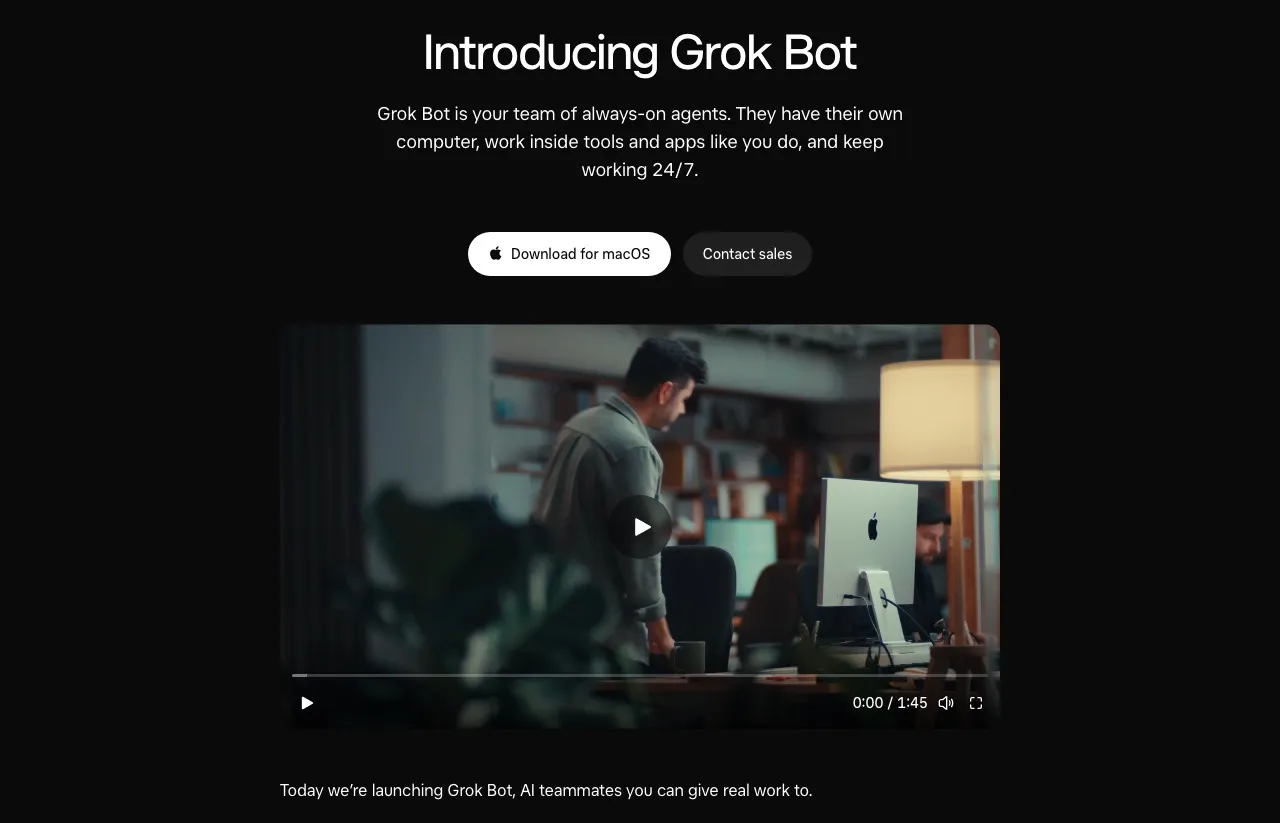
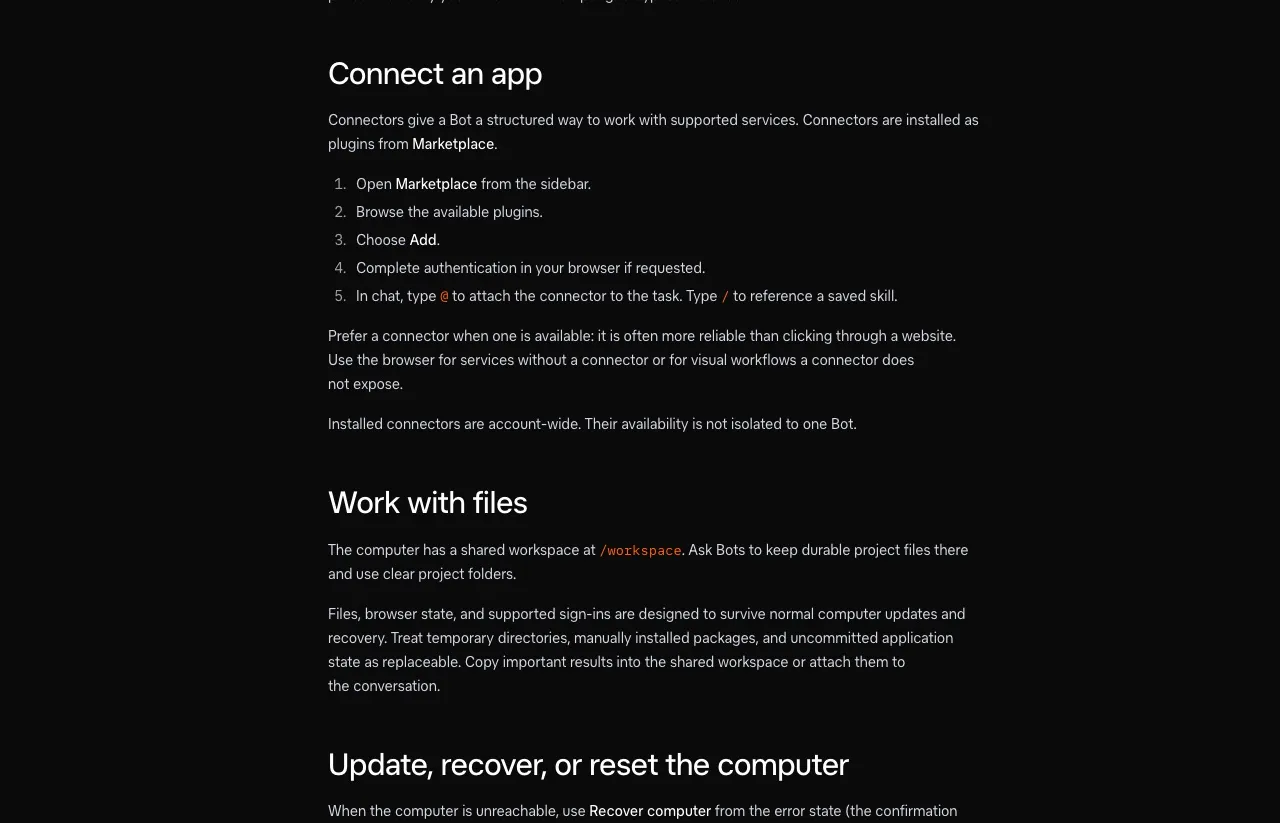
Custom MCP servers are a listed plugin type. SpaceXAI’s Team Bots docs name “Custom MCP server, Remote HTTPS”, and installed connectors are account-wide, so every Bot gets the same tools. When I built a four-Bot marketing team, I gave a Bot the link to Blotato’s setup doc, accepted the connect card it offered, and the Publisher Bot scheduled an Instagram carousel after my approval.
Cursor’s Grok Bot plans page says no separate subscription is needed. Access comes with any paid individual Cursor plan, from Pro at $20/month, or with Cursor Teams, and you can also link a SuperGrok, SuperGrok Plus, SuperGrok Heavy, or X Premium+ account. SuperGrok Lite is not included. On individual plans, Bot work gets its own weekly allowance, while a Teams seat draws from that seat’s allowance.
Grok Bot opens those connections from Cursor’s servers, not your machine, so the MCP server has to be reachable on the public internet, which a hosted endpoint already is. Cursor staff are also tracking a bug where one hung custom server can stall tool discovery for every connector, so remove any server that stops responding.
Meta Muse: Free to Start, Built in Conversation
Muse is Meta’s personal agent, and it handles errands as well as content. It works on a persistent cloud computer, so a task keeps running after you close the app.
On price, Muse leads the three. Meta’s subscription help says Muse is free with a usage limit, with a Power plan at $20/month and a Maximum plan at $100/month for more weekly usage. Meta also notes that subscriptions are in limited testing and not available everywhere yet.
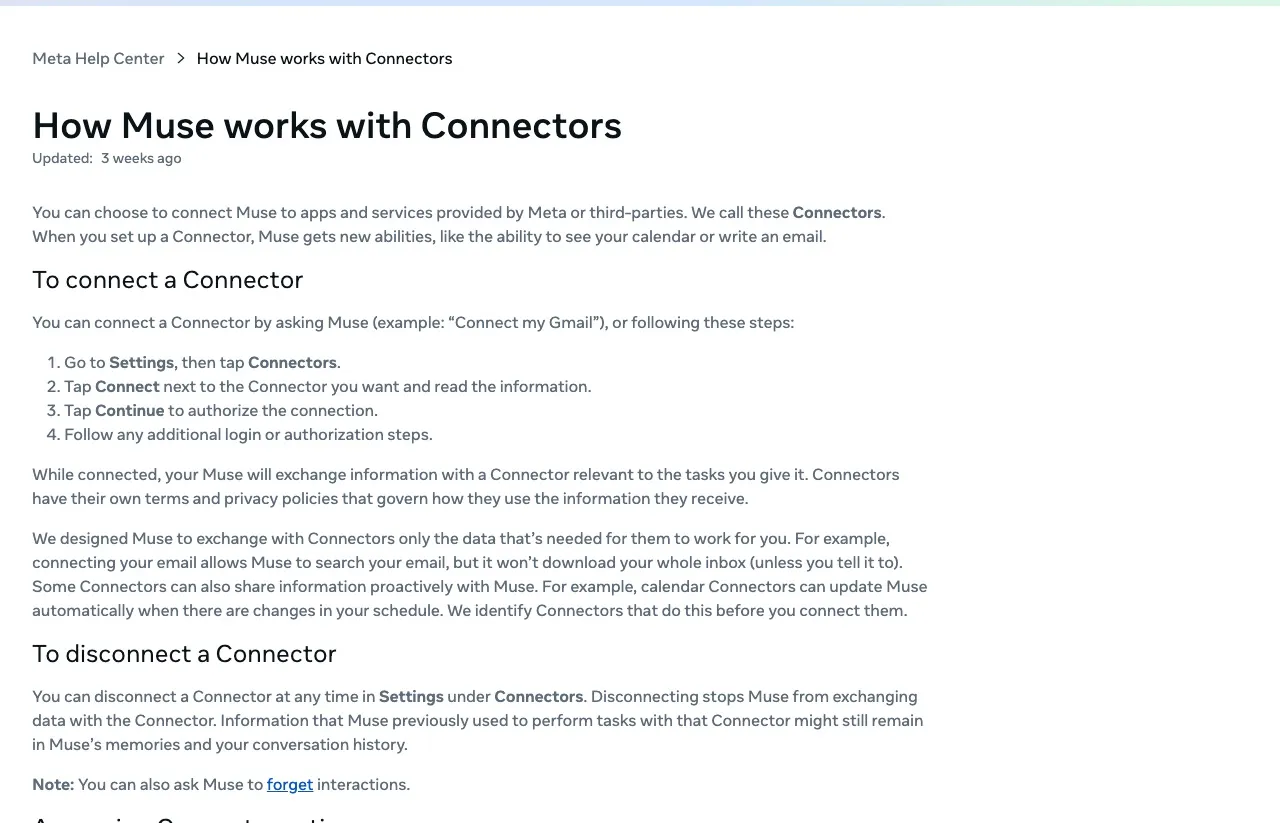
Its reach into social media starts with Meta’s own apps. Meta’s Connectors help says Facebook, Instagram, and Threads connect automatically when they share an Accounts Center. Anything else takes another connector, either one of Meta’s prebuilt ones or a custom connector: you ask Muse to create one, it may pull API details from the service, and it keeps your key in its Secure Credentials Store.
Meta’s help center never uses the word MCP. The MCP detail comes from builders: Parallel reports that, given a server URL, Muse wrote a client with the official MCP SDK, connected over streamable HTTP, and saved it as a reusable skill. The same report notes that a server on your own laptop is out of reach, because the computer Muse works on sits in Meta’s cloud. Meta also warns that it “doesn’t review custom connectors or how they use your information, so grant access with caution.”
ChatGPT Dots: The Plan Decides What a Dot Can Do
Dots are OpenAI’s always-on agents, powered by GPT-6 Astra. You message a dot in ChatGPT on desktop, web, or mobile, or from Slack and Teams.
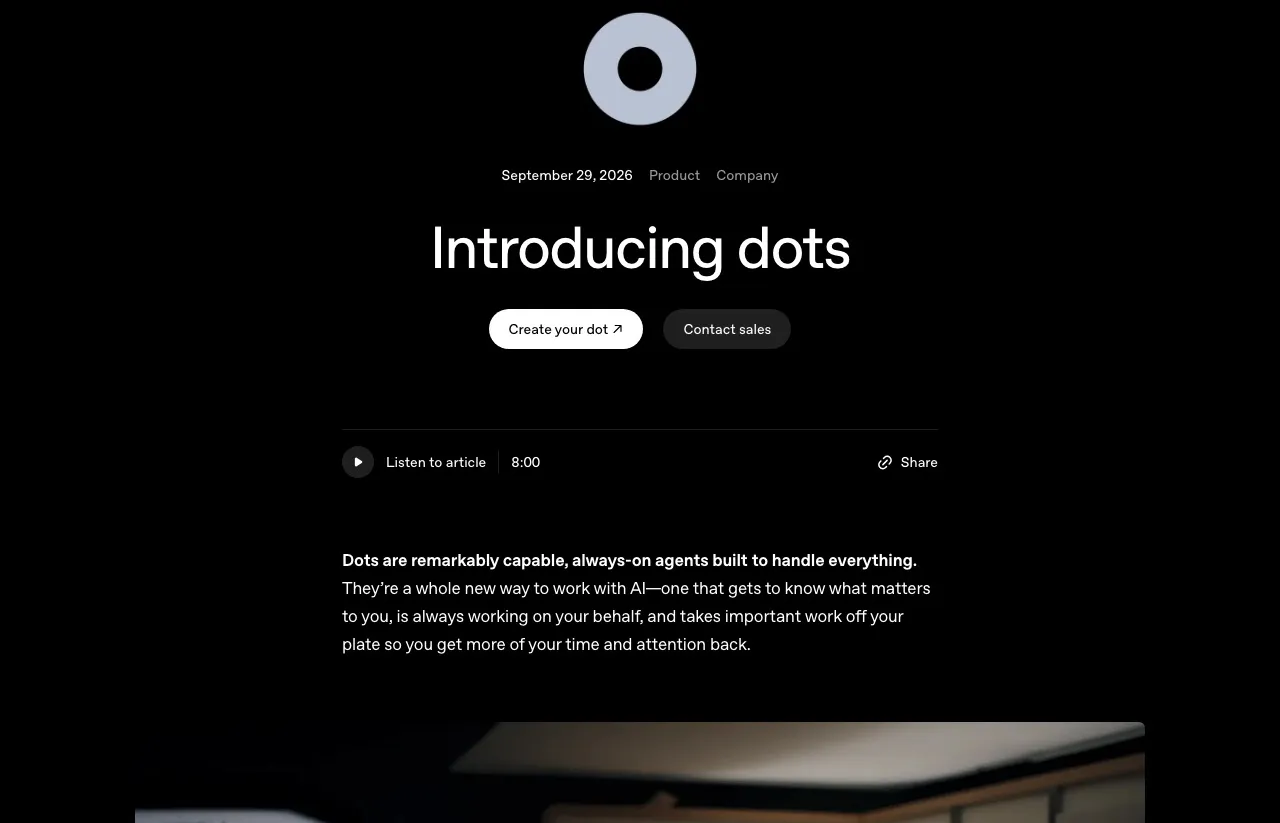
Your first dot is included with Pro or Business Premium. OpenAI lists Pro 100, Pro 200, and Pro 500 for users over 18 outside the EEA, the UK, and Switzerland, plus Business Premium worldwide and Enterprise when an admin turns dots on. ChatGPT’s Pro tiers run $100, $200, and $500 a month. Business Premium is a seat on ChatGPT Business at $125 per user per month, or $100 billed annually.
The connection is where a dot gets uncertain. OpenAI says a dot can use “supported plugins installed and enabled for your account.” Blotato connects to ChatGPT as a custom MCP plugin in Developer mode, and OpenAI has not said whether that counts as supported for dots. Its precedent is mixed: deep research uses custom apps for reads only, and agent mode does not use them at all.
Plan rules cap it further. OpenAI’s Developer mode help puts full MCP with write actions in beta on Business, Enterprise, and Edu, while “Pro users can connect MCPs with read/fetch permissions in developer mode.” So if the plugin does reach a dot, a Pro dot could read your queue and analytics but not publish, and Business Premium is where publishing could work. My ChatGPT Dots setup guide ends with a check your dot runs on itself.
Who Asks Before Posting
All three agents can stop and ask before a risky action, and you choose how often. That matters more for social media than most work, because a post is public the moment it lands.
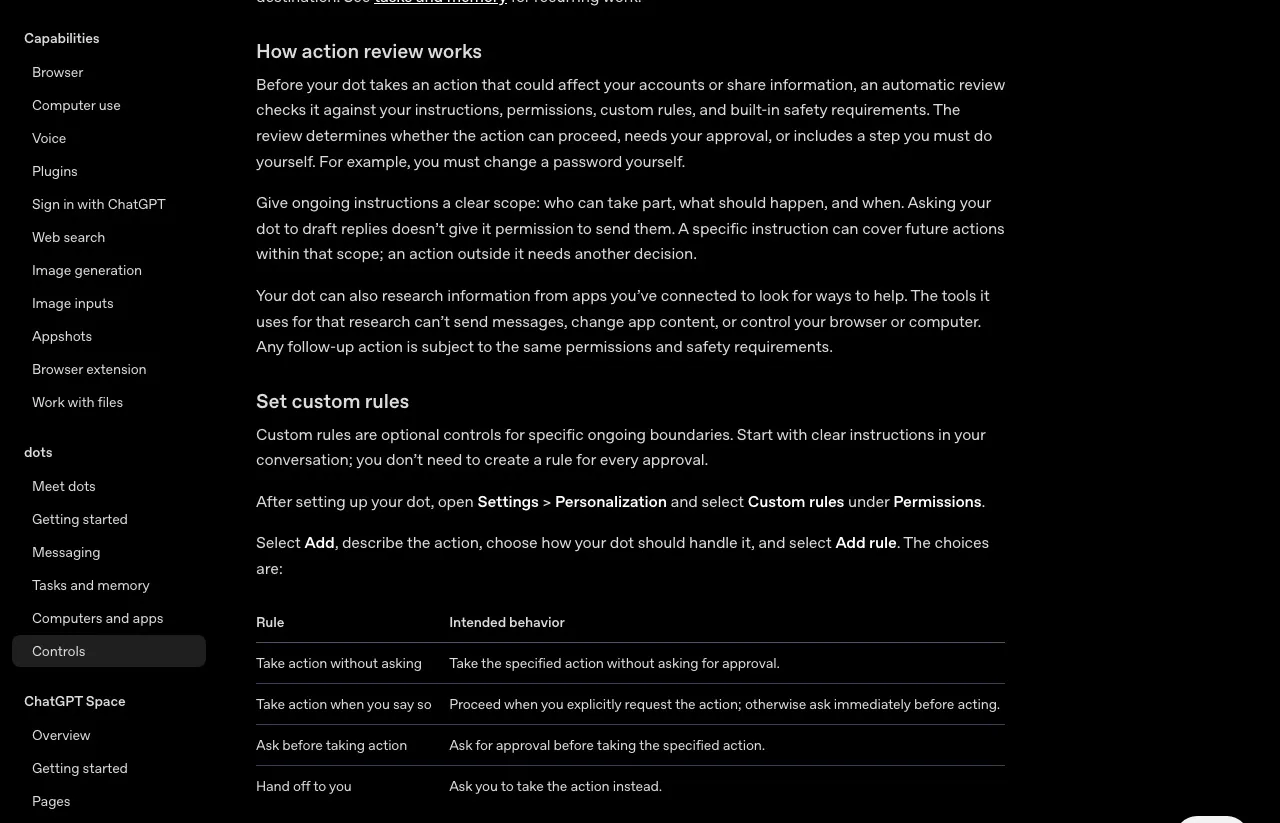
A dot runs an automatic review before actions that affect your accounts, checking each one against your instructions, permissions, custom rules, and built-in safety requirements. OpenAI’s controls page lets you add rules that range from Take action without asking to Hand off to you. The guardrails post covers where a dot’s approvals would stop if it could submit a post through Blotato.
When a Grok Bot action needs approval, you get Allow once, Always allow, or Deny. Its approvals docs list publishing content among the actions that deserve explicit boundaries, and call Auto Review model-based, a complement to approvals rather than a replacement. Muse asks before every write action when its connector permission is Ask for some actions, and Allow for this task approves a whole batch at once.
Be careful with Always allow. In Grok Bot it can save a matching rule, and in Muse it lets the agent take that type of action through a connector “in the future without asking again.” On a publish tool, that can mean the agent stops asking you before each post.
On my side of the stack, Blotato has no review step for a scheduled post. It goes live at its time, so the approval has to happen before the agent calls schedule or publish.
What It Costs to Add Publishing
The agent and the publishing layer are two separate bills, and the second does not change with the agent.
| What you pay for | ChatGPT Dots | Grok Bot | Meta Muse |
|---|---|---|---|
| Cheapest plan with the agent | Pro 100 at $100/month | Cursor Pro at $20/month, or a linked SuperGrok plan | Free, with a usage limit |
| Plan the vendor documents for custom MCP write actions | ChatGPT Business, where Business Premium seats are $125 per user per month or $100 billed annually, in a workspace of at least two seats | No plan limit documented | No plan limit documented |
| Publishing layer | Blotato Starter, $29/month, if the plugin reaches a dot | Blotato Starter, $29/month | Blotato Starter, $29/month, if the custom connector works |
A dot costs the most to reach a plan where publishing could work. ChatGPT Business needs at least two seats, though you can mix seat types, so the smallest workspace with one Premium seat is $150 a month on monthly billing: $125 for Premium plus $25 for a Standard seat.
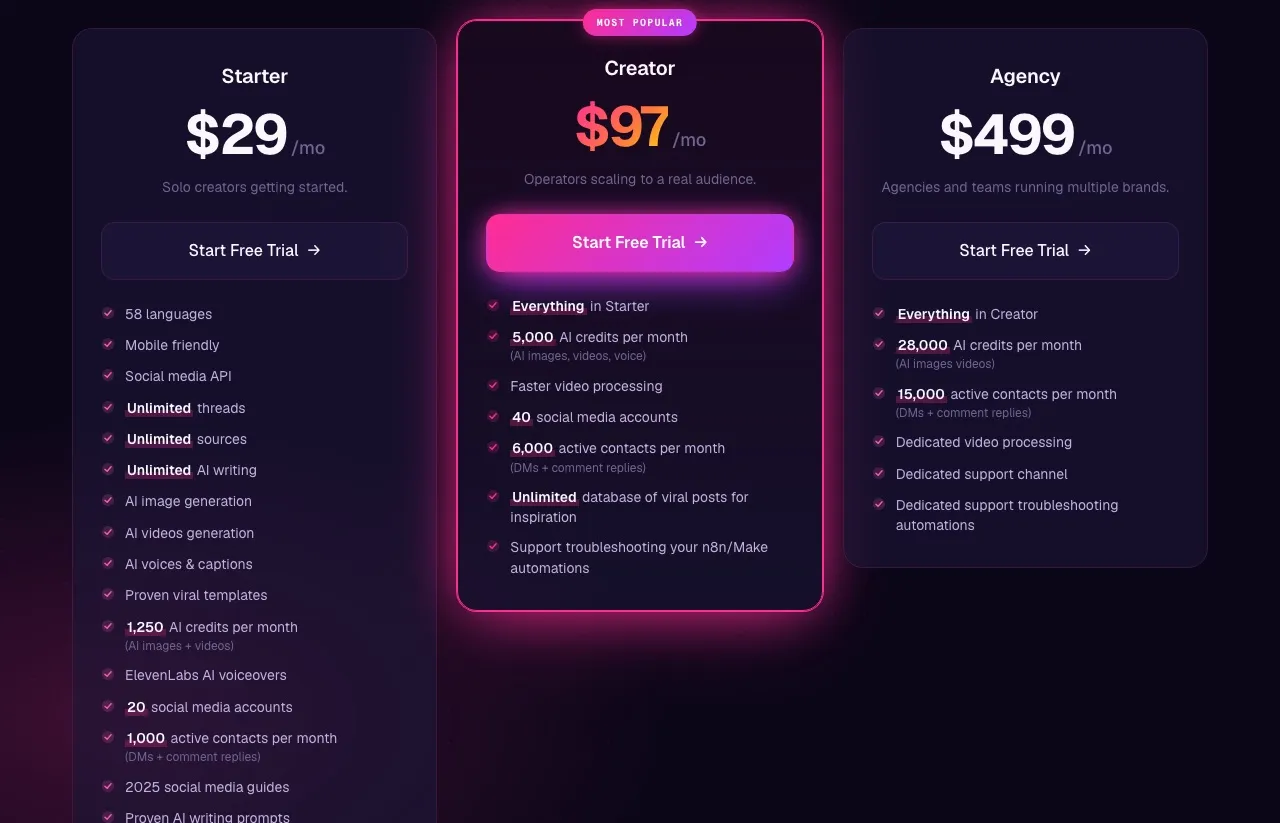
Blotato’s Starter plan is a flat $29 for up to 20 connected accounts, and publishing does not spend AI credits, so the bill does not move when your agent posts more.
One Set of Accounts, Three Possible Agents
You do not need a publishing tool per agent. One Blotato account holds your social accounts, so any agent you connect later uses the same accounts, schedules, and analytics instead of a fresh setup. Muse is the likeliest next one to try, though it is still expected rather than confirmed, and the Muse setup page has the connector steps for https://mcp.blotato.com/mcp with a blotato-api-key header.
Through that account, an agent that can call Blotato’s write tools can publish and schedule to 9 platforms, read analytics, and handle comments, DMs, and reply-only DM automation. Two limits are mine to own: the engagement tools cover Instagram and Facebook only, and analytics returns nothing for LinkedIn yet.
A Quick Test Before You Trust Any of Them
Run the same short test on any of these agents before it touches a real calendar.
- Set the agent’s approval rule for publishing first, so nothing goes out without your yes.
- Ask it to list your connected Blotato accounts. If it cannot, stop: the connection or its permissions failed, or on a dot, the plugin may not be supported.
- Ask which Blotato tools it can use, and look for
blotato_create_post. If it is missing, stop there, since a Pro dot that lists only read tools has answered the plan question for you. - Have it schedule one post to a test account for next week, then check that the post status reads scheduled, since the first response only confirms Blotato accepted the job.
- Delete that schedule in Blotato.
New agents will keep arriving. Keep your accounts in one publishing layer, so switching agents means one new connection rather than reconnecting every platform.
ChatGPT Dots vs Grok Bot vs Meta Muse FAQs
Which always-on AI agent is best for social media?
Grok Bot, if it has to publish today, because it has a documented route to a publishing tool and one I have tested. Meta Muse is the cheapest place to start and links Facebook, Instagram, and Threads automatically, though Meta has not documented posting through those links. ChatGPT Dots suit teams already in ChatGPT, Slack, or Teams, but OpenAI has not confirmed that a dot can use a custom publishing plugin.
How much do ChatGPT Dots, Grok Bot, and Meta Muse cost?
Muse is free with a usage limit, and its $20 and $100 plans are in limited testing. Grok Bot comes with any paid Cursor plan, from Pro at $20 a month, or a linked SuperGrok plan. A dot comes with ChatGPT Pro from $100 a month, and if OpenAI confirms custom plugins for dots, writing through one would need a Business, Enterprise, or Edu plan, with Business from $150 a month on monthly billing. Blotato Starter is $29 a month.
Can ChatGPT Dots post to Instagram or LinkedIn?
Not through a route OpenAI has confirmed for posting yet. A dot can sign in to websites in its own cloud browser, though OpenAI notes that “some websites block cloud browsers or require further verification.” OpenAI has not said whether a custom MCP plugin like Blotato’s counts for dots, and Pro gets read and fetch access to custom MCP servers, while write actions are in beta on Business, Enterprise, and Edu.
Can Grok Bot post to social media?
Yes, through a publishing tool it can call, which SpaceXAI’s docs call often more reliable than clicking through a website. Grok Bot lists custom MCP servers over HTTPS as a plugin type, and I connected Blotato that way and had a Bot schedule an Instagram carousel after my approval. Its X connector lists no posting action, so connector-based publishing to X, Instagram, LinkedIn, or TikTok runs through the tool you connect rather than a Bot clicking through each website.
How does Meta Muse post to LinkedIn or TikTok?
Meta’s help center describes no direct route. Muse’s automatic connections cover only Facebook, Instagram, and Threads, so connector-based posting to LinkedIn or TikTok means a connector to a publishing tool, prebuilt or one you ask Muse to build in chat. Builders report that Muse writes its own MCP client for a streamable HTTP server, but Meta has not documented that path for publishing, so treat a Muse connection to Blotato as expected rather than confirmed.
Can one Blotato account serve all three agents?
Confirmed on Grok Bot, expected on Muse, and unknown for dots. Your social accounts connect to Blotato once, and any agent that reaches it uses the same accounts. On a Grok Team Bot, a key-based plugin uses the Bot’s own credential for everyone who talks to it. A dot would use the Blotato plugin in ChatGPT over OAuth, if dots accept custom plugins.