Metricool vs Buffer: Which Social Media Tool is Better for AI Agents?
Metricool vs Buffer compared on social media pricing, free plans and AI agents: what each MCP server can post, report and reply to.

Metricool vs Buffer is mostly a choice of emphasis: Buffer is built around a publishing queue, and Metricool around analytics and planning, though each does some of both. That split holds when an AI agent does the work, with one gap neither tool closes.
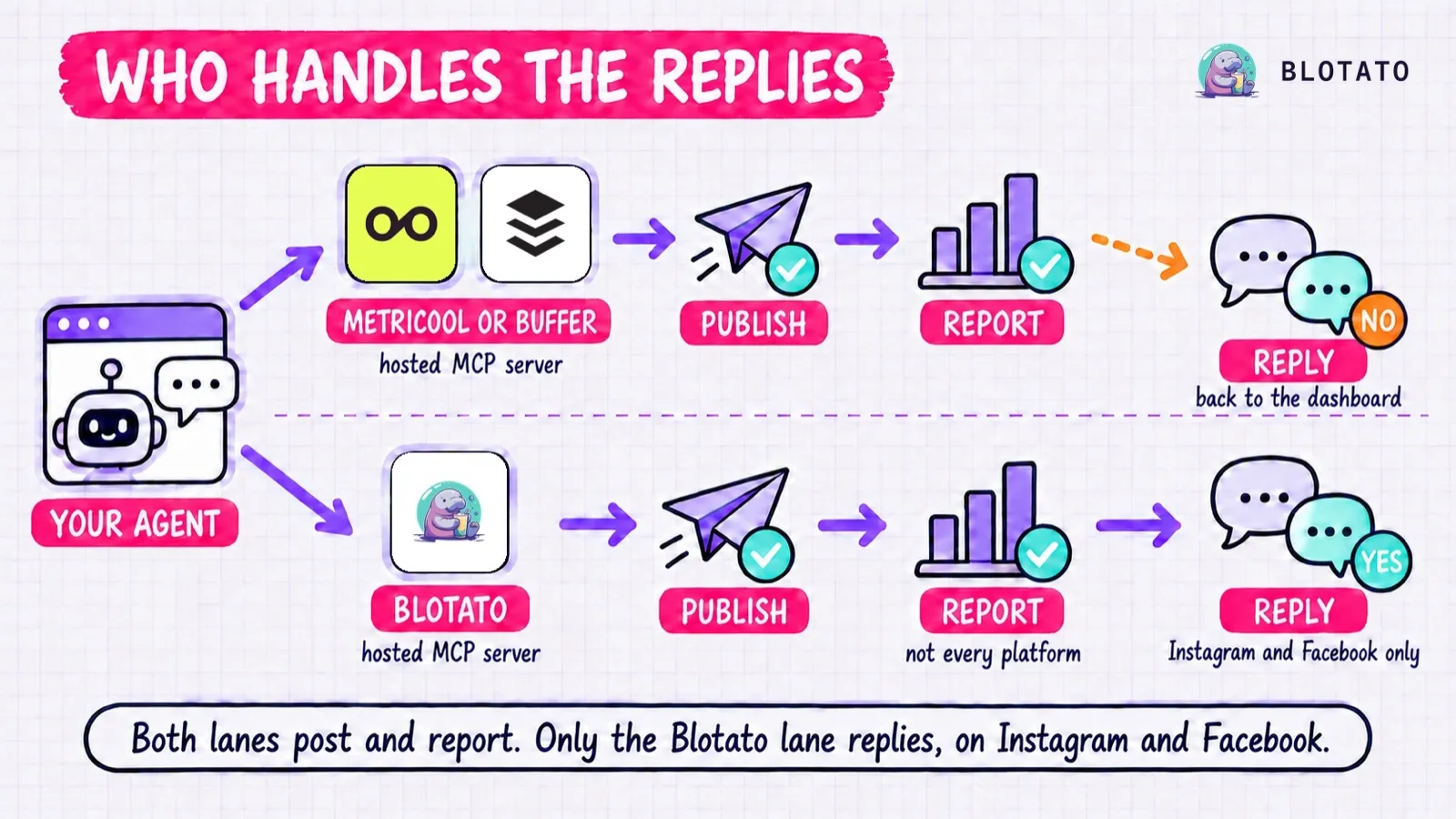
Both tools now run an official MCP server, so Claude or another agent can post, schedule and pull reports through either one. I mapped ten everyday agent jobs against each vendor’s own tool docs to see which jobs each server can actually finish. Neither one lets the agent answer the comments and DMs that come back.
I am not neutral here: Blotato is an app I built, and it sells to the same people. It appears alongside both tools below, and every claim about all three comes from the vendor’s own docs.
Metricool vs Buffer: The Answer for an AI Agent
For an agent that mostly reads, Metricool. It pulls analytics across your connected networks and ad accounts and suggests the best time to post, and its MCP works on the free plan.
For an agent that mostly fills a queue, Buffer. Its server adds posts to the queue, shares next or now, writes threads, and saves ideas, on 11 networks plus a Start Page.
For an agent that also replies to comments and DMs on Instagram and Facebook, Blotato. Its MCP server has comment, DM and reply-only DM automation tools for those two networks, sold at one price per plan with an account allowance. On its other seven platforms, the agent can post and schedule but not reply.
If you work in the dashboard rather than through an agent, these rows cover most of the decision:
| Metricool | Buffer | |
|---|---|---|
| Built for | Analytics, reporting and planning | A publishing queue |
| What you pay for | Brands, each holding one profile per network | Channels, priced per channel |
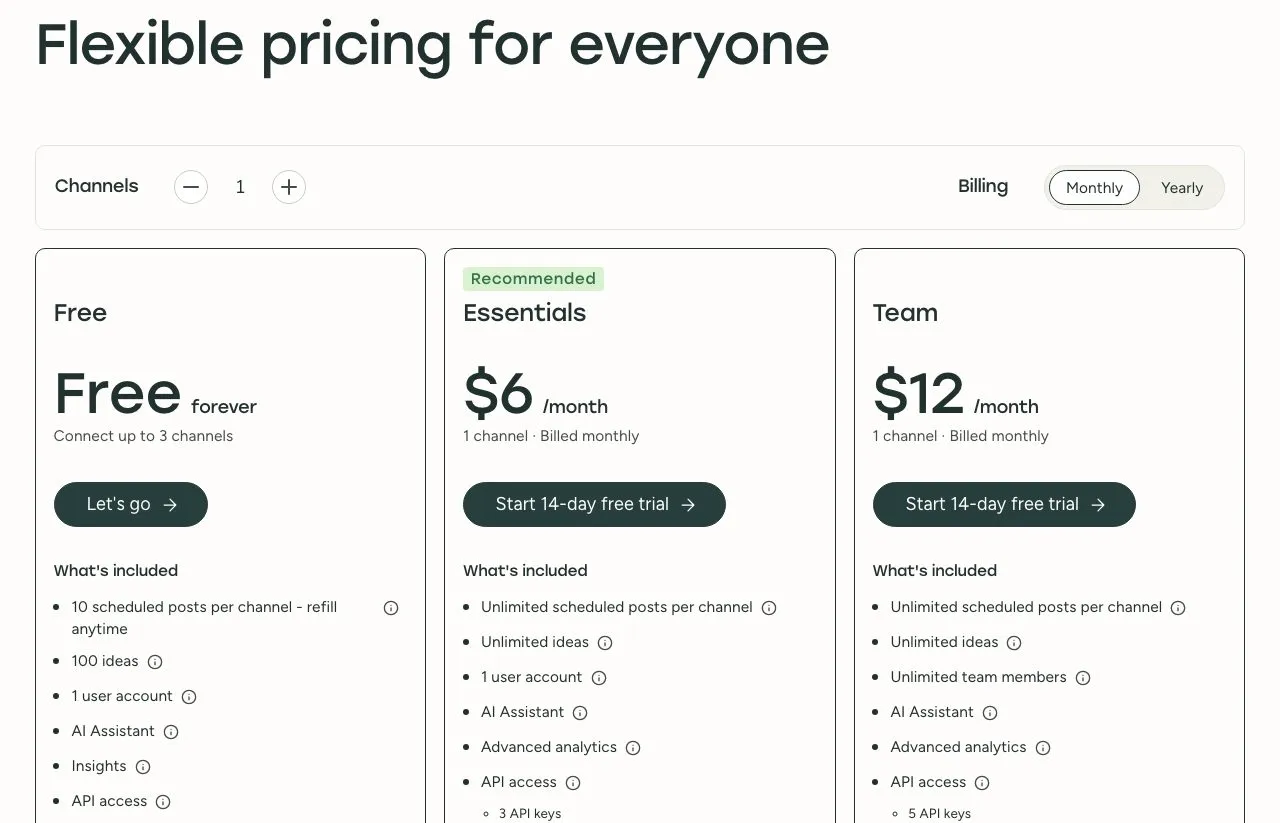
| Free plan | 1 brand, 20 posts a month, no LinkedIn or X | Up to 3 channels, 10 scheduled posts per channel |
| Cheapest paid plan, monthly | Starter, $25 for up to 5 brands | Essentials, $6 per channel |
| Post approvals | Advanced plan and up | Team plan |
| Analytics | Competitor tracking, ad accounts, best time to post | Post and channel performance |
| Teams | Team and client management on Advanced | Unlimited team members on Team |
| MCP badge in Claude’s directory | Verified | Community |
Built Around a Dashboard, Then Opened to Agents
Both vendors document exactly where their MCP servers stop.
Metricool’s help center is direct about it. Its MCP covers brands, analytics and the planner, and “Inbox messages, post comments, Smartlinks, Google Business Profile reviews, autolists, Canva or Drive files, and the management of Ads campaigns (the Ads tab) are not available through the MCP at the moment.” Most items on that list are features of Metricool’s app, including Flows, its keyword comment-to-DM automation on paid plans.
Buffer draws the line in the same place. Every Buffer plan includes a Community inbox to “Manage and reply to comments,” but none of the 20 tools on its MCP server reads or answers a comment. Its API reference lists 20 queries and 22 mutations, and none of them reads or replies to a comment either.
So through either server, an agent can schedule 30 Instagram posts but cannot post a reply to a single comment they get, which is exactly the repetitive work an agent is good at.
Ten Jobs, Three Servers
I picked the ten jobs an agent actually gets asked to do with a social account, from “post this now” to “reply to everyone who commented.” Each cell comes from the vendor’s own tool docs.
| Job for the agent | Metricool MCP | Buffer MCP | Blotato MCP |
|---|---|---|---|
| Publish right now | Yes, createScheduledPost (“right away” per its FAQ) | Yes, create_post with mode: shareNow | Yes, blotato_create_post with no time set |
| Schedule for a set time | Yes, createScheduledPost | Yes, create_post with customScheduled and dueAt | Yes, blotato_create_post with scheduledTime |
| Pick the time for you | Suggests best times on six networks (getBestTimeToPostByNetwork) | Next slot in your posting schedule (addToQueue) | Next free slot in your schedule (useNextFreeSlot) |
| Post a file that is not online yet | Needs a direct link in Claude (ChatGPT can attach the file) | No, assets take a url | Yes, blotato_create_presigned_upload_url returns an upload URL |
| Write an X thread | No, X posts go out as a single post | Yes, on X, Mastodon, Threads and Bluesky | Yes, on X, Threads and Bluesky |
| Hold a post for approval | Yes, send for review (Advanced plan and up) | Not as an MCP action (approvals run in the app on Team, and list_posts can filter by needs_approval) | No review step |
| Read post performance | Yes, getAnalyticsDataByMetrics across connected networks | Yes, get_aggregated_post_metrics (refreshed daily) | Yes, MCP tool filters X, Instagram, Facebook, Threads and Bluesky (REST adds TikTok, YouTube and Pinterest) |
| Read ad campaigns | Yes, analytics of connected ad accounts (read only) | No | No |
| Reply to a comment | No, not available through its MCP | No comment tool | Yes, blotato_post_comment (Instagram and Facebook) |
| Answer DMs and run DM automation | No, inbox not available through its MCP | No DM tool | Yes, blotato_send_message and blotato_create_automation (Instagram and Facebook, reply-only) |
What Metricool’s Server Does Best
Metricool is an analytics and planning app, and its MCP leans toward reading. Which tools you see depends on which page you read. Its connector in Claude’s directory lists seven tools, and two of them write: createScheduledPost and updateScheduledPost. Its MCP page lists 27 under a heading that says “Over 20 tools,” from the open-source package, which registers 28.
On both surfaces, reading is the strength. The connector pulls analytics through getAnalyticsDataByMetrics, including the analytics of your connected ad accounts, and suggests posting times through getBestTimeToPostByNetwork. The package goes further, with per-network tools for Reels, Stories, ad campaigns and competitors. If you want Claude to answer “which Reel performed best last month,” Metricool is built for that question.
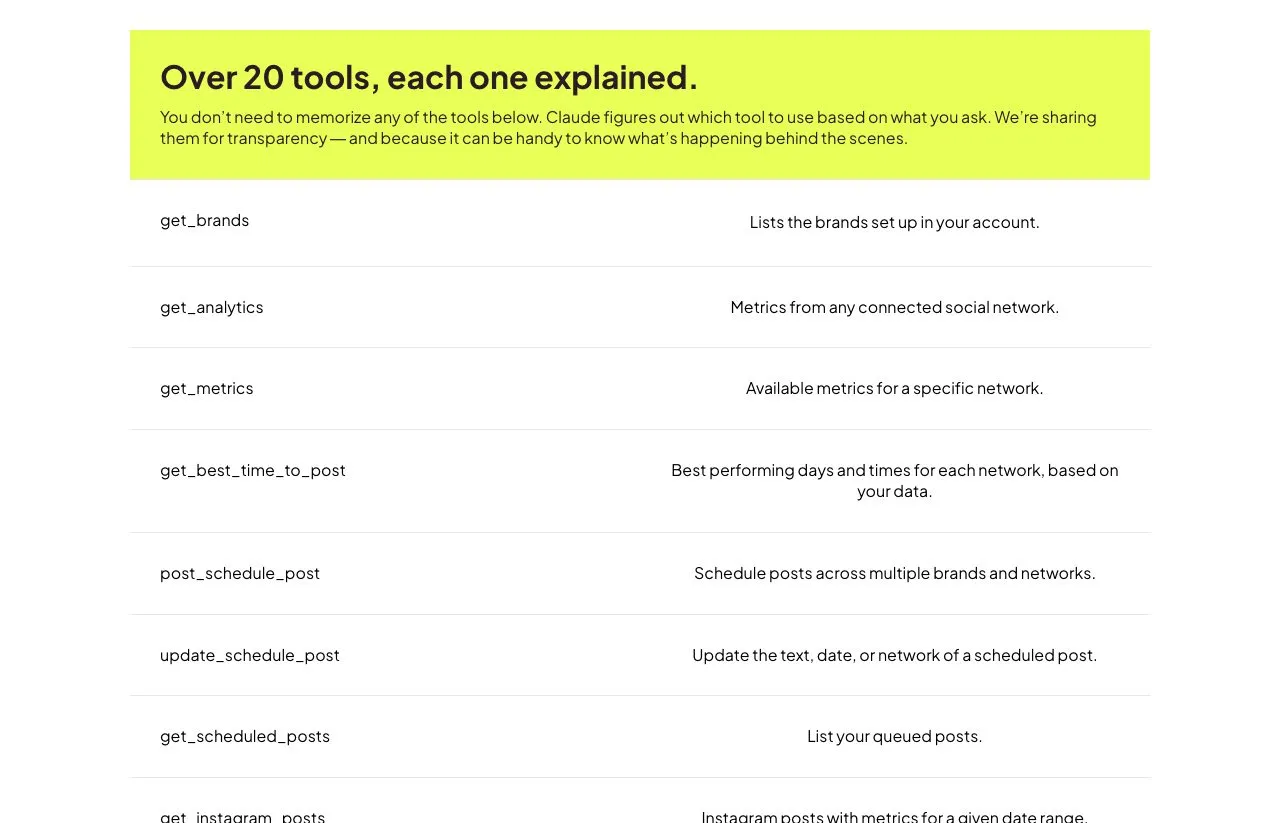
Three more things work in its favor. The connector carries the Verified badge in Claude’s directory. The MCP runs on every plan including Free, with the free plan’s limits of 20 scheduled posts and 30 days of data. And its scheduler can do something its own dashboard cannot: the help center notes that a planner post “has a single publishing time for all the networks you select,” while the MCP can set a different time and caption for each network.
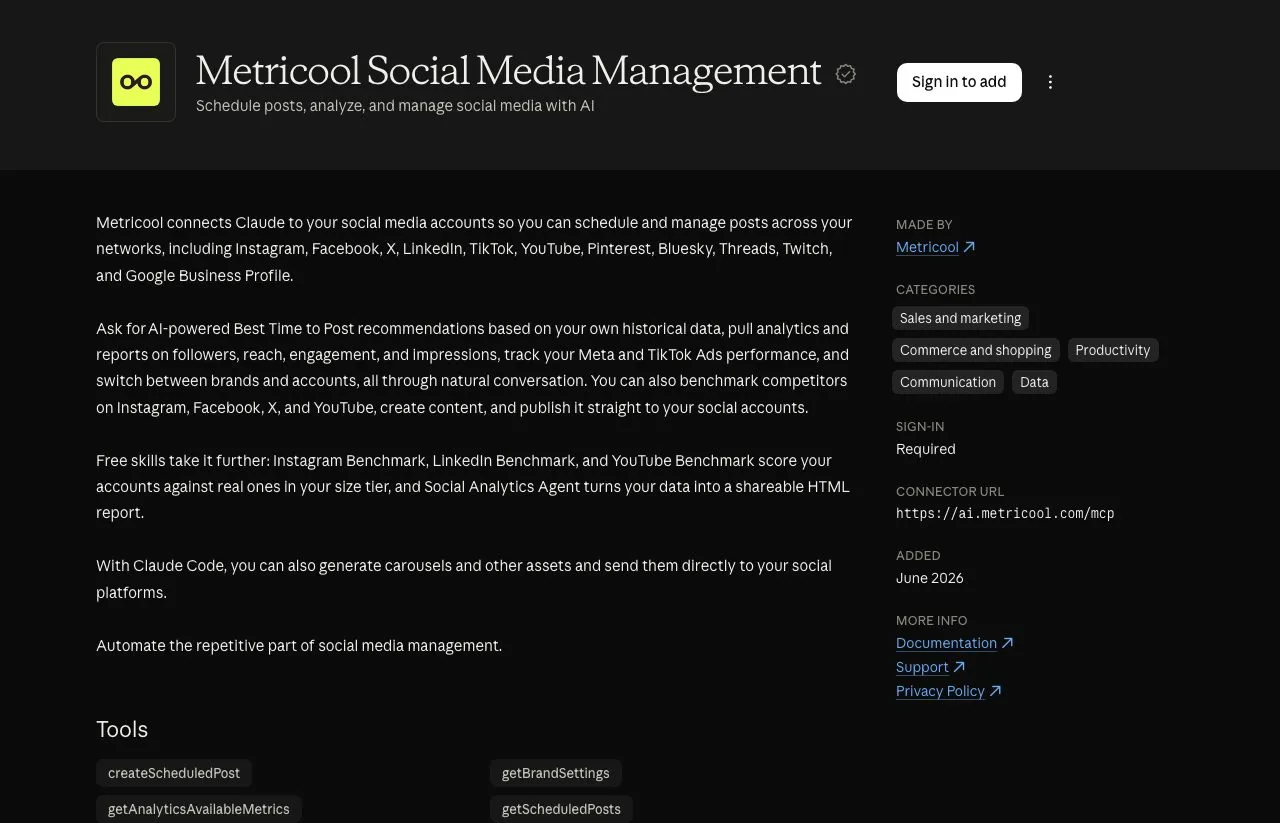
The limits sit in the writing jobs. Its help center says that on X a post is “Scheduled as a single post, never split into a thread.” Sending posts for review needs “an Advanced plan or higher.” And the HTTP API that n8n and Make use is a separate product on Advanced and Custom only, so the free MCP does not unlock it.
What Buffer’s Server Does Best
Buffer is a publishing queue, and its MCP server has the fullest queue controls of the three servers here. create_post takes four modes: addToQueue (the default), shareNow, shareNext, and customScheduled with a time. A saveToDraft flag holds a post back as a draft instead.
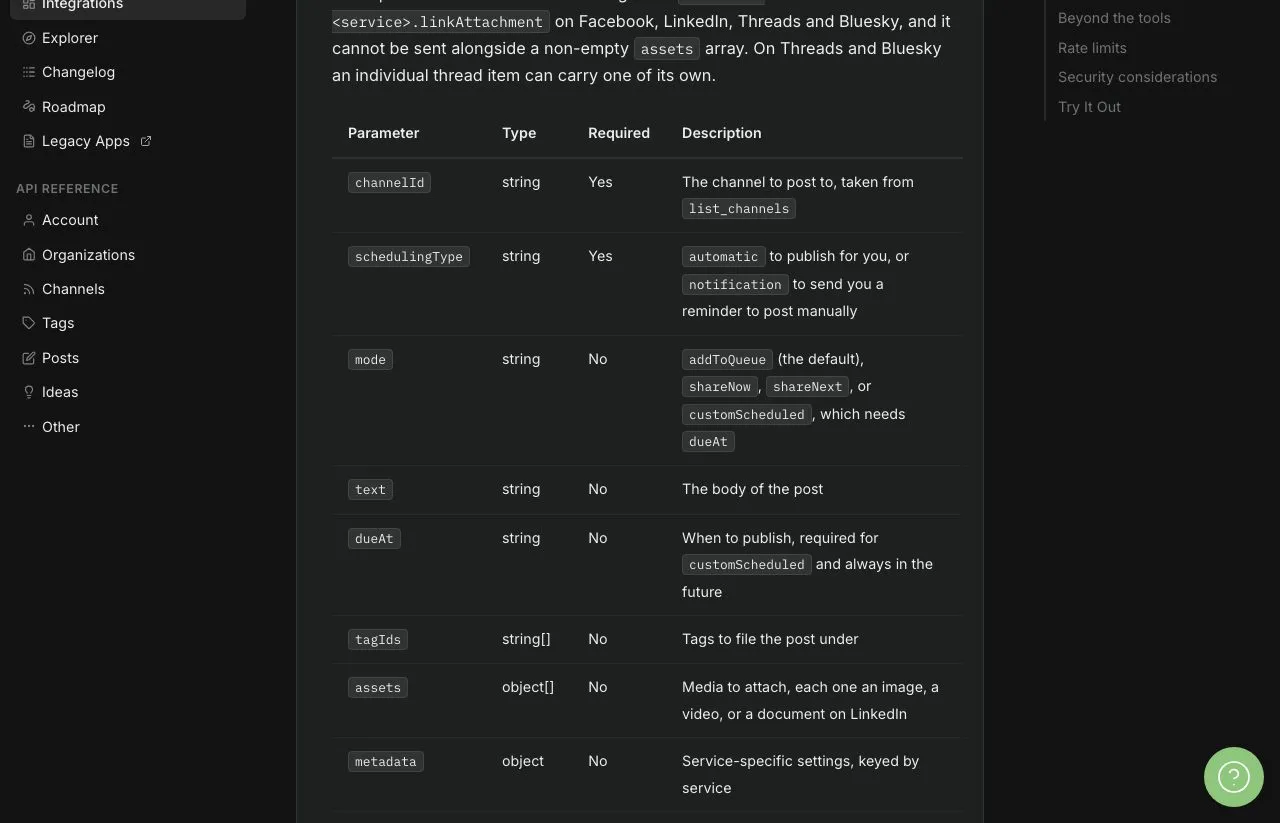
Its publishing list is broad. create_post covers Instagram, Facebook, X, LinkedIn, Pinterest, YouTube, Google Business, Mastodon, TikTok, Threads, Bluesky and Start Page. Mastodon appears on neither Metricool’s MCP network list nor Blotato’s 9 platforms.
Threaded posts work on X, Mastodon, Threads and Bluesky. Its docs also list tools for ideas and post templates, so an agent can draft into your idea board instead of straight into the queue. Claude’s directory shows 15 of those 20 tools, without the five template tools.
Buffer documents its limits closely, which matters when an agent runs unattended. Every successful tool response carries “the requests remaining in each window and the seconds until it resets.” Its API limits are 100 requests per 15 minutes on every plan, 250 a day on Free and Essentials and 500 on Team, and 3,000, 7,500 or 15,000 per 30 days.
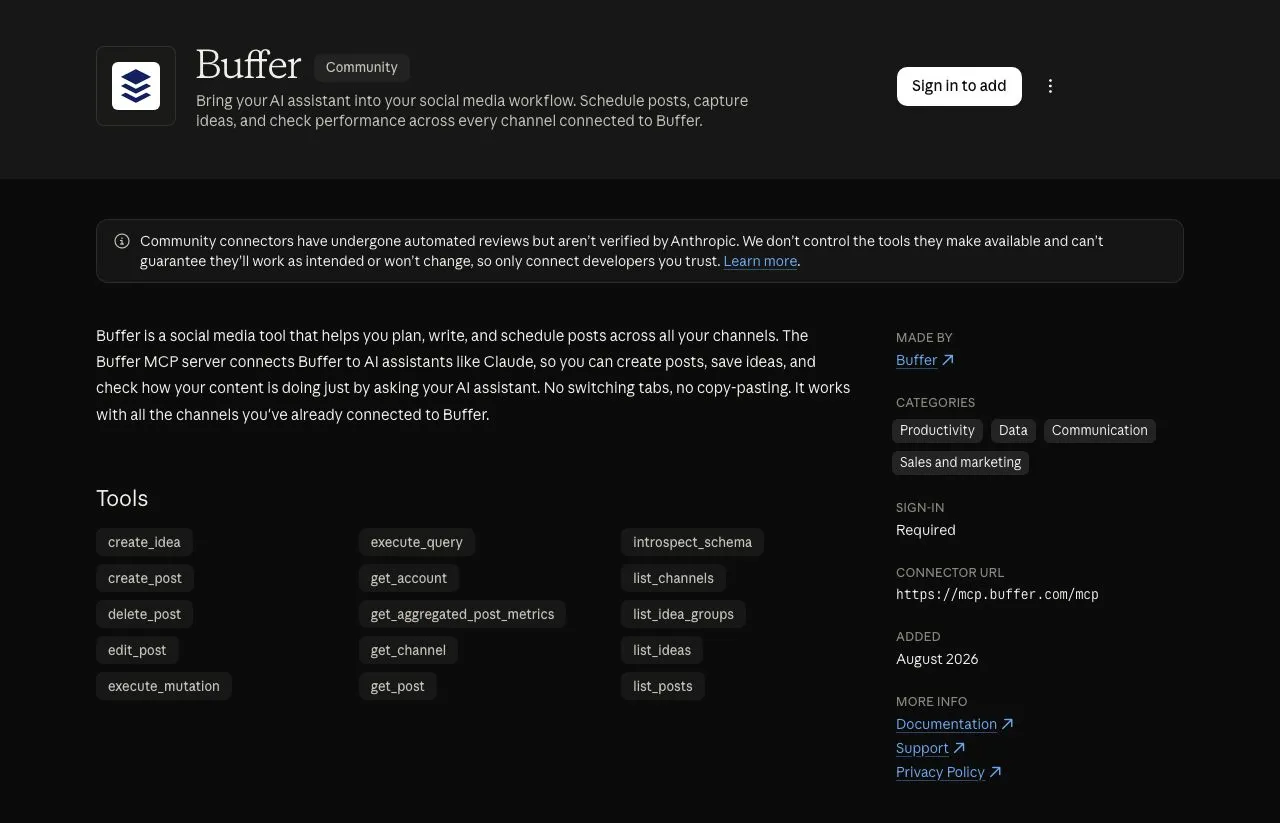
create_post “Schedules or publishes a post on one channel,” so ten channels means ten calls against that budget. Post metrics “refresh once a day.” Its security notes say an API key “reaches every organization and channel” in your account, with no per-workspace scoping.
In Claude’s directory it is a Community connector, and the listing warns that Community connectors “have undergone automated reviews but aren’t verified by Anthropic.”
What AI Assistants Get Wrong About Both
On October 5, I asked ChatGPT, Claude, Gemini and Perplexity about these two servers with web search on. Each one missed or misstated at least one basic fact.
| What an assistant said | What the vendor’s own docs say |
|---|---|
| Claude: “Buffer does not appear to have an official MCP server” | Buffer runs one at mcp.buffer.com/mcp, and its Claude guide connects it with OAuth and no API key |
| ChatGPT: “Metricool does not appear to offer the same ready-made Claude MCP connector” | Metricool is listed in Claude’s connector directory with a Verified badge |
| Gemini: “Claude cannot pull your engagement numbers or report on post performance” through Buffer | get_aggregated_post_metrics returns reactions and comments, and list_posts can include per-post metrics |
| ChatGPT: Metricool’s MCP can “Access inbox messages, comments and Google Business Profile reviews” | Metricool’s plan requirements page says those are not available through the MCP |
Perplexity said it could not find a Buffer MCP server on one prompt, then found it on the next. Before you build on an assistant’s answer, check the vendor’s current docs.
Blotato’s Server, Held to the Same Docs
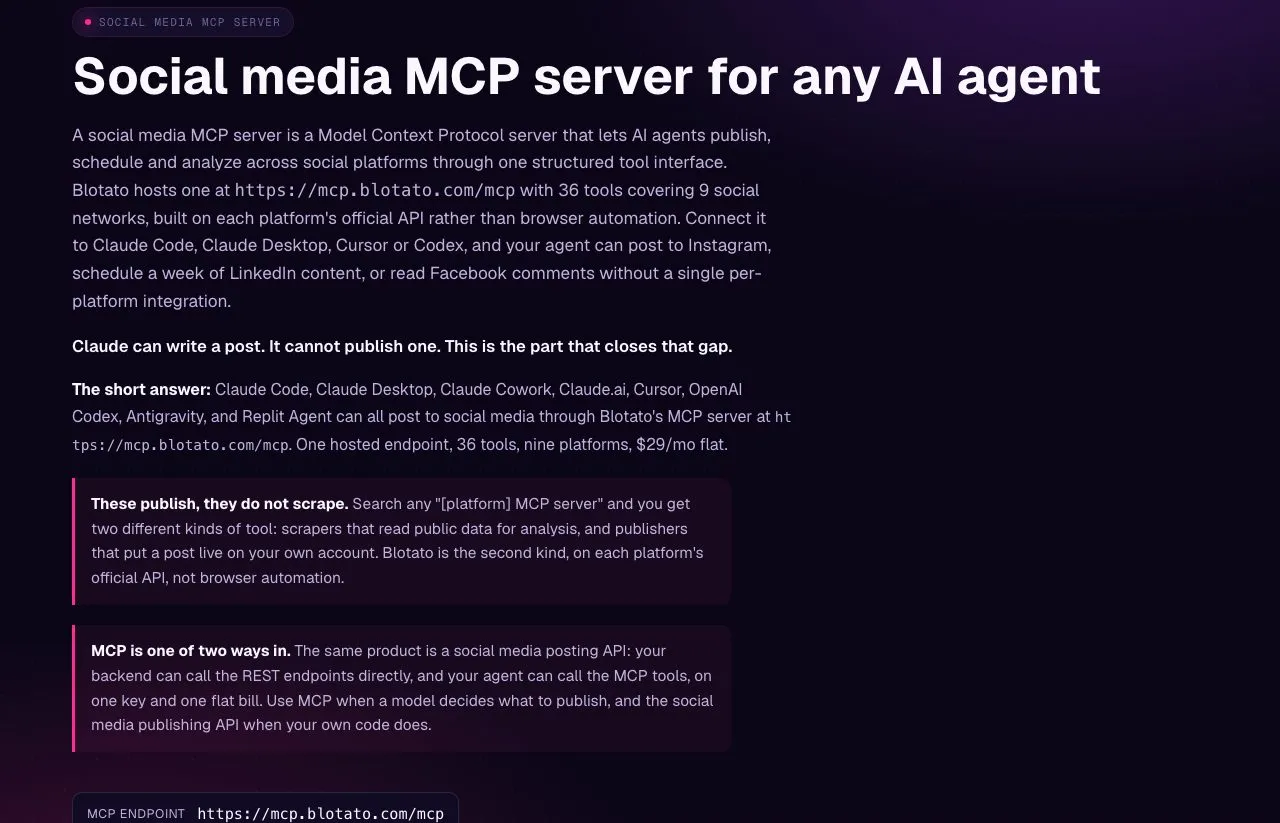
Blotato’s MCP server puts publishing, comment replies, DM replies and DM automation behind one key, and those reply tools stop at Instagram and Facebook. Publishing and scheduling cover 9 platforms. On Instagram and Facebook, the same key reads and posts comments, replies by DM to people who already messaged you, and runs DM automations triggered by a comment or a message.
Automations come with their own runs, logs and analytics tools, so an agent can check what fired. It also hands an agent an upload URL for a local file, so the agent can post media that is not hosted anywhere yet, which neither server above documents for Claude. Plans have fixed prices and account allowances, plus per-platform daily posting caps, such as 50 posts per 24 hours on each Instagram account.
Now its limits, at the same strictness I gave Buffer. Like Buffer’s, blotato_create_post posts to one account per call. LinkedIn analytics are not available yet through its MCP or its REST API. There is no review state, and apart from a TikTok draft option a post is published or scheduled, so you gate the tool in your client if you want a human check.
Every person you DM or answer in the comments counts as an active contact, capped each month at 1,000 on Starter, 6,000 on Creator and 15,000 on Agency. DM automation only answers people who commented or messaged first. Blotato does not read ad accounts or publish to Mastodon or Google Business. It is also a custom connector you add by URL, with no badge in Claude’s directory.
There is no free plan, and the 7-day trial excludes API and MCP access: generating a key ends the trial and starts paid billing. Blotato is the wrong pick if your agent needs ad-account analytics, a post-approval step or Mastodon.
What Each Costs at Your Account Count
Metricool bills per brand, and each brand holds one profile per social network. Buffer bills per channel on tiered bands. Blotato bills a flat plan with an account allowance.
The table prices the same account structure on all three at monthly rates, using only networks all three support. It does not adjust for posting volume or replies.
| Workload | Metricool | Buffer | Blotato |
|---|---|---|---|
| 1 brand on 3 networks, no LinkedIn or X | $0 (Free, 20 posts a month) | $0 (Free, up to 3 channels) | $29 (Starter) |
| 1 brand on 5 networks, including LinkedIn, no X | $25 (Starter) | $30 (Essentials) | $29 (Starter) |
| 5 brands on 4 networks each, no X (20 accounts) | $25 (Starter, up to 5 brands) | $100 (Essentials) | $29 (Starter, 20 accounts) |
| 10 brands on 4 networks each, no X (40 accounts) | $45 (Starter, up to 10 brands) | $165 (Essentials) | $97 (Creator, 40 accounts) |
Metricool is the cheapest or tied at every row. Buffer’s figures come from its own pricing: $6 a channel for the first ten, $4 from 11 to 25 and $3 from 26 to 50. Blotato costs the most on the free-tier row and sits in the middle on the other three.
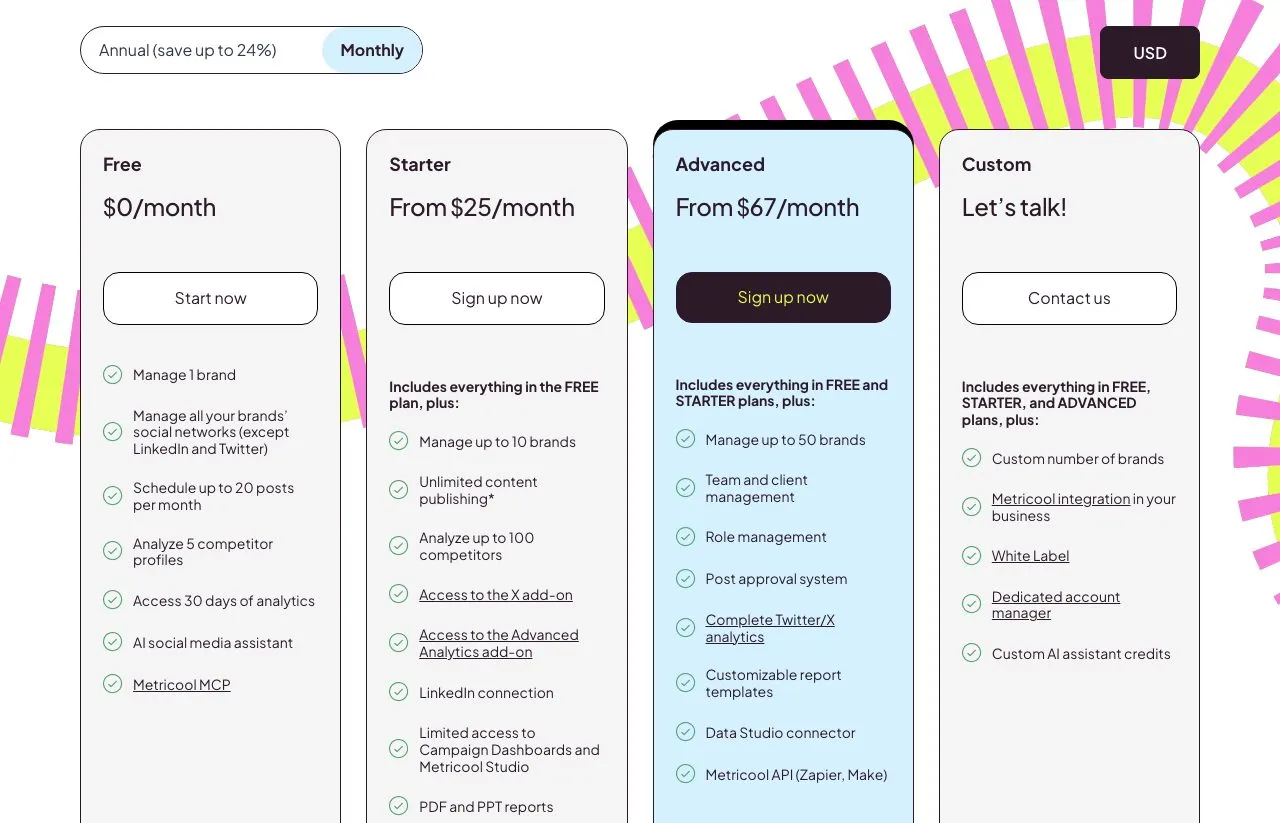
Two add-ons change the Metricool column. X costs $10 a month per connected account on its pricing page, and the free plan leaves out LinkedIn and X entirely. If your automation runs through n8n or Make on Metricool’s HTTP API, that needs Advanced, from $67 a month. Buffer includes its API on every plan, Free included.
For deeper math on each, I break down the brand ladder on Metricool and Buffer’s channel bands past ten separately.
Pick by Your Agent’s Last Step
| If the last thing your agent does is… | Start with |
|---|---|
| A weekly report, with ad accounts in it | Metricool |
| Scheduling several brands on the smallest bill | Metricool |
| Filling a queue that a teammate approves (Team plan) | Buffer |
| Posting threads, or publishing to Mastodon | Buffer |
| Replying to comments on Instagram or Facebook | Blotato |
| Building a comment-to-DM funnel from chat, on Instagram or Facebook | Blotato |
A report points to Metricool, and a full queue points to Buffer. A reply on Instagram or Facebook, to people who commented or messaged first, points to Blotato’s three plans, which start billing from the first API key. If none of these rows fit, the connector roundup for Claude covers five more servers.
Metricool vs Buffer FAQs
What is the difference between Metricool and Buffer?
Metricool is an analytics, reporting and planning app that bills per brand, and Buffer is a publishing queue that bills per channel. Metricool reads ad accounts and suggests posting times, while Buffer adds queue modes, threads and post approvals on its Team plan. Both run an official MCP server for AI agents.
Is Buffer better than Metricool?
For queue-based scheduling, Buffer: posts drop into the next slot of a set posting schedule, threads work on four networks, and the free plan covers 3 channels. For reporting, Metricool: analytics, ad accounts and best-time suggestions come with every brand, and five brands cost the same $25 a month as one on Starter.
Can Claude post to social media through Metricool or Buffer?
Yes. Metricool’s MCP schedules or publishes with createScheduledPost on every plan, including Free, and Buffer’s publishes with create_post on one channel per call. Both connect to Claude over OAuth, and Buffer’s Claude guide says no API key is needed. In Claude’s directory, Metricool is listed as Verified and Buffer as Community.
How much do Metricool and Buffer cost per month?
On monthly billing, Metricool Starter is $25 for up to 5 brands and $45 for up to 10, and Advanced starts at $67. Buffer Essentials is $6 per channel for the first ten channels, with lower rates above that. Metricool adds $10 a month per connected X account, and its HTTP API needs Advanced. Both have a free plan: Metricool for 1 brand without LinkedIn or X, Buffer for 3 channels.
Can either one answer comments or DMs from Claude?
No. Metricool’s help center says inbox messages and post comments are not available through its MCP. Buffer’s server has no comment or DM tool, and its comment inbox lives in the app. For an agent that answers comments and DMs, Blotato’s MCP replies to comments and to people who messaged first, on Instagram and Facebook only.