How to Edit Videos With Claude for Social Media (Free)
Edit videos with Claude using free ContentSkills: approve a storyboard, then post the finished reel to social media through Blotato's MCP.
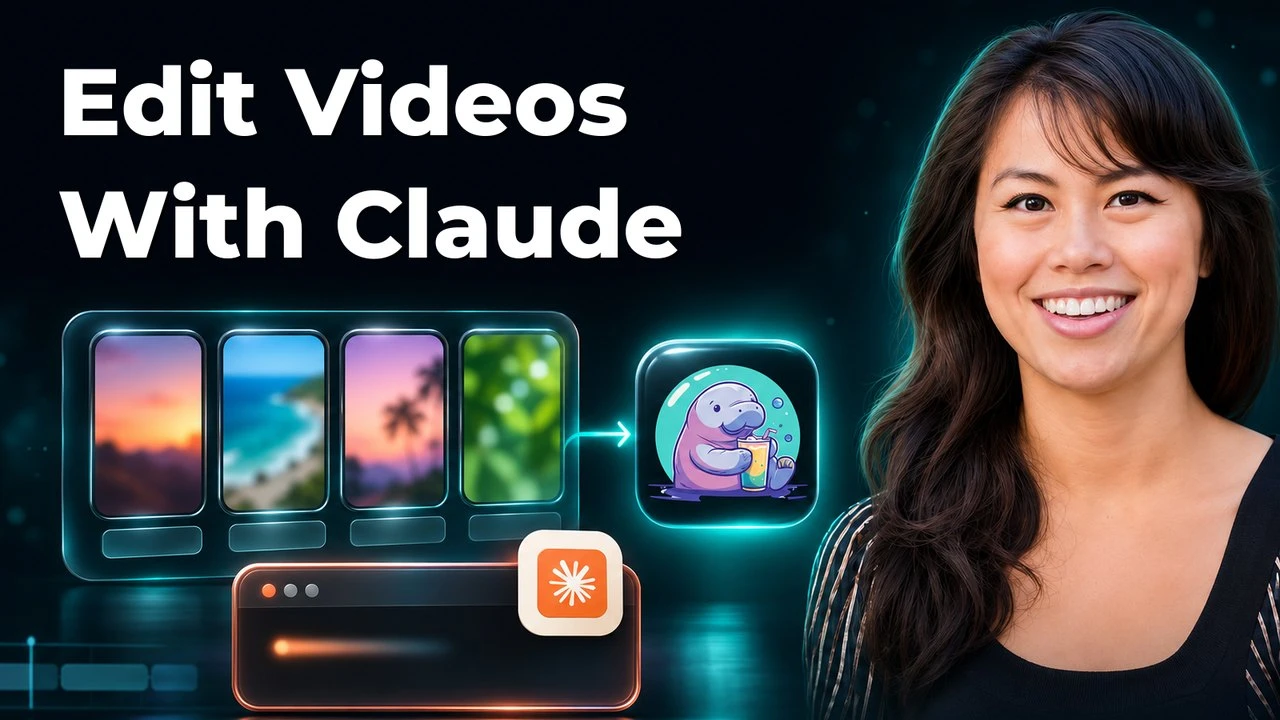
Yes, you can edit videos with Claude, as long as Claude Code has the right skills installed. I dropped a raw clip into Claude, typed one prompt, approved a storyboard and got a finished reel back without opening an editing app. The skills are free and open source, and this guide covers the setup from install to a published post.
Google’s AI Overview opens its answer to “can Claude edit videos” with “Claude cannot edit video files directly on its own…” That’s true of the chat window. The useful part is what Claude Code does with the right tools, and the step after the edit, when the reel still has to go out.
How to Edit Videos With Claude (Video Guide)
That 36-second reel was edited by Claude from one raw take, then posted with Blotato.
Can Claude Edit Videos on Its Own?
Not in a plain chat. Anthropic’s list of supported upload types covers documents and images, with no video format. Claude can’t watch an MP4 in the chat window, and it has no timeline.
Claude Code is different, because it runs on your computer and can use real tools. Give it a pipeline that cuts, transcribes, finds your face, renders and checks the result. Then Claude Code becomes a video editor you talk to.
That pipeline is ContentSkills, a free skill pack we open-sourced at Blotato. Under the hood it runs FFmpeg and local transcription, so Claude edits from your words and frames instead of watching playback.
Here’s what that looked like for me. I gave Claude my raw clip and one message. It pulled in the reels I’ve already posted and learned my style.
Then it showed me the full storyboard, and I gave notes in plain English: “Add some sirens.” “Add some 3D.” I never touched a timeline.
What You Need to Edit Videos With Claude
Most of the stack is free.
- A coding agent. Claude Code (the terminal, or the Code tab in the Claude desktop app) on a paid Claude plan or API billing. ContentSkills also works with Codex, Grok Bot, Hermes, Cursor and other agents.
- ContentSkills. The blotato/contentskills repo is open source under AGPL-3.0. Voice, transcription and effects run on your computer, so the default path costs nothing beyond your Claude usage.
- Three local tools. Node 22 or newer, FFmpeg and uv. Setup checks for them and asks before installing any that are missing.
- Blotato, for posting. ContentSkills doesn’t publish anything by itself. Its posting skill hands the publishing step to Blotato’s MCP server.
Blotato is an app I built and the company I founded, so weigh my take on it with that in mind.
ContentSkills itself is free. Posting the reel yourself means a separate API app and approval for each platform, while Blotato reaches the 9 social platforms it covers through one connection in the same Claude session.
The 7-day trial doesn’t include the API or MCP, so if you want Claude to post, plan on starting a paid Blotato plan rather than trialing it. Solo is $29 a month for 5 social accounts, and Team is $97 for 50 if you post to more.
Claude Video Editing Routes Compared
“Edit videos with Claude” covers four different jobs. Pick the route that matches what you’re starting from.
| Route | Starts from | Runs on | Cost | Best for |
|---|---|---|---|---|
| ContentSkills | Footage you shot, or just a topic | Your computer, through Claude Code or Codex | Free tool, plus agent usage | Talking-head reels and faceless shorts |
| Remotion or HyperFrames | A prompt, rendered from code | Your computer, through Claude Code | Free tool, plus agent usage | Motion graphics and explainers |
| DaVinci Resolve MCP | Footage inside a real editor | Your computer, with Resolve open | Free on Resolve 21.0.3 through a community bridge, plus agent usage | Editors who still want a timeline |
| A video model over MCP | A prompt, drawn by a hosted model | The model’s servers | Per-generation credits | Generated scenes and characters |
If you’d rather build videos from code than edit your own footage, I covered the Remotion route for making AI videos with Claude Code separately. And if you want an agent driving a real timeline, the DaVinci Resolve MCP setup is the same publish pattern with an editor in the middle.
How to Edit a Video With Claude Code (Step-by-Step)
Here’s the full flow, from install to a published post.
Step 1: Install ContentSkills
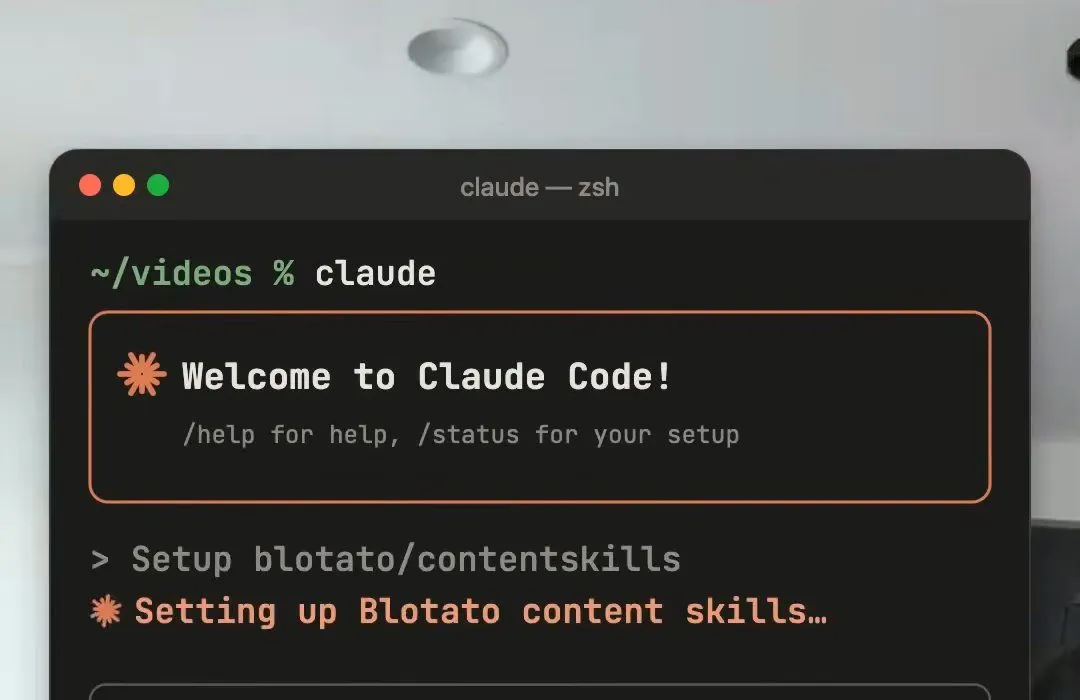
Open Claude Code and type “setup blotato/contentskills.” Claude clones the repo, checks for Node, FFmpeg and uv, and downloads the free voice and video tools. That’s a one-time download of roughly 1.5 to 2 GB. You can also add it as a Claude Code plugin with /plugin marketplace add blotato/contentskills.
On Windows, use the Claude desktop app’s Code tab. On Linux, use Claude Code in the terminal.
Step 2: Drop in Your Clip and Ask
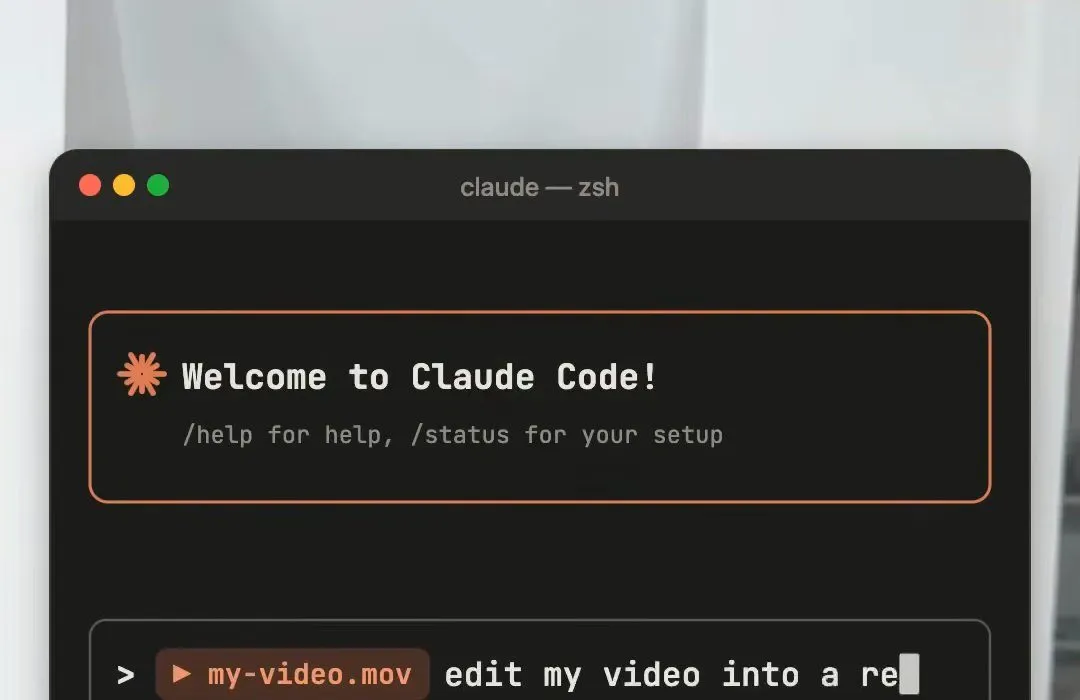
Drag the video file into the chat and say what you want. “Edit this video” works. “Make a video from take1.mov in the gta6 theme” works too.
Step 3: Give Claude a Style to Copy
Paste the link to any reel whose look you like: “edit this video based on this style,” plus the URL. Claude studies the reel frame by frame and measures the color grade, fonts, caption style and placement, and how fast it cuts.
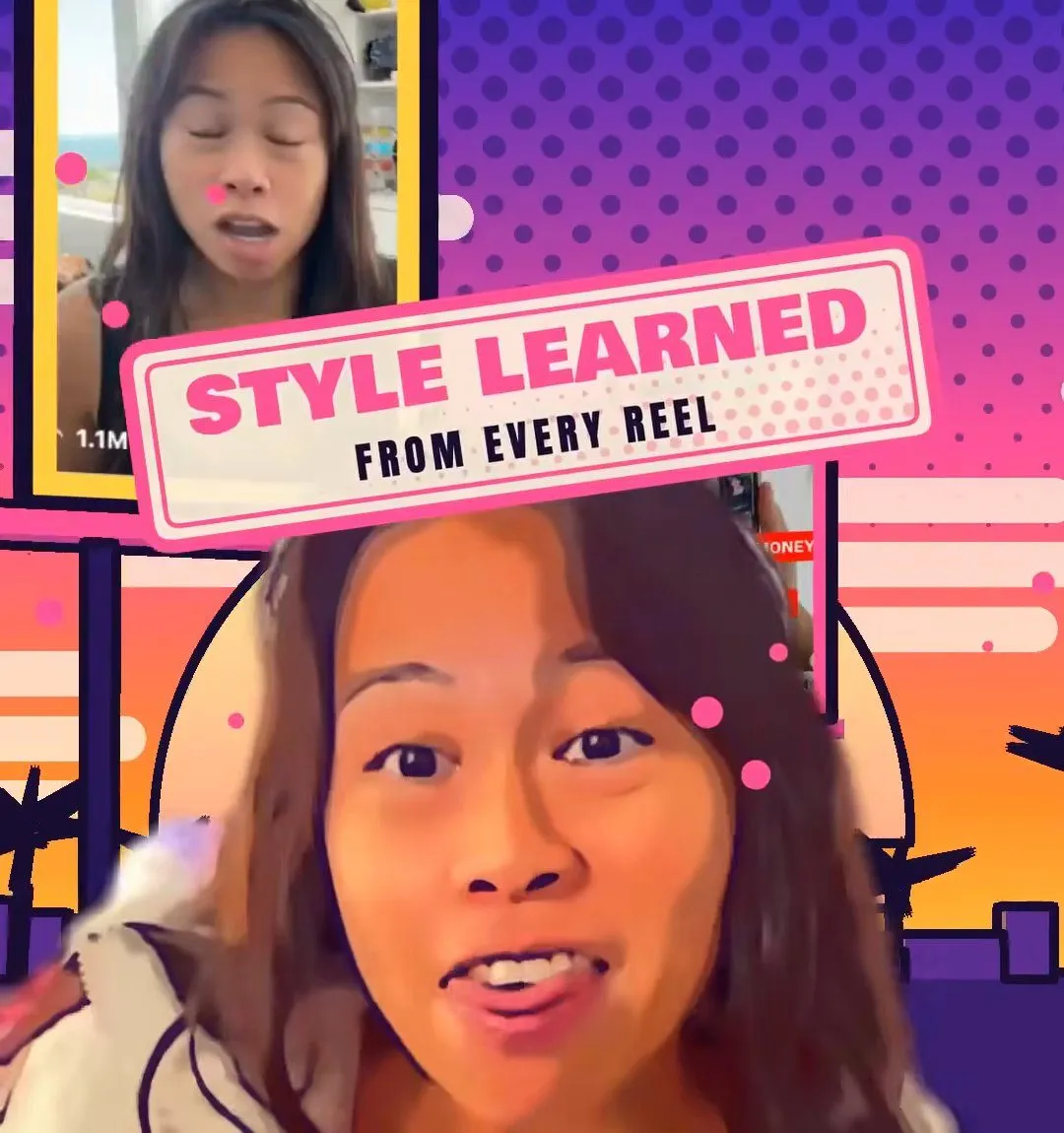
A reference sets the look only. The other creator’s graphics, logos and words are never reused. For a long reel, say which part matters: “just analyze the first 15 seconds.” Without a reference, Claude uses the default theme.
Step 4: Approve the Storyboard
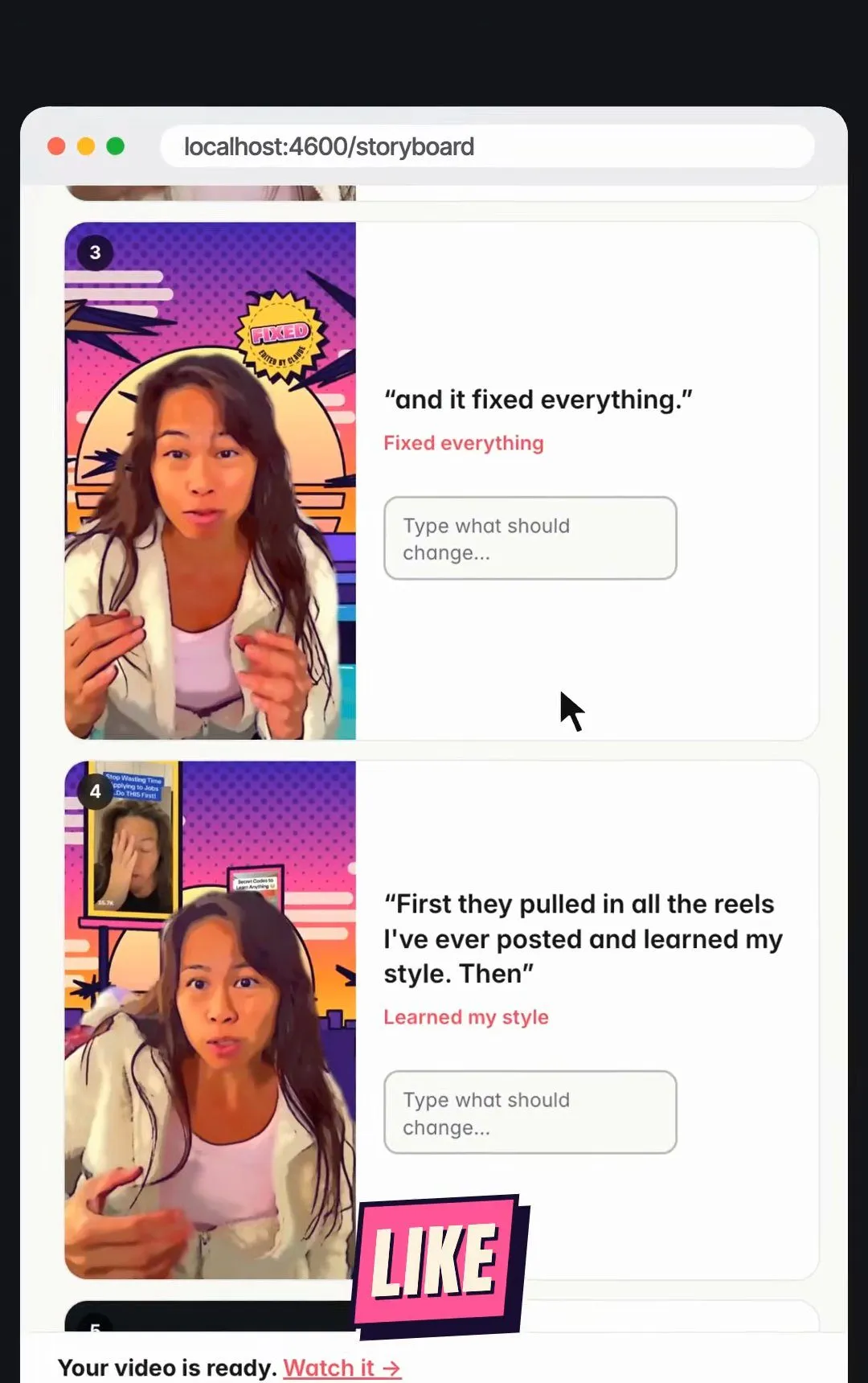
Before anything renders, Claude sends a link to a storyboard: a phone-size preview with one panel per scene, served from a local dashboard. Mark the scenes you like, type a change on the ones you don’t, then press Make my video.
Step 5: Fix It on the Review Page
The finished cut opens on a review page. Pause anywhere, type what’s wrong (“captions smaller”), and press Make a new version. To trim, pause and use the cut buttons. Old versions are kept.
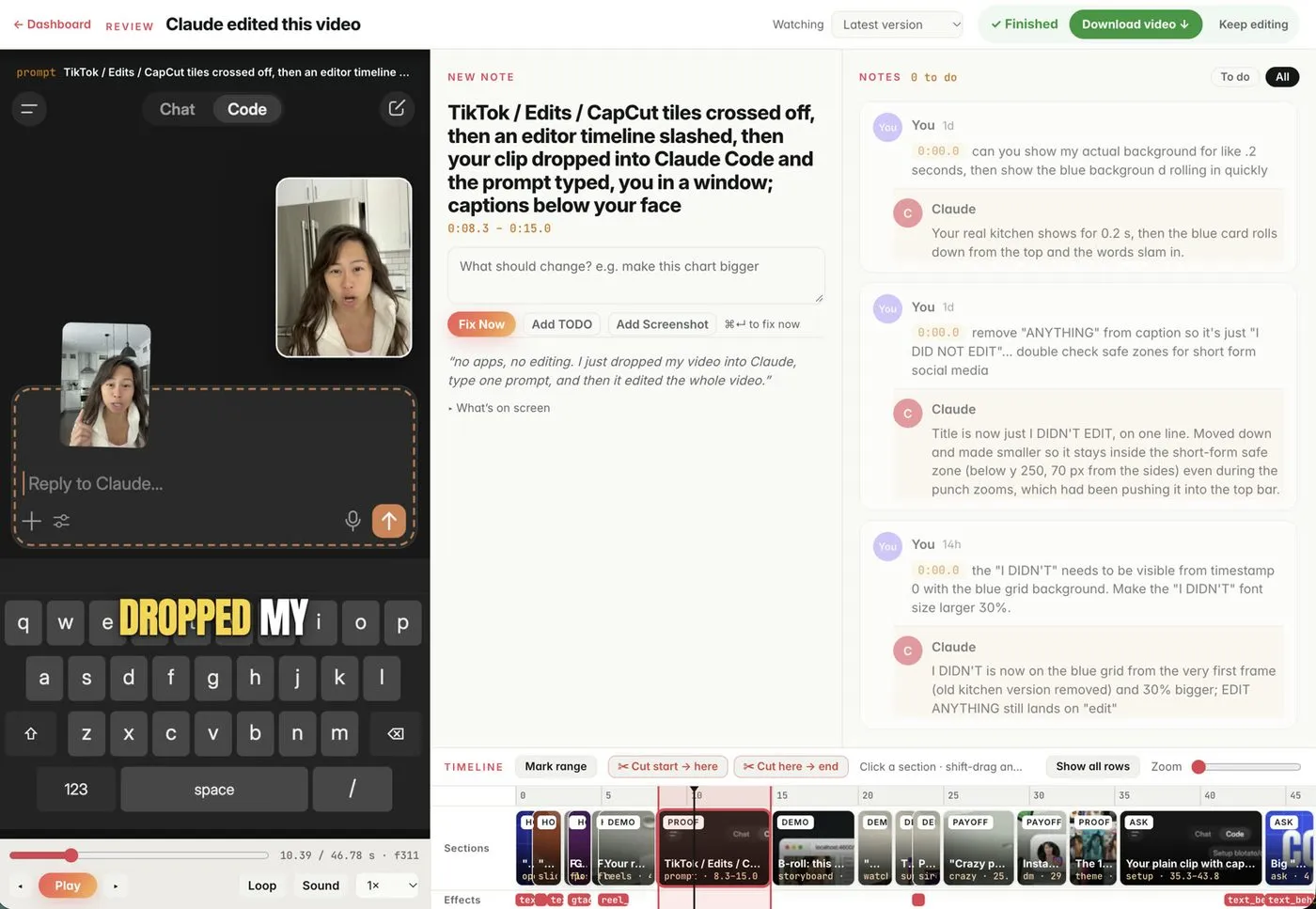
Before you see a version, the pipeline checks it for text on your face, anything hidden under TikTok’s or Instagram’s buttons, uneven loudness and frozen frames.
Step 6: Post It With Blotato
When the video is done, tell Claude where it goes: “post this video to Instagram and TikTok,” or give it a time to schedule for.
The posting skill calls Blotato’s MCP tools: blotato_list_accounts to find your connected accounts, then blotato_create_post once per account. Each call returns a submission ID, not proof the post is live, so for posts going out now the skill checks blotato_get_post_status. Scheduled posts confirm right away.
For my reel, that meant all nine social networks, plus a DM automation that sends my links to people who comment the keyword. Blotato’s DM automations run on Instagram and Facebook.

If you haven’t connected Blotato yet, the Claude setup guide takes a few minutes.
Pro Tips for Editing Videos With Claude
Save the look once. After Claude copies a reference reel you love, say “make this my style.” It becomes your default look for every next video.
Give notes the way you’d brief a human editor. Short, specific requests work best. A few that ContentSkills handles:
- “Put text_behind_slice on the hook.”
- “Add a bar chart of the numbers I say at 0:20.”
- “Glitch on every cut.”
- “This card covers my face.”
- “Hate the blue, never use it again.”
That last kind of note sticks, because Claude keeps the notes it learns from you in your style profile, along with your colors, fonts and captions.
Change scenes at the storyboard, not after render. Nothing renders until you approve, so storyboard notes are the cheapest edits you’ll make. Scene edits in the editor also run in parallel, so you can give feedback on one scene while Claude reworks another.
Where Claude Video Editing Falls Short
It runs on your computer. You need Claude Code or another coding agent with local file access, so the Claude web chat alone won’t do it. Setup is a one-time download, and every edit uses tokens, billed to your Claude plan or API account.
It’s built around short-form reels. The storyboard is phone-size and the checks target TikTok and Instagram layouts. Copying a style from an Instagram reel usually needs your browser’s Instagram login, and Claude asks before using it. You can also save the reel to your computer and hand Claude the file.
Some extras are paid. AI-generated clips through kie.ai are an optional paid service, and paid voices like ElevenLabs are never used without asking. Posting needs a paid Blotato plan, and Blotato caps posts per account per day, for example 50 a day on Instagram.
What I Get Out of It
The reel at the top is the one the ContentSkills gallery calls “The craziest Claude use case.” It started as one raw take and came back cutting in and out of the gta6 theme, with comic set pieces, captions throughout and 52 sound effects.
For me, the win is time. This setup saves me 20 hours a week. Claude does the cutting and the captions. I drop in reference styles, review the storyboard shot by shot, give notes and decide what ships.
My Take on Editing Videos With Claude
If you film talking-head reels or make faceless shorts, ContentSkills is how I’d get Claude doing the edit, because it’s free and you stay in control at the storyboard. If you live in a timeline editor, the DaVinci Resolve route will feel more natural. Either way, the edit is only half the job. If your accounts live on the 9 social platforms Blotato covers, a Blotato plan gets the finished reel out from the same chat.
Edit Videos With Claude FAQs
Can Claude edit videos in the regular Claude chat?
No. The Claude chat accepts documents and images, not video files. Editing needs Claude Code (the terminal or the desktop app’s Code tab) or another coding agent that can run tools on your computer, with a skill pack like ContentSkills installed.
Is ContentSkills really free?
Yes. The code is open source under AGPL-3.0, and the default voice and transcription run locally. You pay for your Claude plan’s usage. Paid voices like ElevenLabs are never used without asking, and AI-generated footage through kie.ai is an optional paid extra.
Can I make a video without filming myself?
Yes. Give Claude a topic, for example “make a faceless video on this topic: Claude Code.” It writes the script, adds a free voice and builds a visual for every line, then shows you the storyboard like any other edit.
Does ContentSkills work with Codex or Grok Bot?
Yes. The repo lists Claude Code, ChatGPT Codex, Grok Bot, Hermes, Cursor, OpenClaw, Gemini CLI and GitHub Copilot. It ships plugin manifests for Claude Code, Codex and Grok.
Does ContentSkills post my videos automatically?
No. It doesn’t publish anything without a request. When you ask it to post, its posting skill sends the video to Blotato, which publishes or schedules it to the accounts you’ve connected.