Meta Business Agent vs Manychat: Which Social Media DM Bot Fits?
Meta Business Agent vs Manychat: one answers questions on Messenger and WhatsApp, one runs Instagram keyword funnels. Can a social media inbox run both?
Meta Business Agent vs Manychat became a real question the day Meta launched its own AI agent for business chats in June, and a Community Expert on Manychat’s own forum has posted a thread asking whether you should use it. Some Facebook posts go further and say Meta just made tools like Manychat obsolete, for free. That is not what Meta’s own documentation says, and the part nobody covers is what happens to your existing automations the day you switch Meta’s agent on.
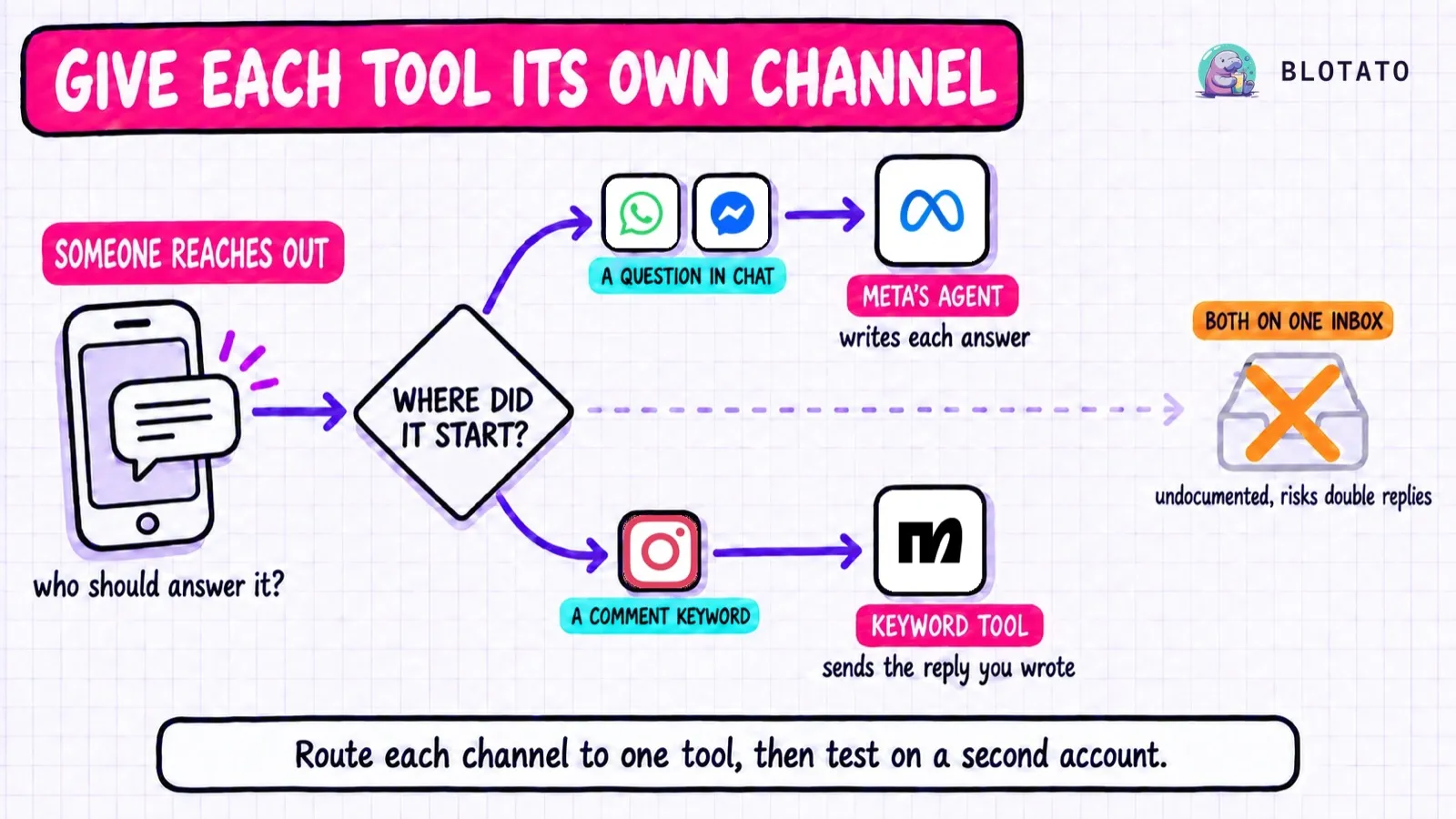
Short version: they answer different first messages. Meta Business Agent is built for a customer who asks a question. Manychat is built for a follower who comments a keyword and expects a link. On Instagram, Manychat is the one you can switch on yourself today, because Meta’s self-serve setup pages name Messenger and WhatsApp.
One disclosure before the details. Blotato is an app I built, and it has its own Instagram and Facebook DM automation, so I have a stake in this category. I cover it in one labelled section near the end, after the two tools this post is about.
Meta Business Agent vs Manychat: Decide by the First Message
Meta Business Agent is the better pick if: your customers message you with open questions on Messenger or WhatsApp, and you want answers pulled from your catalog, FAQs and past chats without building a single flow.
Manychat is the better pick if: your DMs start with a comment or a keyword on Instagram, and each one has to deliver a link, a lead magnet or a follow-up sequence on a schedule you control.
If both describe your account, read the next section before you turn anything on. The two do not share an inbox as neatly as the launch coverage suggests.
What Switches Off When Meta’s Agent Switches On
Meta is specific about its own tools. Its help page for Business Agent on Messenger and WhatsApp says: “Turning on Meta Business Agent will pause certain existing automations while AI is active, like away messages, as they interfere with the AI’s ability to handle incoming messages.” Its Inbox automations page puts it more broadly: “any existing automations (such as away messages or instant replies) will be paused.”
Those are Meta’s own inbox tools, the free auto replies and keyword templates in Business Suite. The pause is temporary. Meta says “Automations will resume when the AI exits a chat.”
A third-party app like Manychat is a different question, and Meta answers it for WhatsApp only. On the developer platform, Meta’s setup guide says that when the agent is enabled it “acts as the primary responder,” and your app becomes “a standby participant.” The same docs list an eligibility rule: the number must not be “already running another AI agent.”
For Instagram and Messenger, I could not find a Meta page that says what happens when Business Agent and Manychat are both connected. Meta’s Instagram conversation routing docs do not mention Business Agent at all. They do describe the default when routing is not set up: “All connected applications can respond to the same user message without restrictions or coordination, increasing the risk of duplicate responses.”
Manychat’s help center points the same direction from the other side. Its troubleshooting page for wrong messages tells users who see other chatbot tools connected to their Page to “remove or disable them.” Its Instagram routing guide warns that another app with “Take control of conversation” switched on “may interfere with Manychat automations.” I found nothing from Manychat about Meta Business Agent in its help center or on its blog as of this writing.
One more rule applies no matter which tools you run. Meta allows one private reply per comment, so if two tools listen for the same keyword on the same post, the first reply lands and the second is rejected.
Two Tools Built for Different Conversations
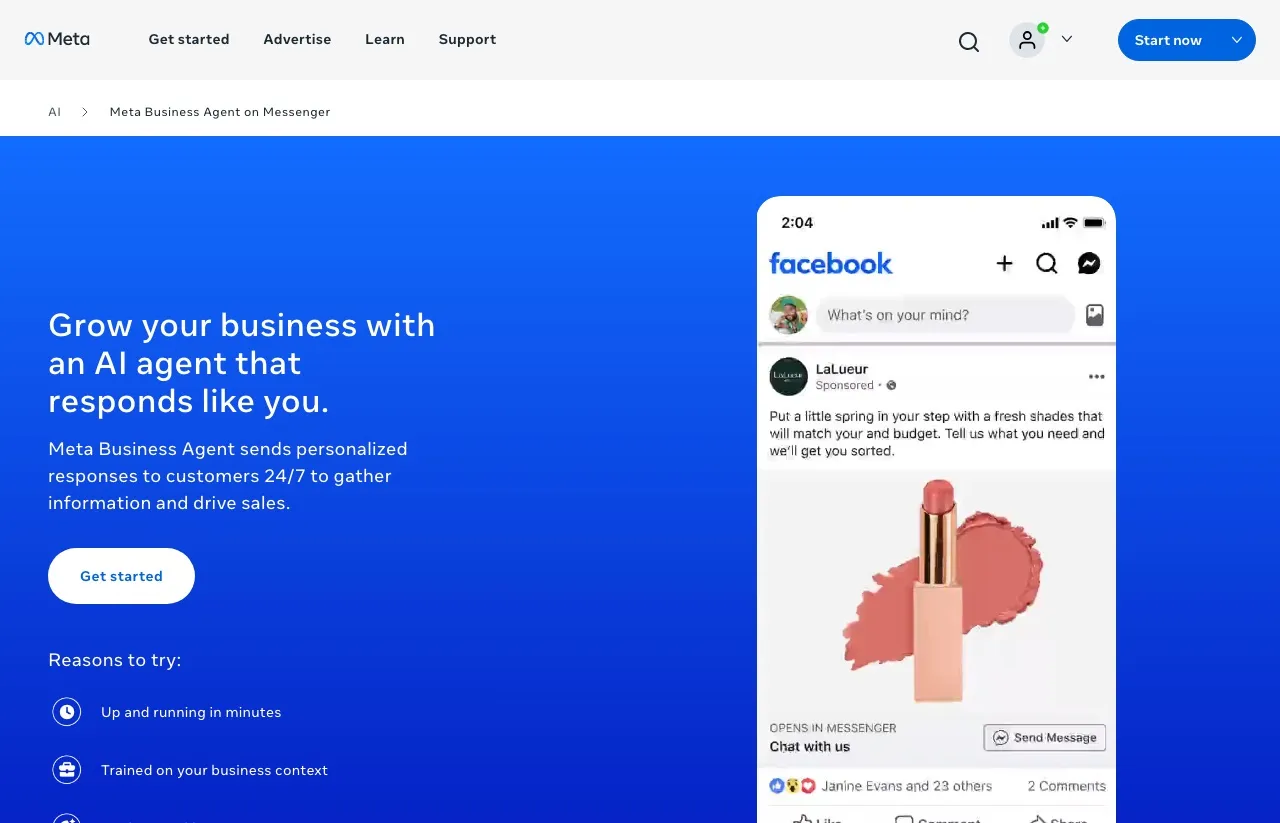
Meta Business Agent is Meta’s own generative AI agent for business chats. You give it your business details, and it writes each answer on the spot. Meta’s announcement lists what it can do: answer questions about your business, recommend products from your catalog, book appointments, qualify leads, hand a chat to your team and close sales.
Manychat is a flow builder that has added AI. You decide what triggers a flow, what it sends, what it waits for and where it goes next. Its pricing page lists AI inside Pro, Business and Advanced, able to answer DMs and FAQs within that structure, though some of its help articles still describe AI as an add-on, so check what your plan includes.
Where Instagram Actually Stands for Meta’s Agent
The launch headline and the setup pages describe two different stages. Meta’s June announcement says: “We’re also expanding Business Agent to Instagram.” The self-serve pages you would use to turn it on tell a narrower story.
Meta’s Business AI page says: “Set up Meta Business Agent on Messenger or WhatsApp in minutes.” Its Messenger product page FAQ names Messenger, WhatsApp and ads. The help center articles I read name Messenger, WhatsApp and your website, and none of them walks you through Instagram setup.
Instagram does appear on Meta’s developer platform. Its endpoints accept an Instagram business account, and access runs through a capability for approved apps. That is a path for a business with an approved app, not a toggle a creator finds in the Instagram app.
Two caveats keep this honest. Meta says availability is limited to “eligible businesses in select markets, with additional markets launching soon,” so the list can change quickly. And Meta’s creator AI auto replies inside Instagram, built in AI Studio, is a separate product with its own settings. Do not confuse the two.
Meta Business Agent vs Manychat: Side by Side
| Meta Business Agent | Manychat | |
|---|---|---|
| What it is | Meta’s generative AI agent for business chats | Flow-based chat automation with AI on Pro and up |
| Self-serve channels | Messenger and WhatsApp, plus your website | 7 on the pricing page: Instagram, TikTok, Messenger, WhatsApp, Telegram, SMS, email |
| Announced, documented on the developer platform for approved apps | Comment, DM, story reply and keyword triggers | |
| How it replies | Writes each answer from your business info, catalog and past chats | Sends the flow you built, with optional AI steps |
| Comment-to-DM and keyword triggers | Not listed on any Meta page for the agent | Core feature |
| Broadcasts and sequences | Not listed, one inactivity follow-up on the developer platform | Yes |
| Human takeover | Yes, AI stops when you reply manually | Yes, through Live Chat |
| Billing unit | Messenger: free limit, then Meta One. WhatsApp platform: per token | Active Contacts per month |
| Programmatic setup | REST platform (skills, FAQs, connectors) for approved apps on Instagram and Business Platform numbers on WhatsApp | Public API reads and triggers flows, cannot create them |
| MCP | Developer-platform connectors can call your MCP server as a tool | No MCP server in its docs |
What Each One Bills You For
Meta’s pricing depends on which route you use, and its own pages describe it at least four ways. The June announcement says “getting started is free” with paid subscriptions to follow. Another help page says Meta “will introduce pricing in 2026 at a competitive rate.” The Messenger and WhatsApp help page says access is limited, and that at your free limit you can subscribe to Meta One or wait for it to refresh. Meta One business bundles start at $14.99 a month, and that Essential tier lists “more access to Meta Business Agent on WhatsApp.”
The developer platform on WhatsApp is metered instead. Meta’s billing page for Business Agent messages sets “one global rate of $2.00 USD per 1M tokens,” and says a typical message uses 20,000 to 25,000 tokens, or about 4 to 5 cents. Meta set that rate to start August 1, 2026.
Manychat meters people instead of messages. One person counts once a month, however many messages you trade with them. Here is Manychat’s pricing page as it reads today, with both the monthly price and the annual price per month:
| Manychat plan | Monthly | Annual, per month | Active Contacts included |
|---|---|---|---|
| Free | $0 | $0 | 25 |
| Essential | $17 | $14 | 250 |
| Pro | $39 | $29 | 2,500 |
| Business | $99 | $69 | 7,500 |
| Advanced | $199 | $139 | 25,000 |
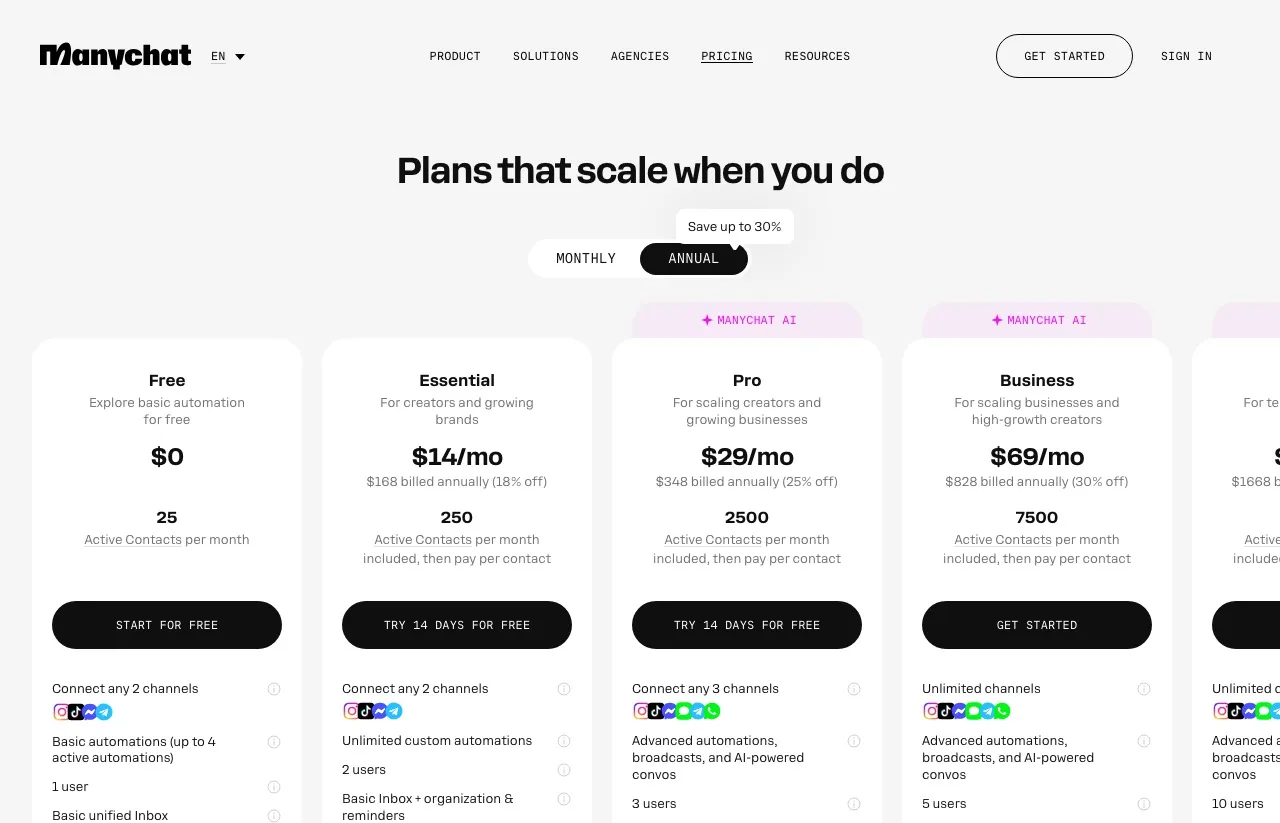
Which meter costs less depends on your conversations. At Meta’s own estimate, 1,000 agent messages on the WhatsApp platform cost about $40 to $50, and a long back-and-forth adds up message by message. On Manychat Pro, $39 a month covers 2,500 people whether each one gets one message or twenty.
Long conversations with the same people favor a per-person meter. Short, occasional ones may fit inside the free Messenger allowance. For the full contact ladder, including overage rates, see how Manychat’s contact meter scales.
What Meta’s Agent Gives You Without a Flow Builder
There are no flows to build. You give it your business info, test its answers, and it starts replying. Doing the same job in Manychat means building flows, or setting up its AI on a paid plan and deciding where it fits.
It handles the question you did not plan for. A keyword-only flow has nothing to say to an off-script question, which is why Manychat hands those messages to its AI when no automation responds. Meta’s agent starts from open questions by design, and customers can ask for a person at any point.
It sells from your catalog. Meta’s announcement lists catalog recommendations and appointment booking, and its help pages add answers about pricing, discounts and shipping. That matters more for a store or a service business than for a creator funnel.
WhatsApp is native. Meta runs the channel, so the self-serve version needs no third-party connection. Manychat’s pricing page lists WhatsApp from Pro up, and Free and Essential cannot connect it.
The configuration surface is real, for those who qualify. The developer platform exposes skills, FAQs, knowledge and connectors over REST, and a connector can call your own MCP server. The catch is access: Instagram needs an app Meta has approved, and WhatsApp needs a Business Platform number rather than the WhatsApp Business app.
Turn On Meta’s Agent If
- Most of your DMs are questions about products, prices, hours or bookings.
- WhatsApp or Messenger is where your customers already talk to you.
- You would rather describe your business than build flows.
- You sell from a catalog and want recommendations in the chat.
- You can live with Meta pausing your existing inbox automations while the agent is active.
What Manychat Still Does Better
Comment-to-DM on Instagram works today. Someone comments a keyword, gets a public reply and a private DM with the link. That is the funnel many creators run, and it is the core of Manychat’s Instagram product. Jenna Kutcher and Amy Porterfield both used versions of it, and eight funnels traced from trigger to destination, four of them theirs, show where the DM can lead.
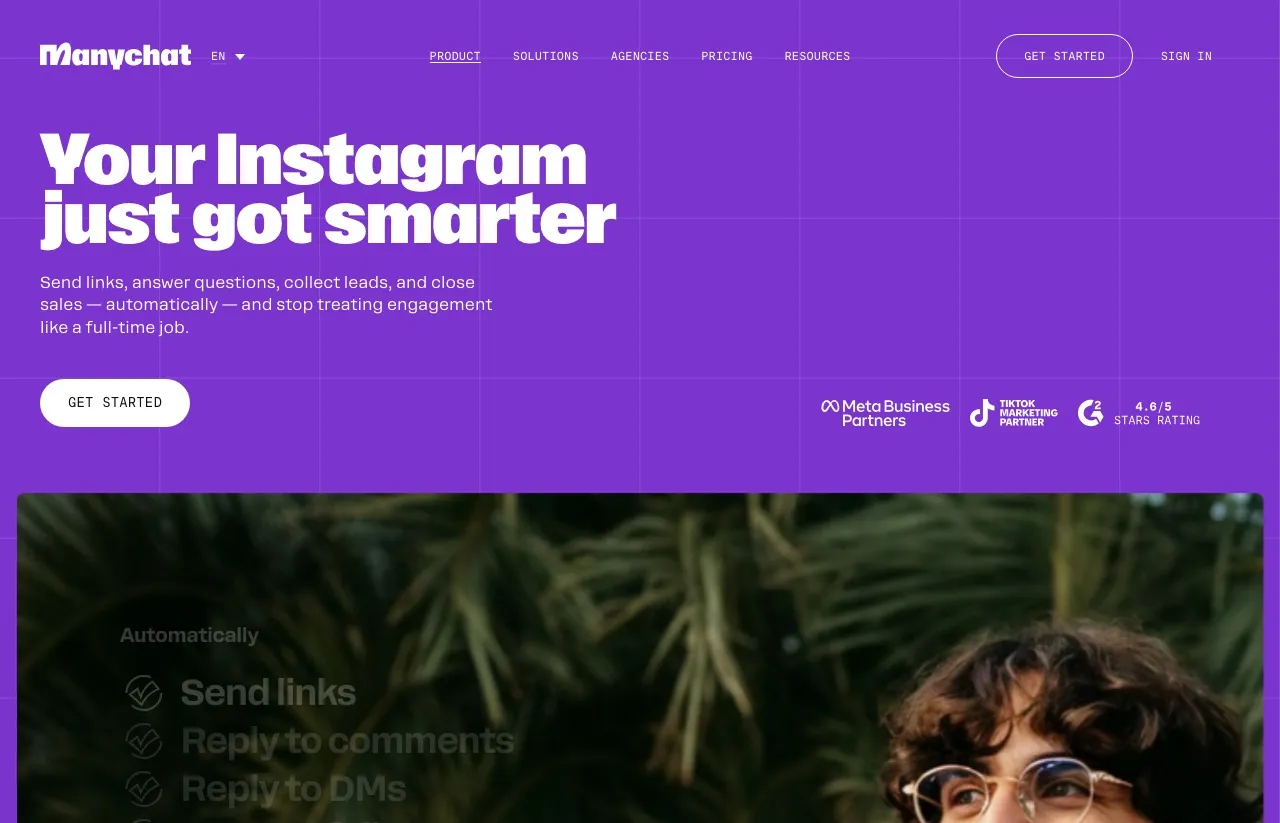
It reaches past Meta. TikTok, Telegram, SMS and email sit on the same pricing page, although Free and Essential connect two channels and Pro connects three.
You control the wording. A fixed flow step sends exactly what you wrote. For a launch, a legal disclaimer or a price that must be right, predictable beats clever.
Broadcasts and sequences are core features. The pricing page lists broadcasts from Pro up, and sequences send multi-step follow-ups on a delay. Meta’s developer platform offers one follow-up after a customer goes quiet, which is not the same as a sequence.
It has a long track record with Meta. Manychat calls itself an official Meta Business Partner and says it meets Meta’s product team weekly. I used Manychat for a long time myself, and for comment-driven funnels it is a good product.
Keep Manychat If
- Your growth runs on Instagram comment keywords that send a link.
- You need broadcasts or multi-step sequences on a schedule.
- You reach people on TikTok, Telegram, SMS or email, not only on Meta apps.
- Every message has to say exactly what you approved.
- You already have flows that work, and nothing in your numbers says they are failing.
A Third Option: Keyword DMs Your AI Agent Manages
This is the Blotato section, so weigh it knowing I built the product. It is an alternative to both tools for one specific reader: someone who wants comment-to-DM on Instagram or Facebook and wants an AI agent like Claude to build and edit those automations instead of a person clicking through a flow builder.
Here is what that looks like in practice. The DM automations API has nine endpoints to create, update, pause and delete automations and read their runs, logs and analytics. Over MCP, your agent gets tools like blotato_create_automation and blotato_update_automation, so a prompt like “point every launch automation at the new checkout link” becomes a series of tool calls you can review, rather than an afternoon of editing. That is the part Manychat’s API does not cover, since it can read and trigger flows but cannot create or change them.
Each live automation holds a comment trigger, a message trigger or both, with keywords matched anywhere in the text regardless of case. It can gate the message behind an Instagram follow check or an email capture, add up to three link buttons, and call your webhook after it sends.
The part neither Meta’s agent nor Manychat offers is that the same Blotato API key publishes the post. Your agent can publish a Reel through Blotato, look up the published post, and point a keyword automation at that exact post by its Blotato post ID, all in one session. The same key schedules the rest of the week across 9 platforms, so the post and the DM that follows it come from one place.
Blotato is the fit if your funnel lives on Instagram and Facebook comments and you want your agent to run it, with our limits stated in the same breath: it is reply-only with no cold outreach, it covers Instagram and Facebook and no other channel, and it sends the message you wrote when a keyword matches rather than holding an open-ended conversation the way Meta’s agent does. Blotato is also a connected app on the same Meta inbox, so the coexistence warning above applies to us too. If Meta’s agent runs your Messenger inbox, keep Blotato on Instagram comments, and never point two tools at the same comment keyword, because Meta accepts one private reply per comment through Blotato or any other tool.
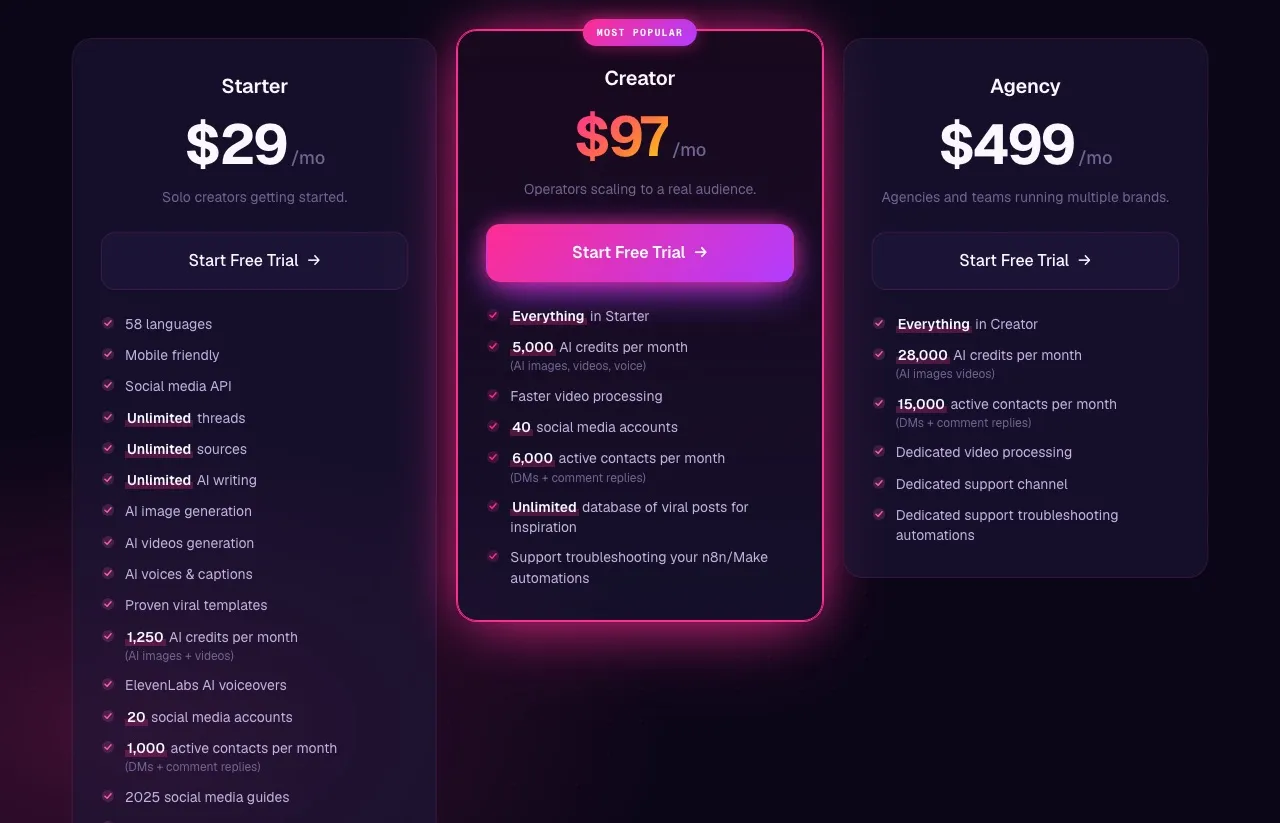
DM automation comes with every paid Blotato tier, with 1,000, 6,000 or 15,000 active contacts a month on Starter, Creator and Agency. One thing API readers should know up front: the 7-day trial excludes the API, and generating a key starts the paid Starter plan. For the full walkthrough, see how Blotato’s DM automations work.
Split the Channels Before You Split the Bill
If I were deciding today, I would not pick one tool for every channel. I would let Meta’s agent take WhatsApp or Messenger, where open questions arrive, and leave Instagram comment funnels to a keyword tool, whether that is Manychat or the DM automation I built at Blotato.
Neither company documents how these tools coordinate on one Instagram inbox, and a customer who gets two replies, or none, will not care whose documentation was missing.
Meta Business Agent vs Manychat FAQs
Is Meta Business Agent free?
Getting started is free, according to Meta’s June announcement. On Messenger, a free limit caps access, and a Meta One plan lifts it. Meta’s $14.99 Essential bundle adds more agent access on WhatsApp. On the WhatsApp developer platform, Meta charges $2.00 per million tokens, which it estimates at about 4 to 5 cents a message.
Can Meta Business Agent replace Manychat?
For answering customer questions on Messenger or WhatsApp, it can replace a Manychat FAQ flow. For Instagram comment-to-DM funnels, broadcasts and sequences, not as Meta documents it today. None of those appear in Meta’s list of what the agent does, and Meta’s self-serve setup pages name Messenger and WhatsApp, not Instagram. The custom keyword and comment-to-message automations in Meta Business Suite are a separate tool, and Meta pauses them while its agent is active.
Can I use Meta Business Agent and Manychat at the same time?
On separate channels, that is the setup with the least overlap. On a shared Instagram or Messenger inbox, neither company documents how the two work together. Meta pauses its own inbox automations when its agent is on, and Manychat tells users to remove other chatbot tools that interfere. Keep each tool on its own channel and test on a second account before a launch.
Does Meta Business Agent work on Instagram DMs?
Meta announced it is expanding to Instagram, and its developer platform accepts Instagram business accounts for approved apps. Its self-serve setup pages still name Messenger and WhatsApp. Instagram’s creator AI auto replies, built in AI Studio, are a separate product.
Is Manychat allowed by Facebook and Instagram?
Meta’s documents do not rule on individual tools. By its own account, Manychat is an official Meta Business Partner with a weekly line to Meta’s product team. Meta’s messaging rules still apply to it, as they do to every tool: one private reply per comment, and automated DM replies within 24 hours of the person’s last message.
Can my AI agent build Instagram DM automations instead?
Yes, on some tools. Manychat’s API can trigger flows but cannot create them. Blotato’s API and MCP server let an agent like Claude create, edit and pause keyword automations on Instagram and Facebook, which are reply-only and cover those two platforms only.