5 Best Repurpose.io Alternatives for AI Repurposing (2026)
The best Repurpose.io alternatives in 2026, tested by Sabrina Ramonov. Where each one wins on AI repurposing and real pricing.
If you are searching for the best Repurpose.io alternatives, you have probably noticed the pattern: your video goes out to ten platforms, but it is the same video everywhere, resized and watermark-free. Repurpose.io moves content between platforms. It does not create anything new from it. I tested every serious option while building Blotato, which is my number one pick below, and I am the founder, so judge that entry on the numbers rather than my word. The other four earn their spots by actually transforming your content, not just relinking it.
Quick Comparison: 5 Best Repurpose.io Alternatives
| Tool | Best For | Starting Price | Agent-Ready | Key Strength |
|---|---|---|---|---|
| Blotato | Creators who want new platform-native posts generated from one video, then published to 20 accounts | $29/mo | MCP + REST API | Turns one video into captions, clips, tweets, and carousels, then publishes to 9 platforms |
| OpusClip | Long-form creators who need short clips picked and scored by AI | $15/mo | MCP + API (Pro $29/mo and up) | AI clipping with virality scoring and built-in posting to YouTube, TikTok, and Instagram |
| Castmagic | Podcasters who need show notes, newsletters, and social posts from every episode | $19/mo billed annually | MCP | Turns one transcript into a stack of written assets |
| Vizard | Multilingual creators who want transcript-level control over clips | $14.50/mo billed yearly | API | Clips by transcript and subtitles in 30+ languages |
| Descript | Creators who edit their video before repurposing it | $16/person/mo billed annually | MCP + API | Text-based editing that makes cutting video feel like editing a doc |
| Repurpose.io | Hands-off redistribution of finished video | $35/mo | None | Republishes one video everywhere, aspect ratio fixed and watermark stripped |
Why People Are Looking for Repurpose.io Alternatives
Repurpose.io has been refining the same workflow since 2016: take one finished video, audio file, or live stream and republish it everywhere with the aspect ratio fixed and the watermark stripped. For pure redistribution, it is genuinely good at its job. I said as much in my Blotato vs Repurpose.io comparison.
The complaints cluster around four things. First, price. Plans run $35/mo (Starter), $79/mo (Pro), and $179/mo (Agency) billed monthly, and the Starter tier caps you at 3 connected accounts per social network. That is real money for a tool that only distributes. Second, reliability. Reviews on Trustpilot lean positive on time savings, but a visible minority describe workflows that need frequent reconnecting and scheduled posts that quietly fail. Third: it never creates. No captions written for each platform, no text posts pulled from your video, no clips selected by AI. The same asset just appears in more places.
Fourth, and the one nobody was complaining about two years ago: there is no way to drive it from an AI agent. If you work out of Claude, Claude Code, or an n8n workflow, you want to say “turn this video into a week of posts and publish it” and have that happen. Repurpose.io has no MCP server, and its users are asking for one directly on the company’s own feature request board: “Connect Repurpose to AI tools like Claude Code or Antigravity using MCP / API.”
That request is the whole story of this list. Every tool below ships an MCP server, an API, or both, and the Antigravity case in particular is a config paste away when the tool actually has a server. If you are automating your content out of Claude rather than clicking through a dashboard, that alone narrows your options fast.
If your growth has stalled because every platform gets identical content, redistribution is not your bottleneck. Creation is. That is the gap I built Blotato’s $29 Starter plan to close, and it is the test I applied to every tool on this list: does it generate platform-native variations, or just relink the same video?
Best Repurpose.io Alternatives for 2026
I ranked these five by how much of the repurposing job they actually do, from creating new assets to publishing them.
1. Blotato: Best for creators who want creation and publishing in one flat-price tool

Blotato’s agent drafts platform-native posts for LinkedIn, X, Instagram, TikTok, YouTube, and Threads from one topic.
I built Blotato because moving the same video around was never the hard part. The hard part was getting a LinkedIn post, an X thread, a carousel, and a short clip out of one piece of source material without spending my whole day on it. Blotato takes a video or idea and generates the platform-native versions, then schedules and publishes them to 20 social accounts across 9 platforms on the $29 Starter plan. Unlimited AI writing is included, along with AI images and video tools.
The part that matters most if you already work inside Claude: Blotato is MCP-native. Point Claude, Claude Code, or Claude Desktop at mcp.blotato.com/mcp and the whole loop becomes one instruction, with a full REST API underneath and official n8n and Make nodes if you orchestrate elsewhere. The other tools here expose an MCP server for their one job, clipping or editing. This is the only one where the agent can take a raw video and finish at published posts. I break down how these compare in my social media MCP servers roundup.
To be fair about the gaps: Blotato does not have enterprise approval workflows or a deep analytics suite, and if you only want hands-off video redistribution, Repurpose.io still does that one job well.
Pricing: Starter $29/mo (20 accounts), Creator $97/mo (40 accounts), Agency $499/mo. 7-day trial, cancel anytime. One note: the trial does not include API access, so if you are coming for the API or MCP, plan on starting a Starter subscription rather than trialing it.
Ideal for: Solo creators and small teams who want one video turned into a week of platform-native content, published automatically.
Bottom line: The only tool on this list that generates the content and publishes it, at a flat price.
2. OpusClip: Best for long-form creators who want AI to pick their short clips
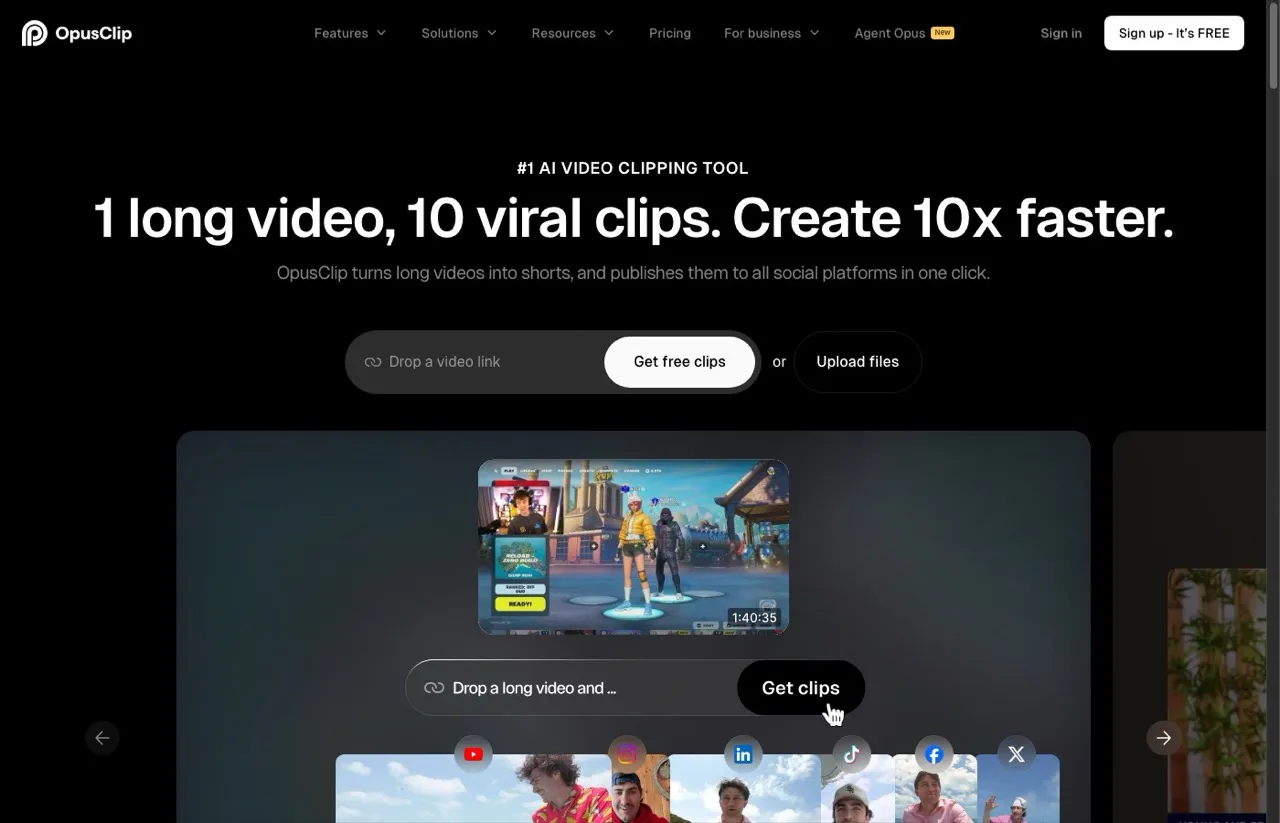
OpusClip turns one long video into ranked short clips with captions.
OpusClip is the strongest pure clipping tool here. Feed it a long video and it finds the moments most likely to hold attention, scores each clip for virality, adds animated captions, and reframes everything vertical. It posts directly to YouTube Shorts, TikTok, and Instagram, and it ships an MCP server so an AI agent can clip and schedule for you. It creates clips from your video, but it does not write standalone text posts or carousels, so the rest of your content stack stays manual. I compared the two head to head in Blotato vs OpusClip.
Pros:
- AI clip selection with virality scoring is the best in class
- Posts finished clips straight to YouTube, TikTok, and Instagram
- MCP server plus API access for agent workflows
Cons:
- Clip picks can cut mid-thought on dense conversational content
- API access starts on Pro at $29/mo, so the $15 Starter is dashboard-only
- Free-plan clips are watermarked and stop being exportable after 3 days
Pricing: Free plan (60 credits/mo). Starter $15/mo, monthly billing only. Pro $29/mo, or $14.50/mo billed yearly. Business is custom with full API access.
Ideal for: YouTubers and podcasters whose main repurposing need is shorts, not written content.
Bottom line: The best AI clipper on the market, covering one slice of the repurposing job extremely well.
3. Castmagic: Best for podcasters who need written assets from every episode
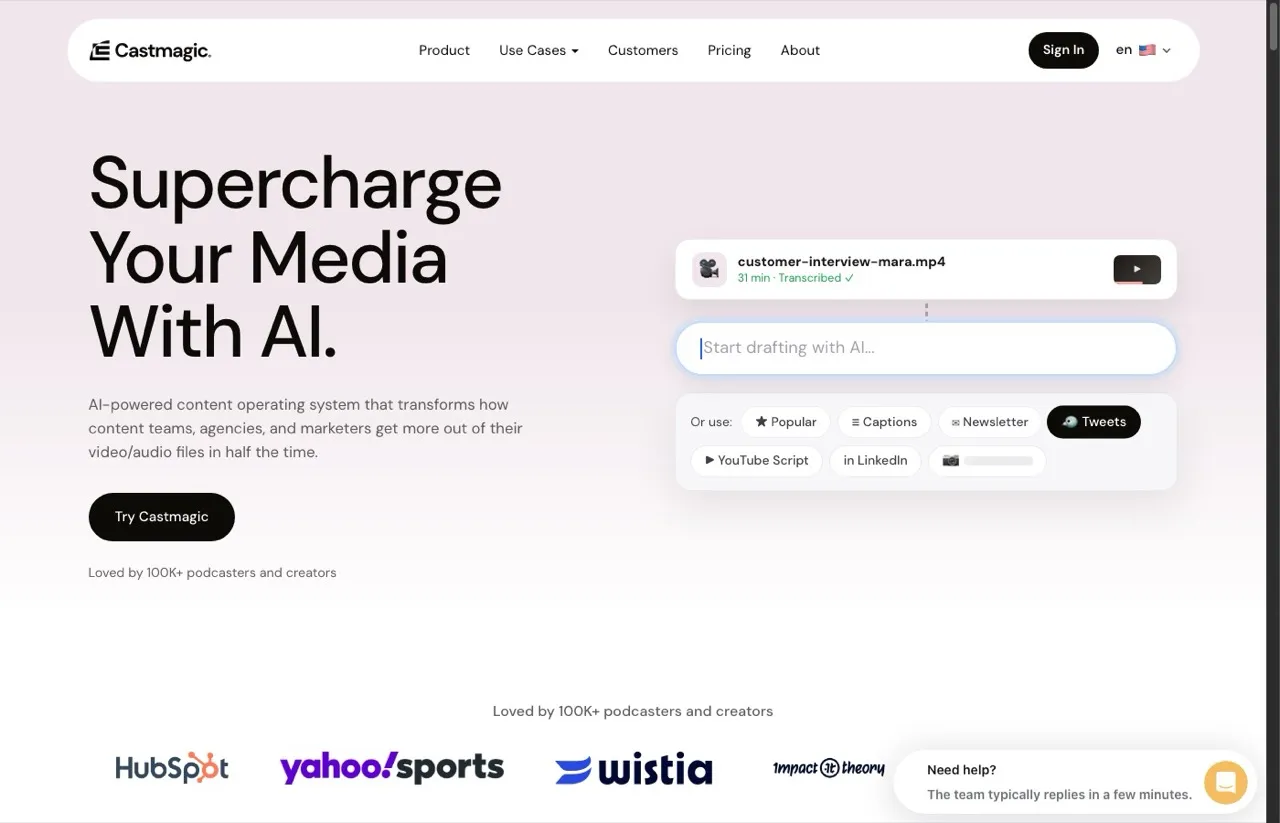
Castmagic drafts show notes, newsletters, LinkedIn posts, and tweets from one uploaded episode.
Castmagic attacks the exact gap Repurpose.io ignores: the written layer. Upload an episode and it produces show notes, timestamped summaries, quote pulls, LinkedIn posts, tweets, and newsletter drafts from the transcript. For interview-style shows it is the fastest path from recording to a full written content stack I have tested. It is creation-first, though. You will move the finished assets into a scheduler yourself, which is why several of my clients pair it with a publishing tool rather than replacing one with it.
Castmagic also ships a Claude integration over MCP that points Claude at your entire back catalog, so you can build a course or a lead magnet from years of episodes rather than working one file at a time. That is a genuinely different use case from anything else on this list, and it is the strongest reason to keep Castmagic alongside a publisher instead of choosing between them.
Pros:
- Strongest transcript-to-written-content engine on this list
- MCP integration lets Claude work across your whole media library
- Custom prompts let you match your own voice and formats
- Handles long episodes with accurate transcription
Cons:
- Priced for podcasters with a steady publishing habit, not occasional creators
- Reviewers note transcript edits do not update clip timecodes
Pricing: Billed annually: Hobby $19/mo (30 transcribed hours, up to 3 seats), Starter $48/mo (100 hours, 5 seats), Team $139/mo (400 hours, 5 seats included, then $159/yr per extra seat). Monthly billing costs more. Note that API access starts on Starter, so the $19 Hobby tier is app-only.
Ideal for: Podcasters and interview-show hosts who want every episode turned into a week of written content.
Bottom line: The best transcript-to-text engine here, as long as you bring your own publisher.
4. Vizard: Best for multilingual creators who clip by transcript
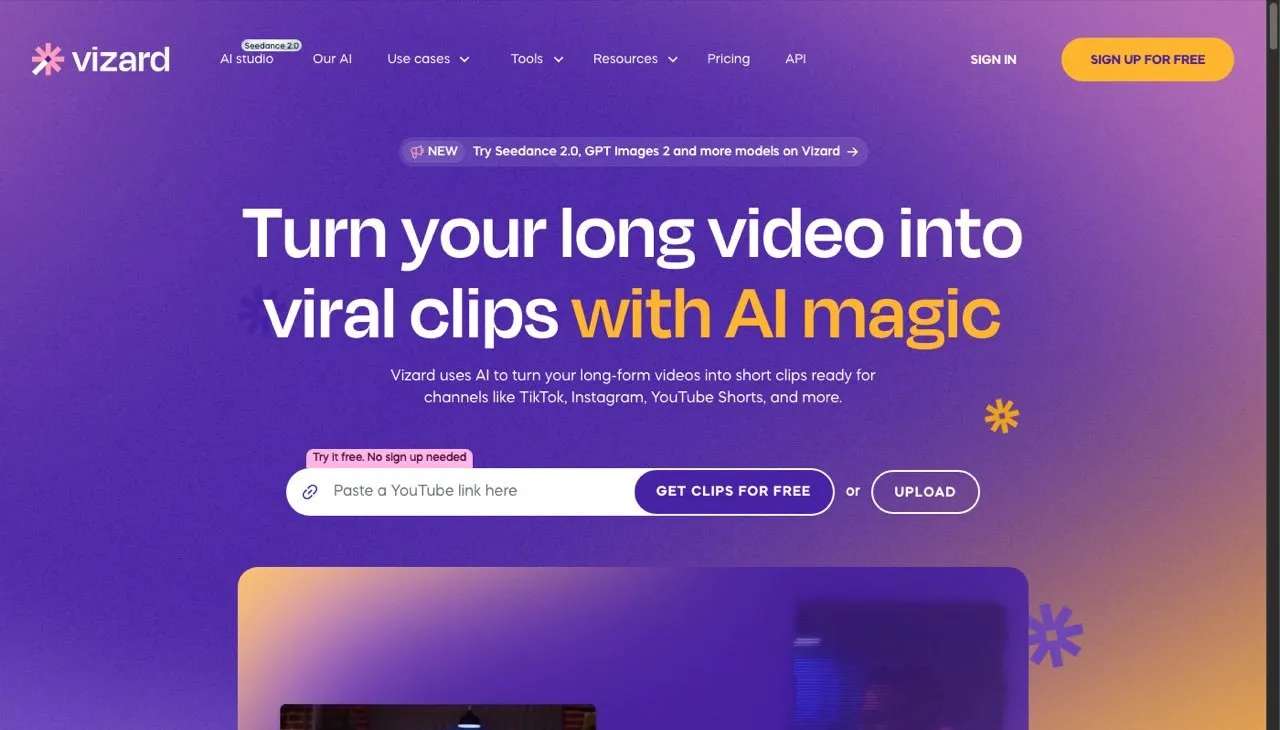
Vizard clips long video by transcript and subtitles in 30+ languages.
Vizard sits between OpusClip and a full editor. Its AI finds clip-worthy moments, but the differentiator is transcript-level control: you trim clips by deleting words, the way you would edit text. Subtitles come in 30+ languages, which makes it the strongest pick on this list for non-English and multilingual creators. It schedules posts to connected social accounts on paid plans and has a public API. The pricing model is the thing to watch. Credits are charged on the length of the video you upload, not the clips you keep, so a 90-minute upload spends 90 credits even if you only use two clips.
Pros:
- Transcript-based editing makes precise clipping fast
- Best-in-class multilingual subtitles
- Free plan lets you test the full editor
Cons:
- Credits are consumed by upload length, which reviewers flag as the top frustration
- Free-plan exports are capped at 720p
Pricing: Free plan (60 credits/mo). Creator $14.50/mo billed yearly, or $29/mo monthly. Business $19.50/mo billed yearly, or $39/mo monthly, with 20 social accounts.
Ideal for: Creators publishing clips in more than one language, or anyone who wants word-level control over cuts.
Bottom line: Precise, multilingual AI clipping at the lowest paid entry price on this list.
5. Descript: Best for creators who edit before they repurpose
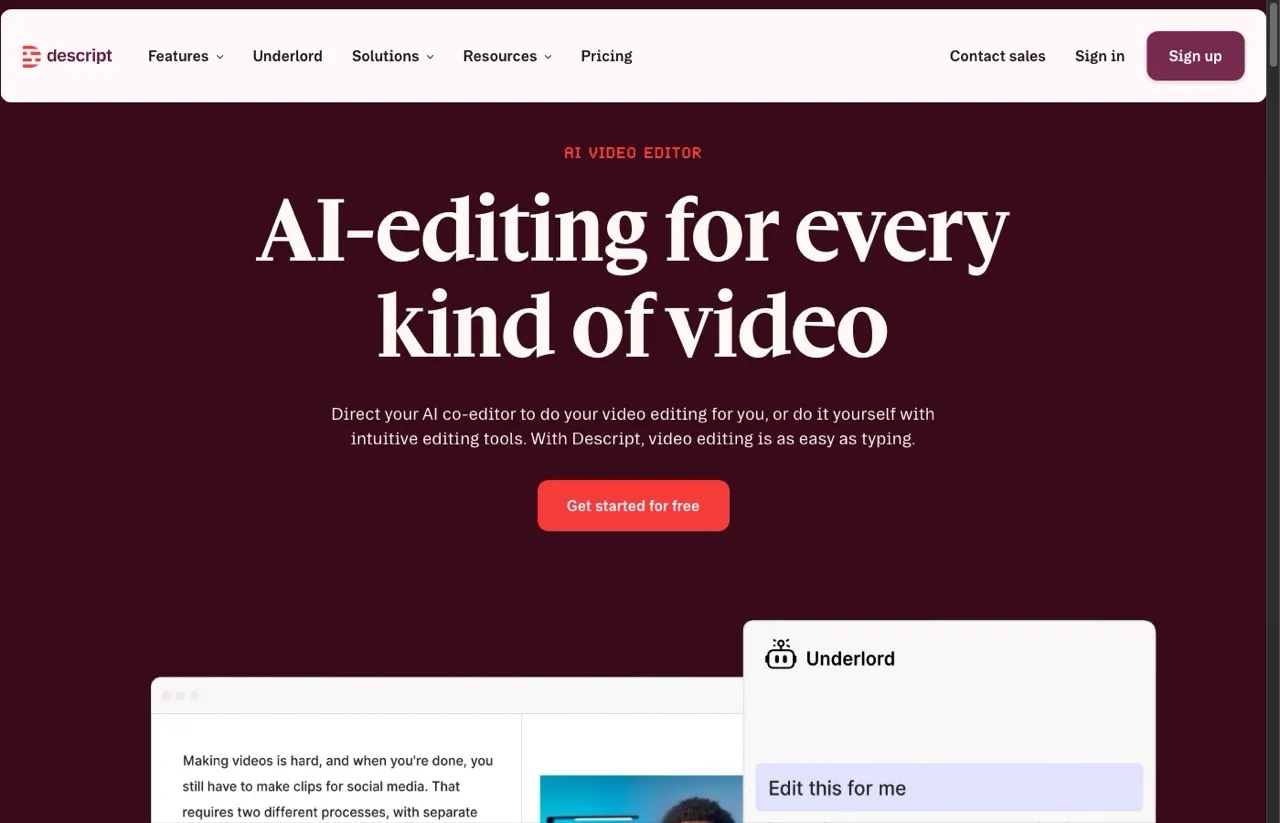
Descript’s AI co-editor cuts video the way you would edit a text document.
Descript is a different animal: a full AI editing suite rather than a repurposing pipeline. You edit video by editing its transcript, clean up audio with Studio Sound, remove filler words in one click, and hand multi-step edits to its Underlord AI. If your source video needs real editing before it is worth repurposing, Descript belongs in your stack. It is the heaviest tool here, though. Repurposing is something you do inside it, then export, rather than an automated pipeline that runs while you sleep.
It also ships an API and MCP server, so you can drive edits from Claude or from code rather than clicking through the timeline.
Pros:
- Text-based editing is the fastest way for non-editors to cut video
- Studio Sound rescues rough audio recordings
- API plus MCP server for editing from an AI assistant
- AI clip selection and social-ready templates built in
Cons:
- Per-person pricing adds up for teams
- Reviewers report slowdowns on long, complex projects
Pricing: Free plan. Billed annually per person: Hobbyist $16/mo (10 media hours), Creator $24/mo (30 hours, 4K exports), Business $50/mo (40 hours).
Ideal for: Creators whose raw recordings need editing polish before distribution.
Bottom line: The best editor on this list, with repurposing as a workflow you run rather than automation you set.
How I Chose These Repurpose.io Alternatives
- Creation over relocation. Every tool had to generate something new from your source content, whether clips, captions, or full written posts. Pure redistribution did not qualify.
- Verified pricing. Real entry prices and what they actually include, checked the day I published this.
- Publishing path. How far each tool takes you toward posted content, from export-only to fully automated.
- AI depth. Whether the AI picks moments and writes copy, or just resizes.
- Honest fit. Who each tool genuinely serves, including where Repurpose.io itself is still the right answer.
Pricing was verified live on each tool’s own pricing page, and the strengths and gaps draw on G2, Trustpilot, and Reddit reviews alongside my own testing.
How to Choose the Right Repurpose.io Alternative
- You want one video turned into platform-native posts and published automatically: Blotato. That full loop at a flat $29/mo is the reason it is my pick.
- Your entire repurposing need is short clips from long video: OpusClip, with the best AI clip selection available.
- You run a podcast and the written layer is your bottleneck: Castmagic, which turns one transcript into a week of written assets.
- You publish in multiple languages or want word-level clip control: Vizard.
- Your raw footage needs editing before it deserves repurposing: Descript.
- You want an AI agent running the whole thing from Claude or Claude Code: Blotato for the full video-to-published loop, Descript if the agent’s job is editing, Castmagic if it is mining a back catalog.
One warning from watching creators make this switch: do not pick a tool that recreates your current problem. If you leave Repurpose.io because identical content everywhere stopped working, a tool that only resizes clips is the same trap with better AI. I wrote about this and other traps in content repurposing mistakes.
Sabrina’s Final Thoughts
Most people leaving Repurpose.io are not leaving because redistribution broke. They are leaving because redistribution was never enough. Platforms reward native content, and the tools worth switching to are the ones that create it for you. If you want the clip layer only, OpusClip and Vizard are excellent. If you want the written layer, Castmagic is the specialist. If you want the whole loop, from one video to platform-native posts published across 9 platforms, that is exactly what I built Blotato to do, and the 7-day trial will show you in an afternoon whether it replaces your stack. One honest caveat if you came here for the agent story: the trial covers everything except the API, so if your plan is to drive Blotato from Claude or an MCP client on day one, start the Starter subscription rather than the trial.
Repurpose.io Alternatives FAQs
What is the best Repurpose.io alternative in 2026?
For most creators, Blotato. Repurpose.io redistributes one finished video across platforms, while Blotato generates platform-native content from it, including captions, text posts, and clips, then publishes to 20 social accounts across 9 platforms for $29/mo. If you only need short clips from long video, OpusClip is the strongest specialist pick.
Is Repurpose.io worth it compared to these alternatives?
If your only need is hands-off republishing of finished video to many destinations, Repurpose.io still does that job well at $35/mo. The alternatives make sense once you need the content itself adapted per platform, which Repurpose.io does not do.
What is the cheapest Repurpose.io alternative?
Vizard has the lowest paid entry at $14.50/mo billed yearly, and OpusClip’s Starter is $15/mo. Both are clip-focused. Blotato’s $29/mo Starter costs more but includes AI writing and publishing to 20 accounts, which replaces more than one tool.
Does Repurpose.io have an API or MCP server?
No. Repurpose.io has no MCP server, and connecting it to AI tools is an open request on the company’s own feature board. If you want to run repurposing from Claude, Claude Code, or an agent workflow, that rules it out on its own. Blotato, OpusClip, Castmagic, and Descript all ship MCP servers, and Blotato is the only one whose MCP covers the full path from source video to published posts.
Can AI fully automate content repurposing?
Mostly, yes. Tools like OpusClip pick and caption clips automatically, and Blotato’s API and MCP server let an AI agent draft and publish posts across platforms with one approval step from you. I keep a human review on anything going live, and I recommend you do the same. My roundup of AI content repurposing tools covers the full automation stack.