7 Best Twitter API Alternatives for Posting to X (2026)
The best Twitter API alternatives in 2026, compared on X posts, plans, media, price, and MCP support. Tested by Sabrina Ramonov.

The best Twitter API alternatives for posting are Blotato, Post for Me, Buffer, Upload-Post, Postiz, Ayrshare, and bundle.social. I’m the founder of Blotato, so I’m not objective here. Still, Blotato is my top pick for API and AI agent workflows. Blotato can create, schedule, and track X posts without a separate X developer app. Buffer and Upload-Post give you a free way to start. My test was simple: can the tool put a post live on X, or can it only read public data?
Quick Look: 7 Best Twitter API Alternatives
| Tool | Best For | Starting Price | Key Strength |
|---|---|---|---|
| Blotato | Creators and agents posting to many sites | $29/mo | REST API and hosted MCP at a flat price |
| Post for Me | Builders adding social posts to a new SaaS app | $10/mo | 1,000 successful posts with no account cap |
| Buffer | Small teams that want a free queue | Free | Free API access and scheduled X threads |
| Upload-Post | Builders testing posts to many sites for free | Free | REST API, SDKs, hosted MCP, and 22 sites |
| Postiz | Tech teams that want to own the stack | Free self-hosted | Open source with a public API |
| Ayrshare | SaaS apps posting for many customer profiles | 28-day trial | Posts, replies, direct messages, and stats |
| bundle.social | Teams that want to see each X fee | Free | Prepaid credits for X posts |
Why Do Builders Want Twitter API Alternatives?
The X API now charges for each request. A normal post costs $0.015. A post with a URL costs $0.20. A direct X link needs an app and user login. Media posts also need an upload flow. You may also need a queue, retries, token refresh, and delivery checks. X also changes the rules fast. In our report on social media API changes, 4 of its 6 dated breaking changes gave five days’ notice or less.
The direct API can still make sense. You may need every X tool or want full control. But it is hard to defend when X posts are just one part of your app.
A builder thread about Make showed the problem. Make removed its X integration, so users had to rebuild working flows. They did not know which tools could still post to X. They also did not know if each user needed their own API keys. The same thing happened again in 2026 when Hypefury dropped X support entirely and stranded its users’ X queues.
Search results make this harder. Many lists cover tools that read posts, profiles, followers, and search results. Those tools can help with social listening. They cannot post your thread at 10 a.m. Every tool in this guide can post to X, schedule posts, or both. If you want the scheduler side rather than the API side, I track which schedulers still publish to X and what each charges for it.
For the X rates, read my full X API price guide. This guide helps you choose a tool for posts.
Best Twitter API Alternatives for X Posts
The best choice rests on who owns the X link and how many accounts you run. Your starting point also matters. It may be code, a calendar, or an AI agent. I checked X posts, media, set times, status, login, API and MCP access, free tests, and price.
1. Blotato: Best for creators and AI agents posting to many sites

Blotato has a REST API and a hosted MCP endpoint for AI agents.
Blotato is my company. Blotato’s site reports 3M+ followers and 500M+ views across my content. Both the REST API and hosted MCP can post X text, images, video, and threads. They can also set a time, check status, and show stats. An agent can create a post, pick an account, post it, and check if it went live. You do not need your own X developer app.
The flat price is the main draw for teams that post often to X. Blotato does not charge a fee for each normal post or link post. The same Blotato plan can post to X and eight other sites. This helps when an X tool grows into an app for many sites.
Blotato is not the right pick for public X search, follower graphs, or direct messages. Its X tools focus on posts, set times, status, and stats. Use a data tool or the X API when public data is the main job.
Pros:
- Posts X text, images, video, and threads.
- Has a REST API, hosted MCP, official n8n node, and Make integration.
- Users do not need their own X developer app.
- Flat plan price with no X request meter.
Cons:
- Has no public X search, follower data, comments, or direct messages.
- Does not include API access in the 7-day dashboard trial.
- Supports fewer sites than Upload-Post.
Pricing: Starter costs $29/mo for 20 linked accounts and 1,250 AI credits. Creator costs $97/mo for 40 accounts and 5,000 credits. Agency costs $499/mo and has 28,000 credits.
Ideal for: Creators, small firms, and agent builders who want to make content and post to many sites from one account.
Bottom line: Pick Blotato when X is one part of your content system and you want a flat bill. You can view the current Blotato plans before you link the API or MCP server.
2. Post for Me: Best for builders adding posts to a new SaaS app
Post for Me has a focused posting API with a low flat entry price.
Post for Me is the lowest-cost paid API on this list. Ten dollars covers up to 1,000 successful posts. There is no cap on social accounts, API keys, projects, or team members. The API can post or schedule text, images, and video. Webhooks send back the result.
You can link accounts to Post for Me in two ways. Quickstart uses its own app keys. That skips the review queue but shows the Post for Me brand at login. White Label uses your own keys and brand. Your team must then handle each app review.
I found support in the docs and the open GitHub repo. Test your own X media and failed posts before you choose it for the price alone.
Pros:
- $10 entry price for 1,000 successful posts.
- Has no cap on accounts, projects, API keys, or team members.
- Hosted or white-label login paths.
- Webhooks for account and post status.
- Offers an official MCP integration guide.
Cons:
- Quickstart shows the Post for Me name at login.
- Your team must handle platform reviews in white-label mode.
Pricing: $10/mo for up to 1,000 successful posts. Post for Me offers more volume tiers and tailored enterprise plans.
Ideal for: Builders adding social posts to an MVP before a price per user makes sense.
Bottom line: Post for Me offers the lowest simple paid API entry, provided its OAuth branding tradeoff fits your product.
3. Buffer: Best for small teams that want a free queue and familiar dashboard
Buffer pairs a simple posting queue with API access on every plan.
Buffer is the easiest free pick for a small team. The free plan has three channels and ten queued posts per channel. It also has one X thread, one API key, and 3,000 API calls each month. Paid plans add more room in the queue and remove the thread cap.
Buffer works best when people still want a calendar. Its Team plan adds an approval flow. In a discussion among social media managers, users call it simple for small setups. They also say it gets costly as channel counts grow. Both views can be true. A creator with three channels has very different costs from an agency with fifty.
The API has fewer tools than an API-first service. Buffer is strong for drafts, posts set for later, and some post metrics. It does not offer the full X data and reply surface you would expect from a broad engagement API.
Pros:
- Free plan includes API access and an X thread.
- Has a simple queue, calendar, and review flow.
- Text, images, video, set times, and threads.
- Does not need a separate developer tool.
Cons:
- Free plan caps each channel at ten queued posts.
- Paid pricing scales by channel.
- Its API is best for posts, not deep X account tools.
Pricing: Free for up to three channels. Essentials starts at $5/channel/mo with annual billing. It has a 14-day paid-plan trial.
Ideal for: Creators and small marketing teams that want to automate a modest X queue without giving up a visual calendar.
Bottom line: Buffer is the best free starting point when a human-friendly scheduler matters as much as the API.
4. Upload-Post: Best for builders testing posts to many sites for free
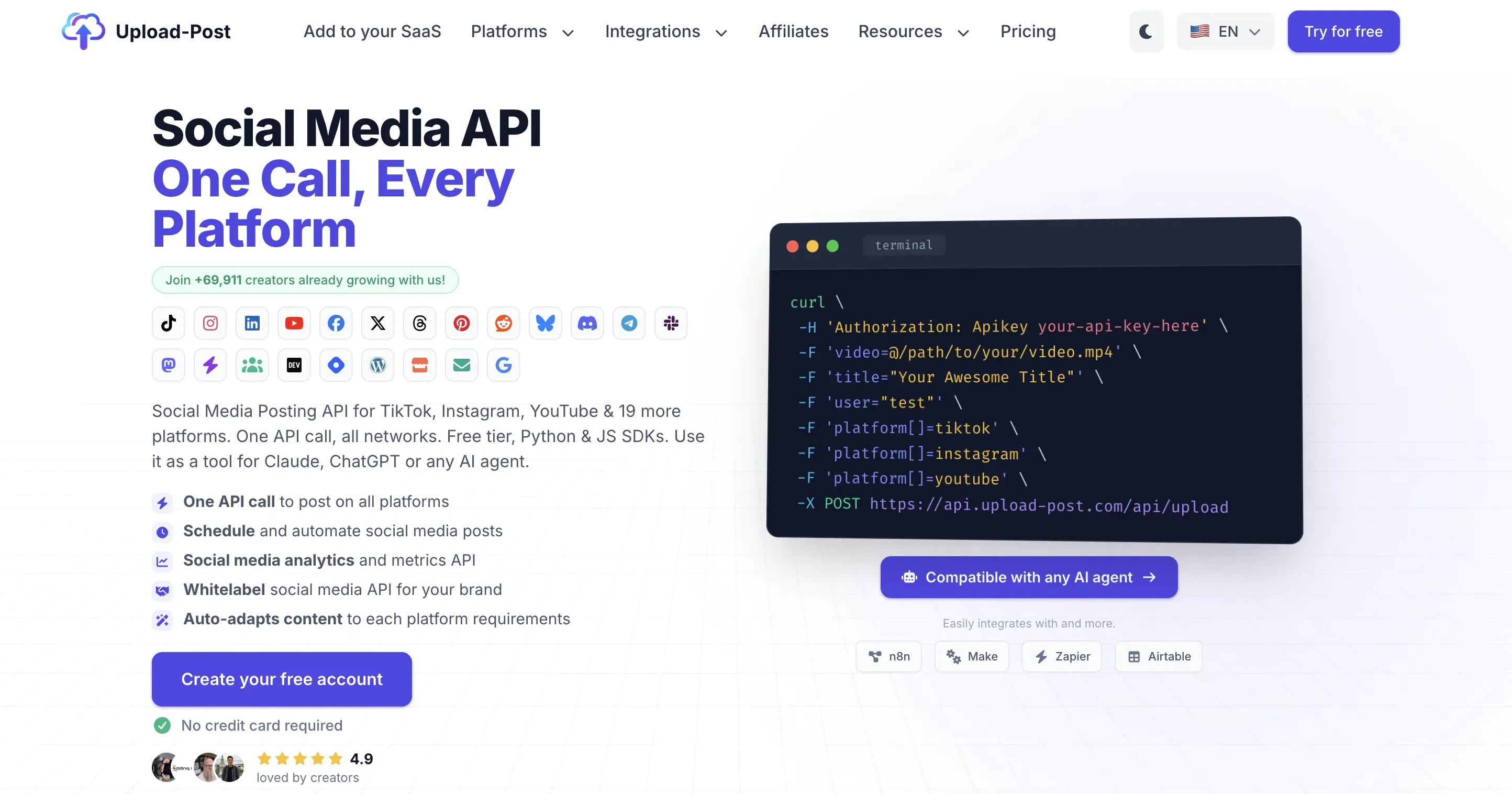
Upload-Post has a free API tier, SDKs, workflow tools, and a hosted MCP server.
Upload-Post gives builders the broadest free test here. You get two profiles and ten uploads each month. You do not need a card. API access is part of the free tier. The product supports more than 22 sites overall, but access varies by plan. You can use REST, Python, JavaScript, n8n, or a hosted MCP server. There is also an open-source MCP version.
An Upload-Post discussion in the n8n community includes one user who says the $16 price is not bad, which is the yearly rate; monthly Basic is $24. It also shows the risk of paying before you test the channel you need. TikTok is not in the free tier. Users reported trouble with some app reviews and login flows. Test your own X posts before a larger move.
Paid tiers remove the upload cap but still limit profiles. X posts with links need a paid tier. The price page also limits them to fifty link posts each month. This matters for news, affiliate links, and content sharing.
Pros:
- Free API tier with no card.
- Supports more than 22 sites across the product.
- REST API, SDKs, n8n node, and hosted MCP.
- No platform apps for the managed link.
Cons:
- Free tier is limited to ten uploads.
- X link posts require a paid plan and carry a monthly cap.
- Profile limits push agencies toward higher tiers.
Pricing: Free for two profiles and ten uploads per month. Basic is $24/mo billed monthly, or $192 billed annually, equal to $16/mo.
Ideal for: Builders who want a cheap test before they pick a larger plan.
Bottom line: Upload-Post wins on free testing and destination count, but link-heavy X publishers need to model the paid cap.
5. Postiz: Best for tech teams that want to own the stack
Postiz has a hosted tool and an open-source version that your team can run.
Postiz is the strongest self-hosted choice here. Its app and public API support X posts, schedules, threads, comments, uploads, stats, and webhooks. You can run the open-source version on your own server. Hosted plans start with five channels.
Self-hosting cuts the software bill but adds setup and upkeep. A long-running Postiz discussion praises its range and fast pace. Some users also report failed setups, server errors, slow support, and trouble with app reviews. The Postiz founder says some failures come from the social sites, not Postiz. Your team still has to fix them.
Postiz fits teams that value control and can debug their stack. Choose a hosted API if you want a five-minute setup.
Pros:
- Free, open-source self-hosted edition.
- X scheduling, threads, uploads, stats, and webhooks.
- Public API plus AI-agent integrations.
- Hosted plans available when self-hosting becomes a burden.
Cons:
- Self-hosting transfers uptime and upgrades to your team.
- Platform app approvals can be time-consuming.
- User reports show mixed setup results.
Pricing: Self-hosted is free. Hosted plans start at $29/mo for five channels with a 7-day trial.
Ideal for: Tech teams that want the source code and can run their own post stack.
Bottom line: Postiz gives you the most control, but control includes the platform credentials, deployment, and debugging. The managed-versus-open-source API guide can help you price that work honestly.
6. Ayrshare: Best for SaaS apps posting for many customer profiles
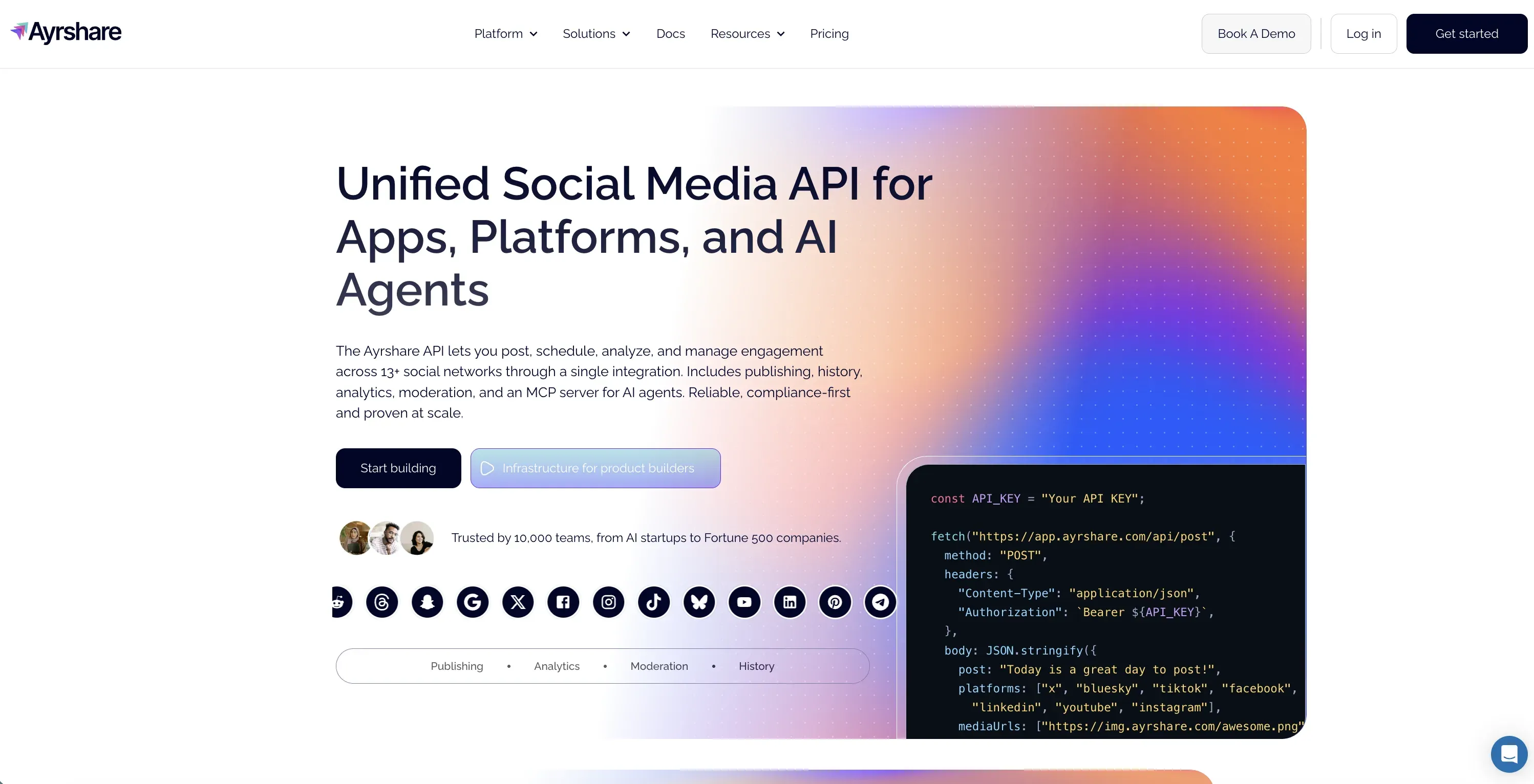
Ayrshare puts posts, stats, and replies under each customer social profile.
Ayrshare has the widest set of tools for apps that serve their own users. One social profile can hold accounts from thirteen networks. Plans can add posts, schedules, stats, comments, direct messages, your brand, webhooks, and higher limits. You pay for each customer profile, not each linked network.
X is the main exception. Ayrshare says users must supply their own X API keys from March 31, 2026. One X developer app can serve the main account and its subprofiles. You still need access from X and must pay its use fees.
Most complaints are about price as the customer count grows. One founder discussion about Ayrshare pricing says the bill rose into the thousands at scale. The author sold a rival tool, so treat that claim with care. Ayrshare makes sense when each customer profile earns money. It also suits products that need more than a basic post API.
Pros:
- Posts, stats, comments, and direct messages.
- Thirteen networks per social profile.
- Your brand, webhooks, and a separate account for each user.
- 28-day Launch trial without a card.
Cons:
- Needs your own X developer keys.
- Profile pricing rises with the customer count.
- More than most solo creators need.
Pricing: A 28-day Launch trial is available. Business pricing starts at $599/mo, with profile-based tiers and Enterprise pricing above it.
Ideal for: Funded SaaS apps and firms that sell social posting to customer profiles.
Bottom line: Ayrshare has the widest tool set for an embedded product. You must price X access and each customer profile on their own.
7. bundle.social: Best for product teams that want X costs passed through visibly
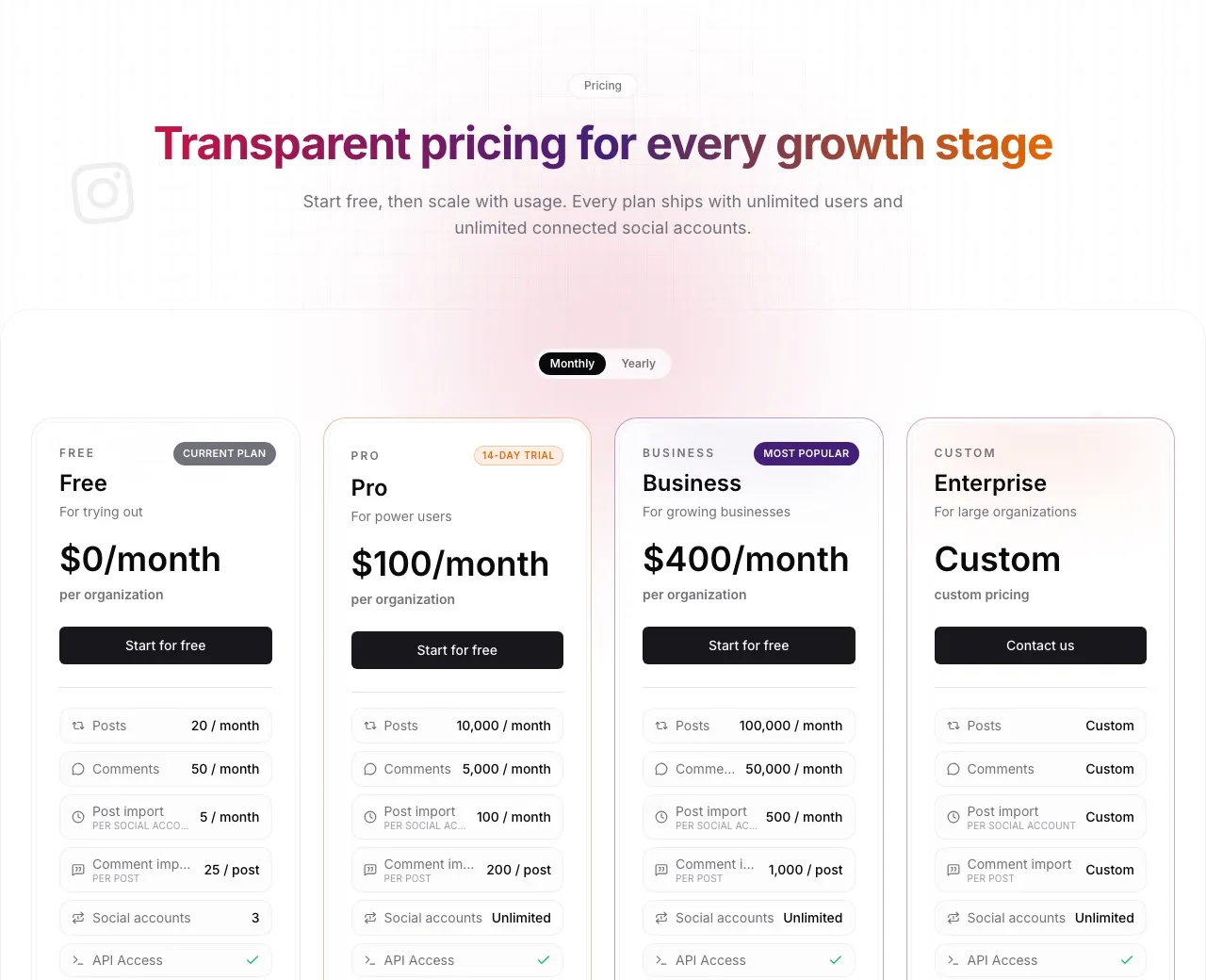
bundle.social puts X inside one posting flow for many networks.
bundle.social treats X as one site in a larger post API. It has set times, media, reply rules, post status, prepaid credits, and shared plans. You can use REST, a typed SDK, a CLI, or its MCP server.
The price model makes each X cost easy to see. bundle.social passes through X’s $0.015 fee for a normal post and $0.20 fee for a link post. It adds no markup. You pay with prepaid credits. If your balance runs out, X posts pause. Your posts to other chosen sites keep going.
A Hacker News launch discussion asks if post limits just replace account limits with a new meter. That is a fair concern. Count both the plan allowance and X credits. Unlimited accounts do not mean unlimited use.
Pros:
- Free plan for API and post tests.
- No caps on users or linked accounts.
- Scheduling, status tracking, media, SDK, CLI, and MCP.
- Shows X fees before each post.
Cons:
- Official X write charges still pass through.
- Plan post caps still limit use.
- Thread support is not clearly documented.
Pricing: Free plan available without payment details. X costs $0.015 per normal post and $0.20 per post containing a URL through prepaid credits.
Ideal for: App teams that want posts on many sites and need to see each X fee.
Bottom line: bundle.social removes integration maintenance, not X’s meter, which makes it a transparent middle ground.
Why Did I Leave Out Most Twitter Scraping APIs?
Most Twitter scraping APIs cannot post to your account. Scrapingdog, Bright Data, ScrapingBee, and ScraperAPI read public posts and profile data. They can help with research and social listening. They do not belong in a post guide.
TwitterAPI.io does offer write calls. Its post flow uses an X login and a home internet proxy. I found no details on set times in the pages I read. That setup may suit a niche data app. It is not the same hosted login and post model as the seven tools above.
A low price for one thousand reads says little about posts. Reading and posting are two jobs. Posts add media, set times, webhooks, and account access. Each one adds cost and risk.
How I Picked These Twitter API Alternatives
- Can it post? Every tool on this list can post to X. I left out read-only scrapers.
- What can it post? I checked text, media, threads, and schedules. I also checked webhooks and delivery status.
- Who handles login? Some tools manage the X link for you. Others need your own developer keys.
- How do you pay? I compared free plans, flat plans, and fees per profile or channel. I also checked tools that pass X fees to you.
- What is it like to use? I read public reviews and builder threads. They helped me judge setup, support, and trust.
Years of posting at scale taught me one key lesson. An API can take a post even if it never goes live on X. A good tool tells you if the post went live. It also gives you the live URL or a clear reason why it failed.
A long platform list did not earn a higher rank by itself. A tool may support twenty networks and still be a poor fit for X. Its link-post cap, login flow, or status checks may fail your needs.
How Do You Pick the Right Twitter API Alternative?
First, decide what you need. Do you want public X data, managed posting, or a full calendar? A posting API cannot replace a scraper. A scraper cannot put your thread live.
If an AI agent needs to make and post content to many sites, choose Blotato. Its REST API and MCP use the same linked accounts and flat plan.
If the budget must start at zero, use Buffer for a small queue. Use Upload-Post for a hosted API test. Pick Postiz if your team can self-host.
If you are adding social posts to a SaaS app, Post for Me is the low-cost place to start. Ayrshare fits a later stage. Pick it when replies, user profiles, and cost per profile matter more than entry price.
If you want to see the official X fees, bundle.social passes them through instead of hiding them in a plan. That helps when link posts are a large part of your work.
If you need to compare API and agent access, the API-versus-MCP explanation shows how each one works. I kept the protocol lesson out of this buyer’s guide.
Sabrina’s Final Thoughts
Do not pick the cheapest API in the search results. Many cheap tools only sell public X data. Posting also needs account access, media, schedules, retries, and proof that the post went live.
Blotato is my pick if you also need content tools and other social networks. Buffer, Upload-Post, and Postiz are better if you must start free, and we put Buffer and Postiz side by side on API access and the per-channel math. If a flat plan fits your account count, review Blotato’s current plans before you build around it.
Twitter API Alternatives: FAQs
What is the best Twitter API alternative for posting?
Blotato is the best fit for creators and AI agents that need to post on X now or later, provided posting is the job: it does not read public X search or follower graphs, and X direct messages are outside what it covers. It does not need your own X developer app. Post for Me costs less for posts alone. Buffer is easy for a small team with a clear queue. Postiz is best when you want the source code and can host it.
Is there a free Twitter API alternative?
Yes, but each free option has a different limit. Buffer includes three channels and ten queued posts per channel. Upload-Post includes two profiles and ten uploads per month. You can self-host Postiz for free. Free scraping APIs also exist, but most cannot post to an X account.
Can a Twitter API alternative post images, videos, and threads?
Many tools here can post X images and video. They are Blotato, Post for Me, Buffer, Upload-Post, and Postiz. Blotato, Buffer, and Postiz also list thread support. Check the X docs if you need polls, reply rules, long posts, or exact media limits.
Do Twitter API alternatives require an X developer account?
Managed providers such as Blotato and Post for Me Quickstart can hold the X connection for you. Ayrshare requires customers to provide their own X API keys. Self-hosted products may also need your own platform app. The answer depends on who owns the login flow, not on the words “API alternative.”
What is the difference between a Twitter scraper and a posting API?
A Twitter scraper reads public posts, profiles, followers, and search results. A posting API connects to your account and can post text, add media, schedule a thread, and report status. Many top-ranking Twitter API alternatives are scrapers. Confirm that a tool can post before you choose it.