How to Post to Threads with Claude (No API)
Post to Threads from Claude without registering a Meta developer app. Covers reply controls and how a real threaded chain gets published.
You can post to Threads with Claude without ever registering a Meta developer app. Connect the Blotato MCP server once, tell Claude “share this to my Threads,” and Claude hands the text to Blotato, which authenticates with Threads and pushes the post live. That routes around the three things the direct Meta path demands: a developer app, an App Review approval, and a long-lived token you regenerate every 60 days. I’m the founder, so take this with whatever grain of salt feels right: this is how I run my own Threads alongside eight other accounts behind 3M+ followers and 500M+ views.
The gap to close is authorization, and on Threads it is a Meta-shaped gap. Claude can draft the post all day. Publishing it means something in the middle holds a token Meta issued and agreed to keep valid. Your choice is whether you obtain that token yourself or use one that already exists.
Route 1, build it yourself: wire the Threads API into your own server and hold the credentials. Free, fully under your control, and slower to get running.
Route 2, connect a hosted MCP server: point Claude at a server that already holds an approved Meta app. Minutes to set up, and it covers your other accounts on the same connection.
| Build it yourself (Threads API) | Hosted MCP server | |
|---|---|---|
| Setup time | Days to weeks, gated by App Review | Minutes |
| Developer app required | Yes | No |
| Token upkeep | You regenerate a 60-day token | Handled by the provider |
| Scheduling | You build the queue | Included |
| Other networks | A separate integration per platform | Usually one connection for all |
| Cost | Free, plus your engineering time | Subscription, from $29/mo |
The walkthrough that follows takes Route 2, on Blotato’s MCP server.
Threads looks free to automate until you read the fine print. Meta charges nothing for the Threads API itself, but posting in production still means building a developer app, clearing App Review before you can publish as anyone past a test user, and refreshing a 60-day token so posting never silently stops. Blotato absorbs all of that on its own side. The same single connection also reaches Instagram, X, and six more networks, so one prompt can fan a single thought out everywhere at once.
What do you need to connect Claude to Threads?
Set up three things first, then Claude can publish to Threads:
- A paid Blotato plan unlocks the API the MCP server runs on. Every paid tier includes it: Starter at $29/mo, Creator at $97/mo, or Agency at $499/mo. The 7-day trial does not include API or MCP access, so a paid plan is the real prerequisite.
- A Threads account connected inside Blotato. Add it in Settings before you switch over to Claude. Blotato supports personal Threads accounts.
- Claude Code or Claude Desktop. Both talk to the same MCP server, so use whichever you already have open.
How do you post to Threads with Claude?
Posting splits into linking your Threads account and then sending the prompt that publishes. The core flow is four steps, with a fifth if you want to schedule instead of post now.
For the reference version of this setup, including every Threads action Claude can call, see the Threads MCP server page.
Step 1: Connect your Threads account
Log into Threads in your browser first, then open Blotato Settings and click “Login with Threads.” Approve the permissions and the account shows up as linked. Blotato completes the Threads authentication on its own side, which is why you never build a Meta developer app or mint access tokens yourself. Doing this once is the whole reason Claude can publish later with zero OAuth on your machine.
Step 2: Add the MCP server to Claude
Register the Blotato MCP server with Claude. It speaks the Model Context Protocol, the same connector standard Claude uses for every other tool. Drop the command below into a Claude Code session, run /mcp, choose Blotato > Authenticate, approve it, and restart the session. In Claude Desktop, add the identical URL under Customize then Connectors as a custom connector.
claude mcp add --transport http Blotato https://mcp.blotato.com/mcpSetting this up on Claude.ai instead of Code? This link supplies both fields. The name you approve is what Claude shows you in every later permission prompt, so leaving it as Blotato makes those prompts readable.
Nothing secret changes hands here, the link rides on your logged-in browser session. If you want the click-by-click version, Blotato’s MCP setup guide has the screenshots. The Claude Code reference is the shorter read if that is the only client you use.
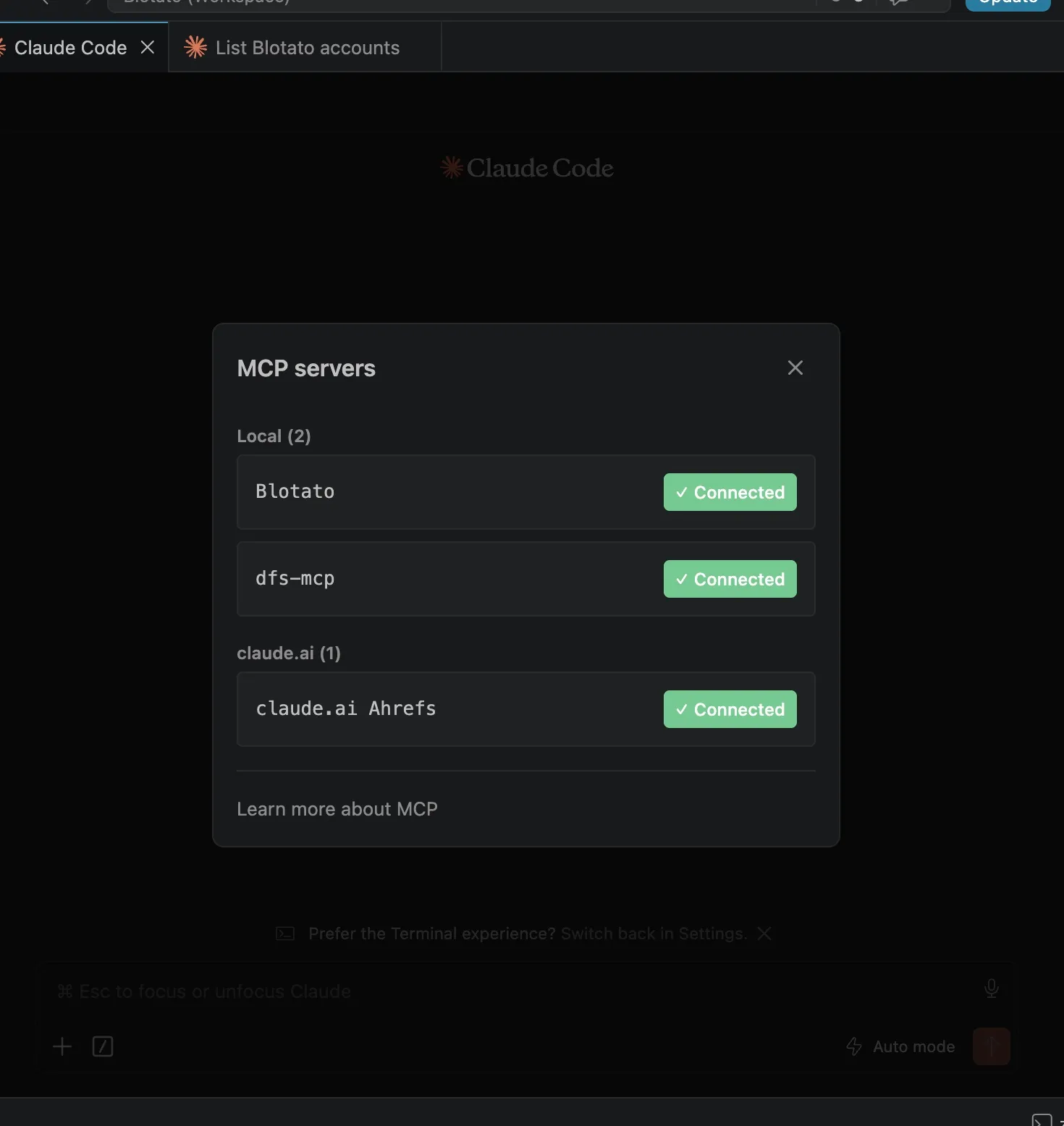
Step 3: Confirm the account is visible
Ask Claude which accounts it can see. It runs blotato_list_accounts and prints every connected platform with its ID, Threads included. Seeing Threads in that output confirms Claude can publish to it. If it’s missing, run Step 1 again and re-authorize the account inside Blotato.
Step 4: Write the prompt that publishes
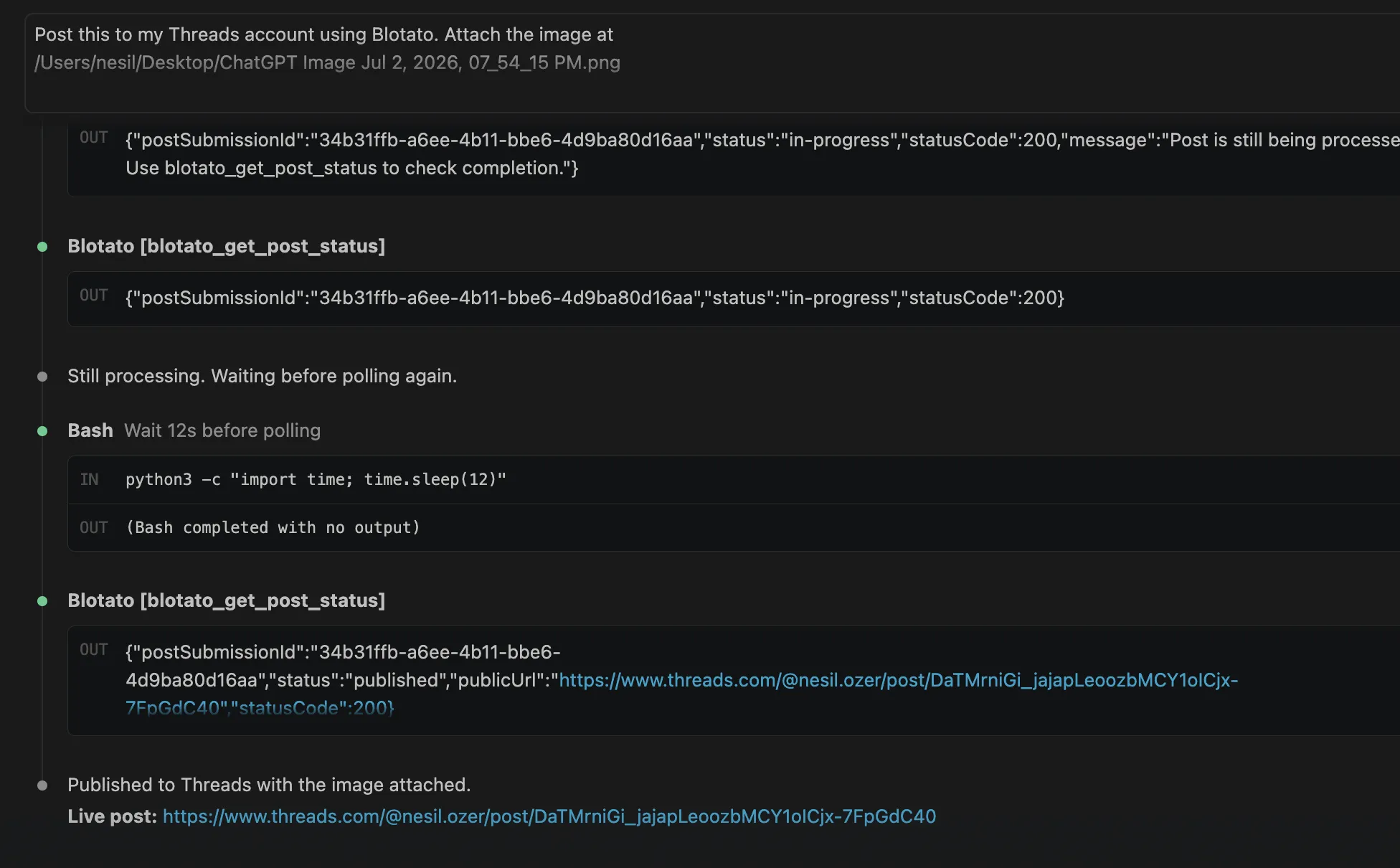
Describe the post to Claude in normal language. Something like “Share this to my Threads: posting to Threads from Claude now, no Meta app, no token to babysit” works fine. Claude sends it to blotato_create_post under the threads platform with your account ID and text, then gets back a postSubmissionId. Have it poll blotato_get_post_status and you’ll watch the post turn published. I keep an approval gate on, so nothing goes out until I’ve read what Claude wrote.
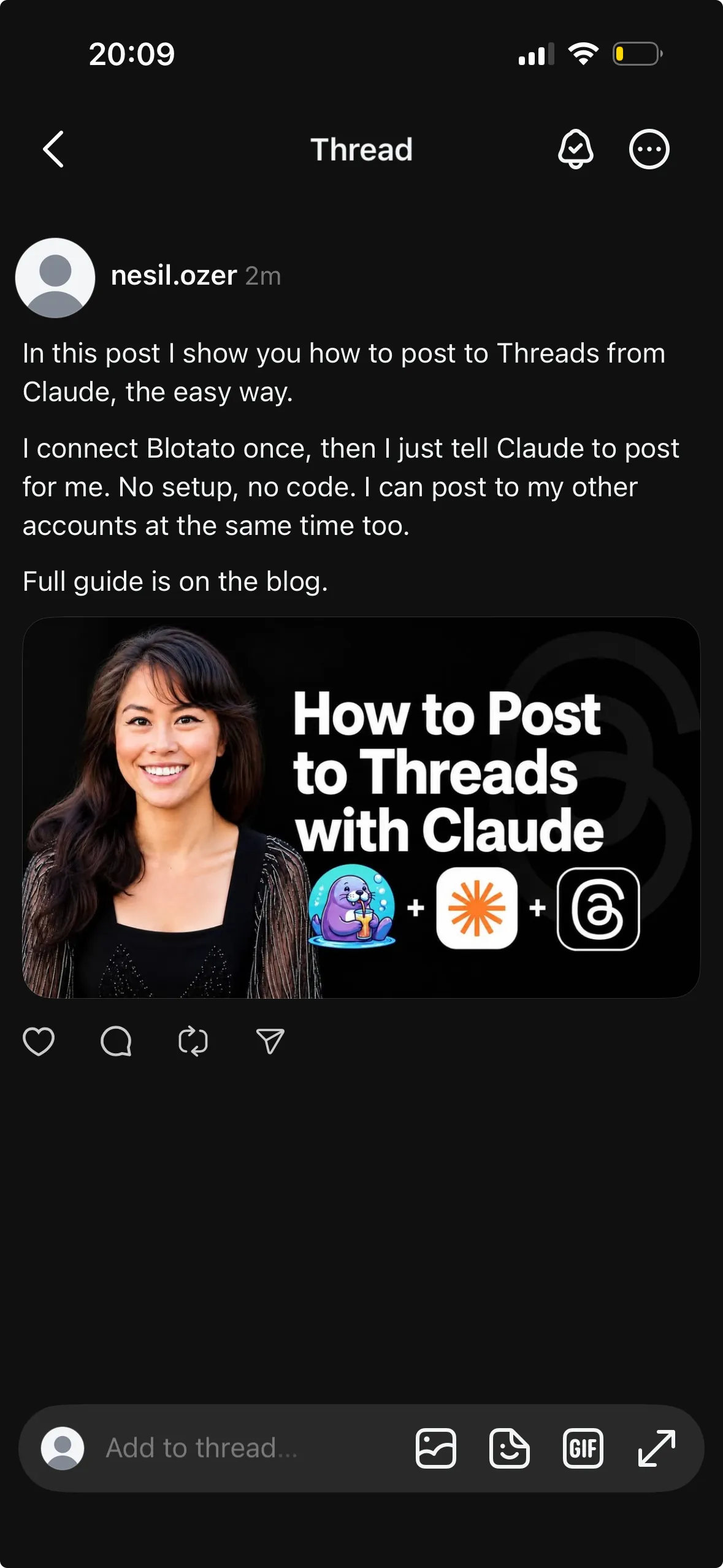
Threads also lets you control who can reply. Tell Claude to limit replies to everyone, only accounts you follow, or only people you mention, and it sets that reply control on the post through Blotato.
Want a full chain instead of one post? Ask Claude to add follow-up posts and Blotato threads them together in a single call, passing the extra parts alongside the first. It’s the same one-call, many-pieces pattern behind posting an Instagram carousel with Claude, and the identical chaining works when you post threads to Bluesky with Claude. For wiring up every network at once, see the Claude Code social media guide.
Step 5: Can Claude schedule the post for later?
“Post this Tuesday at 10am” tells Claude to pass a scheduledTime to Blotato. Ask for your next open slot instead and Blotato files it into the next gap on your calendar. Queued posts stay in Blotato until they run, so rescheduling or dropping one is another sentence rather than a trip to a dashboard.
Scheduling is where the thread structure earns its keep on Threads specifically. A queued chain goes out as one call with its additionalPosts intact, so the replies land in order at the scheduled minute. Compare that to queueing four separate posts a minute apart and hoping they thread correctly, which is how chains end up out of order or broken.
Ready to hand your Threads posting to Claude? Start with Blotato and connect the MCP server in about two minutes.
Why not just build it against the Threads API?
Blotato’s MCP server exists to skip the Meta setup that slows the direct Threads route to a crawl. Meta doesn’t charge for the Threads API, but production posting still needs a developer app, App Review before you can post as anyone but a tester, and a long-lived token you refresh on a 60-day clock. Publishing is also a two-step create-then-publish flow with a hard cap of 250 posts per profile per day, all of which Blotato handles on its side. I walked through the whole tier in the Threads API pricing guide. Going through Blotato collapses that into one flat plan and zero visits to the Meta developer console.
Most “post to Threads from Claude” tools cover less ground than they look. The GitHub MCP servers and Claude skills still expect you to connect the account and carry your own keys, and the single-network ones publish to Threads only, which turns Threads, Instagram, and X into three separate builds. Blotato connects each account once on its side, then exposes all nine platforms (Threads, Instagram, X, YouTube, TikTok, LinkedIn, Facebook, Pinterest, Bluesky) through one MCP link. A single prompt sends the same idea to Threads and the rest together, and the full nine-platform rundown shows what each one asks for.
What goes wrong the first time?
A few things catch people on the first run:
- Trying it on the trial. The API and the MCP both sit behind a paid plan, not the free trial. On top of that, generating an API key from Settings ends the trial on the spot and moves you onto paid Starter.
- Going past 500 characters. Threads cuts a post off at 500 characters, so an overlong draft bounces back. Tell Claude to stay under the cap, or break the idea into a chain of shorter posts.
- Disconnecting when you meant to refresh. If Threads prompts you to renew the connection, use the blue Reconnect button in Settings. Hit Disconnect instead and every post queued to that account fails.
- Forgetting to link the account. Until Threads is connected in Blotato, Claude has nowhere to send the post. Have it list your accounts if you are unsure.
Conclusion
Handing Threads posting to Claude comes down to one connection and one prompt. Link the account in Blotato, register the MCP server, and tell Claude what to post or when to schedule it. No Meta developer app, no App Review wait, no 60-day token to keep alive like the direct route needs. Try Blotato and let Claude handle your Threads.
How to Post to Threads with Claude FAQs
Can Claude post to Threads?
Yes, with a bridge. Claude has no built-in Threads access, but the Blotato MCP server hands it one. Connect Blotato to Claude, link Threads inside Blotato, and a prompt like “post this to my Threads” ships it through Blotato’s API. Both Claude Code and Claude Desktop run it the same way.
Does Claude have a Threads integration?
Not a native one. Claude reaches Threads through an MCP server rather than a built-in connector. Blotato’s MCP server (https://mcp.blotato.com/mcp) is that bridge: Blotato holds the Threads connection, clears Meta’s App Review, and keeps the 60-day token alive, so you publish from a plain-language prompt without ever opening the Meta developer console.
Do you need the Threads API to post to Threads with Claude?
No. Blotato handles the Threads authentication itself, so the Meta developer app, App Review, and 60-day token refresh all fall away. You connect Threads once in Blotato, and Claude publishes through Blotato instead of calling Meta’s Threads API directly.
Can Claude schedule Threads posts for later?
Yes. Put a time in the prompt and Claude queues the post through Blotato rather than sending it now. Name the exact minute, or let Blotato slot it into your next open calendar gap. The post waits in Blotato until then, still editable or removable.
Can Claude post a full thread to Threads?
Yes. Ask Claude to add follow-up posts and Blotato links them into one thread in a single call, sending the extra parts with the first. Each part still has to stay under 500 characters, so keep the individual posts short.
Does Claude need my Threads password?
No, and Meta’s design makes that explicit. You approve access on Meta’s own OAuth screen, which mints a scoped token for the app rather than sharing your Threads login. Claude sees publishing tools, never a credential.
Will Threads flag posts published this way as automated?
Meta’s Threads documentation is silent on it: it describes no automation label for posts made through the API and no penalty for scheduling. The route that does carry real risk is browser automation driving the Threads UI, which Meta’s Threads terms bar.
Can Claude read my Threads analytics too?
Yes, on Threads. Blotato collects metrics on eight of its nine networks, and Threads is one of them, so you can ask Claude to pull performance data back off your posts.
What does this cost?
Two Threads-specific fields are worth knowing because they change what you can ask for. replyControl takes everyone, accounts_you_follow, or mentioned_only, so “post this and only let people I follow reply” is a real instruction rather than a setting you go fix afterward. And a Threads chain is not several posts, it is one call with an additionalPosts array, which is why “break this into a four-post thread” arrives as a properly linked chain instead of four orphans racing each other.
On cost, $29/mo covers 20 connected accounts and does not move with how often you post, which matters more on Threads than most platforms because the format rewards posting several times a day. The exclusion to plan around: API and MCP access are not part of the 7-day trial, and generating an API key ends that trial and starts the paid Starter plan.
For the reference version of this setup, including every Threads action Claude can call, see the Threads MCP server page.