8 Best Social Media Scheduling APIs for Developers (2026)
Eight social media scheduling APIs compared on scheduling fields, timezone handling, horizon limits, and what each billing model costs as you scale.

There is one question that decides whether a social media scheduling api is worth integrating, and almost no vendor page answers it directly.
Ask it this way: at 9:00am on Thursday, when the post is supposed to go out, whose service has to still be running?
If the answer is the vendor’s, you send one request today and forget about it. If the answer is yours, then what you bought was a publish-now endpoint with a calendar drawn on the marketing site, and the actual scheduler is the cron job you now maintain, along with every retry, every daylight-saving edge case, and every window you miss because a container restarted.
The short answer: every one of these holds the queue for you, except self-hosted Postiz where you run it. So the queue question filters nothing, and the decision comes down to two thresholds and two traps. The thresholds: under about six connected accounts a per-account meter like Zernio’s beats a $29 flat plan, and from there up to the flat plan’s account cap the flat plan is cheaper. Once your customers each bring dozens of accounts, you want a vendor like bundle.social that does not meter connected accounts on its paid plans. The two traps worth knowing before you compare prices are both Outstand’s: it refuses to schedule further than 30 days out, and it bills a scheduled post on the day you queue it rather than the day it publishes. The table has the prices. The entries below have the rest.
I run publishing across 9 platforms daily through my own tool, Blotato, and I have integrated against most of the list below. This guide ranks eight options on that one test first, then on what the bill does at twelve months, because those two things decide this category far more than any feature grid. If you are still deciding between calling each network directly and going through one vendor, what the native social media APIs actually cost is the companion piece to this one.
| Tool | Best For | Platforms | Billing Model | Starting Price |
|---|---|---|---|---|
| Blotato | Agent builders who want the bill to stay still while volume moves | 9 | Flat per plan | $29/mo |
| Ayrshare | SaaS products scheduling on behalf of many separate customer brands | 13 in the API enum, 14+ on its pricing page | Per social profile | $149/mo, 1 profile |
| Zernio | Builders who want a free start and pay only for accounts in use | 16 on its homepage, 9 in its OAuth enum | Per connected account, graduated | Free for 2 accounts, then $6/account |
| Outstand | Low-volume publishing where 3,000 posts a month is plenty | 12 | Per post, 3,000 included | $19/mo |
| bundle.social | Products onboarding customers with dozens of accounts each | 15 | Per organization, accounts unmetered | Free tier, then $100/mo |
| Upload-Post | Prototyping a scheduler before committing budget to one | 22, including blog destinations | Per profile | Free for 10 uploads/mo, then $24/mo |
| Post for Me | Embedding scheduling where customers connect many accounts | 9 | Per post, accounts unlimited | $10/mo, 1,000 posts |
| Postiz | Teams who want the scheduler running on infrastructure they own | 34 in its docs, 30+ on its homepage | Per connected channel | $29/mo hosted, or self-host |
Four Questions to Ask Before You Integrate
Feature lists in this category are nearly identical, so these are the things that actually differ. They are not the whole evaluation, but they are the ones that are cheapest to check and most expensive to get wrong.
- Does the vendor hold the queue? If the vendor stores the job, the publish attempt happens whether or not your code is running. That is not the same as a guaranteed publish, since the platform can still reject it, but it moves the failure from your infrastructure to theirs. Ask whether the scheduler is a persistent job queue or an in-memory timer.
- What is the billing unit? Per connected account, per post, per organization, or flat. This is the number that decides your bill in year two, not the headline price, and the wider publishing-API roundup runs that math across ten tools.
- Can you cancel and reschedule after queuing? If there is no endpoint to move or kill a queued post, you cannot build an editable calendar on top of it.
- Whose timezone does it use? A scheduler that only speaks UTC pushes conversion work back into your code, which is where the off-by-an-hour bugs live.
Best Social Media Scheduling APIs for 2026
Eight unified scheduling APIs, ranked on the queue question first and the billing question second.
1. Blotato: Best for agent builders who want a flat bill while volume grows
I built Blotato because I was tired of maintaining nine integrations and a scheduler on top of them. Scheduling is a root-level scheduledTime field on POST /posts, taking an ISO 8601 timestamp with a real UTC offset rather than UTC-only, so you send the time your user actually picked. Omit the field and the post publishes immediately.
What tells you the queue is stored server-side rather than held in your request is what you can still do to it afterward. PATCH /schedules/:id moves a queued post’s content or time, and DELETE /schedules/:id cancels what the docs call the publishing job. For agents, the hosted MCP server at mcp.blotato.com/mcp exposes 35 tools, so Claude Code or Cowork can queue and reschedule in plain language, which is a different integration shape than calling the REST API yourself.
Blotato is the pick if a flat $29/mo across 9 platforms is the shape you want and those 9 platforms cover your stack. If you need Mastodon, Discord, or Google Business, this list has better answers below and I would not argue the point.
Pros:
- Timestamps carry a timezone offset, so scheduling is not UTC-only
- Queued posts stay editable and cancellable through dedicated endpoints
- Within the plan’s 20 connected accounts, the bill does not move when volume doubles
Cons:
- 9 platforms, so Mastodon, Discord, and Google Business are out of scope
- Queued posts are capped at 200 on Starter, and the scheduling horizon stops at 9 months out
- Recurring slots must be configured before
useNextFreeSlotwill resolve to anything
Best for: Builders running an agent or product that publishes on a schedule and wants a predictable monthly cost.
Pricing: Starter $29/mo (20 accounts), Creator $97/mo (40 accounts), Agency $499/mo (100 accounts).
Free trial: Yes, 7 days, but it excludes the API. Generating an API key ends the trial and starts paid Starter, so budget for the plan rather than the trial.
Bottom line: The one I reach for when the schedule has to hold without me watching it.
Wiring up an agent this week? The Starter plan and its API limits are here.
2. Ayrshare: Best for products scheduling on behalf of many customer brands
Ayrshare is the one I recommend without hesitation when the thing you are building schedules for other people. Its billing unit is the social profile, meaning one customer or brand connected to any number of networks, so a client on six networks costs the same as a client on one. That is the correct shape for multi-tenant products, and its own rate card states scheduling is unlimited on every tier.
Where it stops being obvious is the entry price. A single profile is $149/mo, and the jump from profile one to profile two moves you to the $299 Launch tier. If you are a solo builder scheduling your own accounts, you are paying multi-tenant infrastructure prices for a single-tenant job, and the endpoints that actually unlock multi-tenancy sit above that entry tier anyway. Its scheduleDate field also takes UTC only, with no named-timezone parameter, so regional scheduling and DST conversion stay your code’s problem.
Pros:
- Profile-based billing, so a brand on many networks counts once
- Unlimited scheduled posts on every plan
- Documentation and webhook support built for embedding in a product
Cons:
- $149/mo entry is steep for anyone scheduling only their own accounts
- Tier boundaries are sharp, and profile 11 pushes you from $299 to $599
- UTC-only scheduling, so timezone conversion stays on your side
Best for: SaaS products and agencies scheduling for many separate client brands.
Pricing: Premium $149/mo (1 profile), Launch $299/mo (10 profiles), Business from $599/mo (30 profiles), then tiered above that.
Free trial: Yes, 28 days on the Launch plan.
Bottom line: The multi-tenant answer, priced accordingly.
3. Zernio: Best for starting free and paying only for accounts you actually use
Zernio prices per connected account per month, graduated: the first two accounts are free with no card, accounts three through ten are $6 each, eleven through one hundred drop to $3, and past that it is $1. Ten accounts works out to $48/mo. Its scheduling field is scheduledFor, and it pairs with something only one other tool here offers: a timezone parameter taking a named IANA zone like America/New_York. If you schedule across regions, sending a zone name rather than a fixed offset is what keeps a 9am slot at 9am after the clocks change.
The honest concession on price is mine to make, and it comes in two places. Below about six accounts Zernio’s graduated rate is under a $29 flat plan, so if you are scheduling for three accounts you are paying me for headroom you are not using yet. And for a few accounts just past my Starter plan’s 20-account cap, Zernio is cheaper again until Creator’s $97 catches up at around 27.
Outside those two bands the graduated model works against you. Thirty accounts is $108/mo and forty is $138, while the $97 Creator plan covers all forty. Its platform count is also worth pinning down before you rely on it, since Zernio’s own surfaces variously say 9, 16, and 32 depending on whether you read the OAuth enum, the marketing copy, or the docs’ full count.
Pros:
- Genuinely free for the first two accounts, no card required
- Wider platform reach than most of this list, though the count varies by surface
- Every feature is included on every account with no plan gating
Cons:
- Per-account pricing keeps climbing as your customer base grows
- Sent inbox messages meter separately past the first 10,000 a month
Best for: Developers who want to start at zero and scale cost with real usage.
Pricing: First 2 accounts free, then $6/account (3 to 10), $3/account (11 to 100), $1/account (101+).
Free trial: No trial needed, the free tier is permanent for 2 accounts.
Bottom line: The cheapest way to start, as long as you model the middle of the curve.
4. Outstand: Best when 3,000 posts a month is genuinely enough
Outstand charges $19/mo including 3,000 posts, then $0.007 per post to 10,000 and $0.005 beyond, with connected accounts unlimited and free. Of the three vendors here that meter posts rather than accounts, that is the lowest per-post rate, and its machine-readable rate card spells out the metering rules most vendors leave you to discover in a bill.
There is a scheduling-specific detail in that rate card worth pausing on, because it is the kind of thing that only bites after you have shipped. A post is counted on the day it is created, scheduled, or imported, not the day it goes live. Queue a month of content on the 1st and the whole month bills that day. Outstand also counts a post per connected account, so one post to five accounts is five posts against your allowance.
The harder constraint is not on the pricing page at all. Its getting-started docs state that scheduledAt rejects any timestamp more than 30 days out with a 400 and creates no post. That is the tightest scheduling horizon of anything here, and it rules Outstand out entirely if you plan a quarter ahead.
Pros:
- $19/mo with 3,000 posts included is the lowest per-post rate of the post-metered options here
- Unlimited connected accounts at no cost
- Pricing documentation is unusually precise and self-updating
Cons:
- Scheduling more than 30 days ahead is rejected outright
- Scheduling ahead bills on the queue date, not the publish date
- Fan-out multiplies the count, so one post to five accounts costs five
Best for: Solo builders and small products publishing modest volume across many accounts.
Pricing: $19/mo base with 3,000 posts, then $0.007/post to 10,000 and $0.005 above. Optional unlimited add-on at $249/mo.
Free trial: No free tier, though the $19 base is low enough to test on.
Bottom line: Cheapest of the post-metered options, provided you model fan-out honestly.
5. bundle.social: Best when your customers each connect dozens of accounts
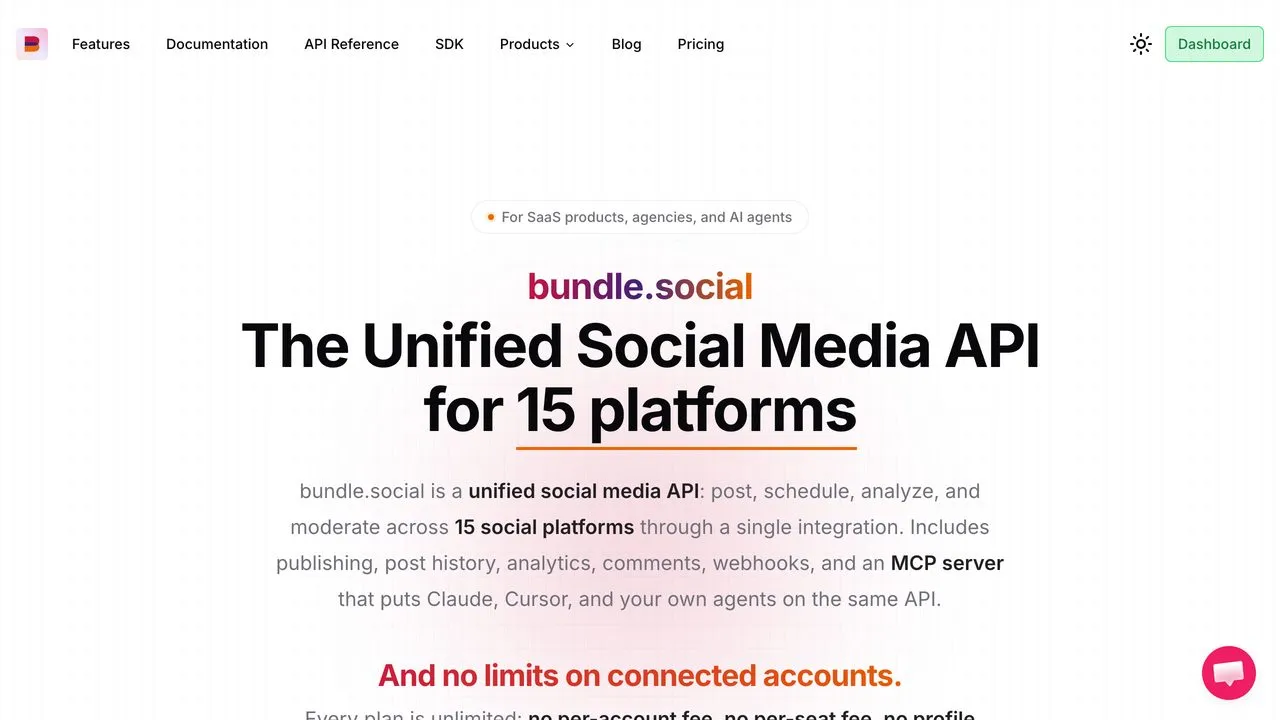
bundle.social bills per organization rather than per account or per post, and connected accounts are never metered on a paid plan. That is the right shape for one specific situation: onboarding a customer who brings 200 Google Business locations changes your bill by nothing at all, where a per-account vendor would turn that single customer into a four-figure line item.
The tradeoff is the step size. The free tier allows 20 posts a month, which is enough to build against but not to run on, and the first paid tier is $100/mo. There is no gentle middle between those two, so this becomes economical at genuine volume rather than at the start.
Pros:
- Connected accounts are unlimited and unmetered on every paid plan
- A real free tier for building and testing against
- Publishes its own limitations page rather than burying them
Cons:
- $100/mo first paid tier is a large step up from free
- Post quotas are the meter instead, at 10,000/mo on Pro
Best for: Products whose customers connect large numbers of accounts each.
Pricing: Free $0 (20 posts/mo), Pro $100/mo (10,000 posts), Business $400/mo (100,000 posts).
Free trial: Yes, a permanent free tier with no payment details required.
Bottom line: The account-count problem solved cleanly, though the post quota becomes the ceiling instead.
6. Upload-Post: Best for prototyping a scheduler before you commit
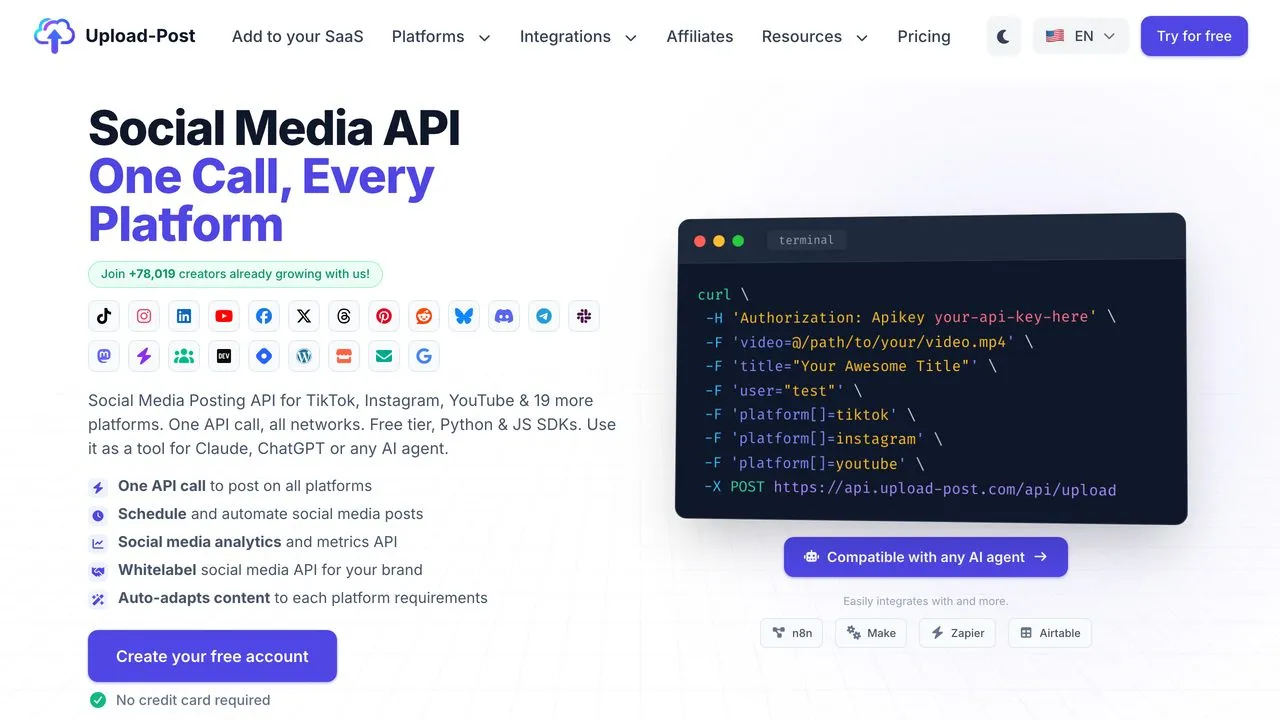
Ten uploads a month for free is enough to actually test a scheduling integration end to end, which is more than most free tiers here allow. Upload-Post exposes scheduled_date for a specific time and an add_to_queue flag that drops a post into your next free slot, with slots, timezone, and active days all configurable through the API. Scheduled jobs are listable and cancellable by job_id.
It reaches a wide platform list including Discord, Telegram, and Google Business, which several tools here do not touch, though its Reddit uploads currently return an unavailable error. The paid ladder climbs faster than the flat-rate options, so it is better as a proving ground than as the thing you scale on.
Pros:
- Free tier is large enough to validate a real integration
- Queue slots, timezone, and active days are all API-configurable
- Platform coverage extends past the usual nine
Cons:
- Paid tiers escalate quickly compared to flat-rate alternatives
- Daily per-platform caps apply on top of your plan’s monthly allowance
Best for: Testing whether a scheduling integration is worth building before paying for one.
Pricing: Free $0 (10 uploads/mo), Basic $24/mo, Professional $50/mo, Advanced $147/mo, Business $438/mo.
Free trial: Yes, a permanent free tier at 10 uploads a month.
Bottom line: The best place to prove the idea, not necessarily where you keep it.
7. Post for Me: Best for embedding scheduling when account counts are unpredictable
One tier on Post for Me, $10/mo, 1,000 successful posts, with unlimited social accounts, API keys, and team members. Post for Me also lets you bring your own platform developer credentials or use theirs, which matters if you want the OAuth relationship with your users to belong to you rather than to a vendor.
Two things to know. It only bills successful posts, which is unusually fair, but at 1,000 posts a month the ceiling arrives early for anything doing real fan-out. And there is no published tier above it, so scaling means a conversation rather than a checkout page.
Pros:
- $10/mo with unlimited connected accounts is the best floor on this list
- Bring-your-own platform credentials keeps the OAuth relationship yours
- Only successful posts count against the allowance
Cons:
- 1,000 posts a month is a low ceiling once you fan out across accounts
- No self-serve tier above the entry plan
Best for: Products embedding scheduling where customers connect many accounts but post lightly.
Pricing: $10/mo for 1,000 posts, unlimited accounts and seats. Higher volume is custom.
Free trial: No free tier, but $10 is a low-cost first month.
Bottom line: The cheapest way to embed scheduling, until fan-out finds the ceiling.
8. Postiz: Best when the scheduler has to run on your own infrastructure
Postiz is the only entry where the queue question has two different answers depending on how you deploy it. On Postiz Cloud, Postiz holds the queue. Self-hosted, that job runs on infrastructure you own and monitor, which is the point for teams with data-residency requirements and the cost for teams without an ops function.
Its cloud plans tier on connected channels rather than volume, and the public API, CLI, and MCP server are included at every tier rather than gated behind an upgrade. Posts are unlimited on every tier, and since Postiz rewrote its FAQ in September 2026 its docs, cards and FAQ all say so, which matters most on the $29 tier people compare against a flat plan. It has the widest platform reach here, including Mastodon and Discord. Pin the number down before you rely on it: docs.postiz.com/llms.txt says 34 social platforms while the marketing homepage says 30 plus.
The tradeoffs between running it yourself and paying someone to run it are worth reading before committing either way. Worth being precise about what self-hosting costs you, because “open source” gets read as “no scheduler to run.” Postiz self-hosted requires Postgres, Redis, and Temporal, the last of these mandatory since v2.12.0, whose release notes describe cron jobs and workers being removed and replaced by an orchestrator. You are not avoiding a scheduler, you are operating one. If operating it is the part you want to stop, I ranked the hosted Postiz alternatives worth moving to separately.
Pros:
- Self-hosting available, so the queue can live on your own servers
- API, CLI, and MCP included on every paid tier with no gating
- Widest platform list of anything on this page
Cons:
- Self-hosting means running Temporal, Redis, and Postgres yourself
- The public API documents its schedule date as a UTC timestamp, with no named-zone parameter
- Channel-based tiers step up quickly for multi-account use
Best for: Teams with data-control requirements or an existing ops function.
Pricing: Standard $29/mo (5 channels), Team $39/mo (10), Pro $49/mo (30), Ultimate $99/mo (100). The self-hosted software is free. The infrastructure and the operating are not.
Free trial: Yes, 7 days on cloud plans.
Bottom line: The right answer when owning the infrastructure is a requirement rather than a preference.
Where Each Scheduling API Holds the Queue: All Eight Checked
Here is the honest result of asking the question this whole guide is built on: every one of these eight documents a stored, server-side scheduled post. None of the eight is faking it with a client-side timer, with one deployment-dependent exception in Postiz. That is a null result, and it is worth publishing because the pages ranking for this term tell you to ask the question without answering it for the vendors they list.
Which means the queue question is the right first filter and a bad tiebreaker. Once everyone passes it, three other columns do the real separating, and those are where the surprises live. What follows is what each vendor’s own docs commit to in writing, which is a lower bar than a guarantee about worker recovery, and it is the highest bar any of them currently publish.
| Tool | Vendor-side queue | Scheduling field | Timezone handling | How far ahead you can schedule |
|---|---|---|---|---|
| Blotato | Yes | scheduledTime |
ISO 8601 carrying a UTC offset | 9 months on every plan |
| Ayrshare | Yes | scheduleDate |
UTC only, no named zones | None documented |
| Zernio | Yes | scheduledFor |
Named IANA zones, DST aware | None documented |
| Outstand | Yes | scheduledAt |
ISO 8601, UTC recommended | 30 days, enforced with a 400 |
| bundle.social | Yes | postDate with status SCHEDULED |
Not documented for scheduling | None documented |
| Upload-Post | Yes | scheduled_date or add_to_queue |
Named IANA zone, defaults to UTC | 1 year |
| Post for Me | Yes | scheduled_at |
Normalization handled vendor-side, no zone field documented | None documented |
| Postiz | Cloud yes, self-host runs on your servers | date with type schedule |
UTC timestamp, no named-zone field | None documented |
One note on my own row above, since it is my product and I would rather you hear it from me. Blotato’s billing page once listed longer scheduling horizons on Creator and Agency. Both the billing page and the API reference now state the same rule: 9 months ahead on every plan, and it does not scale with the tier. If you saw the longer figures somewhere, build against 9 months.
So read the last two columns, not the first. Where the horizon column says none documented, that means I could not find a published maximum, not that none exists. Zernio and Upload-Post both accept a named IANA zone, so you hand them America/New_York and DST becomes their problem. Ayrshare documents a UTC datetime with no named-zone field, and Postiz the same, which leaves that conversion in your code and puts the off-by-an-hour bug on your side of the line. And Outstand’s 30-day horizon is a hard 400, so a quarterly content calendar simply cannot be queued there at any price.
The practical read: on a hosted vendor the failure mode is not your process dying, it is a platform rejecting the post at publish time. That means the thing to build is not a scheduler, it is status handling. These publish asynchronously, so a scheduling call returns a receipt rather than proof. Whether you learn the outcome by polling the post’s status or by receiving a webhook depends on the vendor, and it is worth checking which before you build the reconciliation path.
The Posting Caps Nobody Puts on the Pricing Page
There is a second layer of limits underneath the plan you buy, and it is not the platform’s own rate limit. Most of these vendors impose their own anti-spam ceilings that are stricter than what the platform allows, because a vendor whose customers spam gets its app-level access revoked for everyone.
Mine are a fair example, and they are tighter than Instagram’s own documented limit rather than a pass-through of it. Blotato caps Instagram at 50 posts per 24 hours per account, where Instagram’s own content-publishing docs permit 100. Facebook is 25 per Page per 24 hours, each Page counted independently. LinkedIn is 50 per profile and per company Page, again independent. Pinterest is 10, 20 or 50 pins a day per account, set by its monthly views, and Blotato additionally requires a new Pinterest account to be warmed up manually for two to three weeks and to reach 100 monthly views before it will automate to it.
None of that appears on the pricing pages I read for this guide, including my own. I have since put Blotato’s caps, next to each platform’s own, in one posting limits table. If your schedule assumes a platform’s published ceiling, build against the vendor’s number instead, and ask for it before you integrate rather than after your queue starts erroring.
How I Tested These
- Pricing was read from each vendor’s own machine-readable rate card where one exists, since Ayrshare, Zernio, Outstand, and bundle.social all publish one and those files state the billing period explicitly instead of leaving it to a toggle you might read wrong.
- The queue question was answered from API documentation only, looking for a schedule endpoint, a cancel or update method, and an explicit statement about where the job runs.
- Platform counts and capability claims came from each vendor’s own docs rather than third-party roundups, which in this category go stale within a quarter.
- Where two surfaces from the same vendor disagreed, I named both and said which page each came from rather than picking one silently. Platform counts were the worst offenders: Zernio and Postiz each publish more than one number, and Postiz disagrees with itself on post allowances as well. Blotato is not exempt, and the one conflict in my own docs is disclosed above rather than quietly resolved.
Picking One Without Regretting It in a Year
Model your real account count and posting frequency at twelve months, not today. A quick way to see where your cadence sits now is the free social media scorecard, which checks posts per week against the published range for each platform. The billing unit compounds. The headline price does not.
- You are scheduling your own accounts across the big platforms. Flat pricing wins because nothing about your bill moves. Blotato at $29/mo is the pick if the 9 platforms it publishes to are the ones you need, and its 20-account allowance is the number to check before the price is.
- You are scheduling for many separate client brands. Ayrshare’s per-profile model is built for exactly this, and a brand on six networks still counts as one profile.
- Your customers each connect dozens of accounts. bundle.social never meters connected accounts, so the customer with 200 locations does not reprice your business.
- You are publishing low volume across many accounts. Outstand at $19 or Post for Me at $10 both beat a flat plan, as long as you count fan-out correctly.
- You want to start at zero. Zernio’s first two accounts are free permanently, and Upload-Post’s free tier is large enough to validate the integration before anyone pays.
- The queue has to run on hardware you control. Self-hosted Postiz is the only real answer here, and the scheduler’s uptime becomes yours.
What I Would Actually Do
Do not pick this off a comparison table, mine included. The thing that decides it is your own fan-out math, and you do not know that number until you have built something. So prove the integration on a free tier first, for a week, then commit to whichever billing shape matches the account count you actually landed on rather than the one you projected.
If flat pricing across 9 platforms is the shape that fits, Blotato’s plans and API limits are here. If one of the other seven fits your account math better, take that one instead. Thursday at 9:00am does not care whose logo is in your codebase, only whether somebody’s queue was still awake.
Social Media Scheduling API FAQs
Who runs the scheduling queue, the API vendor or my server?
On every hosted scheduling API in this guide, the vendor runs the queue: you send a future timestamp, the vendor stores a job, and the publish attempt happens at that time whether or not your code is running. The exception is self-hosted Postiz, where the same software runs on your infrastructure and its uptime is yours to maintain. The distinction matters most for failure modes: with a vendor-side queue, a deploy or a container restart on your side cannot lose a scheduled post the vendor has already accepted.
Do I still need a cron job if the API handles scheduling?
No, not for firing posts, because a scheduling API that holds the queue fires them for you and the cron job you would have written for that is unnecessary. You may still want one for status reconciliation, since publishing on these APIs is asynchronous and a scheduling call returns a receipt rather than publication confirmation. A job that polls the status of recently scheduled posts, or a webhook handler where the vendor offers one, and alerts on failures is worth having, because platform-side rejections at publish time are the realistic failure mode once the queue itself is someone else’s problem.
What happens to my scheduled posts if the API provider goes down?
A scheduled post survives a provider outage only if the vendor’s scheduler is a durable job queue rather than an in-memory timer, which is a fair question to ask a vendor directly before integrating. A persistent queue survives a restart and resumes. An in-memory one generally does not. As a practical hedge, keep your own record of what you scheduled and its vendor-side ID, so you can reconcile and requeue rather than discovering a silent gap in your calendar weeks later.
Is there a free social media scheduling API?
Yes, several social media scheduling APIs have a free tier, each with a different shape of limit. Zernio is free permanently for two connected accounts with no card required, bundle.social’s free tier allows 20 posts a month, and Upload-Post gives 10 uploads a month. Postiz’s software is free if you self-host it, though the infrastructure is yours to run. The free tiers here limit either accounts or posts, so pick based on which of those two your prototype needs more of.
How do I cancel or reschedule a post after it is queued?
Through the vendor’s schedule endpoint: Blotato and Upload-Post both document listing, editing and cancelling queued jobs, and the shape differs enough by vendor that it is worth confirming on the one you pick. Blotato uses PATCH /schedules/:id to change the time or content and DELETE /schedules/:id to cancel the publishing job. Upload-Post lists jobs via GET /api/uploadposts/schedule and cancels by job_id. Check for these endpoints before you integrate, because without them an editable calendar means cancelling and recreating jobs yourself.